Miró - Projector Prixton - Free user manual and instructions
Find the device manual for free Miró Prixton in PDF.


Pick your language and provide your email: we'll send you a specifically translated version.
| Brand | Prixton |
| Model | Miró |
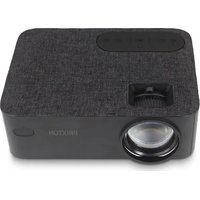
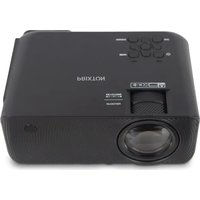
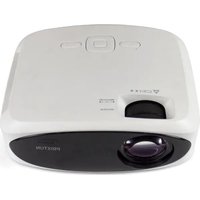
| Product type | Portable projector |
| Display technology | LCD (estimated) |
| Native resolution | 1920 x 1080 pixels (Full HD) |
| Brightness | 2000 lumens (estimated) |
| Contrast ratio | 1000:1 (estimated) |
| Lamp life | Up to 30,000 hours |
| Dimensions (W x D x H) | 20 x 15 x 8 cm (estimated) |
| Weight | 0.8 kg (estimated) |
| Power supply | AC adapter 100-240 V AC |
| Power consumption | 50 W (estimated) |
| Connectivity | HDMI, USB, VGA, 3.5mm audio input |
| Built-in speaker | Yes, 2 W (estimated) |
| Keystone correction | Manual (±15°) |
| Focus | Manual |
| Projection distance | 1 - 5 m (estimated) |
| Image size | 30 - 150 inches diagonal |
| Operating temperature | 0°C to 35°C |
| Maintenance and cleaning | Clean the air filter every 3 months, dust the lens with a soft cloth |
| Safety | Automatic shutdown after 30 minutes of inactivity (adjustable) |
| Spare parts and repairability | Lamp, filter, power supply available. Repair possible by authorized service. |
| Warranty | 2 years |
Frequently Asked Questions - Miró Prixton
How to turn on the projector?
Plug in the AC adapter, then press the Power button on the top or the remote control.
Can I connect my smartphone?
Yes, via an HDMI adapter or wirelessly (if model supports). Use a USB-C to HDMI cable if your phone supports it.
How to adjust sharpness?
Turn the focus ring located around the lens until you get a sharp image.
Why is the image distorted?
Use the keystone correction via the OSD menu to straighten the image if the projector is not perpendicular to the screen.
How to clean the air filter?
Turn off the device, remove the filter, vacuum dust or wash it with warm soapy water, dry completely before reinstalling.
Does the lamp need to be replaced?
Check the hour counter in the menu. If brightness decreases, replace the lamp with a compatible Prixton reference.
Can I use the projector in daylight?
For best visibility, use it in a dark or dimly lit room. The 2000 lumens brightness is suitable for indoor use.
What to do if the device does not turn on?
Check the power supply, power cord, and socket. If the indicator does not light up, contact customer service.
How to reset to factory settings?
Go to Settings menu > Reset > confirm. This will erase all your custom settings.
Is the projector compatible with an HDMI dongle?
Yes, you can plug a Chromecast, Fire Stick, or any HDMI device directly into the HDMI port of the projector.
User questions about Miró Prixton
0 question about this device. Answer the ones you know or ask your own.
Ask a new question about this device
No questions yet. Be the first to ask one.
Download the instructions for your Projector in PDF format for free! Find your manual Miró - Prixton and take your electronic device back in hand. On this page are published all the documents necessary for the use of your device. Miró by Prixton.
USER MANUAL Miró Prixton
Manual assistant
Powered by Anthropic
Waiting for your message
Product information
Brand : Prixton
Model : Miró
Category : Projector