Kubrick - Projector Prixton - Free user manual and instructions
Find the device manual for free Kubrick Prixton in PDF.


Pick your language and provide your email: we'll send you a specifically translated version.
| Product type | Projector |
| Brand | Prixton |
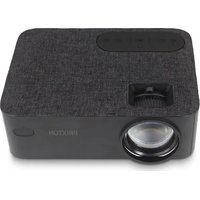
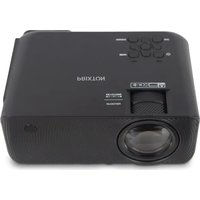
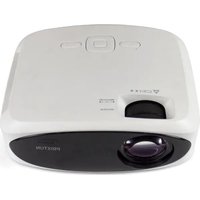
| Model | Kubrick |
| Display technology | LCD |
| Native resolution | 1280 x 720 pixels (HD) |
| Brightness | 2000 lumens |
| Contrast ratio | 1000:1 |
| Lamp life | 30,000 hours |
| Power supply | 100-240 V, 50/60 Hz |
| Power consumption | 80 W (max) |
| Dimensions (L x D x H) | 20 x 15 x 8 cm |
| Weight | 1.2 kg |
| Connectivity | HDMI, USB-A, VGA, 3.5mm audio input, 3.5mm audio output |
| Built-in speaker | 1 x 2 W |
| Keystone correction | Automatic (vertical) |
| Focus | Manual (ring) |
| Main features | USB playback, wireless mirroring (via optional adapter), digital zoom |
| Maintenance and cleaning | Clean the air filter every 6 months with a vacuum cleaner |
| Safety | Automatic shutdown in case of overheating, child lock |
| Spare parts and repairability | Replacement lamp available, remote control, cables |
Frequently Asked Questions - Kubrick Prixton
How to turn on the Prixton Kubrick projector?
Make sure the projector is plugged into a power outlet. Press the power button on the top or on the remote control. An indicator light shows power on.
What is the maximum supported resolution?
The native resolution is 1280x720 pixels. The projector accepts signals up to Full HD (1920x1080) with an HDMI adapter.
Can I connect a smartphone wirelessly?
The Kubrick does not have a built-in Wi-Fi receiver. You can use a Miracast or Chromecast adapter connected to the HDMI port for wireless projection.
How to clean the air filter?
Turn off and unplug the projector. Open the filter compartment (located on the side). Remove the filter and gently vacuum it with a vacuum cleaner. Replace it and close. Do this every 6 months.
Can I project directly onto a white wall?
Yes, a smooth white wall works perfectly. For better image quality, use a projection screen.
What is the recommended projection distance?
The distance depends on the desired screen size. For an 80-inch screen, place the projector about 2.5 meters away. Refer to the table in the manual for exact distances.
Is the lamp user-replaceable?
Yes, the lamp is accessible via a separate compartment. Buy a Prixton replacement lamp and follow the instructions in the manual. Caution: wait for the lamp to cool down before replacing.
How to use keystone correction?
In the Display settings menu, enable automatic keystone correction. You can also adjust manually using the + and - buttons on the remote control to correct vertical distortion.
What to do if the image is blurry?
Turn the focus ring around the lens until you get a sharp image. Also check the projection distance.
How to connect an external speaker?
Use the 3.5mm audio output port on the back of the projector. Connect an audio cable to your speaker or amplifier. You can also use a Bluetooth adapter if needed.
User questions about Kubrick Prixton
0 question about this device. Answer the ones you know or ask your own.
Ask a new question about this device
No questions yet. Be the first to ask one.
Download the instructions for your Projector in PDF format for free! Find your manual Kubrick - Prixton and take your electronic device back in hand. On this page are published all the documents necessary for the use of your device. Kubrick by Prixton.
USER MANUAL Kubrick Prixton
Manual assistant
Powered by Anthropic
Waiting for your message
Product information
Brand : Prixton
Model : Kubrick
Category : Projector