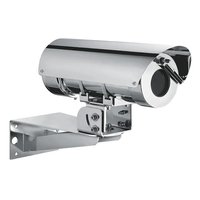
Maximus MPXL Series2 - Surveillance Camera Videotec - Free user manual and instructions
Find the device manual for free Maximus MPXL Series2 Videotec in PDF.


Pick your language and provide your email: we'll send you a specifically translated version.
| Product type | Surveillance camera |
| Brand | Videotec |
| Model | Maximus MPXL Series2 |
| Maximum resolution | 2 MP (1920 x 1080 pixels) |
| Sensor type | CMOS 1/2.8 inch |
| Night vision | Infrared up to 50 meters |
| Horizontal viewing angle | 90 degrees |
| Protection | IP66 (waterproof and weather-resistant) |
| Power supply | PoE (Power over Ethernet) IEEE 802.3af |
| Power consumption | 12 W max |
| Operating temperature | -40 °C to +60 °C |
| Dimensions (L x W x H) | 300 x 120 x 120 mm |
| Weight | 2.2 kg |
| Housing material | Aluminum with anti-corrosion coating |
| Main features | Motion detection, H.265 video stream, ONVIF compatibility |
| Maintenance and cleaning | Clean the dome with a soft dry cloth; avoid solvents |
| Security | Password protection, HTTPS encryption, IP filtering |
| Spare parts and repairability | Available on request from the manufacturer or authorized distributor |
| General information | User manual downloadable in PDF format on notice-facile.com |
Frequently Asked Questions - Maximus MPXL Series2 Videotec
How to install the Maximus MPXL Series2 camera?
Mount the bracket on a solid surface, connect the Ethernet cable for power and data via PoE, then use the provided software to configure the IP address and settings.
Is the camera compatible with standard NVR systems?
Yes, it supports the ONVIF protocol and is compatible with most NVR recorders on the market.
What is the range of night vision?
Infrared night vision allows seeing up to 50 meters in total darkness.
How to reset the camera to factory settings?
Press and hold the reset button located under the rear cover for 10 seconds, then release. The device will restart with default settings.
Can I use a power adapter instead of PoE?
No, this camera is designed to be powered exclusively via PoE (Power over Ethernet). Use a compatible PoE injector.
What is the maximum recording resolution?
The camera records in Full HD 1080p (1920 x 1080 pixels) at 30 frames per second.
Is the camera weather-resistant?
Yes, it has an IP66 rating, which protects it against rain, dust, and water jets.
How to access the video stream remotely?
Set up port forwarding on your router and use the mobile app or Videotec management software to view images over the internet.
What is the lifespan of the infrared LEDs?
The IR LEDs have an estimated lifespan of 50,000 hours of continuous operation.
Where to find spare parts?
Contact Videotec customer service or check the list of authorized distributors on the official website to order spare parts.
User questions about Maximus MPXL Series2 Videotec
0 question about this device. Answer the ones you know or ask your own.
Ask a new question about this device
No questions yet. Be the first to ask one.
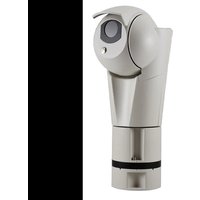
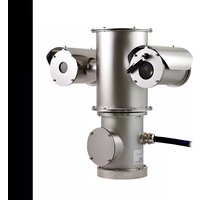
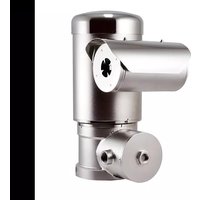
Download the instructions for your Surveillance Camera in PDF format for free! Find your manual Maximus MPXL Series2 - Videotec and take your electronic device back in hand. On this page are published all the documents necessary for the use of your device. Maximus MPXL Series2 by Videotec.
USER MANUAL Maximus MPXL Series2 Videotec
Manual assistant
Powered by Anthropic
Waiting for your message
Product information
Brand : Videotec
Model : Maximus MPXL Series2
Category : Surveillance Camera