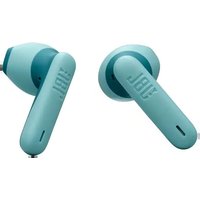
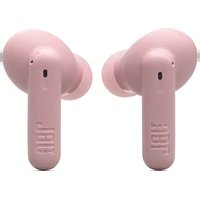
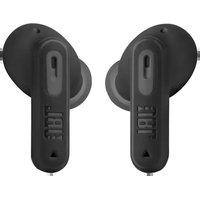
Live Beam 3 - Earplug JBL - Free user manual and instructions
Find the device manual for free Live Beam 3 JBL in PDF.


Pick your language and provide your email: we'll send you a specifically translated version.
| Product Type | True Wireless Earbuds |
| Driver Size | 10 mm |
| Frequency Response | 20 Hz – 20 kHz |
| Impedance | 16 ohms |
| Bluetooth Version | 5.3 |
| Supported Audio Codecs | SBC, AAC, LC3 (adaptive) |
| Active Noise Cancellation | Adaptive ANC with Smart Ambient |
| Battery Life (Earbuds, ANC On) | Up to 8 hours |
| Battery Life (Earbuds, ANC Off) | Up to 10 hours |
| Battery Life (with Case, ANC On) | Up to 32 hours |
| Battery Life (with Case, ANC Off) | Up to 40 hours |
| Charging Time (Earbuds) | 2 hours |
| Charging Time (Case) | 2 hours (USB-C) or 3 hours (Qi wireless) |
| Quick Charge | 10 minutes for 1 hour playback |
| Weight (Per Earbud) | 4.9 g |
| Weight (Charging Case) | 38.6 g |
| Water Resistance | IPX5 |
| Microphones | 6 |
| Controls | Touch controls, Voice assistant (Google/Siri) |
| App Support | JBL Headphones App |
| Additional Features | JBL Spatial Sound, TalkThru, Multipoint Connection, Find My Earbuds |
| Dimensions (Earbud) | 22.5 x 16.5 x 19.5 mm |
| Dimensions (Case) | 46.5 x 58.5 x 26.5 mm |
Frequently Asked Questions - Live Beam 3 JBL
How do I pair the JBL Live Beam 3 with my phone?
Open the charging case with the earbuds inside, then press and hold the button on the case for 3 seconds until the LED blinks white. Enable Bluetooth on your phone and select 'JBL Live Beam 3' from the list.
How long does the battery last?
With ANC on, the earbuds last up to 8 hours; with ANC off, up to 10 hours. The case provides an additional 24 hours (ANC on) or 30 hours (ANC off) for a total of up to 32/40 hours.
Can I use only one earbud?
Yes, you can use either the left or right earbud independently for calls or music. Simply remove one from the case and it will connect automatically.
How do I activate Active Noise Cancellation?
Tap the left earbud's touch control to cycle between Adaptive ANC, Smart Ambient, and TalkThru modes. You can also adjust in the JBL Headphones App.
Are the earbuds water resistant?
Yes, they have an IPX5 rating, meaning they can withstand light rain and sweat. However, do not submerge them in water.
How do I reset the JBL Live Beam 3?
Place the earbuds in the case and close it. Then, press and hold the button on the case for 10 seconds until the LED flashes red three times. Reopen the case to reset.
What is the charging time?
The earbuds fully charge in 2 hours via USB-C or 3 hours via Qi wireless. The case also takes 2 hours via USB-C or 3 hours on a wireless pad.
How do I clean the earbuds?
Use a soft, dry cloth to wipe the earbuds and charging contacts. Remove ear tips and rinse them with warm water, then dry thoroughly before reattaching. Do not use abrasive cleaning agents.
Can I connect to two devices at once?
Yes, the Live Beam 3 support Multipoint Connection. You can pair them with two devices (e.g., phone and laptop) and switch seamlessly. Enable this in the JBL Headphones App.
What should I do if the earbuds don't charge?
First, check that the charging pins on the earbuds and case are clean and dry. Ensure the case has battery by connecting it to power. If still not charging, reset the earbuds or contact JBL support.
User questions about Live Beam 3 JBL
0 question about this device. Answer the ones you know or ask your own.
Ask a new question about this device
No questions yet. Be the first to ask one.
Download the instructions for your Earplug in PDF format for free! Find your manual Live Beam 3 - JBL and take your electronic device back in hand. On this page are published all the documents necessary for the use of your device. Live Beam 3 by JBL.
USER MANUAL Live Beam 3 JBL
Manual assistant
Powered by Anthropic
Waiting for your message
Product information
Brand : JBL
Model : Live Beam 3
Category : Earplug