
5200 - Coffee machine Cloer - Free user manual and instructions
Find the device manual for free 5200 Cloer in PDF.


| Product type | Filter coffee maker |
| Brand | Cloer |
| Model | 5200 |
| Carafe capacity | 1.25 L (approx. 10 cups) |
| Coffee type | Ground coffee |
| Power | 900 W |
| Power supply | 220-240 V, 50/60 Hz |
| Dimensions (W × D × H) | 25 × 20 × 35 cm |
| Weight | 2.5 kg |
| Color | Black / Stainless steel |
| Main functions | Automatic shut-off, keep warm, water level indicator |
| Filter | Reusable permanent filter or paper filter No. 4 |
| Maintenance and cleaning | Regular descaling recommended, carafe and filter dishwasher safe |
| Safety | Automatic overheating shut-off |
| Spare parts and repairability | Replacement carafe, filters available |
| General information | User manual available in multiple languages |
Frequently Asked Questions - 5200 Cloer
User questions about 5200 Cloer
0 question about this device. Answer the ones you know or ask your own.
Ask a new question about this device
Download the instructions for your Coffee machine in PDF format for free! Find your manual 5200 - Cloer and take your electronic device back in hand. On this page are published all the documents necessary for the use of your device. 5200 by Cloer.
USER MANUAL 5200 Cloer
DE ____ Gebrauchsanweisung
EN ____ Operating Instructions
F Notice d'utilisation
NL ____ Gebruiksaanwijzing
FI ____ Käyttöohjeet
N ____ Bruksanvisning
s ____ Bruksanvisning
DK ____ Bruksanvisning
I ____ Istruzioni sull'uso
E ____ Instrucciones de uso
RU ____ Руководство к применению
SL ____ Navodila za uporabo

1x4
12-14

5200

5225


Beschreibung
Description
cloer
1) Pivot filter with removable filter basket
2) Filter basket release knob
3) Main water tank
4) Removable water tank
5) Water level display
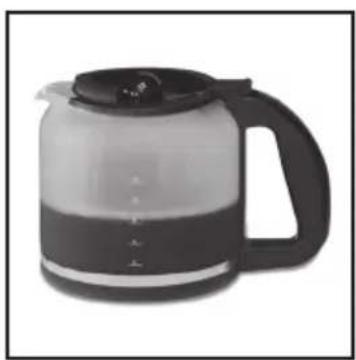
6) Glass carafe
7) Cartridge replacement indicator
8) ON/OFF button
9) Hot plate

DE
Vorwort

Temperature stabilized
NEU!
by buying the Cloer filter coffee maker you have decided on a quality product complying with the most modern development standard regarding technology and functionality.
Make sure you acquaint yourself with the appliance before and read the operating instructions carefully.
We wish you pleasure with your new filter coffee maker.
Basic safety instructions
- This electrical appliance is exclusively determined for private use and using in:
- staff kitchen areas in shops, offices and other working environments
- in farm houses
- by clients in hotels, motels and other residential type environments
- on bed and breakfast type environments
- Have repairs of Cloer electronic appliances carried out only by authorized Cloer specialist dealers or by the Cloer customer service. Improper repairs can involve substantial dangers for the user. Furthermore, this will void your warranty claims.
- Only operate the appliance at household-usual power sockets. Check if the mains voltage stated on the type plate is up to that of your power supply network.
- The appliance is provided with a connector of the attaching type „Y“. If this is damaged, it must be replaced by an authorized Cloer specialist dealer or the Cloer customer service to avoid endangering.
- Pull power plug of the power socket – in case of a defect.
- if the appliance is not used for a longer time.
– before any cleaning.
- Only pull at the plug, never at the feed cable.
- Do not tighten the feed cable too tight as otherwise the appliance is likely to tip over.
- Do not stretch the feed cable over sharp edges.
- Do not use the feed cable for carrying and protect it from heat (hotplate / open flame).
- Children do not realize dangers that are likely to occur because of improper use of electrical appliances.
- This appliance shall not be used by persons (inclusive children) with restricted physical, sensory or mental capabilities or lacking knowledge unless they are supervised by a person responsible for their security or they have received instructions how to use the appliance.
- Do not leave children unattended to ensure they do not play with the appliance.
- Protect your appliance from humidity (splash
water / rain).
- Let the appliance cool off before cleaning or stowing away.
- This appliance should not be operated due to an external timer or separate remote control system.
Setting up and connecting
- Remove all packaging parts and, if applicable, stickers, not the identification plate.
- Put the filter coffee maker on a dry, anti-grip and even base.
Before using the first time
- Read these instructions carefully before first use.
- Before the first start-up, run water (approx. 6 cups) through the machine (without coffee powder) for one or two times, as described under "Brewing coffee".
Safety instructions for operation
- Use the coffee maker exclusively for making coffee. Do not fill other liquids or foodstuffs in the coffee maker.
- Do not dive the coffee maker in water or any other liquids!
Brewing coffee
- Plug cord into a standard electrical outlet.
- Open the water reservoir cover.
- Fill carafe with desired amount of cold tap water using the carafe; pour into water reservoir.
- When filling in water, the light for tank and carafe will be on.
- The needed amount of water for the desired number of cups can be seen on the water level display on the housing.
- NOTE: The display right shows the needed amount of water without water filter cartridge, the display left shows the amount of water by using a water filter cartridge.
- Close the water reservoir cover securely.
- Place the carafe on the hot plate.
- By pressing the button you can open the pivot filter.
- Place a paper filter # 1x4 into the removable brew basket.
- Add desired amount of ground coffee and close the pivot filter securely.
- Press the ON/OFF button.
- The coffee is done when it has completely run through.
- Place the carafe back on the hot plate after pouring coffee to ensure your coffee will keep warm for a longer time.
- The coffee maker shuts off automatically after 2 hours.
- By pushing the ON/OFF button you can shut off the coffee maker manually before the end of 2
hours keep warm function.
- PLEASE NOTE: Let the appliance cool down for about 5 minutes between two brewing processes.
Temperaturestabilization

Temperaturestabilized
NEW!
The temperature stabilization which is only obtainable at Cloer filtre coffee makers, leads to a constant brewing temperature from the first up to the last drop. The system contains two separate water tanks. In the main water tank the water level is kept constant by a regulative float. The water that is filled in is leaded with constant water pressure through the heating system. In this way the water will be heated optimally from the beginning on and has already the right temperature when getting in contact with the coffee powder. The coffee tastes pleasant and soft. Only with the right brewing temperature the coffee can develop the aroma at its best.
Removable water tank
- Only with the removable water tank combined with the regulative float the temperature stabilization can work. If the removable water tank is damaged or gone the appliance still works like a conventional coffee maker.
- The regulative float contains a magnetic switch which indicates to the appliance that water is filled in and the regulative float works correctly.
- If there is no removable water tank or if the float does not work correctly, and you still want to switch on the appliance, keep the ON/OFF button pressed for 3 seconds.
• Afterwards you can brew coffee as usual. - Please use watermarks on the carafe to indicate the needed amount of water. The marks on the appliance are not correct if working without removable water tank.
- If the removable water tank is replaced at a later date, the appliance changes back automatically into the normal mode of operation.
Cartridge replacement indicator
- The Cloer filtre coffee maker is equipped with a BRITA water filtre cartridge and an indicator for changing the water filtre cartridge (LED in drop shape).
- If the LED starts to flash, the water filtre cartridge needs to be replaced.
- After replacing the water filtre cartridge please press and hold the ON/OFF button for 8 seconds to reset the indicator.
• After 60 brewing cycles or 60 days a cartridge replacement will be indicated. That guarantees a regular replacement.
NOTE: If you unplug the appliance, the coun-
ting of brewing cycles resp. days will be interrupted. After plug in again the counting will be continued.
Cleaning
- Please remove the removable water tank regularly, clean it in soapy water and let it dry thoroughly.
- Clean the main water tank regularly with a damp cloth and let it dry thoroughly.
- If you do not use the coffee maker for an extended period, keep the removable tank cleaned and dried outside the coffee maker.
- Clean the surface of the coffee maker with a damp cloth.
- Do not use abrasive cleaners.
- Never clean your coffee maker in the dishwasher or in rinse water.
Decalcification
- The water filtre cartridge continuously decreases the lime content of the water. Using a water filtre cartridge therefore requires rare decalcification of your machine.
- First of all, remove the water filtre cartridge.
- Pour approx. 6 cups of water and approx. 150 ml of citric acid or vinegar into the coffee maker and switch the machine on. After decalcifying, rinse the machine by operating it 2 times with 6 cups of clear water.
- Now you can put in the water filtre catrdige again.
- NOTE: If you miss to decalcify regularly you risque that the appliance gets louder and that the brewing process takes longer than before!
- No warranty claim in case of faulty functioning due to calcification!
BRITA® MAXTRA filter cartridge – Function
Reliable filter performance with the unique MAXTRA technology:
The natural MicroporeFilter in combination with the powerful ProtectFilter reduces chlorine and limescale for a great natural taste and permanently absorbs metals such as lead and copper. MAXTRA FlowControl ensures the perfect filtration time for best results.
Instructions for use for the BRITA® MAXTRA filter cartridge
Step 1: Preparing the cartridge
To prepare your BRITA MAXTRA cartridge, please remove protective wrapper (note: cartridge and inside wrapper may appear moist, this is simply condensation). Immerse cartridge in cold water and shake it gently to remove any air bubbles.
NOTE: As is required for some other water filter cartridges, there is no need to pre-soak the MAXTRA cartridge.
Step 2: Insert in the funnel
Before inserting the BRITA cartridge, remove and clean the water tank. Then insert the MAXTRA filter cartridge firmly in the funnel of the water tank and push downwards until it fits firmly in the funnel. The cartridge should stay in place if the funnel is turned upside down.
Step 3: Rinse cartridge
After replacing the water filtre cartridge let 2 times water run trough the coffee maker, as described under „Brewing coffee“, but without coffee powder. Then pour away the first two fillings, they are just for rinsing the appliance. Afterwards you can proceed brewing coffee as usual.
Remove cartridge
To exchange the cartridge, simply use the ring pull handle on the top of the cartridge to remove it from the funnel, and repeat steps 1–3. The display on your coffee machine automatically reminds you when to change your cartridge. Further information on this can be found on page 11 (Cartridge replacement indicator).
Always make sure that you have MAXTRA spare cartridges to hand. When buying new cartridges look for the BRITA MAXTRA filter on the cartridge packaging.
Important informations for the BRITA® MAXTRA filter cartridge
• Always store spare filter cartridges sealed in the original packaging in a shady, cool dry place.
- BRITA water filters are designed for use only with municipally treated tap water (NOTE: This water is constantly controlled and according to legal regulations safe to drink) or with water from private supplies that has been tested as safe to drink. If an instruction is received from the authorities that mains water must be boiled, the BRITA filtered water must also be boiled. When the instruction to boil water is no longer in force, the coffee machine and water tank must be cleaned and a new cartridge inserted.
- Please filter cold tap water only.
- Clean the coffee machine and water tank regularly.
- For certain groups of people (e.g. those with impaired immunity and for babies) it is generally recommended that tap water should be boiled; this also applies to BRITA filtered water. Irrespective of the water used you should use utensils with stainless steel or coffee machines with concealed elements. This product of our BRITA partner meets these requirements. In particular, people who are sensitive to nickel should use appliances made of stainless steel or coffee machines with concealed elements.
- For hygiene reasons, the MAXTRA cartridge contents are subject to special treatment with silver. A very small amount of silver may be transferred to the water. This transference would be within the World Health Organisation (WHO) guidelines.
- During the filtering process, there may be a slight increase in potassium content. However, one litre of BRITA filtered water contains less potassium than e.g. an apple. If you have kidney disease and/or follow a potassium-restricted diet, we recommend that you consult your doctor before using a BRITA water filter. Or call BRITA-Care Customer Service on +44 (0) 844 742 4800 for further information.
- Should your coffee machine not be in use for a prolonged period (e.g. holiday), BRITA recommends that you take out the cartridge, discard any water left inside the water tank and loosely insert the MAXTRA cartridge again into the funnel. Before using the BRITA water filter again take out the cartridge, clean the water tank and funnel thoroughly and repeat steps 1 to 3 of the instructions for use.
- BRITA filtered water is dedicated for human consumption. It is a perishable food and as such please consume within one to two days.
- Like each natural product, the consistency of the BRITA MicroporeFilter is subject to natural variances. This can lead to a slight abrasion of small carbon particles into your filtered water, noticeable as black bits. These particles have no negative health effects. If ingested, they will not harm the human body. In case you observe carbon particles, BRITA recommends to flush the cartridge several times or until the black bits disappear.
- BRITA cannot accept responsibility or liability if you do not respect our recommendations for the use and exchange of the BRITA filter cartridge.
Environmentally friendly disposal
We use only environmentally friendly packaging for the transport of our appliances. Please recycle cardboard/paper and plastic packaging appropriately.

CAUTION!
Electrical appliances should not be disposed of with the household trash.
Electrical appliances contain valuable raw materials. When an appliance is worn-out, please take it to a recognised recycling facility. Please consult the local authorities for information on recycling appliances.
Customer service
In the event that your Cloer appliance becomes defective, please contact your Cloer dealer or Cloer customer service department. Cloer electrical appliances comply with current EC guidelines and safety regulations.
Conditions of warranty
Cloer grants you, the private end user, a limited manufacturer's warranty. Assuming careful handling and compliance with the operating instructions and safety notices, we will be obligated to replace the appliance at no cost, insofar as there are defects in material or workmanship. The repair will be effected by repairing or replacing defective components. Any parts replaced will become the property of Cloer. All further claims of any type, especially claims for indemnification, are not valid. This warranty does not affect any rights of the customer with respect to the sale of goods in accordance with the applicable national laws.
The warranty period is 2 years starting from the date on which the product was first purchased by an end consumer. The warranty period will not be extended or begin anew or in any other way be affected by the subsequent sale, repair or replacement of the product.
This warranty is passed on to you by your retail dealer. In order to assert a warranty claim, please contact your dealer directly.
If you have questions about your product, please contact the Cloer importer in your country. The address and telephone number can be found on our website at http://www.cloer.de or you can send an e-mail to:
service-uk@cloer.de
As proof of warranty entitlement you must submit the original sales receipt with the date of sale and the dealer's address. Without the sales receipt, the repair will be carried out at your expense without asking.
The warranty does not cover damages resulting from
- improper use,
• natural wear and tear,
• external influences (e.g. damage from transport, shocks, jolts, heat, acids, etc.),
• insufficient decalcifying *
• or unsuitable accessories.
The warranty will be void if the appliance
• is used commercially,
• is opened or modified without authorisation
• or if unauthorised repairs are attempted.
Also, the warranty does not apply to consumable materials.
* electric kettle / coffeemaker / teamaker
Introduction
Chère cliente, cher client,

Temperature stabilized
NIEUW!

Temperature stabilized


Temperaturestabilized

Denne temperaturstabiliseringen som kun finnes på Cloer kaffeautomater sørger for en

Temperaturestabilized


Temperature stabilized


Temperature stabilized


Temperature stabilized
NUEVO!

Temperaturestabilized

Stamp and signature of dealer


- 1X4
- BESCHREIBUNG
- DESCRIPTION
- CLOER
- DE
- VORWORT
- BASIC SAFETY INSTRUCTIONS
- SETTING UP AND CONNECTING
- BEFORE USING THE FIRST TIME
- SAFETY INSTRUCTIONS FOR OPERATION
- BREWING COFFEE
- TEMPERATURESTABILIZATION
- REMOVABLE WATER TANK
- CARTRIDGE REPLACEMENT INDICATOR
- CLEANING
- DECALCIFICATION
- BRITA® MAXTRA FILTER CARTRIDGE – FUNCTION
- INSTRUCTIONS FOR USE FOR THE BRITA® MAXTRA FILTER CARTRIDGE
- STEP 1: PREPARING THE CARTRIDGE
- STEP 2: INSERT IN THE FUNNEL
- STEP 3: RINSE CARTRIDGE
- REMOVE CARTRIDGE
- IMPORTANT INFORMATIONS FOR THE BRITA® MAXTRA FILTER CARTRIDGE
- ENVIRONMENTALLY FRIENDLY DISPOSAL
- CAUTION
- ELECTRICAL APPLIANCES SHOULD NOT BE DISPOSED OF WITH THE HOUSEHOLD TRASH
- CUSTOMER SERVICE
- CONDITIONS OF WARRANTY
- SERVICE-UK@CLOER.DE
- INTRODUCTION
- CHÈRE CLIENTE, CHER CLIENT
Brand : Cloer
Model : 5200
Category : Coffee machine