
14.1502 - Food thermometer TFA - Free user manual and instructions
Find the device manual for free 14.1502 TFA in PDF.


| Product type | Food probe thermometer |
| Brand | TFA |
| Model | 14.1502 |
| Measurement range | -50 °C to +300 °C |
| Accuracy | ±1 °C between -20 °C and +150 °C, otherwise ±2 °C |
| Resolution | 0.1 °C |
| Probe type | Stainless steel needle probe |
| Probe length | Approx. 12 cm |
| Display | Digital LCD screen |
| Hold function | Yes, HOLD function |
| Temperature alarm | Yes, adjustable |
| Water resistance | Not waterproof, avoid immersion |
| Power supply | 1 CR2032 button cell battery, 3 V |
| Battery life | Approx. 1 year under normal use |
| Dimensions (device) | Approx. 25 x 3 x 2 cm |
| Weight | Approx. 50 g (with battery) |
| Housing material | ABS plastic |
| Main functions | Internal food temperature measurement, cooking, frying, candy making |
| Maintenance and cleaning | Clean the probe with a damp cloth, do not immerse |
| Safety | Do not use in microwave, probe not suitable for oven |
| Spare parts and repairability | Battery replaceable, probe not individually replaceable |
| Warranty | 2 years |
Frequently Asked Questions - 14.1502 TFA
User questions about 14.1502 TFA
0 question about this device. Answer the ones you know or ask your own.
Ask a new question about this device
Download the instructions for your Food thermometer in PDF format for free! Find your manual 14.1502 - TFA and take your electronic device back in hand. On this page are published all the documents necessary for the use of your device. 14.1502 by TFA.
USER MANUAL 14.1502 TFA
Operating Instructions
Mode d'emploi

natural_image
Interior view of a stainless steel oven with control knobs and a door (no visible text or symbols)Kat. Nr. 14.1502
CE

Digital meat thermometer

Thank you for choosing this digital meat thermometer from TFA.
1. Before you use the instrument
- Please be sure to read the operating instructions before using it for the first time. This information will help you to familiarise yourself with your new instrument, learn all of its functions and parts, find out important details for its first use and how to operate the instrument and get advice in the event of faults.
- Following the instructions for use will prevent damage to the device and loss of your statutory warranty rights due to incorrect use.
- We are not liable for any damages occurring as a result of not following these operating instructions.
- Please take particular note of the safety advice.
- Please retain these instructions for reference!
2. Extent of delivery
• Digital meat thermometer
• Metal probe with 1 m silicone cable
- Battery 1.5 V AAA
- Instruction manual
3. Field of operation and all of the benefits of your new instrument at a glance
- For the optimal preparation of meat and poultry by monitoring the core temperature
- Can be used for the oven or grill, also ideal for cooking at low temperatures
- Different types of meat and doneness pre-programmed:
- Beef, pork, chicken, turkey, veal, lamb, ham, duck, ribs, ground
• well-done, medium, medium rare and rare
- Individual temperature requirements can be programmed
- Three alarm levels for reaching the target temperature
• Metal probe with 1 m silicone cable - Measuring range: 0...+100^(+32...+212^) , ^/^ switchable
- As table-top device with foldable display and magnets
Digital meat thermometer

4. For your safety
- The product is exclusively intended for the field of operation described above. The product should only be used as described within these instructions.
- Repairs, modifications or changes to the instrument by the consumer are prohibited.
- The product is not to be used for medical purpose or for public information, but is determined for home use only.

Caution! Risk of injury:
- Wear heat-resistant protective gloves when you touch the sensor during or after cooking.
- Do not use the instrument in the microwave.
- Keep this instrument and the batteries out of reach of children.
- Batteries must not be thrown in fire, short-circuited, taken apart or recharged. Danger of explosion!
- Batteries contain harmful acids. Low batteries should be changed soon to avoid the damage resulting from a leaking battery. Remove the battery if you do not use the instrument for a longer period of time. Wear chemical-resistant protective gloves and glasses when handling with leaked batteries.

Important information on product safety!
- Do not place the unit near extreme temperatures, vibration or shock. Only the probe and the cable are heat resistant until 220 °C. Never place the probe directly over fire.
- Do not immerse the cable and the probe into water. Water can penetrate into the precision sensor and cause malfunction. Not suitable for dishwasher.
Digital meat thermometer

5.Elements
A: Display (Fig. 1);
A 1: Chosen type of meat Example: Ground turkey
A 2: Pre-Alarm (another 10 °C/°F until target temperature is reached)
A 3: Target temperature
A 4: Target temperature is over 10 °C/°F
A 5: Actual core temperature
A 6: Bar chart for doneness
A 7: Indicator for target doneness
B: Buttons (Fig. 2):
B 1: ALARM STOP button
B 2: MEMORY button
B 3: MEAT / ALERT / + button
B 4: TASTE / ALERT / - button
B 5: ALERT ON/OFF switch
B 6: POWER ON/OFF button
B 7: °C / °F switch
B 8: RESET button
C: Housing (Fig. 2):
C 1: Battery compartment
C 2: Magnets
C 3: Connector socket for probe
D: Sensor (Fig. 2):
D 1: Metal probe
D 2: Silicone cable
D 3: Jack plug
Digital meat thermometer

6. Getting started
- Pull off the protection foil on the display. Open the battery compartment at the back of the instrument and insert the battery (1 x 1.5 V AAA), polarity as illustrated. Close the battery door.
- A short beep will sound and all LCD segments will light up for a short moment. The unit is now ready to use.
- With the ^ / ^ switch on the side of the instrument you can toggle between ^ or ^ as temperature unit.
- Plug the connector for the sensor cable into the socket on the left-hand side of the instrument.
7. Use
7.1 Preparation
- Press the POWER ON/OFF button to switch on the instrument.
- Press the MEAT/ALERT/+ button to choose the type of meat and the TASTE/ALERT/- button to choose the doneness (table). The target temperature will be shown automatically.
▶ If you choose PGM instead of choosing a type of meat, you can save an individual temperature value here. Press and hold the MEMORY button. The temperature display flashes. Set the desired temperature with the MEAT/ALERT/+ and the TASTE/ALERT/- button. Save the value with the MEMORY button.
The suggested target temperatures can also be altered in this way to suit your individual requirements. - Push the sensor at least 2.5 cm into the middle of the thickest part of the meat, for poultry between the torso and the thigh; it should touch neither bones nor cartilage and should not protrude from the meat. Put the meat into the oven and set the relevant oven temperature.
- Lead the cable outside. It adapts to the oven seal. Take care of sharp-edged frames and hinges.
Digital meat thermometer

- Use the magnets to fasten the thermometer in position near the oven (cable length 1 m) or use it as a table-top device and fold up the display.
7.2 Measuring procedure
- Slide the ALERT ON/OFF switch to the position ON.
- The sensor remains in the meat throughout the cooking process. The current core temperature and the doneness is shown permanently on the display.
- The pre-alarm (every 5 sec.) will sound and PRE-ALERT flashes, if the core temperature is 10^ / ^ away from the required target.
- The alarm tone (4 short alarm sounds subsequently) will sound and ALERT flashes, when the core temperature is reached.
- A constant alarm tone will sound and OVER COOK flashes, if the core temperature is 10^ / ^ over the target.
- Press ALARM STOP button to stop the alarm.
- Slide the ALERT ON/OFF switch to the position OFF, the alarm function is deactivated.
- Press the POWER ON/OFF button to switch off the instrument.
Temperatures °C/°F
Display BEEF PORK CHICK TURKY VEAL
| Types of meat *Doneness | Beef | Pork | Chicken | Turkey |
| Well done 77/170 | 77/170 | 82/180 | 82/180 | 77/170 |
| Medium | 71/160 | 71/160 | ||
| Medium rare | 63/145 | 63/145 | ||
| Rare | 60/140 | 60/140 |
* Different levels of doneness available depending on type of meat.
Digital meat thermometer

Display LAMB HAM DUCK RIBS
| Types of meat *Doneness | Lamb | Ham | Duck | Ribs |
| Well done | 77/170 | 71/160 | 82/180 | 77/170 |
| Medium | 71/160 | 71/160 | ||
| Medium rare | 63/145 | 63/145 | ||
| Rare | 60/140 | 60/140 |
* Different levels of doneness available depending on type of meat.
Attention: GROUND meat
| Display | GROUND BEEF | GROUND PORK | GROUND CHICK | GROUND TURKY |
| Types of meat | Ground beef | Ground pork | Ground chicken | Ground turkey |
| *Doneness | ||||
| Well done | 71/160 | 71/160 | 74/165 | 74/165 |
* Different levels of doneness available depending on type of meat.
| Display | GROUND VEAL | GROUND LAMB | PGM |
| Types of meat*Doneness | Ground veal | Ground lamb | Individual value |
| Well done | 71/160 | 71/160 | (70/158) |
* Different levels of doneness available depending on type of meat.
Digital meat thermometer

8. Care and maintenance
- Clean the instrument and the probe with a soft damp cloth. Do not use solvents or scouring agents. Protect from moisture.
- Turn off the instrument after use. Remove the battery if you do not use the instrument for a longer period of time.
- Keep the instrument in a dry place.
8.1 Battery replacement
- Replace the battery when the display becomes weak or the alarm level declines.
- Open the battery compartment at the backside of the instrument and insert a new battery (1 x 1.5 V AAA), polarity as illustrated. Close the battery door.
9. Malfunction
Problems Troubleshooting
| No display → Switch on the instrument→ Check battery polarity→ Change battery |
| Display “Hi” → Temperature at the sensor>100°C/212°F |
| Display "Lo" → Temperature at the sensor< 0°C/32°F→ Check the sensor cable connection |
Incorrect display → Press RESET button
→ Change battery
Temperature display → Check the position of the sensor is too high in the meat
Should your device fail to work despite these measures contact the supplier where you purchased your product.
Digital meat thermometer

10. Waste disposal
This product has been manufactured using high-grade materials and components which can be recycled and reused.

Never dispose empty batteries and rechargeable batteries in household waste. As a consumer, you are legally required to take them to your retail store or to appropriate collection sites according to national or local regulations to protect the environment.
The symbols for the heavy metals contained are: Cd=cadmium, Hg=mercury, Pb=lead
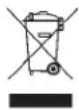
This instrument is labelled in accordance with the EU Waste Electrical and Electronic Equipment Directive (WEEE).
Never dispose this instrument in household waste. The user is obligated to submit old devices for environmentally-suitable disposal at a designated collection point for the disposal of electrical and electronic equipment.
11. Specifications
Measuring range: 0...+100°C,
+32...+212°F, °C/°F-reversible
Resolution: 1°C/1°F
Cable: appr. 1 m, heat resistant up to 220 °C
Power consumption: 1 x 1.5V AAA battery
Housing dimension: 120 x 73 x 20 mm
Weight: 133.6 g (incl. battery and probe)
No part of this manual may be reproduced without written consent of TFA Dostmann. The specifications of this product may change without prior notice. www.tfa-dostmann.de
03/11
Thermo-sonde de cuisson digitale

- Digital meat thermometer
- Before you use the instrument
- Extent of delivery
- Field of operation and all of the benefits of your new instrument at a glance
- For your safety
- Caution! Risk of injury:
- Important information on product safety!
- 5.Elements
- B: Buttons (Fig. 2):
- C: Housing (Fig. 2):
- D: Sensor (Fig. 2):
- Getting started
- Use
- Preparation
- Measuring procedure
- Care and maintenance
- Battery replacement
- Malfunction
- Waste disposal
- Specifications
- Thermo-sonde de cuisson digitale
Brand : TFA
Model : 14.1502
Category : Food thermometer