
YourType Folio - Keyboard BELKIN - Free user manual and instructions
Find the device manual for free YourType Folio BELKIN in PDF.


| Product Type | Bluetooth Keyboard with Folio Case |
| Brand | Belkin |
| Model | YourType Folio |
| Compatibility | iPad (recent models) |
| Connectivity | Bluetooth 5.1 |
| Power | Rechargeable lithium-ion battery |
| Charging port | USB-C |
| Battery life | Up to 3 months (moderate use) |
| Backlight | Yes, adjustable with 7 colors |
| Key layout | AZERTY (French) |
| Dimensions (approx.) | 25,4 x 19,2 x 1,6 cm |
| Weight | 510 g |
| Materials | Polycarbonate, interior microfiber |
| Main functions | Comfortable typing, screen protection, adjustable stand |
| Maintenance and cleaning | Clean with a soft, dry cloth |
| Safety | Do not expose to moisture or extreme temperatures |
| Spare parts | Not available, integrated product |
| Repairability | Limited, contact Belkin support |
| Warranty | 2 years |
Frequently Asked Questions - YourType Folio BELKIN
User questions about YourType Folio BELKIN
0 question about this device. Answer the ones you know or ask your own.
Ask a new question about this device
Download the instructions for your Keyboard in PDF format for free! Find your manual YourType Folio - BELKIN and take your electronic device back in hand. On this page are published all the documents necessary for the use of your device. YourType Folio by BELKIN.
USER MANUAL YourType Folio BELKIN
Thank you for purchasing the Belkin YourType™ Folio + Keyboard, a Bluetooth® keyboard accessory to be used with your iPad.
English....1
Français....15
Deutsch....29
Nederlands ....43
Español .....57
Italiano....71
Português ....85
Русский....99
YourType™ FOLIO + KEYBOARD

belkin™

belkin.
YourType FOLIO + KEYBOARD
Product Overview
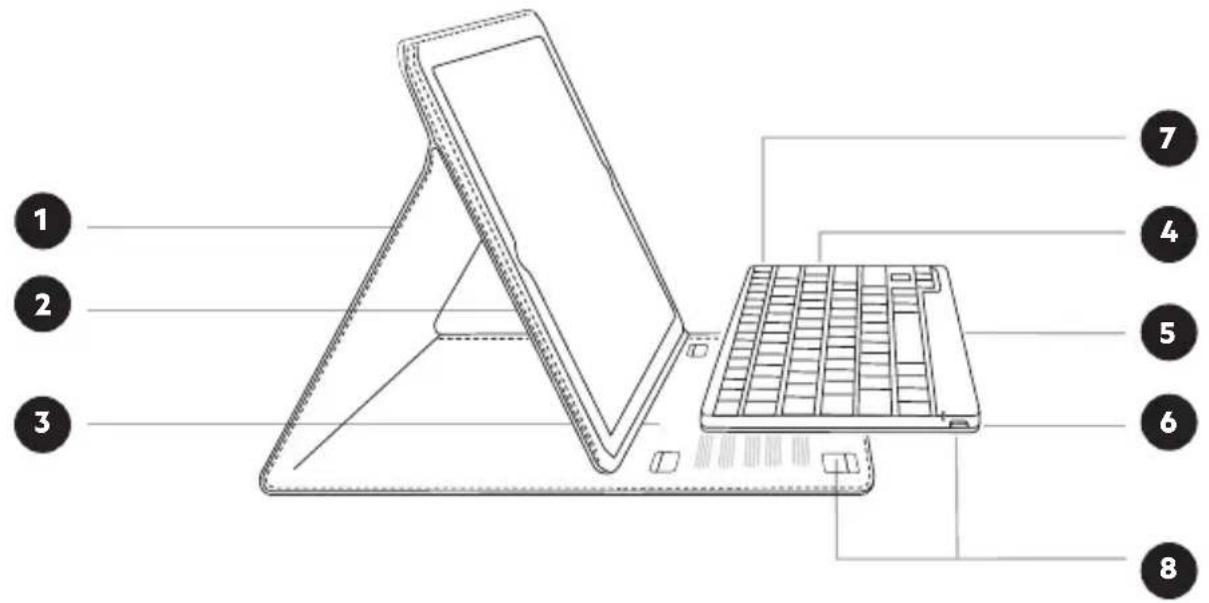
- Folio
- iPad pocket
- Detents for adjustable stand feature
-
Bluetooth ^s keyboard
-
Status LED
- Charging port (micro-USB)
- Bluetooth pair button
- Touch fastener
QUICK INSTALL GUIDE
Package Contents


natural_image
Line drawing of a standard computer keyboard with no text or symbols

natural_image
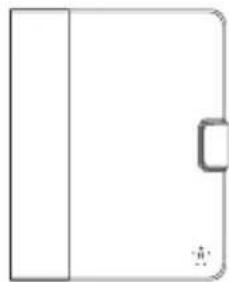
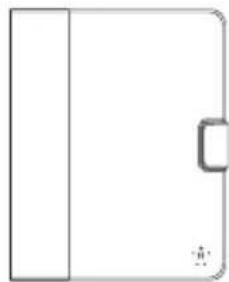
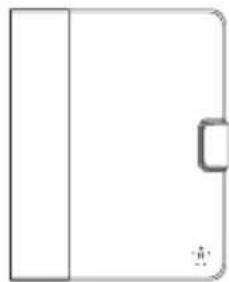
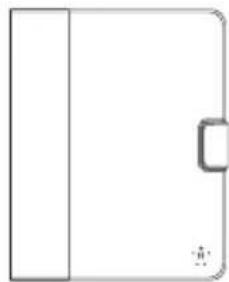
Simple line drawing of a rectangular object with a vertical bar on the left and a small rectangular block on the right (no text or symbols)


natural_image
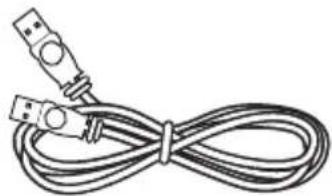
Coiled cable with two USB connectors (no text or symbols visible)- Keyboard
- Folio
- Quick Install Guide
- USB to Micro-USB Charging Cable
Contents may vary in different areas.
Setup
Insert iPad into iPad pocket ensuring correct orientation.
The keyboard secures into the folio using four touch-fastener hook points.

natural_image
Line drawing of a laptop with a keyboard inserted, showing base and top views (no text or symbols)QUICK INSTALL GUIDE
Stand Positions
The folio can be adjusted to several different angles using the detents in the folio.

natural_image
Line drawings of four different electronic devices with keyboard and stand arrangements (no text or symbols)
belkin.
YourType FOLIO + KEYBOARD
Hot Keys
The keyboard incorporates additional hot keys mapping to popular iPad functions or productivity shortcuts as defined below:
| Function | Icon | Function | Icon | Function | Icon |
| Screen Off |  | Select Right |  | Next Track |  |
| Home |  | Copy |  | Mute |  |
| Virtual Keyboard |  | Cut |  | Volume Down |  |
| Search |  | Paste |  | Volume Up |  |
| Select All |  | Previous Track |  | Slideshow |  |
| Select Left |  | Play/Pause |  |
QUICK INSTALL GUIDE
Charging the Keyboard
The keyboard contains an internal battery that is charged using the supplied USB to micro-USB cable. Connect the USB end to an appropriate USB power source (e.g., laptop, desktop, USB wall charger, etc.). Connect the micro-USB end into the keyboard. When the keyboard is plugged into a USB source, the Charge Status amber LED comes ON for about 30 seconds and goes off if the battery is fully charged; if the battery needs recharging, the light stays ON until the battery is fully charged.
The keyboard has been designed to be operational even when the battery is empty, as long as it is connected via the USB to micro-USB cable to an appropriate USB power source. While it is charging, the keyboard will be fully operational whether the switch is set to an on or off position.
Pairing the Keyboard
The keyboard connects to your tablet via Bluetooth technology.
Before using the keyboard, you must first pair it with your Bluetooth wireless-technology-enabled iPad. Pairing is necessary for two Bluetooth devices to connect to each other wirelessly. After creating a paired link, you do not need to repeat the pairing process; the keyboard automatically links to the tablet when both devices are switched on. Pairing must be performed every time you want to use the keyboard with a different iPad. If the keyboard is not paired, the status LED will flash blue.
To initiate pairing between the keyboard and iPad, ensure that they are in close proximity:
- Go to the Home screen on your iPad and tap on "Settings > General > Bluetooth."
- Turn Bluetooth to "On."
- Turn on the keyboard and press and hold the "pair" key.
- The Status LED will flash blue on the keyboard and the keyboard will show up under "Devices" on the tablet. Select "Belkin Bluetooth Keyboard."
- A code will appear on the iPad screen. Enter this code followed by the "Enter" key using the keyboard.
- When pairing is complete, the iPad will notify you that the pairing was successful. The keyboard will then be paired to your iPad.
- If, after 60 seconds, pairing fails, you will have to repeat the steps above. You can view the status from the screen of the iPad.
- You can now use the keyboard to type onto your iPad.
Using the Keyboard
The YourType Keyboard is designed to prolong battery life and will enter into battery-saving mode under prolonged inactivity. To wake the keyboard, press any button. The Status LED will flash blue while the connection is being reestablished, and will be solid blue for two seconds when the connection is successfully established. The Status LED then turns off during ongoing operation.
When connecting the Russian keyboard (F5L114bmC00) to your iPad, make sure to select "Russian" in the Hardware Keyboard Layout setting.
Bluetooth Wireless Technology
Bluetooth wireless technology has revolutionized the personal connectivity market by providing seamless freedom from wired connections. It offers a small form factor and a low-cost radio solution, providing links between mobile computers, mobile phones, and other portable and handheld devices as well as connectivity to the Internet. The Bluetooth Special Interest Group (SIG), composed of leaders in the telecommunications, computing, and network industries, is driving development of the technology and bringing it to market. The Bluetooth SIG includes promoter companies 3Com ^® , Ericsson ^® , IBM ^® , Intel ^® , Lucent ^® , Microsoft ^® , Motorola ^® , Nokia ^® , Toshiba ^® , and more than 2,000 adopter companies.
Safety Precautions
Please read the following carefully before using the product. Incorrect use or incompatibility with your device may result in reduced performance or damage to your device.
- Do not attempt to disassemble product.
- Store and operate between 32^ F-113° F.
- Do not allow this product to have contact with liquids.
- Do not place this product near a heat source or flame or it may explode.
- Do not throw or shake the YourType™ Folio + Keyboard.
- Do not crush or puncture the YourType™ Folio + Keyboard.
- Use soft cloth to clean the exterior. Do not use harsh chemicals or strong cleaning solvents.
Recycling/Discarding
The YourType™ Folio + Keyboard should be disposed of properly. Please do not dispose in trash receptacles or incinerate.

Europe – EU Declaration of Conformity
This device complies with the essential requirements of the R&TTE Directive 1999/5/EC, the EMC Directive 2004/108/EC, and the low-voltage Directive 2006/95/EC. A copy of the European Union CE marking "Declaration of Conformity" may be obtained at the website: www.belkin.com/doc.

Disposal Information
Your Belkin keyboard contains a long-life rechargeable lithium ion battery. It is not user-serviceable or replaceable. At product end of life, please dispose of the product through a recycling center according to your local regulations. Or, you may contact Belkin International in your country for instructions on recycling this product and proper disposal.
Please see: www.Belkin.com/environmental
QUICK INSTALL GUIDE
Belkin International, Inc., Limited 3-Year Product Warranty
What this warranty covers.
Belkin International, Inc. (“Belkin”) warrants to the original purchaser of this Belkin product that the product shall be free of defects in design, assembly, material, or workmanship.
What the period of coverage is.
Belkin warrants the Belkin product for three years.
What will we do to correct problems?
Product Warranty.
Belkin will repair or replace, at its option, any defective product free of charge (except for shipping charges for the product). Belkin reserves the right to discontinue any of its products without notice, and disclaims any limited warranty to repair or replace any such discontinued products. In the event that Belkin is unable to repair or replace the product (for example, because it has been discontinued), Belkin will offer either a refund or a credit toward the purchase of another product from Belkin.com in an amount equal to the purchase price of the product as evidenced on the original purchase receipt as discounted by its natural use.
What is not covered by this warranty?
All above warranties are null and void if the Belkin product is not provided to Belkin for inspection upon Belkin's request at the sole expense of the purchaser, or if Belkin determines that the Belkin product has been improperly installed, altered in any way, or tampered with. The Belkin Product Warranty does not protect against acts of God such as flood, lightning, earthquake, war, vandalism, theft, normal-use wear and tear, erosion, depletion, obsolescence, abuse, damage due to low voltage disturbances (i.e. brownouts or sags), non-authorized program, or system equipment modification or alteration.
How to get service.
To get service for your Belkin product you must take the following steps:
- Contact Belkin International, Inc., at 12045 E. Waterfront Drive, Playa Vista, CA 90094, Attn: Customer Service, or call (800)-223-5546, within 15 days of the Occurrence. Be prepared to provide the following information:
a. The part number of the Belkin product.
b. Where you purchased the product.
c. When you purchased the product.
d. Copy of original receipt.
- Your Belkin Customer Service Representative will then instruct you on how to forward your receipt and Belkin product and how to proceed with your claim.
Belkin reserves the right to review the damaged Belkin product. All costs of shipping the Belkin product to Belkin for inspection shall be borne solely by the purchaser. If Belkin determines, in its sole discretion, that it is impractical to ship the damaged equipment to Belkin, Belkin may designate, in its sole discretion, an equipment repair facility to inspect and estimate the cost to repair such equipment. The cost, if any, of shipping the equipment to and from such repair facility and of such estimate shall be borne solely by the purchaser. Damaged equipment must remain available for inspection until the claim is finalized. Whenever claims are settled, Belkin reserves the right to be subrogated under any existing insurance policies the purchaser may have.
QUICK INSTALL GUIDE
How state law relates to the warranty.
THIS WARRANTY CONTAINS THE SOLE WARRANTY OF BELKIN. THERE ARE NO OTHER WARRANTIES, EXPRESSED OR, EXCEPT AS REQUIRED BY LAW, IMPLIED, INCLUDING THE IMPLIED WARRANTY OR CONDITION OF QUALITY, MERCHANTABILITY OR FITNESS FOR A PARTICULAR PURPOSE, AND SUCH IMPLIED WARRANTIES, IF ANY, ARE LIMITED IN DURATION TO THE TERM OF THIS WARRANTY.
Some states do not allow limitations on how long an implied warranty lasts, so the above limitations may not apply to you.
IN NO EVENT SHALL BELKIN BE LIABLE FOR INCIDENTAL, SPECIAL, DIRECT, INDIRECT, CONSEQUENTIAL OR MULTIPLE DAMAGES SUCH AS, BUT NOT LIMITED TO, LOST BUSINESS OR PROFITS ARISING OUT OF THE SALE OR USE OF ANY BELKIN PRODUCT, EVEN IF ADVISED OF THE POSSIBILITY OF SUCH DAMAGES.
This warranty gives you specific legal rights, and you may also have other rights, which may vary from state to state. Some states do not allow the exclusion or limitation of incidental, consequential, or other damages, so the above limitations may not apply to you.

belkin.
YourType FOLIO + KEYBOARD
Free Tech Support\*
*National call rates may apply www.belkin.com
You can find additional support information on our website www.belkin.com through the tech-support area. If you want to contact technical support by phone, please call the number you need from this list*.
COUNTRY NUMBER INTERNET ADDRESS
| AUSTRIA | 0820 200766 www.belkin.com/de/ | |
| BELGIUM | 07 07 00 073 | www.belkin.com/nl/www.belkin.com/fr/ |
| CZECH REPUBLIC | 239 000 406 www.belkin.com/uk/ | |
| DENMARK | 701 22 403 www.belkin.com/uk/ | |
| FINLAND | 0972519123 www.belkin.com/uk/ | |
| FRANCE | 08 - 25 54 00 26 www.belkin.com/fr/ | |
| GERMANY | 0180 - 500 57 09 www.belkin.com/de/ | |
| GREECE | 00800 - 44 14 23 90 www.belkin.com/uk/ | |
| HUNGARY | 06 - 17 77 49 06 www.belkin.com/uk/ | |
| ICELAND | 800 8534 www.belkin.com/uk/ | |
| IRELAND | 0818 55 50 06 www.belkin.com/uk/ | |
| ITALY | 02 - 69 43 02 51 www.belkin.com/it/ | |
| LUXEMBOURG | 34 20 80 85 60 www.belkin.com/uk/ | |
| NETHERLANDS | 0900 - 040 07 90 €0.10 per minute | www.belkin.com/nl/ |
| NORWAY | 81 50 0287 www.belkin.com/uk/ | |
| POLAND | 00800 - 441 17 37 | www.belkin.com/uk/ |
| PORTUGAL | 707 200 676 | www.belkin.com/uk/ |
| RUSSIA | 495 580 9541 | www.belkin.com/ |
| SOUTH AFRICA | 0800 - 99 15 21 | www.belkin.com/uk/ |
| SPAIN | 902 - 02 43 66 | www.belkin.com/es/ |
| SWEDEN | 07 - 71 40 04 53 www.belkin.com/uk/ | |
| SWITZERLAND | 08 - 48 00 02 19 | www.belkin.com/de/www.belkin.com/fr/ |
| UNITED KINGDOM | 0845 - 607 77 87 www.belkin.com/uk/ | |
| OTHER COUNTRIES | +44 - 1933 35 20 00 | |
GUIDE D'INSTALLATION RAPIDE
natural_image
Line drawing of a standard computer keyboard with no text or symbols2
natural_image
Simple line drawing of a rectangular object with a vertical side and a small rectangular cutout on the right side (no text or symbols)3

4

natural_image
Coiled cable with two USB connectors (no text or symbols visible)natural_image
Line drawing of a laptop with a keyboard inserted into a stand, showing structural components (no text or symbols)GUIDE D'INSTALLATION RAPIDE
natural_image
Line drawings of four different electronic devices with keyboard and stand arrangements (no text or symbols)
belkin.
ÉTUI + CLAVIER YourType
Raccourcis clavier
natural_image
Line drawing of a standard computer keyboard with no text or symbols2

natural_image
Simple line drawing of a rectangular object with a vertical side and a small rectangular cutout on the right side (no text or symbols)3

4
natural_image
Coiled cable with two USB connectors (no text or symbols visible)natural_image
Line drawing of a laptop with a keyboard inserted, showing base and top views (no text or symbols)natural_image
Line drawing of a standard computer keyboard with no text or symbols2
natural_image
Simple line drawing of a rectangular object with a vertical side and a small rectangular cutout on the right side (no text or symbols)3

4

natural_image
Coiled cable with two USB connectors (no text or symbols visible)natural_image
Line drawing of a laptop with a keyboard inserted, showing base and top views (no text or symbols)BEKNOPTE INSTALLATIEHANDLEIDING
Standen
natural_image
Line drawing of a standard computer keyboard with no text or symbols2

natural_image
Simple line drawing of a rectangular object with a vertical side and a small rectangular cutout on the right side (no text or symbols)3

4

natural_image
Coiled cable with two USB connectors (no text or symbols visible)natural_image
Line drawing of a laptop with a keyboard inserted, showing base and top views (no text or symbols)es-60
natural_image
Line drawings of four different electronic devices with no visible text or symbols
belkin.
FUNDA FOLIO + TECLADO YourType
natural_image
Line drawing of a standard computer keyboard with no text or symbols2
natural_image
Simple line drawing of a rectangular object with a vertical side and a small rectangular cutout on the right side (no text or symbols)3

4

natural_image
Coiled cable with two USB connectors (no text or symbols visible)natural_image
Line drawing of a laptop with a keyboard inserted into a stand, showing structural components (no text or symbols)natural_image
Line drawings of three different electronic devices with no visible text or symbols
belkin.
FOLIO + TASTIERA YourType
natural_image
Line drawing of a standard computer keyboard with no text or symbols2

natural_image
Simple line drawing of a rectangular object with a vertical side and a small rectangular cutout on the right side (no text or symbols)3
4

natural_image
Coiled cable with two USB connectors (no text or symbols visible)natural_image
Line drawing of a laptop with a keyboard inserted, showing base and top views (no text or symbols)natural_image
Line drawings of three different electronic devices with no visible text or symbols
belkin.
YourType FOLIO + TECLADO
Teclas de atalho
natural_image
Line drawing of a standard computer keyboard with no text or symbols2
natural_image
Simple line drawing of a rectangular object with a vertical side and a small rectangular cutout on the right side (no text or symbols)3

4

natural_image
Coiled cable with two USB connectors (no text or symbols visible)natural_image
Line drawing of a laptop with a keyboard inserted, showing base and top views (no text or symbols)Express Business Park
Shipton Way, Rushden
NN10 6GL, United Kingdom
Belkin SAS
Belkin Italy & Greece
Via Nino Bonnet 4/6
Milano 20154
Italy
Belkin B.V.
Tupolevlaan 1
1119 NW Schiphol-Rijk,
Netherlands
© 2012 Belkin International, Inc.
All rights reserved. All trade names are registered trademarks of respective manufacturers listed.
- belkin.
- YourType FOLIO + KEYBOARD
- QUICK INSTALL GUIDE
- Package Contents
- Setup
- Stand Positions
- Hot Keys
- Charging the Keyboard
- Pairing the Keyboard
- Using the Keyboard
- Bluetooth Wireless Technology
- Safety Precautions
- Recycling/Discarding
- Europe – EU Declaration of Conformity
- Disposal Information
- Belkin International, Inc., Limited 3-Year Product Warranty
- What this warranty covers.
- What the period of coverage is.
- What will we do to correct problems?
- What is not covered by this warranty?
- How to get service.
- How state law relates to the warranty.
- Free Tech Support\*
- GUIDE D'INSTALLATION RAPIDE
- ÉTUI + CLAVIER YourType
- Raccourcis clavier
- BEKNOPTE INSTALLATIEHANDLEIDING
- Standen
- FUNDA FOLIO + TECLADO YourType
- FOLIO + TASTIERA YourType
- YourType FOLIO + TECLADO
- Teclas de atalho
Brand : BELKIN
Model : YourType Folio
Category : Keyboard