
MEMO 99II - Voice recorder OLYMPIA - Free user manual and instructions
Find the device manual for free MEMO 99II OLYMPIA in PDF.


| Product Type | Voice Recorder |
| Brand | Olympia |
| Model | MEMO 99II |
| Dimensions (H × W × D) | 115 × 40 × 20 mm |
| Weight (without batteries) | 50 g |
| Power Supply | 2 AAA batteries (3 V) |
| Internal Memory | 2 GB flash |
| External Memory | SD/SDHC card up to 8 GB |
| Recording Qualities | HP (46 h), MP (69 h), SP (138 h), LP (540 h) |
| Maximum Recording Time | 540 hours (LP mode) |
| Battery Life | 15 h recording, 12 h playback |
| Speaker | 0.2 W (8 Ω) |
| Output Power | 100 mW |
| Microphone | Built-in + external (MIC jack) |
| Earphone | EAR jack (headset/earphone) |
| Connectivity | USB 2.0 |
| File Formats | *.wav |
| Main Functions | Recording, playback, repeat, VOX, split, cut, erase, hold |
| Folders | 4 folders (A, B, C, D), 99 messages max per folder |
| Total Number of Messages | 396 maximum |
| Care and Cleaning | Wipe with a soft dry cloth. Avoid moisture, dust, and chemicals. |
| Safety | Do not open, do not expose to heat, use only recommended batteries, observe polarity. |
| Spare Parts and Repairability | Contact Olympia after-sales service. No consumer spare parts. |
| General Information | Manual available in multiple languages. Use in accordance with standards. |
Frequently Asked Questions - MEMO 99II OLYMPIA
User questions about MEMO 99II OLYMPIA
0 question about this device. Answer the ones you know or ask your own.
Ask a new question about this device
Download the instructions for your Voice recorder in PDF format for free! Find your manual MEMO 99II - OLYMPIA and take your electronic device back in hand. On this page are published all the documents necessary for the use of your device. MEMO 99II by OLYMPIA.
USER MANUAL MEMO 99II OLYMPIA
Operating Instructions
Mode d'emploi
Aufnehmen
Use in extreme conditions 23
Batteries 23
Rechargeable battery pack 23
Medical equipment 23
Disposal 24
2 Display Indicators 25
3 Operating Elements 26
4 Putting Into Operation 27
Inserting the batteries 27
Microphone 27
Headset 27
5 Settings 28
Setting the date and time 28
Switching on (TIME mode) 29
Switching off 29
Operating modes 29
6 Operation 30
Recording quality 30
Managing messages 31
Recording sensitivity 31
Hold function (key lock) 32
Volume 32
Memory card function 32
Activating/Deactivating the VOX feature (voice detection) 33
Recording 33
Voice-activated recording (VOX) 34
Playing messages 35
Replaying message(s) 36
Replaying message(s) (excerpt) 37
Stopping repeat playback 37
Interrupting repeat playback 37
Erasing messages 37
Erasing all messages 38
Editing messages (splitting) 38
Editing messages (cutting) 39
Formatting the device (delete everything) 39
7 Technical Data 40
Technical data 40
1 Safety Information
Please read this operating instruction manual thoroughly.
Intended use
This digital voice recorder is designed to record all kinds of vocal communication.
Any other use is considered unintended use. Please note that dubbing recorded messages without authorisation is prohibited except for private purposes. Do not use the device while driving a vehicle, motorcycle etc. to prevent the increased risk of an accident through being distracted. Unauthorised modification or reconstruction is not permitted. Under no circumstances open the device or complete any repair work yourself.
Use in extreme conditions
Prevent excessive exposure to smoke, dust, vibration, chemicals, moisture, heat and direct sunlight.
Batteries

tion: The equipment is designed to be operated by batteries. Any other form of power supply is forbidden.
Rechargeable battery pack

Attention when using batteries: Never throw batteries into a fire. Only use batteries of the same type! Pay attention to correct polarity. Incorrect polarity of the batteries represents a risk of explosion during charging.
Medical equipment

Attention: Do not use the voice recorder in the vicinity of medical equipment. Effects on such equipment cannot be fully ruled out.
Safety Information
Disposal
In order to dispose of your device, bring it to a collection point provided by your local public waste authorities (e.g. recycling centre). The adjacent symbol indicates that the device must not be disposed of in normal domestic waste! According to laws on the disposal of electronic and electrical devices, owners are obliged to dispose of old electronic and electrical devices in a separate waste container. Pak-kaging materials must be disposed of according to local regulations.
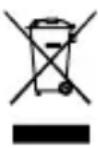
Batteries must not be disposed of in domestic waste. Special collection containers are provided at certain sites (supermarkets, electric shops).
GB
2 Display Indicators
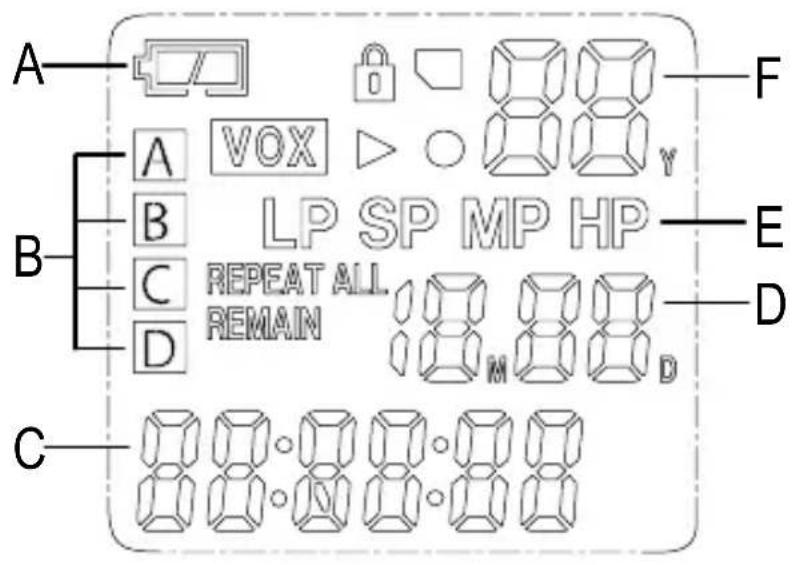
A Battery status indicator Play
B Memory locations (files) Recording
C Hours/Minutes/Seconds HOLD (key lock)
D Month/Day SD memory card; page 32
E Recording quality VOX (voice-activated)


recording)
F Year/Messages Replay (current message)
REPEAT ALL Replay (all messages in a file) REMAIN Remaining time during recording
Operating Elements
3 Operating Elements
GB
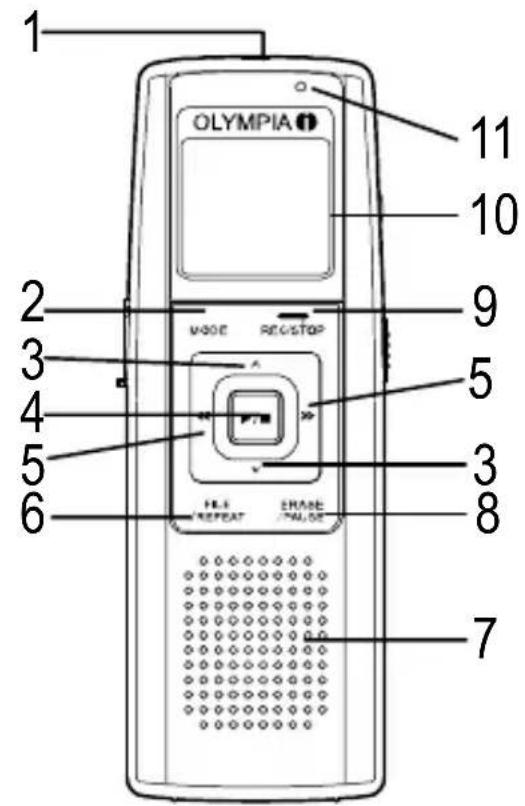
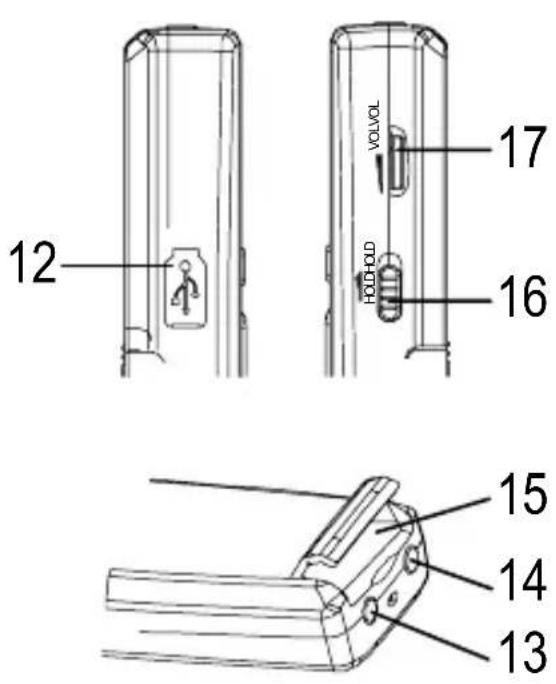
1 Microphone 10 LCD display
2 MODE (selection) button 11 Recording active (indicator)
3 UP/DOWN button 12 USB connection port
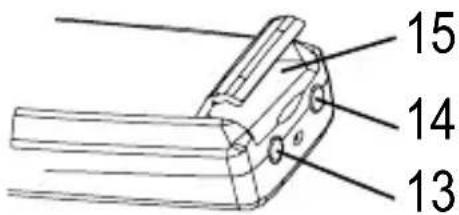
4 PLAY/STOP button 13 MIC (microphone) jack
5 FORWARD/BACK button 14 EAR (earphone) jack
6 FILE/REPEAT 15 Memory card compartment (file/replay) button
7 Loudspeaker 16 HOLD, key lock on/off
8 ERASE/PAUSE 17 Volume control
(erase/pause) button
9 RECORD/STOP button
4 Putting Into Operation
Inserting the batteries
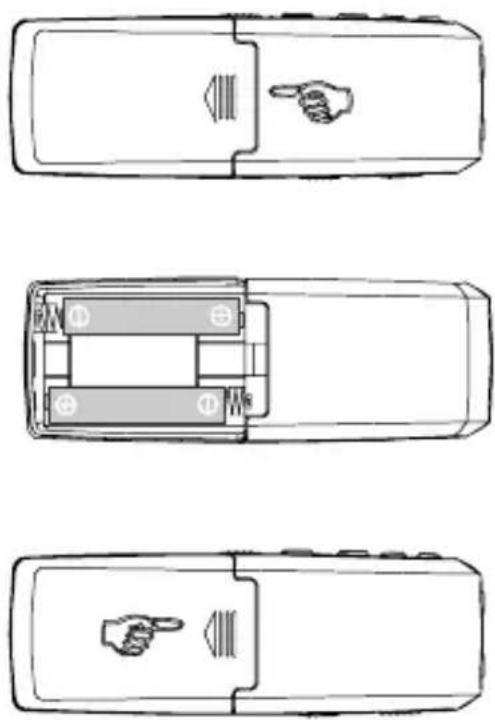
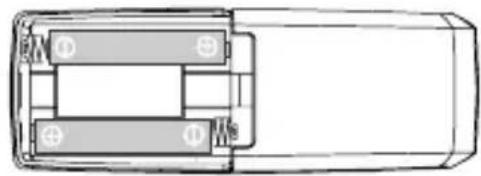
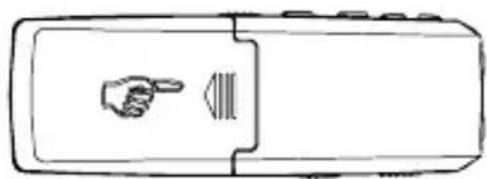
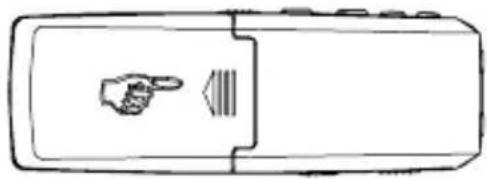
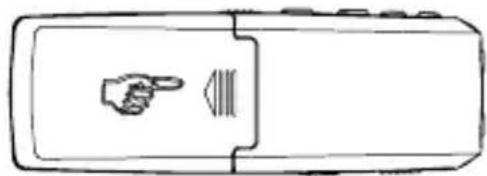
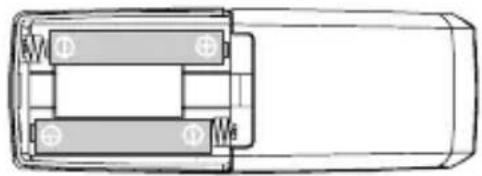
Open the battery compartment by sliding out the cover and removing it.
Insert 2 AAA batteries (not supplied). Pay attention to correct polarity.
Close the battery compartment again.
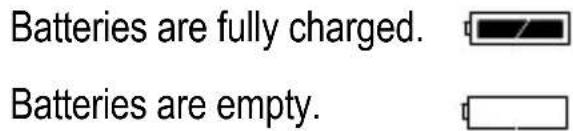
The charge status of the batteries is indicated in the display.

Note: The recorded messages are retained when the batteries are replaced. However, the date and time must be set again.
Microphone
You can connect an external microphone to the MIC jack on the device. As soon as the microphone is connected, the integrated microphone is deactivated.
Headset
Headset/Earphones can be connected to the EAR jack on the device. As soon as the headset/earphone is connected, the loudspeaker is automatically deactivated.
Settings
5 Settings
Setting the date and time
After inserting the batteries, the device is in TIME mode. 1M01D (month, day), 00:00:00 (hr., min., sec.) and year appear in the display. Set the date and time as follows:
While the date and time appear in the display (TIME mode), press the MODE button to close TIME mode. The number of messages, recording quality, duration of message, etc. appear in the display. Press and hold the MODE button to open
the date and time setting process. Press the DOWN button five times until the year appears (09 is preset).
![graph TD A["MODE"] --> B["Switch"] C["REC/STOP"] --> D["Switch"] B --> E["Play Button / ■"] D --> F["Downward Arrow"] E --> G["Downward Arrow"]](/content/2026/06/1243771/images/c385baa1ec8c83da73491247544cae6c6bf033661480ae0287f4968303b3e7c9.jpg)
Press the FORWARD or BACK button to set the year. Press the PLAY/STOP button to save the changes.
![graph TD A["Device Interface"] --> B["Molecular Structure"] B --> C["Y Molecular Structure"] C --> D["Molecular Structure"] style A fill:#f9f,stroke:#333 style B fill:#ccf,stroke:#333 style C fill:#cfc,stroke:#333 style D fill:#fcc,stroke:#333](/content/2026/06/1243771/images/2c95e42f697918938f314c2ed20bf54fa89ffd72adbf883aa253132b0e7c0eb4.jpg)
Press the DOWN button. Use the FORWARD or BACK button to select the month and confirm it by pressing the PLAY/STOP button. Press the FORWARD or BACK button to set the day. Proceed as above (month) to set the time.
![graph TD A["Device"] --> B["User"] B --> C["Network Module"] C --> D["Module 1"] C --> E["Module 2"] C --> F["Module 3"] C --> G["Module 4"] C --> H["Module 5"] C --> I["Module 6"] C --> J["Module 7"] C --> K["Module 8"] C --> L["Module 9"] C --> M["Module 10"]](/content/2026/06/1243771/images/78ca9eb9ac4c12e964ab07071879c65b2eca646a5f0e4c533ed855115910e0b8.jpg)
Switching on (TIME mode)
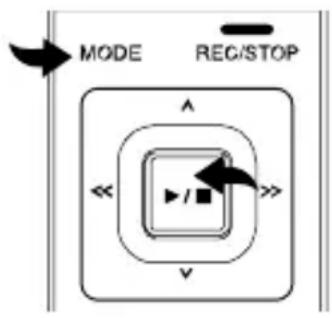
Press the PLAY/STOP button to switch the device on and activate TIME mode. The date and time are displayed.
Press the MODE button to switch from TIME mode to Standby mode.
Switching off
If Standby mode is active, press and hold the PLAY/STOP button until TIME mode is activated.
Note: The device switches off automatically if no button is pressed over a period of one minute.

Operating modes
The operating mode displays differ as follows:
Standby mode
- Number of messages
- Recording quality
- Month/Day
- Battery capacity
- Memory location
- Length of the current message
TIME mode
- Battery capacity
- Year
- Month/Day
- Time
Note: All the following operations for programming settings assume that the device is in Standby mode.
Note: Press the MODE button to exit from the programming mode defining all the settings described in this chapter.
Operation
6 Operation
Recording quality
There are four different recording qualities available for selection to record the voice messages.
Recording mode Recording quality Max. recording time
HP (High Play) Best quality possible 46 hours
MP (Medium Play) Very good 69 hours
SP (Standard Play) Good 138 hours
LP (Long Play) For long recording 540 hours
Switch the device to Standby mode and press the MODE button until "SET" appears in the display. Select the required quality using the FORWARD or BACK buttons.
![graph TD A["MODE"] --> B["<<"] B --> C["RECESTOP"] C --> D["<<"] D --> E["FILE / REPEAT"] E --> F["ERASE / PAUSE"] F --> G["<<"] G --> H["FILE / REPEAT"] style A fill:#f9f,stroke:#333 style C fill:#ccf,stroke:#333 style F fill:#cfc,stroke:#333](/content/2026/06/1243771/images/b84c8df7d5efc4ecf9c891b48bfb6629bec09c7634d7ede8dc1598c776248117.jpg)
GB
Confirm the setting selected by pressing the PLAY/STOP button.

Managing messages
The device has 4 files (named A, B, C and D) in which to store the messages. You can store a total of 396 messages or 540 hours in LP mode using all the files (refer to Page 30 “Recording quality”). A max. of 99 messages can be recorded in one file. Proceed as follows to select a file:
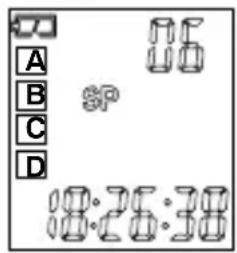
Press the FILE/REPEAT button to select the required file/memory location (A, B, C, D). The number in the top right corner of the display indicates the total number of messages recorded in the respective file. The time at the bottom of the display indicates the total recording time of the message selected.

Note: When a message is recorded, the device automatically generates a consecutive number for it, starting with 1. When no more memory space is available, "FULL" appears in the display. Refer to Page 37 to learn how to erase messages.
Recording sensitivity
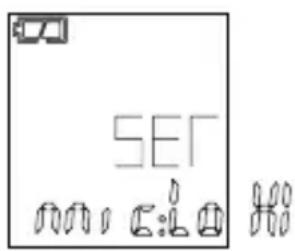
To set the recording sensitivity, press and hold the MODE button until "SET" appears in the display. Press the UP or DOWN button until MIC:LO/HI appears in the display. Press the FORWARD or BACK button to set the function to
GB
LO to record sounds the sources of which are near the microphone. Press the FORWARD or BACK button to set the function to HI if you want to record sounds which are further away. Confirm the setting by pressing the PLAY/STOP button.
Operation
Hold function (key lock)
Slide the HOLD control upwards to deactivate all the buttons. A padlock icon appears in the display. Slide the HOLD control back to activate all the buttons again.

Note: The device can still be switched off even if the HOLD function is activated.
Volume
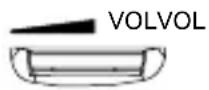
Turn the volume control in the required direction to increase or reduce the volume of the recordings when played.
Memory card function
A memory card (SD or SDHC) can be plugged into the device. Press and hold the MODE button until SET appears in the display. Press the DOWN button three times until the memory card icon appears. This function can be activated or deactivated (ON/OFF) using the FORWARD or BACK buttons.
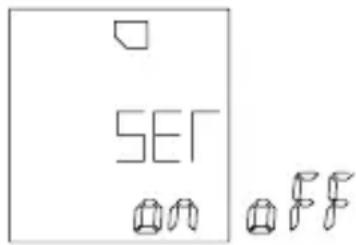
Confirm the setting selected by pressing the PLAY/STOP button.
Activating/Deactivating the VOX feature (voice detection)
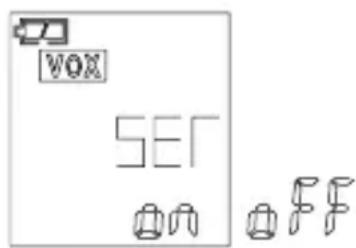
To activate/deactivate "VOX", press and hold the MODE button until "SET" appears in the display.
Press the UP or DOWN button until "VOX" appears in the display.
Use the FORWARD or BACK button to switch the "VOX" function on
or off. Confirm the setting by pressing the PLAY/STOP button.
Recording
The device is equipped with an automatic voice activity detector (VOX) (refer to Page 34 "Voice activity detector (VOX)"). If "VOX" is deactivated (see above), you can record in the normal way.
Set the device to Standby mode and select the recording quality required (refer to Page 30 "Recording quality").
![graph TD A["MODE"] --> B["REC/S-STOP"] B --> C["Play Button Icon"] C --> D["<<"] D --> E["Downward Arrow"] E --> F["Right Arrow"]](/content/2026/06/1243771/images/16176afe46e4e800fb5b9a6d03545ed37b9a46a8e18c839f89b1f82e04c49599.jpg)
Select a file/memory location by pressing the FILE/REPEAT button (refer to Page 31 "Managing messages").
GB
If you remove the batteries while recording, the recording
is interrupted. The current recording may be impaired or erased.
The dictation machine requires a few minutes to be able to start recording again in normal operation. “......” appears in the display during this period.
It is recommended to save your recordings on a PC or external data media.
Operation
When in Standby mode, press the RECORD/STOP button. The LED lights up red and the recording timer appears. Speak into the integrated microphone or connect an external microphone to the MIC jack and speak at a normal volume. Press the RECORD/STOP button
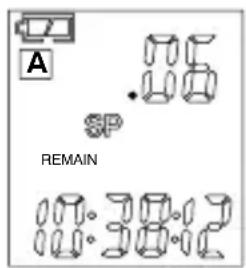
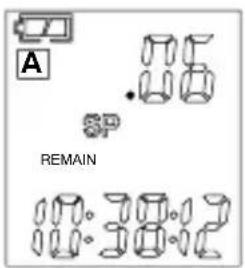
Press the PLAY/STOP button to display the time remaining for recording. "REMAIN", together with the remaining time for recording, appears in the display.

Voice-activated recording (VOX)
When “VOX” is activated, the device only records when you speak. If you pause, the device interrupts recording and only resumes when you start speaking again.
"VOX" must be activated (refer to Activating/Deactivating VOX, Page 33). Switch the device on and select the required recording quality (refer to Page 30 "Recording quality").

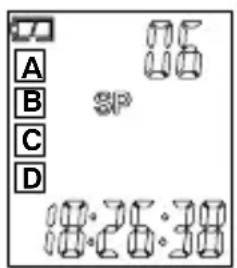
When the device is in Standby mode, press the FILE/REPEAT button to select a file (A, B, C, D) in which the message should be stored.
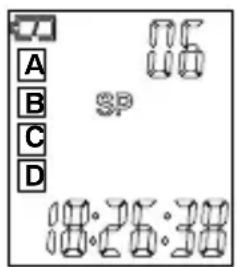
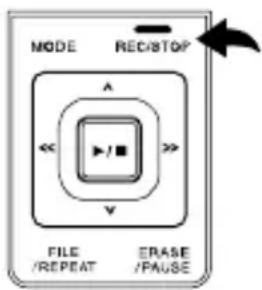
Press the RECORD/STOP button, the recording icon lights up and the time indicator for the current recording appears. The LED lights up red. Speak into the microphone integrated or connect an external microphone to the MIC jack. The device begins to record the moment you start to speak. If recording is interrupted, the red LED flashes until recording is resumed. Press the RE-CORD/STOP button again to end recording.
NOTE:
- The first noise activates the recorder and it is possible it will not be recorded.
- The device does not interrupt recording should the volume of the speaker change.
- Recording is interrupted following 2 seconds silence.
- For information on continuous recording, refer to Page 33.
- A distance of approx. 10 cm from the device is considered reasonable for recording at a normal volume (speaking).
Playing messages
Switch the device on, activate Standby mode and press the FILE/REPEAT button to select a file (A, B, C, D).
Press the UP or DOWN button to select the required messages. The message number and length appear in the display.
![graph TD A["Play Button Icon"] --> B["Downward Arrow"] B --> C["Upward Arrow"] C --> D["Downward Arrow"]](/content/2026/06/1243771/images/80c1e4bc0297a8f161ce0f0fd7d0e08c9ceae9c47a639b19c78548415529d94f.jpg)
Operation
Press the PLAY/STOP button to play the current message. Press the RE-CORD/STOP button during playback to check the time and date of recording. While the message is being played back, press the ERASE/PAUSE button to interrupt playback and press again to resume. The mess
To wind forward or back while playing the current message, press the FORWARD or BACK button, respectively. Playback is then speeded up to 10 seconds/s. Press the PLAY/STOP button at the required position to resume playback.
![graph TD A["Power"] --> B["Play Button Icon"] B --> C["Downward Arrow"] C --> D["Right Arrow"] D --> E["Left Arrow"]](/content/2026/06/1243771/images/67d58f4f9fc9226827185560a1816227b2137e0d449cf748734fe5b5a54aca65.jpg)
Replaying message(s)
GB
If you want to replay one or all the messages, press and hold the FILE/REPEAT button while a message is being played until "RE-PEAT" (replay one message) appears in the display. Press and hold the FILE/REPEAT button
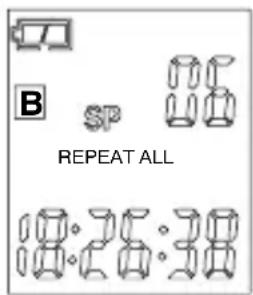
again until “REPEAT ALL” (replay all messages) appears in the display. The device replays one or all the messages from the file displayed. To deactivate the replay function, press and hold the FILE/REPEAT button.
Replaying message(s) (excerpt)
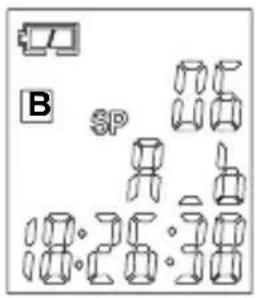
In order to replay a specific excerpt from a message, press the FILE/RE-PEAT button while a message is being played. "A" appears in the display indicating you have marked a starting point. Press the FILE/RE-PEAT button again at the end of the excerpt of the message. "B" appears in the display indicating you have marked the end point.
Stopping repeat playback
To stop the message being replayed, press the PLAY/STOP button.
Interrupting repeat playback
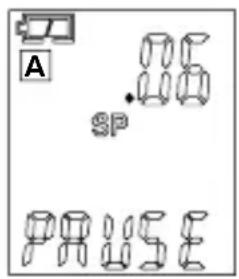
To interrupt playback, press the ERASE/PAUSE button. "PAUSE" appears in the display. Press the ERASE/PAUSE button again to resume playback. The messages is not deleted.

GB
Erasing messages
Select the message to be deleted and press the ERASE/PAUSE button. "DEL" appears in the display and the messages is played. Press the ERASE/PAUSE button again while the message is playing in order to delete the messages.

Operation
Erasing all messages
Select the file to be deleted (A, B, C, D), press and hold the ERASE/PAUSE button until "No dEL ALL" appears in the display. Press the UP or DOWN button until "YES" appears in the display. Press the PLAY/STOP button to delete all the messages in the selected file.
Note: Deleted messages cannot be restored.

Editing messages (splitting)
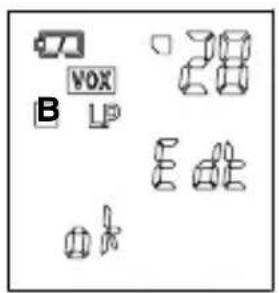
Select the required file and then press and hold the DOWN button (1) until "Edt" appears in the display. Select a message. Press the PLAY/STOP button (2) to play the message.

GB
While it is playing, press the FILE/REPEAT button (3) to set a cut. The messages is cut at this point. Press the PLAY/STOP button (2) to confirm the action. Two messages are thus produced from one message.
Editing messages (cutting)
Select the required file. Press and hold the DOWN button (1) until "Edt" appears in the display. Select a message and press the PLAY/STOP button (2) to play the message.
While the message is playing, press the ERASE/PAUSE button (4) to define a starting point. "A St" appears in the display. Press the ERASE/PAUSE button (4) to define an end point. "bEd" appears in the display. Press the PLAY/STOP button (2) to confirm the process. The part of the message between the start and end points is cut.
Formatting the device (delete everything)
Press and hold the MODE button until "SET" appears in the display. Press the DOWN button until "FoR" appears in the display.
Use the FORWARD or BACK button to select "Yes". Then press and hold the PLAY/STOP button. All the data and messages stored on the device are deleted.


GB
Note: Select "No" if you do not want to format the device.
Note: Formatting the device cannot be reverted.
Note: Formatting takes approx. 20 seconds; none of the buttons function during this period.
Note: Deleted data cannot be restored.
Technical Data
7 Technical Data
Technical data
Type of memory 2 GB integrated Flash memory, SD
and SDHC memory cards can be used (up to 8 GB)
Max. recording time 540 hours in LP mode
Loudspeaker 0.2 W (8 Ohm)
Output power 100 mW
Current source 3 V, 2 x AAA batteries
Runtime 15 hours for recording
12 hours for playback at half volume
Dimensions 115 (H) x 40 (W) x 20 (D) mm
Weight (without batteries) 50 g
USB 2.0
GB
Recordings are stored as *.wav files. You can connect the device to a computer with the aid of a USB cable and save, edit, compress, etc. the recordings. The necessary software can be downloaded from the Internet.
Olympia accepts no guarantee in respect of programmes from third-party suppliers.
Table des matières
Piles rechargeables 42
13 Prise MIC (microphone)
5 Touche AVANCE/RECUL


FR

Enregistrement

Funzionamento
Registrare

Manejo
Grabación
Repetir mensaje(s)
Formatear el aparato (borrar TODO)

Opnemen
Berichten herhalen (fragment)
MP (Medium Play) Velmi dobrá 69 hod.
SP (Standard Play) Dobrá 138 hod.
Obsluha
Nahrávání
Declaration of Conformity
in accordance with the Directive 2004/108/EEC
OLYMPIA Business Systems GmbH
Hersteller / Verantwortliche Person // The manufacturer / responsible person
declares that the product:
Memo 99 II
Harmonised standards applied
EN 55024: 1998 + A2: 2003
Anachrift
Olympia Business Systems GmbH
Address
Place & date of issue
Name and signature
- AUFNEHMEN
- 2 DISPLAY INDICATORS 25
- 3 OPERATING ELEMENTS 26
- 4 PUTTING INTO OPERATION 27
- 5 SETTINGS 28
- 6 OPERATION 30
- 7 TECHNICAL DATA 40
- 1 SAFETY INFORMATION
- INTENDED USE
- USE IN EXTREME CONDITIONS
- BATTERIES
- RECHARGEABLE BATTERY PACK
- MEDICAL EQUIPMENT
- SAFETY INFORMATION
- DISPOSAL
- OPERATING ELEMENTS
- 3 OPERATING ELEMENTS
- GB
- 4 PUTTING INTO OPERATION
- INSERTING THE BATTERIES
- MICROPHONE
- HEADSET
- SETTINGS
- 5 SETTINGS
- SETTING THE DATE AND TIME
- SWITCHING ON (TIME MODE)
- SWITCHING OFF
- OPERATING MODES
- STANDBY MODE
- TIME MODE
- OPERATION
- 6 OPERATION
- RECORDING QUALITY
- RECORDING MODE RECORDING QUALITY MAX. RECORDING TIME
- MANAGING MESSAGES
- RECORDING SENSITIVITY
- HOLD FUNCTION (KEY LOCK)
- VOLUME
- MEMORY CARD FUNCTION
- ACTIVATING/DEACTIVATING THE VOX FEATURE (VOICE DETECTION)
- RECORDING
- IF YOU REMOVE THE BATTERIES WHILE RECORDING, THE RECORDING
- VOICE-ACTIVATED RECORDING (VOX)
- NOTE
- PLAYING MESSAGES
- REPLAYING MESSAGE(S)
- REPLAYING MESSAGE(S) (EXCERPT)
- STOPPING REPEAT PLAYBACK
- INTERRUPTING REPEAT PLAYBACK
- ERASING MESSAGES
- ERASING ALL MESSAGES
- EDITING MESSAGES (SPLITTING)
- EDITING MESSAGES (CUTTING)
- FORMATTING THE DEVICE (DELETE EVERYTHING)
- TECHNICAL DATA
- 7 TECHNICAL DATA
- TABLE DES MATIÈRES
- FR
- ENREGISTREMENT
- FUNZIONAMENTO
- REGISTRARE
- MANEJO
- GRABACIÓN
- REPETIR MENSAJE(S)
- FORMATEAR EL APARATO (BORRAR TODO)
- OPNEMEN
- BERICHTEN HERHALEN (FRAGMENT)
- OBSLUHA
- NAHRÁVÁNÍ
- DECLARATION OF CONFORMITY
Brand : OLYMPIA
Model : MEMO 99II
Category : Voice recorder