KCA-XM100V - Audio accessory KENWOOD - Free user manual and instructions
Find the device manual for free KCA-XM100V KENWOOD in PDF.


| Product Type | XM satellite receiver for car stereo |
| Brand | KENWOOD |
| Model | KCA-XM100V |
| Frequency band | 2332.500 - 2345.000 MHz |
| Operating voltage | 5 V |
| Current consumption | 55 mA |
| Impedance | 50 Ω (SMB connector) |
| Cable length | 7 m |
| Dimensions (L × H × D) | 36 × 14 × 44 mm (1-7/16 × 9/16 × 1-6/8 inches) |
| Weight | 70 g (0.2 lb) |
| Operating temperature range | -10°C to +60°C |
| Storage temperature range | -20°C to +85°C |
| Compatibility | KENWOOD car stereos with XM Ready input |
| Supplied accessories | RF antenna (magnetic), seal pad, mounting screws |
| Installation | Professional installation recommended |
| Maintenance | Wipe with a dry, soft cloth |
| Safety | Avoid direct sunlight, excessive heat, moisture, and dust |
| Repairability | Spare parts available from KENWOOD dealer |
Frequently Asked Questions - KCA-XM100V KENWOOD
User questions about KCA-XM100V KENWOOD
0 question about this device. Answer the ones you know or ask your own.
Ask a new question about this device
Download the instructions for your Audio accessory in PDF format for free! Find your manual KCA-XM100V - KENWOOD and take your electronic device back in hand. On this page are published all the documents necessary for the use of your device. KCA-XM100V by KENWOOD.
USER MANUAL KCA-XM100V KENWOOD
Take the time to read through this instruction manual.
Familiarity with installation and operation procedures will help you obtain the best performance from your new XM Satellite Radio Interface BOX.
For your records
Record the serial number, found on the back of the unit, in the spaces designated on the warranty card, and in the space provided below. Refer to the model and serial numbers whenever you call upon your Kenwood dealer for information or service on the product.
Model KCA-XM100V Serial number
US Residence Only
Register Online
Register your Kenwood product at
www.Kenwoodusa.com
WARNING
- Mounting and wiring this product requires skills and experience. For safety's sake, leave the mounting and wiring work to professionals.
- If you experience problems during installation, consult your Kenwood dealer.
- Do not install the unit in a spot exposed to direct sunlight or excessive heat or humidity. Also avoid places with too much dust or the possibility of water splashing.
- Do not use your own screws. Use only the screws provided. If you use the wrong screws, you could damage the unit.
- If your car's ignition does not have an ACC position, connect the ignition wires to a power source that can be turned on and off with the ignition key. If you connect the ignition wire to a power source with a constant voltage supply, as with battery wires, the battery may die.
- After the unit is installed, check whether the brake lamps, blinkers, wipers, etc. on the car are working properly.
- Just after using the unit, XM Mini tuner (Optional accessory) may be extremely hot. When you remove the tuner, wait for a while until it gets cooler and then remove it.
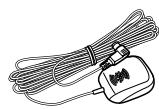
Accessories
1
1

②
2

(3)
4
(4)
1
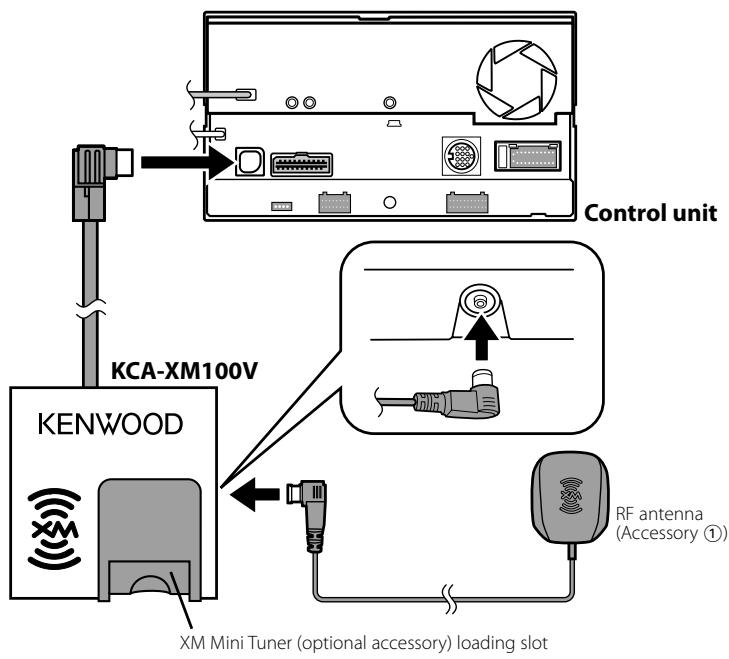
Installation
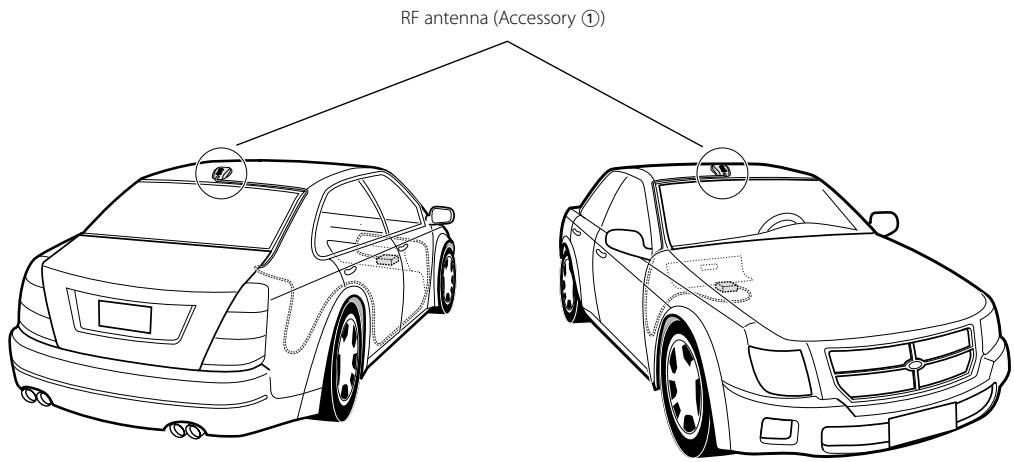
Install the RF antenna (Accessory ①) on the trunk lid or roof.
The RF antenna can be installed with magnetic force of the magnet embedded in the antenna.

Install the RF antenna while parking at the place where the reception is good.
An Example of Installing on the Roof
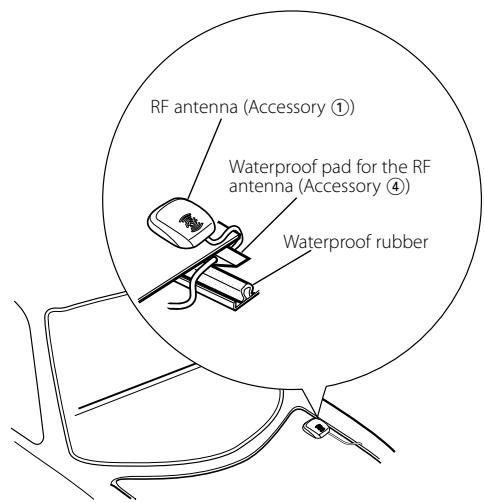
When Installing on the Trunk Lid
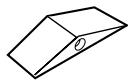
When you install the RF antenna (Accessory 1) on the trunk lid, for the purpose of waterproof and prevention of the cable disconnection, install it using the waterproof pad for the RF antenna (Accessory 4).
- Glue the waterproof pad for the RF antenna (Accessory ④) beside the waterproof rubber of the trunk room.
- Draw in the cable of the RF antenna (Accessory ①) from the trunk lid to the trunk room.

Wipe smears off the surface on which the waterproof pad for the RF antenna (Accessory 4) is installed.
XM Receiver
Frequency range
: 2332.500 - 2345.000 MHz
General
Operational temperature range
: -10 °C to + 60 °C
Storage temperature range
: -20 °C to + 85 °C
Dimensions (W× H× D)
: 97× 32× 95mm
3-13/16 × 1-2/8 × 3-6/8 inch
Weight
:310g(0.7 lbs)
RF antenna Unit
Output impedance
:50Ω/SMB connector
Operating voltage
:5V
Current consumption
:55mA
Cable length
:7m
Installation Size (W× H× D)
: 36 × 14 × 44 mm
1-7/16 × 9/16 × 1-6/8 inch
Weight
:70g(0.2Ibs)
FCC WARNING
This equipment may generate or use radio frequency energy. Changes or modifications to this equipment may cause harmful interference unless the modifications are expressly approved in the instruction manual. The user could lose the authority to operate this equipment if an unauthorized change or modification is made.
NOTE
This equipment has been tested and found to comply with the limits for a Class B digital device, pursuant to Part 15 of the FCC Rules. These limits are designed to provide reasonable protection against harmful interference in a residential installation. This equipment may cause harmful interference to radio communications, if it is not installed and used in accordance with the instructions. However, there is no guarantee that interference will not occur in a particular installation. If this equipment does cause harmful interference to radio or television reception, which can be determined by turning the equipment off and on, the user is encouraged to try to correct the interference by one or more of the following measures:
- Reorient or relocate the receiving antenna.
- Increase the separation between the equipment and receiver.
- Connect the equipment into an outlet on a circuit different from that to which the receiver is connected.
- Consult the dealer or an experienced radio/TV technician for help.