
AC-5418 - Air Conditioning TRISTAR - Free user manual and instructions
Find the device manual for free AC-5418 TRISTAR in PDF.


| Product type | Reversible wall-mounted split air conditioner |
| Cooling capacity | 2.5 kW (estimated) |
| Heating capacity | 2.8 kW (estimated) |
| Power supply | 220-240 V ~ 50 Hz |
| Sound level (indoor) | 48 dB(A) (estimated) |
| Main functions | Auto, Cool, Heat, Dehumidification, Fan, 24h Timer, Remote control |
| Filter type | Washable air filter |
| Refrigerant | R32 (estimated) |
| Indoor unit weight | 10 kg (estimated) |
| Indoor unit dimensions (WxHxD) | 770 x 250 x 200 mm (estimated) |
| Maintenance and cleaning | Clean the filter every 2 weeks with lukewarm water (max 30°C); do not use boiling water or solvents |
| Safety | 3-minute protection against rapid restart; residual current circuit breaker recommended; do not use with extension cord |
| Spare parts and repairability | Contact a qualified professional for any repair; do not disassemble yourself |
| General information | Warranty subject to installation by a professional; do not use in a room with a combustion source |
Frequently Asked Questions - AC-5418 TRISTAR
User questions about AC-5418 TRISTAR
0 question about this device. Answer the ones you know or ask your own.
Ask a new question about this device
Download the instructions for your Air Conditioning in PDF format for free! Find your manual AC-5418 - TRISTAR and take your electronic device back in hand. On this page are published all the documents necessary for the use of your device. AC-5418 by TRISTAR.
USER MANUAL AC-5418 TRISTAR
natural_image
Cartoon illustration of a sad character with a thought bubble showing a broken object (no text or symbols)natural_image
Diagram of a wall-mounted air conditioner unit connected to a power outlet (no text or symbols present)natural_image
Simple line drawing of a hand holding a wall-mounted device with lightning bolts above (no text or symbols)natural_image
Illustration of a girl holding a mobile phone with a steaming cup (no text or symbols)Cool/Heat/Fan/Dry modus bedienings procedure
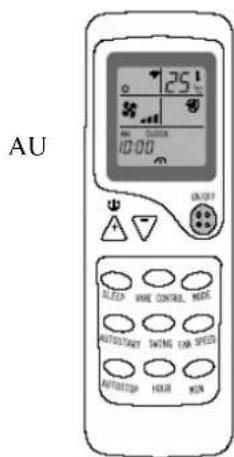
Adjust airflow direction
natural_image
Cartoon illustration of a person pointing at a large document with a smiling face (no text or symbols present)OPGELET
natural_image
Cartoon illustration of a sad document character with a thought bubble showing a broken paper (no text or symbols present)natural_image
Cartoon illustration of a smiling rectangular character holding a tool, with expressive eyes and legs (no text or symbols)natural_image
Hand holding a wall-mounted device with lightning bolts indicating electrical hazard (no text or symbols)natural_image
Hand holding a wall-mounted device with liquid dripping (no text or symbols)natural_image
Line drawing of a rectangular air conditioner unit with a separate cylindrical component (no text or symbols)natural_image
Illustration of a girl holding a calculator (no text or symbols visible)natural_image
Cartoon illustration of a person pointing at a smiling rectangular object (no text or symbols present)MISES EN GARDE
natural_image
Technical line drawing of a battery pack with two terminals and a base symbol (no text or labels)
 |
 |
 |
 |
natural_image
Diagram of a welding torch with radiating sparks (no text or symbols)natural_image
Simple line drawing of two household appliances: a refrigerator and a portable air conditioner (no text or symbols)natural_image
Cartoon illustration of a person reacting to a distressed air conditioner (no text or symbols)natural_image
Cartoon illustration of a smiling character with a thought bubble showing a explosion or cloud (no text or symbols)natural_image
Cartoon illustration of a smiling rectangular object with arms and legs, holding a tool (no text or symbols)natural_image
Diagram of a wall-mounted air conditioner unit connected to a power outlet (no text or labels)natural_image
Hand holding a wall-mounted device with lightning bolts around it (no text or symbols)natural_image
Line drawing of a rectangular air conditioner unit with a textured top and a separate cylindrical component (no text or symbols)natural_image
Illustration of a girl holding a payment terminal with a megaphone, no text or symbols presentnatural_image
Cartoon illustration of a person pointing at a smiling rectangular sign (no text or symbols present)
ACHTUNG
Mobile air conditioners are appliances of high value. In order to ensure your possible warranty claims, please have the unit installed by professional technicians.
This User manual is a general version for our split wall-mounted models. The appearance of the units that you purchase affects the proper operations and usage.
Please read the sections corresponding to the specific model carefully and keep the manual for future reference.
Addition to the user manual:
The appliance is not intended for use by young children or infirm persons without supervision;
Young children should be supervised to ensure that they do not play with the appliance.
Table of Contents
| Instructions to users | 1 |
| The names of the parts and their functions | 3 |
| Operation and indication sections of remote control | 4 |
| Use of remote control | 5 |
| Features of heating operations | 8 |
| Methods of maintenance | 9 |
| Treatment at service call | |
| We hope you will know the following when using the unit | 11 |
Please read the user manual carefully prior to the use of your air conditioner to ensure proper operation.
Installation
- Make sure to have the professional after-sale service personnel of our company or authorized dealers to install the units.
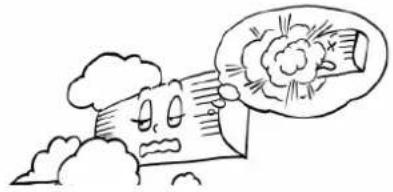
- The units are not to be installed at places where there might be leakage of combustible gases.
natural_image
Cartoon illustration of a distressed character with a thought bubble showing a broken object (no text or symbols)In case that the leaked gas accumulates around the units, there might be fire hazards.
After connecting the wires between indoor and outdoor units, check whether the connection is loose by pulling the wire with a little force.

natural_image
Cartoon illustration of a smiling rectangular character holding a tool, with arms and legs (no text or symbols)fire hazard.
The loose connection might result in
Make sure that the earth leakage-circuit breaker is installed

Absence of the earth leakage-circuit breaker might lead to electric shock and some other hazards.
Make sure that the air conditioner is properly grounded.
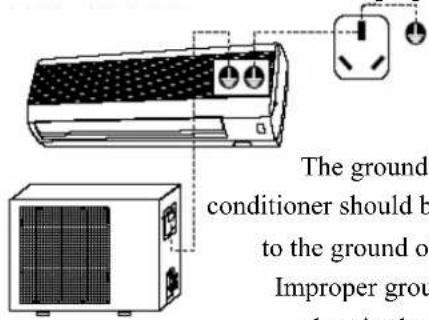
The grounding wire on the air conditioner should be tightly connected to the ground of the power source. Improper grounding might cause electric shock or other hazards.

natural_image
Hand holding a wall-mounted device with lightning bolts around it (no text or symbols)Such performance might cause electric shock or fire hazards.
Do not connect to convenience receptacle, the use of an extension cord is strictly prohibited. Nor is it allowed to share the same plug connector with other electric appliances.
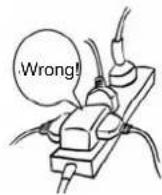
It might cause electric shock, overheating, fire hazard or other accidents
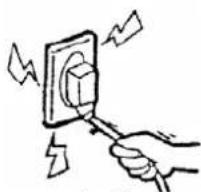
natural_image
Hand holding a wall-mounted electrical socket with lightning bolts indicating electrical hazard (no text or symbols)It might cause electric shock, overheating, fire hazards, etc. If the power supply cable is damaged or needs to be replaced due to some other reasons, please ensure to have authorized maintenance personnel doing the replacement.
Do not operate the switch with wet hands.
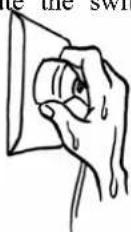
It might cause electric shock.
Before plugging the unit in, please make sure that there is no dust on it and that it is plugged fully in place
If there is dust on the plug or if the plug is not in place, it might cause electric shock or fire haz

The use of metal or copper wires for fuse might cause malfunction or fire hazards.
Never use a fuse with incorrect capacity or any other
metal wires.

Try to prevent the sunlight and hot air from entering the room. During cooling operation, curtains or window-blinds should be used to shade off the sunlight. During cooling operation, curtains or window-blinds should be used to shade off the sunlight. | Try to minimize heat generation during cooling operation.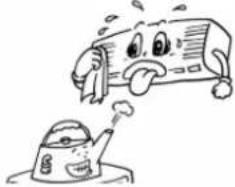 Place the heating sources outside the room. Place the heating sources outside the room. | Do not use coal-burning stoves in the air-conditioned room. It might lead to the incomplete combustion. It might lead to the incomplete combustion. |
Do not place insecticides or paints and other flammable sprays near the air conditioner, or spray them directly at the air cond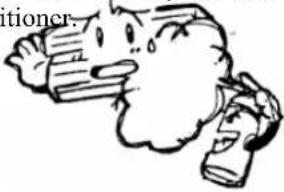 It might cause fire hazards. It might cause fire hazards. | When it is necessary to use the air conditioner and coal-burning stoves in the same room, ensure proper air ventilation.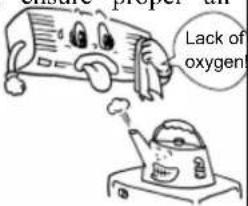 Insufficient ventilation might lead to lack of oxygen or some other dangers. Insufficient ventilation might lead to lack of oxygen or some other dangers. | Prior to the maintenance of the air conditioner, please disconnect from mains power supply. Never clean of the units when the fan is in high-speed operat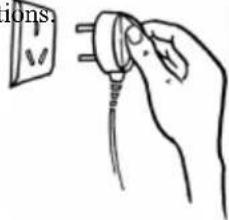 |
Do not insert foreign objects into the air vents.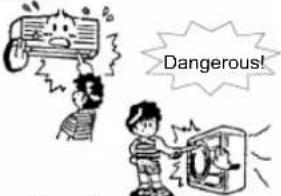 As the fan is in high-speed operation, the insertion might lead to accidents. As the fan is in high-speed operation, the insertion might lead to accidents. | Adjust the air direction correctly.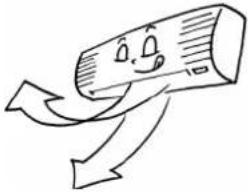 Properly adjust the up/down and left/right directions of the airflow to get an even room temperature. Properly adjust the up/down and left/right directions of the airflow to get an even room temperature. | Do not expose yourself to the cool air for long time It might cause discomforts, which is harmful to your health. It might cause discomforts, which is harmful to your health. |
Do not clean the air conditioner with water.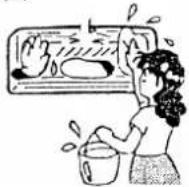 It might cause electric shock. It might cause electric shock. | Do not attach, hang or stack articles on the air conditioner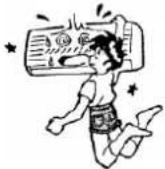 It might fall down and cause accidents or injuries. It might fall down and cause accidents or injuries. | Check the supporting structures of the units carefully. In case of damages the supporting structures should be immediately repaired to avoid the unit falling down, which might cause injuries or other accidents. In case of damages the supporting structures should be immediately repaired to avoid the unit falling down, which might cause injuries or other accidents. |
| Do not sit on the outdoor unit or place any objects on it.The falling down of the unit or the obje might cause injuries and other accidents. | Do not use the following substances: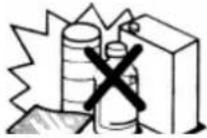 Hot water (over 40°C)The use of hot water will deform the air conditioner or discolor it.Gasoline, thinners, benzene and polishing agents, etc.These substances will deform the air conditioner or cause scratches. Hot water (over 40°C)The use of hot water will deform the air conditioner or discolor it.Gasoline, thinners, benzene and polishing agents, etc.These substances will deform the air conditioner or cause scratches. | Disconnect when the unit is not in use for long time to ensure safety.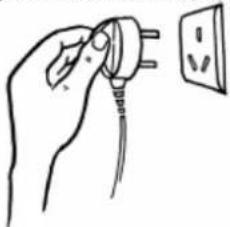 When disconnecting, make sure that the air conditioner is switched off. When disconnecting, make sure that the air conditioner is switched off. |
- When removal or repair is needed, please contact your retailer or authorized maintenance & installation personnel.
- In case of any abnormal occurrences (smell or burning), please stop the unit at once, disconnect the power supply and contact your retailer or authorized maintenance & installation personnel.
[ The names of the parts and their functions ]
USER'S MANUAL
Split Wall-Mounted Air Conditioner
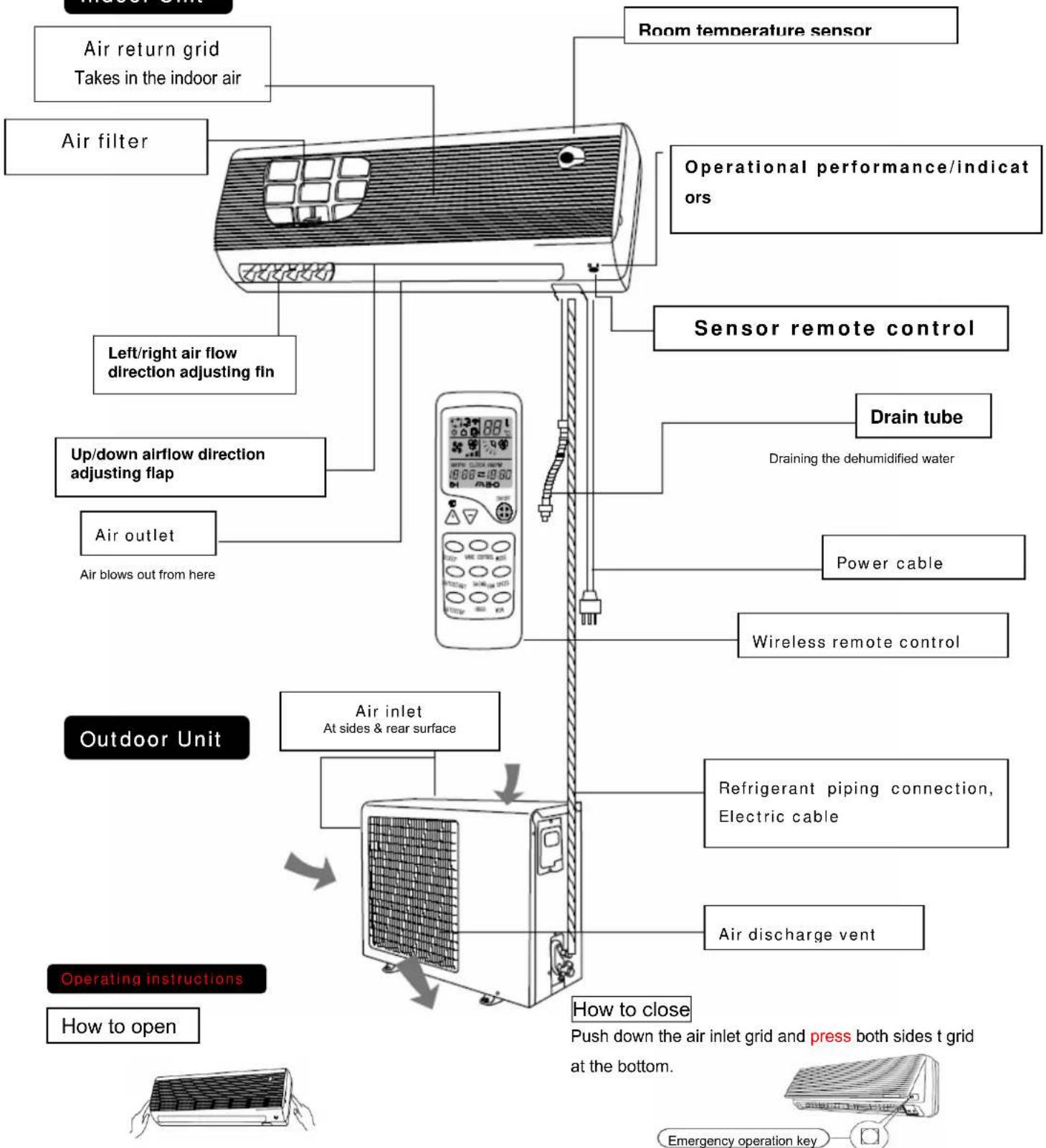
Lightly push both sides of the air inlet grid at the bottom and pull it to the side till a resistance is felt.
This button can be used as an emergency measure to turn on/off unit when remote control is not available.
- Note: Do not open the grid at an angle over 60 degrees. Do not handle the units with too much force.
The names of the parts and their functions


natural_image
Line drawing of a rectangular air conditioner unit with a separate cylindrical component (no text or symbols)Point remote control towards the sensor in the unit.
When the signal is received correctly, a receiving sound is emitted from the unit.
Operates by selecting automatically the operation mode (DRY, COOL, or HEAT, AIR-DRAFT) depending on the room temperature. Point remote control at the air conditioner.

1 Press the ON/OFF button.
When the unit is not in AUTO SELECT mode.
2 | Press the MODE button. Set to "AUTO SELECT"
When “☐” is displayed, the air conditioner is automatically controlled at the optimum temperature
To Stop: Press the ON/OFF button.
The operation of AUTO SELECT mode can be performed only by pressing the ON/OFF button from the next time.

natural_image
Illustration of a girl holding a calculator with motion lines indicating speed (no text or symbols)If you don't like the content of AUTO SELECT mode operation change to HEAT DRY or COOL.
When “→” is not displayed, press the MODE button to set “→” auto operation mode. Each time the button is pressed, the operation mode is changed in sequence, from “→” (AUTO), (COOL), (DRY) / (FAN)
Adjust temperature adjusting during AUTO SELECT
To adjusts the air temperature during AUTO SELECT operation, press "△"button or "▽"button.
Press "△" once, the temperature setting increases about 1°C Press "▽" twice, the temperature setting decreases about 1°C
Cool/Heat(Fan)/Dry mode
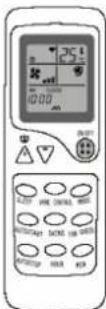
In cooling-only operation, the HEAT mode is not available, and will be replaced by FAN mode
• In cooling-only operation, the HEAT mode is not available, and will be replaced by FAN mode
Changing mode: The mode can be set or changed even while the air conditioner is not in operation.
With the remote control pointing toward the air conditioner.
| 1 | Press the ON/OFF button. | |
| 2 | Press the MODE select button to select operation mode.(COOL, DRY, HEAT/FAN,, AUTO) | |
| 3 | Press △ or ▽ button.To set your favorite temperature press △or ▽button | |
| HEAT | COOL | |
| 16°C-31°C | 16°C-31°C | |
If CONT, is selected, room temperature is not controlled, operation being continuously.
| 4 | Press the FAN SPEED button.Set to your favorite airflow rate. | |
| To stop: | Press the ON/OFF button. | |
Adjust airflow direction
| Adjusting up/down airflow direction |
Up/down direction can be adjusted by using the VANE CONTROL button on the remote control. This button cycles through the modes as follows: Change to the VANE CONTROL mode. Change to the VANE CONTROL mode. |
| To change the VANE CONTROL velocity press the FAN SPEED button.Each time the button is pressed, fan speed is changed in sequence, from ▪[Lo] ▶Mid] [Hi][AUT],To cool the whole room, use the ▶(III) mode, (COOL MODE). If the sound of the operating unit disturbs your sleep, use the SLEEP mode. |
Recommended horizontal VANE range.
Use in the Ⓞ (AUTO) positions ▶ (1) or ↕ (2) in COOL or DRY modes and positions ↕ (3) to ↗ (5) in HEAT mode when adjusting to your requirements.

flowchart
graph TD
    A["COOL DAY"] --> B["HEAT"]
    B --> C["(1)"]
    B --> D["(2)"]
    B --> E["(3)"]
    B --> F["(4)"]
    B --> G["(5)"]
NOTE
- In cooling operation, when the air conditioner is operated with VANE CONTROL blowing down (4) or (5) for 1 hour, the VANE CONTROL direction is automatically set to level to prevent condensed water from dropping.
- Adjust the vertical VANE CONTROL direction using the remote control. If the horizontal vanes are moved manually, it may cause trouble.
- In heating operation, if the output air temperature is too low or when defrosting is done, the horizontal vane position is set to (1)
Adjusting left/right air flow direction
Adjust the direction by manually changing the left/right airflow direction adjusting fin.

natural_image
Cartoon illustration of a person pointing at a large rectangular object with a smiling face (no text or symbols)CAUTION
When adjusting the direction, stop air conditioner.
SWING ADJUSTMENT
Press the SWING button
● To stop the SWING operation mode;
Press the SWING button again
● If the SWING button is pressed during swing
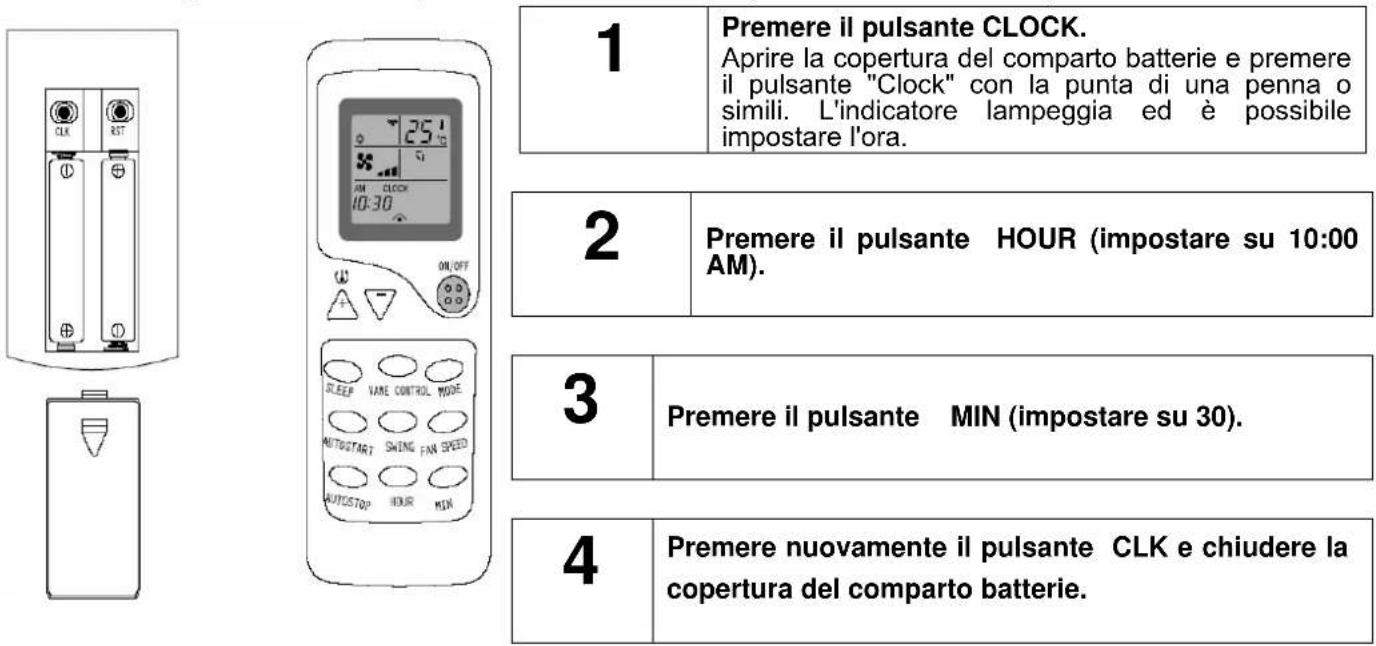
After installing the batteries, the present time is automatically set to AM 12:00. Example: Set to 10:30 AM.
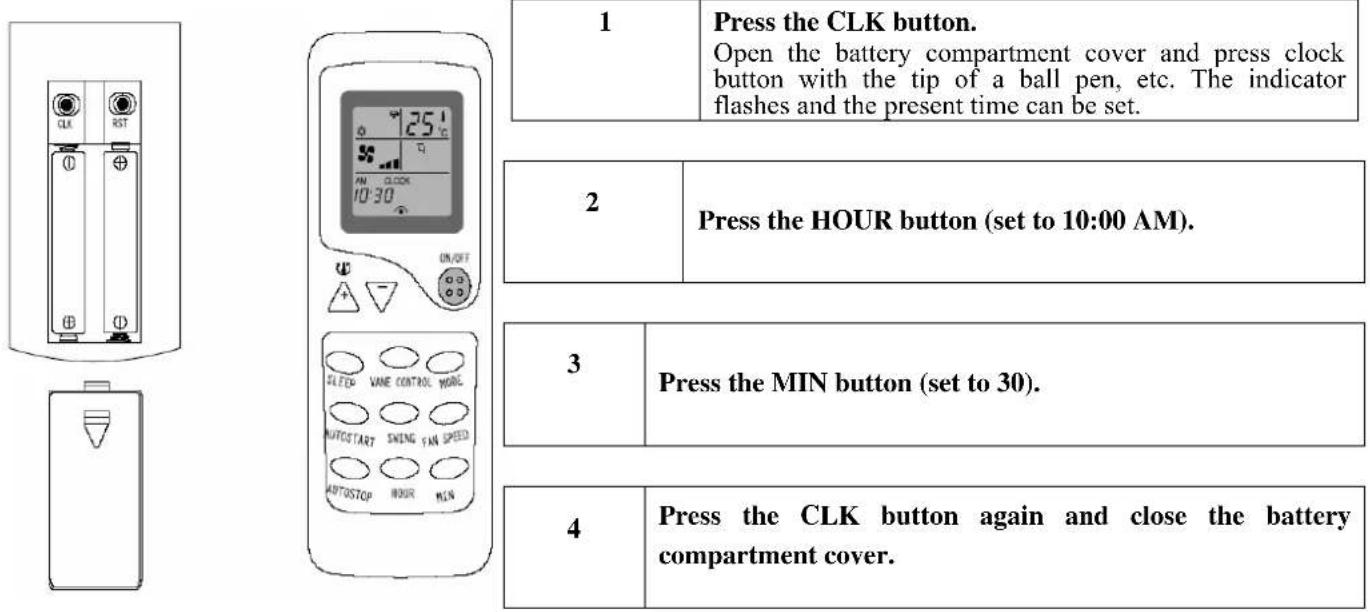
| 1 | Press the CLK button.Open the battery compartment cover and press clock button with the tip of a ball pen, etc. The indicator flashes and the present time can be set. | |
| 2 | Press the HOUR button (set to 10:00 AM). | |
| 3 | Press the MIN button (set to 30). | |
| 4 | Press the CLK button again and close the battery compartment cover. | |
NOTE: The timer is according to the present time. So please take care in setting the correct time.
SLEEP OPERATION
Use this mode to reduce operation sound when sleeping, etc.

| Press the SLEEP button |
To stop the sleep mode:
| Press the SLEEP button again. |
The airflow sound from the indoor unit is reduced.
When the FAN SPEED button is pressed during the SLEEP mode, the SLEEP mode is stopped.
| Note |
Use the sleep mode when you are going to bed. If this mode it used in the day, the capacity is reduced since the ambient temperature is too high. (COOL MODE).
USER'S MANUAL
Split Wall-Mounted Air Conditioner
Convenient timer setting for sleeping, coming home or the following morning etc.
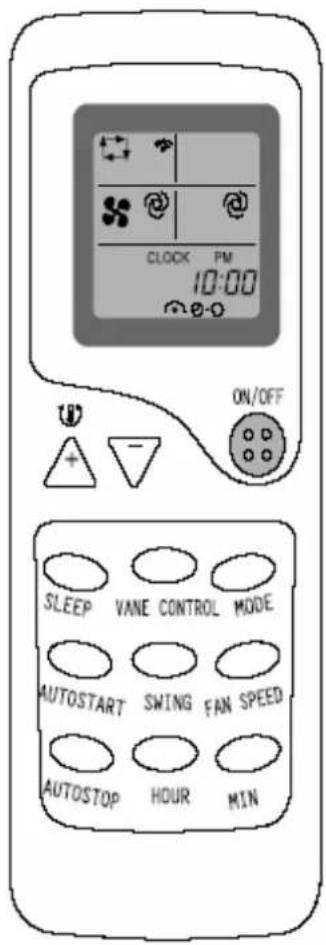
How to set the ON timer
Press the AUTO START button to set the on timer mode during operation.
Each time the button is pressed, the ON timer mode alternates between ON and OFF.
Set the time of the timer using the HOUR and MIN buttons.
Each time the HOUR button is pressed, the Set time is counted up by 1 hour; each time the "MIN" button is pressed, the set time is counted by 10 minutes.
- To disable the ON timer:
Press the AUTO START button to disable the timer.
HOW to set the OFF timer
Press the AUTO STOP button to set the OFF timer mode during operation.
Each time the HOUR button is pressed, the set time is counted up by 1 hour.
Each time the MIN button is pressed, the set time is counted up by 10 minutes.
Set the time of the timer using the HOUR and MIN buttons.
Each time the HOUR button is pressed, the Set time is counted up by 1 hour; each time the "MIN" button is pressed, the set time is counted by 10 minutes.
• TO disable the OFF timer: Press the AUTO stop button to disable the timer.
Timer programming
The On timer and OFF timer can be used in combination. The time of the set time, which is reached first will operate first ( mark indicates the order of timer operations.)
- If the current time has not been set, the timer operation cannot work.
[ Features of Heating Operations ]
Basic principles and performances
- The unit absorbs heat from the outdoors air and transfers it indoors to heat the room air. The heating capabilities through this principle of heat pump vary with the increase/decrease of the temperature outside.
- It only needs a fairly short time for such hot air circulation system to raise the room temperature.
- When the outdoor air temperature is very low, the system can be used together with other heating devices. Good ventilation should be maintained to ensure safety and prevent accidents.
Defrosting
When the outdoor air temperature is very low and humidity is very high, frosting will occur to the heat exchanger of the outdoor unit, which has negative impacts upon the efficiency of the heating performance. In such case the automatic defrosting function will come into play. The heating operation will be stopped for 5-10 minutes to defrost.
- The fans of both outdoor and indoor units are stopped. During the defrosting operation, the pilot light will flash slowly.
- During the defrosting, the outdoor unit might generate some steam; it is caused by fast defrosting and is not a malfunction.
• Upon the completion of the defrosting process, the heating operation is resumed.
The air conditioner must be turned off and unplugged from wall outlet before carrying out maintenance.
【Maintenance】
- Set the temperature at 30^ C and operate in fan mode for about half a day.
To dry the interior of the units - Switch the unit off.
The air conditioner will consume about 5W of electric power after the machine is turne off. For the purpose of energy saving and safety, it is advisable to disconnect during the non-operational seasons. - Clean and install the air filter screen.
- Clean the indoor and outdoor units.
- Take the batteries out from the remote control.

Note:
If the air filter screen is blocked by dust or dirt, cooling and heating will be affected while the operation noise and power consumption will increase.
Therefore, the air filter screen should be cleaned regularly.
Please check the following before requesting after-sales service from your dealer.


If the air conditioner does not operate properly even after conducting the above checks, when the doubt still remains even after consulting page 11 or in case that such phenomena as those shown below, turn off the power and contact your distributor.

Disconnect immediately from power supply and inform your distributor about the following situations:
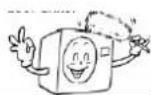
Fuse or breaker often blows s s | Power plug or cord is excessively hot. 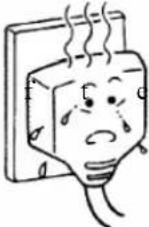 n n | Insulation power plug or cord is  |
Malfunction occurs to TV, radio or other devices. | Switchdoesnot work [IMAGE] [IMAGE] | Abnormal noise during operation |
When malfunctioning is observed when the RUN button is pressed, disconnect and restart after 3 minutes.  | ||
【Please remember the following
The unit cannot be restarted right after shut down (pilot light is on) rational rational | Restart is not available for 3 minutes after the unit shuts down in order to protect the unit Three-minute protection timer incorporated in the microcomputer actuates automatically, Except that power is connected, this function does not actuate. Three-minute protection timer incorporated in the microcomputer actuates automatically, Except that power is connected, this function does not actuate. |
| Air is not blown out at starting of heating operation | Air blow stops to prevent blowing out of cold air until the indoor heat exchanger is warmed up. (2 to 5 min) (HOT KEEP) |
| Air is not blown out for 6 to 12 min, at heating operation | When outdoor temperature is low and the humidity is high, the unit sometimes conducts defrosting operation automatically. Please wait. During defrosting, water or steam is released from the outdoor unit. |
| Air is not blown out at DRY operation. Indoor fan som | sometimes stops to prevent vapor or dehumidified moisture and to save energy. |
| Mist is blown out at COOL operation. | This phenomenon sometimes occurs when the temperature and humidity of the room are very high, but it will disappear with the decrease of the temperature and humidity. |
| Odor is sent out. | Air blown out during operation may smell. This is the smell of tobacco or cosmetics stuck to the unit. |
Noise like cracking sound is heard. | This is caused by the refrigerant that is circulating inside the unit. |
| Noise is heard, cracking sound. After a power stoppage or after disconnecting the power supply. | This is caused by heat expansion or contraction of plastics. |
| Operation cannot be restarted even if the power supply is resumed. | The memory of the microcomputer is cleared. Operate the remote control again to restart the operation. |
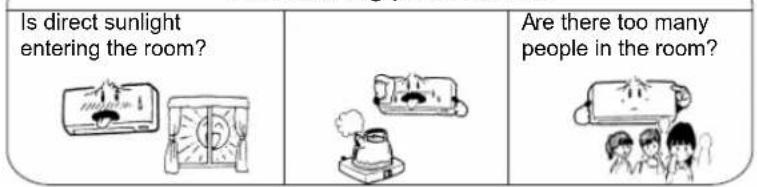
| Remote control signals are not received. | Remote control signals may not be received when the sensor on the air conditioner is exposed to direct sunlight or strong lighting. In that case, cover the windows or darken the lighting. |
| Moisture may form on the air outlet grilles. | If the unit operates for a long period at high humidity, moisture may form on the air outlet grilles and drip down. |
Premessa
natural_image
Cartoon illustration of a sad character with a thought bubble showing a broken object (no text or symbols present)natural_image
Cartoon illustration of a smiling rectangular character with arms and legs, holding a small object (no text or symbols)natural_image
Illustration of a hand using a power socket to switch electrical lines (no text or symbols)natural_image
Illustration of a rectangular air conditioner unit with a separate cylindrical component (no text or symbols)| 1 | Premere ACCESO/SPENTO (ON/OFF). |
natural_image
Cartoon illustration of a girl holding a calculator (no text or symbols present)If CONT, is selected, room temperature is not controlled, operation being continuously.
| 4 | Premere il pulsante VELOCITA VENT (FAN SPEED).Impostare air rate desideratp |
natural_image
Cartoon illustration of a person pointing at a smiling rectangular object (no text or symbols present)
ATTENZIONE
After installing the batteries, the present time is automatically set to AM 12:00. Example: Set to 10:30 AM.
natural_image
Hand holding a rolled-up document or paper with a smiling face (no visible text or symbols)Poor cooling performance.
natural_image
Cartoon illustration of a smiling character with a thought bubble showing a megaphone (no text or symbols)natural_image
Cartoon illustration of a smiling rectangular character holding a tool, with arms and legs (no text or symbols)natural_image
Hand holding a wall-mounted device with lightning bolts around it (no text or symbols)natural_image
Line drawing of a rectangular air conditioner unit with a textured top and a separate cylindrical component below (no text or symbols)natural_image
Illustration of a girl holding a tablet (no text or symbols visible)natural_image
Cartoon illustration of a person pointing at a smiling rectangular object (no text or symbols present)PRECAUCIÓN
natural_image
Cartoon illustration of a smiling document with a thought bubble showing a torn paper (no text or symbols)natural_image
Cartoon illustration of a smiling computer character holding a scroll (no text or symbols)natural_image
Diagram of a wall-mounted air conditioner unit connected to a power outlet (no text or labels)natural_image
Hand holding a switch with lightning bolts above (no text or symbols)natural_image
Line drawing of a wall-mounted air conditioner unit with a separate cylindrical component (no text or symbols)natural_image
Cartoon illustration of a girl holding a device with a megaphone (no text or symbols)natural_image
Cartoon illustration of a person pointing at a smiling rectangular object (no text or symbols present)ATENÇÃO
- Remove as baterias do remote controle.
Nota:
Guidelines for protection of the environment
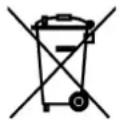
This appliance should not be put into the domestic garbage at the end of its useful life, but must be disposed of at a central point for recycling of electric and electronic domestic appliances. This symbol on appliance, instruction manual and packaging puts your attention to this important issue. The materials used in this appliance can be recycled. By recycling used domestic appliances you contribute an important push to the protection of our environment. Ask your local authorities for information regarding the point of recollection..



- Cool/Heat/Fan/Dry modus bedienings procedure
- OPGELET
- ACHTUNG
- Addition to the user manual:
- Installation
- USER'S MANUAL
- The names of the parts and their functions
- Adjust temperature adjusting during AUTO SELECT
- Cool/Heat(Fan)/Dry mode
- Adjust airflow direction
- NOTE
- SWING ADJUSTMENT
- SLEEP OPERATION
- How to set the ON timer
- HOW to set the OFF timer
- Timer programming
- [ Features of Heating Operations ]
- Basic principles and performances
- Defrosting
- 【Maintenance】
- Note:
- 【Please remember the following
- Premessa
- ATTENZIONE
- PRECAUCIÓN
- ATENÇÃO
- Nota:
- Guidelines for protection of the environment
Brand : TRISTAR
Model : AC-5418
Category : Air Conditioning