
SKW 3 EDS A1 - Scale SILVERCREST - Free user manual and instructions
Find the device manual for free SKW 3 EDS A1 SILVERCREST in PDF.
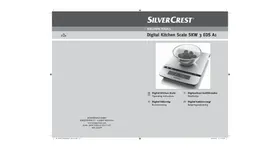


| Product type | Digital kitchen scale |
| Brand | SILVERCREST |
| Model | SKW 3 EDS A1 |
| Power supply | 2 micro/LR03/AAA batteries, 1.5 V each |
| Weighing range | 1 g to 5000 g (5 kg) |
| Precision | 1 g |
| Measurement units | g, kg, oz, lb, ml (water/milk), fl oz (water/milk) |
| Display | Backlit LCD |
| Functions | Weighing, tare, timer, clock, temperature display |
| Auto-off | After approx. 2 minutes of inactivity |
| Temperature display | 0 °C to 40 °C, in 0.5 °C increments, tolerance ±2 °C |
| Safety | Non-slip feet, automatic shut-off, overload protection |
| Casing material | Plastic |
| Integrated hanger | Yes, for wall mounting |
| Cleaning | Wipe with a damp cloth; do not immerse |
| Batteries included | Yes, 2 AAA batteries |
| Warranty | 3 years |
| Dimensions | Not specified |
| Weight | Not specified |
Frequently Asked Questions - SKW 3 EDS A1 SILVERCREST
User questions about SKW 3 EDS A1 SILVERCREST
0 question about this device. Answer the ones you know or ask your own.
Ask a new question about this device
Download the instructions for your Scale in PDF format for free! Find your manual SKW 3 EDS A1 - SILVERCREST and take your electronic device back in hand. On this page are published all the documents necessary for the use of your device. SKW 3 EDS A1 by SILVERCREST.
USER MANUAL SKW 3 EDS A1 SILVERCREST
GB Digital Kitchen Scale IE Operating instructions SE Digital köksvåg
Bruksanvisning
Information about these operating instructions 2
Copyright....2
Intended Use 2
Warning Notices 2
Safety instructions....2
Unpacking 3
Disposal of packaging.... 3
Items supplied ....4
Operating Elements....4
Startup 4
Setting the time 4
Setup 5
Operation....5
Setting the units of measurement 5
Weighing....5
Adding & Weighing (Tare Function) 5
Removing weighed items....6
Setting the Timer 6
Switching the weighing function off....6
Temperature Display 6
Troubleshooting....7
Changing the batteries ....7
Storage....7
Cleaning 7
Technical data 8
Disposal 8
Warranty 8
Customer Service....9
Read the operating instructions carefully before using the device for the first time and preserve this booklet for later reference. Pass this manual on to whoever might acquire the device at a future date.
Information about these operating instructions
Congratulations on the purchase of your new appliance!
Thereby, you have decided in favour of a modern and high quality product. This operating manual is a component of this product. It contains important information in regard to safety, use and disposal. Familiarise yourself with all of these operating and safety instructions before using the product. Use the appliance only as specified and only for the described applications. Additionally, pass this documentation on to whoever might acquire the appliance at a future date.
Copyright
This documentation is copyright protected.
Any copying or reproduction, including as extracts, as well as the reproduction of images, also in an altered state, is only permitted with the written authorisation of the manufacturer.
Intended Use
These kitchen scales are intended for use in weighing non-caustic, non-aggressive and non-abrasive liquids (especially water and milk) and solid materials in domestic households. The weighing of medications and non-permitted materials is considered to be improper use.
The appliance is intended for domestic use only, it is not suitable for commercial or industrial applications.
⚠ Warning:
Risks from unintended use!
Risks can be engendered by the appliance if it is used for unintended purposes and/or other types of use.
Use the appliance exclusively for its intended purposes.
Observe the procedures described in these operating instructions.
Claims of any kind resulting from damage caused by improper use, incompetent repairs, unauthorized modifications or the use of non-approved spare parts will not be acknowledged.
The operator alone bears liability.
Warning Notices
In these extant operating instructions the following warnings are used:
⚠ Warning
A warning at this risk level indicates a possibly dangerous situation.
If the dangerous situation is not avoided, it could lead to personal injury.
Follow the instructions in this warning to avoid personal injuries.
⚠️ Important
A warning at this risk level signifies possible property damage.
If the situation is not avoided it could lead to property damage.
The directives in this warning are there to avoid property damage.
① Notice
A notice signifies additional information that assists in the handling of the appliance.
Safety instructions
⚠ Warning - RISK OF INJURY
This appliance is not intended for use by individuals (including children) with restricted physical, physiological or intellectual abilities or deficiencies in experience and/or knowledge unless they are supervised by a person responsible for their safety or receive from this person instruction in how the appliance is to be used.
Children should be supervised in order to make sure that they do not play with the appliance.
⚠️ Important
Strictly observe the following safety notices. Failure to comply with them could damage the scales and possibly nullify your claims under the warranty provisions.
- Ensure that the batteries are inserted with the correct polarity and do not apply excessive force when inserting them.
- Never place more than 5 kg on the scale.
- Ensure that no fluids can permeate the scale.
- Avoid contact with solvents and with corrosive or abrasive cleaning materials.
- Only use the scale on level and firm surfaces.
- Do not place anything on the display.
- Do not subject the scale to high temperatures or powerful magnetic fields.
- Avoid electrostatic charging and discharging. These can cause erroneous displays and/or the sudden deactivation of the scales.
Information regarding the handling of batteries
When interacting with batteries, please observe the following:
⚠️ Risk of explosion!
- Do not throw batteries into a fire. Do not recharge the batteries. The risk of explosions and injuries exists!
- Never open batteries, never solder or weld batteries. The risk of explosions and injuries exists!
⚠ Warning
- Keep batteries away from children. Children can put batteries into their mouths and swallow them. If a battery is swallowed, medical assistance must be sought IMMEDIATELY.
⚠ Warning
- Regularly check the condition of the batteries. Leaking batteries can cause damage to the device.
- If you do not intend to use the appliance for an extended period, remove the batteries.
- Wear protective gloves in the event of having to remove a leaking battery. Then clean the battery compartment and the battery contacts with a dry cloth.
Unpacking
Remove all parts of the appliance and these operating instructions from the box.
Remove all packaging materials and protective foils.
Disposal of packaging

The packaging protects the appliance against transport damage. The packaging materials are selected from the point of view of their environmental friendliness and disposal technology and are therefore recyclable.
The recirculation of packaging into the material circuit saves on raw material and reduces generated waste. Dispose of packaging material that is no longer needed according to the regionally established regulations.
① Notice
If possible preserve the appliance's original packaging during the warranty period so that, in the event of a warranty claim, you can package the appliance properly for its return.
Items supplied
The appliance is supplied with the following components as standard:
Kitchen Scale
2 x Batteries Type Micro/LR03/AAA
Operating Instructions
① Notice
Check the contents to ensure everything has been provided, and for signs of visible damage.
If the contents are incomplete, or have been damaged due to defective
packaging or transportation, contact the Service Hotline (see chapter Service).
Operating Elements
1 Suspension ② Battery compartment ③ Weighing field 4 Button ▲ Z/T (ZERO/TARA) ⑤ Button ON/OFF (On/Off) 6 Display ⑦ Button T-SET (Timer/Clock adjustment) ⑧ Button ▼ UNIT (Measuring unit adjuster)
Startup
1) Open the battery compartment ② on the underside of the scale. 2) Pull on the tab to open the restraint for the batteries. 3) Remove the protective foil from the batteries. 4) Insert the batteries into the battery compartment ②. Pay heed to the polarity markings given in the battery compartment. 5) Press the restraint for the batteries down so that it engages. 6) Press to close the battery compartment cover, until it locks in place.
The scale is now in clock mode and ready for use.
Setting the time
On commissioning and on a change of batteries the current time must be programmed in, resp. adjusted.
1) As soon as the batteries have been inserted the hour indicator blinks. Press the buttons ▲ Z/T ④ resp. ▼ UNIT ⑧ to set the hour. 2) Press the button T-SET ⑦ to switch to the minute indicator. 3) Press the button ▲ Z/T ④ resp. the button ▼ UNIT ⑧ to set the minutes. 4) Press the button T-SET ⑦.
The time display is now programmed.
① Notice
If you should ever need to re-adjust the time display, press and hold the button T-Set ⑦ until the hour indicator blinks. Then proceed as described above.
Setup
Place the kitchen scales on a level and slip-free surface.
① Notice
This appliance is equipped with non-slip rubber feet. As furniture surfaces may be made of a variety of materials and are treated with many different types of cleaning agents, it cannot be completely ruled out that some substances contain ingredients which may perish the rubber feet and soften them. If possible place an anti-slip material under the feet of the appliance.
Operation
Setting the units of measurement
You can choose between the metric and the Anglo-American (Imperial) system. From 0 g - 999 g the unit is indicated in g/oz and from 999 g in kg/lb and g/oz.
Additionally, you can weigh liquids.
In the metric system:
- Milliliter (ml) water
- Milliliter (ml) milk.
In the Anglo-American system:
• Fluid ounces (fl'oz) water - Fluid ounces (fl'oz) milk.
1) Press the ON/OFF button ⑤. The scale is now in weighing mode. The programmed unit adjustment appears under or to the right of the weight indication in the display ⑥. 2) To switch between the metric and Anglo-American systems, press the UNIT button ⑧ until the measurement unit details change.
3) To alternate within measurement unit systems between...
g/kg - ml water - ml milk or oz/lb:oz - fl'oz water - fl'oz milk
... briefly press the UNIT button ⑧ until the desired measurement unit appears in the display ⑥.
① Notice
Always fill liquids into a container before you measure them!
Weighing
1) Press the ON/OFF button ⑤ to switch the scales on (weighing mode). The display ⑥ will light up. 2) Program in the desired measurement unit (see chapter "Setting the units of measurement"). The scales indicate a weight of "0". "0" is shown in the display ⑥ on the left. 3) Place a suitable receptacle on the scales and press the Z/T button ④. The scales once again shows "0", it does not take account of the weight of the receptacle.
Place the item(s) to be weighed into the receptacle.
① Notice
If a button is not pressed or there is not a change of the current measured weight after approx. 30 seconds, the display lighting ⑥ switches itself off. After a further 90 seconds the appliance returns to the Clock Mode.
Adding & Weighing (Tare Function)
You can repeatedly set the scale back to "0" in order to weigh additional partial quantities.
1) For this, press the button Z/T ④ once. In the display ⑥ "TARE" appears on the left. The scales indicate a weight of "0" again. 2) Place the additional item(s) to be weighed into the receptacle.
In the display ⑥ the weight of the newly added item(s) is shown.
① Notice
You can repeat this procedure several times. However, never place more than 5 kg on the scale.
On removal of the receptacle and ingredients from the scales, and on pressing the button Z/T ④, "0" is once again indicated on the left in the display ⑥.
Removing weighed items
1) Press the button Z/T ④ once. In the display ⑥ "TARE" is shown on the left. The scales indicate a weight of "0" again.
2) Remove the desired amount of item.
The weight value of the removed item appears in the display ⑥ as a negative value.
① Notice
You can repeat this procedure several times.
With removal of the receptacle and ingredients from the scales, and on pressing the button Z/T ④, "O" is once again indicated on the left in the display ⑥.
Setting the Timer
The timer can be used in both the clock and the weighing mode. The timer enables you to set the clock for a specific period of time, at the end of which a signal tone sounds. The preset time runs as in a countdown
1) Press the button T-SET ⑦ once. In the display ⑥ the bell symbol appears ⚙️.
① Notice
You can adjust the time accurately to the second. If you press and hold down the button ▲ Z/T ④ resp. ▼ UNIT ⑧ the time-indicator figures run through faster.
2) Using the buttons ▲ Z/T ④ resp. ▼ UNIT ⑧, programme in the desired ten-minute setting. 3) Press the button T-SET ⑦ once. Using the buttons ▲ Z/T ④ resp. ▼ UNIT ⑧, programme in the desired one-minute setting.
4) Press the button T-SET ⑦ once. Using the buttons ▲ Z/T ④ resp. ▼ UNIT ⑧, programme in the desired ten-second setting. 5) Press the button T-SET ⑦ once. Using the buttons ▲ Z/T ④ resp. ▼ UNIT ⑧, programme in the desired one-second setting. 6) Press the button T-SET ⑦ to start the count-down.
① Notice
You can reset the timer: Press the button T-SET ⑦ to reset the timer.
As soon as the programmed time has expired, an acoustic signal sounds. This signal can be switched off by pressing any button.
Switching the weighing function off
If you do not weigh anything for ca. 2 minutes the scale automatically switches into the clock mode.
- To switch over to the clock mode manually, press the button ON/OFF 5.
Temperature Display
In the display ⑥, the temperature is shown at the bottom right in °C.
Troubleshooting
- If the display ⑥ shows "Err", the scale is overloaded. Remove items from the scale. Never place more than 5 kg on the scale.
- If the display ⑥ briefly indicates "Err" and the weighing mode cannot be switched on, the scale is overloaded. Remove items from the scale and then switch the scale back on again. Place less than 5 kg on the scale.
- If the display ⑥ shows "Lo", the batteries are discharged. Replace the batteries.
① Notice
The indicator "Lo" only appears in the weighing mode.
- If "----" appears in the display ⑥, wait for a few seconds.
- Should your scale not function as expected, replace the batteries. Should the malfunction not be eliminated with these steps, please contact our Service Centre (see "Service").
Changing the batteries
⚠ WARNING - Property Damage!
Pay attention to the correct polarity when exchanging batteries. An incorrect battery exchange could lead to the risk of an explosion. Only exchange batteries for identical or equivalent types. Should the batteries leak, clean the battery compartment ② with a dry cloth whilst wearing protective gloves.
⚠️ Risk of poisoning!
Batteries can be swallowed by children and cause a serious impairment of health. Keep the batteries out of the reach of children.
1) To exchange the batteries, open the battery compartment cover on the underside of the scales. 2) Pull on the tab to open the restraint for the batteries. 3) Remove the batteries by loosening them from the battery compartment ② with the aid of the small cloth strip.
4) Insert the new batteries into the battery compartment ②. Pay heed to the polarity markings given in the battery compartment. The small cloth strip must lie under the batteries. 5) Press the restraint for the batteries down so that it engages. 6) Press and close the battery compartment cover, until it locks in place.
Storage
When the kitchen scale is not in use it can be hung up by means of the integrated suspension ①, for example from a kitchen ledge.
Cleaning
⚠ WARNING - Property Damage!
- Ensure that no fluids can permeate the scale. Permeating liquids can damage the scale.
- Do not use abrasive or aggressive cleaning materials. These could attack the upper surfaces and irreparably damage the appliance.
- Wipe the scale clean with a cloth lightly moistened by a mild detergent solution or use a special stainless steel cleaner. Do not use abrasive or solvent cleaners.
- Clean the display ⑥ with a lightly moistened cloth only and then wipe it dry with a lint-free towel.
Technical data
Power supply: 2 × 1.5 V = 3 V
Type Micro/AAA/LR03
Temperature display: 0° C - 40° C, in 0.5° C
steps; with a tolerance
of ± 2° C
Weighing Range: 1 g - 5000 g, in 1 gram steps
steps
Disposal
Do not dispose of this appliance in your normal domestic waste. This product is subject to the provisions of European Directive 2002/96/EC.
Dispose of the appliance through an approved disposal centre or at your community waste facility. Observe the currently applicable regulations. In case of doubt, please contact your waste disposal centre.
Disposal of batteries
Used batteries/rechargeable batteries may not be disposed of in household waste. Every consumer is statutorily obligated to dispose of batteries at a collection site of his community / city district or at a retail store.
The purpose of this obligation is to ensure that batteries are disposed of in a non-polluting manner. Only dispose of batteries when they are fully discharged.
Warranty
Dear Customer,
The warranty for this appliance is for 3 years from the date of purchase. In cases of defects with this product, statutory rights are available to you against the seller of the product. These statutory rights are not restricted in any way by our warranty, which is detailed in the following.
Warranty Provisions
The warranty period begins on the date of purchase.
Please retain your receipt as proof of purchase.
This document is required as proof of purchase.
Should a material or manufacturing defect occur within three years from the date of purchase of this product, the product will, at our option, be repaired or replaced free of charge by us. This warranty benefit requires that, within the three-year period, the defective product and the proof of purchase (receipt) are presented and the defect is briefly described in writing, in particular what it is and when it occurred.
Should the defect be covered by our warranty, we will return the product either repaired or as a new replacement. A new warranty period does not begin with the repair or replacement of the product.
Warranty period and statutory defect claims
The warranty period is not extended by repairs made under the warranty. This applies also to replaced and repaired parts. Damages and defects extant at the time of purchase must be reported immediately after unpacking, or no later than two days after the date of purchase. Repairs made after the lapse of the warranty period are subject to charge.
Warranty Coverage
The appliance was carefully produced according to strict quality guidelines and thoroughly checked before delivery.
The warranty provisions apply to material or manufacturing defects. This warranty does not extend to product components exposed to normal wear and tear, and which can therefore be regarded as wearing parts, or for damage to fragile parts such as switches, batteries, or parts that are made of glass. A warranty liability will not be triggered for minor deviations from the reference characteristics that are irrelevant to the value and usability of the product, or for damage caused by the chemical and electrochemical effects of water, as well as in general from abnormal environmental conditions or extraneous operating conditions or when the product has otherwise come into contact with inappropriate materials.
This warranty lapses if the product is damaged or has not been appropriately used or maintained. To qualify as appropriate use of the product, all directives listed in the operating instructions are to be strictly observed. Utilisations and activities that are advised against or warned against in the operating instructions are to be implicitly avoided.
This product is for domestic use only and is not intended for commercial applications. The warranty is void in the case of abusive and improper handling, use of force and internal tampering not carried out by our authorised service branch.
Processing of Warranty Claims
To ensure the fast processing of your claim, please comply with the following instructions:
For all queries please hold ready the item number (e.g., IAN 12345) and the receipt as proof of the purchase. For the article number, please obtain it from the typeplate, a gravure on the back of the operating instructions or as a sticker on the back or underside of the product. ■ Should malfunctions or other defects occur, first contact the following designated service department by phone or e-mail. A product recorded as defective can then be sent, with enclosure of the proof of purchase (receipt) and an indication of what the defect is and when it occurred, postage free to the service address notified to you.
Customer Service
GB Service Great Britain
Tel.: 0871 5000 720 (£ 0.10/Min.)
E-Mail: kompernass@lidl.gb
IAN 64679
IE Service Ireland
Tel.: 1890 930 034
(0,08 EUR/Min., (peak))
(0,06 EUR/Min., (off peak))
E-Mail: kompernass@lidl.ie
IAN 64679
Importer
Please note that the following address is not a Service address. Please contact the above detailed Service Centre first.
KOMPERNASS GMBH
BURGSTRASSE 21
44867 BOCHUM, GERMANY
www.kompernass.com
Table of contents
Page
Introduction 12
⚠️ Danger of poisoning!



- SAFETY INSTRUCTIONS
- UNPACKING
- ITEMS SUPPLIED
- OPERATING ELEMENTS
- STARTUP
- OPERATION
- TROUBLESHOOTING
- CHANGING THE BATTERIES
- INFORMATION ABOUT THESE OPERATING INSTRUCTIONS
- COPYRIGHT
- INTENDED USE
- ⚠ WARNING
- WARNING NOTICES
- ⚠️ IMPORTANT
- ① NOTICE
- ⚠ WARNING - RISK OF INJURY
- INFORMATION REGARDING THE HANDLING OF BATTERIES
- ⚠️ RISK OF EXPLOSION
- DISPOSAL OF PACKAGING
- SETTING THE TIME
- SETUP
- SETTING THE UNITS OF MEASUREMENT
- WEIGHING
- ADDING & WEIGHING (TARE FUNCTION)
- REMOVING WEIGHED ITEMS
- SETTING THE TIMER
- SWITCHING THE WEIGHING FUNCTION OFF
- TEMPERATURE DISPLAY
- ⚠ WARNING - PROPERTY DAMAGE
- ⚠️ RISK OF POISONING
- STORAGE
- CLEANING
- TECHNICAL DATA
- DISPOSAL
- DISPOSAL OF BATTERIES
- WARRANTY
- WARRANTY PROVISIONS
- WARRANTY PERIOD AND STATUTORY DEFECT CLAIMS
- WARRANTY COVERAGE
- PROCESSING OF WARRANTY CLAIMS
- CUSTOMER SERVICE
- GB SERVICE GREAT BRITAIN
- IE SERVICE IRELAND
- IMPORTER
- TABLE OF CONTENTS
- PAGE
- INTRODUCTION
- ⚠️ DANGER OF POISONING
Brand : SILVERCREST
Model : SKW 3 EDS A1
Category : Scale