
SKAK 1000 A1 COFFEE MAKER - Coffee machine SILVERCREST - Free user manual and instructions
Find the device manual for free SKAK 1000 A1 COFFEE MAKER SILVERCREST in PDF.
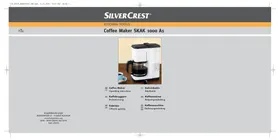



| Product type | Filter coffee machine |
| Brand | SILVERCREST |
| Model | SKAK 1000 A1 |
| Power supply | 220 - 240 V ~, 50 Hz |
| Rated power | 1000 W |
| Filter type | Paper filter size 1x4 |
| Maximum capacity | 12 cups |
| Minimum capacity | 2 cups |
| Water tank | With level indicator |
| Keep warm function | Yes, on hot plate |
| On/off switch | With integrated indicator light |
| Carafe material | Glass |
| Hot plate | Yes, for keep warm |
| Removable parts | Removable filter holder for cleaning |
| Care and cleaning | Clean after each use with a damp cloth; descale regularly |
| Safety | Do not use without water; do not immerse; unplug before cleaning |
| Warranty | 3 years from date of purchase |
| Identification code (ID-Nr.) | SKAK1000A1-04/10-V3 |
| Reference number (IAN) | 49378 |
Frequently Asked Questions - SKAK 1000 A1 COFFEE MAKER SILVERCREST
User questions about SKAK 1000 A1 COFFEE MAKER SILVERCREST
0 question about this device. Answer the ones you know or ask your own.
Ask a new question about this device
Download the instructions for your Coffee machine in PDF format for free! Find your manual SKAK 1000 A1 COFFEE MAKER - SILVERCREST and take your electronic device back in hand. On this page are published all the documents necessary for the use of your device. SKAK 1000 A1 COFFEE MAKER by SILVERCREST.
USER MANUAL SKAK 1000 A1 COFFEE MAKER SILVERCREST
GB Coffee Maker IE Operating instructions
| Content | Page |
| Safety instructions | 2 |
| Intended Usage | 3 |
| Items supplied | 3 |
| Description | 3 |
| Overview of the appliance | 3 |
| Setting up and connecting to the power supply | 3 |
| Operation | 4 |
| Before the First Use | 4 |
| Filling with ground coffee | 4 |
| Filling with water | 5 |
| Switching On and Off | 5 |
| Cleaning | 5 |
| Scale removal | 6 |
| Storage | 6 |
| Troubleshooting | 7 |
| Technical Data | 7 |
| Disposal | 7 |
| Warranty and Service | 7 |
| Importer | 8 |
Read the operating instructions carefully before using the device for the first time and preserve this booklet for later reference. Pass this manual on to whoever might acquire the device at a future date.
Safety instructions
Risk of electrocution!
- Connect the coffee machine only to correctly installed and earthed power sockets. Ensure that the voltage supplied through the power socket tallies completely with the details given on the appliance rating plate.
- Remove the plug from the wall socket when you move the coffee machine, fill it with water, if it malfunctions, before cleaning it and when it is not in use.

Under no circumstance may the coffee machine be submersed in liquids. Do not expose the appliance to humidity and do not use it outdoors. Should liquids enter the housing, unplug the appliance power socket from the power socket immediately and arrange for it to be repaired by a qualified technician.
- Never touch the coffee machine, the power cable or the plug when your hands are wet.
- To disconnect, always pull the plug itself out of the power socket, do not pull on the power cable.
- Do not fold or crush the power cable.
- To avoid potential risks, arrange for a defective appliance to be checked and possibly repaired by qualified technicians, or contact our Customer Service Department.
- Arrange for defective power plugs and/or cables to be replaced at once by qualified technicians or our Customer Service Department.
- Do not use an extension cable.
Risk of fire!
- Do not leave the coffee machine unattended when it is in use.
- NEVER operate the coffee machine without mains water and NEVER fill it to more than the Max. marking.
- Do not use an external timing switch or a separate remote control system to operate the appliance.
Risk of personal injury!
- NEVER use the glass jug of the coffee machine in a microwave oven.
- This appliance is not intended for use by individuals (including children) with restricted physical, physiological or intellectual abilities or deficiencies in experience and/or knowledge unless they are supervised by a person responsible for their safety or receive from this person instruction in how the appliance is to be used. Children should be supervised to ensure that they do not play with the appliance.
Risk of burns!
- NEVER touch the hot surfaces of the coffee machine, especially the keep-warm plate and the glass jug.
Risk of scalds!
Warning about escaping steam. Risk of scalding! Please follow the safety instructions.
- Do not hold your hands in the rising steam. Always close the filter container before switching on, there exists a risk of scalds from steam and hot water.
- Do not move the coffee machine during the brewing process.
- Remove the jug first when the brewing process is complete and the filter has fully drained itself.
Risk of stumbling!
- Lay the power cable in such a way that no one can tread on or trip over it.
Warning regarding appliance damage!
- NEVER operate this appliance when it is empty (without water). If you do, the glass jug could shatter.
Intended Usage
The coffee maker is intended exclusively for brewing coffee. This coffee maker is intended exclusively for use in private households. Pay heed to all of the information in this operating manual, especially the safety instructions. All other uses are deemed to be improper and may result in property damage or even in personal injury. We shall not accept liability for damages caused due to improper use of the appliance.
Items supplied
Coffee Maker
Glass jug
Measuring spoon
Operating instructions
Description
You can prepare hot filter coffee with the coffee machine. The brewed coffee can be kept warm in the jug by leaving it on the keep-warm plate with the appliance switched on.
Overview of the appliance
Water tank lid 2 Water tank with water level indicator 3 Cable stowage compartment 4 Keep-warm plate 5 On/Off switch with integrated control lamp 6 Filter holder
Setting up and connecting to the power supply
riangle Risk of electrocution!
Under no circumstances should the appliance be located close to water, especially to filled sinks and other water-filled vessels. Use the coffee machine only on a thoroughly dry surface. The proximity of water presents a danger, even when the appliance is switched off. After use, always remove the plug from the power socket.
riangle Risk of fire!
Never locate the coffee machine close to sources of heat.
The appliance could be damaged.
Attention!
To avoid damage to the appliance and the location area, use the coffee machine only on a flat and heat-resistant surface.
- Remove all packaging materials from the appliance.
- Place the appliance on a dry, flat and heat-resistant surface.
- Place the glass jug on the keep-warm plate 4 in the appliance.
- Finally, insert the plug into the power socket.
Operation
Before the First Use
Attention!
- Never fill the water tank 2 with a total volume of more than 12 cups of mains water.
NEVER fill the water tank with less than 2 cups of water. Otherwise, the coffee machine could be damaged. Use the water level indicator on the water tank ②.
- Unplug the coffee machine immediately after use. The appliance is completely free of electrical power ONLY when it is unplugged.
- Only ever fill the water tank ② with mains water. Using anything else could damage the appliance.
- Carefully rinse the glass jug with mains water. Fill the water tank ② with mains water. Empty it again by carefully tipping the appliance over a sink and letting the water pour out. Then carefully dry the appliance.
- Fill the glass jug with 10 cups of water.
- Pour all of the water into the water tank ②.
- Close the water tank lid ①.
- Place the emptied glass jug onto the keep-warm plate ④.
- Insert the plug into a mains power socket.
- Switch the coffee machine on with the On/Off switch ⑤ (I). The integrated control lamp glows. Wait until the brewing process is complete.
- Switch the coffee machine off with the On/Off switch ⑤ (O). The integrated control lamp goes out.
- Empty the glass jug.
- Wait until the appliance has cooled down.
Subsequently, you can use the coffee machine for the brewing of ground coffee.
Filling with ground coffee
- Swing the filter holder to the side.
- Place a paper filter bag (size 1x4) with folded over sides into the filter holder 6.
- Fill it with the required amount of coffee powder using the measuring spoon.
① Note:
Place approx. one heaped measuring spoon of ground coffee in per cup. Should you prefer a weaker coffee, reduce the amount of ground coffee being used.
- Close the filter holder 6. Ensure that the coffee exit lies in the middle of and above the glass jug.
Filling with water
1 Notice
Use only mains water for preparing the coffee!
- Open the water tank lid ①.
- Fill the glass jug with mains water.
Attention!
- Never fill the water tank ② with more than 12 cups of mains water. NEVER fill the water tank ② with less than 2 cups of water. Otherwise, the coffee machine could be damaged. Use the water level indicator on the water tank ②.
- Fill the water tank with the volume of water required to brew the coffee powder. ②. For this, use the water level indicator on the water tank ②.
- Close the water tank lid 1.
Switching On and Off
- When you are ready to switch the coffee machine on, place the On/Off switch ⑤ at the position "On" (1). The integrated control lamp glows. The brewing process begins.
- When you are ready to switch the coffee machine off, place the On/Off switch ⑤ at the position "Off" (O). The integrated control lamp goes out.
- Remove the plug from the mains socket if you are intending to discontinue using the coffee machine.
① Note:
If you do not switch the coffee machine off after the brewing process is complete, the coffee will be kept warm on the keep-warm plate 4.
① Note:
After you have switched the coffee machine off, wait at least 10 minutes before you start preparing a fresh brew.
Cleaning
Risk of electrocution!
Before you clean the Coffee Maker you MUST remove the plug from the power socket. Under no circumstances may the appliance be immersed in water or held under running water during cleaning.
Risk of burns!
Always wait until the coffee maker has cooled down before cleaning it.
Attention!
Do not use household detergents or sharp/pointed objects to remove soiling. These could damage the appliance.
In order to obtain an optimal taste result from every brewing process you should clean the coffee machine after every use.
- Remove the plug from the wall power socket.
- Wipe the housing of the coffee machine and the glass jug with a soft cloth lightly moistened with a soapy solution. At the same time remove any deposits that may have settled in the glass jug. Afterwards, rinse the glass jug with clean water.
- You can remove the filter holder ⑥ for cleaning: - Open the filter holder ⑥.
- Lift it slightly and then tilt it in such a way that the lower bracket is released from the machine.
- Now pull the top bracket down and out of the machine.
- Rinse the filter holder ⑥ under running water and then dry it.
- Replace the filter holder ⑥ back into the coffee machine:
- Hold the filter holder 6 at a slight angle and slide the top bracket as far as possible into the upper recess of the machine.
- Now hold it upright, so that the lower bracket is positioned over the lower recess of the machine.
- Lower the filter holder ⑥ so that the lower bracket engages in the recess.
- Close the filter holder 6.
- Clean the measuring spoon in mild soapy water and rinse it with clean water.
Scale removal
The mineral content (hardness) in the water causes, over a period of time, a calcification of the coffee machine. This calcification impairs the appliance in its function and diminishes the quality of the brewed filter coffee.
Enquire at your local waterworks about the hardness level of your mains water. The need for decalcification comes early in hard water areas, somewhat later in soft water areas. Use a decalcifier designed for household appliances and pay heed to the usage instructions.
- Switch the coffee machine off and allow it to cool down completely.
- Place the scale removal product in the water tank ②.
- Fill the water tank with water up to the 10-cup marking.
- Place the glass jug on the keep-warm plate ④.
- Switch the coffee machine on with the On/Off switch ⑤.
- Wait until the brewing process is complete. Switch the coffee machine off and disconnect the plug from the mains power socket.
- Carefully rinse the glass jug with mains water. Fill the water tank ② with mains water. Empty it again by gently tipping the appliance over the sink.
- To finish, carry out two brewing processes with just mains water, as described in the section "Before the first usage".
When completed, you can continue to use the coffee machine.
Storage
If you do not intend to use the appliance for an extended period, slide the power cable into the cable storage compartment ③ at the rear of the coffee machine. Secure the plug in the holes next to the cable storage compartment ③.
Store the appliance at a clean and dry location.
| Symptom | Possible causes and solutions |
| The coffee machine does not switch on. | ·The plug is not inserted into the power socket. Insert the plug into a power socket. ·A domestic electrical fuse is defective. Check the domestic fuses and, if necessary, renew the defective one. ·The power socket is defective. Try another wall socket. ·The coffee machine is possibly defective. Arrange for the coffee machine to be checked over by specialists. |
| The quality of the brewed coffee is de-teriorating. | ·The coffee machine is calcified. Decalcify the coffee machine. |
Technical Data
Mains voltage: 220-240 V~, 50 Hz
Nominal power: 1000 W
Filter bags: 1 x 4
Disposal

Do not dispose of the appliance in your normal domestic waste. This product is subject to the provisions of European Directive 2002/96/EC.
Dispose of the appliance through an approved disposal centre or at your community waste facility. Observe the currently applicable regulations. In case of doubt, please contact your waste disposal centre.

Dispose of all packaging materials in an environmentally friendly manner.
Warranty and Service
You receive a 3-year warranty for this appliance as of the purchase date. This appliance has been manufactured with care and meticulously examined before delivery.
Please retain your receipt as proof of purchase. In the case of a warranty claim, please make contact by telephone with our service department. Only in this way can a post-free despatch for your goods be assured.
The warranty covers only claims for material and manufacturing defects, not for transport damages, worn parts or for damage to fragile components, e.g. buttons or batteries. This product is for private use only and is not intended for commercial applications.
In the event of misuse and improper handling, use of force and interference not carried out by our authorized service branch, the warranty will become void. Your statutory rights are not restricted in any way by this warranty.
The warranty period is not extended by repairs effected under warranty. This applies also to replaced and repaired parts. Damages or defects discovered after purchase are to be reported directly after unpacking, at the latest two days after the purchase date. Repairs carried out after lapse of the warranty period are subject to charge.
GB DES UK LTD
Tel.: 0871 5000 700 (£0.10 / minute)
E-Mail: support.uk@kompernass.com
IE Kompernass Service Ireland
Tel.: 1850 930 412 (0,082 EUR/Min.)
Standard call rates apply. Mobile operators may vary.
E-Mail: support.ie@kompernass.com
Cyt Kompernass Service Cyprus
Tel.: 80094401
E-Mail: support.cy@kompernass.com
Importer
KOMPERNASS GMBH
BURGSTRASSE 21
D-44867 BOCHUM, GERMANY
www.kompernass.com
Table of Contents
Page
Safety instructions 10
(local charge 0.031 EUR/minute (including VAT 19%))
E-Mail: support.gr@kompernass.com
C Kompernass Service Cyprus
Tel.: 800 944 01
E-Mail: support.cy@kompernass.com
Importer
KOMPERNASS GMBH
BURGSTRASSE 21
D-44867 BOCHUM, GERMANY
www.kompernass.com




- SAFETY INSTRUCTIONS
- RISK OF ELECTROCUTION
- RISK OF FIRE
- RISK OF PERSONAL INJURY
- RISK OF BURNS
- RISK OF SCALDS
- RISK OF STUMBLING
- WARNING REGARDING APPLIANCE DAMAGE
- INTENDED USAGE
- ITEMS SUPPLIED
- DESCRIPTION
- OVERVIEW OF THE APPLIANCE
- SETTING UP AND CONNECTING TO THE POWER SUPPLY
- RIANGLE RISK OF ELECTROCUTION
- RIANGLE RISK OF FIRE
- ATTENTION
- OPERATION
- BEFORE THE FIRST USE
- FILLING WITH GROUND COFFEE
- ① NOTE
- FILLING WITH WATER
- NOTICE
- SWITCHING ON AND OFF
- CLEANING
- SCALE REMOVAL
- STORAGE
- TECHNICAL DATA
- DISPOSAL
- WARRANTY AND SERVICE
- GB DES UK LTD
- IE KOMPERNASS SERVICE IRELAND
- CYT KOMPERNASS SERVICE CYPRUS
- IMPORTER
- TABLE OF CONTENTS
- PAGE
- C KOMPERNASS SERVICE CYPRUS
Brand : SILVERCREST
Model : SKAK 1000 A1 COFFEE MAKER
Category : Coffee machine