CDI-1802 - Drill RYOBI - Free user manual and instructions
Find the device manual for free CDI-1802 RYOBI in PDF.



User questions about CDI-1802 RYOBI
0 question about this device. Answer the ones you know or ask your own.
Ask a new question about this device
Download the instructions for your Drill in PDF format for free! Find your manual CDI-1802 - RYOBI and take your electronic device back in hand. On this page are published all the documents necessary for the use of your device. CDI-1802 by RYOBI.
USER MANUAL CDI-1802 RYOBI

m = 311 ;
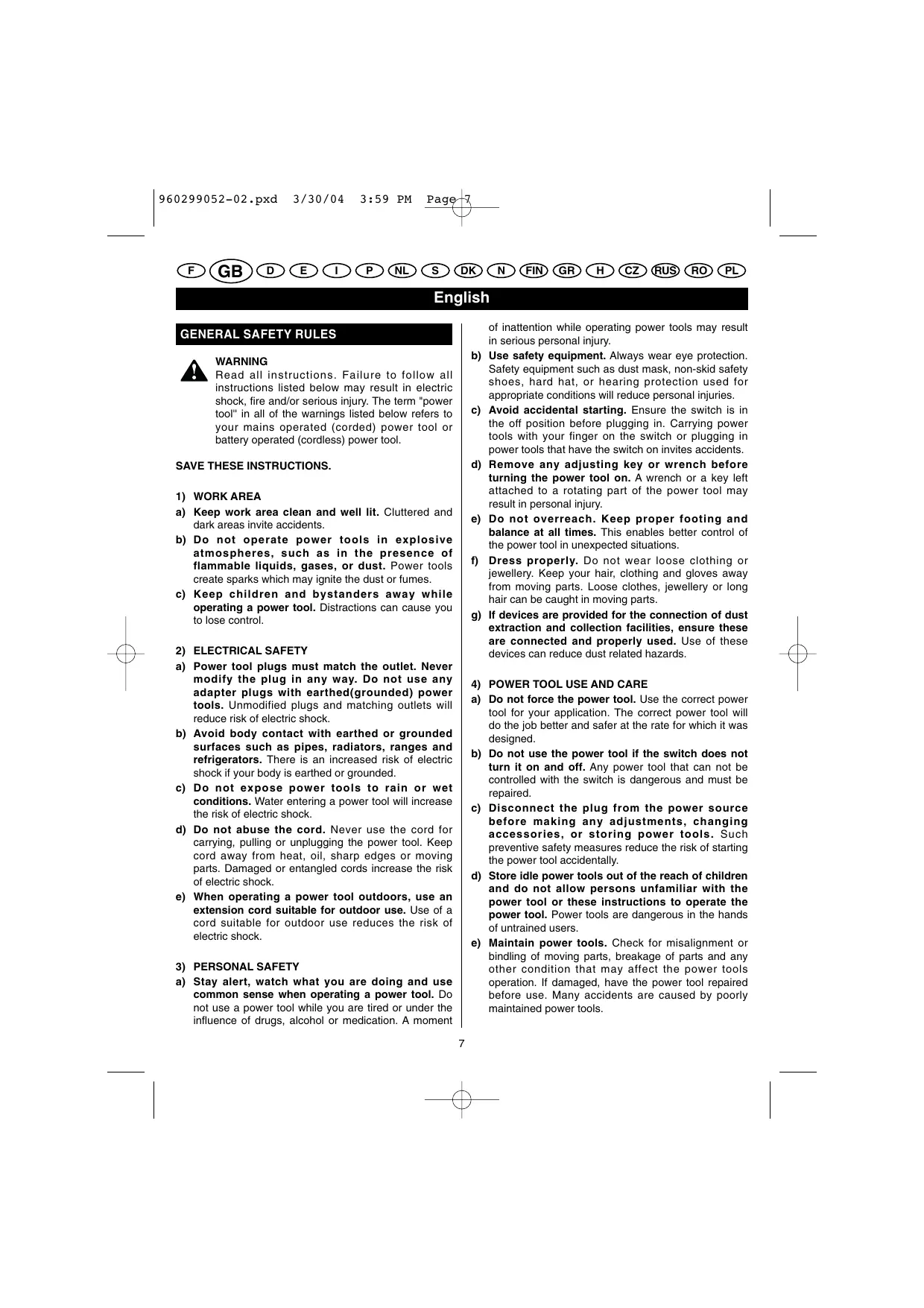
Read all instructions. Failure to follow all instructions listed below may result in electric shock, fire and/or serious injury. The term "power tool" in all of the warnings listed below refers to your mains operated (corded) power tool or battery operated (cordless) power tool.
SAVE THESE INSTRUCTIONS.
1) WORK AREA
a) Keep work area clean and well lit. Cluttered and dark areas invite accidents.
b) Do not operate power tools in explosive atmospheres, such as in the presence of flammable liquids, gases, or dust. Power tools create sparks which may ignite the dust or fumes.
c) Keep children and bystanders away while operating a power tool. Distractions can cause you to lose control.
2) ELECTRICAL SAFETY
a) Power tool plugs must match the outlet. Never modify the plug in any way. Do not use any adapter plugs with earthed(grounded) power tools. Unmodified plugs and matching outlets will reduce risk of electric shock.
b) Avoid body contact with earthed or grounded surfaces such as pipes, radiators, ranges and refrigerators. There is an increased risk of electric shock if your body is earthed or grounded.
c) Do not expose power tools to rain or wet conditions. Water entering a power tool will increase the risk of electric shock.
d) Do not abuse the cord. Never use the cord for carrying, pulling or unplugging the power tool. Keep cord away from heat, oil, sharp edges or moving parts. Damaged or entangled cords increase the risk of electric shock.
e) When operating a power tool outdoors, use an extension cord suitable for outdoor use. Use of a cord suitable for outdoor use reduces the risk of electric shock.
3) PERSONAL SAFETY
a) Stay alert, watch what you are doing and use common sense when operating a power tool. Do not use a power tool while you are tired or under the influence of drugs, alcohol or medication. A moment
of inattention while operating power tools may result in serious personal injury.
b) Use safety equipment. Always wear eye protection. Safety equipment such as dust mask, non-skid safety shoes, hard hat, or hearing protection used for appropriate conditions will reduce personal injuries.
c) Avoid accidental starting. Ensure the switch is in the off position before plugging in. Carrying power tools with your finger on the switch or plugging in power tools that have the switch on invites accidents.
d) Remove any adjusting key or wrench before turning the power tool on. A wrench or a key left attached to a rotating part of the power tool may result in personal injury.
e) Do not overreach. Keep proper footing and balance at all times. This enables better control of the power tool in unexpected situations.
f) Dress properly. Do not wear loose clothing or jewellery. Keep your hair, clothing and gloves away from moving parts. Loose clothes, jewellery or long hair can be caught in moving parts.
g) If devices are provided for the connection of dust extraction and collection facilities, ensure these are connected and properly used. Use of these devices can reduce dust related hazards.
4) POWER TOOL USE AND CARE
a) Do not force the power tool. Use the correct power tool for your application. The correct power tool will do the job better and safer at the rate for which it was designed.
b) Do not use the power tool if the switch does not turn it on and off. Any power tool that can not be controlled with the switch is dangerous and must be repaired.
c) Disconnect the plug from the power source before making any adjustments, changing accessories, or storing power tools. Such preventive safety measures reduce the risk of starting the power tool accidentally.
d) Store idle power tools out of the reach of children and do not allow persons unfamiliar with the power tool or these instructions to operate the power tool. Power tools are dangerous in the hands of untrained users.
e) Maintain power tools. Check for misalignment or binding of moving parts, breakage of parts and any other condition that may affect the power tools operation. If damaged, have the power tool repaired before use. Many accidents are caused by poorly maintained power tools.
English
GENERAL SAFETY RULES
f) Keep cutting tools sharp and clean. Properly maintained cutting tools with sharp cutting edges are less likely to bind and are easier to control.
g) Use the power tool, accessories and tool bits etc., in accordance with these instructions and in the manner intended for the particular type of power tool, taking into account the working conditions and the work to be performed. Use of the power tool for operations different from intended could result in a hazardous situation.
5) BATTERY TOOL USE AND CARE
a) Ensure the switch is in the off position before inserting battery pack. Inserting the battery pack into power tools that have the switch on invites accidents.
b) Recharge only with the charger specified by the manufacturer. A charger that is suitable for one type of battery pack may create a risk of fire when used with another battery pack.
c) Use power tools only with specifically designated battery packs. Use of any other battery packs may create a risk of injury and fire.
d) When battery pack is not in use, keep it away from other metal objects like paper clips, coins, keys, nails, screws, or other small metal objects that can make a connection from one terminal to another. Shorting the battery terminals together may cause burns or a fire.
e) Under abusive conditions, liquid may be ejected from the battery; avoid contact. If contact accidentally occurs, flush with water. If liquid contacts eyes, additionally seek medical help. Liquid ejected from the battery may cause irritation or burns.
6) SERVICE
a) Have your power tool serviced by a qualified repair person using only identical replacement parts. This will ensure that the safety of the power tool is maintained.
7) SPECIAL RULES
a) Wear ear protectors with impact drills. Exposure to noise can cause hearing loss.
b) Use auxiliary handle supplied with the tool. Loss of control can cause personal injury.
SPECIFICATIONS
| Model | CDD-1202 | CDD-1442 | CDI-1442 | CDI-1802 |
| Voltage | 12 V | 14.4 V | 14.4 V | 18 V |
| Chuck (mm) | 13 | 13 | 13 | 13 |
| Switch | Variable speed | Variable speed | Variable speed | Variable speed |
| No load speed (drill mode): | ||||
| - Lo speed | 0 - 350 min-1 | 0 - 350 min-1 | 0 - 390 min-1 | 0 - 400 min-1 |
| - Hi speed | 0 - 1250 min-1 | 0 - 1250 min-1 | 0 - 1350 min-1 | 0 - 1400 min-1 |
| No load speed (impact mode): | ||||
| - Lo speed | - | - | 0 - 5070 min-1 | 0 - 5200 min-1 |
| - Hi speed | - | - | 0 - 17550 min-1 | 0 - 18200 min-1 |
| Max. Torque (Nm) | 30 | 32 | 32 | 35 |
| Weight - incl. battery pack (KG) | 1.9 | 2.1 | 2.3 | 2.5 |
| Battery pack: | BPP-1220 | BPP-1420 | BPP-1420 | BPP-1820 |
| Charger | BC-1200 / | BC-1440 / | BC-1440 / | BC-1800 / |
| BC-1215-S | BC-1415-S | BC-1415-S | BC-1815-S |
English
CHARGER SAFETY
To reduce risk of injury, charge only nickel-cadmium type rechargeable batteries. Other types of batteries may burst, causing personal injury and damage.
- Do not expose charger to wet or damp conditions.
Use of an attachment not recommended or sold by the battery charger manufacturer may result in a risk of fire, electric shock, or injuries to person.
To reduce risk of damage to charger body and cord, pull by charger plug rather than cord when disconnecting charger.
Make sure cord is located so that it will not be stepped on, tripped over, or otherwise subjected to damage and stress.
An extension cord should not be used unless absolutely necessary. Use of improper extension cord could result in a risk of fire and electric shock. If extension cord must be used, make sure:
a. That pins on plug of extension cord are the same number, size and shape as those of plug on charger. b. That extension cord is properly wired and in good electrical condition.
- Do not operate charger with a damaged cord or plug. If damaged, have it replaced immediately by a qualified serviceman.
- Do not operate charger if it has received a sharp blow, been dropped, or otherwise damaged in any way; take it to a qualified serviceman.
- Do not disassemble charger; take it to a qualified serviceman when service or repair is required. Incorrect reassembly may result in a risk of electric shock or fire.
To reduce risk of electric shock, unplug the charger from outlet before attempting any maintenance or cleaning. Turning off controls will not reduce this risk.
- Disconnect charger from power supply when not in use.
- Risk of electric shock. Do not touch uninsulated portion of output connector or uninsulated battery terminal.
- Save these instructions. Refer to them frequently and use them to instruct others who may use this unit. If you loan someone this unit, loan them these instructions also.
DESCRIPTION
See Figure 1-9
- Keyless chuck
- Switch trigger
- Direction of rotation selector (Forward/Reverse)
- Screwdriver bits
- Battery pack
- Magnetic tray
- Latches
- Depress latches to release battery pack
- Auxiliary Handle (For CDI-1442 / 1802)
- To Tighten
- To Loosen
- Drill bit
- Depth Gauge Rod
- Drilling Depth
- To Decrease torque
- To Increase torque
- Torque adjusting Ring
- Drill mode
- Impact mode (For CDI-1442 / 1802)
- Reverse
- Forward
- Chuck jaws
- Unlock (release)
- Lock (tighten)
- High Speed
- Low Speed
- Battery Charger
- Green Light
- Red Light
OPERATION
LED FUNCTION OF CHARGER
See Figure 9.
LED WILL BE ON TO INDICATE STATUS OF CHARGER AND BATTERY PACK:
Red LED on = Fast charging mode.
Green LED on = Fully charged battery pack.
No LED on = Defective charge or battery pack.
The battery pack for your tool has been shipped in a low charge condition to prevent possible problems. Therefore, you should charge it prior to use.
Note: Batteries will not reach full charge the first time they are charged. Allow several cycles for them to fully charge.
English
OPERATION
TO CHARGE
Charge battery pack only with the charger provided.
Make sure power supply is normal house voltage, 230 volts, 50Hz AC only.
Connect charger to power supply.
- Place battery pack in charger. Align raised rib on battery pack with groove in charger.
Press down on battery pack to be sure contacts on battery pack engage properly with contacts in charger. When properly connected, red light will turn on.
- When your battery pack becomes fully charged, the red light will turn off and the green light will turn on.
After normal usage, 1 hour of charge time is required to be fully charged. A minimum charge time of 1 to 1-1/2 hours is required to recharge a completely discharged tool.
DO NOT place charger in an area of extreme heat or cold. It will work best at temperatures above 10^ and below 38^ .
IMPORTANT INFORMATION FOR RECHARGING HOT BATTERIES
When using your tool continuously, the batteries in your battery pack will become hot. You should let a hot battery pack cool down for approximately 30 minutes before attempting to recharge.
TO INSTALL BATTERY PACK
- Lock switch trigger on your drill by placing the direction of rotation selector in center position. See Figure 6.
- Place battery pack in your drill. Align raised rib on battery pack with groove inside drill. See Figure 2.
Make sure the latches on battery pack snap in place and battery pack is secured in drill before beginning operation.
TO REMOVE BATTERY PACK
- Lock switch trigger on your drill by placing the direction of rotation selector in center position. See Figure 6.
- Locate latches of battery pack and depress to release battery pack from your drill. See Figure 2.
Remove battery pack from your drill.
ADJUSTING THE AUXILIARY HANDLE (For CDI-1442 / 1802)
See Figure 3.
Follow these steps to adjust the auxiliary handle.
- Loosen the auxiliary handle by turning the knob counterclockwise.
- Rotate the auxiliary handle to the desired location.
- Tighten the auxiliary handle securely by turning the knob clockwise.
ADJUSTING THE DEPTH GAUGE ROD (For CDI-1442 / 1802)
See Figure 4.
Follow these steps to adjust the depth gauge rod.
- Lock the trigger switch by placing the rotation selector in the center position.
- Loosen the auxiliary handle by turning the knob counterclockwise.
- Adjust the depth gauge rod so that the drill bit extends beyond the end of the rod to the required drilling depth.
- Tighten the auxiliary handle by turning the knob clockwise.
The tool is equipped with an adjustable torque clutch for driving different types of screws into different materials. Adjust the torque as necessary.
(For CDI-1442 / 1802)
We recommend that you use carbide-tipped bits and select impact mode when drilling in hard material such as brick, tile, concrete, etc.

CAUTION
The impact drill is not designed for reverse hammering. Failure to obey this caution may result in property damage.
SWITCH
See Figure 6.
To turn your drill ON, depress the switch trigger.
To turn it OFF, release the switch trigger.
VARIABLE SPEED
This tool has a variable speed switch that delivers higher speed and torque with increased trigger pressure. Speed is controlled by the amount of switch trigger depression.
English
OPERATION
SWITCH LOCK
See Figure 6.
The switch trigger can be locked in the OFF position.
This feature can be used to prevent the possibility of accidental starting when not in use. To lock switch trigger, place the direction of rotation selector (Forward/Reverse Selector) in center position.
Note: When selector is in center position, switch trigger is locked.
REVERSIBLE
See Figure 6.
This tool has the feature of being reversible. The direction of rotation is controlled by a selector located above the switch trigger. With the drill held in normal operating position, the direction of rotation selector should be positioned to the left of the switch for drilling. The drilling direction is reversed when the selector is to the right of the switch. When the selector is in center position, the switch trigger is locked. To stop, release switch trigger and allow the chuck to come to a complete stop.
ELECTRIC BRAKE
This drill has an electric brake. When the trigger switch is released, the chuck stops turning. When the brake is functioning properly, sparks will be visible through the vent slots on the housing. This is normal and is the action of the brake.
ADJUSTING THE SPEED
See Figure 8.
Follow these steps to adjust the speed.
For high speed: Slide the two-speed gear train switch to "2."
For low speed: Slide the two-speed gear train switch to "1."
Note: If you have difficulty changing from one gear range to the other, turn the chuck by hand until the gears engage.

CAUTION
To prevent gear damage, always allow chuck to come to a complete stop before changing the speed or the direction of rotation.
KEYLESS CHUCK
See Figure 7.
Your drill has a keyless chuck. As the name implies,
you can hand tighten or release drill bits in the chuck jaws. Rotate the chuck with your hand.
Rotate the chuck body with your other hand. The arrows on the chuck indicate which direction to rotate the chuck body in order to LOCK (tighten) or UNLOCK (release) the drill bit.

WARNING
Do not hold chuck body with one hand and use power of the drill to tighten chuck jaws on drill bit. Chuck body could slip in your hand or your hand could slip and come in contact with rotating drill bit. This could cause an accident resulting in serious personal injury.
MAINTENANCE

WARNING
When servicing, use only identical replacement parts. Use of any other part may create a hazard or cause product damage.
Avoid using solvents when cleaning plastic parts. Most plastics are susceptible to damage from various types of commercial solvents and may be damaged by their use. Use clean cloths to remove dirt, dust, oil, grease, etc.

WARNING
Do not at any time let brake fluids, gasoline, petroleum-based products, penetrating oils, etc. come in contact with plastic parts. They contain chemicals that can damage, weaken or destroy plastic.
Do not abuse power tools. Abusive practices can damage tool as well as workpiece.

WARNING
Do not attempt to modify this tool or create accessories not recommended for use with this tool. Any such alteration or modification is misuse and could result in a hazardous condition leading to possible serious personal injury.
ENVIRONMENTAL PROTECTION

Recycle raw materials instead of disposing as waste. The machine, accessories and packaging should be sorted for environmental-friendly recycling.
Deutsch
INDSTALLING AF DYBDESTOP (model CDI-1442 / 1802)
Sefigur4.
Dybdestoppet indstilles pa falgende maje:
(modelene CDI-1442 / 1802)
Vi anbefaler á bruke bor med harmetalskjaer og á plassere verktøyet i slagboringsmodus nár du borer i harde materialer som mursten, taksten, betong, osv.

FORSIKTIGHETSREGEL
Slagboremaskinen / skrutrekken din er ikke beregnet for reversed slagboring. Hvis denne forskriften ikke overholds kan det forårsake materielle skader.
STRÖMBRYTER
Sefigur6.
For a STARTE bore-/skrumaskinen, trykk inn strombryteren.
For a STOPPE bore-/skrumaskinen, slipp strømbryteren.
VARIABEL HASTIGHET
Verktoyets strømbryter gjör det mulig à variere hastigheten alftert trykket du över pa den. Jo større trykk,esto mer öker hastigheten. Etterhvert som du slipper strombryteren, blir hastigheten minnde.
LASEFUNKSJON
Sefigur6.
Strömbryteren kan låses i stilling "av". Denne funksjorden hinder utilsiktet start av bore-/skrumaskinen nár du ikke bruker den. For à laxe strömbryteren, still rotasjonsretningsvelegeren (inn-/utskruinsretning) i midstilling.
OBS! Nár velgerten er i midthstilling, er strombryteren sperret.
Norsk
BETJENING
REVERSERING AV ROTASJONSRETNING
Sefigur6.
3) JIuHAnBe3OIIACHOCTb
a) IIpi pa6oTe c 3JIeKTPHueCKHMn HnCTpyMeHTamn CJIeHnte 3a aIeKBAthOcTBo CBHX JeCTBn H peWeHH. He IIOJIb3yIteCb IHCTpyMeHTOM B YCTaJIbHE M COCTOHH, B COCTOHH aIKOROJIbHO rHn HApKOTHeCKTO OONJIbHeHHa, A TAKKe IIO BOJ3EJIcTBHe M MeIHKAmeHTOB. He 3a6bIAaIte, yTO IOCTaTOUHO CEkyHNbIb HeBHNMaHH, yTO6bI TjKeJeIO NpAHHTbY.
b)ПиьзутесьаDEKBAHTHbIM3aIHTHbIMcpeCTBaMH. BceTgda 3aIHHaJIte Tla3a.Bo n36eXaHne TЯжELbIX TpaBM IIpH Heo6xoIIMOCTH NIOB3yITcEsbcPecIIHpAToPOM, HecKOBJ3aIJIeO6yBbHO,KacKOn I cpeCTBaMn 3aIHTbIcLJyX.
c) H36eAaTe cIyauHoro 3anyka HnctpyMeHa. IpnKJie Yem BKJIIOuATb INCTpyMeHT Bpo3eTKY, IPOBepbTe, TTO6bl BbIKJIIOUaTeJI CToJI B NIOJOKeHH BbIKJI. Bo H36eKaHHe hecuaCTbIX cJIyauaEB He nepehoCHTe HnCTpyMeHT CIIaJIbUeHM Ka Kpke H E KBIIOJauTe erO B ceTb, KOrJa BbIKJIIOUaTeJI CTOnIT B NIOJOKeHH BKJI.
d) Ipepe BkIIOueHnem HNCTpyMeHTA BbIbIte H3IeRcBCE 3aTMyHbIe KIOH.N.3aTMyHOH KIOUHa NIOBbHXHOJ DeTJIIN HNCTpyMeHTA MOKET BbIbATb TIXeJIbe TpaBMbl.
e) Bcerda nepknte paBHOBeche. KpeKno epkntecb ha HORax n He bItaRnBaHTe pyk CINIKoM daJIeKo YcToHnBOe paOohee NoIOJKeHne N03BoJIeT LyuIIe KOHTPOIHnPoBAtB HInCTpyMeHT B CIyue HeOKeJDAHOCTHN.
f) Iohb3yItecb aKeBbathoI oEeKdoI. He haeBaIte IIIOPOKYIOeJMy I6XKyTePHIO. DePjNITe BOJIocbl, OeJMy I IepaTKN IOJaJIbIe OT IOBbIKHbIX JTeTALJIe HnCTpyMHTA. IIIOPOKA OeJDa, 6xOyTePNI ININHHBe BOIocbl MORYT IOnaCTB I IOBbIKHbIe JTeTALII.
g) Ecln Hnctpyment ochaen Hnpncoc6leHem dIa OTbOa HIN c6opa OHIOK, yctanHOBte ero Ha Hnctpyment NIOb3yTeCBN Hn pna 06ote. 3TO IMOXeT H66kAaTB HeCtAHbIX CJIyAae.
4) PABOTA H OBCJYXHBAHNE
a) He φόρψpyrte HHCTpymert. HcnoJIb3yIte HHCTpymert, IIOxOJIaIIπI daHnOu pa60tby. IHCTpymert 6yIET pa60TaTb IpoN3BOJInTeIbHee H naEkeHne B peKeHme, IIN KOtOPORo OH 6blp4a60taH.
b) He noIb3yIrecB HnctpyMeHToM,ecII BbIKIOuHaTeJIbHe pa6oTaET. EJIIN HnCTpyMeHT HeJIb3Y BKIIIOuHTb IINI BbIKIOuHTb, 3TO ONaCHO.ErO HeoEOXoJIMHO68aTeJIbHO OTPeMOHTnoPobATb.
c) OTKIIOUaJIte HNCTpymeHT N3 cTeH npeJn HAcTpoKoi, CMeHOI aKCECCyApOB IIN YKIAJKO Hx pAnHeHne. 3TO NOMOKeT N36EkaTb CnyauHOrO 3aNycca HNCTpymeHTra.
Pycckn
OBIIHE IIPABUNIA TEXHNI B3OJIACHOCTH
d) XpaHHTe HNCTpyMENTb B HeIOctyHnOM dIa detei MeTe. He IOBepaIte HNCTpyMENT paOoHm, He 3HaIOUIM erO IIN He IpoOHTabIIMn HAcTOnIeep pyKoBOJcTBo. B Pykax HeONbITbIX paOoHx HNCTpyMENTb IpeIcTBIAHOT OAnHOCTb.
e) 3a60TJIHBO yxaxhBaHTe 3a HnCTpyMeHTAMH. IpoBepaIte IINHeHOCt bIOBnXkHbIX dTeaJIe. IpoBepaIte cIIOCTHOCTb BcEx dTeaJIe. IpoBepaIte c6OpKy IHCTpyMeHTa H BCE 3JIeMeHTb,OT KOTopbIX 3aBHcHT erO pa6oTA. Ipn IOJOMKe dTeaJIe PEMOHTHpyIte Hx IIpeJxJe Qm IPOJIOJXaTb IOJb3ObaTbCn IHCTpyMeHTOM.MHOrne HeecuaTbHe cIJyAn pOnCXoJITn3-3a HEnpABInbHoro YxoJa 3a IHCTpyMeHTAMH.
f)IepKHTe HnCTpyMeHt b3aTOyeHHbIMn HnCTbIMn. HcHTbH nXopoIO 3aTOyeHH bNcck HnCTpyMeHa cHnKaat pHCK 3aKaTHB 3aTOrOBKe H daet 6OJIbIe KOHTPOIA 3a HnCTpyMENTOM.
g) Co6IIOJaTe HactoJHne npabHla TeXHHK 6e30aHacHocTH B o6paueHenn C HnctpyMeHTOM, akccecyapamn, HacaKaAMn H. YuHTbIaBte Oco6eHHocTh HnCTpyMeTna, pa6oyero MeCTa H pIpeCTOJIeJ pa60tBJ. Bo I36ekaHHe OAnchbIX cnTyauHII NOJIb3YITcB 3JIeKTPrUeCKHM HnCTpyMeHTOM TOfkO II Ta Tex pa60T, IIIA KOTOpbIX OH pIeIHa3HaueH.
5) PABOTA ИОБСЛУЖИBAHAнЕ AKKUMYJIТОРА
a) IIpeJcHcYctAHABJIbATb AKKyMJIrTOp y6eIHTeCtB b TOM, YTO BbIKIIOHcyTeJB CTOnT B NIOJOKeHHN BbIKJI HIN 3a6IOKHPoBN. BO I36eJXaHHe HecuACTHBx ClyuaeB HE BkIIIOHaayHe HnCTpymEt B cTeB, eCIN BbIKIOUaTeJB CTOnT B NIOJOKeHHN BKJI.
b) 3apjkaite aKKymyIaTOp T0JIbKO B 3apJHOM yctpoiCTB, peKOMeHNIOBaHHOM H3rOToBHTeJIeM. 3apJHoe yctpoiCTBO, rOIHOe IJIa OJIHHx aKKymyIaTOPOB, MOKeT BbI3BaTb IIOJAP pN HcIOJIb3OBAHn C dpyHM TNIOM aKKymyIaTOpOB.
c)HnctpymeHTdoJIeXenpaObTaTbIOJIbKOHa cneIuaIHLHO npEaHa3eHennOM DIA HERO AkKMyJItope. HcnoJIbTOBAHHe JyUTHX AKKMyJITOPOB MOKeT Bb3BaTb IIOxap.
d) B Hepa6ooyee BpemA DepkHtE aKkyMylTOp I0daJIbIe OT MToAJIHueCKHx IIpeMeTob: CKePnO, MoHet, KIOUeH, TBO3Je, BnHTOB INpoHx MeJIKHx MetaJIHueCKHx IIpeMeTob, MOryIuX 3aMKHyTbeero KOHTAKtBb. KopotKoe 3aMbIkaHN He JIeMM aKKMyIYTopa MOKeT Bb3BaTb OKOH NJIH IOkap.
e) B cayae pa36pb3rHbHH 3JektpoJIHTa aKKyMJIITOpaB 3KCTpemJIbHbX yCIOBHX H36eIaTe KOHTAKTa C HMM. EcIn 3TO Bpyr IpnO30IIO, HemeJIeHNO IIPOMOITE NopaxeHHOe MecTo YHCTOBIIOJ. EcIn 3JektpoJNT IIOnAI B rIa3a, O6paTHTecb K0 BpaUy. IIpi IIOnIAAHIN HA KOxy 3JektpoJNT MoKeT Bb3BaTb pa3IIpaXeHH HII IN OKOrN.
6) PEMAOHT
a) PemOHThIbe pa6ObI ToJIXHb I npOn3BODHTbc8 KBAIIHΦHnIPOBAHbM TeXHHKOM C HcNo130BaHHe M apoohy 3aunacte. Torga 3JIeKTPueCeKM INHCTPymeHToM MoxHO pa6OtaB b IIOJIHO6E3OpAHOCTH.
7) OCOBbI HHCTPyKUHH
a) IIpa paoboe C ydpnoeBbO BceIaNoIb3yIteBcpeCTBaMn 3aHtBt clyaXa. ChIbHbI IyM MoKET bIb3BaT bIHKeHHe OCTpOtI clyaXa.
b) IIob3yIteB BCNOMOrateJIbHO pyKofIeKo, NoctabJeHHo B KOMIIeKeTc C HcHcTpymEThom. Iotepf KohtpoJfl NaH HcHcTpymEThom BeTe K TfIkeJIbIM TpaBMaM.
IIPABNJIA TEXHNKU BE3OIIACHOCTN JIJI 3APJHbIX YCTPOINCTB
Bo H36eKaHaHe TeJeChbIX IOBpeJxHINIOJIb3yITcB ToIbKO HIKeJIb-KajIMHeBBIM3apjXaemblmA kAKyMylTOpAMH AKyMylTOpB1 npYrTOO TnIH MaOTB3OPBaTbC, HcNpHTB HnCTpyMeHT NIOJIbYe TBKJEb TpAxBMy.
He octabJIaIte 3apJHoe yCTpoIcTBO IOJ IOKJIeM HJIH B cyIPOCTH.
He IIOJIb3yIteCb HeKOMIIIEKTHbIMn HIN He peKOMeHIOBBAHNIMN IHOToBIOTNEiEM akCECCyapAMn. HIOJIb3OBAHHeIpyrHX akCECCyapOB MOKeT BbIBBaTB IOXap, yAp TOKOMHIN TReKeJIbe TpaBMbl.
TTObI He IcnpHTb 3apHoe yctpoCTBO H cTeBOI IIHyp, He Jeprante 3a ceBOB IIHyp, TTObI BbHyTb BnIKy H3 pO3eTKH.
IIOBepbTe, TTObI CeTeBoH IIuHp 6bl PaCnIOJIoKEn TaK, TUObI HNKTO He MO IIO HeMpyIpoHTH, 3aIyTaTbCBy HEM HJIH IOBpeJITb ERO HAue.
IIOJIb3yITeCb yUINHHITeLEM ToJIbKO B cIyuea KpaHHe HEOXOJHMOCTH.NcIOJIb3OBaHHe HNeIeKBATHoro yUINHHTEBET KIOKApHy IINH YAp4y TOKOM.EcJIH EHOxOJHMo IOJIb3OBaTcB yUINHHITeLEM, IPOBepbTe, TTO6bI:
a.BNJIka 3aPdHOrO yCTPoINCTBa HMeJIa CToJbKO JKe KOHTAKOB,CKoJIbKO HPOeTKA yDJIHHTeJIYTOBb OHI B6JIb ONDHO P3aMePA I NDJOHΦOPMJI.
b.yIHHHTeJIb6blB XPOIeM COCTOHHN IIOcTaTOHNO MoHIOCHTH, YTO6bl IIPOBOIDHT Heo6xoJHMOe 3JIeKTPHuCtBTO.
Pycckn
OBIIHE IIPABHJA TEXHUKNBE3OJIACHOCTU
HeIOJI3yIteBc 3aepHbIM yCTPOBCTOB,ecJIIN BIIKA IHH cTeBOI hHUP NOBpeJKeHbE. EeON OHIOBpeJKeHbI, OtaIae INx B pEMOT KBAIHNIOPBOAHHOMY cEuaIAIHTC.
HeIOJIb3yIteB 3aqrIbHM yCTpOJCTOB,ecJIH OHOIIOUYHIO yApd,yAIO HIN bIoYIO NOBpeJcHIO HnAue.OTaJIeEro BPEMOHT KBAJIHmIHNPOBHOAHMY CneIHIAHCTy.
He pa36hpaTte 3apAInHoe yctpoHCTBO.OTdaBaireto erO IaIpeMOHTbIXeBcHbIXbXpa0T KBALINHIOPOBAHHOMYTexHHky.He npAIBINHbAHc6OpKa 3apAInHOy eTpoHCTBa MoKet IOBJIeYbUp TKOM HIN NOKAp.
Bo n36eXaHHe yIapa TOKOM oTKIIOuHaTe 3apAHOe yCTPOHCTBO H3 cTEN IpeE NCHcKOHN HIOOcJyXbAHnEM. YTObblpeoNTBpaHTb PnCkN yIapa ToKOM, HeIOCTaTOUHO IpOCTO HaKaHb HA BIKIOUaTeJIb.
B Hepa600ee BpeM OTKJIHOuaTe 3apJHoe ycTpoIcTBO H3 cETH.
BoH36eKaHHe yIapa TOKOM He IOTparHbAITecb HN JOn HeH3OJIHpOBaHHbIX YacTeH BbIXOJbIX KJIeMM, HN JO HEN3OJIHpOBaHHbIX KJIeMM aKKyMyTTopa.
XpaHnTe HactoIeH HcTpyKuHH. PeryIaIHO nepeHTbaiTe Hx HnHΦOpMpyTe IpyHx NIOb3OaTeJIe. OdaJkbHaaHbHtC HcyptMeIT, pNkJaIbIaBaiTe K hemy HactoJIeepykoBOCTBO NO ekmIIyatauH.
ONHCAHNE
Cm PnC. 1-9
- Camo3aTnHbAoHnIcN IaTPOH
- Kypok
- IpeKJIIOUaTeJIb HauPpaBJIeHnB BpaIeHnB (BnepeJ/Ha3aJ)
- Hacaikn IyypnoBepra
- AKKyMJIaTOp
- MaHHTHaIJIaCTHa
- 3acTeKKn
- TTo6bI cHrTb aKKyMjIaTOp, HaxMHTe Ha 3aCteKKn
- BcIOMoTaTeJIbHaŋ pyKoRtKa (MOeJIH CDI-1442 / 1802)
- 3aTMyTb
- OTnycTHTB
- CBeJIIO
- OrpaHnUHTeJIb IJy6HbI
- Tny6nHa cBepJIeHnA
- Y6aBntb BpaIaIouIIIM MOMeHT
- YBeJIHcHTbBpaIaIOIIIM MOMeHT
- KoJIbIoo peRyJIINPOBKN BpaIIaHOIIeRo MOMENTa
- Pekn m CbepeHne
- PexHM yIapHOrO cBepJIeHNr (MOJIeJIH CDI-1442/1802)
- Ha3aI
- Bnpei
- Tnckn natpoHa
- ChTb HacaIky (OTnycTHTB)
- YcTaHOBHTb HacaIKy (3aKaTb)
- Ckopoctb 2
- Ckopoctb 1
- 3apflHoe yctpoIcTBo
- 3eJIeHbI JAtuHK
- KpacHbI JaTUnK
TEXHNUECKHE XAPAKTEPHCTHKU
ФУHKПИ CBETOBbIX DATUHKOВ 3APДHOrO YCTPOIcTBA
C.M. Puc. 9.
CBETOBBIE IATUKNI IOKA3bIBAIOT 3TAIII 3APIKN AKKUMJITOPA:
KpaChbI JaTcHk =peXHM 6bIcTpO 3apAKn.
3eJIeHbI DaTUnK = aKKyMyJrTop IIOJIHOCTbIO 3apJxHeN.
EcJIN HN OJIN DaTnK He ropHT = JeΦeKT aKKymIaTopaHJIN HeIpaBJIbHa 3apJaKa.
3APJKA AKKUMYJITOPA
Bo H36bKaHHe HENPIrATHoCTe, AKKyMJIaTOp IocTaBJIeN B CO mIIJIeKTe He NIOHcTbI OzaRKeHHbIM. IIpeI nauJIoM paOToIe Iero NaIO 3apdIHTb.
IppmeaHHe: Ipn nepBoi 3apJKe aKKMyJITop IOJIHOCTbIO He 3apJNTc. To6bI aKKMyJITop IOJIHOCTbIO 3apJINcI, Heo6xoJIMO HeCKOJIbKO IIKNIOB (pa60ta - 3apJka).
3APJKA AKKUMYJTOPA:
IIOJIb3yIteCb TOJIbKO 3apIaHbIM ycTpoIcTBOM, IOCTaBJIeHHbIM B KOMIIJIeKTe cAKKMyJIrTOPOM.
IIOpeBbTe, YTO6bI HAnpJxKeHne B cetTH 6bIIO 230 B, 50 TII NepemHeHOro ToKa (O6bIyHoe DomaHHee HanpJxKeHne).
BkIIOHTe 3apJHOe ycTPOHCTBO B pO3eTKy.
BCTaBBteakkymyIaTOBP3aepHIOeycTPOIcTBO.ⅡJIa3TOTOOBMeCTHeBbICrynAkKMyIaTOpacOTBEpCTHEm3aIPdHOroycTPOCTBa.
HaKMMte Ha aKKymyIaTOp, YTOb6I erO KJIeMMb3aIIeIKHyIINb Ha KJIeMMax 3apAHHoro yCTPOHcTBa.EcNn AKKMmop IipabuIIbHO BCTABLeH b3apAHHoeycTPOHcTB0, 3akHraetc KaPchBla DaYHk.
KordaakkymyIaTOPIOJIHOcTbIO3apJxHe,KpacHbI DaTtHK rachet,a 3eJeHbI DaTtHK 3aRopaetc.
Iocle 06bHOrO HcNoB3oBaHHa HnCtpyMeHTa, YTO6bI 3apJITb aKKyMylTOp, HAIo OKIo Yaca 3apJIK. EcJIa aKkYMylTOp NIOHocTbIO pa3pJKeH, To IJIa 3apJIKN nortpeyeter noLTop yaca
HEyctaHABINBaIte 3apJHoe yCTPOIcTBO B MeCTax C 3KCTpeMaJIbHbIMTNepIEpATypAMn.Pa60ta 3apJHoro yCTPOIcTBA 6yETn HAN60Ie IpnOH3BOITeJIbHOH pNTEMepaType 10^ JIO 38^
BAXHbIE HHCTPYKIIIN JIJI 3APJIKI TOPIHX AKKYMJITOPOB
OTIpoIOJIIXHTeJIbHO paObTb aKKMyJITOp HArpeBaETc. Ecln aKKMyJITOp HArpeJIc, daIte emy ocTbITb 30 MHHyt nepeIzapJIKoI.
YCTAHOBKA AKKYMUYJITOPA
3a6Iokpyte Kypok IpeJI-IIIpyuOBepTa, yctAHOBH INepeKlOcHTeJI HnpaJIbEHHB BpuCEHHB B cHTpAlJbHOM IOIOKeHHN. Cm. Puc. 6.
BCTaBBTe aKKyMJIaTOp B NHTCPyMeH.TIIJIa 3TOrO COBmCTHe TBeCtYIa KkMyJIaTOp C OTHbepCThem B OCHOBAHIN HnCTpyMeHrA.C.M.Puc.2.
IpeJHaayaiom pa6oTbI npOBepbTe, YTObIaKkyMJIaTOp IpaBnJIbHO 3acTeRHyIcH Na IpeJIH-IIIpyNIOBepTe.
CHRTHE AKKUMJITOPA
3a6IoKpyTe KypoK IpeJIu-III-pyUPOBepTa, yCTAHOBH INepeKJIouateJIb HapBaJleHHB BpuIeHHB B CEHTpaJIbHOM IOIOKeHHN. Cm.Puc. 6.
TtO6bI cHrTb aKKyMJIrTOp C HnCTpyMeHTa, HaKMnTe Ha 3aCTeKKN.C.M.Puc.2.
CHHMMTe aKKMyJIArTop.
YCTAHOBKA BCIOMOFATEJIbHOI PYKOKTKI (MoJeTH CDI-1442/1802)
CM.Puc.3.
UcTaHOBk BcNOMoTaTeJbHoi pyKoRTK:
OITnycHTHe KOJIbIO KpeIIeHnB CbIOMoTaIbHOI pyKoRTKn, IOBOpaYHBa pyKy BJIeBO.
YcTaHOBHTe pyKoRTy B HxHoe IIOJOKeHHe.
KpeIko 3aTAAHHTe KOJIbIO KpeIIJeHHB CBIHOMoRAteJIbHOI pyKOJrTHN, IIOBOPaHHBa pyuKy BnpaBO.
PEGYJINPOBKA OTRPAHNUHTEJIYJUYHHBI (MOdJIH CDI-1442/1802)
C.M. Puc. 4.
PeryIINPOBKa IIOLOXKeHnO rOpAHuHTeJI rIy6HbI:
3a6JIOKHyIe KypO, yCTaHOHB IpeKeJIIOuAteJIb HnPaBJIeHn BpaIeHn B IeHTpaJIbHOM IOJOKeHHN.
OITnycHTHe KOJIbIO KpeJIeHnB CbIOMaTeJbHOy pyKoTKn, IOBOPaHBa pyKy BJIeBO.
UcTaHOBHTe OrpaHnHtTeJIb IyOHBt TaK, TTo6bI CBePIO BbICTyIaIIO 3a HErO BnpeIHa HyJxHyIO IyOHNHy CBePJIeHHI.
KpeIko 3aTaNHTe BcHOMoTaTeJbHyO pyKOaTKy, IOBOPaHBApyKy BnpaBO.
Pycckn
PABOTA
PEGYJINPOBKA BPAIIAIOIIETO MOMEHTA
CM.Puc.5.
Hnctpymeh Ochaieh CueIeHHem, No3BOJIaIOUIM peryIInpOBAtB BpaIaIOIIH MOMEHT B 3aBHCIMOCTHo MTaMePhAHa 3aOTOBKn. HactpoTe BpaIaIOIIH MOMENT JIOJIxHBIM 6op3Am.
(MoJIeJIH CDI-1442/1802)
PnPi paOtoB v TBPbIaMtePamJax (KPNHne, YpeepnIe IIN 6BeTOHe) peKoMeHdyetcNIOJIb3OBaTbcBcpeLAMn H3 TBPJIoro cIIaRa bpaOtoB v PekxHme "yUdpArO CpeBIEHna".

IPEIOCTEPEXEHNE
UyapnAJeIb-yypyNoBepr He npEHa3HaHeHa IJIa 6ypeHH. IIe HnIOJIb3OBAHH He No Ha3HaueHH NHeCTPmEHT MoKET cJOMA tCB.
KYPOK
CM.Puc.6.
_TO6b 3A\PYCTNTb IpeJIb-IIIpyyIOBepT,HaKMHTe Ha Kypok.
_TO6bI OCTAHOBHTb IpeJIb-IIIpyuINOBepT,OTHycTHTe Kypok.
PEGYJINPYEMARCKOPOCTb
CkopoocTb HhCTpymEHTa H3MeHReTcB 3aBHCMOCTn OT ChIbI hKaatna Ha Kypok. Yem ChIbHee NaBLeHne Ha Kypok, TEM BbIe CKoPocTb. PInp MeJIeHHom OTNycKaHnn Kypka ckopoocTb Nadaet.
БЛОКИPOBKA
CM.Puc.6.
Kypok MoXHO 3a6JIOKHOpaBb B IOJIOKeHH "BbIKJI." 3Ta BO3MOKHOCTb NO3BOIeHET36KeHbT bEOBJHOrO 3aNycka HcHTpyMeTHa B Hepa6oOe Bpem. YTO6bI a6JIOKPOBaTb Kypok, YctahOBHe NTpeKJIOHueTb HnPaJIeHH BpaIeHHa (3aKpyuBHAnHe /OTKpyuBHAnHe) B IeHTpaJIbHoe IOJIOKeHHe.
IprmeuHHe: KOrJa IpeKJIIOUaTeIb HnPaBauJeHHa BpaIeHHN cToHT B cHeNTpAlbHOM IIOIoKeHHN, KypOK 3a6IoKupOBaH.
CMEHA HAIPIPABJEHIN BPAIIEHH
CM.Puc.6.
HaipabJIeHHe BpaIeHn HInCTpyMeHTa MoKet 6bITb N3MeHeHO. Oho YPiapBteTcpeKJIIOvAteJEM HAI KypKOM. KOrJa Bbl IepKHe TpeJIb-IIIpyIIObePT B HopMaJIbHom pa6Oyem POIoKeHH, IpeKJIIOuATEJB HApapBleHH BpaIeHH JIoJIeH HaxoIIHTbc SIEBA OT KypKa, YTO6bI IO3BOIHTb CBePJIeHHe HIN 3aKpyuHBnE.
EcJHnepeKJIHOuataJIb HaxoIHNTc npaba OI Kypka, HnapBaJIeHEn BpaIeHHN I3MeHEnO (OTkpyuHbAHne). KorJa nepeKJIIOUaTeJIb HnapBaJIeHHN BpaIeHHN CTOnT B IeHTpAJIbHOM NIOLOKeHHN, KypOK 3a6IOKHPoBaN. YTo6bl OCTaHOBINTb IHCTpMEnT, OTIIyCTHNE KypOK I IOXJITHeCB, INoKa NaTPOH NIOHOCTbIO OCTaHOBINTc.
3JEKTPNUECKNE TOPMO3
IpeJIb-IIIpyPnoBepO cHaIeHa 3IeKTPueckHM TOpMO3OM. Ipi OITnycKaHHN KypKa NpatOn PnepeTaeT BpaIIaTbc4. Ipi HOpMaJIbHO paOte TOpMO3A cKB03b BEHTHJIauHOHHUo peIteJHKKapTePA BnHbIKCkBy. HApHNe HcKpCBnIETeJIbCTbYET O HopMaJIbHO paObe 3IeKTPueckOTo TOpMO3a.
PEGYJINPOBKA CKOPOCTH
CM.Puc.8.
PerylnpOBka ckopoctn:
IIpa6oTbHa BbICOKOcKOpocTHIpeBHHbTe peyJTop cKOpocTH Ha "2".
Для paobotbHa MaIoih ckopocTH nepeBHHbTe peryIaTOp ckopocTH Ha "1".
PnmeHne: Ecln peryIpyrOcK cnopocTn nepeBnraeTc T pydom, NOBepHnTe IaIPOH pykoJ, YTObI cKOpocTb BKJIOnuJIacb.

IIPEIOCTEPEXEKHE
Bo I36eXaHHe NOpu CienJeHn, IpEJKe Yem MeHt b cKOpOCT Hn HnIpaBLeHne BpaIeHn, IIOJooHTte, IOKa IpatroH OIIHOCTb OTOAHOBITc.
CAMO3ATYHBA10IIINCSIATPOH
C.M. Puc. 7.
HeIbTaIteCb MoHnHΦHnPoBaT bpeIb-7pyuNoBepr HIn IprncnoCa6JbBaT bKeH aKcceCyapbI He peKoMeHDoBaHbIe H3rOToBHTeIeM. IIOIo6HbIe MoHnΦHkaaHH Npeo6pa3ObaHna HpeIcTaBJIaOT co60B HeNppaBnHoe HcNoJIb3ObaAHne HNCTpyMeHa T MOryT Co3aTb OAnCbIe CnTuaHH, BJIeKuIe TJaJIe TpaBMbl.
3AIIIHTA OKPYXAIIOIIEN CPEIbI

He Bb6paCbBaIte cbIpbe. 3aunuaiTe OkpykaIoUy cpey: COTpyIe OTxOJIH cdaBaIte HcNoJIb3OBAHH Be HnCTpyMeHTbI, akceccaybi y nlyaokOBn B npepaoBtky.
Romána
MÁSURI DE SIGURANTA GENERALE

AVERTISMENT
Citi toate instructiunile. Nerespectarea acestor masuri ar putea provoca accidente cum ar fi incendi, electrocutare si/sau raniri corporale grave. Termenul "masina electrica"utilizat in masurile de siguranta de mai jos se refera atat la masinile elecric care se conecteazla prizà,cat si la masinile elecric fara fir.
PASTRATI ACESTE INSTRUCTIUNI.
1) LOCUL DE MUNCA
(modele CDI-1442/1802)
Vä recomandam sä utiliata burghie cu varf din carburà sì sα folosiːmasina i n modul percutie atunci cand gauriti intr-un material dur cum ar fi cāramidà, tigla, beton etc.

ATENTIE
GARANTIE - CONDITIONS
All Ryobi products are guaranteed against manufacturing defects and defective parts for a period of twenty four (24) months from the date stated on the original invoice drawn up by the retailer and given to the end user. Deterioration caused by normal wear and tear, unauthorised or improper use or maintenance, or overload are excluded from this guarantee as are accessories such as battery packs, light bulbs, blades, fittings, bags, etc. In the event of malfunction during the warranty period, please take the NON-DISMANTLED product, along with the proof of purchase, to your retailer or nearest Authorised Ryobi Service Centre.
This warranty in no way affects your legal rights concerning defective products.
D
E DÉCLARATION DE CONFORMITÉ
DECLARATION OF CONFORMITY
We declare under our sole responsibility that this product is in conformity with the following standards or standardized documents. 98/37/EC, 89/336/EEC, EN60745, EN61000, EN55014
CZ PROHLASENI O SHODE
Prohlašujeme na svou zopodovédnost, ze tento výrobek spólujne požádevkny ižne uvedenych norem a záveznych predpisù: 98/37/EC, 89/336/EEC, EN60745, EN61000, EN55014
CONFORMITEITSVERKLARING
Name of company: Address:
RYOBI TECHNOLOGIES S.A.S.
Immeuble Le Grand Roissy
Z.A. du Gué, 35, rue de Guivry, B.P.5
77990 LE MESNIL AMELOT
FRANCE
Tel: +33-1-60 94 69 70 Fax: +33-1-60 94 69 79
Name of company: Address:
RYOBI TECHNOLOGIES (UK) LTD.
MEDINA HOUSE, FIELD HOUSE LANE
MARLOW, BUCKS, SL7 1TB
UNITED KINGDOM
Tel: +44-1628-894400 Fax: +44-1628-894401
Name of company: Address:
RYOBI TECHNOLOGIES GMBH
Itterpark 4
D-40724 Hilden
GERMANY
Tel: +49-2103-29580 Fax: +49-2103-2958544
Type: CDD-1202
CDD-1442
CDI-1442
CDI-1802
06.12.2005
06.12.2005
20.04.2006
24.10.2005
16.09.2005
Name/Title:
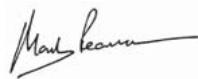
Mark Pearson
Managing Director
Signature:
Name/Title:
Walter Martin Eichinger General Manager
Signature: