 ManualGo.com
 AI-S ZOOM-NIKKOR 200-600MM F/9.5 - Objectif photo NIKON - Free user manual and instructions
Find the device manual for free AI-S ZOOM-NIKKOR 200-600MM F/9.5 NIKON in PDF.


Download the instructions for your Objectif photo in PDF format for free! Find your manual AI-S ZOOM-NIKKOR 200-600MM F/9.5 - NIKON and take your electronic device back in hand. On this page are published all the documents necessary for the use of your device. AI-S ZOOM-NIKKOR 200-600MM F/9.5 by NIKON.
USER MANUAL AI-S ZOOM-NIKKOR 200-600MM F/9.5 NIKON
E Gl G2 G3 G4 HI H2 H3 H4 J
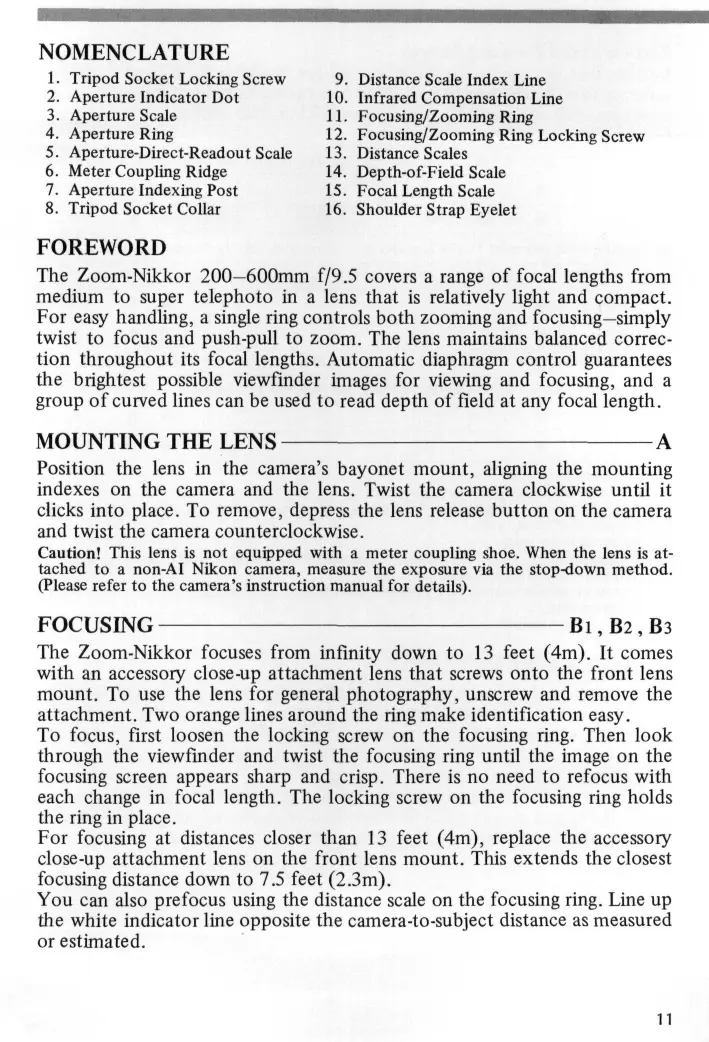
Distance Scale Index Line Infrared Compensation Line Focusing/Zooming Ring Focusing/Zooming Ring Locking Screw Distance Scales Depth-of-Field Scale Focal Length Scale Shoulder Strap Eyelet
FOREWORD The Zoom-Nikkor 200—600mm f/9.5 covers a range of focal lengths from medium to super telephoto in a lens that is relatively light and compact. For easy handling, a single ring controls both zooming and focusing—simply twist to focus and push-pull to zoom. The lens maintains balanced correction throughout its focal lengths. Automatic diaphragm control guarantees the brightest possible viewfinder images for viewing and focusing, and a group of curved lines can be used to read depth of field at any focal length. MOUNTING THE LENS A Position the lens in the camera's bayonet mount, aligning the mounting indexes on the camera and the lens. Twist the camera clockwise until it clicks into place. To remove, depress the lens release button on the camera and twist the camera counterclockwise. Caution! This lens is not equipped with a meter coupling shoe. When the lens is attached to a non-AI Nikon camera, measure the exposure via the stop-down method. (Please refer to the camera's instruction manual for details).
FOCUSING B i , B2, B3 The Zoom-Nikkor focuses from infinity down to 13 feet (4m). It comes with an accessory close-up attachment lens that screws onto the front lens mount. To use the lens for general photography, unscrew and remove the attachment. Two orange lines around the ring make identification easy. To focus, first loosen the locking screw on the focusing ring. Then look through the viewfinder and twist the focusing ring until the image on the focusing screen appears sharp and crisp. There is no need to refocus with each change in focal length. The locking screw on the focusing ring holds the ring in place. For focusing at distances closer than 13 feet (4m), replace the accessory close-up attachment lens on the front lens mount. This extends the closest focusing distance down to 7.5 feet (2.3m). You can also prefocus using the distance scale on the focusing ring. Line up the white indicator line opposite the camera-to-subject distance as measured or estimated.
II Recommended Focusing Screens Various interchangeable focusing screens are available for F2 and F3 Nikon cameras to suit any type of lens or picture-taking situation. Those which are recommended for use with this Zoom-Nikkor 200-600mm f/9.5 lens are listed below. A / L B c D E Gl G2 G3 G4 HI H2 H3 H4 J K'P M R T • ® F3 ® 0 * © © o © o © • ® o © • ® • F2 • © • © © o © "*• ~~~^^___^ Camera "
•When the Teleconvertei TC-14 is attached to this lens, use the following table: ~~"~~~——~-_^^ S c r e e n A L B c D E Gl G2 G3 G4 Ht H2 H3 H4 J K'P M Camera ~~~~~-^-~—^__
F2 ® ® ® © © •When the Teleconverter TC-300 is attached to this lens, use the following table: ~~~~—-—^______^ Screen Camera ^~~~~—~~~^_^
O" Excellent focusing • • Acceptable focusing The split-image rangefinder, microprism or cross-hair area is dim. Focus on the surrounding matte area. 0= Acceptable focusing Slight vignetting or moire phenomenon affects the screen image. But the image on film shows no traces of this. H= Exposure measurement not possible; lens/screen combination permits only focusing operation. Blank means not usable.
TRIPOD SOCKET Since a telephoto lens magnifies every focusing error and every vibration, careful focusing and solid support are essential. Although the lens can be hand-held, the use of a tripod is recommended. The lens has a tripod socket which can be rotated 90° to permit shooting in either horizontal or vertical format with the lens mounted on a tripod. To rotate the lens, loosen the locking screw on the tripod socket collar and turn the lens until it clicks into place. The tripod socket collar also has two eyelets for attaching the shoulder strap provided with the lens for greater carrying convenience.
ZOOMING C To zoom in or out, look through the viewfinder and slide the focusing ring back and forth until the desired composition is framed on the focusing screen. As the ring is pushed forward for shorter focal lengths, a sevenposition scale is uncovered on the lens barrel to show which focal length the lens is set for. To preset the lens for a specific focal length, align the edge of the focusing ring with the white line along the appropriate number. DEPTH-OF-FIELD SCALE D A group of colored lines, curving out toward the front of the lens, is engraved on the lens barrel. To find the depth of field at a particular focal length and aperture, first compose and focus the lens on the subject. Then check the numbers on the distance scale opposite the colored lines to find the depth of field at that aperture. The colors of the pairs of lines correspond to different lens apertures. The continuous lines give the readings at any focal length. You can also observe the depth of field through the viewfinder by pressing the depth-of-field preview button on the camera. INFRARED PHOTOGRAPHY D In infrared photography, the plane of sharpest focus is slightly more distant than the one produced by visible light and seen through the viewfinder. To compensate for the shift in focus, the lens has a curved red line on the lens barrel. After focusing the image sharply through the viewfinder, check the focused distance. Then turn the focusing ring to the left until the red line lines up with the prefocused distance.
C ACCESSORIES Filter/Lens Hood The Zoom-Nikkor accepts series IX filters only. The lens hood is in two parts—the hood itself and the filter retaining ring—to hold series IX filters between them. To mount a filter, unscrew the hood (1) from the filter retaining ring (3), drop the filter (2) into place and replace the hood. The hood/retaining ring assembly screws into the front lens mount. Pistol Grip Model 2 The accessory pistol grip provides comfortable support for easier handling and also permits fingertip trigger-release operation when used with motorized Nikon cameras. One hand remains on the grip while the other is free for zooming and focusing. To attach the pistol grip, screw it into the tripod socket on the lens barrel. 100mm slip-on front lens cap Rear lens cap LF-1 Screw-in lens hood HN-10 Close-up attachment lens Series IX filtres Soft leatherette case CE-3 Teleconverter TC-14 Teleconverter TC-300 Pistol grip model 2
FEATURES/SPECIFICATIONS Focal length/aperture: 200-600mm f/9.5 Picture angle: 12°20' (f=200mm)-4°10' (f=600mm) Lens construction: 19 elements in 12 groups Distance scale: Graduated in feet or meters Focusing range: Infinity (°°)-13 ft (4m); 13 ft—7.5 ft (2.3m) with the close-up attachment lens Focusing/zooming control: Twist to focus; push-pull to zoom; with graduations at 200, 250, 300, 350,400, 500 and 600mm focal lengths Aperture scale: f/9.5 ~ f/32 on both standard and aperture-direct-readout scales Diaphragm: Fully automatic Exposure measurement: Via full-aperture method; meter coupling ridge provided for AI cameras Depfh-of-field scale: Indicated by color-coded curved lines on lens barrel Attachment size: 82mm (P=0.75mm) Mount: Nikon bayonet Dimensions: 89mm0 x 381mm (overall); 374mm extension from flange Weight: Approx. 2400g (without close-up attachment lens) Supplied with front and rear lens caps, close-up attachment lens and lens hood.
G1 G2 G3 G4 HI H2 H3 H4 J O ©
D E Gl G2 G3 G4 H1 H2 H3 H4 J A'L B
E G1 G2 G3 G4 HI H2 H3 H4 J K P M R T
Gl G2 G3 G4 HI H2 H3 H4 J
D E G1 G2 G3 G4 HI H2 H3 H4 J F3
D E Gl G2 G3 G4 HI H2 H3 H4 J F3
C D E Gl G2 G3 G4 HI H2 H3 H4 J K/P
{Nikon) NIPPON KOGAKU K.K.
No reproduction in any form of this booklet, in whole or in part (except for brief quotation in critical articles or reviews), may be made without written authorization from the publishers.
Printed in Japan (82.6.e) &-2N