 ManualGo.com
NIKKOR ED 300MM F/2.8 IF - Camera lens NIKON - Free user manual and instructions
Find the device manual for free NIKKOR ED 300MM F/2.8 IF NIKON in PDF.



Download the instructions for your Camera lens in PDF format for free! Find your manual NIKKOR ED 300MM F/2.8 IF - NIKON and take your electronic device back in hand. On this page are published all the documents necessary for the use of your device. NIKKOR ED 300MM F/2.8 IF by NIKON.
USER MANUAL NIKKOR ED 300MM F/2.8 IF NIKON
10. H W A f f i ' M t l T f t *
I I . fi*-a*^ i t 7-C >U ? - * JU ^*—
12. i > 7 f > ' > 3 > 7 - K
13. 1*1*7- K
14. tt99MUXB£
15. * W S I E v - ?
Hi Mm IHMII in | 11 ill' '
T.?Z7->'>3>7-VHE-4<7)&T6l3m
B C D E Gl G2 G3 G4 HI
B C D E Gl G2 G3 G4 HI H2 H3 H4 J l a ^ m V'<-*-TC-200Sfcfcts TC-201S4S»L/:«•&•* A / L B c D E Gl G2 G3 G4 HI H2 H3
K/P M R T H4 J K/P M R |a^3y'<-*-TC-300SfcttTC-301S*£»l,fc*-g»>5 ——J A / L B C D E Gl G2 G3 G4 HI H2 H3 H4 J
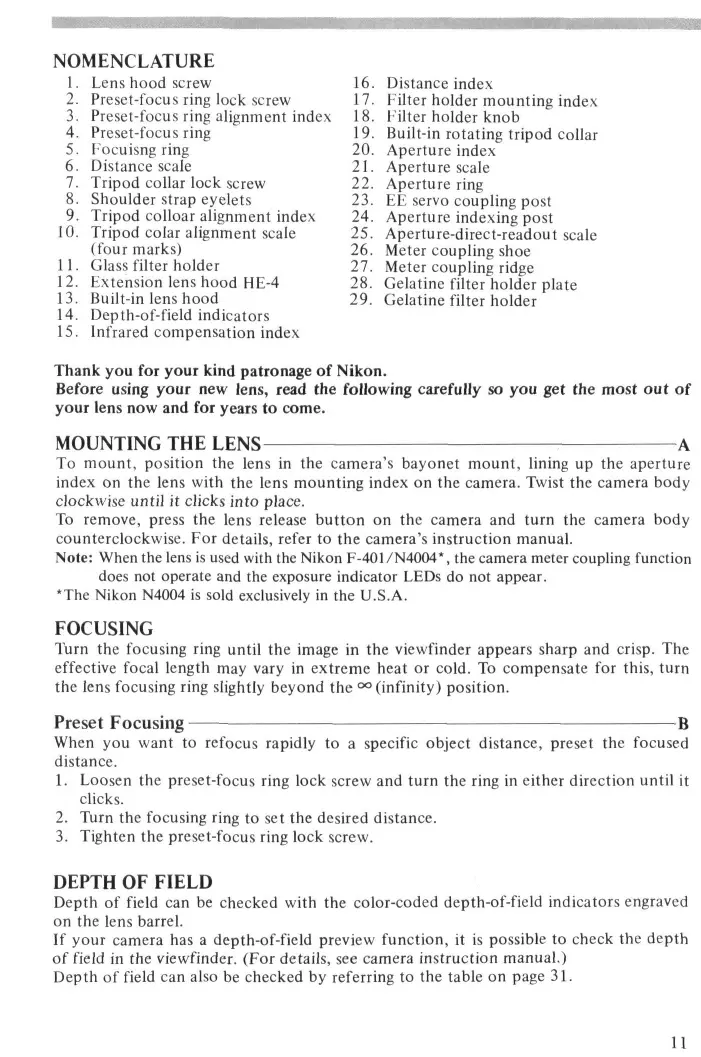
39mm0fa (JjA<^;t7 < ; u ^ — L37C a x u 3 >/\'—? — TC-20IS Lens hood screw Preset-focus ring lock screw Preset-focus ring alignment index Preset-focus ring Focuisng ring Distance scale Tripod collar lock screw Shoulder strap eyelets Tripod colloar alignment index Tripod colar alignment scale (four marks) Glass filter holder Extension lens hood HE-4 Built-in lens hood Depth-of-field indicators Infrared compensation index Distance index Filter holder mounting index Filter holder knob Built-in rotating tripod collar Aperture index Aperture scale Aperture ring EE servo coupling post Aperture indexing post Aperture-direct-readout scale Meter coupling shoe Meter coupling ridge Gelatine filter holder plate Gelatine filter holder Thank you for your kind patronage of Nikon. Before using your new lens, read the following carefully so you get the most out of your lens now and for years to come.
MOUNTING THE LENS
To mount, position the lens in the camera's bayonet mount, lining up the aperture index on the lens with the lens mounting index on the camera. Twist the camera body clockwise until it clicks into place. To remove, press the lens release button on the camera and turn the camera body counterclockwise. For details, refer to the camera's instruction manual. Note: When the lens is used with the Nikon F-401/N4004*, the camera meter coupling function does not operate and the exposure indicator LEDs do not appear. *The Nikon N4004 is sold exclusively in the U.S.A. FOCUSING Turn the focusing ring until the image in the viewfinder appears sharp and crisp. The effective focal length may vary in extreme heat or cold. To compensate for this, turn the lens focusing ring slightly beyond the °° (infinity) position. Preset Focusing When you want to refocus rapidly to a specific object distance, preset the focused distance.
1. Loosen the preset-focus ring lock screw and turn the ring in either direction until it
2. Turn the focusing ring to set the desired distance.
3. Tighten the preset-focus ring lock screw.
DEPTH OF FIELD
Depth of field can be checked with the color-coded depth-of-field indicators engraved on the lens barrel. If your camera has a depth-of-field preview function, it is possible to check the depth of field in the viewfinder. (For details, see camera instruction manual.) Depth of field can also be checked by referring to the table on page 31.
INFRARED PHOTOGRAPHY In infrared photography, it is necessary to make the following adjustments to the focused distance.
1. Focus subject.
2. Reset the focusing ring to align the focused distance with the infrared focusing
4. Attach the appropriate filter, such as R60, etc., and take the shot.
USING FILTERS Always use a filter with the lens. The slip-in glass filter holder comes mounted with a Nikon L37C filter. A slip-in gelatine filter holder is also supplied with the lens. Replacing Glass Filters C] *C2'C3
1. Press down on the glass filter holder knob, and turn counterclockwise until the
white line on the knob is at a right angle to the axis of the lens.
2. Pull the holder out.
3. Unscrew the mounted filter and replace with the filter you want to use.
4. Put the holder back, push down on the knob, and turn clockwise to lock.
Using Gelatine Filter
1. Cut the gelatine filter into a circle of approx. 40mm (1.6 in.) in diameter.
2. Open the gelatine filter holder plate by pushing on the latch and lifting up.
3. Insert the gelatine filter into the holder and close the plate. Make sure the filter is
unscratched and free from dust and take care that it stays flat.
4. Remove the glass filter holder from the lens and insert the gelatine filter holder.
USING LENS HOODS
When shooting in bright sunlight, use the lens hoods to prevent stray light from entering your lens. To Use Built-in Lens Hood E] 'E 2
1. Turn the hood clockwise and pull out as far as it goes.
2. Secure in place by continuing to turn until it locks.
T o Attach Extention Lens H o o d HE-4
1. Loosen the lock screw on the HE-4.
2. Slip the HE-4 onto the front of the built-in hood.
3. Tighten the locking screw.
RECOMMENDED FOCUSING SCREENS
Various interchangeable focusing screens are available for F3- and F2-series cameras to suit any type of lens or picture-taking situation. Those which are recommended for use with your lens are listed below. For screens used with Nikon cameras other than F3and F2-series cameras (e.g., Nikon FA, FE2, FM2 and FE), refer to the column for F3series cameras. For the K2, B2 and E2 focusing screens, refer to the columns on the K, B and E screens, respectively. For details, also refer to the specific focusing screen's instruction sheet. ~~~ — — - . ^ ^ Screen Camera
- When the Teleconverter TC-14A is attached to this lens, use the following table*: — — ^ _ _ ^ Screen Camera
- When the Teleconverter TC-14B or TC-14 is attached to this lens, use the following table: Camera Screen
- When the Teleconverter TC-201 or TC-200 is attached to this lens, use the following table*: Camera Screen
- When the Teleconverter TC-301 or TC-300 is attached to this lens, use the following table: Camera Screen
- Usable, but vignetting or otherjmage deterioration may occur. ©= Excellent focusing
- = Acceptable focusing The split-image rangefinder, microprism or crosshair area is dim. Focus on the surrounding matte area. 0 = Acceptable focusing Slight vignetting or moire phenomenon affects the screen image. But the image on film shows no trace of this.
- = Exposure measurement not possible Lens/screen combination permits only focusing operation. ()= Indicates degree of exposure compensation Blank means not usable.
SPECIFICATIONS Focal length: 300mm Maximum aperture: f/2.8 Lens construction: 8 elements in 6 groups (plus dustproof glass plate built into front) Picture angle: 8" 10' Distance scale: Graduated in meters and feet from 3m (10 ft) to infinity (•») Aperture scale: f/2.8 ~ f/22 on both standard and aperture-direct-readout scales Diaphragm: Fully automatic Exposure measurement: Via full-aperture method; meter coupling ridge provided for AI cameras and meter coupling shoe for non-AI cameras Focusing: Nikon Internal Focusing (IF) system Infrared focusing index: Provided Tripod mounting: Built-in tripod mounting collar rotatable through 360° Lens hood: Built-in Telescopic screw-out type Extension lens hood: Provided Filters: Slip-in type glass filter holder accepts 39mm dia. screw-in filters; gelatine filter holder accepts gelatine filters Mount: Nikon bayonet mount Dimensions: Approx. 132mm dia. x 255mm extension from flange; approx. 263mm long (overall) Weight: Approx. 2400g Accessories Slip-on leatherette front lens cap Rear lens cap LF-1 Extension lens hood HE-4 Built-in 39mm screw-in filter L37C Gelatine slip-in filter holder Heavy-duty case CT-302 39mm screw-in filters Teleconverter TC-14A Teleconverter TC-14B Teleconverter TC-201 Teleconverter TC-301 LENS CARE
- Although you should always keep the lens surfaces clean, rough cleaning must be avoided. Wipe with a soft, clean cotton cloth moistened with alcohol tq remove grease or fingerprints from the lens surfaces. If you use ether in cleaning the lens, a smudge sometimes appears on the surface of a multi-coated lens. If this happens, wipe it again with a cotton cloth moistened with alcohol.
- Take care in cleaning the rear part of the lens with a spray-gun type blower, because its strong stream of air may damage the lens diaphragm blades. To avoid damage, set the lens at full aperture and use the blower far enough away.
- Always protect the lens surface from dirt or damage. The lens hood also helps tq protect the lens.
- Keep the lens cap in place whenever the lens is not in use.
ABOUT THE NIKKOR F n QFRTF5 Correction of chromatic aberration in camera lenses has been limited, for the most part, to the use of techniques which bring
- w o w a v e l e n g t n s of light, normally blue and red, to a common focus. Although known as "achromatic," lenses employing these designs exhibit a certain amount of undersirable residual dispersion (called the "secondary spectrum") which limits image contrast and sharpness, particularly at full aperture. Telephoto lenses are most prone to the ill effects of chromatic aberration, since secondary spectrum increases with focal length. The Nikkor ED series consists of telephoto and super-telephoto lenses fitted with elements made of a Nippon Kogaku-deveioped special optical glass called "Extra-low Dispersion" (ED) glass. Although the optical characteristics of this new glass are similar to those of calcium-fluortte crystal, ED glass possesses a more constant refractive index over a wide range of temperatures and will, therefore, cause less of a focus shift. Also, ED glass is much harder and more resistant to scratches, enabling its use for front and rear lens elements to obtain optimum correction of chromatic aberration over the widest possible wavelength range. Some lenses within the ED series have been so fully corrected that image sharpness extends uniformly to the infrared region; for these lenses, corrective refocusing for infrared exposure is unnecessary. The remaining lenses, such as this Nikkor 300mm f/2.8 IF-ED, have been built exceptionally compact due to the use of ED glass elements; for these lenses, however, corrective refocusing for infrared photography is necessary. Regardless of which type, ED-series lenses offer exceptional sharpness and full contrast for the most precise photography under the widest conditions.
B C D E Gl G2 G3 G4 HI o 0 o o © © O o o o o H2 H3 H4 J
B C D E Gl G2 G3 G4 HI
o o H2 H3 H4 J K/P M R T
B C D E Gl G2 G3 G4 HI
H2 H3 H4 J K/P M R T
B C D E Gl G2 G3 G4 HI
B C D E Gl G2 G3 G4 HI
H2 H3 H4 J o 9 o © K/P M R T
B C D E Gl G2 G3 G4 HI H2 H3 H4 J
D E Gl G2 G3 G4 HI H2 H3 H4 J
E Gl G2 G3 G4 HI H2 H3 H4 J
E Gl G2 G3 G4 HI H2 H3 H4 J
CLOSE-UP TABLE Close-up attachment Lens in normal position Reproduction ratio Subject field Focused distance E2 Ring 1/21.4-1/5.9
20.2 x 3 0 . 4 - 5 . 6 x 8.3
275.9-91.5 K Ring Set 1/51.7-1/3.5
48.9 x 7 3 . 3 - 3 . 3 x 5 . 0
633.4-66.3 PK-Series Ring (s) 1/37.5-1/3.4 35.4x53.1-3.2x4.8 465.5-65.0 PN-Series Ring 1/5.7-1/3.3
5.5 x 8.1-3.1 x 4 . 6
- The first values are for the Kl ring used alone and the second ones for five rings used together. "The first values are for the PK-11 A or PK-t ring used alone and the second ones for three rings (PK-11A- PK-13 or PK-1-PK-3) used together. DEPTH-OF-FIELD TABLE Focused distance
Repro. ratio 1/8.5 1/11.6 14'6"15'5" 1/13.6 VS? 1/18.7 &-::»:*?'"- 1/23.8 m ' 1/100 Iff- 1/202 1/38.8 1/39.0 1/59.3 404555-1/m
- By using Internal Focusing (IF), the closest focusing distance of this lens is shorter ihan previous models" al the same focal length which utilized traditional helicoid focusing.
No reproduction in any form of this manual, in whole or in part (except for brief quotation in critical articles or reviews), may be made without written authorization from NIKON CORPORATION. Nikon NIKON CORPORATION FUJI BLDG., 2-3, MARUNOUCHI 3-CHOME, CHIYODA-KU, TOKYO 100, JAPAN PHONE: 81-3-214-5311 TELEX: J22601 (NIKON) FAX: 81-3-201-5856 Printed in Japan 8&068-Ae08