CSW100 - Audio/video extender PureLink - Free user manual and instructions
Find the device manual for free CSW100 PureLink in PDF.


| Product Type | Audio/Video Extender |
| Brand | PureLink |
| Model | CSW100 |
| Dimensions (W x D x H) | 120 mm x 80 mm x 30 mm |
| Weight | 0.25 kg |
| Power Supply | 5V DC, 1A |
| Input Interfaces | HDMI, 3.5mm Audio |
| Output Interfaces | HDMI, 3.5mm Audio |
| Maximum Resolution | 1080p at 60Hz |
| Supported Audio Formats | PCM 2.0, Dolby Digital |
| Maximum Transmission Distance | 50 meters (via Cat6) |
| Transmission Medium | HDMI cable, Ethernet cable |
| HDCP Support | HDCP 1.4 |
| Operating Temperature | 0°C to 50°C |
| Storage Temperature | -20°C to 60°C |
| Humidity | 10% to 85% RH (non-condensing) |
| Maintenance | Wipe with a dry, soft cloth. Do not use solvents. |
| Safety | Use only supplied power adapter. Keep away from moisture. |
| Spare Parts & Repairability | Contact PureLink support for replacement parts. No user-serviceable parts inside. |
| General Information | Designed for extending HDMI and audio signals over long distances. |
Frequently Asked Questions - CSW100 PureLink
User questions about CSW100 PureLink
0 question about this device. Answer the ones you know or ask your own.
Ask a new question about this device
Download the instructions for your Audio/video extender in PDF format for free! Find your manual CSW100 - PureLink and take your electronic device back in hand. On this page are published all the documents necessary for the use of your device. CSW100 by PureLink.
USER MANUAL CSW100 PureLink
natural_image
Two black wireless devices labeled 'Wireless HD' and 'TX', with visible branding and model numbers (no readable text beyond labels)SAFETY WARNINGS
- To prevent short circuits, this product should only be used inside and only in dry spaces. Do not expose the components to rain or moisture. Do not use the product close to a bath, swimming pool etc.
- Do not expose the components of your sytems to extremely high temperatures or bright light sources.
- In case of improper usage or if you have altered and repaired the product yourself, all guarantees expire. PureLink does not accept responsibility in the case of improper usage of the product or when the product is used for purposes other than specified. PureLink does not accept responsibility for additional damage other than covered by the legal product responsibility.
• This product is not a toy. Keep out of reach of children. - Do not open the product (battery panel excepted): the device may contain live parts. The product should only be repaired or serviced by a qualified expert.
- Keep batteries out of reach of children. Dispose off batteries as chemical waste. Never use old and new batteries or different types of batteries together. Remove the batteries when you are not using the system for a longer period of time. Check the polarity (+/-) of the batteries when inserting them into the product. Wrong positioning can cause an explosion.
- Only connect the adapter to the mains after checking whether the mains voltage is the same as the values on the identification tags. Never connect an adapter or power cord when it is damaged. In that case, contact your supplier.
1. INTRODUCTION
Congratulations on your purchase of the PureLink CSW100, which allows you to send a connected HD signal wirelessly to your HDTV or HD projector.
Examples of HD devices: Blu-ray players, HD set-top boxes, PlayStation4, XboxOne, etc. The CSW100 supports FullHD resolutions up to 1080p and all 3D formats. The inbuilt loop-through function (HDMI out) of the transmitter means that you can watch the same content on the 1st as on the 2nd HDTV or the HD projector (via receiver). The inbuilt infrared extender function allows you to operate HD equipment using your own remote control, even if it is kept in a closed cabinet!
PureLink products are manufactured with the utmost precision and of top quality. Please read this manual carefully and follow the instructions in order to get the very results from this product.
2. PACKAGE CONTENT
1x PureLink CSW100 Transmitter (TX)
1x PureLink CSW100 Receiver (RX)
1x IR Receiver
1x IR Emitter
2x Power adapter 5V1A (Micro USB)
1x Manual
3. CONNECTION
flowchart
graph TD
    A["Router"] -->|Power Adaptor| B["Satellite Receiver"]
    B -->|HDMI IN| C["Radio Station"]
    B -->|HDMI OUT| D["Video Streaming"]
    A -->|Power Adaptor| E["Radio System"]
    E -->|HDMI OUT| F["Video Streaming"]
    A -->|Power Adaptor| G["Satellite Receiver"]
    G -->|HDMI IN| H["Radio Station"]
    G -->|HDMI OUT| I["Video Streaming"]
Step 1:
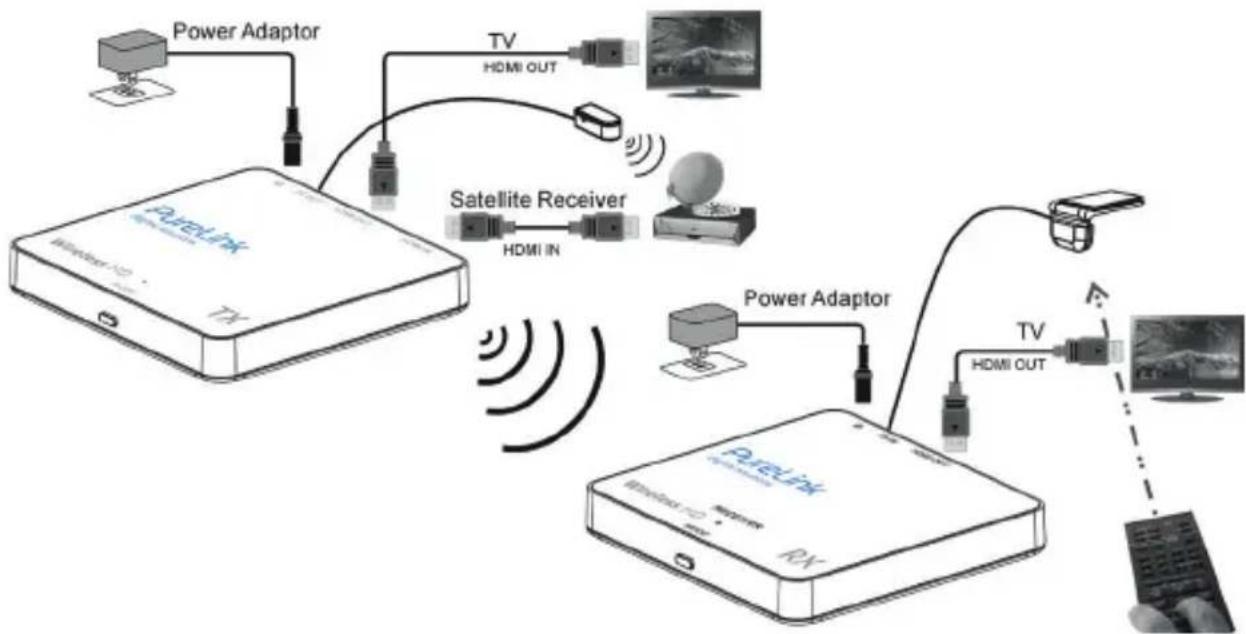
Use an HDMI cable to connect the HDMI IN of the CSW100 transmitter with a source device. You can use another HDMI cable to connect the HDMI OUT to a display (Loop-Through).
Step 2:
Use an HDMI cable to connect the HDMI OUT of CSW100 receiver to a display device.
Step 3:
(Skip this step if you don't need IR Extension) Connect the IR emitter to the CSW100 transmitter. Then place the emitter in front of the source device's IR receiver. Connect the IR receiver to the CSW100 receiver. Then place the receiver probe in place, accessible for your remote control.
Step 4:
Connect a DC 5V1A power adapter to the power jack (MicroUSB) of the CSW100 transmitter.
Step 5:
Connect the other DC 5V1A power adapter to the power jack (MicroUSB) of the CSW100 receiver.
Step 6:
To pair receiver and transmitter, press the MODE key on the receiver's box and then press the MODE key on the transmitter.
4. OPERATION
A. Installation
- Make sure your input AC voltage is compliant with to the adapter specifications.
- Only use the power adapters provided with the CSW100. If you use your own adapter, make sure the power output is 5V DC, 1A centre positive.
- In a direct line-of-sight, the maximum range of A/V signal transmission can reach up to about 30 meters. This distance can be shortened by obstacles or walls placed between transmitter and receiver. The optimum indoor range is under 30m.
- To ensure a good infrared remote control operation, aim your remote control at the IR receiver of the CSW100 and press the buttons firmly. For some remote controls it may be necessary to press and hold each button for about a second. The working angle of the IR receiver is +/- 15°.
- The remote controller has to be used within the distance of 0.3m - 5m at a working angle of +/- 15°.
B. Transmitter & Receiver Pairing MODE
- First press the "MODE" button on the receiver's box.
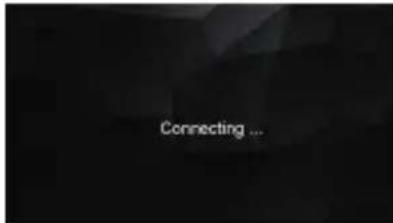
- You will see a message "Connecting through Pairing ..." on screen.
- Then press the "MODE" button on the transmitter's box.
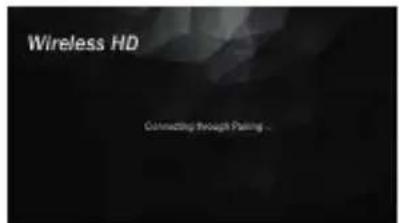
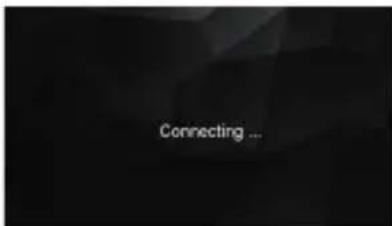
- Wait for a few seconds for auto connection.
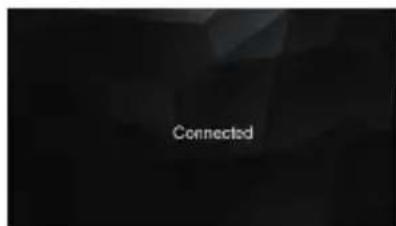
C. IR Extending Function
- Make sure the IR emitter has been installed properly on the transmitter's box.
- Make sure the IR receiver has been installed properly on the receiver's box.
- Use the remote control of your source device to control the source form the receiver's box.
NOTE: Please do not cover CSW100 transmitter and receiver with any object! Those objects can block the air circulation and cause serious defects and injuries. The warranty will also be void.
5. FREQUENTLY ASKED QUESTIONS
1. When there is no picture presented:
Make sure the direct connection from the source device to the sink device works properly. Check, if all connectors are connected well; check if all cables can support the transmission speed. High Speed HDMI cables from PureLink are recommended. Unplug the power cable to restart CSW100.
2. When there is no sound:
First, try to adjust the volume of the connected sink device (TV). Check cable connection to see if it works properly. Check cable to see if it supports video transmission only (DVI) or not. The HDCP encryption may not match very well at first connection; please unplug the power cable to restart CSW100.
3. When there is no 3D effect (Only for 3D hardware):
Make sure the 3D function of the 3D sink device is activated (set to AUTO or 3D ON). Make sure the 3D function of the 3D source device is activated (set to AUTO or 3D ON). Make sure that the power of the shutter glasses (if active 3D) is on. Check the power of CSW100.
4. If the image is unstable or a snowing image shows on screen:
You might get interference form other wireless devices or heavy voltage sources inside the room (ex. WiFi Router, Microwave, air conditioner). Please keep CSW100 away from those sources of interference. The wireless transmission distance may be too far or blocked by a wall or another object. Please place CSW100 in another location where you can get good signal and video quality. Please change the direction of transmitter and receiver to get a better connection.
5. If the wireless connection fails:
Please make sure, the power of the connected source device is turned ON. Unplug the power cable to restart CSW100.
6. IF the IR extending function is not work:
Check, if the IR emitter is connected to the CSW100 transmitter and place the emitter in front of the source device's IR receiver.
The IR extending function of CSW100 works with all 30\~60kHz IR remote control systems. Some IR remote control systems use other frequencies or the IR signal pulse is too short and will not work with the IR extending function.
6. TECHNICAL DATA
Resolutions
Supported HDTV resolution (HDMI) 1080p, 720p, 576p, 480p
Supported PC Resolution (max.) Max. 1920 x 1080 px
Supported 3D formats Frame Packing 1080p@24Hz, 720p@50/60Hz
Supported audio formats (digital) MP1/2/3, AC3, Dolby 5.1 only
Supported standards HDMI, HDCP 2.0, EDID 1.3
Wireless
Operating frequency 20 / 40 MHz (5GHz) Operating range Up to 30m LOS Latency Max. 0.5 seconds
Transmitter
HDMI input 1x HDMI output 1x IR extender LED Yes Dimensions 84.9 x 83 x 13.5mm
Receiver
HDMI output 1x Dimensions 84.9 x 83 x 13.5
Infrared
Supported IR frequency 36kHz - 56kHz (NEC, RC5, RC6)
Power supply
Switch mode power adapter 100-204V AC @ 50-60Hz, 5V3A DC
The manufacturer reserves the right to make changes in the hardware, packaging, manual and any accompanying documentation without prior notice.
The terms HDMI, HDMI High-Definition Multimedia Interface and the HDMI Logo are trademarks or registered trademarks of HDMI Licensing LLC in the United States and other countries. CSW100 incorporates HDMI® technology.
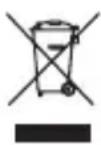
Environmental Information for customers in the European Union
European Directive 2002/96/EC requires that the equipment bearing this symbol on the product and/or its packaging must not be disposed of with unsorted municipal waste. The symbol indicates that this product should be disposed off separately from regular household waste streams. It is your responsibility to dispose of this and other electric and electronic equipment via designated collection facilities appointed by the government or local authorities. Correct disposal and recycling will help prevent potential negative consequences to the environment and human health. For more detailed information about the disposal of your old equipment, please contact your local authorities, waste disposal service or the shop where you purchased the product.
SICHERHEITSHINWEISE
B. Transmitter & Receiver Pairing Modus
© 2015 PureLink GmbH. All rights reserved.
All trade names are registered trademarks of respective manufactures listed.
HDMI is a trademark of HDMI Licensing LLC.