
AZ1060 - Portable CD player PHILIPS - Free user manual and instructions
Find the device manual for free AZ1060 PHILIPS in PDF.



| Product type | Portable CD player with cassette deck and radio tuner |
| Brand | Philips |
| Model | AZ1060 |
| Mains power supply | 230 V AC, 50 Hz via mains cord (V AC MAINS plug) |
| Battery power | 6 R-20, UM-1 or D cells (not included) |
| Low battery indicator | BATT LOW indicator lights up when capacity is low |
| Audio sources | CD, cassette, FM/MW/LW radio |
| CD functions | Play, pause, stop, search, track skip, programming (up to 20 tracks), Shuffle and Repeat modes |
| Cassette functions | Play, pause, stop, fast winding, recording |
| Recording | From CD (synchronized) or tuner; only on NORMAL (IEC I) cassettes |
| Radio tuner | FM, MW (AM), LW; automatic and manual search; 30 presets |
| Antenna | Telescopic antenna for FM; built-in antenna for MW/LW |
| Sound amplification | Dynamic Bass Boost (DBB) with dedicated button |
| Headphone output | 3.5 mm stereo jack (speakers disabled when in use) |
| Display | Digital display with function, frequency, time, mode indicators |
| General maintenance | Clean with a soft slightly damp chamois leather; avoid alcohol, ammonia, benzene |
| Cassette deck maintenance | Clean heads, capstan and pinch rollers every 50 hours with cotton swab and alcohol |
| CD player maintenance | Clean the lens with a cleaning CD; do not touch the lens |
| Safety | Do not open the device (risk of electric shock); do not repair yourself |
| Usage tips | Place on a hard, flat surface; ensure adequate ventilation |
| Environment | Recycle used batteries and end-of-life equipment according to local regulations |
Frequently Asked Questions - AZ1060 PHILIPS
User questions about AZ1060 PHILIPS
0 question about this device. Answer the ones you know or ask your own.
Ask a new question about this device
Download the instructions for your Portable CD player in PDF format for free! Find your manual AZ1060 - PHILIPS and take your electronic device back in hand. On this page are published all the documents necessary for the use of your device. AZ1060 by PHILIPS.
USER MANUAL AZ1060 PHILIPS
Important notes for users in the U.K.
Mains plug
This apparatus is fitted with an approved moulded 13 Amp plug. To change a fuse in this type of plug proceed as follows:
- Remove fuse cover and fuse.
Fix new fuse which should be a BS1362 5 Amp, A.S.T.A. or BSI approved type. - Refit the fuse cover.
If the fitted plug is not suitable for your socket outlets, it should be cut off and an appropriate plug fitted in its place.
If the mains plug contains a fuse, this should have a value of 5 Amp. If a plug without a fuse is used, the fuse at the distribution board should not be greater than 5 Amp.
Note: The severed plug must be disposed to avoid a possible shock hazard should it be inserted into a 13 Amp socket elsewhere.
How to connect a plug
The wires in the mains lead are coloured with the following code: blue = neutral (N), brown = live (L). As these colours may not correspond with the colour markings identifying the terminals in your plug, proceed as follows:
- Connect the blue wire to the terminal marked N or coloured black.
- Connect the brown wire to the terminal marked L or coloured red.
- Do not connect either wire to the earth terminal in the plug, marked E (or 12 ) or coloured green (or green and yellow).
Before replacing the plug cover, make certain that the cord grip is clamped over the sheath of the lead - not simply over the two wires. Copyright in the U.K.: Recording and playback of material may require consent. See Copyright Act 1956 and The Performer's Protection Acts 1958 to 1972.
Norge
Advarel: For a redusere faren for brann erler elektrisk stat; skal apparatet违法犯罪
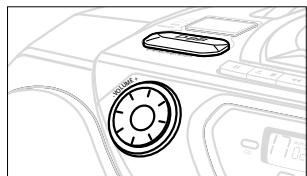
① VOLUME - adjusts the volume level
② DBB (Dynamic Bass Boost) - enhances the bass
③ POWER slider - selects the sound source for CD/ TUNER/ TAPE/off and also switches the set off
④ Function indicators - lights up if the respective CD, tape or tuner function is in use
⑤ Display - shows the status of the set
⑥ 3.5 mm stereo headphone socket
Note: Connecting headphones will switch off the speakers.
⑦ CASSETTE REORDER keys: PAUSE II - interrupts recording or playback STOP·OPEN ▲
- stops the tape;
- opens the cassette compartment
SEARCH / fast winds/rewinds the tape
PLAY -starts playback
RECORD -starts recording
BATT LOW - indicates when battery power is running low
⑨ OPEN-CLOSE - opens/ closes the CD door
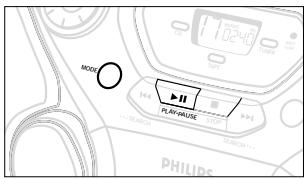
10 MODE - selects a different play mode for CD playback e.g. repeats tracks or SHUFFLE, plays tracks in random order
Cassette door
(12) SEARCH /
Radio: - (down/up) tunes to radio stations;
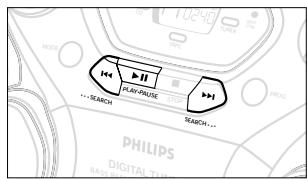
CD: - searches back and forward within a track;
- skips to the beginning of a current track/ previous/ subsequent track
⑬ PLAY·PAUSE
starts or interrupts CD playback
14 STOP - stops CD playback or erase a CD programme
15 PROG -
Radio: programmes preset radio stations; CD: programmes tracks and reviews the programme
16 PRESET , (up, down) - selects a tuner preset station
17 BAND - selects waveband
BACK PANEL
18 Telescopic aerial - improves FM reception
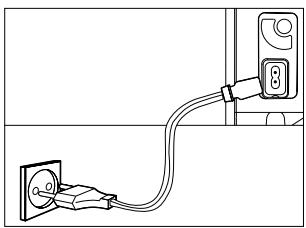
(19) AC MAINS - inlet for mains lead
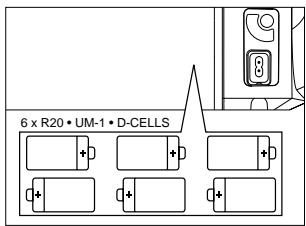
20 Battery compartment - for 6 x R-20, UM-1 or D-cells
CAUTION
Use of controls or adjustments or performance of procedures other than herein may result in hazardous radiation exposure or other unsafe operation.
Whenever convenient, use the AC mains supply if you want to conserve battery life. Make sure you remove the plug from the set and wall socket before inserting batteries.
BATTERIES (OPTIONAL)
- Open the battery compartment and insert six batteries, type R-20, UM-1 or D-cells, (preferably alkaline) with the correct polarity as indicated by the "+" and "-" symbols inside the compartment.
-
Replace the compartment door, making sure the batteries are firmly and correctly in place. The set is now ready to operate.
-
If BATT LOW lights up, battery power is running low.
-
The BATT LOW indicator eventually goes out if the batteries are too weak.
Incorrect use of batteries can cause electrolyte leakage and will corrode the compartment or cause the batteries to burst. Therefore:
- Do not mix battery types: e.g. alkaline with carbon zinc. Only use batteries of the same type for the set.
- When inserting new batteries, do not try to mix old batteries with the new ones.
- Remove the batteries if the set is not to be used for a long time.
Batteries contain chemical substances, so they should be disposed of properly.
For users in the U.K.: please follow the instructions on page 2.
Using Mains
- Check if the mains voltage as shown on the type plate on the bottom of the set, corresponds to your local mains supply. If it does not, consult your dealer or service centre.
- If your set is equipped with a voltage selector, adjust the selector so to match with the local mains supply.
- Connect the mains lead to the wall socket and the set is now ready for use.
- To disconnect the set from the mains supply completely, remove the plug from the wall socket.
Switching on and off
- Adjust the POWER slider to the desired sound source: CD, TUNER or TAPE/OFF.
→The respective function indicator: CD, TUNER or TAPE lights up. - To switch off, adjust the POWER slider to TAPE/off position with the keys on the tape deck released.
→The respective function indicator: CD, TUNER or TAPE goes out.
→ The volume and tuner presets will be retained in the set's memory.
Adjusting volume and sound
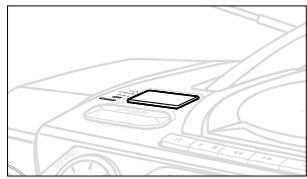
- Turn VOLUME to the desired level.
- Adjust the DBB control to select dynamic bass boost on or off.
PHILIPS demo mode
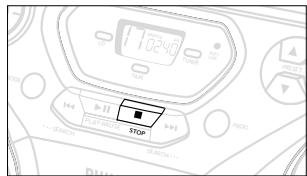
- Press the CD STOP button for 5 seconds.
After about 30 seconds, PH..IL ..IPS scrolls across the display. -
To return to the current display you can either:
-
press any function button on the front panel. This interrupts the demo mode for 30 seconds;
- press the CD STOP button for 5 seconds. PH..IL ..IPS scrolls once before the demo mode is cancelled.
GENERAL INFORMATION
General maintenance
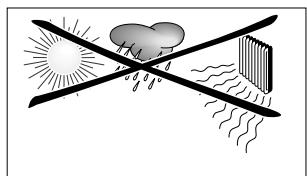
- Do not expose the set, batteries, CDs or cassettes to humidity, rain, sand or excessive heat caused by heating equipment or direct sunlight.
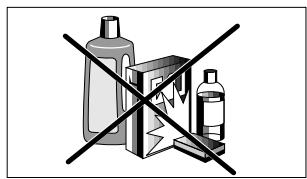
- To clean the set, use a soft, slightly dampened chamois leather. Do not use any cleaning agents containing alcohol, ammonia, benzene or abrasives as these may harm the housing.
Safety information
- Place the set on a hard and flat surface so that the system does not tilt. Make sure there is adequate ventilation to prevent the system from overheating.
- The mechanical parts of the set contain self-lubricating bearings and must not be oiled or lubricated.
TUNING TO RADIO STATIONS
- Select TUNER source.
→The function indication lights up. is displayed briefly and then the radio station frequency is shown. - Press BAND once or more to select your waveband.
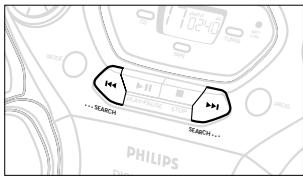
- Press SEARCH or and release when the frequency in the display starts running.
→The radio automatically tunes to a station of sufficient reception. Display shows 5rch during automatic tuning.
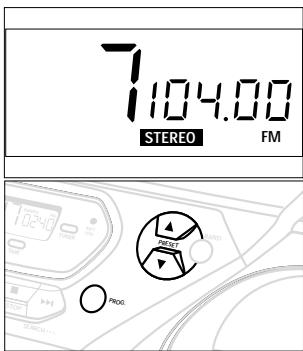
If a FM station is received in stereo, STEREO is shown. -
Repeat step 3 if necessary until you find the desired station.
-
To tune to a weak station, press SEARCH or briefly and repeatedly until you have found optimal reception.
To improve radio reception
- For FM, pull out the telescopic aerial. Incline and turn the aerial. Reduce its length if the signal is too strong (very close to a transmitter).
- For MW/AM/LW, the set is provided with a built-in aerial so the telescopic aerial is not needed. Direct the aerial by turning the whole set.
- To switch off, adjust the POWER slider to TAPE/off position with the keys on the tape deck released.
The function indicator goes out.
Programming radio stations
You can store up to a total of 30 radio stations in the memory.
- Tune to your desired station (see Tuning to radio stations).
- Press PROG to activate programming.
- Display: PROGRAM flashes.
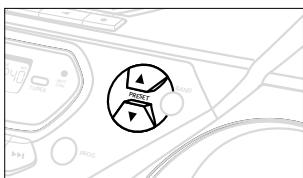
- Press PRESET or ▲ once or more to allocate a number from 1 to 30 to this station.
- Press PROG again to confirm the setting.
- Display: PROGRAM disappears, the preset number and the frequency of the preset station are shown.
- Repeat the above four steps to store other stations.
- You can erase a preset station by storing another frequency in its place.
Tuning to preset stations
Press PRESET or until the desired preset station is displayed.
Playing a CD
- Select CD source.
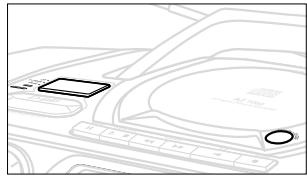
is displayed briefly and the function indication lights up. - Press OPEN·CLOSE to open the CD door.
Display: _D _B P E N when you open the CD door. - Insert a CD or CD-R(W) with the printed side facing up and close the CD door.
Display: d 5c flashes as the CD player scans the contents of a CD. The total number of tracks and playing time are then shown. - Press PLAY · PAUSE to start playback.
Display: Current track number and elapsed playing time of the track during CD playback. - To interrupt playback press PLAY-PAUSE Press PLAY-PAUSE again to resume play.
→ The display freezes and the elapsed playing time flashes when playback is interrupted. - To stop CD playback, press STOP
- To switch off, adjust the POWER slider to TAPE/off position with the keys on the tape deck released.
The function indicator goes out.
Note: CD play will also stop when:
- the CD door is opened;
- the CD has reached the end
(unless you have selected REPEAT or REPEAT ALL); - you select another source: TAPE / TUNER.
Selecting a different track
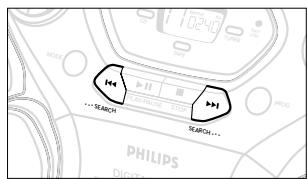
- Press SEARCH or once or repeatedly until the desired track number appears in the display.
- If you have selected a track number shortly after loading a CD or in the PAUSE position, you will need to press PLAY·PAUSE ▶I to start playback.
Finding a passage within a track
- Press and hold down on SEARCH or
The CD is played at high speed and low volume. - When you recognize the passage you want, release SEARCH or
- Normal playback continues.
Note:
During a CD programme or if SHUFFLE/ REPEAT active, searching is only possible within a track.

Different play modes: SHUFFLE and REPEAT
You can select and change the various play modes before or during playback. The play modes can also be combined with PROGRAM.
SHUFFLE - tracks of the entire CD/ programme are played in random order
SHUFFLE and REPEAT ALL - to repeat the entire CD/ programme continuously in random order
REPEAT ALL - repeats the entire CD/ programme
REPEAT - plays the current track continuously
- To select your play mode, press the MODE button before or during playback until the display shows the desired function.
- Press PLAY·PAUSE to start playback if in the STOP position.
- To return to normal playback, press the respective MODE button until the various SHUFFLE/ REPEAT modes are no longer displayed.
- You can also press STOP to cancel your play mode.
Programming track numbers
Programme in the STOP position to select and store your CD tracks in the desired sequence. If you like, store any track more than once. Up to 20 tracks can be stored in the memory.
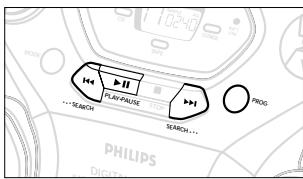
- Use the SEARCH or to select your desired track number.
- Press PROG.
Display: PROGRAM and the selected track number program appears briefly.
If you attempt to programme without first selecting a track number, 5 L is shown. - Repeat steps 1-2 to select and store all desired tracks.
FULL is displayed if you attempt to programme more than 20 tracks. - To start playback of your CD programme, press PLAY·PAUSE
Reviewing the programme
In the stop position, press and hold down PROG for a while until the display shows all your stored track numbers in sequence.
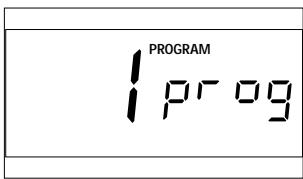
Erasing a programme
You can erase the programme by:
- pressing STOP once in the STOP position;
- pressing STOP twice during playback;
- pressing the CD door open;
- switching to another source: TAPE/TUNER.
- The display shows 'noprog'briefly.
CD player and CD handling
- The lens of the CD player should never be touched!
- If the CD player cannot read CDs correctly, use a commonly available cleaning CD to clean the lens before taking the set to repair. Other cleaning methods may destroy the lens.
- Sudden changes in the surrounding temperature can cause condensation to cloud over on the lens of your CD player. Playing a CD is then not possible. Do not attempt to clean the lens but leave the set in a warm environment until the moisture evaporates.
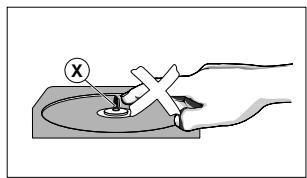
Always keep the CD compartment closed to avoid dust on the lens. - To take a CD out of its box, press the centre spindle while lifting the CD. Always pick up the CD by the edge and return the CD to its box after use to avoid scratching and dust.
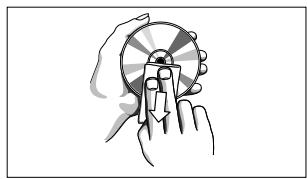
- To clean the CD, wipe in a straight line from the centre towards the edge using a soft, lint-free cloth. Do not use cleaning agents as they may damage the disc.
- Never write on a CD or attach any stickers to it.
CASSETTE PLAYBACK
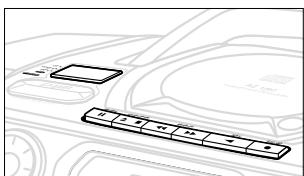
- Select TAPE source.
→The display shows ERPE throughout tape operation, and the function indication lights up.
2. Press STOP·OPEN ▲ to open the cassette door.
3. Insert a recorded cassette and close the cassette door.
4. Press PLAY to start playback.
5. To pause playback, press PAUSE II. To resume, press the key again.
6. By pressing SEARCH or fast winding of the tape is possible in both directions.
7. To stop the tape, press STOP·OPEN ▲
- The keys are automatically released at the end of the tape and the _RPE indication and function light go out, except if PAUSE II has been activated.
GENERAL INFORMATION ON RECORDING
- Recording is permissible insofar as copyright or other rights of third parties are not infringed.
- This deck is not suitable for recording on CHROME (IEC II) or METAL (IEC IV) type cassettes. For recording, use only NORMAL type cassettes (IEC I) on which the tabs have not been broken.
- The best recording level is set automatically. Altering the VOLUME and DBB controls will not affect the recording in progress.
- At the very beginning and end of the tape, no recording will take place during the 7 seconds, when the leader tape passes the recorder heads.
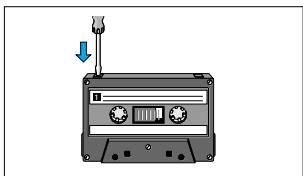
- To protect a tape from accidental erasure, have the tape in front of you and break out the left tab. Recording on this side is no longer possible. To record over this side again, cover the tabs with a piece of adhesive tape.
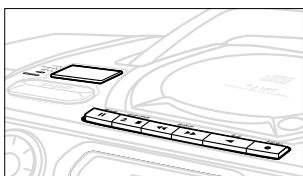
SYNCHRO START CD RECORDING
- Select CD source.
- Insert a CD and if desired, programme track numbers.
- Press STOP·OPEN ▲ to open the cassette door.
- Insert a suitable cassette into the cassette deck and close the cassette door.
-
Press RECORD to start recording.
-
Playing of the CD programme starts automatically from the beginning of the programme. It is not necessary to start the CD player separately.
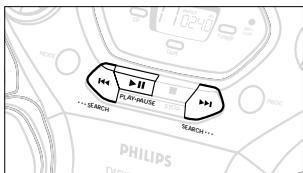
To select and record a particular passage
- Press and hold down on SEARCH or .
- When you recognize the passage you want, release SEARCH or.
- To pause CD playback press PLAY/PAUSE II.
-
Recording will begin from this exact point in the track when you press RECORD .
-
For brief interruptions during recording, press PAUSE II. To resume recording, press PAUSE II again.
-
To stop recording, press STOP·OPEN ▲
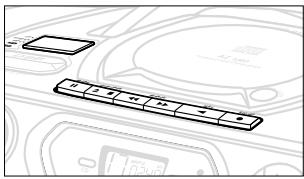
Recording from the radio
- Tune to the desired radio station (see Tuning to radio stations).
- Press STOP·OPEN ▲ to open the cassette door.
- Insert a suitable cassette into the cassette deck and close the cassette door.
- Press RECORD to start recording.
- For brief interruptions, press PAUSE II. To resume recording, press PAUSE II again.
- To stop recording, press STOP·OPEN ▲
Tape deck maintenance
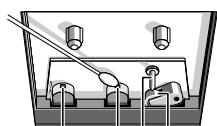
To ensure quality recording and playback of the tape deck, clean parts A, B and C shown in the diagram below, after approx. 50 hours of operation, or on average once a month. Use a cotton bud slightly moistened with alcohol or a special head cleaning fluid to clean the deck.
- Open the cassette holder by pressing STOP·OPEN ▲
- Press PLAY and clean the rubber pressure rollers (C).
- Press PAUSE II and clean the magnetic heads (A) and also the capstan (B).
- After cleaning, press STOP·OPEN ▲
Note: Cleaning of the heads can also be done by playing a cleaning cassette through once.
A
A B C
Environmental information
All unnecessary packaging material has been omitted. We have done our utmost to make the packaging easy to separate into three materials: cardboard (box), expandable polystyrene (buffer), polyethylene (bags, protective foam).
Your set consists of materials which can be recycled if disassembled by a specialized company. Please observe the local regulations regarding the disposal of packing materials, exhausted batteries and old equipment.
If a fault occurs, first check the points listed below before taking the set for repair.
If you are unable to remedy a problem by following these hints, consult your dealer or service centre.
WARNING: Do not open the set as there is a risk of electric shock. Under no circumstances should you try to repair the set yourself, as this will invalidate the guarantee.
PROBLEM
-POSSIBLE CAUSE
- REMEDY
No sound/power
VOLUME not adjusted
- Adjust the VOLUME
- Headphones connected
- Disconnect headphones
- Mains lead not securely connected
- Connect the mains lead properly
- Batteries exhausted/ incorrectly inserted
- Insert (fresh) batteries correctly
Severe radio hum or noise
- Electrical interference: set too close to TV, VCR or computer
- Increase the distance
Poor radio reception
- Weak radio signal
FM: Direct the FM telescopic aerial for optimum reception - MW (AM) or LW: Direct the aerial by turning the whole set.
or er indication
- No CD inserted
- Insert a CD
- CD badly scratched or dirty
- Replace/ clean CD, see Maintenance
- Laser lens steamed up,
- Wait until lens has cleared
nF dISC indication
- CD - R(W) is blank or the disc is not finalised
- Use a finalised CD-R(W)
- CD badly scratched or dirty
- Replace/ clean CD, see Maintenance
The CD skips tracks
- CD is damaged or dirty
- Replace or clean the CD
- SHUFFLE or PROGRAM is active
- Quit SHUFFLE/PROGRAM mode(s)
Poor cassette sound quality
- Dust and dirt on the heads, etc.
- Clean deck parts etc., see Maintenance
- Use of incompatible cassette types (METAL or CHROME).
- Only use NORMAL (IEC I) for recording.
Recording does not work
- Cassette tab(s) may be broken
- Apply a piece of adhesive tape over the missing tab space.
PANNEAUX SUPERIEUR ET AVANT
Selection de vos stations favorites
- CAUSE POSSIBLE
- REMEDE
-
stops the tape;
-
opens the cassette compartment
SEARCH / -avanza o rebobina rapidamente la cinta
- CAUSA POSIBLE
SOLUCION
Programming track numbers
Programme in the STOP position to select and store your CD tracks in the desired sequence. If you like, store any track more than once. Up to 20 tracks can be stored in the memory.