SlimNote 14.1 - Laptop Kiano - Free user manual and instructions
Find the device manual for free SlimNote 14.1 Kiano in PDF.


| Product Type | Laptop |
| Brand | Kiano |
| Model | SlimNote 14.1 |
| Display | 14.1-inch HD LED (1366 x 768) |
| Processor | Intel Celeron N3350 (dual-core, 1.1 GHz, burst up to 2.4 GHz) |
| RAM | 4 GB DDR3L (expandable) |
| Storage | 500 GB HDD (SATA) |
| Graphics | Integrated Intel HD Graphics 500 |
| Operating System | Windows 10 Home (64-bit) |
| Dimensions | 33.5 x 23.5 x 2.0 cm |
| Weight | 1.8 kg |
| Battery | Lithium-ion, 3-cell, 4000 mAh (typical) |
| Power Adapter | 19 V DC, 2.1 A, 40 W |
| Connectivity | Wi-Fi 802.11 b/g/n, Bluetooth 4.0, 1x USB 3.0, 2x USB 2.0, HDMI, VGA, RJ-45 Ethernet, headphone/mic combo jack |
| Audio | Built-in stereo speakers, microphone |
| Webcam | 0.3 MP VGA webcam |
| Card Reader | SD/MMC card slot |
| Keyboard | Full-size keyboard with numeric keypad |
| Touchpad | Multi-touch touchpad |
| Maintenance & Cleaning | Use a soft dry cloth; avoid liquids and abrasive cleaners. Ensure vents are not blocked. |
| Safety | Use only the provided AC adapter; avoid exposure to moisture or extreme temperatures. |
| Spare Parts & Repairability | Battery, AC adapter, keyboard, and hard drive are replaceable. Bottom panel is removable with screws. |
Frequently Asked Questions - SlimNote 14.1 Kiano
User questions about SlimNote 14.1 Kiano
0 question about this device. Answer the ones you know or ask your own.
Ask a new question about this device
Download the instructions for your Laptop in PDF format for free! Find your manual SlimNote 14.1 - Kiano and take your electronic device back in hand. On this page are published all the documents necessary for the use of your device. SlimNote 14.1 by Kiano.
USER MANUAL SlimNote 14.1 Kiano
9
WSTEP DO PULPITU
PODSTAWOWE OPERACJE
Safety use conditions 22
Appearance and basic functions of the device.... 24
Introduction to the desktop 26
Windows 10 startup screen ....26
Introduction to the application interface 27
START menu....30
Interface of open programs....33
Basic operations.... 34
Standby, shutdown, restart 34
SAFETY USE CONDITIONS
- The device is not resistant to impact and pressure.
- Do not throw it or push on it.
- Do not use the device for a long time at too low or too high (<35°C) temperature, in places with high humidity or heavy dust.
- Do not expose the device to sunlight.
- Do not expose the device to strong magnetic fields.
- In case of contact with liquid, the device must be immediately switched off and not used until completely dried.
- Do not clean the device with chemical detergents and other liquids. If cleaning is necessary, use a soft dry cloth or a paper towel.
- We are not responsible for damages resulting from improper use of the product.
-
Before putting the device into service, it is recommended to make a backup of files, to prevent their loss.
-
Do not open the computer housing, since it may cause the loss of warranty.
- The device supports most 3G external modems, but it is recommended, however, to verify whether the network interface card works on our device.
- The user manual, as well as all the necessary software and updates are available for download at our website: www.kiano.pl. Please do not download the software and updates from other sources, since it may cause the loss of warranty.
- Replacing the battery for improper one may cause failure or explosion. Make sure that you use the original battery.
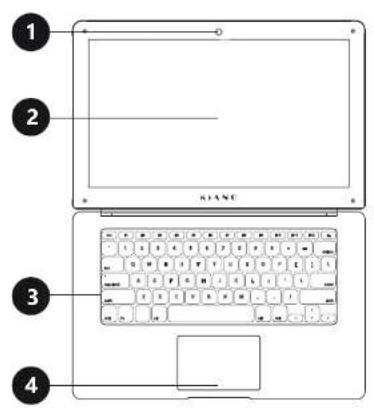
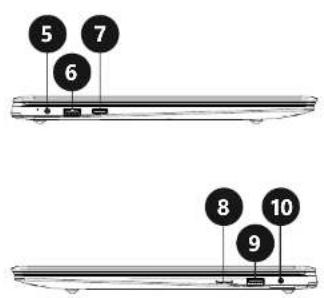
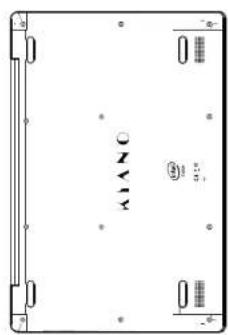
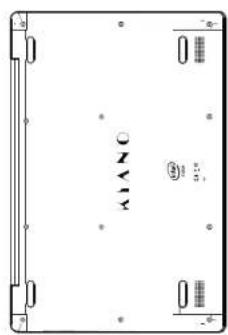
APPEARANCE AND BASIC FUNCTIONS OF THE DEVICE
24 25
1 Front camera
2 Screen
3 Keyboard
4 Touch panel
5 Network cable slot
6 USB slot
7 Mini HDMI slot
8 Micro SD card slot
9 USB slot
10 Mini Jack slot
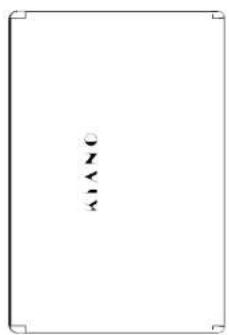
Top
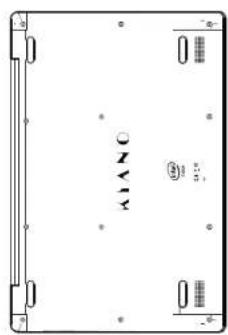
Bottom
INTRODUCTION TO THE DESKTOP
Windows 10 startup screen
The startup screen contains applications in the form of images.
These applications are displayed automatically, as the most used.
To make all the applications work properly, you must log in to the Microsoft account.
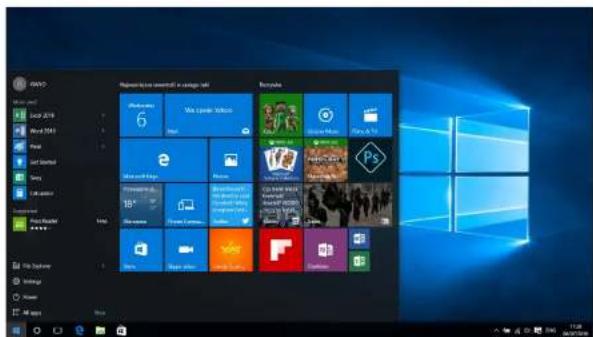
Introduction to the application interface
The startup screen displays only the most popular applications. In addition to these, we can open other programs installed on our PC.
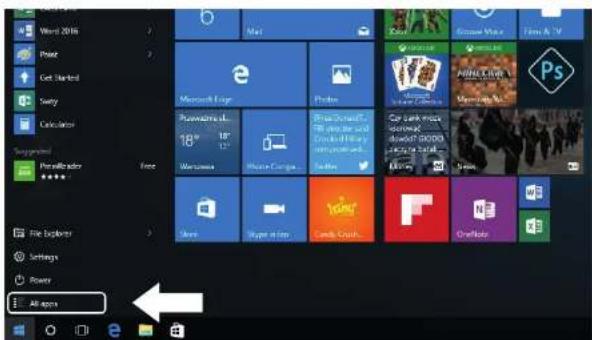
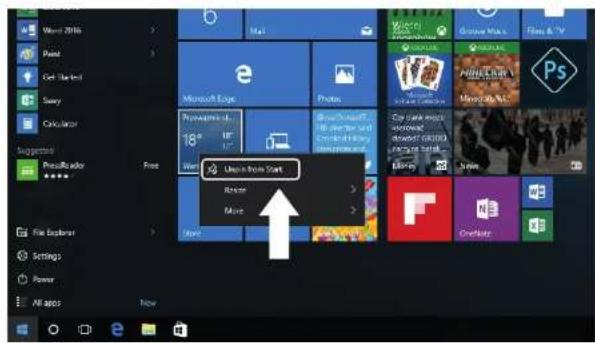
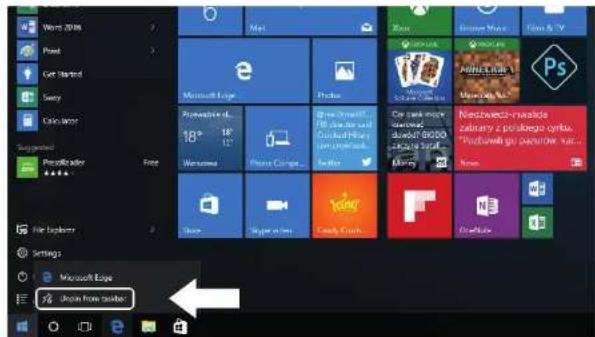
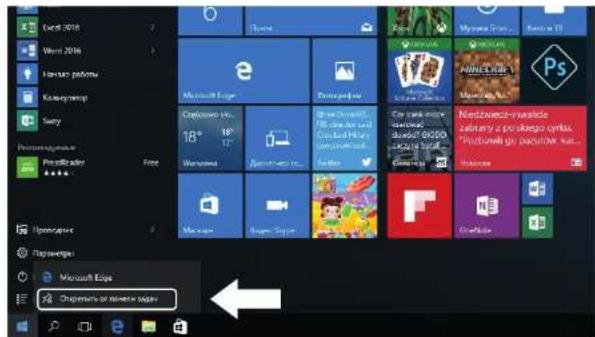
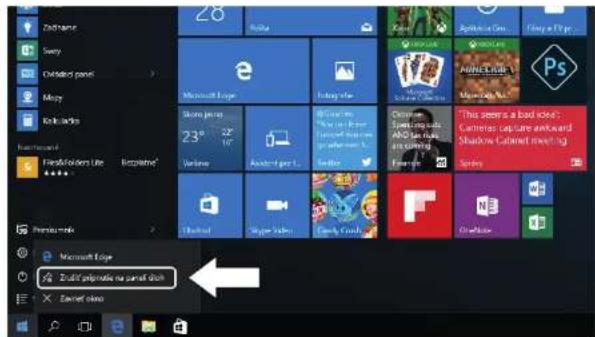
If you want to place the program in the start menu or taskbar, see the operations presented in the picture below: right-click on the application and select "Add to the startup screen" or "Add to the taskbar".
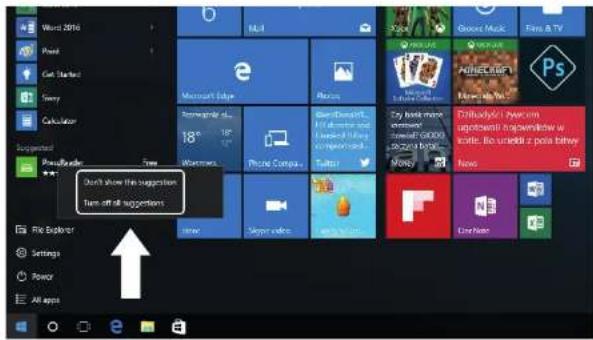
To remove the application from the start menu or taskbar, right-click on the application and select "Detach from the startup screen" or "Detach this program from the taskbar".
START menu
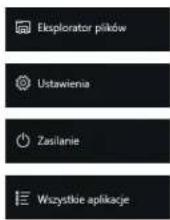
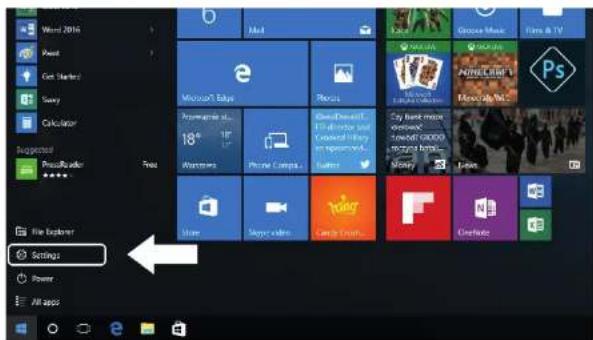
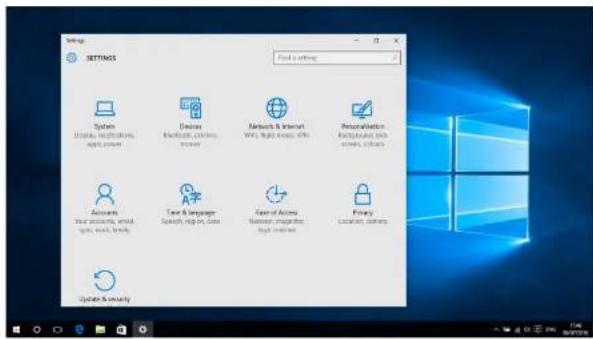
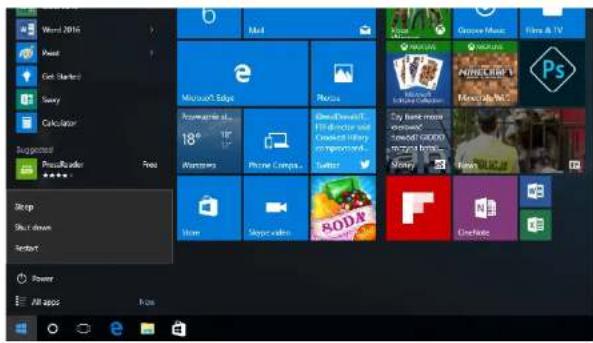
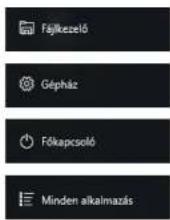
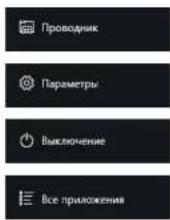
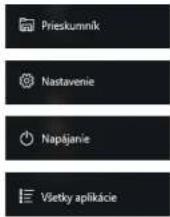
Click on the Windows icon in the bottom left corner to start the Menu Start. In addition to the applications, the Start Menu also displays: File Explorer, Settings and Power.
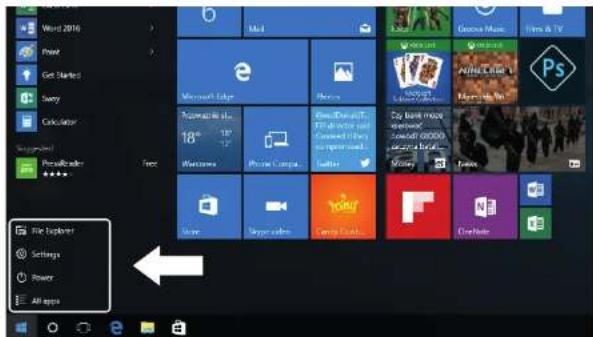
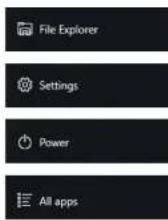
It allows you to search files and applications on the computer.
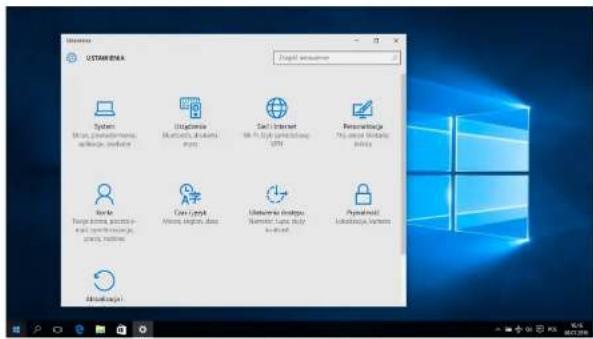
It allows you to change your computer settings.
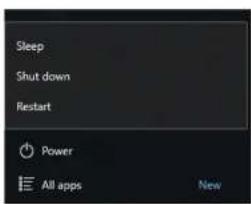
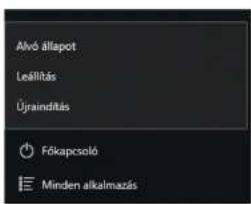
It switches the standby mode/switches off/restarts the computer.
It allows you to view all the installed applications.
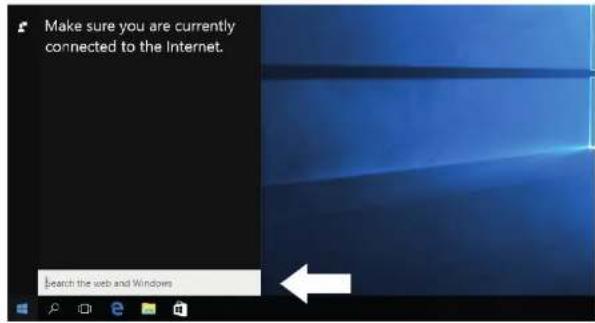
Search engine
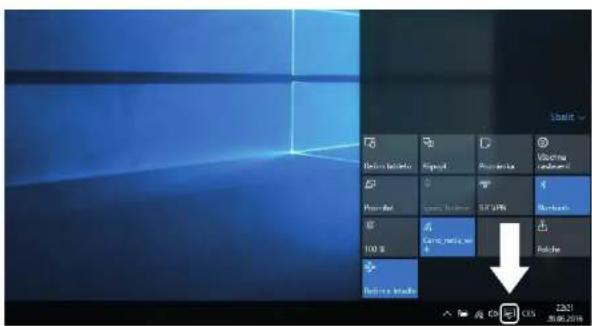
Action center
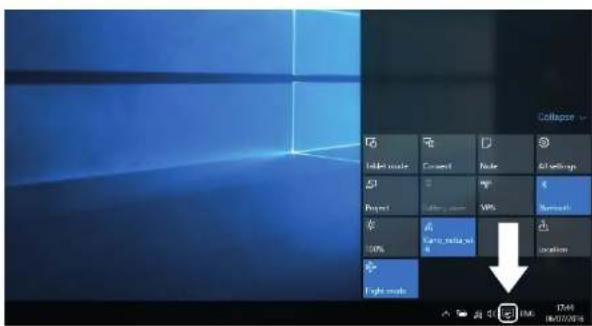
Action Center is the place where you can find all notifications, simple settings (e.g. changing the PC mode to the tablet mode), Wi-Fi, Bluetooth, etc.
Settings menu
Interface of open programs
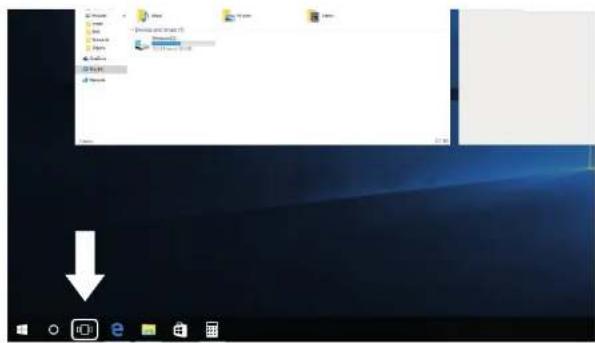
By clicking on the icon presented in the picture below, we can see all open applications, close unnecessary applications or open the application that we want to use currently.
BASIC OPERATIONS
Standby, shutdown, restart of the computer.
PROPER DISPOSAL
(Waste electrical and electronic equipment)
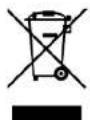
(Applies to the European finion and other European countries with separate collection systems and electronic products)
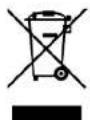
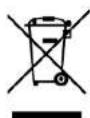
This marking on the product, accessories or literature indicates that at the end of use this product should not be disposed of with household waste.
To prevent possible harm to the environment or human health from uncontrolled waste disposal, please separate these items from other types of waste and recycle them responsibly and reuse of materials.
For more information on where and how environmentally safe recycling of these items household users should contact either the retailer where they purchased this product, or their local government.
Business users should contact their supplier and check the terms and conditions of the purchase contract. This product and its electronic accessories should not be mixed with other commercial wastes for disposal.
(Applicable in the European Union and other European countries with separate battery return systems)
This mark on the battery4the packaging or in the instructions means that after usage of batteries, the product may not be disposed of with other household waste.
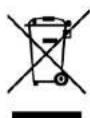
3-hore marked, the chemical symbols Hg, d or b), indicate that the battery contains mercury, cadmium or lead bove the levels in directive 3 E 2006/66. If batteries are not properly disposed of these substances can be cause harm to human health or the environment.
To protect the environment and to promote material reuse, please separate batteries from other types of waste and recycle them through
your local battery return system.
Declaration of conformity is located at producer's website:
www.kiano.com
HASZNÁLATI UTASÍTÁS
(Waste electrical and electronic equipment)
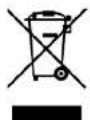
(Applies to the European finion and other European countries with separate collection systems and electronic products)
This marking on the product, accessories or literature indicates that at the end of use this product should not be disposed of with household waste.
To prevent possible harm to the environment or human health from uncontrolled waste disposal, please separate these items from other types of waste and recycle them responsibly and reuse of materials.
For more information on where and how environmentally safe recycling of these items household users should contact either the retailer where they purchased this product, or their local government.
Business users should contact their supplier and check the terms and conditions of the purchase contract. This product and its electronic accessories should not be mixed with other commercial wastes for disposal.
(Applicable in the European Union and other European countries with separate battery return systems)
This mark on the battery4the packaging or in the instructions means that after usage of batteries, the product may not be disposed of with other household waste.
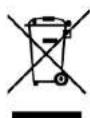
3-hore marked, the chemical symbols Hg, d or b), indicate that the battery contains mercury, cadmium or lead bove the levels in directive 3 E 2006/66. If batteries are not properly disposed of these substances can be cause harm to human health or the environment.
To protect the environment and to promote material reuse, please separate batteries from other types of waste and recycle them through
your local battery return system.
Declaration of conformity is located at producer's website:
www.kiano.com
Низ
MEHIO START
Declaration of conformity is located at producer's website: www.kiano.com
NÁVOD K POUŽITÍ
natural_image
Blank white image with a faint vertical line of three small symbols (circle, cross, and arrow) on the left side, enclosed by corner brackets (no text or labels)Špička Spodek
ÚVOD DO PRACOVNÍ PLOCHY
CZ
Akční centrum
ZÁKLADNÍ OPERACE
(Waste electrical and electronic equipment)
(Applies to the European finion and other European countries with separate collection systems and electronic products)
This marking on the product, accessories or literature indicates that at the end of use this product should not be disposed of with household waste.
To prevent possible harm to the environment or human health from uncontrolled waste disposal, please separate these items from other types of waste and recycle them responsibly and reuse of materials.
For more information on where and how environmentally safe recycling of these items household users should contact either the retailer where they purchased this product, or their local government.
Business users should contact their supplier and check the terms and conditions of the purchase contract. This product and its electronic accessories should not be mixed with other commercial wastes for disposal.
(Applicable in the European Union and other European countries with separate battery return systems)
This mark on the battery4the packaging or in the instructions means that after usage of batteries, the product may not be disposed of with other household waste.
3-hore marked, the chemical symbols Hg, d or b), indicate that the battery contains mercury, cadmium or lead bove the levels in directive 3 E 2006/66. If batteries are not properly disposed of these substances can be cause harm to human health or the environment.
To protect the environment and to promote material reuse, please separate batteries from other types of waste and recycle them through
your local battery return system.
Declaration of conformity is located at producer's website:
www.kiano.com
NÁVOD NA POUŽITIE
SK
Góra Spód
ÚVOD DO PRACOVNEJ PLOCHY
Ponuka START
(Waste electrical and electronic equipment)
(Applies to the European finion and other European countries with separate collection systems and electronic products)
This marking on the product, accessories or literature indicates that at the end of use this product should not be disposed of with household waste.
To prevent possible harm to the environment or human health from uncontrolled waste disposal, please separate these items from other types of waste and recycle them responsibly and reuse of materials.
For more information on where and how environmentally safe recycling of these items household users should contact either the retailer where they purchased this product, or their local government.
Business users should contact their supplier and check the terms and conditions of the purchase contract. This product and its electronic accessories should not be mixed with other commercial wastes for disposal.
(Applicable in the European Union and other European countries with separate battery return systems)
This mark on the battery4the packaging or in the instructions means that after usage of batteries, the product may not be disposed of with other household waste.
3-hore marked, the chemical symbols Hg, d or b), indicate that the battery contains mercury, cadmium or lead bove the levels in directive 3 E 2006/66. If batteries are not properly disposed of these substances can be cause harm to human health or the environment.
To protect the environment and to promote material reuse, please separate batteries from other types of waste and recycle them through
your local battery return system.
Declaration of conformity is located at producer's website:
www.kiano.com
WWW.KIANO.COM
- WSTEP DO PULPITU
- PODSTAWOWE OPERACJE
- SAFETY USE CONDITIONS
- APPEARANCE AND BASIC FUNCTIONS OF THE DEVICE
- INTRODUCTION TO THE DESKTOP
- Windows 10 startup screen
- Introduction to the application interface
- START menu
- Interface of open programs
- BASIC OPERATIONS
- PROPER DISPOSAL
- (Waste electrical and electronic equipment)
- HASZNÁLATI UTASÍTÁS
- MEHIO START
- NÁVOD K POUŽITÍ
- ÚVOD DO PRACOVNÍ PLOCHY
- ZÁKLADNÍ OPERACE
- NÁVOD NA POUŽITIE
- ÚVOD DO PRACOVNEJ PLOCHY
- Ponuka START
Brand : Kiano
Model : SlimNote 14.1
Category : Laptop