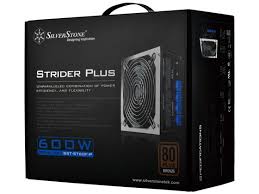
STRIDER PLUS ST60F-P 80PLUS BRONZE, STRIDER PLUS ST75F-P 80PLUS SILVER, STRIDER PLUS ST85F-P 80PLUS SILVER - Alimentation pour ordinateur SILVERSTONE - Notice d'utilisation et mode d'emploi gratuit
Retrouvez gratuitement la notice de l'appareil STRIDER PLUS ST60F-P 80PLUS BRONZE, STRIDER PLUS ST75F-P 80PLUS SILVER, STRIDER PLUS ST85F-P 80PLUS SILVER SILVERSTONE au format PDF.



| Type de produit | Alimentation pour ordinateur |
| Marque | SilverStone |
| Modèles | STRIDER PLUS ST60F-P (600W), ST75F-P (750W), ST85F-P (850W) |
| Certification 80PLUS | ST60F-P : Bronze ; ST75F-P/ST85F-P : Silver |
| Facteur de forme | ATX standard |
| Dimensions (L x l x h) | 150 x 150 x 86 mm (estimation) |
| Poids | Environ 2,0 kg |
| Tension d'entrée | 100-240 V CA (avec PFC actif, ajustement automatique) |
| Fréquence d'entrée | 50-60 Hz |
| Connecteur carte mère | ATX 24 broches (+20+4 broches amovible) |
| Connecteur CPU | 1x ATX 4+4 broches (EPS 8 broches) |
| Connecteurs PCI-E | 6+2 broches (selon modèle) |
| Connecteurs SATA | 6 à 8 (selon modèle) |
| Connecteurs périphériques | 4 broches Molex |
| Protections | OVP, OCP, OPP, SCP, UVP |
| Ventilateur | 120 mm silencieux |
| Entretien et nettoyage | Dépoussiérage régulier de la grille ; ne jamais ouvrir le boîtier |
| Sécurité | Utiliser uniquement en intérieur ; ne pas insérer d'objets dans les ouvertures |
| Garantie | Couverture des défauts de fabrication (voir notice) |
| Pièces détachées | Câble d'alimentation secteur fourni |
| Compatibilité | Cartes mères ATX, micro-ATX, ITX ; serveurs EEB/CEB (ST85F-P) |
FOIRE AUX QUESTIONS - STRIDER PLUS ST60F-P 80PLUS BRONZE, STRIDER PLUS ST75F-P 80PLUS SILVER, STRIDER PLUS ST85F-P 80PLUS SILVER SILVERSTONE
Questions des utilisateurs sur STRIDER PLUS ST60F-P 80PLUS BRONZE, STRIDER PLUS ST75F-P 80PLUS SILVER, STRIDER PLUS ST85F-P 80PLUS SILVER SILVERSTONE
0 question sur cet appareil. Repondez a celles que vous connaissez ou posez la votre.
Poser une nouvelle question sur cet appareil
Téléchargez la notice de votre Alimentation pour ordinateur au format PDF gratuitement ! Retrouvez votre notice STRIDER PLUS ST60F-P 80PLUS BRONZE, STRIDER PLUS ST75F-P 80PLUS SILVER, STRIDER PLUS ST85F-P 80PLUS SILVER - SILVERSTONE et reprennez votre appareil électronique en main. Sur cette page sont publiés tous les documents nécessaires à l'utilisation de votre appareil STRIDER PLUS ST60F-P 80PLUS BRONZE, STRIDER PLUS ST75F-P 80PLUS SILVER, STRIDER PLUS ST85F-P 80PLUS SILVER de la marque SILVERSTONE.
MODE D'EMPLOI STRIDER PLUS ST60F-P 80PLUS BRONZE, STRIDER PLUS ST75F-P 80PLUS SILVER, STRIDER PLUS ST85F-P 80PLUS SILVER SILVERSTONE
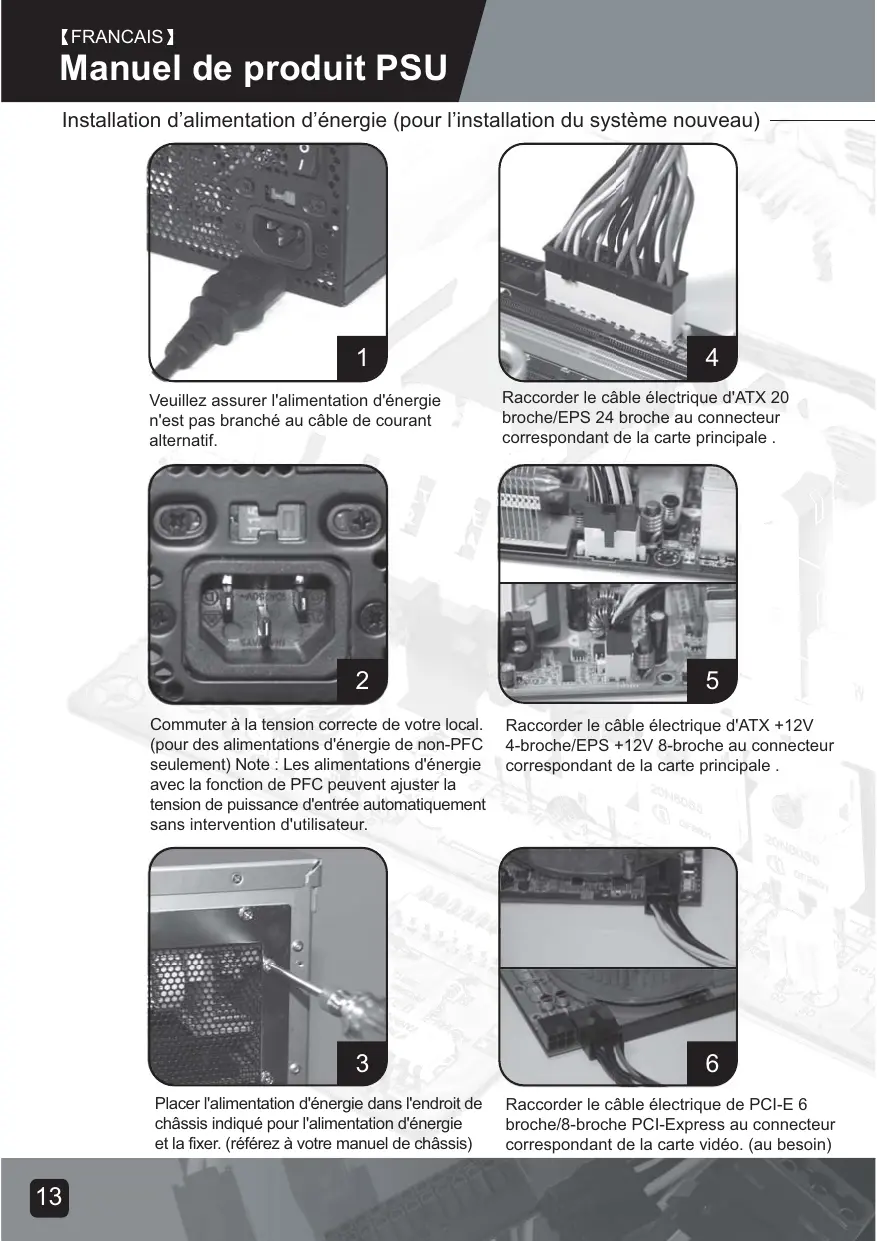
Installation d'alimentation d'énergie (pour l'installation du système nouveau)
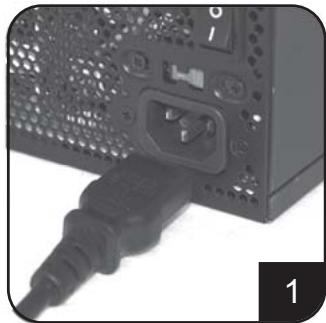
Veuillez assurer que l'alimentation d'énergie n'est pas branchée au cable de courant alternatif.
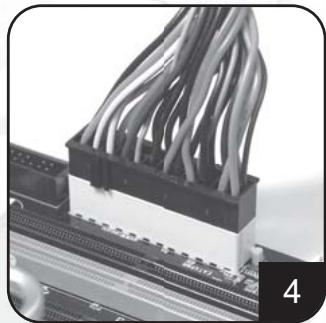
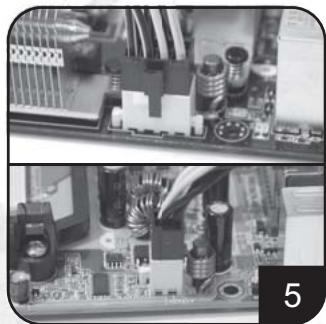
Raccorder le cable electrique d'ATX 20broche/EPS 24 broche au connecteurcorrespondant de la carte principale.
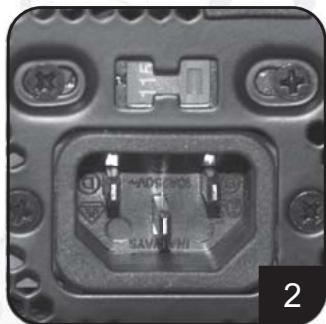
Commuter à la tension correcte de votre local. (pour des alimentations d'énergie de non-PFC seulement) Note : Les alimentations d'énergie avec la fonction de PFC peuvent ajuster la tension de puissance d'entrée automatiquement sans intervention d'utilisateur.
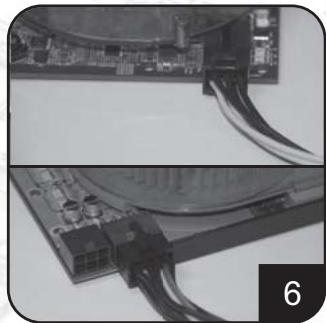
Raccorder le câble électrique d'ATX +12V 4-broche/EPS +12V 8-broche au connecteur correspondant de la carte principale.
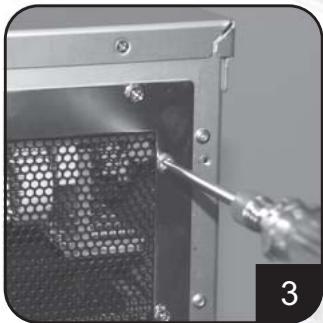
Placer l'alimentation d'énergie dans l'endroit de chassinis indiqué pour l'alimentation d'énergie et la fixer. (référez à votre manuel de chassinis)
Raccorder le câble électrique de PCI-E 6 broches/8-broches PCI-Express au connecteur correspondant de la carte vidéo. (au besoin)
Installation de l'alimentation d'énergie (pour l'installation du système nouveau)
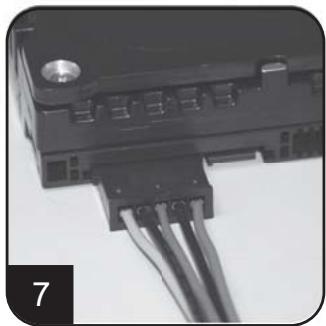
Raccorder les câbles électriques de SATA au lecteur dur ou aux dispositifs de SATA.
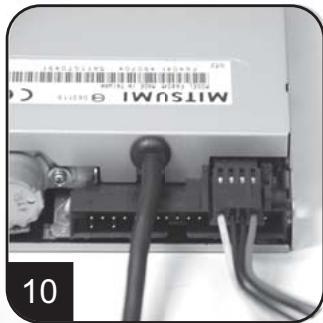
Raccorder le petit cable électrique de 4-broche au lecteur de disque couples ou à d'autres dispositifs compatibles
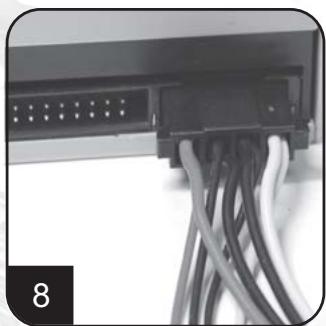
Raccorder le câbles électriques périphériques 4-broche aux lecteur dur IDE, au lecteur optiques ou à d'autres dispositifs.
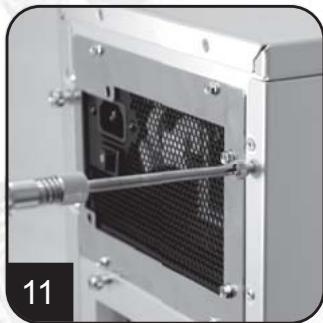
Réinstaller le couvercle du châssis, et la fixer. (Référez-vous à l'installation du châssis).
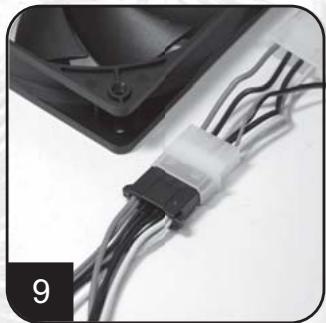
Raccorder les câbles électriques périphériques de 4 broches aux ventilateurs en utilisant les connecteurs périphériques. (Variété de C. C +12V).

Raccorder le câble de courant alternatif à l'alimentation d'énergie. (Attention : veuillez ne pas utiliser la douille de prolongation, si l'utilisation de la douille de prolongation est nécessaire, évitez l'utilisation combinée avec d'autres appareils électroménagers de puissance plus élevée tels que TV, l'amplificateur audio, etc...).
Installation d'alimentation d'énergie (pour l'installation du système nouveau)
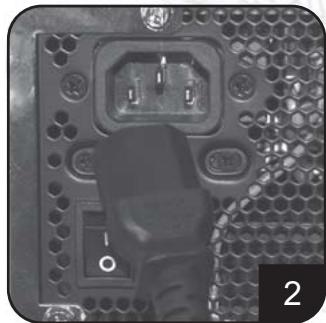
Allumer l'alimentation d'énergie par le changement au mode de « I » (entrée-sortie).
Attention: L'alimentation d'énergie est en Standby.
Le système en marche et en arrêt est commandé par la carte principale. (Référez-vous au manuel de carte principale).
Installation d'alimentation d'énergie (pour le remplacement)
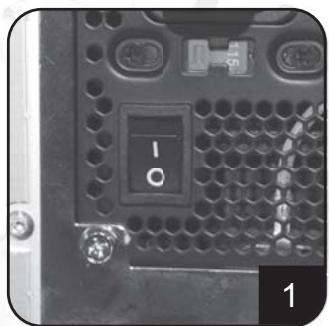
Après la mise hors tension du système, commuter l'alimentation d'énergie à la position de « O » pour désactiver le système de Standby et s'assurer que le système se branche à la source de puissance.
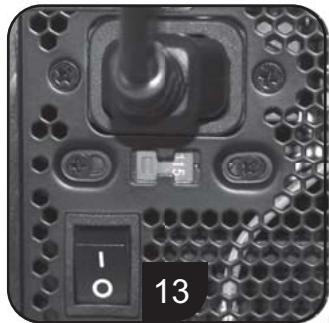
Enlever le câble de courant alternatif de l'alimentation d'énergie.
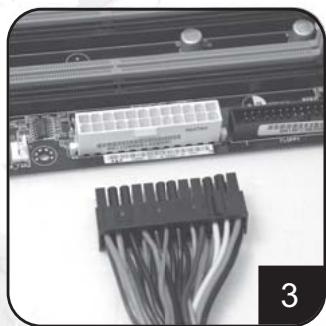
Enlever tous les câbles d'alimentation d'énergie branchés à la carte vidéo de carte principale et, au lecteur dur et à tout autre dispositif.
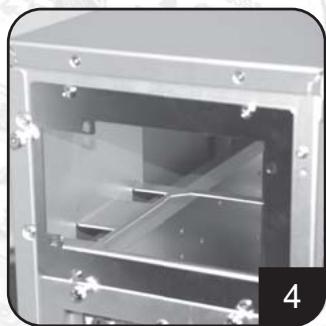
Enlever l'alimentation d'énergie du châssis. (Référez-vous au manuel de l'installation de votre châssis.)
- Référez-vous à l'étape 1 « l'installation d'alimentation d'énergie (pour l'installation du système nouveau) »
Notes et attentions d'utilisation d'alimentation d'énergie.
- L'alimentation d'énergie inclut la tension dangereuse; veuillez ne pas ouvrir l'alimentation d'énergie en aucune condition. Une fois que la clôture d'alimentation d'énergie est ouverte, elle ne sera plus couverte par la garantie.
- Veuillez employer l'alimentation d'énergie dans des environnements secs.
- N'obstruer, insérer, ni mettre rien dans les passages et ouverture de l'alimentation d'énergie.
- Le câble à C. A. inclus avec l'alimentation d'énergie a été strictement examiné par l'usine pour des défauts et la qualité, utiliser seulement le câble à C. A. fourni avec votre alimentation d'énergie. Le câble de courant alternatif fabriqué par un tiers peut produire des résultats incompatibles et probablement endommager toute alimentation de système ou d'énergie.
- Ce produit est conçu pour l'usage d'intérieur seulement.
Dépannage
Si votre alimentation d'énergie ne fonctionne pas correctement, référez-vous aux étapes suivantes :
- Veuillez s'assurer que le commutateur de tension est en mode correct pour l'usage dans votre endroit (115V ou 230V). (pour des alimentations d'énergie sans fonction de PFC seulement)
- Veuillez s'assurer que le câble de courant alternatif est raccordé à l'alimentation d'énergie.
- Veuillez s'assurer qu'au mode « I » de l'alimentation « d'énergie entrée-sortie » est nécessaire.
- Vérifier une deuxième fois pour voir si tous les cartes vidéo de carte principale, lecteurs durs, et câbles de dispositifs sont branchés correctement.
- Veuillez arrêter l'alimentation d'énergie en commutant « entrée-sortie » au mode de « O ». Attendez approximativement 5 minutes pour que l'alimentation d'énergie remette à zéro ses mécanismes de protection, puis alimenter le mode de « I » et redémarrer le système.
ATTENTION : L'alimentation d'énergie inclut la tension dangereuse ; veuillez ne pas ouvrir l'alimentation d'énergie dans aucune circonstance. Une fois que la clôture d'alimentation d'énergie est ouverte, elle ne sera plus couverte sous la garantie.
Connecteurs d'alimentation d'énergie
ORANGE +3.3V
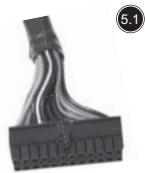
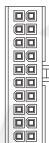
Connecteur de puissance d'eps de carte principale 24-broche.
Supporter la dernière carte principale de ATX/BTX PC.
Supporter carte principale de serveur d'EEB/CEB/poste de travail.
ORANGE +3.3V
ORANGE +3.3V
BLACK GND
RED +5V
BLACK GND BFD 5V
RED +5V BLACK ON
BLACK GND CREX PS ON
GREY F3-ON BURPLE +5Vcb
YELLOW +12V
ORANGE +3.31
BLUE -12V
BLACK GND
GREEN PS-ON
BLACK GND BLACK GND
BLACK GND BLACK GND
BLAN/C
N/C BED +5V
RED +3V RED +5V
Connecteur de puissance de carte principale ATX 20-broche
Supporter carte principale ATX PC.
5.3
BLACK GND
BLACK GND
BLACK GND
BLACK GND

YELLOW +12V
YELLOW +12V
YELLOW +12V
YELLOW +12V
5.4
BLACK GND
BLACK GND

YELLOW +12V
YELLOW +12V
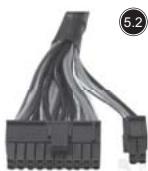
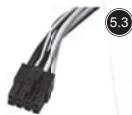
Connecteur de puissance EPS 8-broche CPU +12V
Supporter serveur/ poste de travail CPU Duel.
Supporter le système de CPU singulier dernier.
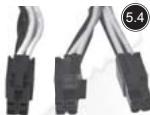
Connecteur de puissance ATX 4-broche CPU +12V
Supporter le système de CPU singulier dernier.
5.5
5.6
YELLOW +12V
YELLOW +12V
YELLOW +12V

BLACK GND
BLACK SENS
BLACK GND
GND
SENSE
GND
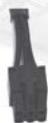
Connecteur de puissance pci-e 6-broche.
Supporter la carte vidéo gamme haute PCI-Express, certaines cartes vidéo à gamme haute peut exiger deux connecteurs à PCI-E 6-broche.
5.7
YELLOW +12V
YELLOW +12V
YELLOW +12V
BLACK SENSE

BLACK
BLACK
BLACK
BLACK
GND
SENSE
GND
GND
Connecteur de puissance pci-e 8 broche.
Supporter la carte vidéo gamme haute PCI-Express, certaines cartes vidéo à gamme haute peut exiger deux connecteurs à PCI-E 8-broche.
5.7
YELLOW +12V
BLACK GND
RED +5V
BLACK GND
ORANGE +3.3V

5.8
YELLOW +12V
BLACK GND
BLACK GND
RED +5V

5.9
YELLOW +12V
BLACK GND
BLACK GND
RED +5V

Connecteur de puissance de disque dur SATA
Supporter lecteur de disque dur dernier SATA.
Connecteur de puissance standard périphérique 4-broche
Supporter lecteur dur IDE/SCSI, lecteur optique, ventilateur, etc....
Petit connecteur de puissanceouplede4-broche.
Supporter dispositif de couple standard ou dispositifs compatibles.
Connecteurs d'alimentation d'énergie
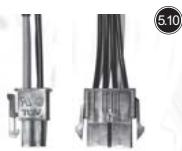
Le fil convertissant
au connecteur à 8 broches EPS pour convertir au connecteur d'ATX 4-broches
Attention:
- Veuillez arrêter votre système et commuter au mode de « O » sur l'alimentation d'énergie avant de brancher ou de débrancher des connecteurs de puissance.
Les connecteurs montrés ci-dessus peuvent différer selon le modèle de leur alimentation d'énergie.
Garantie
Les défauts ou les dommages aux composants du produit resulting du produit défectueux sont couverts sous la garantie.
Les dommages résultant dans les conditions suivantes seront réparés ou remplacés sous la juridiction de SilverStone.
- L'utilisation selon des instructions fournies dans ce manuel, sans l'abus, ou d'autres actions inadéquates.
- Dommages non provoqués par désastre normal (tonnerre, feu, tremblement de terre, inondation, sel, vent, insectes, animaux etc...)
- Le produit n'est pas démonté, modifié, ou fixé. Composants non démontés ou replacés.
- La marque/autocollants de garantie n'est pas enlevée ni cassée.
Les dommages résultant de conditions autres que ceux énumérés ci-dessus ne sont pas couverts sous la garantie.

- Notes et attentions d'utilisation d'alimentation d'énergie.
- Dépannage
- Connecteurs d'alimentation d'énergie
- Connecteur de puissance d'eps de carte principale 24-broche.
- Connecteur de puissance de carte principale ATX 20-broche
- Connecteur de puissance EPS 8-broche CPU +12V
- Connecteur de puissance ATX 4-broche CPU +12V
- Connecteur de puissance pci-e 6-broche.
- Connecteur de puissance pci-e 8 broche.
- Connecteur de puissance de disque dur SATA
- Connecteur de puissance standard périphérique 4-broche
- Petit connecteur de puissanceouplede4-broche.
- Le fil convertissant
- Attention:
- Garantie
Marque : SILVERSTONE
Modèle : STRIDER PLUS ST60F-P 80PLUS BRONZE, STRIDER PLUS ST75F-P 80PLUS SILVER, STRIDER PLUS ST85F-P 80PLUS SILVER
Catégorie : Alimentation pour ordinateur