
US102 - Carte d'extension informatique SWEEX - Notice d'utilisation et mode d'emploi gratuit
Retrouvez gratuitement la notice de l'appareil US102 SWEEX au format PDF.

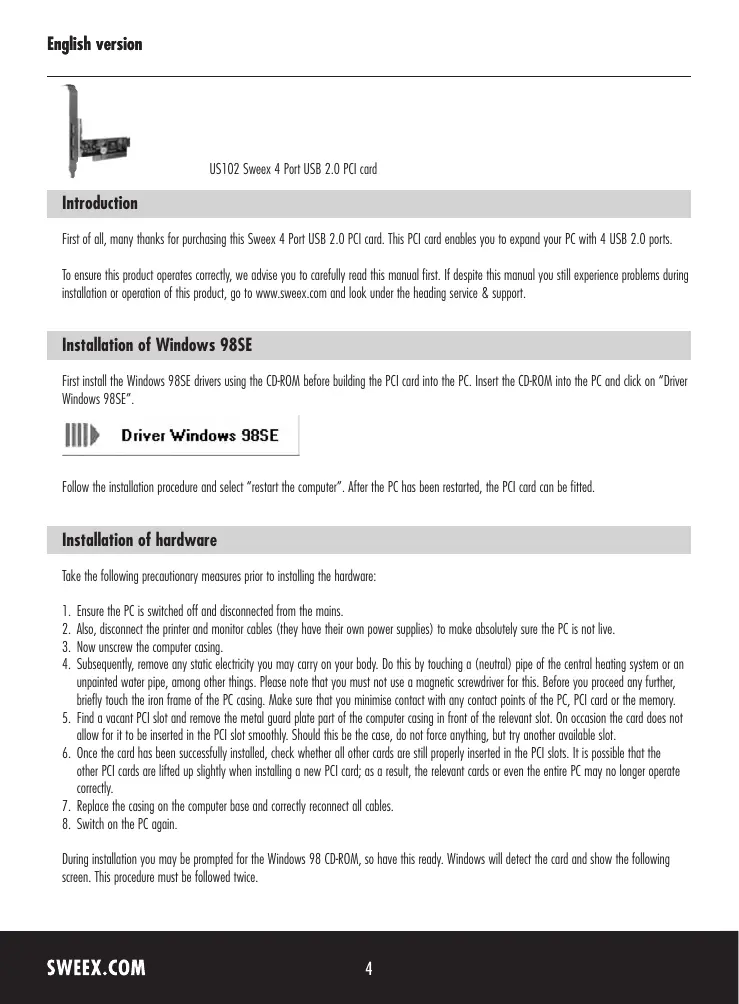

| Type de produit | Carte d'extension PCI USB 2.0 |
| Marque | Sweex |
| Modèle | US102 |
| Nombre de ports USB | 4 ports USB 2.0 |
| Interface | PCI |
| Dimensions (estimation) | 120 mm x 70 mm |
| Poids (estimation) | 50 g |
| Alimentation | Via le bus PCI (5 V) |
| Systèmes d'exploitation supportés | Windows 98SE, 2000, XP, Vista |
| Fonctions principales | Ajoute 4 ports USB 2.0 haute vitesse à un PC |
| Installation | Insérer dans un slot PCI libre, fixer avec une vis, refermer le boîtier |
| Entretien et nettoyage | Nettoyer avec un chiffon sec et non pelucheux. Ne pas utiliser de liquides. |
| Sécurité | Débrancher l'ordinateur avant installation. Éliminer l'électricité statique en touchant une surface métallique mise à la terre. |
| Pièces détachées et réparabilité | Aucune pièce détachée disponible. En cas de panne, remplacer la carte. |
| Garantie | 3 ans (hors logiciels et batteries) |
| Contenu de l'emballage | Carte PCI, CD de pilotes (Windows 98SE), notice |
FOIRE AUX QUESTIONS - US102 SWEEX
Questions des utilisateurs sur US102 SWEEX
0 question sur cet appareil. Repondez a celles que vous connaissez ou posez la votre.
Poser une nouvelle question sur cet appareil
Téléchargez la notice de votre Carte d'extension informatique au format PDF gratuitement ! Retrouvez votre notice US102 - SWEEX et reprennez votre appareil électronique en main. Sur cette page sont publiés tous les documents nécessaires à l'utilisation de votre appareil US102 de la marque SWEEX.
MODE D'EMPLOI US102 SWEEX
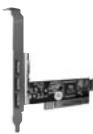
US102 Sweex 4 Port USB 2.0 PCI card
Introduction
First of all, many thanks for purchasing this Sweex 4 Port USB 2.0 PCI card. This PCI card enables you to expand your PC with 4 USB 2.0 ports.
To ensure this product operates correctly, we advise you to carefully read this manual first. If despite this manual you still experience problems during installation or operation of this product, go to www.sweex.com and look under the heading service & support.
Installation of Windows 98SE
First install the Windows 98SE drivers using the CD-ROM before building the PCI card into the PC. Insert the CD-ROM into the PC and click on "Driver Windows 98SE".

Driver Windows 98SE
Follow the installation procedure and select "restart the computer". After the PC has been restarted, the PCI card can be fitted.
Installation of hardware
Take the following precautionary measures prior to installing the hardware:
- Ensure the PC is switched off and disconnected from the mains.
- Also, disconnect the printer and monitor cables (they have their own power supplies) to make absolutely sure the PC is not live.
- Now unscrew the computer casing.
- Subsequently, remove any static electricity you may carry on your body. Do this by touching a (neutral) pipe of the central heating system or an unpainted water pipe, among other things. Please note that you must not use a magnetic screwdriver for this. Before you begin any further, briefly touch the iron frame of the PC casing. Make sure that you minimise contact with any contact points of the PC, PCI card or the memory.
- Find a vacant PCI slot and remove the metal guard plate part of the computer casing in front of the relevant slot. On occasion the card does not allow for it to be inserted in the PCI slot smoothly. Should this be the case, do not force anything, but try another available slot.
- Once the card has been successfully installed, check whether all other cards are still properly inserted in the PCI slots. It is possible that the other PCI cards are lifted up slightly when installing a new PCI card; as a result, the relevant cards or even the entire PC may no longer operate correctly.
- Replace the casing on the computer base and correctly reconnect all cables.
- Switch on the PC again.
During installation you may be prompted for the Windows 98 CD-ROM, so have this ready. Windows will detect the card and show the following screen. This procedure must be followed twice.
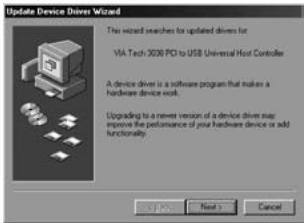
Here click "Next".
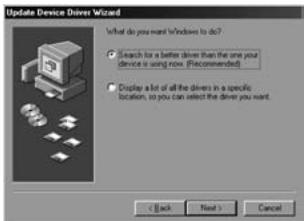
Select the option "Search for the best driver" and click "Next".
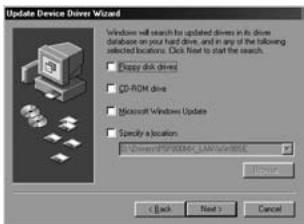
Remove all ticks and click "Next". Windows will install a built-in driver.
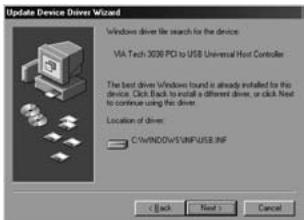
Follow the subsequent steps to complete installation. You may be prompted for the Windows 98 CD-ROM.
Installation under Windows 2000, XP and Vista
No drivers are required for installation under Windows 2000, Windows XP and Vista, because they are all incorporated in the operating system and the 4 Port USB 2.0 PCI card will be installed automatically.
Warranty
All products under the Sweex brand are warranted for a period of three years. We do not grant support or warranties for any software and/or (rechargeable) batteries included. Warranty claims are only settled via the dealer where the product concerned was purchased.
The rightful owner has and retains title to all brand names and related rights mentioned in this manual.