
FW011 - Carte d'extension informatique SWEEX - Notice d'utilisation et mode d'emploi gratuit
Retrouvez gratuitement la notice de l'appareil FW011 SWEEX au format PDF.

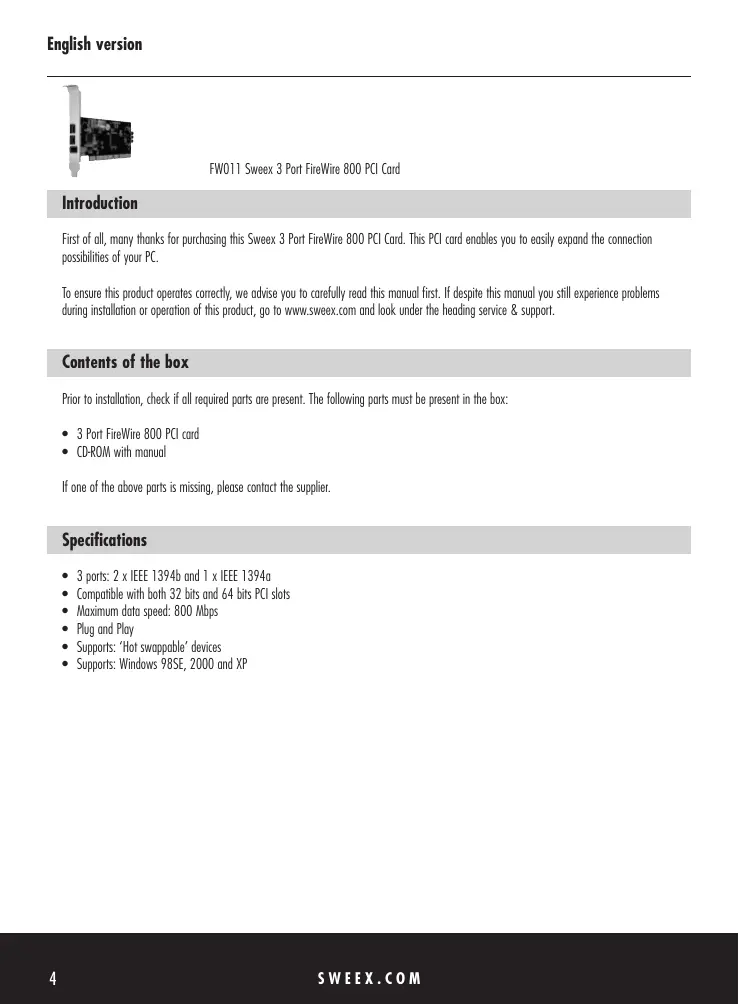

| Type de produit | Carte d'extension FireWire 800 |
| Marque | SWEEX |
| Modèle | FW011 |
| Nombre de ports | 3 (2x IEEE 1394b, 1x IEEE 1394a) |
| Type de bus | PCI (32 bits et 64 bits) |
| Débit maximal | 800 Mbps |
| Plug and Play | Oui |
| Hot Swappable | Oui |
| Systèmes d'exploitation supportés | Windows 98SE, 2000, XP |
| Alimentation | Via le bus PCI (3.3V/5V) |
| Dimensions (approx.) | 120 mm x 22 mm (carte PCI standard) |
| Poids (approx.) | 50 g |
| Contenu du carton | Carte FireWire 800, CD-ROM avec manuel |
| Fonctions principales | Ajout de ports FireWare haute vitesse pour périphériques externes |
| Entretien | Nettoyer avec un chiffon sec et non abrasif |
| Précautions de sécurité | Décharger l'électricité statique avant manipulation ; installer dans un emplacement PCI libre |
| Pièces détachées | Aucune pièce détachable ; aucune réparation par l'utilisateur |
| Garantie | 3 ans (selon Sweex) |
| Informations générales | Carte d'extension conçue pour PC de bureau |
FOIRE AUX QUESTIONS - FW011 SWEEX
Questions des utilisateurs sur FW011 SWEEX
0 question sur cet appareil. Repondez a celles que vous connaissez ou posez la votre.
Poser une nouvelle question sur cet appareil
Téléchargez la notice de votre Carte d'extension informatique au format PDF gratuitement ! Retrouvez votre notice FW011 - SWEEX et reprennez votre appareil électronique en main. Sur cette page sont publiés tous les documents nécessaires à l'utilisation de votre appareil FW011 de la marque SWEEX.
MODE D'EMPLOI FW011 SWEEX
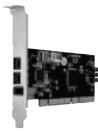
FW011 Sweex 3 Port FireWire 800 PCI Card
Introduction
First of all, many thanks for purchasing this Sweeex 3 Port FireWire 800 PCI Card. This PCI card enables you to easily expand the connection possibilities of your PC.
To ensure this product operates correctly, we advise you to carefully read this manual first. If despite this manual you still experience problems during installation or operation of this product, go to www.sweex.com and look under the heading service & support.
Contents of the box
Prior to installation, check if all required parts are present. The following parts must be present in the box:
- 3 Port FireWire 800 PCI card
- CD-ROM with manual
If one of the above parts is missing, please contact the supplier.
Specifications
- 3 ports: 2 × IEEE 1394b and 1 × IEEE 1394g
- Compatible with both 32 bits and 64 bits PCI slots
Maximum data speed: 800 Mbps - Plug and Play
Supports: 'Hot swappable' devices
Supports:Windows 98SE,2000 and XP
Installation Windows 98SE
The installation of the 3-port FireWire 800 PCI card is very straightforward, once inserted the PCI card is detected automatically. The following screen appears:
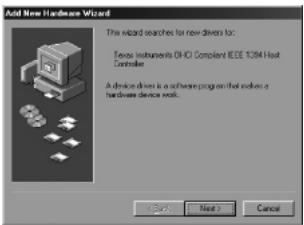
Now click "next".
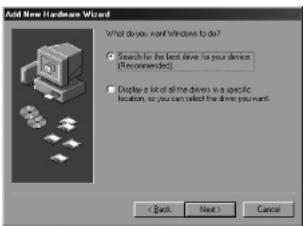
Here select the option "Search for the best driver for your device". Then click "Next".
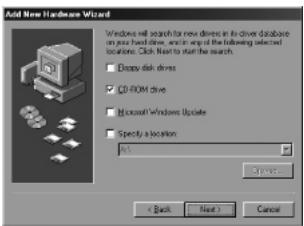
Now Insert the Windows 98SE CD-ROM in the CD-ROM player. Click the option "CD-ROM drive" and then click "Next".
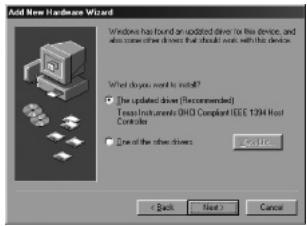
Now select the first option "The updated driver" and then click "Next".
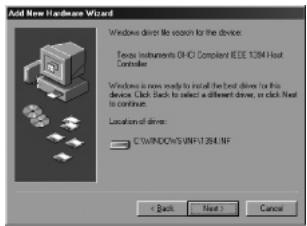
Finally click "Next" and then "Finish".
Installation Windows 2000/XP
No drivers are required for installation under Windows 2000 and Windows XP, because they are all incorporated in the operating system and the 3-port FireWire 800 PCI card will be installed automatically.
Warranty
All products under the Sweex brand are warranted for a period of three years. We do not grant support or warranties for any software and/or (rechargeable) batteries included. Warranty claims are settled only via the dealer where the product concerned was purchased.
The rightful owner has and retains title to all brand names and related rights mentioned in this manual.