
FW011 - Expansion card SWEEX - Free user manual and instructions
Find the device manual for free FW011 SWEEX in PDF.


User questions about FW011 SWEEX
0 question about this device. Answer the ones you know or ask your own.
Ask a new question about this device
Download the instructions for your Expansion card in PDF format for free! Find your manual FW011 - SWEEX and take your electronic device back in hand. On this page are published all the documents necessary for the use of your device. FW011 by SWEEX.
USER MANUAL FW011 SWEEX
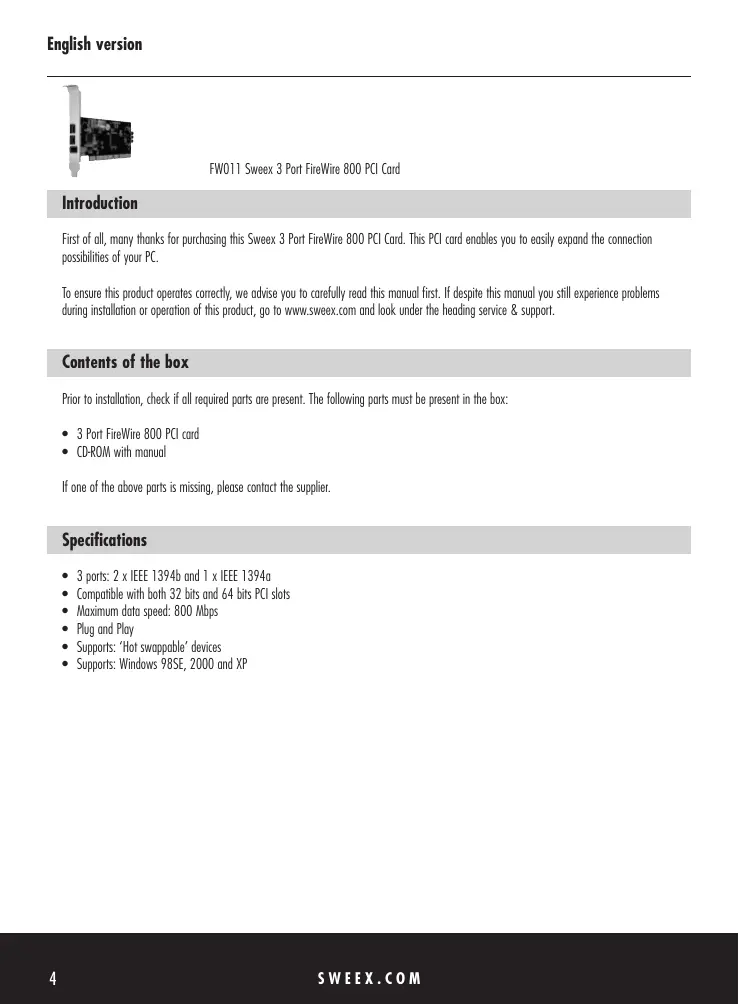
FW011 Sweex 3 Port FireWire 800 PCI Card
Introduction
First of all, many thanks for purchasing this Sweeex 3 Port FireWire 800 PCI Card. This PCI card enables you to easily expand the connection possibilities of your PC.
To ensure this product operates correctly, we advise you to carefully read this manual first. If despite this manual you still experience problems during installation or operation of this product, go to www.sweex.com and look under the heading service & support.
Contents of the box
Prior to installation, check if all required parts are present. The following parts must be present in the box:
- 3 Port FireWire 800 PCI card
- CD-ROM with manual
If one of the above parts is missing, please contact the supplier.
Specifications
- 3 ports: 2 × IEEE 1394b and 1 × IEEE 1394g
- Compatible with both 32 bits and 64 bits PCI slots
Maximum data speed: 800 Mbps - Plug and Play
Supports: 'Hot swappable' devices
Supports:Windows 98SE,2000 and XP
Installation Windows 98SE
The installation of the 3-port FireWire 800 PCI card is very straightforward, once inserted the PCI card is detected automatically. The following screen appears:
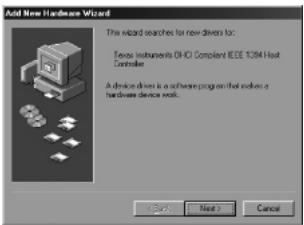
Now click "next".
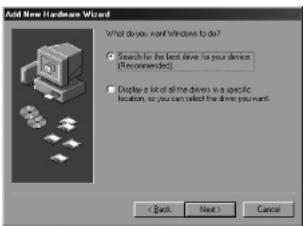
Here select the option "Search for the best driver for your device". Then click "Next".
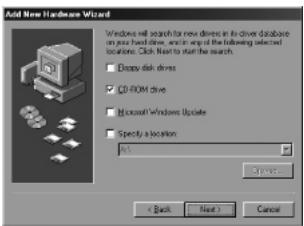
Now Insert the Windows 98SE CD-ROM in the CD-ROM player. Click the option "CD-ROM drive" and then click "Next".
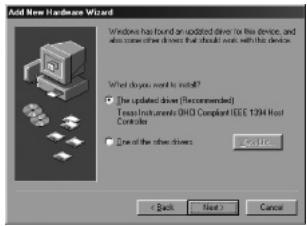
Now select the first option "The updated driver" and then click "Next".
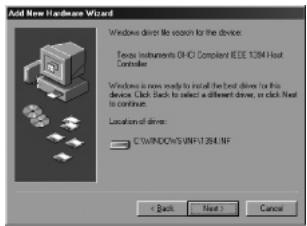
Finally click "Next" and then "Finish".
Installation Windows 2000/XP
No drivers are required for installation under Windows 2000 and Windows XP, because they are all incorporated in the operating system and the 3-port FireWire 800 PCI card will be installed automatically.
Warranty
All products under the Sweex brand are warranted for a period of three years. We do not grant support or warranties for any software and/or (rechargeable) batteries included. Warranty claims are settled only via the dealer where the product concerned was purchased.
The rightful owner has and retains title to all brand names and related rights mentioned in this manual.