
DWL-3200AP, DWL-3260AP - Point d'accès sans fil D-LINK - Notice d'utilisation et mode d'emploi gratuit
Retrouvez gratuitement la notice de l'appareil DWL-3200AP, DWL-3260AP D-LINK au format PDF.

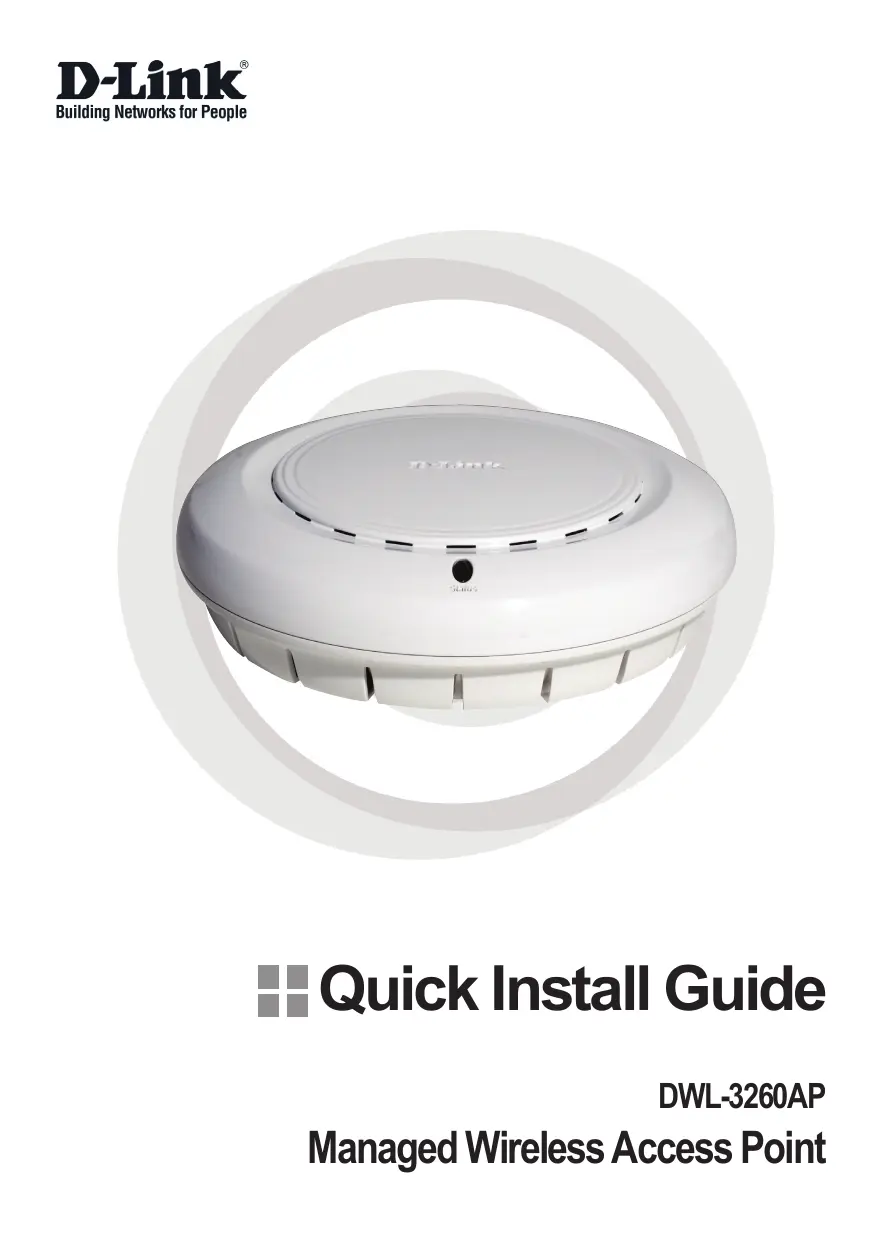


| Type de produit | Point d'accès sans fil (AP) géré |
| Modèles | DWL-3200AP, DWL-3260AP |
| Marque | D-Link |
| Catégorie | Point d'accès sans fil |
| Dimensions approximatives | 190 x 140 x 35 mm |
| Poids approximatif | 300 g |
| Alimentation | PoE IEEE 802.3af (Alternative A) ou adaptateur secteur DC 48 V, 0,4 A |
| Consommation électrique | ~5 W (max) |
| Norme sans fil | IEEE 802.11g, compatible 802.11b |
| Fréquence | 2,4 GHz |
| Débit maximal | Jusqu'à 54 Mbit/s |
| Antenne | Antenne interne intégrée, possibilité d'antenne externe (commutateur Ext.) |
| Interfaces réseau | 1 port Ethernet 10/100 Base-TX (RJ-45) avec PoE |
| Fonctionnalités de gestion | Gestion via interface Web, SNMP, mise à jour du firmware |
| Sécurité | WEP 64/128 bits, WPA, WPA2, filtrage MAC, 802.1X |
| Montage | Sur mur ou plafond (kit de montage fourni), boîte de jonction |
| Environnement d'installation | Intérieur uniquement |
| Température de fonctionnement | 0 °C à 40 °C |
| Humidité de fonctionnement | 10% à 90% sans condensation |
| Systèmes d'exploitation supportés | Windows, Macintosh, Linux |
| Navigateurs supportés | Internet Explorer 6.0+, Netscape Navigator 7.0+ |
| Contenu de l'emballage | Point d'accès, base PoE, adaptateur secteur DC 48V, câble Ethernet, kit de montage, CD manuel/garantie, guide d'installation rapide |
| Entretien et nettoyage | Débrancher avant nettoyage ; utiliser un chiffon doux et sec ; éviter les solvants |
| Pièces détachées et réparabilité | Aucune pièce réparable par l'utilisateur ; contacter le support technique D-Link |
FOIRE AUX QUESTIONS - DWL-3200AP, DWL-3260AP D-LINK
Questions des utilisateurs sur DWL-3200AP, DWL-3260AP D-LINK
0 question sur cet appareil. Repondez a celles que vous connaissez ou posez la votre.
Poser une nouvelle question sur cet appareil
Téléchargez la notice de votre Point d'accès sans fil au format PDF gratuitement ! Retrouvez votre notice DWL-3200AP, DWL-3260AP - D-LINK et reprennez votre appareil électronique en main. Sur cette page sont publiés tous les documents nécessaires à l'utilisation de votre appareil DWL-3200AP, DWL-3260AP de la marque D-LINK.
MODE D'EMPLOI DWL-3200AP, DWL-3260AP D-LINK
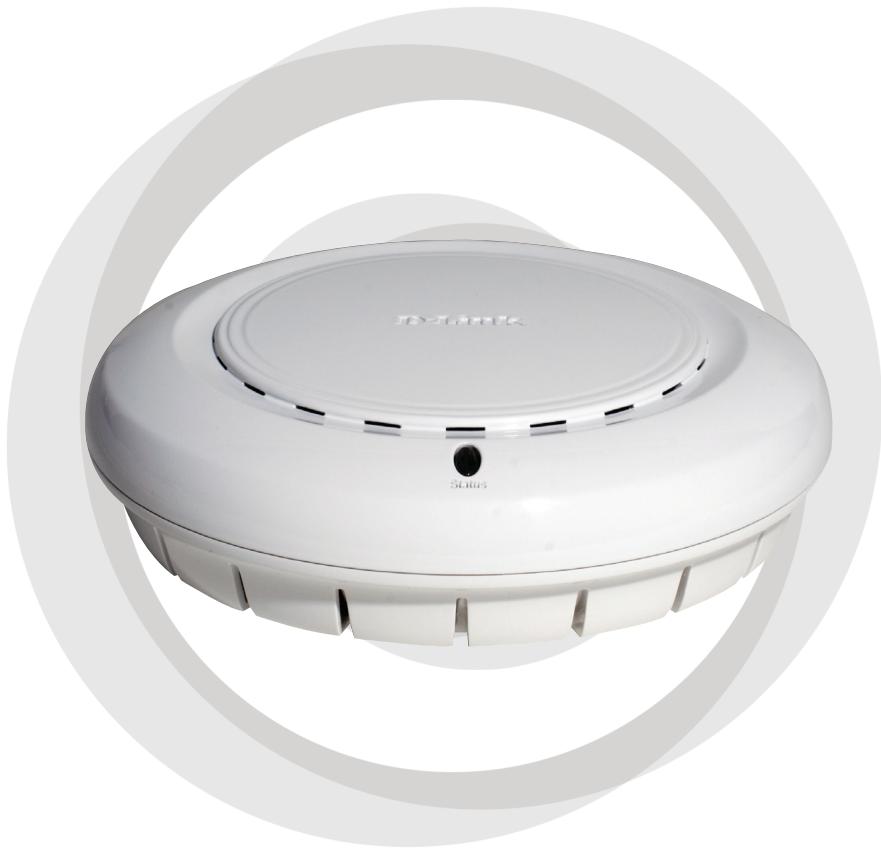
Quick Install Guide
DWL-3260AP
Managed Wireless Access Point
System Requirements:
Minimum System Requirements:
- CD-ROM Drive
- Computers with Windows, Macintosh, or Linux-based operating systems
- Installed Ethernet Adapter Internet Explorer version 6.0 or Netscape Navigator version 7.0 and above.
Package Contents
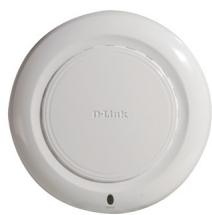
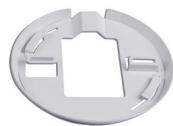

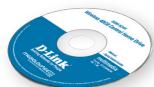
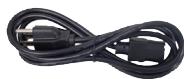
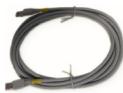
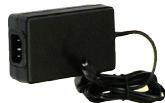
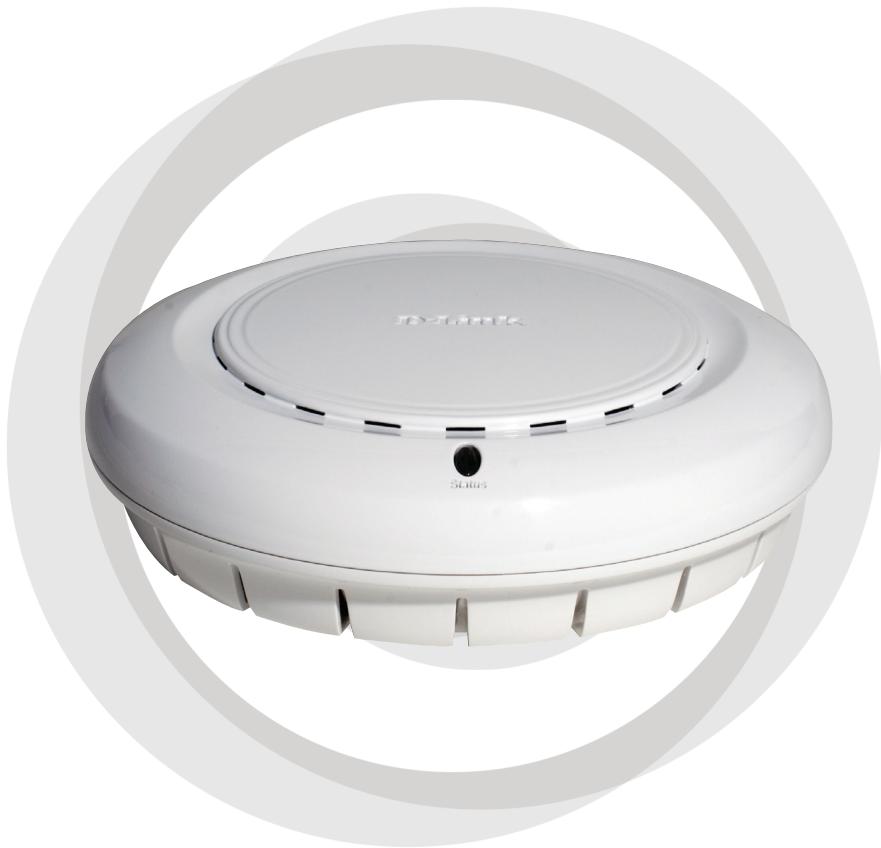
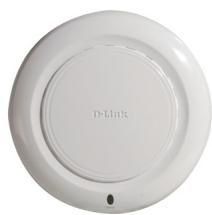
D-Link AirPremier™ DWL-3260AP Managed Wireless Access Point
Power over Ethernet base unit
Power Adapter-DC 48V, 0.4A
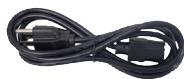
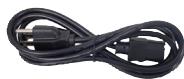
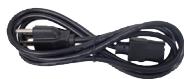
Power Cord
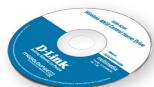
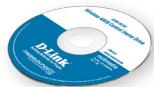
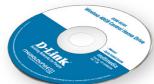
Manual and Warranty on CD
Quick Installation Guide
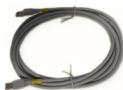
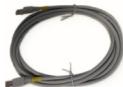
Ethernet Cable
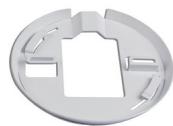
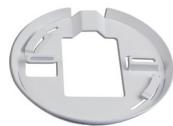
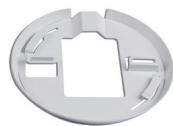
Mounting Plate
Note: Using a power supply with a different voltage than the one included with the DWL-3260AP will cause damage and void the warranty for this product.
If any of the above items are missing, please contact your reseller.
Installing the Hardware
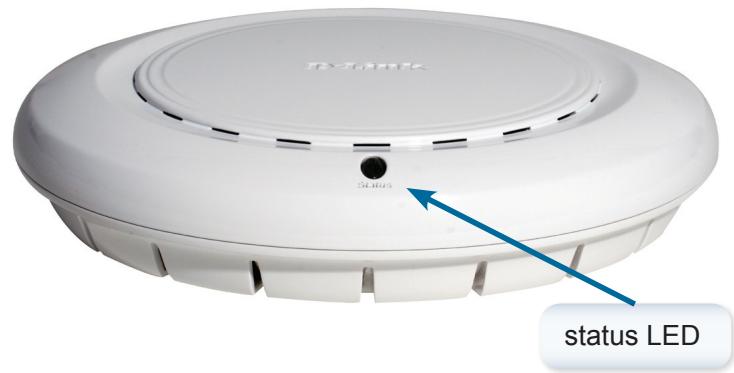
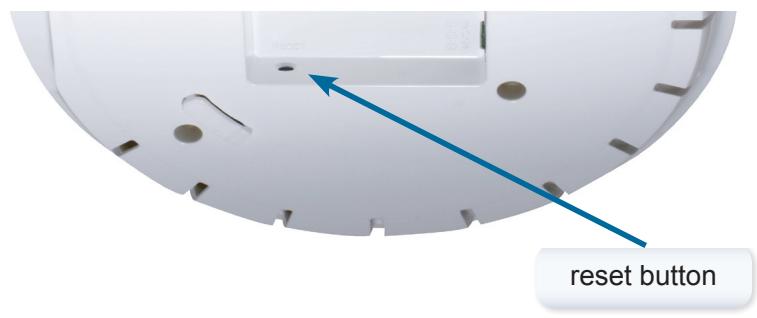
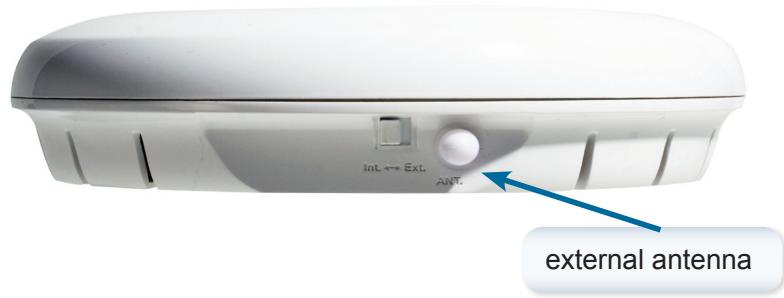
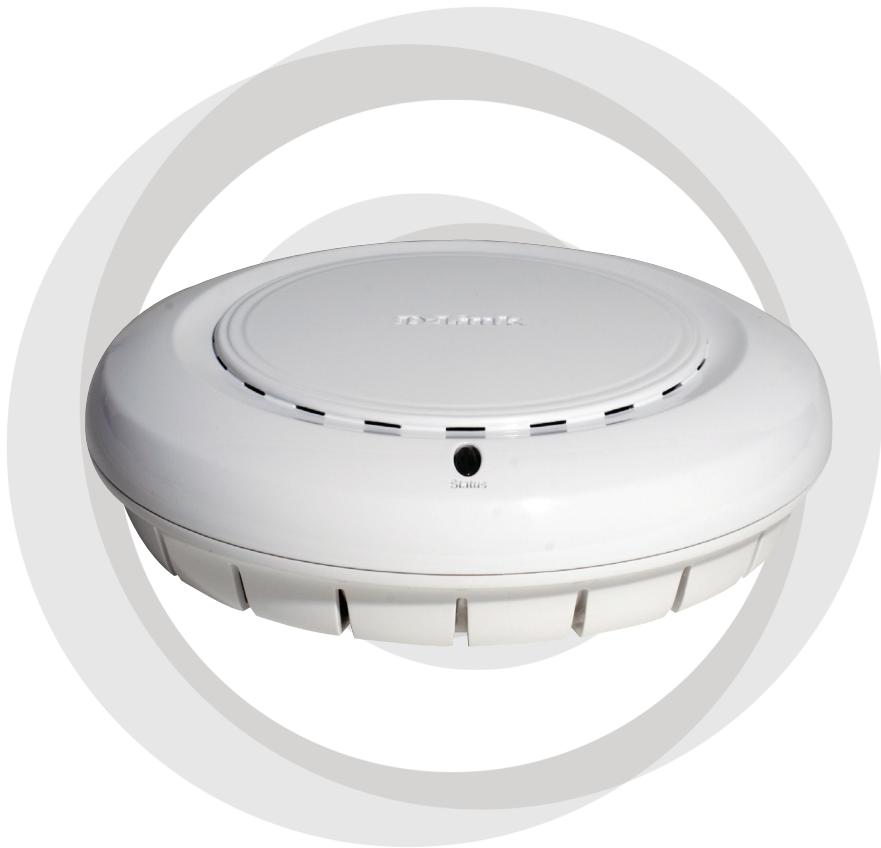
Notice: DWL-3260AP has embedded antenna inside, if you need to use external antenna, please turn the switch button to Ext. and attach the antenna.
Connecting the Ethernet and Power Cables
The access point receives power through the Ethernet cable or an external power adapter. And also, this product intended only for installation in Environment A as defined in IEEE 802.3af, Power over Ethernet (PoE).
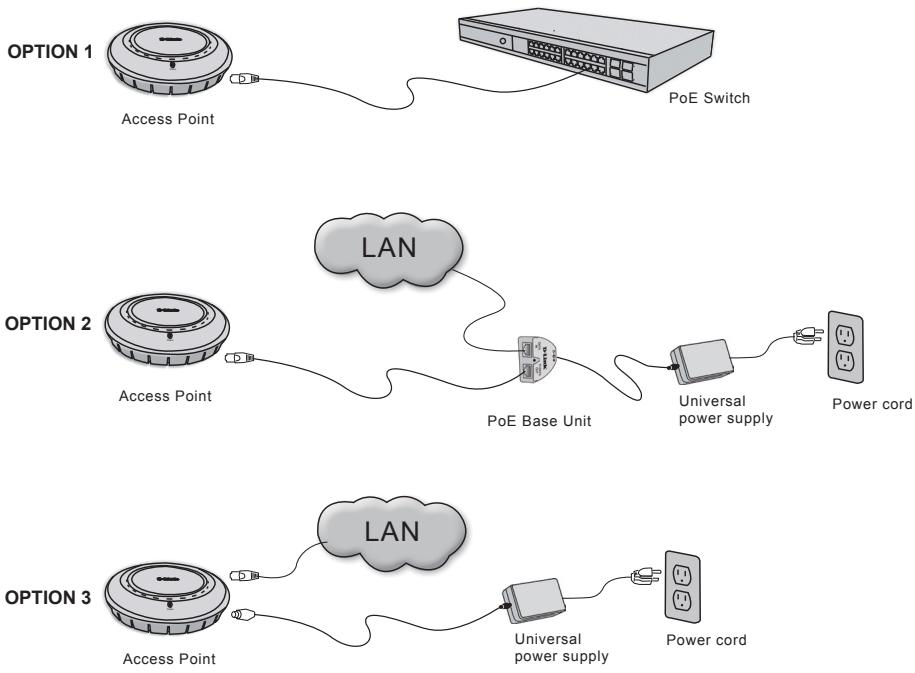
The access point power options:
Option 1: Connect with a D-Link wireless switch or other 802.3af PoE compliant switch.
Option 2: Use the PoE Base Unit to connect to a switch that lacks PoE capabilities.
Option 3: Connect to available power using the included power adapter.
Note: This product and all interconnected equipment must be installed indoors, including all associated LAN connections.
Physical Installation for Your Access Point:(optional)
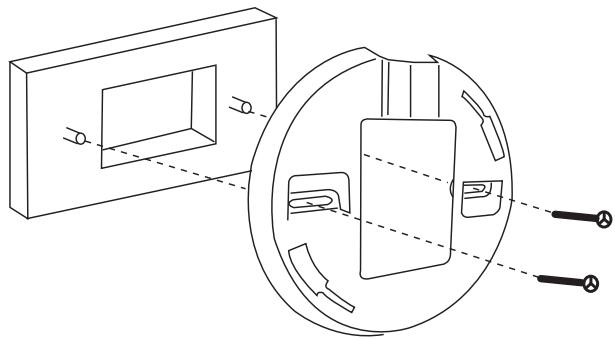
Junction Box Installation:
- Attach the bracket to the junction box.
2.attach the DWL-3260AP to the mounting bracket.
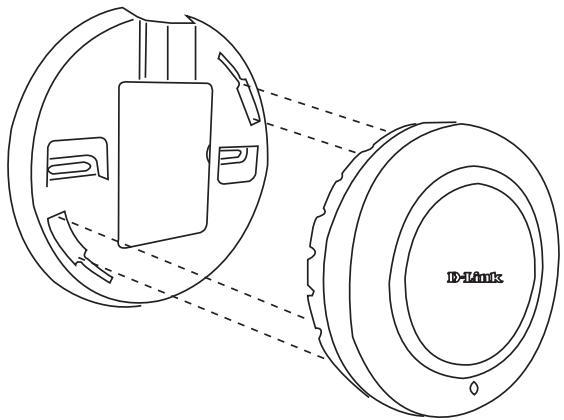
Solid Wall or Ceiling Installation:
- Mount the bracket on the appropriate position on the wall or Ceiling.
- Mount the AP to the bracket on the wall or ceiling.
Technical Support
You can find software updates and user documentation on the D-Link website.
Tech Support for customers within Australia:
D-Link Technical Support over the Telephone:
1300-766-868
Monday to Friday 8:00am to 8:00pm EST
Saturday 9:00am to 1:00pm EST
D-Link Technical Support over the Internet:
http://www.dlink.com.au
email:support@dlink.com.au
Tech Support for customers within New Zealand:
D-Link Technical Support over the Telephone:
0800-900-900
Monday to Friday 8:30am to 8:30pm
Saturday 9:00am to 5:00pm
D-Link Technical Support over the Internet:
http://www.dlink.co.nz
email:support@dlink.co.nz
Technical Support
You can find software updates and user documentation on the
D-Link website.
Tech Support for customers within South Eastern Asia and Korea:
D-Link South Eastern Asia and Korea Technical Support over the Telephone:
+65-6895-5355
Monday to Friday 9:00am to 12:30pm, 2:00pm-6:00pm
Singapore Time
D-Link Technical Support over the Internet:
email:support@dlink.com.sg
Technical Support
You can find software updates and user documentation on the D-Link website.
Tech Support for customers within India
D-Link Technical Support over the Telephone:
+91-22-26526741
+91-22-26526696 -ext 161 to 167
Monday to Friday 9:30am to 7:00pm
D-Link Technical Support over the Internet:
http://www.dlink.co.in
http://www.dlink.co.in/dlink/drivers/support.asp
ftp://support.dlink.co.in
email: techsupport@dlink.co.in
Technical Support
You can find software updates and user documentation on the D-Link website.
D-Link provides free technical support for customers for the duration of the warranty period on this product.
Customers can contact D-Link technical support through our web site or by phone.
Tech Support for customers within the Russia
D-Link Technical Support over the Telephone:
(495) 744-00-99
Monday to Friday 10:00am to 6:30pm
D-Link Technical Support over the Internet:
http://www.dlink.ru
email: support@dlink.ru
Technical Support
You can find software updates and user documentation on the D-Link website.
Tech Support for customers within the U.A.E & North Africa:
D-Link Technical Support over the Telephone:
(971) 4-391-6480 (U.A.E)
Sunday to Wednesday 9:00am to 6:00pm GMT+4
Thursday 9:00am to 1:00pm GMT+4
D-Link Middle East & North Africa
D-Link Technical Support over the Internet:
http://support.dlink-me.com
email:support@dlink-me.com
Tech Support for customers within Israel:
D-Link Technical Support over the Telephone:
(972) 9-9715701
Sunday to Thursday 9:00am to 5:00pm
D-Link Technical Support over the Internet:
http://www.dlink.co.il/support/
e-mail: support@dlink.co.il
Tech Support for customers within Turkey:
D-Link Technical Support over the Telephone:
00903124734055
Monday to Friday 9:00am to 6:00pm
D-Link Technical Support over the Internet:
http://www.dlink.com.tr
e-mail: turkiye@dlink-me.com
Tech Support for customers within Egypt:
D-Link Technical Support over the Telephone:
+202-2919035, +202-2919047
Sunday to Thursday 9:00am to 5:00pm
D-Link Technical Support over the Internet:
http://support.dlink-me.com
e-mail: amostafa@dlink-me.com
Technical Support
You can find software updates and user documentation on the D-Link website.
Tech Support for customers within South Africa and Sub Sahara Region:
D-Link South Africa and Sub Sahara Technical Support over the Telephone:
+27-12-665-2165
08600 DLINK ( For South Africa only )
Monday to Friday 8:30am to 9:00pm South Africa Time
D-Link Technical Support over the Internet:
http://www.d-link.co.za
email:support@d-link.co.za
Technical Support
You can find software updates and user documentation on the D-Link website.
Tech Support for Latin America customers:
D-Link Technical Support over the followings Telephones:
Argentina: 0-800 122 35 465
Chile: 800-835465
Colombia: 01-800 952 54 65
Ecuador: 1800-035465
El Salvador: 800-6137
Guatemala:1800-300 0017
Panama: 00-800 052 54 65
Peru:0800-00968
Venezuela: 0-800-100 5767
Monday to Friday 09:00am to 22:00pm
Monday to Friday 08:00am to 21:00pm
Monday to Friday 07:00am to 20:00pm
Monday to Friday 07:00am to 20:00pm
Monday to Friday 06:00am to 19:00pm
Monday to Friday 06:00am to 19:00pm
Monday to Friday 07:00am to 20:00pm
Monday to Friday 07:00am to 20:00pm
Monday to Friday 08:00am to 21:00pm
D-Link Technical Support over the Internet:
www.dlinkla.com
www.dlinklatinamerica.com
email:support@dlink.cl
Tech Support for customers within Brazil:
D-Link Technical Support over the Telephone:
0800 70 24 104
Monday to Friday 8:30am to 18:30pm
D-Link Technical Support over the Internet:
www.dlinkbrasil.com.br
email: suporte@dlinkbrasil.com.br

PykoBODCTBO NO 6bICTpoYcTaHOBKe
DWL-3260AP
YnpabJIeMa 6ecnpoBODHa TocKa DoCTyna
Системные Тpeбоваян:
MHHMaJIbHbIe CnCTeMHbIe Tpe6oBaHnIa:
- Ппвов CD-ROM
- Komlbótepbí c onepaúnoHHbIMn cncTeMaMn Windows, Macintosh nn Linux
- UctaHOBJIeHHbI Ethernet-aanTp eN Internet Explorer Bercn 6.0 nIn Netscape Navigator Bercn 7.0 nIn Bbiwe
KoMnJIeKT NOcTaBKn


Unpabnemay becnpoBnna Tocka doctyna D-Link AirPremier™ DWL-3260AP
Ba30Boe yctpoiCTBO PoE
AdaTep nItaHn - 48B noctoHHoro Toka, 0.4A
山hyp nntaHnA
PykoBoIcTBO noJIb3ObaTeJn rapaHTnHa KOMNaKT-DnCKe
PykoBoDCTBO IO 6bIcTpOy yCTaHOBKe
Kabeb Ethernet
Montaxhna nlaTa
Примочанe: Истовскa ппаняс C дугимхараКериКамМожет ппвесс К NOВржденю DWL-3260APи aHHулpoBaHIO rapaHTиНьIXобязателбтВ.
Ecn kakoi-Jin6o 3 yka3aHbIX npedmetOB oTCyTCTByeT, noKanyIcTa, oBpaTneTecb K nocTabuNky.
yctahOBka yctpoiCTBa
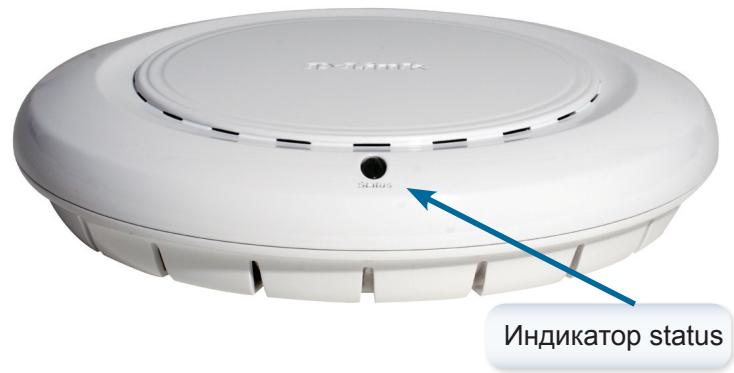
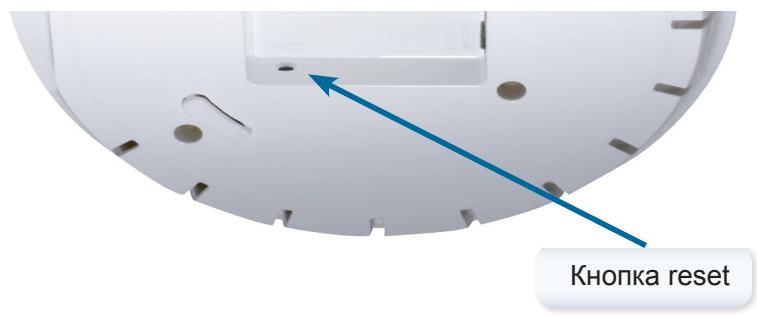
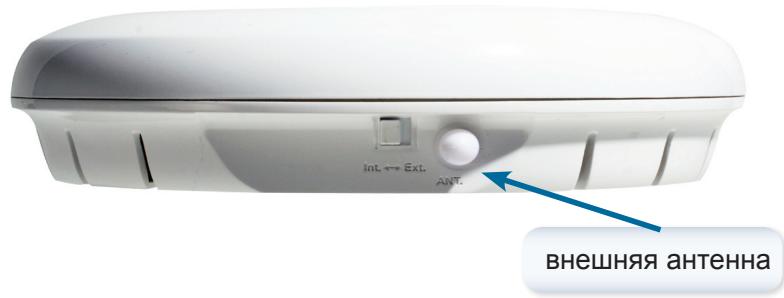
3aMeaHne: DWL-3260AP Imeet BCTpoEHHy aHTeHHy, Ho ecJn Heo6xOIMO mCpOJIb3OBaTb BHeuHIO aHTeHHy, POJaNyIcTa nepeKJIouHte KHOJKy B pIoJoxHne Ext. n PoDKIouHte aHTeHHy.
Поклоченье кабеля петашии Ethernet-kабеля Cables
Tocka doctya noluyaert nitaHne uepe3 kaebb Ethernet nIIN BheuHn aadanTep nItaHn. 3TO yCTpoiCTBO npedHa3naeHo dIy NOdklOueHnra ToIbko B COOTBeTCTBnC MeToDom Alternative A, kak onpeJeHcO cTaHdapTom IEEE 802.3af, Power over Ethernet (PoE).
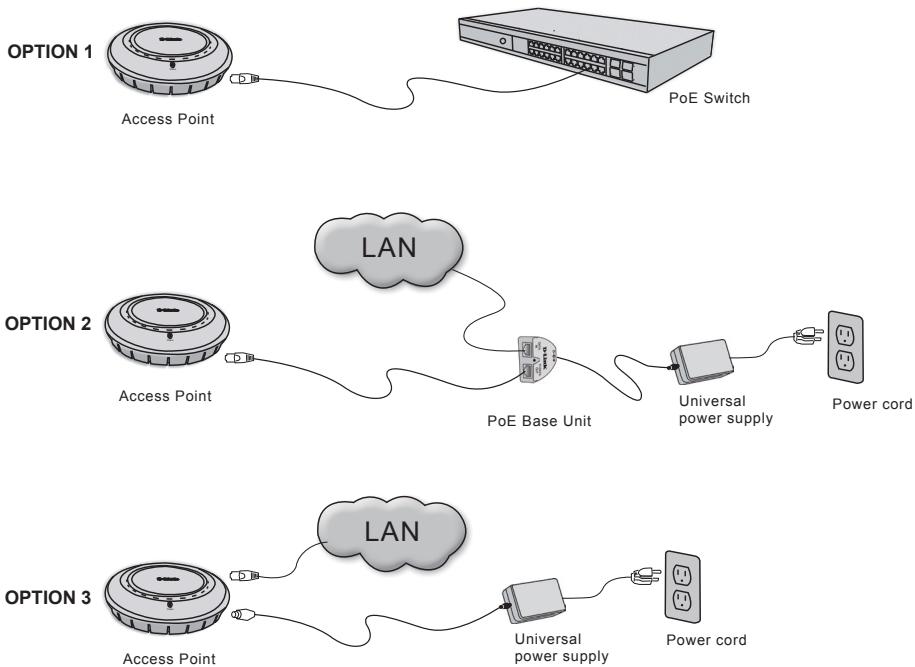
BapnaTbI NOdKJIoueHnI PNTaHnI TOUKn IocTyNa:
Bapnant 1: Пожклоченke К бспpoвodHomу кOMMyTaTopy D-Link Ии Кдруromу кOMmyTaTopy, COBmectHmomy c 802.3af PoE.
BapnT 2:Подключенke K KommyTaTOpy, He ПоддержиВаюшeMy cTaHДapT PoE, пrinomоши 6a3oBOrO yCtpoiCTBa PoE.
BapnAHT 3:ПОДКЛЮЧЕне К ЗЛЕКТРИСЕСКО рОЗТKE C nOMOШь O aДANTEpa ПИТаHЯ(BXODNT B KOMNJIeKT NOCTaBKN).
3ameuHne: 3TOT npOdyKT n BCE obOpuyOBaHne DOJXHbI 6bITb yCTaHOBJIeHbI BHYTPn NOMEueHnR, BKJIIOUyAra BCE CeTeBbI CoeINHeHnR.
Физунець установка доctуна: (дополнын) Option) Point:(optional)
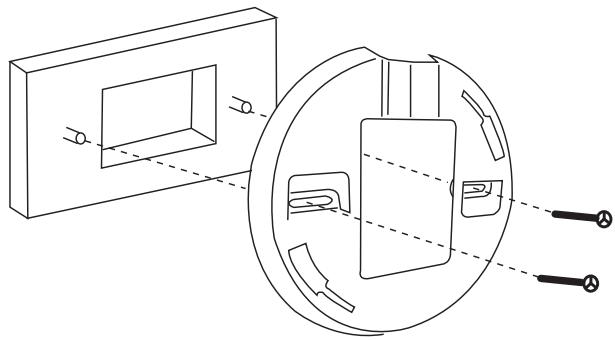
YcTaHOBka CoeINHInTeJbHoN KOPO6Kn:
1.PnKpEnIte cKoEaHInTeIbHO KoP6Ke.
2.PnKpeNte DWL-3260AP K MoNTaKHOI pIaTe.
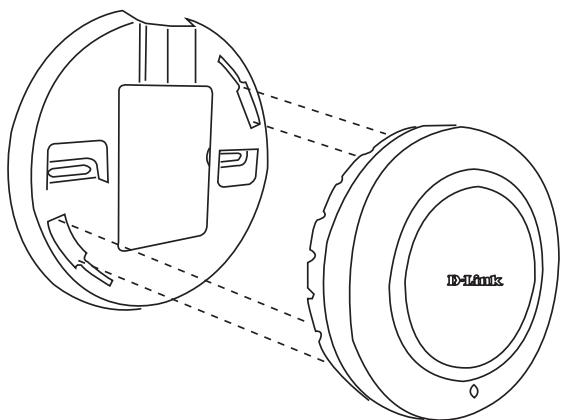
YcTaHOBKa TOnKn DoCTyna Ha cTeHy nIi NOTOJOK:
- 3aKpeHnTe cKobI B IOxOJaIeM MeCTe Ha CTeHe IJI NTOJlKe.
- 3akpennte TOky doCTyna cKo6aamn K CTHe nJInnoTOJkY.
Texhnuécka noDdepckka
OboBHeHnI npOrpaMMHoro oBeCneueHnI n DokyMeHTaun IocTyHbI Ha IVHTepHET-caTe D-Link.
D-Link npedoctabnayet 6ecnnaTHnyo noidepKky dlya KIneHTOB B TeueHne rapaHTnHoro cpoKa.
KJIneHTbI MOryT O6paTntbC8 B rpyPny TeXnueeCKoI NOdEprKkD-Link no Tepeohy nIIu Chepe3 INTepeHET.
Texnuecka noDepkka D-Link:
(495) 744-00-99
TexHnuecka noDpeKka UHTepHeT
http://www.dlink.ru
email: support@dlink.ru
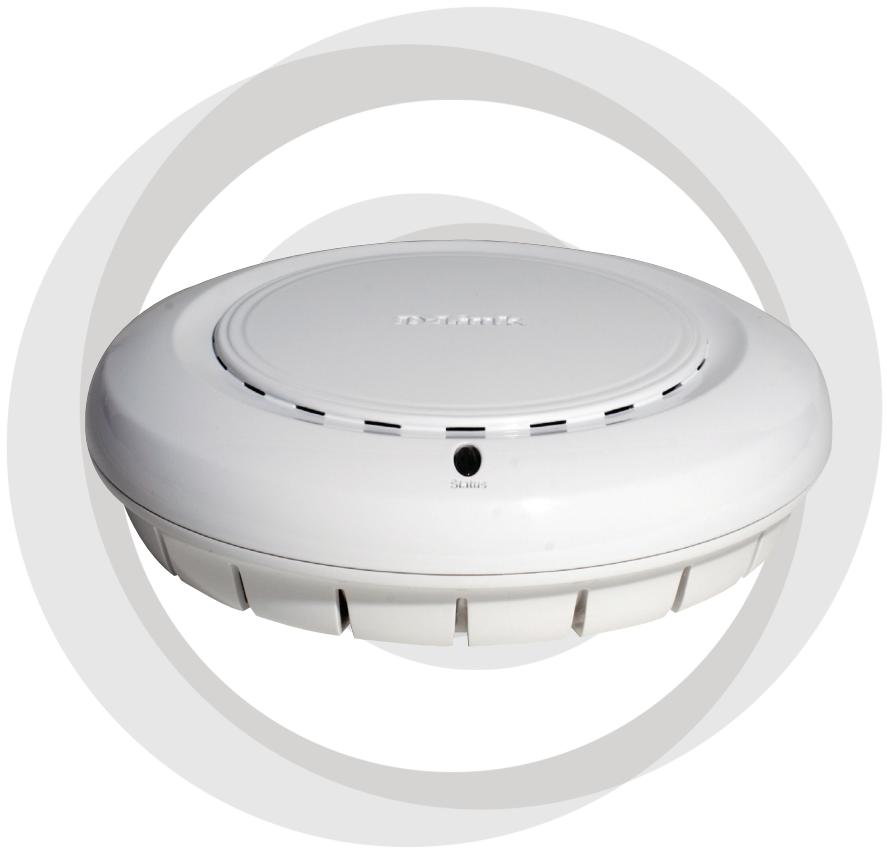
Guía de instalación
DWL-3260AP
Punto de acceso inalámbrico gestionable
Requisitos del sistema:
Requisitos-minimos delsystema:
- Unidad de CD-ROM.
- Ordenadores con sistemas operativos Windows, Macintosh o basados en Linux.
- Adaptador Ethernet instalado Internet Explorer version 6.0 o Netscape Navigator version 7.0 y superiores.
Containido del paquete
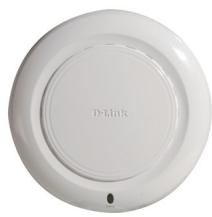

Punto de acceso inalámbrico gestionable D-Link AirPremier™ DWL-3260AP
Unidad base Power over Ethernet.
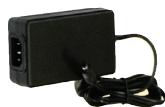
Adaptador de alimentación DC 48 V, 0,4 A
Cable de alimentación
Manual y garantía en el CD-ROM.
Guía de instalación<rápida.
Cable Ethernet.
Placa de montaje
Note: El uso de una fuente de alimentación condistincto voltaje a la incluida con el DWL-3260APuede serperjudicial yanular la garantíade este producto.
Si falta algo n de这些东西 componentes, contacte con su proveedor.
Instalación del hardware
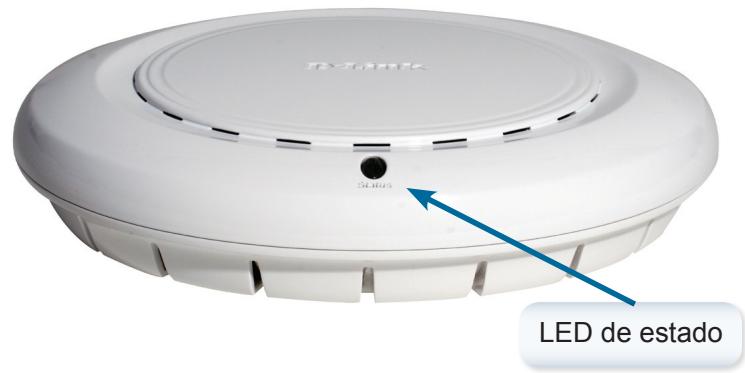
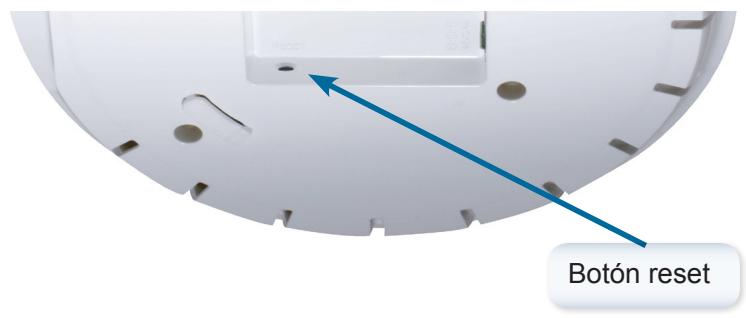
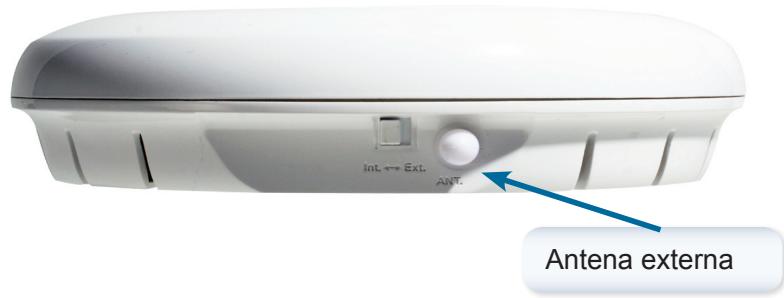
Aviso: DWL-3260AP dispone de una antenna integrada; si necesita usar una antenna externa,onga el botón en Ext. y conecte la antenna.
Conexión de los cables de alimentación y Ethernet
El punto de acceso recibe la alimentacion a工程技术 del cable Ethernet o de un adaptador de alimentacion externo. Además, este producto está pensado sólo para instalarlo en enternos A, como define IEEE 802.3af, Power over Ethernet (PoE).
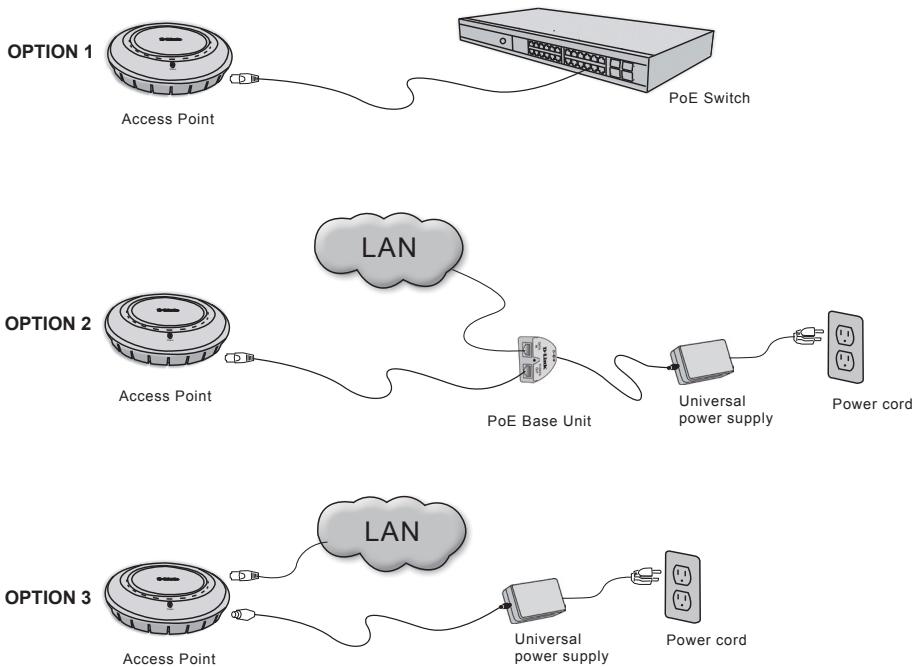
Oportunidades de alimentacion del punto de acceso:
Oportun 1: Conectarlo a un conmutador inalámbrico D-Link u otro conmutador acorde con 802.3af PoE.
Oportun 2: Usar launidad base PoE para conectarlo a un conmutador que carezca de你能 capacitacion PoE.
Opinion 3: Conectarlo a una toma electrica por medio del adaptordo de alimentacion incluido con el producto.
Note: Este producto y todos los equipos interconectados han de instalarse en interiores, incluidas todas las conexiones LAN asociadas.
InstalaciónFsica del punto de acceso: (optional)
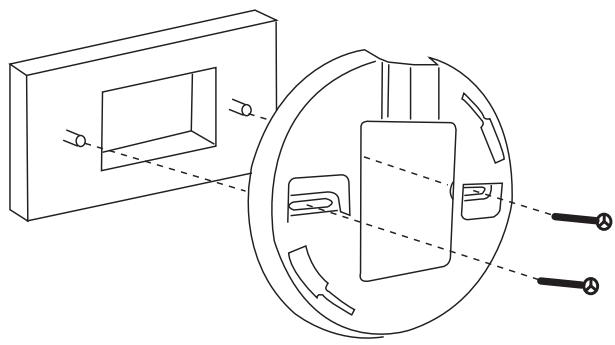
Instalación en caja de conexiones:
1.Fije el ángulo a la caja de conexiones.
2.Fije el DWL-3260AP al angulo de montaje.
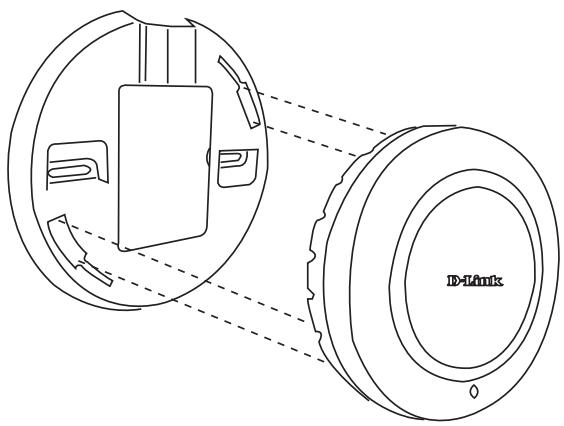
Instalación en paredo techo:
1.Monte el ángulo en la posición adecuada sobre la pared o el techo.
2.Fije el punto de acceso al ángulo de montaje de la pared o del techo.
Asistencia Técnica
D-Link Latin América pone a disposicion de sus clientes, specifications, documentation y software mas reciente atramés de是我国 Sitio Web www.dlinkla.com
El servicios de soporte技术和icosiene presencia en numerousos paiges de la
Region Latino América, y presta asistencia gratuite a todos los clientes de
D-Link, en forma Telefonica e internet, a trovés de la casilla
soporte@dlinkla.com
Soporte Tecnico Help Desk Argentina:
Telfono: 0-800 122 35 465 Lunes a Viernes 09:00 am a 22:00 pm
Soporte Técnico Help Desk Chile:
Teléfono: 800 8 35465 Lunes a Viernes 08:00 am a 21:00 pm
Soporte Técnico Help Desk Colombia:
Telfono: 01-800 952 54 65 Lunes a Viernes 07:00 am a 20:00 pm
Soporte Técnico Help Desk Ecuador:
Teléfono: 1800-035465 Lunes a Viernes 07:00 am a 20:00 pm
Soporte Técnico Help Desk El Salvador:
Telfono: 800-6137 Lunes a Viernes 06:00 am a 19:00 pm
Sopporté Técnico Help Desk Guatemala:
Teléfono: 1800-300 0017 Lunes a Viernes 06:00 am a 19:00 pm
Soporte Técnico Help Desk Panamá:
Telfono: 00-800 052 54 65 Lunes a Viernes 07:00 am a 20:00 pm
Soporte Técnico Help Desk Perú:
Teléfono: 0800-00 968 Lunes a Viernes 07:00 am a 20:00 pm
Soporte Técnico Help Desk Venezuela:
Telfono: 0-800-100 5767 Lunes a Viernes 08:00 am a 21:00 pm
Guia de Instalação Rápida
DWL-3260AP
Access Point Wireless Gerenciável
Requisitos Minimos do Sistema
Requisitos Minimos do Sistema:
- Drive de CD-ROM
- Computador com Sistema Operacional Windows, Macintosh, ou Linux.
- Adaptador Ethernet Instalado, Internet Explorer 6.0 ou Netscape 7.0 e superior
Conteudo da Embalagem
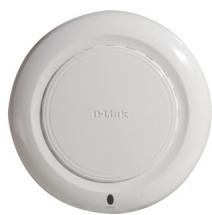

Access Point Gerenciavel D-Link AirPremier™ DWL-3260AP
Unidade Base PoE
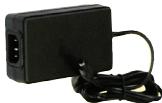
Adaptador de Energia DC 48V, 0.4A
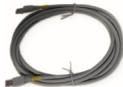
Cabo de Energia
Manual e Garantia no CD
Guia de Instalação Rápida
Cabo Ethernet
Suporte de Montagem
NNota: Usar una fonte de energia com a voltagem diferente, pode danificar o produits e violar a garantia.
ISe algoum desses itens estiver faltando, por favor entre em conta com a sua revenda.
Instalando o Hardware
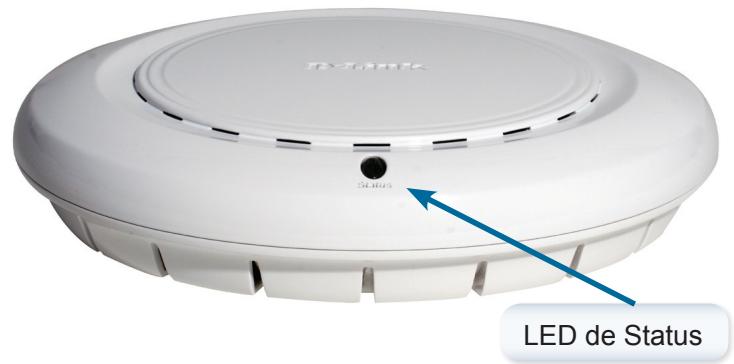
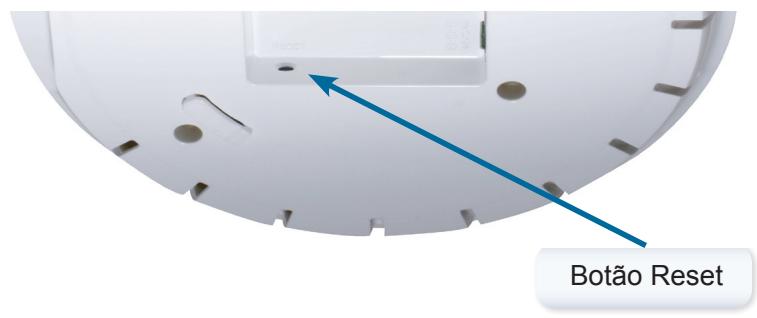
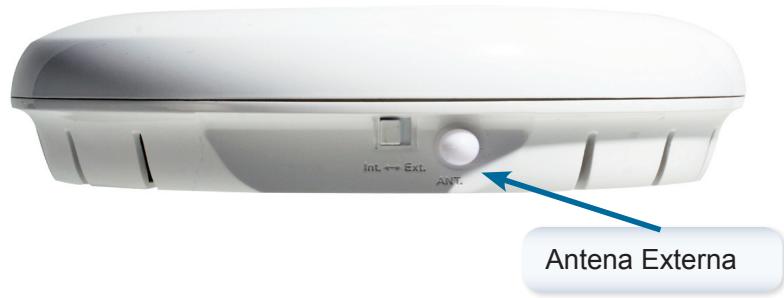
Note: O DWL-3260AP possui uma antenna interna embutida, caso soit necessario o uso de antenna externa, vire o botão Ext e connecte a antenna.
Conectando os Cabos Ethernet e de Energia
O access point receive energia atraves do cabo Ethernet ou adaptor de energia externo. Este produit también é recomendado para instalação em um ambiente A como definido no IEEE 803.3af, Power over Ethernet (PoE).
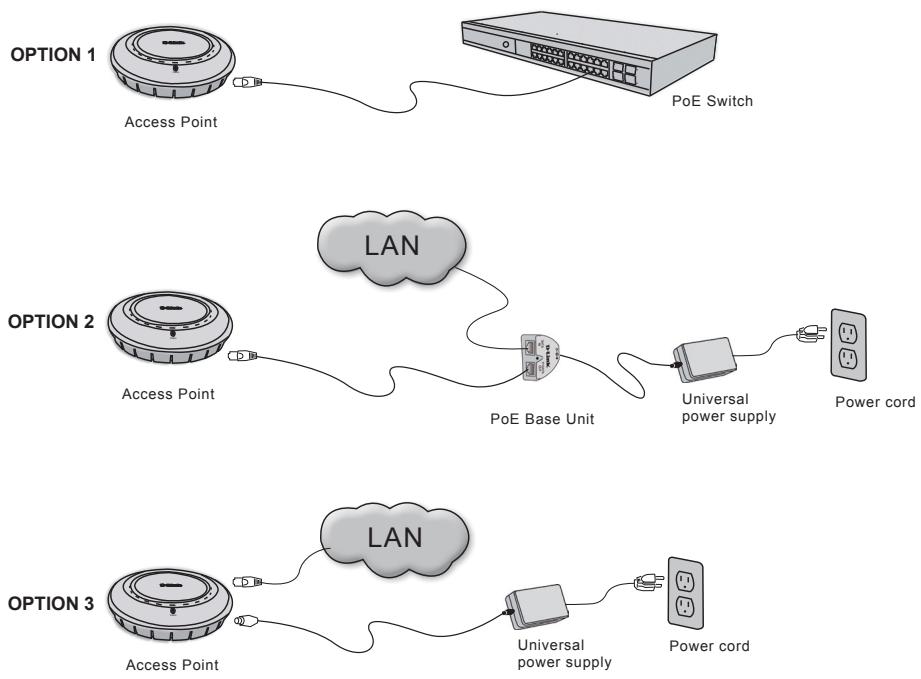
Opções de Energia do Access Point:
Opção 1: Conecte com um Wireless Switch D-Link ou除外 Switch compatível com 802.3af PoE.
Opção 2: Utilize a unidade base PoE para conectar a um Switch que não tenha compatuldade com PoE.
Opção 3: Conecte a uma tomada de energia disponível atraves da fonte de energia inclua.
Note: Este produto e todos os equipamentos de interconexão podem ser instalados em ambientes internos, incluindo todas as conexões LAN associadas.
Instalação Física para o seu Access Point (optional)
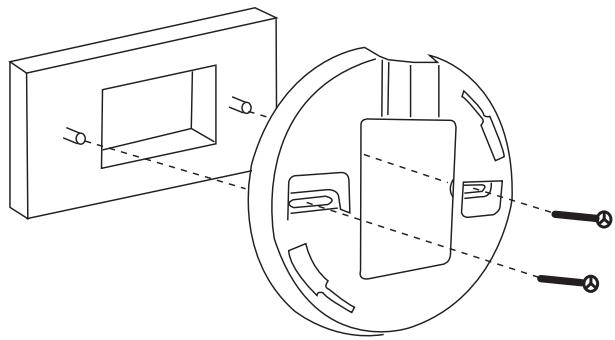
Instalação da Caixa de Junção:
- Conecte o suporte a caixa de junção
2.Conecte o DWL-3260AP ao suporte de montagem
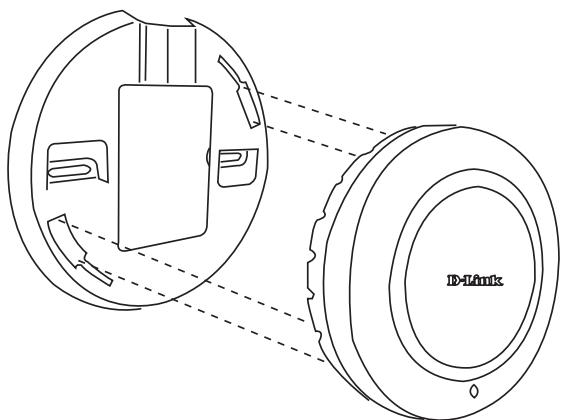
Instalacao em Parede ou Teto:
1.Coloque o suporte na posicao apropriada sobre a parede ou teto
2.Monte o AP no suporte sobre a parede ou teto.
Suporte Técnico
Você pode encontrar atualizações de software e documentoação de usuario no site da D-Link Brasil www.dlinkbrasil.com.br.
A D-Link fornece suporte的技术ico Gratis para clients no Brasil durante o periodo de vigencia da garantia deste produits.
Suporte Técnico para clients no Brasil:
Telephone
São Paulo (11) 2185-9301
Segunda à sexta
Das 8h30 às 18h30
Demais Regioes do Brasil 0800 70 24 104
E-mail:
email: suporte@dlinkbrasil.com.br
快速安装手册
DWL-3260AP
無線基地台
系統需求:
最小系統需求:
- 光碟機
- 具備Windows, Mac, 或是Linux based其中一種作業系統之電腦
- 具備乙太網路卡
- 系統具備Internet Explorer version 6.0 或 Netscape Navigator version 7.0 或更新
產品包裝清單


D-Link AirPremier™ DWL-3260AP 無線基地台
網路供電轉換器(PoE Base Unit)
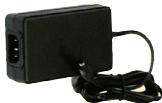
電源供應器DC48V,0.4A
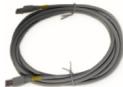
電源纜線
光碟片內含設備操作手冊
快速安装手册
乙太網路線
設備固定架
備註:使用不同電壓的電源供應器可能造成DWL-3260AP設備發生故障,若使用非原廠電源供應器使設備故障將失去產品保固。
構買時若有任何配件缺失敬請與購買的經銷商聯繫。
設備硬體安裝
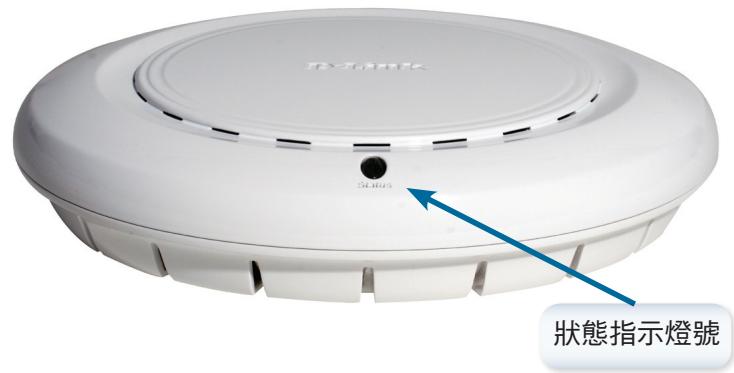
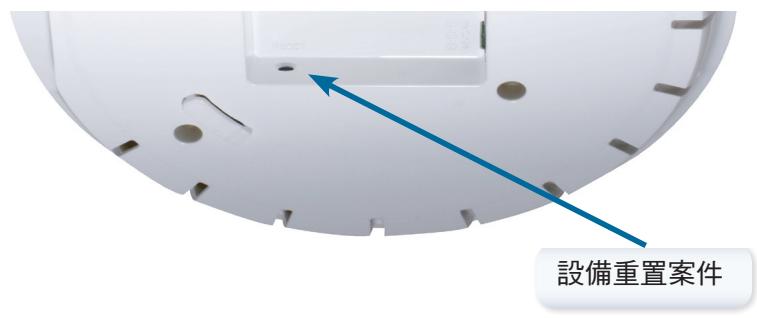
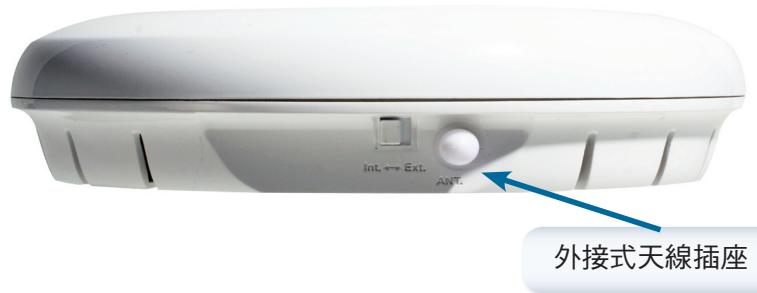
備註:DWL-3620AP具備內建式天線,若您選擇外接式天線時,敬請切換天線插座左側之切換開關。
連接乙太網路線與電源線
DWL-3260AP無線基地台可透過乙太網路線或是外接式電源供應器供應所需的電源。建議電源安裝方式為透過IEEE802.3af PoE網路供電。
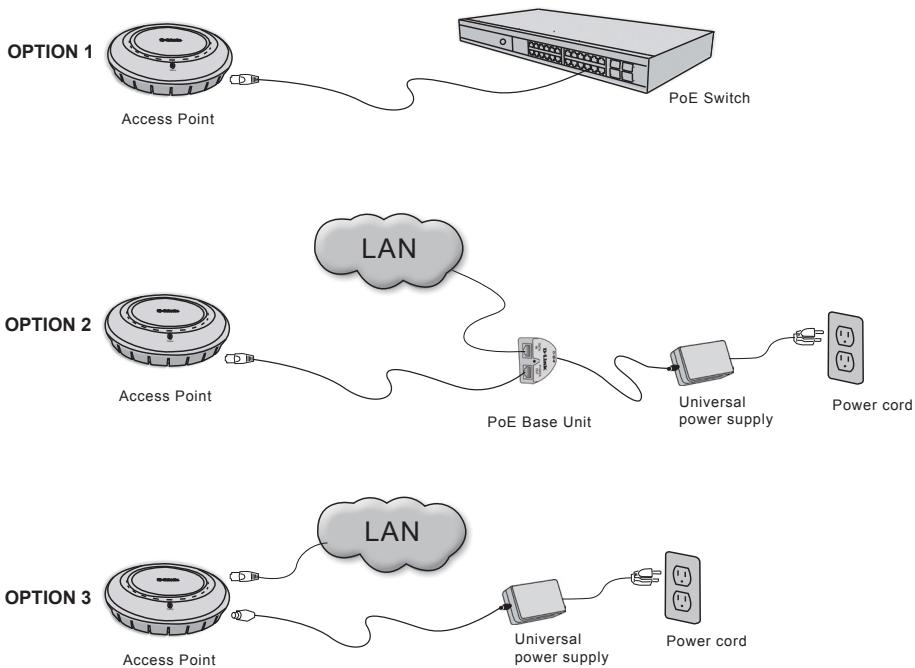
無線基地台電源安裝方式:
方式1:與D-Link Wireless switch或其他具備802.3af的網路交換器直接連接。
方式2:使用網路供電轉換器提供DWL-3260AP所需的電源
方式3:透過產品包裝內附的電源供應器提供設備所需的電源。
備註:本產品為室內型無線基地台請勿安裝於室外環境使用包含電源與網路線。
您的無線基地台實體安裝方式(Optional)
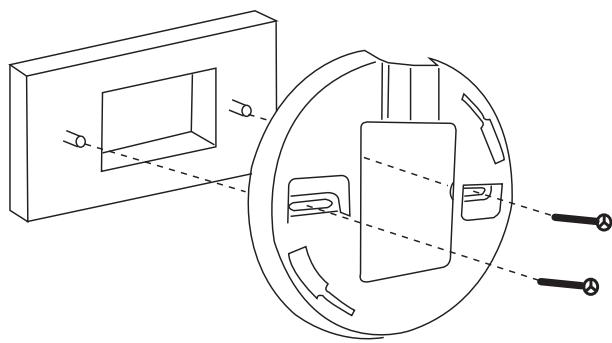
固定盒安装方式:
1.請將設備托架固定在固定盒上。
2.再將DWL-3260AP固定再設備托架上。
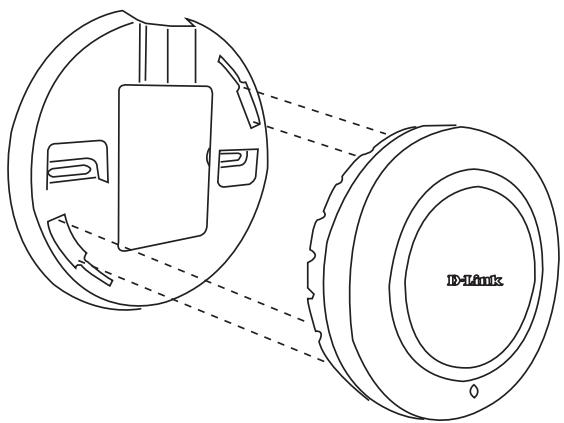
牆壁與天花板安裝方式:
1.將設備備托架固定在天花板牆壁等適當之位置。
2.將無線基地台安裝於固定在天花板或牆壁上之設備托架上。
D-Link 友訊科技 台灣分公司技術支援資訊
如果您還有任何本使用手冊無法協助您解決的產品相關問題,台灣地區用戶可以透過我們的網站、電子郵件或電話等方式與D-Link台灣地區技術支援工程師聯絡。
D-Link 免付費技術諮詢專線
0800-002-615
服務時間:週一至週五,早上8:30到晚上7:00
(不含周六、日及國定假日)
網站:http://www.dlink.com.tw
電子郵件:dssqa_service@dlink.com.tw
如果您是台灣地區以外的用戶,請參考D-Link網站 全球各地分公司的聯絡資訊以取得相關支援服務。
產品保固期限、台灣區維修據點查詢,請參考以下網頁說明:
http://www.dlink.com.tw
產品維修:
使用者可直接送至全省聯強直營維修站或請洽您的原購買經銷商。