
MF 5990BDN - Imprimante multifonction SAGEM - Notice d'utilisation et mode d'emploi gratuit
Retrouvez gratuitement la notice de l'appareil MF 5990BDN SAGEM au format PDF.


| Type de produit | Imprimante multifonction monochrome laser |
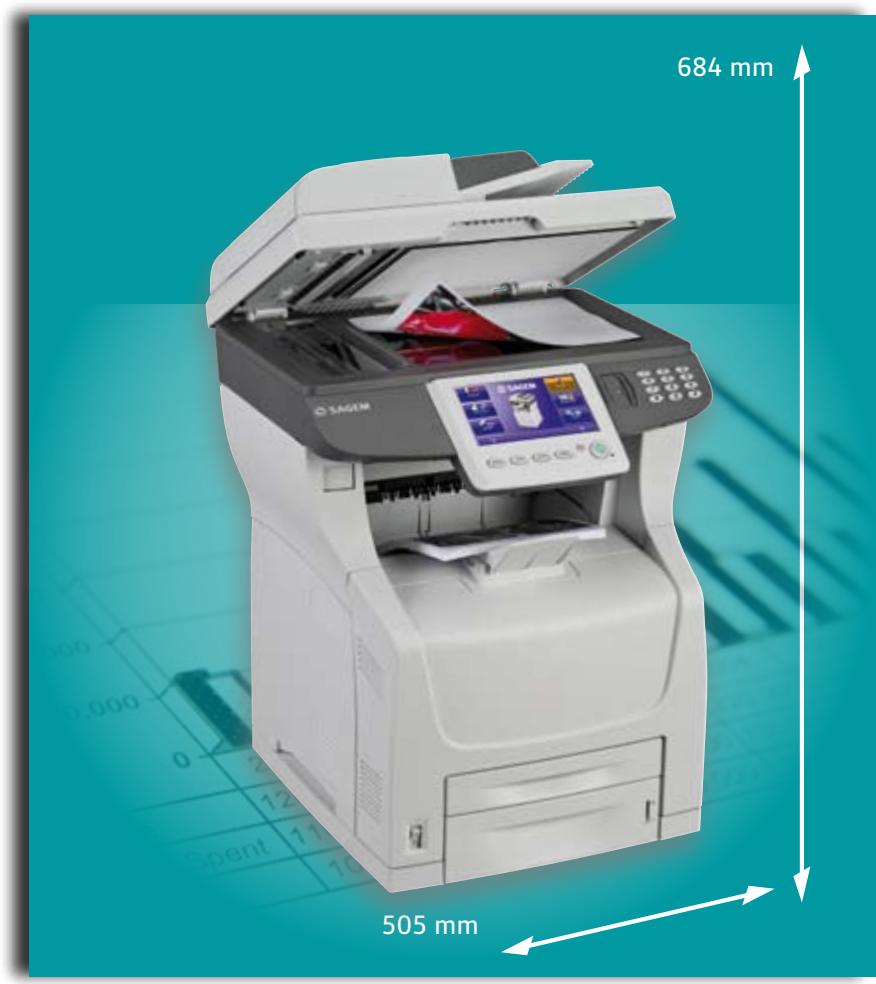
| Dimensions (L x P x H) | 505 x 571 x 684 mm |
| Poids | 37,5 kg |
| Fonctions | Impression, copie, numérisation, télécopie |
| Vitesse d'impression | 43 ppm (pages par minute) |
| Vitesse de copie | 43 cpm (copies par minute) |
| Résolution d'impression | 1200 x 1200 dpi |
| Résolution de numérisation | 1200 x 2400 dpi (platine), 600 dpi (ADF) |
| Processeur | ARM 11, 400 MHz |
| Mémoire | 256 Mo (extensible à 512 Mo) |
| Disque dur | 160 Go |
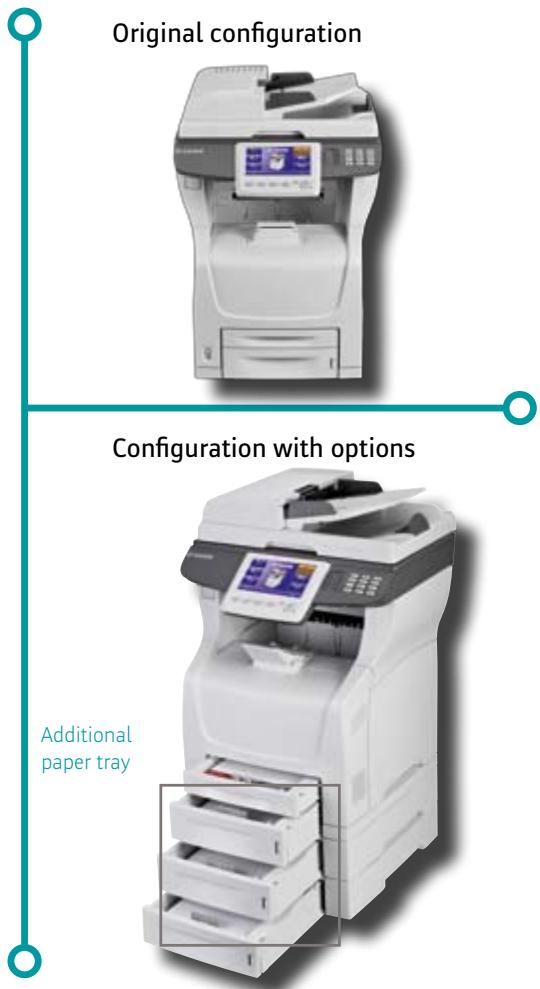
| Capacité papier | Jusqu'à 1800 feuilles (4 bacs) |
| Impression recto-verso | Oui, automatique |
| Écran tactile | 7,4 pouces couleur |
| Reconnaissance d'empreintes digitales | Oui |
| Numérisation recto-verso | Oui, ADF 70 pages |
| Vitesse de fax | 2,5 s/page (Super G3) |
| Mémoire fax | 500 pages |
| Langages d'impression | PCL5, PCL6, PostScript 3, PDF 1.7 |
| Sécurité | Authentification par empreinte ou code PIN, PDF sécurisé, SSL |
| Consommable | Toner CTR 376, 20 000 pages (ISO 19752) |
| Interface réseau | Ethernet 10/100 Base-T |
| Systèmes d'exploitation supportés | Windows, Mac OS X, Linux |
| Entretien | Nettoyer régulièrement les vitres de numérisation et les rouleaux. Utiliser un chiffon doux non pelucheux. |
| Réparabilité | Consommables et pièces d'usure remplaçables par l'utilisateur. Pour les réparations complexes, contacter un technicien agréé. |
FOIRE AUX QUESTIONS - MF 5990BDN SAGEM
Questions des utilisateurs sur MF 5990BDN SAGEM
0 question sur cet appareil. Repondez a celles que vous connaissez ou posez la votre.
Poser une nouvelle question sur cet appareil
Téléchargez la notice de votre Imprimante multifonction au format PDF gratuitement ! Retrouvez votre notice MF 5990BDN - SAGEM et reprennez votre appareil électronique en main. Sur cette page sont publiés tous les documents nécessaires à l'utilisation de votre appareil MF 5990BDN de la marque SAGEM.
MODE D'EMPLOI MF 5990BDN SAGEM
Document Sharing
Efficient
Secure
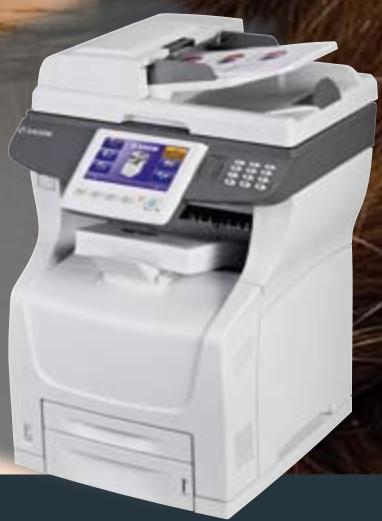

A4 MONO MULTIFUNCTION
Printer/Copier/Scanner/Fax
The MF 5990 is the perfect solution for small and large work groups looking for a high performance and affordable office solution.
At Sagemcom we believe that a product must be easy to use. It has to be simple, with a user-friendly interface with fast handling, and this is why we chose to develop the MF5990.
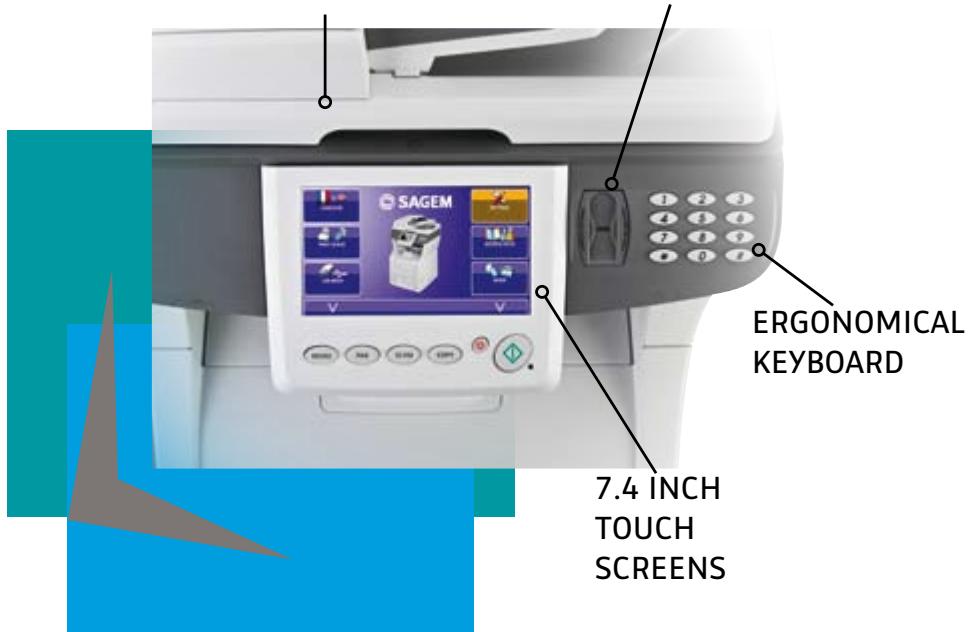
ADF & FLAT BED SCANNER
FINGER-PRINT RECOGNITION
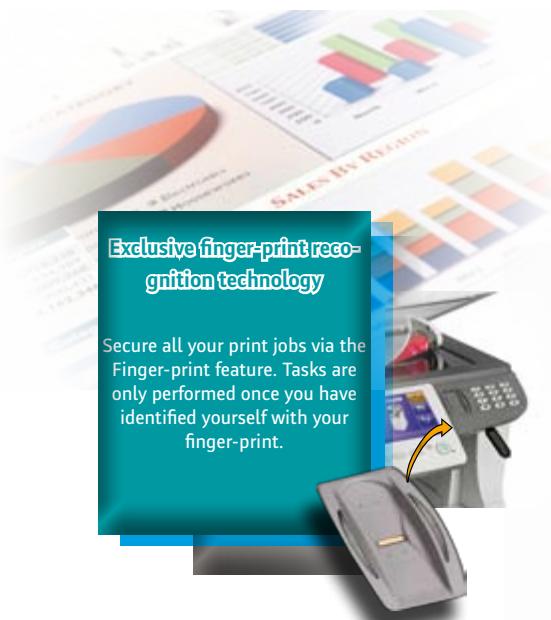
Data and printing works protection
The MF 5990 is capable of fulfilling all user requirements. It will be sure to impress you with its many features.
This machine is a concentration of power and simplicity.
It scans, prints, copies and faxes. It has a full duplex scanner and printer, with a hard disk drive, large paper autonomy and fast access keys. In one phrase: copier-like features.
Power at your service


ENERGY STAR
The purpose of the Energy Star Program is to promote the development and popularization of energy-efficient office equipment. As an Energy STAR Partner, Sagemcom has made sure that this product meets the energy Star guidelines for energy efficiency. (See www.eu-ener-gystar.org)
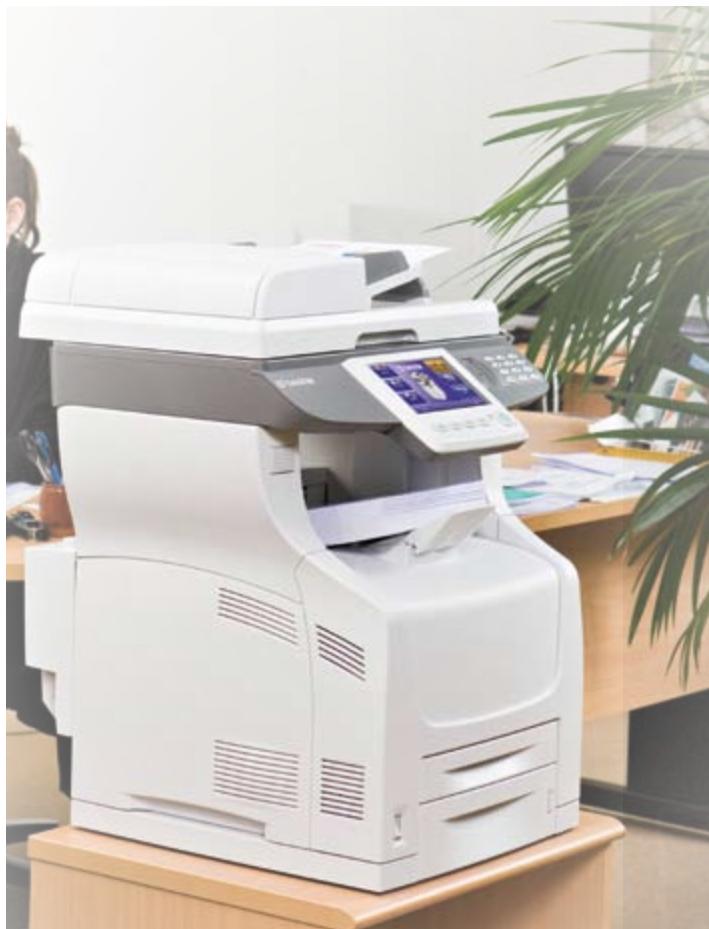

The MF 5990 is a high performer, user friendly A4 MFP:
- Fast mono printing speed (43ppm)
- Fast mono copying speed (43cpm)
- Easy to use colour and monochrome scanner for all your office works
- Fast ADF scanning speed (43 ipm in monochrome)
- Flat bed scanner for high resolution scans
The MF 5990 is the perfect solution for all users looking looking for heavy duty and high quality prints and copies.
Thanks to the MF 5990 you can do all your single and multiple copies and all your print jobs simply and quickly.
The MF 5990 is a multifunction. It has a printing speed of 43 ppm, paper tray autonomy of 1800 pages, paper output of 500 pages, and an automatic paper tray switch with specific paper tray selection including a by-pass which supports a wide range of printing formats and paper weights.

5-10
Your MF 5990 combines intelligence and efficiency. It has a 160 GB hard disk. You can free your memory space on your network and store all your documents on the machine. Besides you benefit from a huge number of additional functions (full duplex, bottom of page Water mark, mosaic, poster format). You can also lock your machine thanks to a PIN or finger-print recognition. This will help you increase your company's productivity while reducing complexity.
Secure, document sharing, efficient
High printing speed
- 43ppm
High paper tray capacity:
4 paper trays
- up to 1800 pages
Easy to use and profitable
Because it is important to get straight to the point to be efficient, Sagemcom has designed and manufactured a machine easy to use offering maximum efficiency and security.
First of all the machine is fully integrated to your work space thanks to its compact size. It has a 7,4" large colour touch screen for easier handling. Working from the screen is easy with onscreen instructions. This display enables you to visualise your documents and to access and browse the extensive menu options.
The most used functions are reached directly via fast access keys.
The additional paper trays are easy to reach. The front panel has a wide opening to help you access the new generation all-in-one consumable. Thanks to its large capacity you do not have to change it often.

No limit for Digitizing and Communicating
The Multifunction MF5990 is a powerful communication tool. Mono and colour scan is quick and easy with a flat bed and sheet fed scanner. You scan up to 70 pages in one pass and you can choose among the different routing options (scan-to-mail/scan-to-FTP/Scan-to-SMB/Scan-to-PC).
Whether you receive or send faxes you will certainly communicate quickly with your correspondents. The MF 5990 also has a 500 page fax memory and "sent documents copy" function. For high fax traffic get the dual line fax model (MF5990bdn). The whole range is LDAPv3 compatible.
SAGEMCOM SOFTWARE SUITE
My intelligent office assistant: Companion Suite Pro
In order to provide you with an intelligent and efficient device, Sagemcom has included an efficient Software device.
Therefore you can turn your device into a smart value added PC multifunction machine. The user is able to organise, find and archive all his documents from his own PC. He can manage fax traffic and all scanned documents.
Powerful communication tool
Scan-to functions:
Scan-to-mail
Scan-to-FTP
Scan-to-SMB
Scan-to-PC
Fax function
Transmission speed
2.5 seconds per page
- 500 page fax memory
"sent fax copy" function
al line version (MF 5990bdn)
LDAPv3 compatible
Thanks to a powerful OCR your hard copies are converted into electronic documents. Companion Suite Pro's optical character recognition enables the user to amend, change and save any scanned document.
You can add comments such us "confidential - urgent - to do" thanks to the "post it" on your documents.
My embedded web sever: Sagemcom MF Admin
The Sagemcom MF admin web server will help you remotely configure (parameters, directories, access protection) and remotely visualise the status (consumables, counters, journals, print queues) of your MF 5990 from any PC of the network. With the LDAPv3 function (Light Directory Access Protocol) you can access all the directories available on your network.
Multifunction at the state of the art of security
- Access to the menus and functions through the user/group of users identity checking
- Printing management of Confidential documents
Secured document printing through finger recognition or PIN code
Secured PDFs
Scanned documents protection by passwords
Confidentiality
Because you may sometimes need a higher level of confidentiality, security or control: the MF 5990 proposes a wide range of solutions to protect your data, devices and network. The SSL protocol will guarantee you a confidential flow of data and faxes over the network.
At any time and in a simple way your documents can be protected by a password or through finger-print recognition. You will be the only person to get access to your documents, print them or manage them.
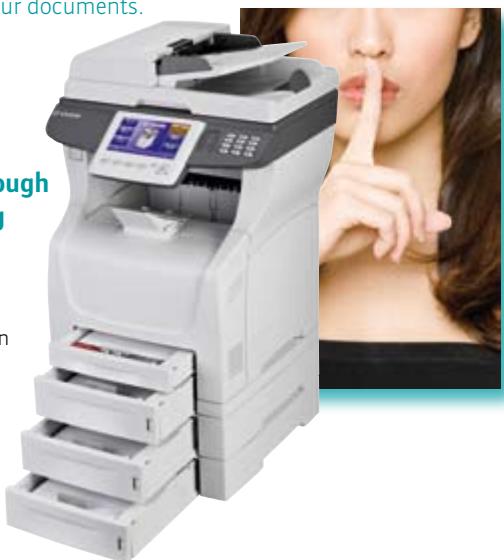
Since each department has it's own processes, the MF5990 offers a wide choice of user rights management. It's possible to limit the use of the device, to set up printing quotas per user or group. You can share or lock the access to some documents and features.
Thanks to the MF 5990 you keep everything under control!
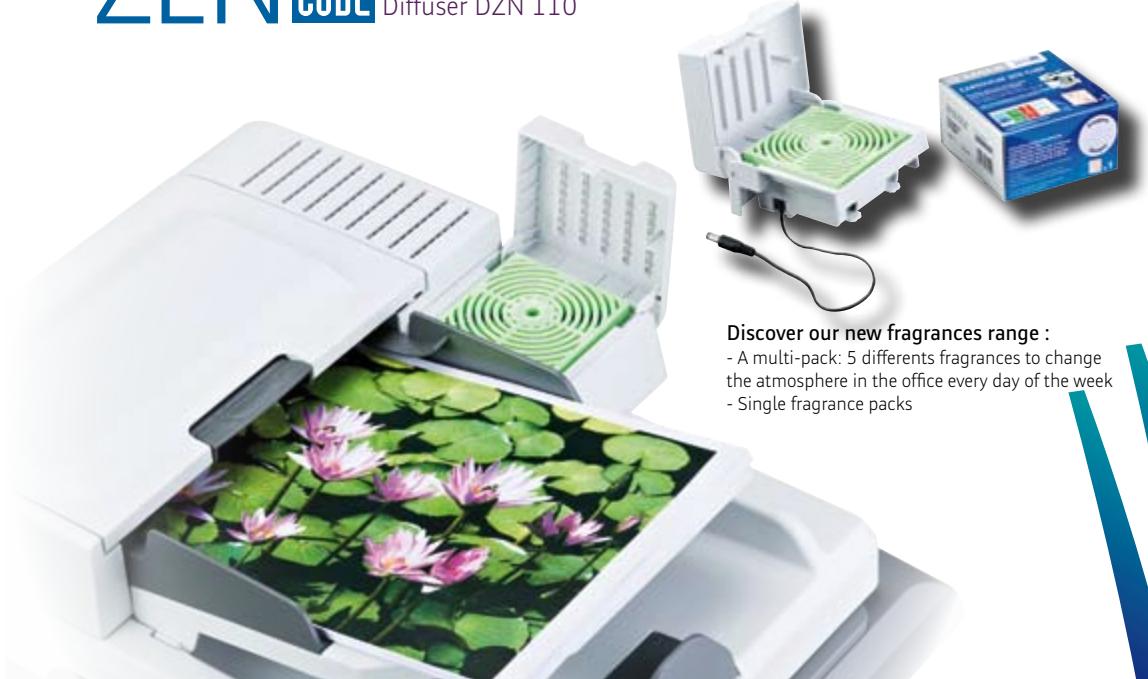
ZEN CUBE The first "well-being" diffuser for Sagemcom MFPs Diffuser DZN 110
MONOCHROME LASER PRINTER
| Speed printing - monochrome | 43ppm |
| First print out | 12s |
| Resolution | 1200 x 1200 dpi |
| Printing Language | PCL5®, PCL6®, SG Script3 (Postscript PS3 Emulation), PDF 1.7 |
| Resident fonts | 80 True Type internal scalable (PCL6/PCL5) / 136 True Type internal scalable(PostScript 3) |
| Microprocessor | ARM 11, 400MHz |
| Memory / Hard Disk | 256MB (to 512MB) / 160GB |
| Operating systems (in network) | Windows 2000 SP4; Windows XP SP2 Home (32b)Windows XP SP2 Pro (32b)Windows Vista (32b & 64b)Windows 2003 Server SP2; Windows Server 2008 Mac OS X(10.2 to 10.5); Linux ; Citrix Metaframe |
| Papertray / by pass | 550p / 150p; 64-216 gram |
| Additional papertray (optional) / up to 2 | 550p; 64-216 gram |
| Output capacity | 500p |
| Papertray formats | A4, Legal, Letter, A5, A6, B5, Statement, Executive, Enveloppes (monarch, DL, C5, Com10) |
| Maximum monthly volume / average | 200 000p / 15 000p |
| Network printing | Yes |
| Duplex printing | Yes |
DUPLEX DIGITAL COPIER
| Copying speed (monochrome) | 43cpm |
| Resolution | 600dpi |
| Reduction / Enlargement | 25% to 400% |
| Sorted multicopy | 1 to 99 |
| First copy out | 14s |
| NETWORK MULTIFUNCTION | |
| Network access | TCP/IP |
| DHCP | Yes |
| MF connectable with Sagem fax server solutions | Yes |
FLATBED & NETWORK COLOUR SCANNER
| Scanner technology | CCD |
| Scanning speed monochrome / colour | 2,4s/page |
| Resolution | 1200 x 2400dpi |
| Driver compatibility | WIA, TWAIN |
| Identity card copy / banner copy | Yes / Yes |
| DUPLEX SHEETFED COLOUR SCANNER | |
| ADF | 70p |
| Scanning speed monochrome / colour | 43 / 30ppm |
| Resolution | 600dpi |
| Mosaic copy | Yes |
ADVANCED NETWORK FUNCTIONS
| Scan-to-FTP, scan-to-SMB (1st page report) | Yes, Yes |
| Scan-to-archive | Yes |
| Scan-to-email without PC (1st page report) | Yes |
| LDAP client | v3 |
| SNMP | v3 |
| Web server: MF ADMIN | Configuration and remote viewing of machine status |
COMPANION SUITE PRO
| Operating systems | Windows 2000 SP4 ; Windows XP SP2 Home (32b)Windows XP SP2 Pro (32b)Windows Vista (32b & 64b)Windows 2003 Server SP2 ; Windows Server 2008* (*)printing only |
| OCR, Document Manager Software | Paperport SE11 |
| Scan-to-PC | Yes |
| PC-fax : Sending / Receiving | Up to 10 PC / 1PC |
SUPER G3 FAX
| Modem speed : Transmission speed | 33,6kbps ; 2,5s/page |
| Duplex sending / receiving | Yes |
| Multi-tasking | Yes |
| Flash memory (5 years back-up) | 500p |
| Coding | MH-MR-MMR, Super G3, JBIG |
| ECM (Error Correction Mode) | Yes |
| Directory / Broadcasting list (RTC/PSTN, @) | 500n° / 32 |
| Traffic activity report | Yes (1st page reduced) |
| Dual-line MF 5990dn / MF 5990bdn | No / yes |
| Fax transmission forwarding | Yes |
SECURITY FUNCTIONS
| User authentication | Fingerprint reader / PIN Code |
| Secure PDF | Yes (with password) |
| Secure communication | SSL (Secure Socket Layer) |
| Secure printing | Fingerprint reader / PIN Code |
USB KEY ADVANCED FUNCTIONS
| Print-from-key / Scan-to-key / Key-to-display | TIFF-F, TXT, PDF, JPEG / JPEG, PDF / JPEG |
| INTERFACE | |
| LAN 10/100 base T | Printer, Scanner, Fax |
| CONSUMABLES | |
| Toner yield | CTR 376 / 20 000 p (ISO 19752) |
| Intelligent consumables system | PLUG'N'PRINT card |
| Automatic consumables ordering system | Yes |
| DIMENSIONS | |
| Dimensions (WxHxD) / Weight | 505 x 571 x 684 mm / 37,5kg |
- A4 MONO MULTIFUNCTION
- Printer/Copier/Scanner/Fax
- Power at your service
- ENERGY STAR
- The MF 5990 is a high performer, user friendly A4 MFP:
- Easy to use and profitable
- No limit for Digitizing and Communicating
- SAGEMCOM SOFTWARE SUITE
- My intelligent office assistant: Companion Suite Pro
- Powerful communication tool
- My embedded web sever: Sagemcom MF Admin
- Multifunction at the state of the art of security
- Confidentiality
Marque : SAGEM
Modèle : MF 5990BDN
Catégorie : Imprimante multifonction