
AirPure AP 2.0 - Air purifier BLAUPUNKT - Free user manual and instructions
Find the device manual for free AirPure AP 2.0 BLAUPUNKT in PDF.


| Product Type | Air Purifier |
| Brand | Blaupunkt |
| Model | AirPure AP 2.0 |
| Dimensions (H x W x D) | 40 x 25 x 25 cm |
| Weight | 3.0 kg |
| Power Supply | 220-240 V ~ 50 Hz |
| Power Consumption | 50 W (max) |
| Filtration System | Pre-filter + HEPA H13 + Activated Carbon |
| CADR (Clean Air Delivery Rate) | 150 m³/h |
| Recommended Room Size | Up to 30 m² |
| Noise Level | 35 - 55 dB |
| Operating Modes | Auto, Sleep, Manual, Turbo |
| Timer | 2 / 4 / 8 hours |
| Filter Replacement Indicator | Yes |
| Child Lock | Yes |
| Air Quality Sensor | PM2.5 sensor |
| Display | LED touch panel with air quality color ring |
| UV-C Light | No |
| Ionizer | No |
| Energy Efficiency Class | A |
| Filter Life | Approximately 6 months (depending on usage) |
| Maintenance | Clean pre-filter every 2 weeks; replace HEPA/carbon filter as indicated |
| Safety Features | Overheat protection, auto shut-off when front cover removed |
| Included Accessories | User manual, power cord, pre-installed filters |
Frequently Asked Questions - AirPure AP 2.0 BLAUPUNKT
User questions about AirPure AP 2.0 BLAUPUNKT
0 question about this device. Answer the ones you know or ask your own.
Ask a new question about this device
Download the instructions for your Air purifier in PDF format for free! Find your manual AirPure AP 2.0 - BLAUPUNKT and take your electronic device back in hand. On this page are published all the documents necessary for the use of your device. AirPure AP 2.0 by BLAUPUNKT.
USER MANUAL AirPure AP 2.0 BLAUPUNKT
STRUCTURE & FUNCTIONS
Safety Notes
• Do not clean or spill liquids or flammable solvents on the device. - Clean with soft cloth only. Disconnect AirPure before cleaning. • Handle with care. Do not drop. Keep it away from electric & magnetic area. - Keep AirPure free of any object obstructing the air flow. • Do not let children play with air purifier. • Do not operate the device while driving. • Use the power cable provided only. • Do not wash the filter.
This manual may be updated from time to time without any notice.
Disclaimer
In no event shall Blaupunkt be liable for any direct, indirect, punitive, incidental, special consequential damages to property or life and whatsoever arising out of or connected with the use or misuse of our products.
USA & CANADA: This product is not intended for sale in the United States and Canada. If purchased in the U.S. or Canada, this product is purchased on as-is basis. No warranty, whether expressed or implied is provided in the U.S. or Canada.


Functions
- Touch Control (Power Button)
- Filter Replacement Reminder
- PM 2.5 Indicator
- Fan Speed Control
- Centrifugal Fan
- APF2 (Pre Filter, HEPA Filter, Activated Carbon Filter)
- PM 2.5 Sensor
SPECIFICATION
• Indicator Display: PM 2.5 Level, Filter Replacement Reminder, Auto/Manual Fan Speed • Pre-packed with Blaupunkt AirPure Filter (APF2) Noise Level: 55dB • Fan Type: Centrifugal Fan • HEPA Filter Grade: H13 • Applicable for Space: 5m³ - 10m³ • Input Voltage: 5V - Current: 1A Power: <7W • Dimensions: 200 x 150 x 55mm Net Weight: 500g • Accessories: 4m USB Power Cable, Car Charger, Car Headrest Holder, Anti Slip Mat
TROUBLESHOOTING
If any of the following problems occur, please refer to Troubleshooting for possible solutions. Consult a Blaupunkt authorized dealer if the problem persists.
| Problems | Possible Causes | Solutions |
| Air purifier does not power on | Air purifier is not connected to a power supply. | Ensure the USB cable is properly connected to USB power supply ports and air purifier's power input. |
| Airflow is significantly reduced | Exceed filter replacement cycle. | Replace with new filter. |
| Unusual noise while operating | Filter is not fitted properly. | Refer to operation instruction for correct filter replacement steps. |
- Connect the USB charger to the 5V/1A power supply input of the Air Purifier. The air purifier will have a buzzing sound and blue illumination when turned on.

2. Power Button
a) Turn On/Off - Press to manually turn on the Air Purifier, press again to manually turn off.
b) After Filter Replacement
- Press and hold for 5 seconds on the power button to reset the filter replacement reminder.

3. MODE Button
- The fan speed of the air purifier can be adjusted by pressing the "MODE" button (Auto/L/H). * Auto: Smart fan will adjust fan speed according to air quality * L: Low fan speed * H: High fan speed

- Remove the cover of the air purifier.

- Remove the dirty filter and replace it with the new filter (APF2).
![graph TD A["Top Device"] --> B["Bottom Display"] B --> C["Arrow pointing inward"]](/content/2026/05/976458/images/e6226ac74bdda585feffbfe48926eec6dc9d10511bda428fe6e4bd630510435d.jpg)

Designed and engineered by Blaupunkt Competence Centre 1 331 19 006 32 02
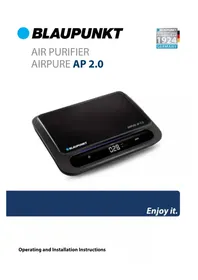
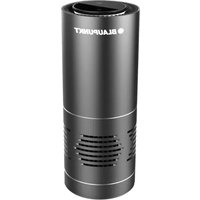
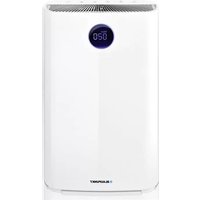
Brand : BLAUPUNKT
Model : AirPure AP 2.0
Category : Air purifier