
AP 3.0 AIRPURE - Air purifier BLAUPUNKT - Free user manual and instructions
Find the device manual for free AP 3.0 AIRPURE BLAUPUNKT in PDF.
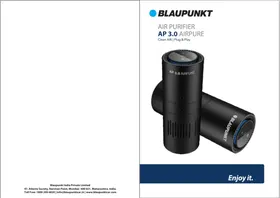


| Product Type | Air purifier |
| Brand | Blaupunkt |
| Model | AP 3.0 AIRPURE |
| Dimensions (H x W x D) | 40 x 20 x 20 cm (15.7 x 7.9 x 7.9 in) |
| Weight | 2.5 kg (5.5 lb) |
| Power Supply | 220-240V ~ 50/60Hz |
| Power Consumption | 30W |
| Coverage Area | Up to 30 m² (323 sq ft) |
| Filtration Stages | Pre-filter, HEPA H13, Activated carbon |
| CADR (Dust) | 150 m³/h |
| Noise Level | 25 - 50 dB (A) |
| Operating Modes | Auto, Sleep, Manual (3 speeds) |
| Timer | 1, 2, 4, 8 hours |
| Filter Replacement Indicator | Yes |
| Air Quality Sensor | PM2.5 laser sensor |
| Display | Touch panel with color ring |
| Ionizer | Yes (can be switched off) |
| Filter Life | HEPA: 6-12 months, Carbon: 3-6 months |
| Maintenance | Clean pre-filter every 2 weeks |
| Safety Features | Overheat protection, child lock |
| Spare Parts Available | HEPA filter, carbon filter, pre-filter |
| Certifications | CE, RoHS |
Frequently Asked Questions - AP 3.0 AIRPURE BLAUPUNKT
User questions about AP 3.0 AIRPURE BLAUPUNKT
0 question about this device. Answer the ones you know or ask your own.
Ask a new question about this device
Download the instructions for your Air purifier in PDF format for free! Find your manual AP 3.0 AIRPURE - BLAUPUNKT and take your electronic device back in hand. On this page are published all the documents necessary for the use of your device. AP 3.0 AIRPURE by BLAUPUNKT.
USER MANUAL AP 3.0 AIRPURE BLAUPUNKT
Enjoy it.
Blaupunkt India Private Limited
47, Atlanta Society, Nariman Point, Mumbai- 400 021. Maharashtra. India.
Toll Free: 1800 209 6820 | info@blaupunktcar.in | www.blaupunktcar.com
AP 3.0 AIRPURE
AP 3.0 AIRPURE
Structure:

Standby Red indicator
The Power Supply Indicator Is On
Once the device is turned ON, the Ultraviolet, Ionizer sections are also turned ON, the green symbol on the top display section turns ON to indicate it's in Virus / Bacteria killing mode (purifying).
Power ON / OFF indicator
To turn ON device, touch the ON / OFF button once and the device will commence purifying the air in its immediate surrounding area based on the input from the sensor located on the side of the device.
3-5 minutes post turning on the device and based on the sensor input the visual indicator shows air quality in the cabin / room.

Blue light indicates good air quality

Amber light indicates some harmful gases or particles have been detected

Red light indicates hazardous gases or particles have been detected
Filter replacement
Unscrew the bottom cover counterclockwise & open
Remove old filter and replace with new filter

Screw on the bottom cover tightly
Aroma / Fragrance:
This device comes equipped with a compressed ceramic insert that can be accessed when the bottom cover is opened. Pour some of your favorite fragrance (2-3 drops at a time) on this ceramic insert and place it back in its original position. Once the bottom cover is sealed and the device turned ON, this fragrance is transferred to the cabin through the natural air flow of the device.
Product datasheet:
Product dimensions: 71mmx182mm
lons release: 5 million
Input voltage: 5V1A
Power: <5w
Noise <28dB
Net weight: 422g
Air quality sensor: TVOC
Fan Type: Double Inlet DC turbo
Filter: Rough filter + HEPA11
Filter Type: H11
For space: 10 m3
Case material: Anodized Aluminum Alloy
Specifications:
Purification Method: Primary filter + HEPA11 + Activated carbon filter + plasma 5million / cm³ + UV light
Indicator Display: Filter Replacement Reminder, Auto / Manual Fan Speed
On/OFF: On/OFF Touch Control
Air Quality Testing : TVOC sensor detection
CADR: 7.3m3/h
Maximum Air Volume: 24m3/h
Variable Fan Speed : Max 5500r/min
Noise: <30dB
Rated Voltage: DC 5V1A
Rated Power: <5W
Applicable Space: Up to 10 m³
Working Environment: -10°C to +50°C
External Material: Anodized Aviation Grade Aluminum
Accessories Included: USB Power Cable
Cautions
Please read the user manual before use.
- Do not expose the device to rain or moisture.
- If the device is not going to be used for an extended period of time, please turn OFF the device.
- Should the device need to be serviced, please approach an Authorized Service Center.
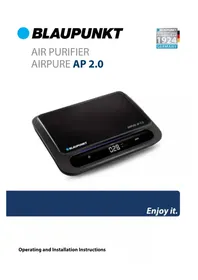
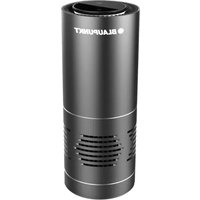

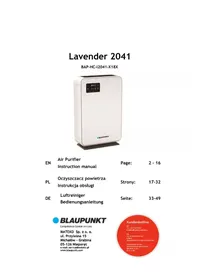
Brand : BLAUPUNKT
Model : AP 3.0 AIRPURE
Category : Air purifier