
C5 - Microphone AKG - Free user manual and instructions
Find the device manual for free C5 AKG in PDF.


| Product type | Electrostatic (condenser) microphone for live vocal |
| Polar pattern | Cardioid |
| Frequency response | 65 Hz – 20,000 Hz |
| Sensitivity | 4 mV/Pa (-48 dBV re 1 V/Pa) |
| Maximum SPL (1% / 3% distortion) | 140 dB SPL / 145 dB SPL |
| Equivalent noise level | 25 dB(A) (per DIN 45412) |
| Electrical impedance | ≤ 200 ohms |
| Recommended load impedance | ≥ 2000 ohms |
| Connector | XLR 3-pin (balanced) |
| Power supply | 48 V phantom power (via console or amplifier) |
| Dimensions (length × diameter) | 185.2 mm × 51 mm |
| Net weight | 345 g |
| Color | Matte blue-gray |
| Body material | Die-cast Zamak |
| Grille | Steel mesh grille with wind protection fabric |
| Included accessories | C5 microphone, SA 45 stand adapter, PB 1000 Presence Boost pop filter, carrying case |
| Key features | Capsule mounted on elastic suspension; protection against cable and handling noise; integrated wind and pop filter; frequency-independent cardioid polar response |
| Care and cleaning | Clean the surface with a slightly damp cloth; unscrew the grille, wash the wind protection fabric with soapy water, dry overnight |
| Safety instructions | Ensure the connected device has a safety ground; use compliant phantom power supply |
| Repairability | Spare parts available from AKG; visit www.akg.com |
| General information | Conforms to standards of the Declaration of Conformity; patent AT 392.182, DE 4.021.661 |
Frequently Asked Questions - C5 AKG
User questions about C5 AKG
0 question about this device. Answer the ones you know or ask your own.
Ask a new question about this device
Download the instructions for your Microphone in PDF format for free! Find your manual C5 - AKG and take your electronic device back in hand. On this page are published all the documents necessary for the use of your device. C5 by AKG.
USER MANUAL C5 AKG
Please read the manual before using the equipment!
MODE D'EMPLOI p. 22
natural_image
Close-up of a black microphone with textured body and metallic head (no visible text or symbols)
natural_image
Circular logo with interlocking cloud and lettering 'AKG' (no additional text or symbols)Seite
1 Beschreibung
natural_image
Abstract black-and-white graphic with two stylized human silhouettes and circular elements (no text or symbols)3 Anwendung
3.1 Einleitung
natural_image
Line drawing of a man holding a microphone, no text or symbols presentnatural_image
Abstract black-and-white graphic with two circular shapes and a vertical line (no text or symbols)3.4 Rück- kopplung
natural_image
Silhouette of a person standing near a vertical axis with an elliptical path, no text or symbols presentnatural_image
Abstract black-and-white graphic with two stylized human silhouettes and circular elements (no text or symbols)3 Anwendung
natural_image
Line drawing of two people speaking at a podium with a microphone (no text or symbols)natural_image
Close-up of a mechanical component with a cylindrical top and flange base (no visible text or symbols)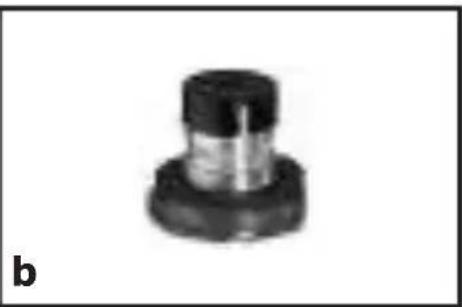
natural_image
Mechanical component with a black cap and flange, labeled 'b' in the corner (no other text or symbols visible)natural_image
Simple icon of a broom with bristles, no text or symbols presentnatural_image
Pixelated abstract diagram with two heart-like shapes and scattered dots, no text or symbols presentPage
1 Precaution / Description....13
1.1 Precaution....13
1.2 Unpacking....13
1.3 Optional Accessories....13
1.4 Features....13
1.5 Brief Description ....14
2 Interfacing ....15
3 Using Your Microphone ....16
3.1 Introduction....16
3.2 Working Distance and Proximity Effect ......16
3.3 Angle of Incidence 16
3.4 Feedback ....17
3.5 Backing Vocals....18
3.6 Installing the PB 1000 ....18
4 Cleaning....19
4.1 Microphone Body 19
4.2 Internal Windscreen 19
5 Troubleshooting ....20
6 Specifications....21
1 Precaution / Description

Please make sure that the piece of equipment 1 your microphone will be connected to fulfills the safety regulations in force in your country and is fitted with a ground lead.
1.1 Precaution

1.2 Unpacking
 |  |  |  |
| 1 C 5 1 | SA 45 1 | PB 1000 | 1 micro-phone bag |
Check that the packaging contains all of the components listed above. Should anything be missing, please contact your AKG dealer.
- For optional accessories, refer to the current 1.3 Optional AKG catalog or folder, or visit www.akg.com.Accessories Your dealer will be glad to help.
- Rugged condenser microphone for vocal mik-1.4 Features ing on stage.
- Extremely resilient, spring-steel wire-mesh cap for extra impact resistance.
• Built-in windscreen/pop filter for effective suppression of pop and breath noise. - Transducer shock mount reduces handling and cable noise.
- Frequency-independent cardioid polar response for high gain before feedback.
- PB 1000 Presence Boost attachment for optimum intelligibility of speech.

1 Description
1.5 Brief Description
The AKG C 5 is a vocal microphone for professional use on stage.
A frequency response tailored to vocal reproduction and a cardioid polar pattern provide a smooth sound and high gain before feedback.
A rugged front grill made of spring-steel wire mesh that is extremely resistant to deformation and a sturdy zinc alloy die-cast body effectively protect the microphone and transducer element from damage on stage and on the road.
The outer steel wire mesh grille and a layer of a special fabric form a very effective windscreen against pop and breath noise and sibilance.
The supplied PB 1000 Presence Boost attachment provides a boost of approx. 5 dB between 5 kHz and 9 kHz for optimum intelligibility of speech.
2 Interfacing
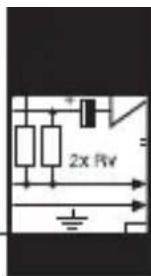
The C 5 is a condenser microphone and therefore needs a power supply.
The microphone provides a balanced output on a 3-pin male XLR connector:
Pin 1: ground
Pin 2: hot
Pin 3: return
- Use an XLR cable to connect the microphone to a balanced XLR input with phantom power.
- Switch the phantom power on. (Refer to the manual of the unit to which you connected your microphone.)
natural_image
Silhouette of a person's head and shoulders against a black background, with no visible text or symbols.3 Using Your Microphone
3.1 Introduction
A handheld vocal microphone provides many ways of shaping the sound of your voice as it is heard over the sound system.
The following sections contain useful hints on how to use your microphone for best results.
3.2 Working Distance and Proximity Effect
Basically, your voice will sound the bigger and mellower, the closer you hold the microphone to your lips. Moving away from the microphone will produce a more reverberant, more distant sound as the microphone will pick more of the room's reverberation.
You can use this effect to make your voice sound aggressive, neutral, insinuating, etc. simply by changing your working distance.
Proximity effect is a more or less dramatic boost of low frequencies that occurs when you sing into the microphone from less than 2 inches. It gives more "body" to your voice and an intimate, bass-heavy sound.
3.3 Angle of Incidence
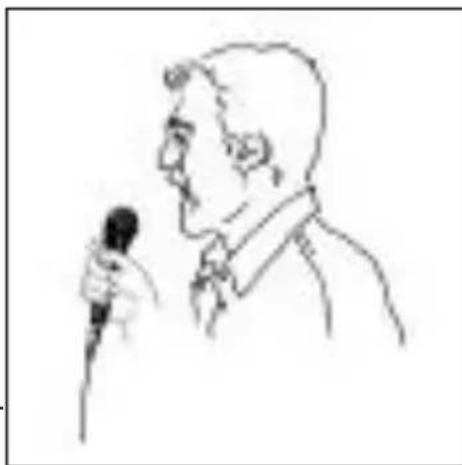
Refer to fig. 1.
natural_image
Line drawing of a man holding a microphone, no text or symbols presentSing to one side of the microphone or above and across the microphone's top. This provides a well-balanced, natural sound.
If you sing directly into the microphone, it will not only pick up excessive breath noise but
Fig. 1: Typical microphone position.
also overemphasize "sss", "sh", "tch", "p", and "t" sounds.
3 Using Your Microphone
natural_image
Abstract black-and-white graphic with two circular shapes and a vertical line (no text or symbols)3.4 Feedback
natural_image
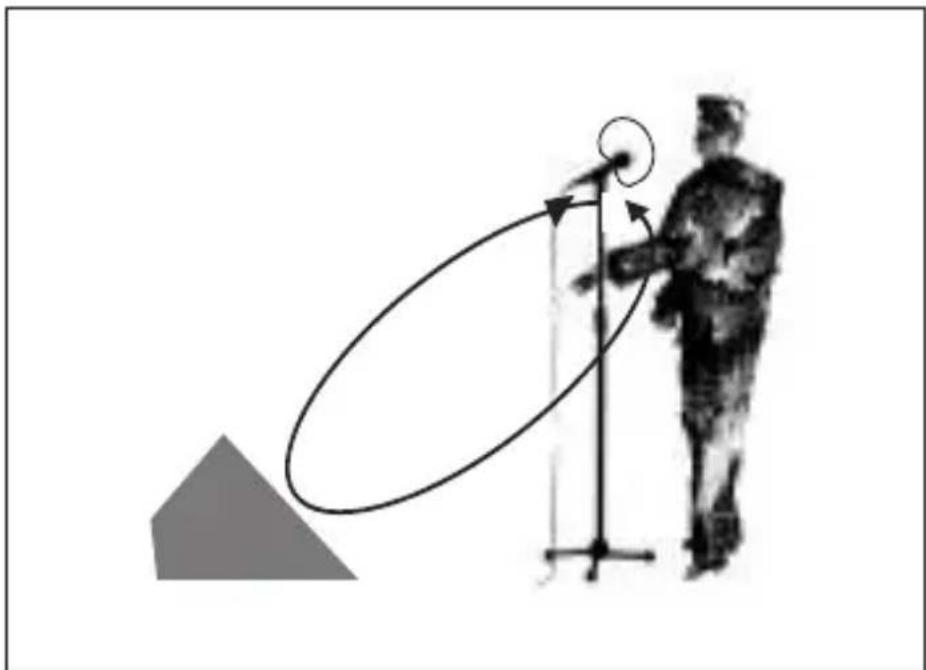
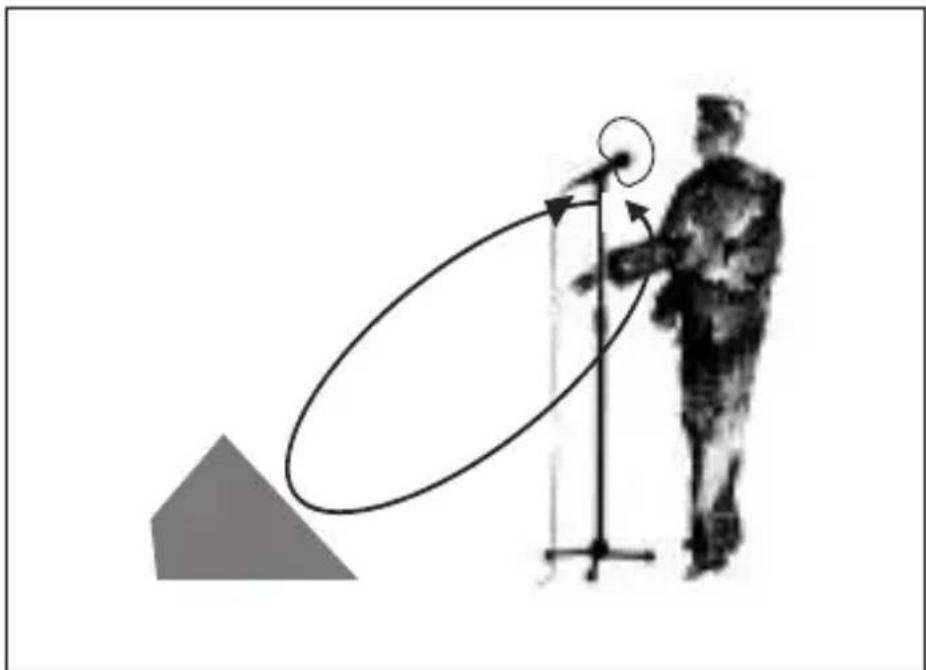
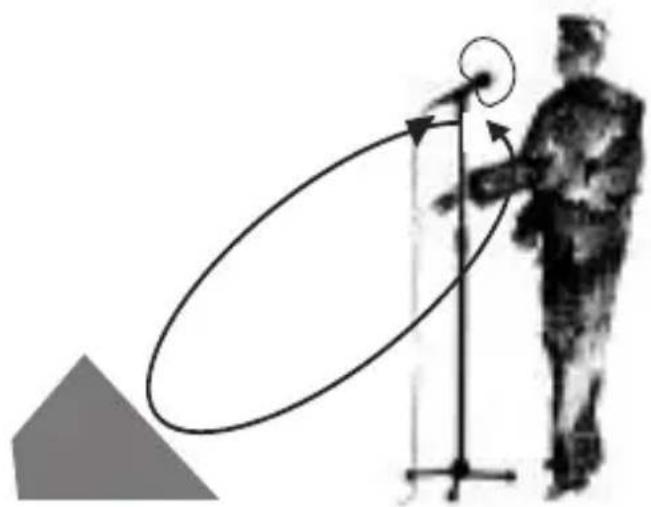
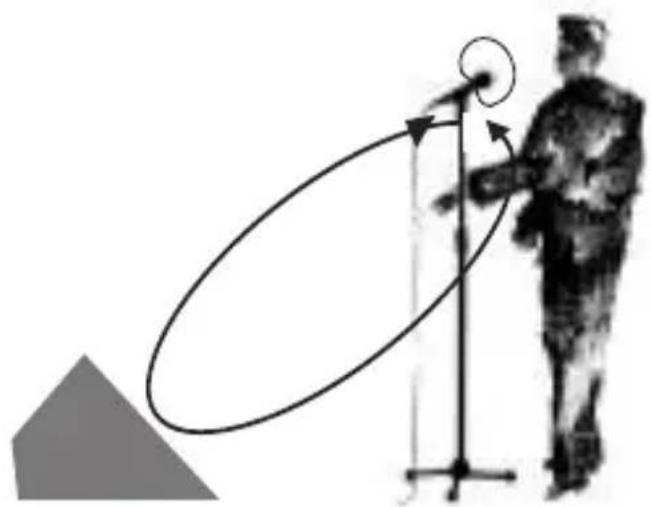
Silhouette of a person standing near a vertical axis with an elliptical path, no text or symbols presentFig. 2: Microphone placement for maximum gain before feedback.
The term “feedback” means that part of the sound projected by a speaker is picked up by a microphone, fed back to the amplifier, and projected again by the speaker. Above a specific volume or "system gain" setting the sound system will start howling and the sound engineer will desperately dive for the master fader to reduce the volume and stop the howling.
To increase usable gain before feedback, the microphone has a cardioid polar pattern. It is most sensitive to sounds arriving from in front of it (your voice) while picking up much less of sounds arriving from the sides or rear (from monitor speakers for instance).
To maximize gain before feedback, place the main ("FOH") speakers in front of the microphones (along the front edge of the stage).
If you use monitor speakers, be sure never to refer to fig. 2. any microphone directly at a monitor or FOH speaker.
Feedback may also be triggered by resonances depending on the acoustics of the room or hall.
natural_image
Abstract black-and-white graphic with two stylized human-like shapes and a vertical line (no text or symbols)3 Using Your Microphone
With resonances at low frequencies, proximity effect may cause feedback. In this case, it is often enough to move away from the microphone a little to stop the feedback.
3.5 Backing Vocals
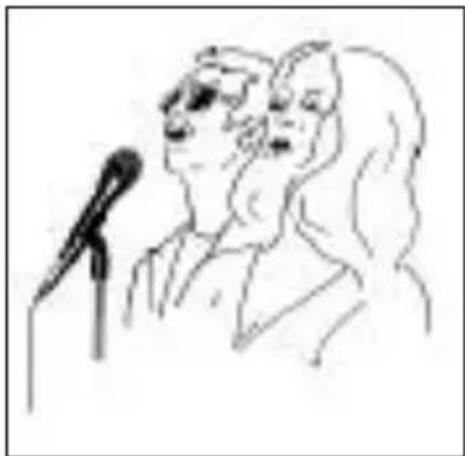
Fig. 3: Two vocalists sharing a microphone.
natural_image
Line drawing of two people speaking at a microphone (no text or symbols)- Never let more than two persons share a microphone.
- The microphone is very insensitive to off-axis sounds. If the two vocalists were to sing into the microphone from an angle wider than 35 de-
grees, you may end up bringing up the fader of the microphone channel far enough to create a feedback problem.
3.6 Installing the PB 1000
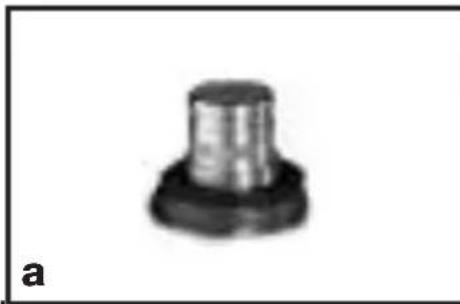
Fig. 4: Microphone capsule without (a) and with (b) PB 1000
natural_image
Close-up of a mechanical component with a cylindrical top and flange base (no visible text or symbols)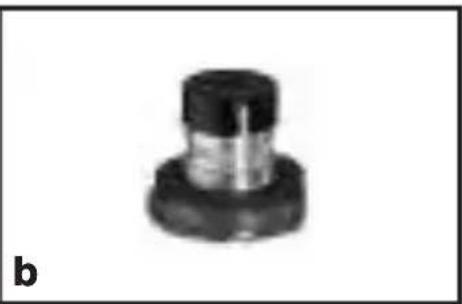
natural_image
Close-up of a mechanical component with a cylindrical top and flanged base (no visible text or symbols)- Unscrew and remove the wire mesh cap.
- Slip the PB 1000 on the microphone capsule to the stop, slightly turning the attachment as you push it home.
Important!
- When installing or removing the PB 1000, make sure to grip the capsule and shock mount firmly with your thumb and forefinger in order to prevent the capsule being severed from the shock mount.
4 Cleaning

natural_image
Simple icon of a broom with bristles, no text or symbols present- To clean the surface of the microphone body,4.1 Microphone use a soft cloth moistened with water. Body
- Unscrew the front grill from the microphone CCW.
4.2 Internal Windscreen - Remove the windscreen from the from grill and wash the windscreen in soap suds.
- Allow the windscreen to dry overnight.
- Replace the windscreen in the front grill and screw the front grill on the microphone CW.
| Problem Possible Cause Remedy | |
| No sound. | 1. Power to mixer and/or amplifier is off.2. Channel or master fader on mixer, or volume control on amplifier is at zero.3. Microphone is not connected to mixer or amplifier.4. Cable connectors are seated loosely.5. Cable is defective.6. No supply voltage. |
| Distortion. | 1. Gain control on mixer or transmitter module not set correctly.2. Mixer input sensitivity too high. |
| Microphone sound becomes duller by and by. | • Internal or external windscreen attenuates high frequencies when soiled. |
Polar pattern: cardioid
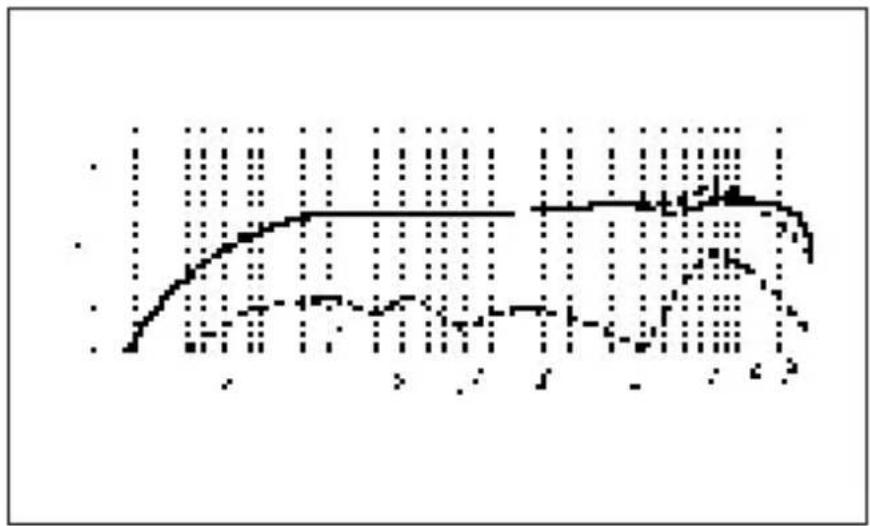
Frequency range: 65 Hz to 20 kHz
Sensitivity: 4 mV/Pa (-48 dBV re 1 V/Pa)
Max. SPL for 1% / 3% THD: 140 / 145 dB SPL
Equivalent noise level: 25 dB(A) to DIN 45412
Impedance: ≤200 ohms
Re commended load impedance: ≥2000 ohms
Connector: 3-pin XLR
Finish: matte gray-blue
Size: length: 185.2 mm (7.3 in.);
diameter: 51 mm (2 in.)
Net weight: 345 g (12.2 oz.)
Shipping weight: 660 g (1.5 lbs.)
Patents: electrode backing for a condenser trans-
This product conforms to the standards listed in the Declaration of Conformity. To order a free copy of the Declaration of Conformity, visit http://www.akg.com or contact sales@akg.com.
Frequency Response
line
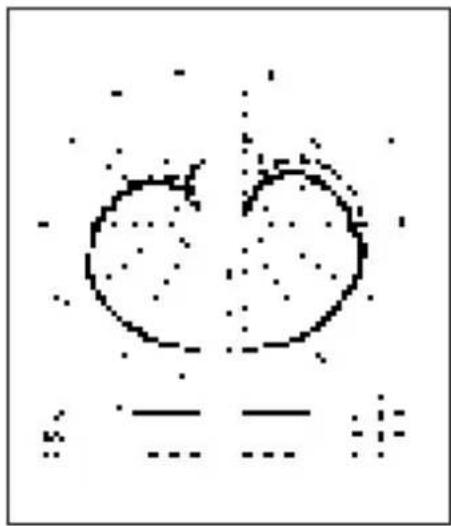
| Time Point | Value | | ---------- | ----- | | 1 | 0.5 | | 2 | 0.7 | | 3 | 0.9 | | 4 | 1.1 | | 5 | 1.3 | | 6 | 1.5 | | 7 | 1.7 | | 8 | 1.9 | | 9 | 2.1 | | 10 | 2.3 | | 11 | 2.5 | | 12 | 2.7 | | 13 | 2.9 | | 14 | 3.1 | | 15 | 3.3 | | 16 | 3.5 | | 17 | 3.7 | | 18 | 3.9 | | 19 | 4.1 | | 20 | 4.3 | | 21 | 4.5 | | 22 | 4.7 | | 23 | 4.9 | | 24 | 5.1 | | 25 | 5.3 | | 26 | 5.5 | | 27 | 5.7 | | 28 | 5.9 | | 29 | 6.1 | | 30 | 6.3 | | 31 | 6.5 | | 32 | 6.7 | | 33 | 6.9 | | 34 | 7.1 | | 35 | 7.3 | | 36 | 7.5 | | 37 | 7.7 | | 38 | 7.9 | | 39 | 8.1 | | 40 | 8.3 | | 41 | 8.5 | | 42 | 8.7 | | 43 | 8.9 | | 44 | 9.1 | | 45 | 9.3 | | 46 | 9.5 | | 47 | 9.7 | | 48 | 9.9 | | 49 | 10.1 | | 50 | 10.3 | | 51 | 10.5 | | 52 | 10.7 | | 53 | 10.9 | | 54 | 11.1 | | 55 | 11.3 | | 56 | 11.5 | | 57 | 11.7 | | 58 | 11.9 | | 59 | 12.1 | | 60 | 12.3 | | 61 | 12.5 | | 62 | 12.7 | | 63 | 12.9 | | 64 | 13.1 | | 65 | 13.3 | | 66 | 13.5 | | 67 | 13.7 | | 68 | 13.9 | | 69 | 14.1 | | 70 | 14.3 | | 71 | 14.5 | | 72 | 14.7 | | 73 | 14.9 | | 74 | 15.1 | | 75 | 15.3 | | 76 | 15.5 | | 77 | 15.7 | | 78 | 15.9 | | 79 | 16.1 | | 80 | 16.3 | | 81 | 16.5 | | 82 | 16.7 | | 83 | 16.9 | | 84 | 17.1 | | 85 | 17.3 | | 86 | 17.5 | | 87 | 17.7 | | 88 | 17.9 | | 89 | 18.1 | | 90 | 18.3 | | 91 | 18.5 | | 92 | 18.7 | | 93 | 18.9 | | 94 | 19.1 | | 95 | 19.3 | | 96 | 19.5 | | 97 | 19.7 | | 98 | 19.9 | | 99 | - |Polar Diagram
natural_image
Pixelated abstract shape with two heart-like forms and scattered dots, no text or symbols presentPage
2 Raccordement....25
3 Applications....26
natural_image
Generic document icon with no text or symbols1 Description
1.5 Description succincte
broche 2 = point chaud
broche 3 = point froid
natural_image
Silhouette of a person's head and shoulders against a black background, with no visible text or symbols.3 Applications
3.1 Introduction
natural_image
Line drawing of a man holding a microphone, no text or symbols presentnatural_image
Abstract black-and-white graphic with two stylized human silhouettes and a circular element (no text or symbols)natural_image
Silhouette of a person standing near a vertical axis with an elliptical path, no text or symbols presentnatural_image
Abstract black-and-white graphic with two stylized human-like shapes and circular elements (no text or symbols)3 Applications
natural_image
Line drawing of two people speaking at a podium with a microphone (no text or symbols)natural_image
Close-up of a mechanical component with a cylindrical top and flange (no visible text or symbols)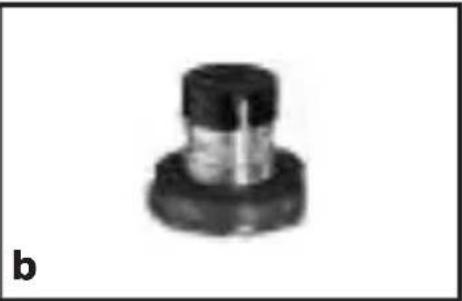
natural_image
Close-up of a mechanical component with a cylindrical top and flange (no visible text or symbols)natural_image
Simple icon of a broom with bristles, no text or symbols presentnatural_image
Pixelated abstract shape with two heart-like forms and scattered dots, no text or symbols presentPagina
natural_image
Silhouette of a person's head and shoulders against a black background, with no visible text or symbols.3 Impiego
3.1 Introduzione
natural_image
Line drawing of a man holding a microphone, no text or symbols presentnatural_image
Abstract black-and-white graphic with two circular shapes and a vertical line (no text or symbols)3.4 Reazione
natural_image
Silhouette of a person standing next to a vertical axis with an elliptical path, no text or symbols presentnatural_image
Abstract black-and-white graphic with two stylized human-like shapes and circular elements (no text or symbols)3 Impiego
natural_image
Line drawing of two people speaking at a podium with a microphone (no text or symbols)natural_image
Two identical mechanical component images labeled a and b, showing no text or symbols on the parts themselves.natural_image
Simple icon of a broom with bristles, no text or symbols presentnatural_image
Pixelated abstract diagram with two heart-like shapes and scattered dots, no text or symbols presentPágina
natural_image
Silhouette of a person's head and shoulders against a black background, with no visible text or symbols.3 Utilización
3.1 Introducción
natural_image
Line drawing of a man holding a microphone, no text or symbols presentnatural_image
Silhouette of a person standing near a vertical axis with an elliptical path, no text or symbols presentnatural_image
Abstract black-and-white graphic with two stylized human-like shapes and circular elements (no text or symbols)3 Utilización
natural_image
Line drawing of two people speaking at a podium with a microphone (no text or symbols)natural_image
Close-up of a mechanical component with a cylindrical top and flange base (no visible text or symbols)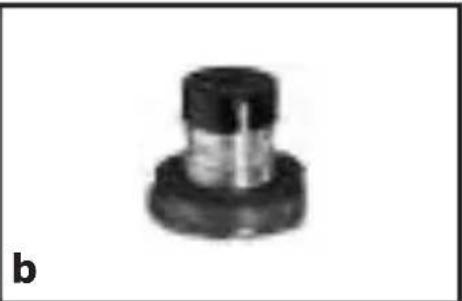
natural_image
Close-up of a mechanical component with a cylindrical top and flange (no visible text or symbols)natural_image
Simple icon of a broom with bristles, no text or symbols presentnatural_image
Pixelated abstract shape with two heart-like forms and scattered dots, no text or symbols presentPágina
5 Resolver problemas....60
1 Descrição
1.5 Apresentação
natural_image
Abstract black-and-white graphic with two stylized human silhouettes and circular elements (no text or symbols)3 Aplicação
3.1 Introdução
natural_image
Line drawing of a man holding a microphone, no text or symbols presentnatural_image
Abstract black-and-white graphic with two circular shapes and a vertical line (no text or symbols)3.4 Realimentação
natural_image
Silhouette of a person standing next to a vertical axis with an elliptical path, no text or symbols presentnatural_image
Abstract black-and-white graphic with two stylized human-like shapes and circular elements (no text or symbols)3 Aplicação
natural_image
Line drawing of two people speaking at a podium with a microphone (no text or symbols)natural_image
Close-up of a mechanical component with a cylindrical top and flange (no visible text or symbols)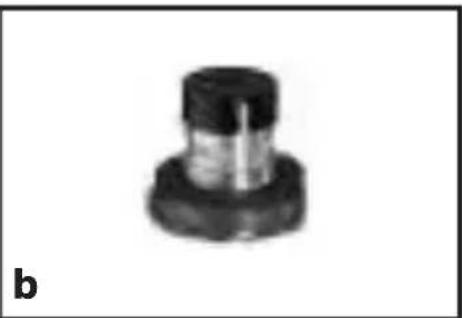
natural_image
Close-up of a mechanical component with a cylindrical top and flanged base (no visible text or symbols)natural_image
Simple icon of a broom with bristles, no text or symbols presentnatural_image
Abstract pixelated graphic with two heart-like shapes and scattered dots, no text or symbols presentMikrofone · Kopfhörer · Drahtlosmikrofone · Drahtloskopfhörer · Kopfsprechgarnituren · Akustische Komponenten Microphones · Headphones · Wireless Microphones · Wireless Headphones · Headsets · Electroacoustical Components Microphones · Casques HiFi · Microphones sans fil · Casques sans fil · Micros-casques · Composants acoustiques Microfoni · Cuffie HiFi · Microfoni senza filo · Cuffie senza filo · Cuffie-microfono · Componenti acustici Micrófonos · Auriculares · Micrófonos inalámbricos · Auriculares inalámbricos · Auriculares con micrófono · Componentes acústicos Microfones · Fones de ouvido · Microfones s/fios · Fones de ouvido s/fios · Microfones de cabeça · Componentes acústicos
AKG Acoustics GmbH
Lemböckgasse 21–25, A-1230 Vienna/AUSTRIA, phone: (+43-1) 86654-0*
e-mail: sales@akg.com
AKG Acoustics, U.S.
8500 Balboa Boulevard, Northridge, CA 91329, U.S.A, phone: (+1 818) 920-3212
e-mail: akgusa@harman.com
For other products and distributors worldwide visit www.akg.com

Technische Änderungen vorbehalten. Specifications subject to change without notice. Ces caractéristiques sont susceptibles de modifications. Ci riserviamo il diritto di effettuare modifiche tecniche. Nos reservamos el derecho de introducir modificaciones técnicas. Especificações sujeitas a mudanças sem aviso prévio.
Printed in Austria on recycled paper. 09/06/9100 U 1205

- Seite
- Beschreibung
- Anwendung
- Einleitung
- Page
- Precaution / Description....13
- Interfacing ....15
- Using Your Microphone ....16
- Cleaning....19
- Troubleshooting ....20
- Specifications....21
- Precaution / Description
- Precaution
- Unpacking
- Description
- Brief Description
- Interfacing
- Using Your Microphone
- Introduction
- Working Distance and Proximity Effect
- Angle of Incidence
- Backing Vocals
- Installing the PB 1000
- Important!
- Cleaning
- Raccordement....25
- Applications....26
- Description succincte
- Applications
- Pagina
- Impiego
- Introduzione
- Reazione
- Página
- Utilización
- Introducción
- Resolver problemas....60
- Descrição
- Apresentação
- Aplicação
- Introdução
- AKG Acoustics GmbH
- AKG Acoustics, U.S.
Brand : AKG
Model : C5
Category : Microphone