HBTM 91B - Headphones GoGen - Free user manual and instructions
Find the device manual for free HBTM 91B GoGen in PDF.


| Product Type | Multifunctional Wireless Stereo Headphone |
| Bluetooth Version | V4.1 |
| Wireless Range | 10 m (33 ft) |
| Frequency Range | 2.402 GHz - 2.480 GHz |
| Transmitter Power (EIRP) | 2.03 dBm |
| Speaker Sensitivity | 112 ± 3 dB at 1 kHz, 1 mW |
| Speaker Frequency Response | 20 Hz - 20 kHz |
| Rated Power | 10 mW - 12 mW |
| Input Voltage | DC 5V |
| Battery Type | Rechargeable Li-polymer 3.7V / 300 mAh |
| Play Time | Up to 12-15 hours |
| Talk Time | Up to 17 hours |
| Charging Time | Approximately 2.5 hours |
| Standby Time | Up to 600 hours (25 days) |
| Charging Port | Micro-USB |
| Audio Port | 3.5mm |
| Controls | Power, Play/Pause, Next/Volume+, Prev/Volume-, Answer/End call, Reject call, Redial |
| Wired Mode Support | Yes (via included 3.5mm audio cable) |
| Multi-Point Connection | Yes (connect to two Bluetooth devices simultaneously) |
| LED Indicator | Bluetooth pairing (flashing red/blue), charging (red), fully charged (blue) |
| Safety Warning | High volume may affect hearing; do not use while driving or cycling |
| Maintenance | Charge at least once per month to maintain battery health |
| Warranty | 2 years from date of purchase |
Frequently Asked Questions - HBTM 91B GoGen
User questions about HBTM 91B GoGen
0 question about this device. Answer the ones you know or ask your own.
Ask a new question about this device
Download the instructions for your Headphones in PDF format for free! Find your manual HBTM 91B - GoGen and take your electronic device back in hand. On this page are published all the documents necessary for the use of your device. HBTM 91B by GoGen.
USER MANUAL HBTM 91B GoGen
natural_image
Abstract logo design with white stylized 'S' inside a black circle (no text or symbols)HBTM 91 B
GoGEN
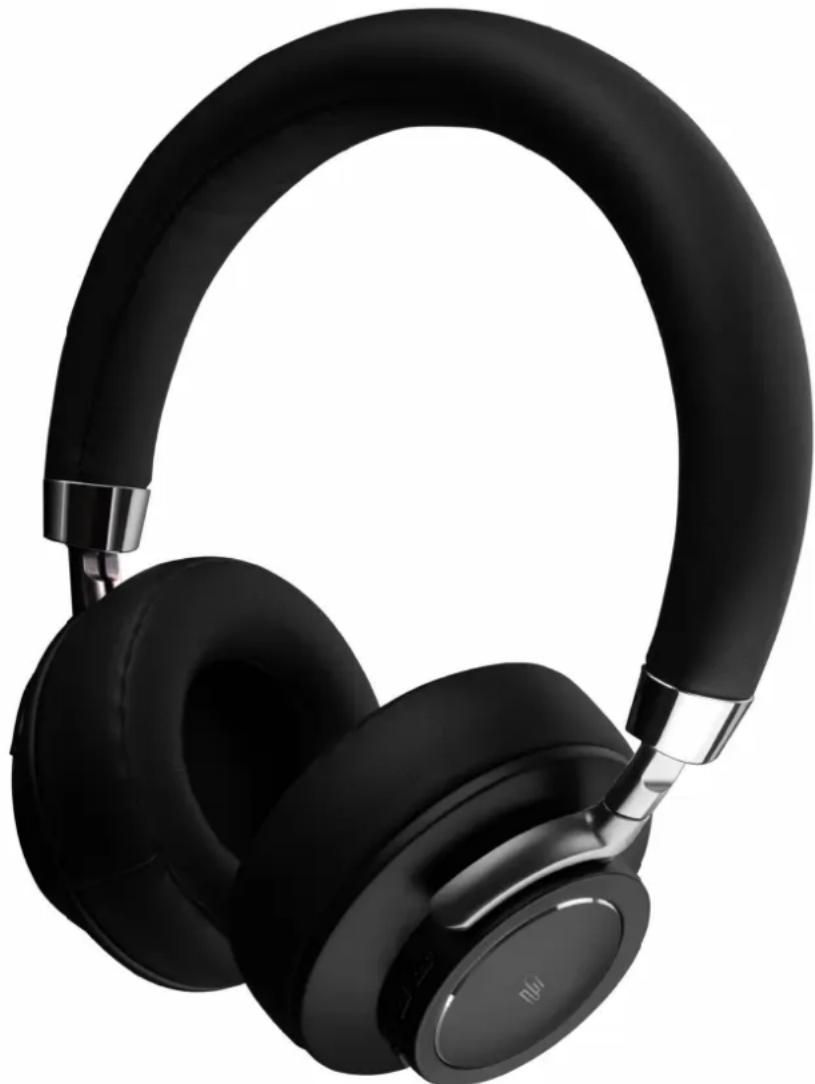
natural_image
Black and white photo of a modern black and silver headband with adjustable neck and ear (no text or symbols visible)
MULTIFUNKČNÍ BEZDRÁTOVÁ STEREOFONNÍ SLUCHÁTKA MULTIFUNKČNÉ BEZDRÓTOVÉ STEREOFÓNNE SLÚCHADLÁ IWIELOFUNKCYJNE BEZPRZEWODOWE SŁUCHAWKI STEREO MULTIFUNCTIONAL WIRELESS STEREO HEADPHONE MULTIFUNKCIONÁLIS VEZETÉK NÉLKÜLI SZTEREÓ FEJHALLGATÓ
NÁVOD K POUŽITÍ NÁVOD NA POUŽITIE INSTRUKCJA OBSŁUGI USER MANUAL HASZNÁLATI UTASÍTÁS
Thank you for purchasing the Bluetooth V4.1 Wireless Headphones. Before using, please read over this manual on how to properly use your headphones and for other product specifications.
PACKAGE CONTENTS
Bluetooth Headphone, Micro USB charging cable, 3,5mm audio cable, User Manual
WARNING
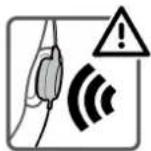
HIGH VOLUME MAY AFFECT YOUR HEARING.
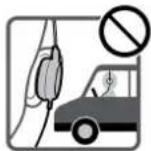
FOR TRAFFIC SAFETY, DO NOT USE WHILE DRIVING OR CYCLING.
WIRED CAPABILITY
Note: the headphones can be used as wired headphones for devices without Bluetooth capability. If using as wired headphones, all functions on the headset will not work. If you are paired via Bluetooth to a device and then use the wired connection on another device at the same time, you will hear audio from both devices.
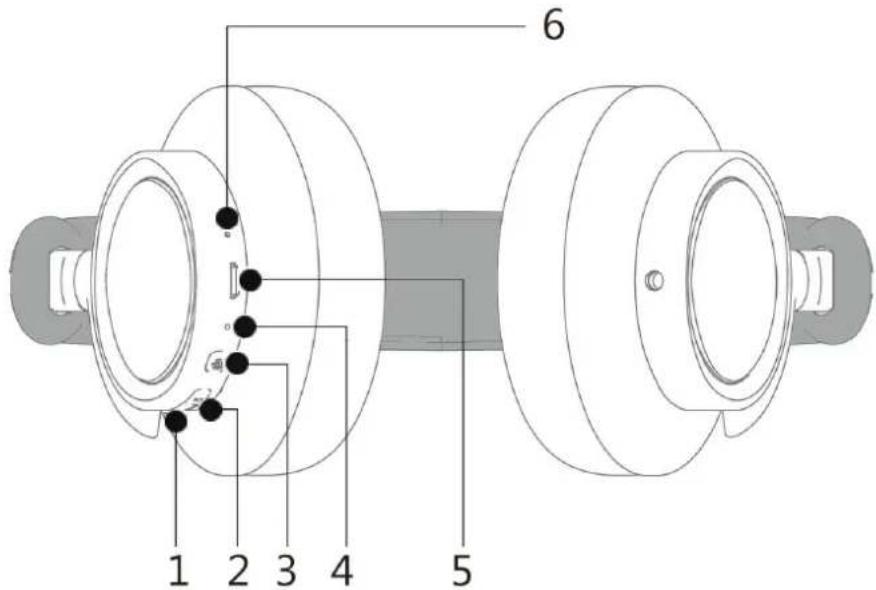
- PREV/ VOL + Bluetooth mode: Short Press for PREV; Long Press for VOL+
- Next /VOL – Bluetooth mode: Short Press for NEXT; Long Press for VOL-
-
Power switch : Long press to power ON/OFF Short Press to PLAY/PAUSE Short Press to Answer/Hang out incoming calls Long Press to reject incoming calls Press twice to redial the last number
-
LED indicator
-
Micro USB port
-
MIC
-
3.5mm audio port
LED INDICATOR
Bluetooth Mode: When in Bluetooth mode, the blue and red LED indicators will flash alternately. When connected, the LED will stop flashing.
Charging Mode: When charging, the LED light will remain red. When finished charging, the LED light will return blue.
BLUETOOTH PAIRING MODE
Turn on the headphone by holding down the power button. Keep pressing until the LED lights flash red and blue. Release the power button after LED's start flashing red and blue.
CONNECTING TO A BLUETOOTH DEVICE
- When the headphones are in pairing mode, open the wireless setting on your device. Make sure the device's Bluetooth setting is turned on.
- Search for GOGEN HBTM91B
- Choose GOGEN HBTM91B pair, your device should them show "connected".
- The LED lights on the headphone will turn off once connected to your devices.
- If your device asks you for a password to connect to the headphones, key in "0000". This is normally not needed.
MULTI-POINT CONNECTIONS
These headphones are capable of connecting to two devices at the same time.
TO CONNECT
- Disconnect your first phone from headphones from your Bluetooth settings and then restart the headphones pairing mode. Turn on the Bluetooth function on the second phone and look for GOGEN HBTM91B. Pair your second device. Then turn on the Bluetooth function on your first phone and re-connect to GOGEN HBTM91B. Both devices should now be connected.
- If you are on a call on one device and a call comes in on the second device you can:
a. Reject the incoming call on the second device by pressing the MF button for 1 second
b. Put the current call on hold and answer the call on the second device by pressing the MF button twice
c. Hang up the call on the first device and answer the call on the second device with a short press of the MF button
d. Go back to the original call after answering the second call by pressing the MF button twice
e. Hang up on the second call and go back to the original call with a short press of the MF button
CHARGING
Connect the provided Micro-USB cable to a computer or a USB charger. The LED lights will turn red while charging. The LED lights will turn blue when charging is finished.
LOW BATTERY
When the battery power is low, the headphones will automatically turn off. To maintain proper battery levels, charge the headphones at least once per month. If the headphones sit without being power on for long periods of time, they will need to be charged to maintain full battery levels.
WIRED MODE
You may use the included 3,5mm audio cable to directly plug the headphones into an audio device. When using the 3,5mm cable, all wireless functions, along with button functions will not work. To adjust volume levels or track selections, you must use the connected devices 's functions.
TO CONNECT
- Insert the 3,5mm cable into the 3.5mm port on the headphones.
- Insert the other end of the 3.5mm audio cable
- Control functions of the headphones, volume, track, play/pause through the connected audio device.
TECHNICAL SPECIFICATIONS
Bluetooth Version: V 4.1
Wireless Working Range: 10 m
Frequency range: 2,402 GHz - 2,480 GHz, E.i.r.p.: 2,03 dBm
Charging: Micro-USB cable
Speaker Sensitivity: 112 ± 3 dB at 1 kHz; 1 mW
Speaker Frequency: 20 - 20 kHz
Rated Power: 10 mW - 12 mW
Input Voltage: DC 5 V
Battery: Rechargeable Li-polymer 3,7 V / 300 mAh
Play Time: Up to 12 - 15 h, Talk Time: Up to 17 h, Charging Time: About 2,5 h,
Standby Time: Up to 600 h
WARRANTY
Our product is warranted for 2 full year from the date of purchase. The warranty is provided on all material defects and workmanship. Guarantee of 24 months does not apply to decrease in the accumulator's effective capacity caused by its use or age. Effective capacity gradually decreases depending on the method of use of the accumulator.
WE RESERVE THE RIGHT TO CHANGE TECHNICAL SPECIFICATIONS.
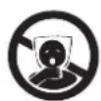
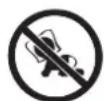
TO AVOID DANGER OF SUFFOCATION, KEEP THE PLASTIC BAG AWAY FROM BABIES AND CHILDREN. DO NOT USE THIS BAG IN CRIBS, BEDS, CARRIAGES OR PLAYPENS. THIS BAG IS NOT A TOY.
DISPOSAL OF OLD ELECTRICAL & ELECTRONIC EQUIPMENT (APPLICABLE IN THE EUROPEAN UNION AND OTHER EUROPEAN COUNTRIES WITH SEPARATE COLLECTION SYSTEMS)
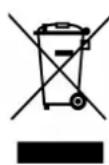
This symbol on the product or on its packaging indicates that this product shall not be treated as household waste. Instead it shall be handed over to the applicable collection point for the recycling of electrical and electronic equipment. By ensuring this product is disposed of correctly, you will help prevent potential negative consequences for the environment and human health, which could otherwise be caused by inappropriate waste
handling of this product. The recycling of materials will help to conserve natural resources.
For more detailed information about recycling of this product, please contact your local Civic Office, your household waste disposal service or the shop where you purchased the product.
Hereby, ETA a.s. declares that the radio equipment type HBTM91B is in compliance with Directive 2014/53/EU. The full text of the EU declaration of conformity is available at the following internet address: http://www.gogen.cz/declaration_of_conformity
natural_image
Abstract logo design with white stylized 'S' inside a black circle (no text or symbols)GoGEN
- GoGEN
- PACKAGE CONTENTS
- WARNING
- WIRED CAPABILITY
- LED INDICATOR
- BLUETOOTH PAIRING MODE
- CONNECTING TO A BLUETOOTH DEVICE
- MULTI-POINT CONNECTIONS
- TO CONNECT
- CHARGING
- LOW BATTERY
- WIRED MODE
- TECHNICAL SPECIFICATIONS
- WARRANTY
- WE RESERVE THE RIGHT TO CHANGE TECHNICAL SPECIFICATIONS.
- DISPOSAL OF OLD ELECTRICAL & ELECTRONIC EQUIPMENT (APPLICABLE IN THE EUROPEAN UNION AND OTHER EUROPEAN COUNTRIES WITH SEPARATE COLLECTION SYSTEMS)
Brand : GoGen
Model : HBTM 91B
Category : Headphones