HBTM43 - Headphones GoGen - Free user manual and instructions
Find the device manual for free HBTM43 GoGen in PDF.


| Product Type | Wireless Headphones |
| Brand | GoGen |
| Model | HBTM43 |
| Connectivity | Bluetooth 5.0 |
| Driver Diameter | 40 mm |
| Impedance | 32 Ω |
| Frequency Response | 20 Hz – 20 kHz |
| Battery Type | Rechargeable Lithium-ion |
| Battery Capacity | 300 mAh |
| Playback Time | Up to 20 hours |
| Charging Time | 2 hours |
| Charging Port | USB-C |
| Wireless Range | 10 m (33 ft) |
| Microphone | Built-in, noise cancelling |
| Weight | 200 g |
| Dimensions (folded) | 18 x 16 x 5 cm |
| Design | Over-ear, foldable, adjustable headband |
| Ear Cushions | Soft memory foam, leatherette |
| Controls | On-ear buttons: power, volume, track, call |
| Included Accessories | USB charging cable, 3.5mm audio cable, user manual |
| Cleaning Instructions | Wipe with a soft, dry cloth. Do not use liquids. |
| Safety Warning | Do not use at high volume for extended periods to prevent hearing damage. |
| Spare Parts Availability | Replacement ear cushions and cables available from GoGen support. |
| Warranty | 1 year limited warranty |
Frequently Asked Questions - HBTM43 GoGen
User questions about HBTM43 GoGen
0 question about this device. Answer the ones you know or ask your own.
Ask a new question about this device
Download the instructions for your Headphones in PDF format for free! Find your manual HBTM43 - GoGen and take your electronic device back in hand. On this page are published all the documents necessary for the use of your device. HBTM43 by GoGen.
USER MANUAL HBTM43 GoGen
natural_image
Abstract logo design with a stylized white 'S' inside a circle on black background (no text or symbols)GoGEN
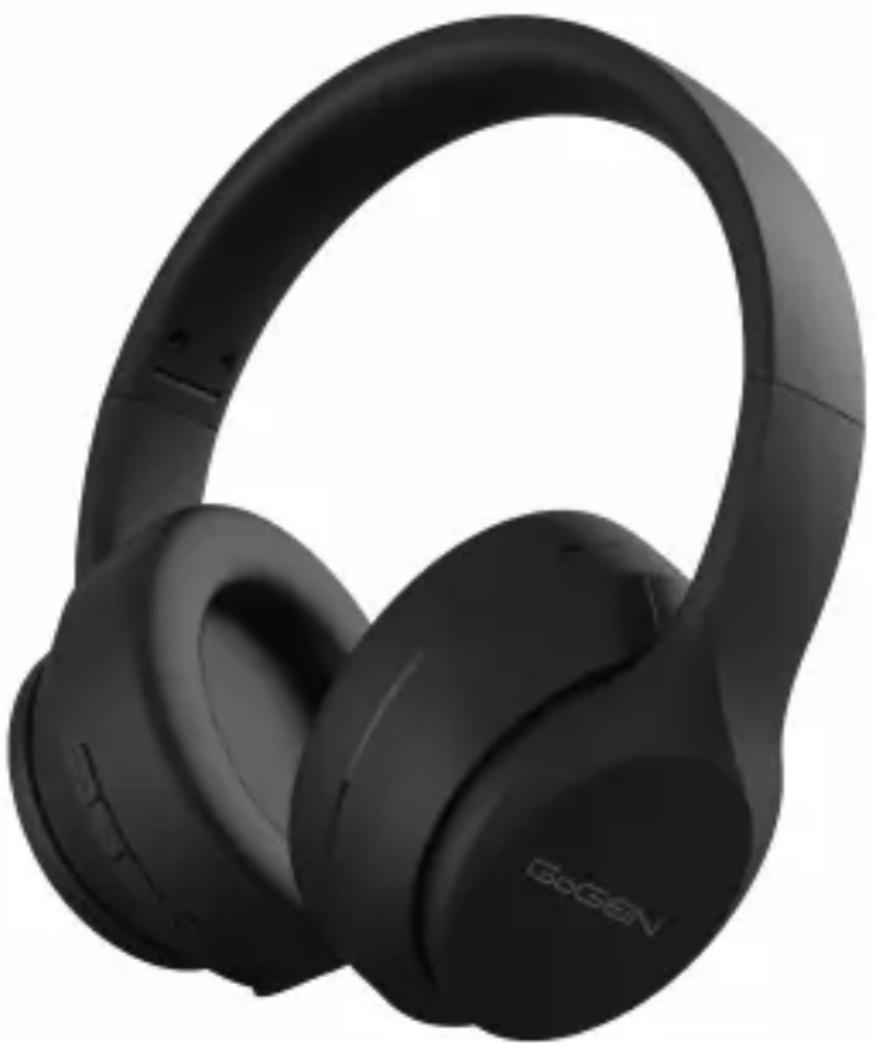
HBTM43
natural_image
Black and white photo of a pair of black headbuds (no visible text or symbols)
BEZDRÁTOVÁ STEREOFONNÍ SLUCHÁTKA
BEZDRÔTOVÉ STEREOFÓNNE SLÚCHADLÁ
BEZPRZEWODOWE SŁUCHAWKI STEREO
WIRELESS STEREO HEADPHONE
VEZETÉK NÉLKÜLI SZTEREÓ FEJHALLGATÓ
NÁVOD K POUŽITÍ
NÁVOD NA POUŽITIE
INSTRUKCJA OBSŁUGI
USER MANUAL
HASZNÁLATI UTASÍTÁS
VYSOKÁ HLASITOST MÚŽE POŠKO- DIT VÁŠ SLUCH.
Z DŮVODU BEZPEČNOSTI NEPOUŽÍVEJTE SLUCHÁTKA PŘI ŘÍZENÍ NEBO PŘI JÍZDĚ NA KOLE.
TECHNICKÉ SPECIFIKACE
natural_image
Prohibition sign with a circular border and a stylized face inside, no text or symbols present.
natural_image
Prohibition sign with a crossed-out dog silhouette (no text or symbols)NEBEZPEČÍ UDUŠENÍ. PE SÁČEK ODKLÁDEJTE MIMO DOSAH DĚTÍ. SÁČEK NENÍ NA HRANÍ. NEPOUŽÍVEJTE TENTO SÁČEK V KOLÉBKÁCH, POSTÝLKÁCH, KOČÁRCÍCH NEBO DĚTSKÝCH OHRÁDKÁCH.
LIKVIDACE NEPOTŘEBNÉHO ELEKTRICKÉHO ELEKTRONICKÉHO ZA-ŘÍZENÍ (PLATNÉ EVROPSKÉ UNII A V DALŠÍCH EVROPSKÝCH STÁTECH UPLATŇUJÍCÍCH ODDĚLENÝ SYSTÉM SBĚRU)
natural_image
Symbol of a trash bin crossed with no text or numbers, representing waste sorting or disposal (no text present)VYSOKÁ HLASITOST MÔŽE POŠKO- DIŤ VÁŠ SLUCH.
Z DÔVODU BEZPEČNOSTI NEPOUŽÍVAJTE SLÚCHADLÁ PRI RIADENÍ ALEBO PRI JAZDE NA BICYKLI.
TECHNICKÉ ŠPECIFIKÁCIE
• Verzia Bluetooth: V 5.0
• Dosah bezdrôtového pripojenia: 10 m
• Frekvenčný rozsah: 2,402 GHz - 2,480 GHz, E.i.r.p.: 0,33 dBm
• Nabíjanie: kábel micro USB
• Citlivost' reproduktora: 100 dB ± 3 dB pri 1 kHz; 1 mW
• Frekvencia reproduktora: 20 Hz - 20 kHz
• Impedance: 32 Ω
• Výkon: < 20 mW
• Vstupné napätie: jednosmerný prúd 5 V
• Batéria: nabíjacia lítium polymérová 3,7 V / 400 mAh
• Doba prehrávania: až 31 hod.
• Doba nabíjania: asi 3 hod.
MOŽNOSŤ DRÔTOVÉHO PRIPOJENIA
natural_image
Prohibition sign with a circular border and no text or symbols
natural_image
Prohibition sign with a crossed-out dog silhouette inside a circle (no text)NEBEZPEČENSTVO UDUSENIA. PE VRECKO ODKLADAJTE MIMO DOSAHU DETÍ. VRECKO NIE JE NA HRANIE. NEPOUŽÍVAJTE TOTO VRECÚŠKO V KOLÍSKACH, POSTIEL'KACH, KOČÍKOCHALEBO DETSKÝCH OHRÁDKACH.
LIKVIDÁCIA STARÝCH ELEKTRICKÝCH A PRÍSTROJOV (VŤAHUJE SA NA EURÓPSKU ÚNIU A EURÓPSKE KRAJINY SO SYSTÉMAMI ODDELE-NÉHO ZBERU)
natural_image
Symbol of a trash bin crossed with two crossed lines, no text or labels present
WYSOKIE NATEŻENIE DŹWIĘKU MOŻE USZKODZIĆ
W CELU ZACHOWANIA BEZPIECZEŃSTWA NIE KORZYSTAĆ PODCZAS PROWADZENIA SAMOCHODU I JAZDY NA ROWERZE.
SPECYFIKACJE TECHNICZNE
natural_image
Prohibition sign with a person wearing a mask and crossed-out hand (no text or symbols)
natural_image
Prohibition sign with a crossed-out dog silhouette inside a circle (no text)NIEBEZPIECZEŃSTWO UDUSZENIA. TOREBKE Z PE POŁOŻYĆ W MIEJSCU BĘDĄCYM POZA ZASIĘGIEM DZIECI. TOREBKA NIE SŁUŻY DO ZABAWY! TEGO WORKA NIE NALEŻY UŻYWAĆ W KOŁYSKACH, ŁÓŻECZKACH, WÓZKACH LUB KOJCACH DZIECIĘCYCH.
UTYLIZACJA ZUŻYTEGO SPRZĘTU(STOSOWANE W KRAJACH UNII EUROPEJSKIEJI W POZOSTAŁYCH KRAJACH EUROPEJSKICH STOSUJĄCYCH SYSTEMY ZBIÓRKI)
natural_image
Symbol of a trash bin crossed with two diagonal lines, representing no waste or discharge (no text or labels)
Thank you for purchasing the Bluetooth Wireless Headphones.
Before using, please read over this manual on how to properly use your headphones and for other product specifications.
PACKAGE CONTENTS
Headphone, Micro USB charging cable, User Manual
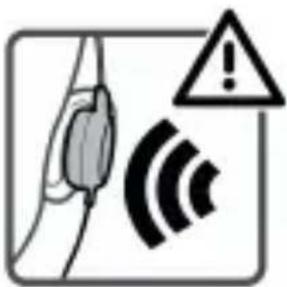
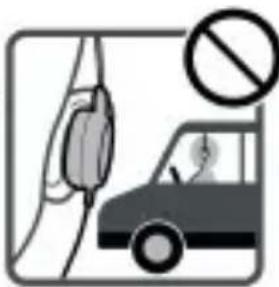
WARNING
natural_image
Illustration of a car with a hand holding a vehicle and a no-smoking symbol (no text or labels)HIGH VOLUME MAY AFFECT YOUR HEARING.
FOR TRAFFIC SAFETY, DO NOT USE WHILE DRIVING OR CYCLING.
TECHNICAL SPECIFICATIONS
- Bluetooth Version: V 5.0
• Wireless Working Range: 10 m
• Frequency range: 2,402 GHz - 2,480 GHz, E.i.r.p.: 0,33 dBm
• Charging: Micro-USB cable
• Speaker Sensitivity: 100 dB ± 3 dB at 1 kHz; 1 mW
• Speaker Frequency: 20 Hz - 20 kHz
• Impedance: 32 Ω - Input Voltage: DC 5 V
• Battery: Rechargeable Li-polymer 3,7 V / 400 mAh - Play Time: Up to 31 h
• Charging Time: About 3 h
WIRED CAPABILITY
Note: the headphones can be used as wired headphones for devices without Bluetooth capability. If using as wired headphones, all functions on the headset will not work. If you are paired via Bluetooth to a device and then use the wired connection on another device at the same time, you will hear audio from both devices.
DEVICE LAYOUT
EN
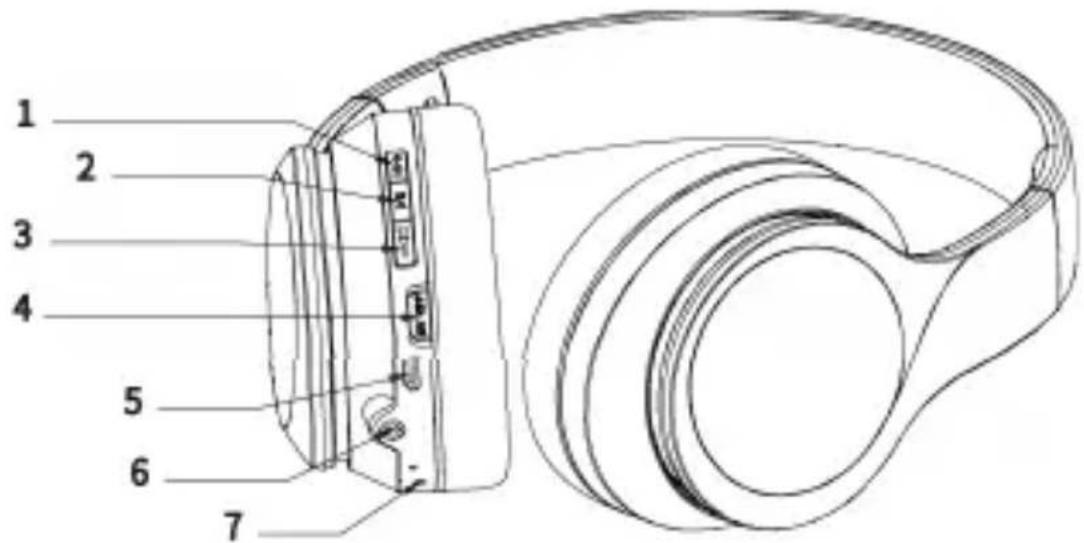
1) Button + Press once to increase the volume by one level. One signal tones will sound when the maximum volume has been reached.
During playback press and hold approx. 2 seconds to skip to the next track.
2) Button PLAY/PAUSE—press once to play / stop music playback.
Press once to answer or hang up the incoming call.
Hold for 3 seconds to reject the incoming call.
3) Button – Press once to reduce the volume by one level. One signal tone will sound when the minimum volume has been reached. During playback, press and hold approx. 2 seconds to jump to the previous track.
4) Switch ON/OFF - move to ON/OFF to switch the device on / off.
5) Micro USB charging socket.
6) 3,5 mm jack plug port
7) LED indicator
LED INDICATOR
Bluetooth Mode: When in Bluetooth mode, the blue and red LED indicators will flash alternately. When connected, the LED will briefly flash blue every 5 seconds.
Charging Mode: When charging, the LED light will light red. When finished charging, the LED light switch off.
BLUETOOTH PAIRING MODE
Turn on the headphone by switching the power button to ON. The LED's start flashing red and blue.
CONNECTING TO A BLUETOOTH DEVICE
1) When the headphones are in pairing mode, open the wireless setting on your device. Make sure the device's bluetooth setting is turned on.
2) Search for GOGHBTM43.
3) Choose GOGHBTM43 pair, your device should them show "connected".
4) The LED will flash blue every 5 seconds when connected to your devices.
5) If your device asks you for a password to connect to the headphones, key in "0000". This is normally not needed.
CHARGING
Connect the provided Micro-USB cable to a computer or a USB charger. The LED light will turn red while charging. The LED light will turn white when charging is finished.
LOW BATTERY
When the battery power is low, the headphones will automatically turn off. To maintain proper battery levels, charge the headphones at least once per month. If the headphones sit without being power on for long periods of time, they will need to be charged to maintain full battery levels.
WIRED MODE
You may use the included 3,5mm audio cable to directly plug the headphones into an audio device. When using the 3,5mm cable, all wireless functions, along with button functions will not work. To adjust volume levels or track selections, you must use the connected devices 's functions.
TO CONNECT
1) Insert the 3,5mm cable into the 3,5mm port on the headphones.
2) Insert the other end of the 3,5mm audio cable
3) Control functions of the headphones, volume, track, play/pause through the connected audio device.
WARRANTY
Our product is warranted for 2 full year from the date of purchase. The warranty is provided on all material defects and workmanship. Guarantee of 24 months does not apply to decrease in the accumulator's effective capacity caused by its use or age. Effective capacity gradually decreases depending on the method of use of the accumulator.
WE RESERVE THE RIGHT TO CHANGE TECHNICAL SPECIFICATIONS.

natural_image
Prohibition sign with a circular border and no text or symbols
natural_image
Prohibition sign with a crossed-out dog silhouette (no text or symbols)TO AVOID DANGER OF SUFFOCATION, KEEP THE PLASTIC BAG AWAY FROM BABIES AND CHILDREN. DO NOT USE THIS BAG IN CRIBS, BEDS, CARRIAGES OR PLAYPENS. THIS BAG IS NOT A TOY.
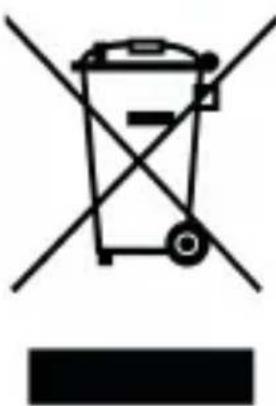
DISPOSAL OF OLD ELECTRICAL & ELECTRONIC EQUIPMENT (APPLICABLE IN THE EUROPEAN UNION AND OTHER EUROPEAN COUNTRIES WITH SEPARATE COLLECTION SYSTEMS)
natural_image
Symbol of a trash bin crossed with diagonal lines, no text or numbers presentThis symbol on the product or on its packaging indicates that this product shall not be treated as household waste. Instead it shall be handed over to the applicable collection point for the recycling of electrical and electronic equipment. By ensuring this product is disposed of correctly, you will help prevent potential negative consequences for the environment and human health, which could otherwise be caused by inappropriate waste handling of this product. The recycling of materials will help to conserve natural resources. For more detailed information about recycling
of this product, please contact your local Civic Office, your household waste disposal service or the shop where you purchased the product.
Hereby, ETA a.s. declares that the radio equipment type HBTM43 is in compliance with Directive 2014/53/EU. The full text of the EU declaration of conformity is available at the following internet address: http://www.gogen.cz/declaration_of_conformity
EN
natural_image
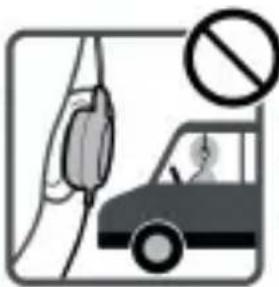
Illustration of a hand holding a car with a no-smoking symbol (no text or labels)A MAGAS HANGERÖVEL VALÓ ZENEHALLGATÁS HALLÁSKÁROSODÁST OKOZHAT. A BIZTONSÁG ÉRDEKÉBEN NE HASZNÁLJA A FÜLHALLGATÓT VEZETÉS, VAGY BICIKLIZÉS KÖZBEN.
TECHNIKAI SPECIFIKÁCIÓK
natural_image
Prohibition sign with a figure wearing a mask and crossed-out ring (no text)
natural_image
Prohibition sign with a crossed-out dog silhouette (no text or symbols)FULLADÁSVESZÉLY. TARTSA A PE ZACSKÓT GYERMEKEKTÖL ELZÁRT HELYEN. A ZACSKÓ NEM JÁTÉKSZER. NE HASZNÁLJA EZT A ZACSKÓT BÖLCSÖK-BEN, KISÁGYAKBAN, BABAKOCSIKBAN, VAGY GYEREK JÁRÓKÁKBAN.
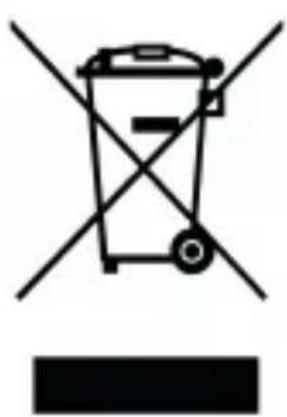
FELESLEGESSÉ VÁLT ELEKTROMOS ÉS ELEKTRONIKUS KÉSZÜLÉKEK HULLADÉKKÉNT VALÓ ELTÁVOLÍTÁSA (HASZNÁLHATÓ AZ EURÓPAI UNIÓ ÉS EGYÉB EURÓPAI ORSZÁGOK SZELEKTÍV HULLADÉKGYÚJTÉSI RENDSZEREIBEN)
natural_image
Symbol of a trash bin crossed with no text or numbers, representing waste sorting or disposal (no text present)natural_image
Abstract logo design with white stylized 'S' inside a black circle (no text or symbols)GoGEN
- TECHNICKÉ SPECIFIKACE
- TECHNICKÉ ŠPECIFIKÁCIE
- MOŽNOSŤ DRÔTOVÉHO PRIPOJENIA
- LIKVIDÁCIA STARÝCH ELEKTRICKÝCH A PRÍSTROJOV (VŤAHUJE SA NA EURÓPSKU ÚNIU A EURÓPSKE KRAJINY SO SYSTÉMAMI ODDELE-NÉHO ZBERU)
- WYSOKIE NATEŻENIE DŹWIĘKU MOŻE USZKODZIĆ
- SPECYFIKACJE TECHNICZNE
- UTYLIZACJA ZUŻYTEGO SPRZĘTU(STOSOWANE W KRAJACH UNII EUROPEJSKIEJI W POZOSTAŁYCH KRAJACH EUROPEJSKICH STOSUJĄCYCH SYSTEMY ZBIÓRKI)
- PACKAGE CONTENTS
- WARNING
- HIGH VOLUME MAY AFFECT YOUR HEARING.
- TECHNICAL SPECIFICATIONS
- WIRED CAPABILITY
- DEVICE LAYOUT
- LED INDICATOR
- BLUETOOTH PAIRING MODE
- CONNECTING TO A BLUETOOTH DEVICE
- CHARGING
- LOW BATTERY
- WIRED MODE
- TO CONNECT
- WARRANTY
- WE RESERVE THE RIGHT TO CHANGE TECHNICAL SPECIFICATIONS.
- DISPOSAL OF OLD ELECTRICAL & ELECTRONIC EQUIPMENT (APPLICABLE IN THE EUROPEAN UNION AND OTHER EUROPEAN COUNTRIES WITH SEPARATE COLLECTION SYSTEMS)
- TECHNIKAI SPECIFIKÁCIÓK
- FELESLEGESSÉ VÁLT ELEKTROMOS ÉS ELEKTRONIKUS KÉSZÜLÉKEK HULLADÉKKÉNT VALÓ ELTÁVOLÍTÁSA (HASZNÁLHATÓ AZ EURÓPAI UNIÓ ÉS EGYÉB EURÓPAI ORSZÁGOK SZELEKTÍV HULLADÉKGYÚJTÉSI RENDSZEREIBEN)
- GoGEN
Brand : GoGen
Model : HBTM43
Category : Headphones