RBC-1200 - Bill Counter Royal Sovereign - Free user manual and instructions
Find the device manual for free RBC-1200 Royal Sovereign in PDF.


| Product Type | Bill Counter |
| Brand | Royal Sovereign |
| Model | RBC-1200 |
| Power Supply | 110Vac/60Hz (220Vac/50Hz) |
| Power Consumption | <90W |
| Counting Speed | 1000 bills/min |
| Hopper Capacity | 130 bills |
| Stacker Capacity | 130 bills |
| Display | 4-digit LED counting and preset |
| Dimensions | 12.12 x 10.43 x 6.41 in (308 x 265 x 163 mm) |
| Weight | 15.4 lbs (7 kg) |
| Counterfeit Detection | UV, IR, Magnetic |
| Batch Counting | Preset up to 999 |
| Add Mode | Accumulates counts |
| Automatic Self-Test | On startup |
| External Display | Adjustable angle |
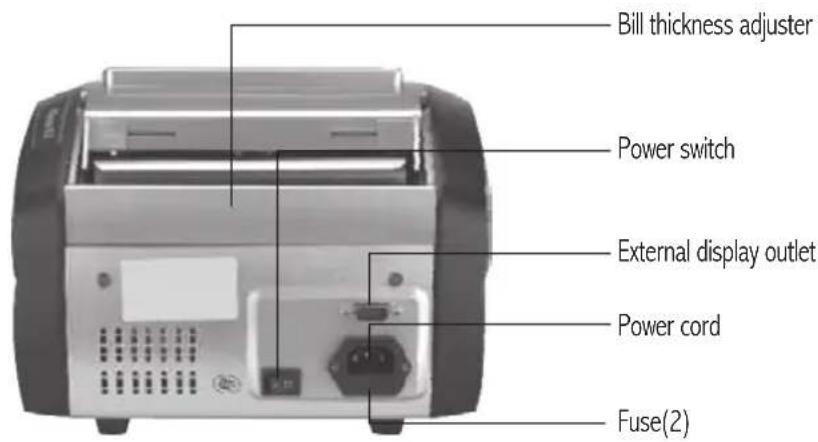
| Bill Thickness Adjuster | Screw for friction |
| Cleaning | Soft brush, alcohol for sensors |
| Safety | Unplug before cleaning, no liquids |
| Fuse | 2 fuses included |
| Warranty | 3 years limited |
| Operating Temperature | 32-104°F (0-40°C) |
| Included Accessories | Power cord, manual |
Frequently Asked Questions - RBC-1200 Royal Sovereign
User questions about RBC-1200 Royal Sovereign
0 question about this device. Answer the ones you know or ask your own.
Ask a new question about this device
Download the instructions for your Bill Counter in PDF format for free! Find your manual RBC-1200 - Royal Sovereign and take your electronic device back in hand. On this page are published all the documents necessary for the use of your device. RBC-1200 by Royal Sovereign.
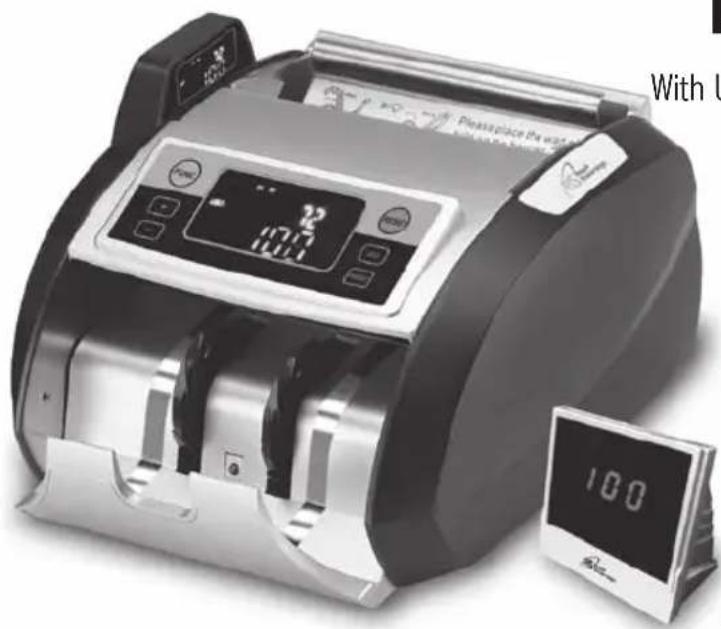
USER MANUAL RBC-1200 Royal Sovereign
With UV, IR, Magnetic Counterfeit Detection
natural_image
Black and white photo of a digital cash register machine with a digital display showing 2:00, next to a digital clock showing 100 (no visible text or symbols on the device itself)Please read and retain these instructions.
To register your product, please go to
www.royalsovereign.com
USA-Customer Support Tab then Registration Tab.
www.royalsovereign.com
Royal Sovereign International, Inc.
BILL COUNTER
With UV, IR, Magnetic Counterfeit Detection
SAFETY INSTRUCTIONS
The safety recommendations outlined in this section should be read and understood before operating this machine. Keep this information for future reference.
- To prevent the possibility of electric shock, do not allow any fluids inside or around the machine.
- Do not operate machine for any purpose other than its intended use.
- Do not take apart the machine. When service or repair work is needed bring it to a qualified service repair technician.
- Before cleaning the machine always unplug it from the wall. Do not use liquid or aerosol cleaners on the machine.
- Do not use the machine if the power cord is damaged. This may result in electrical shock, fire or other hazards.
- Do not place objects on the power cord and do not bend it excessively. This may result in electrical shock, fire or other hazards.
- Turn off the power when unattended or not in use. Unplug the machine before moving it or when it is not in use for an extended period of time.
- When unplugging the power plug, grip the plug to pull it out. Pulling the cord may result in electric shock, fire, or damage to the machine.
CONTENTS
Box Contents 5
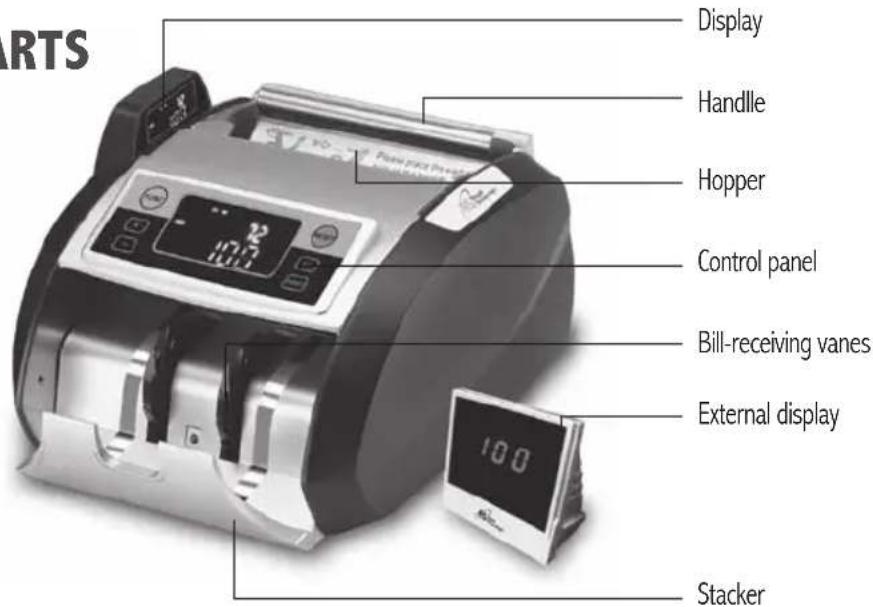
Parts 5
Controls 6
Features 6
Operation 7\~8
Error Code Displays 9
Troubleshooting 10
Cleaning of the machine 11
Specifications 11
Warranty 12
Contact Information 12
Bill Counter and Power Cord
PARTS
CONTROLS
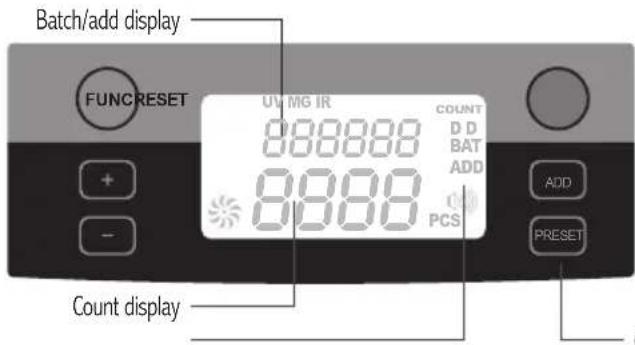
- [ADD] to count the bills in adding
- [FUNC] to select the detector between MG, UV and IR
- [PRESET] to count the bills in batch
- [-] to subtract the batch counting number by units digits
- [+] to add the batch counting number by units digits
- [RESET] to clear zero and to restart
Control panel Working mode indicator
FEATURES
Automatic Self-Test
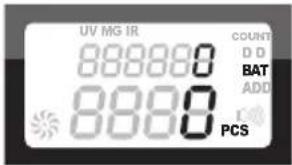
The machine will automatically perform a self-test when it is turned on. If there is a problem, the preset display will show an error code. (See ERROR CODE DISPLAYS)
Automatic Start
The machine is programmed to automatically start counting bills once placed into the hopper.
Ultraviolet Counterfeit Detection
Counterfeit bills often use white or bleached paper, which will glow under ultraviolet light. To use ultraviolet counterfeit detection, press the "FUNC" button. The UV mode indicator will turn on showing that function is on.
Infrared Counterfeit Detection
Infrared light is used to measure the width of the center of each bill. The light will detect if there is an odd-sized bill. To use infrared counterfeit detection, press the "FUNC" button. The IR mode indicator will turn on showing that the function is on.
Magnetic Counterfeit Detection
There is a presence of magnetic components that are standard in authentic bills. The magnetic sensor detects for the magnetic components. To use magnetic counterfeit detection, press the "FUNC" button. The MG mode indicator will turn on showing that the function is on.
External display
Allows the LED display to be turned to be viewed from different angles to easily see how much money has been counted.
OPERATION
1. The right way to loading the bills
Please load the bills in the machine the same as the following steps.
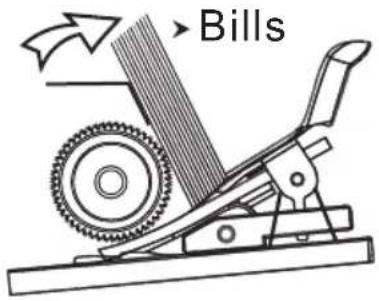
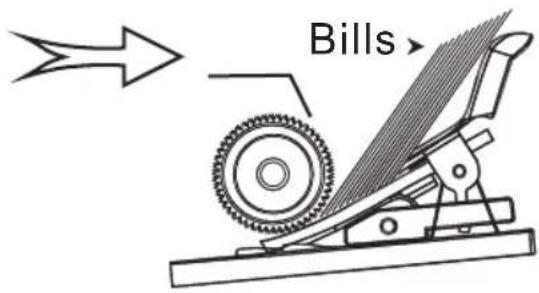
2. Working modes description
2.1 Mode of counting and detecting bills by UV / MG / IR
Turn on the machine is into detecting mode, it checks fake bills by UV / MG / IR while counting
2.2 Mode of counting and detecting any bills by UV
Press "FUNC" button, now the machine is into UV mode, it checks fake bills by UV while counting
2.3 Mode of counting any bills without detecting
Press "FUNC" button once more until the light of UV \ MG \ IR is off, the machine is into counting mode, it counts any bills automatically without detecting
2.4 Mode of counting and detecting any bills by MG
Press "FUNC" button, now the machine is into MG mode, it checks fake bills by MG while counting
2.5 Mode of counting and Dimension Detection
Press "FUNC" button, TILL THE LIGHT OF DD IS ON, now the machine is into DD mode, Dimension detection measures the width of the center of the bill by using infrared light. If detector finds an odd sized bill unit will sound and error code will be visible
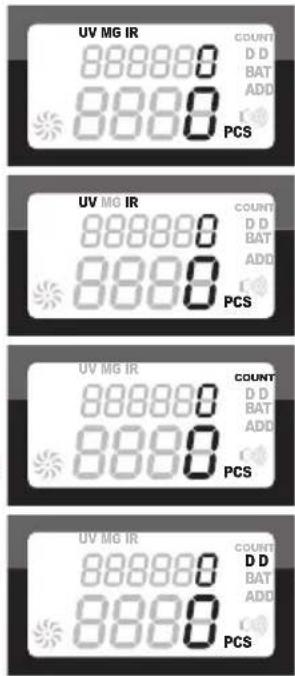
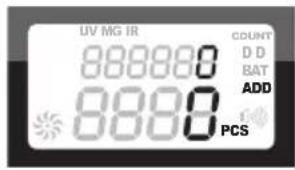
2.6 Mode of adding count
Press ADD button, the machine is into add counting mode, it adds up the last counting number with the next counting number.
2.7 Batch Counting Mode
Press Preset button, BAT indicator lights on, then the machine is into batch counting mode, the machine will stop counting when the counting number is up to the batch number.
- : to preset the batch counting in units digit
+: to preset the batch counting in units digit.
2.8 The Mode of Checking the fake and
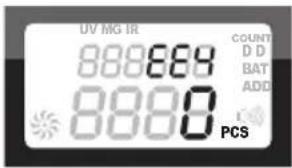
The machine will stop and beep when counting the half bills.(EE4)
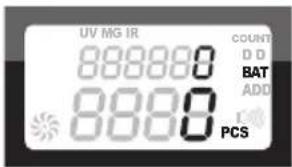
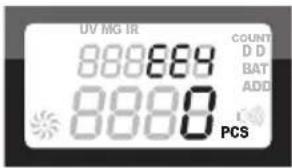
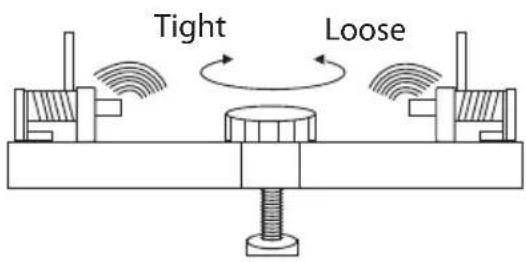
The way to adjust the up / down screw
Due to long transportation and long use, the screw will be loose. When the counting is not accurate, it is necessary to turn the up/down screw clockwise to increase the friction.
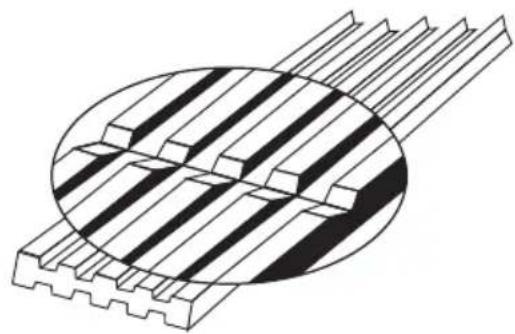
The way to change the wear and tear parts
When the rubber tongue is worn out, please flip it and use the other side.
natural_image
Technical illustration of a mechanical component with grooves and a central cross-section (no text or symbols)ERROR CODE DISPLAY
When an error code appears in the preset display window and the machine stops. Please refer to this chart for an explanation.
| Error code | Malfunction causes Solutions | |
| E01 | The right counting sensor is broken or dirty Clean or replace sensor | |
| E02 | The left counting sensor is broken or dirty Clean or replace sensor | |
| E03 | The code disc is dirty or loosen Clean or tighten sensor | |
| E04 | The hopper sensor is broken or dirty Clean or replace sensor | |
| E05 | The stacker sensor is broken or dirty Clean or replace sensor | |
| E10 | Ambient light is too high Lower the ambient light | |
| UV sensitivity light is too high Lower the UV light | ||
| E11 | The plastic button is broken Replace button | |
| EE1 | The fake bill reflecting fluorescence is being checked out by UV | Take out the first bill (fake bill) in the stacker then press [reset] to continue counting and detecting |
| EE2 | The fake bill without magnet is being checked out by MG | Take out the first bill (fake bill) in the stacker then press [reset] to continue counting and detecting |
| EE4 | The half bill is being checked out | Take out the half bill in the stacker, then press [reset] to continue counting &detecting |
| The left (right) counting sensor is dirty or broken | Replace counting sensor | |
| EE6 | The fake bill with different located magnet is being checked out by MG | Take out the first bill (fake bill) in the stacker then press [reset] to continue counting and detecting |
| EE8 | the bill width size is over 5mm larger than the real USD bill size | Take out the first bill (fake bill) in the stacker and press [reset] to continue counting and detecting |
| EE9 | Two bills are counted as one / inaccurate counting | Fasten the adjustable screw clockwise |
TROUBLESHOOTING
Note: when counting and detecting is not accurate, please check the machine as follows:
| No power | The power line cord is connected well?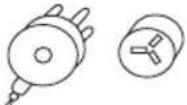 | The fuse is worn out? The power switch is on?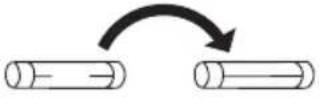 | 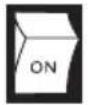 |
| The power is on,but unit is not working | The hopper sensor is dirty, please clean with brush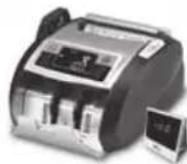 | Connect the Hopper sensor line well to the main board! | The belt is too loose or too tight,please adjust the belt.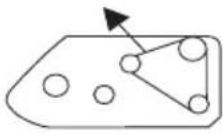 |
| Wrong counting | Turn the screw clockwise to increase the friction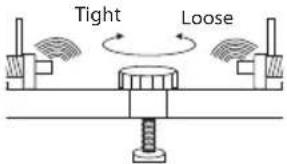 | Counting sensor is dirty, please clean it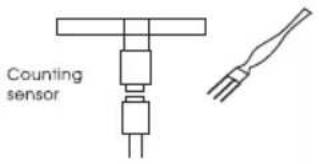 | Rubber tongue is worn out.Change to other side or replace with a new one.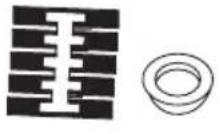 |
| Wrong detecting | Adjust the MG sensor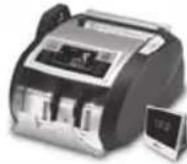 | MG is dirty, please clean it UV sensor 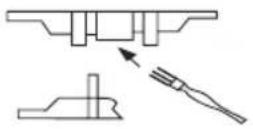 | is broken or dirty,please clean it or change a new one |
CLEANING OF THE MACHINE
WARNING: Before doing any cleaning, turn the power switch off and disconnect the power cord from the machine
It is very important to clean all the sensors in the machine with a soft brush to avoid any paper particles or dust from sticking to the light transmitter or the light-receiver sensors.
If necessary, the glass surfaces of the detectors may also be wiped with a soft cloth soaked with alcohol.
It may be necessary to clean the inside of the machine occasionally. Unplug the machine and lift the top cover to gain access to the interior.
Avoid operating the machine in a dusty or dirty room.
CAUTION: DO NOT CHANGE THE POSITION OF THE DETECTORS AND/OR OPTICAL SENSORS
SPECIFICATIONS
| Model RBC-2100 | |
| Power 110Vac/60Hz(220Vac/50Hz) | |
| Power consumption <90W | |
| Surrounding temperature for usage 32-104°F / 0-40°C | |
| Counting speed 1000 pcs/min | |
| Display range 4 digits counting and preset display | |
| Hopper capacity / Stacker capacity 130pcs / 130pcs | |
| Dimensions 12.12 x 10.43 x 6.41(in) / 308 x 265 x 163(mm) | |
| Weight 15.4lbs / 7kg |
LIMITED THREE YEAR WARRANTY
This warranty applies to repair or replacement of product found to be defective in material or workmanship for three years from the date of the original purchase. This warranty is extended only to the original purchaser.
This warranty does not apply to damage resulting from abuse, misuse, or improper maintenance of damage that is attributable to acts of nature. Royal Sovereign International, Inc. (and its affiliated companies) is not liable for incidental or consequential damages of any nature. This limitation would not apply if you live in those areas that do not permit the exclusion or limitation of incidental or consequential damages.
Defective products for warranty repair or replacement cannot be returned without a Return Authorization number. Please go to www.royalsovereign.com USA-Customer Support Tab to make a request for an Office Product Return Authorization.
Defective products must be returned to Royal Sovereign International Consumer Return Department, freight prepaid, with proof of purchase and Return Shipping and Handling payment (check or money order). Upon repair or replacement the product will be returned to the customer.
Return defective product to the following address with a detailed description of the problem. If possible, pack in original carton. Please prepay shipping charges.
For out of warranty service or frequently asked questions please go to www.royalsovereign.com USA- Customer Support Tab.
For sales of product, parts or accessories please visit us at www.royalsovereign.com.
For service or sales please contact your local Royal Sovereign Office:
ROYAL SOVEREIGN INTERNATIONAL, INC.
2 Volvo Drive Rockleigh, NJ 07647 USA
TEL: +1) 800-397-1025 FAX: +1) 201-750-1022
www.royalsovereign.com
www.royalsovereign.com
Royal Sovereign International, Inc.
natural_image
Technical illustration of a mechanical component with grooves and internal channels (no text or symbols)ERROR AL MOSTRAR EL CÓDIGO
www.royalsovereign.com
- BILL COUNTER
- SAFETY INSTRUCTIONS
- CONTENTS
- CONTROLS
- FEATURES
- Automatic Self-Test
- Automatic Start
- Ultraviolet Counterfeit Detection
- Infrared Counterfeit Detection
- Magnetic Counterfeit Detection
- External display
- OPERATION
- The right way to loading the bills
- Working modes description
- Mode of adding count
- Batch Counting Mode
- The Mode of Checking the fake and
- The way to adjust the up / down screw
- The way to change the wear and tear parts
- ERROR CODE DISPLAY
- TROUBLESHOOTING
- CLEANING OF THE MACHINE
- LIMITED THREE YEAR WARRANTY
- ERROR AL MOSTRAR EL CÓDIGO
Brand : Royal Sovereign
Model : RBC-1200
Category : Bill Counter