RAD-510 - Telephone Steren - Free user manual and instructions
Find the device manual for free RAD-510 Steren in PDF.


| Product Type | Two-way radio (walkie-talkie) |
| Brand | Steren |
| Model | RAD-510 |
| Channels | 16 semi-duplex |
| Frequency Range | 400-470 MHz |
| Transmit Power | ≤3 W |
| Range (optimal conditions) | Up to 5 km (5 W power) |
| Battery Type | Li-ion rechargeable, 3.8 V, 2200 mAh |
| Power Input (charger) | 5 V DC, 400 mA |
| Dimensions (W x H x D) | 59 x 103 x 41 mm |
| Weight (with battery) | 220 g |
| Operating Temperature | -20°C to +60°C |
| Audio Power Output | 500 mW |
| Modulation Modes | 16K¢F3E (wide), 11K¢F3E (narrow) |
| LED Indicators | Red (transmit/charging), Green (receive/charged) |
| Special Functions | Scan, monitor, low/high power setting, low battery alarm |
| Included Accessories | Li-ion battery, belt clip, strap, drop-in charger, manual |
| Cleaning | Soft dry cloth only |
| Warranty | 1 year from purchase date |
Frequently Asked Questions - RAD-510 Steren
User questions about RAD-510 Steren
0 question about this device. Answer the ones you know or ask your own.
Ask a new question about this device
Download the instructions for your Telephone in PDF format for free! Find your manual RAD-510 - Steren and take your electronic device back in hand. On this page are published all the documents necessary for the use of your device. RAD-510 by Steren.
USER MANUAL RAD-510 Steren
natural_image
Line drawing of a walkie-talkie with antenna and ventilation slots, set against a blue water background (no text or symbols)V0611c
S4-B
natural_image
Line drawing of a walkie-talkie device with a tall antenna and ventilation grille (no text or symbols)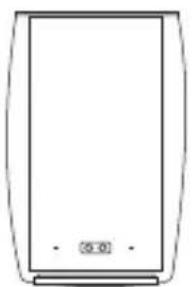
natural_image
Simple line drawing of a rectangular device with no text or symbols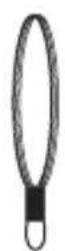
natural_image
Line drawing of a car front bumper with three side panels (no text or symbols)
CONTROLES
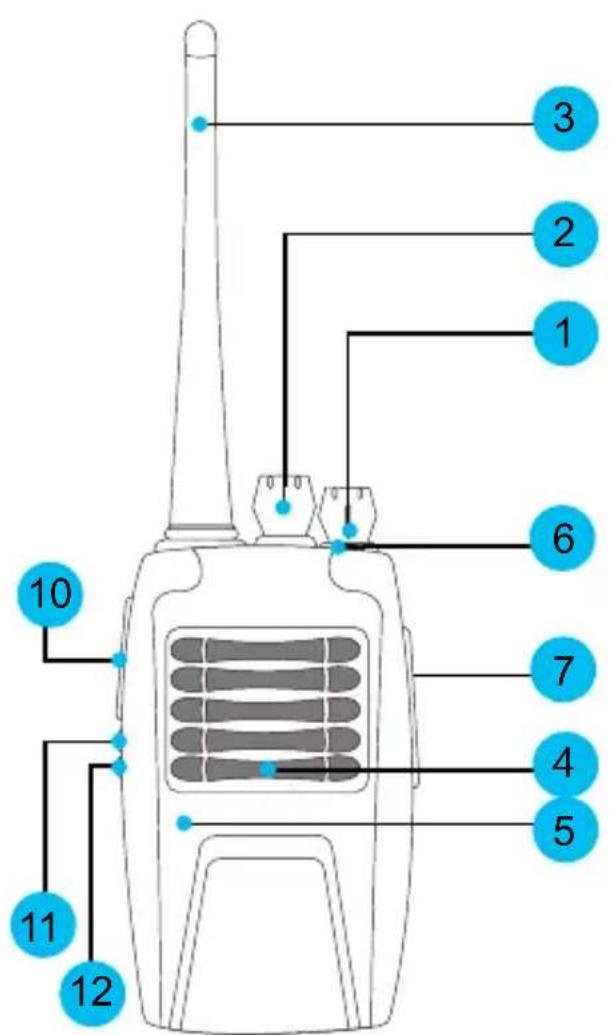
Vista frontal Vista trasera
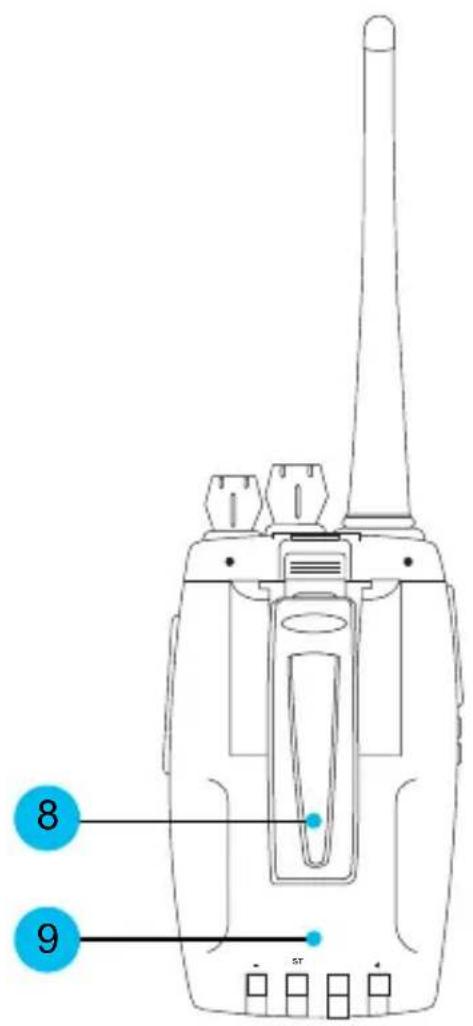
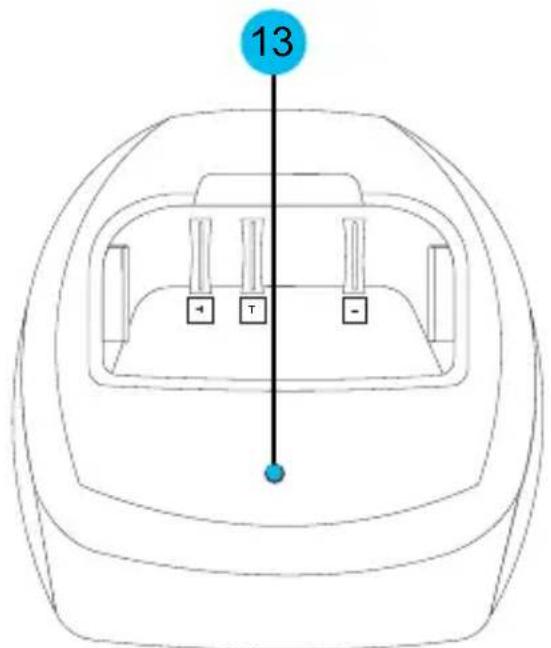
Vista frontal Vista trasera
natural_image
Line drawing of a walkie-talkie and desktop computer with a red arrow indicating the motion (no text or symbols)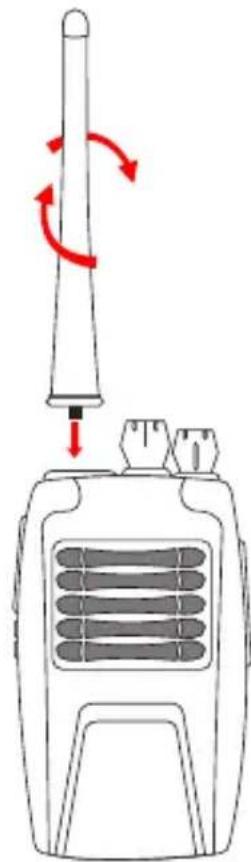
natural_image
Line drawing of a walkie-talkie with red circular arrows indicating rotation (no text or symbols)natural_image
Illustration of a walkie-talkie connected to a power outlet, with an inset showing a mounted device (no text or symbols present)natural_image
Line drawing of a vintage portable radio with two speakers and a dial (no text or symbols)OPERACIÓN
natural_image
Line drawing of a hand holding an electric toothbrush (no text or symbols)PROBLEMAS Y SOLUCIONES
STEREN PRODUCTO EMPACADO S.A. DE C.V.
Biólogo Maximino Martínez No. 3408 Int. 3 y 4, San Salvador Xochimanca, México, D.F. 02870, RFC: SPE941215H43
ELECTRONICA STEREN DEL CENTRO, S.A. DE C.V.
Rep. del Salvador 20 A y B, Centro, 06000, México. D.F. RFC: ESC9610259N4
ELECTRONICA STEREN DE GUADALAJARA, S.A.
López Cotilla No. 51, Centro, 44100, Guadalajara, Jal. RFC: ESG810511HT6
ELECTRONICA STEREN DE MONTERREY, S.A. Colón 130 Pte., Centro, 64000, Monterrey, N.L. RFC: ESM830202MF8
ELECTRONICA STEREN DE TIJUANA, S.A.

STEREN
RAD-510
16 channel radio
Instruction manual
natural_image
Line drawing of a walkie-talkie with antenna and ventilation slots, set against a blue water background (no text or symbols)V0611c
S4-B
16 channel radio
RAD-510
Thank You
on purchasing your new Steren product.
This manual includes all the feature operations and troubleshooting necessary to install and operate your new 16 channel radio.
Please review this manual thoroughly to ensure proper installation and operation of this product. For support, shopping, and everything new at Steren, visit our website:
www.steren.com
CONTENT
Features 7
Content 8
Controls 9
Installation 12
Operation 15
Troubleshooting 17
Specifications 18
IMPORTANT
Do not try to open the equipment, may cause malfunction and warranty will be void.
Do not use or store the equipment near wet places. May cause malfunction or shock hazard.
▶ Check the battery periodically.
When the equipment is not to be used for a long time, remove the battery.
Do not use the equipment if the antenna is broken, may cause several damages on human body.
Do not use the equipment or don't change the battery on dangerous places as gas stations and airports.
Do not place the equipment on top of the car airbags.
▶ Clean with a soft, dry cloth.
Your communicator may interfere with TV sets or radios, even when operating properly.
FEATURES
The portable and semi-professional 2-way radio includes 16 semi-duplex channels, long life Li-ion battery.
▶ Low and high signal setting.
▶ Low battery alarm.
▶ Interchangeable cases and can transmit up to 5Km (5W) (in areas free of obstacles).
Maximum range varies based on terrain and environment.
Generally, it will be greater in open fields and shorter within and around buildings or large structures bear in mind, this unit may not ensure your privacy of communication.
CONTENT
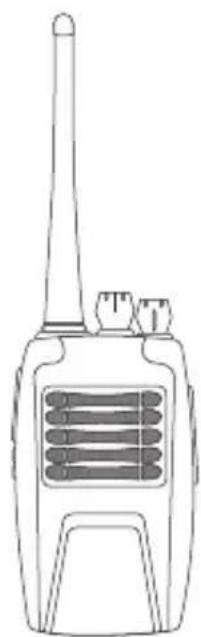
▶ 1 Two-way radio.
▶ 1 Li-ion battery.
1 Strap.
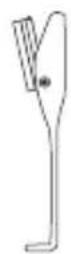
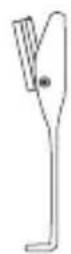
▶ 1 Belt clip.
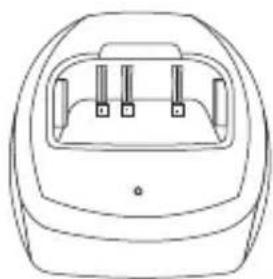
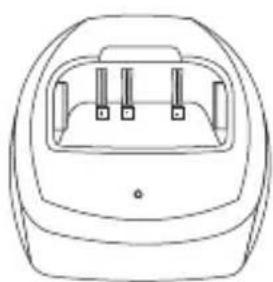
▶ 1 Drop in charger.
▶ 1 Operating instruction manual.
natural_image
Line drawing of a walkie-talkie device with no text or symbols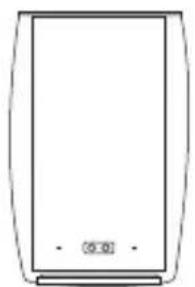
natural_image
Simple line drawing of a rectangular device with no text or symbols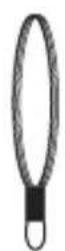
natural_image
Line drawing of a car front bumper with three side panels (no text or symbols)
CONTROLS
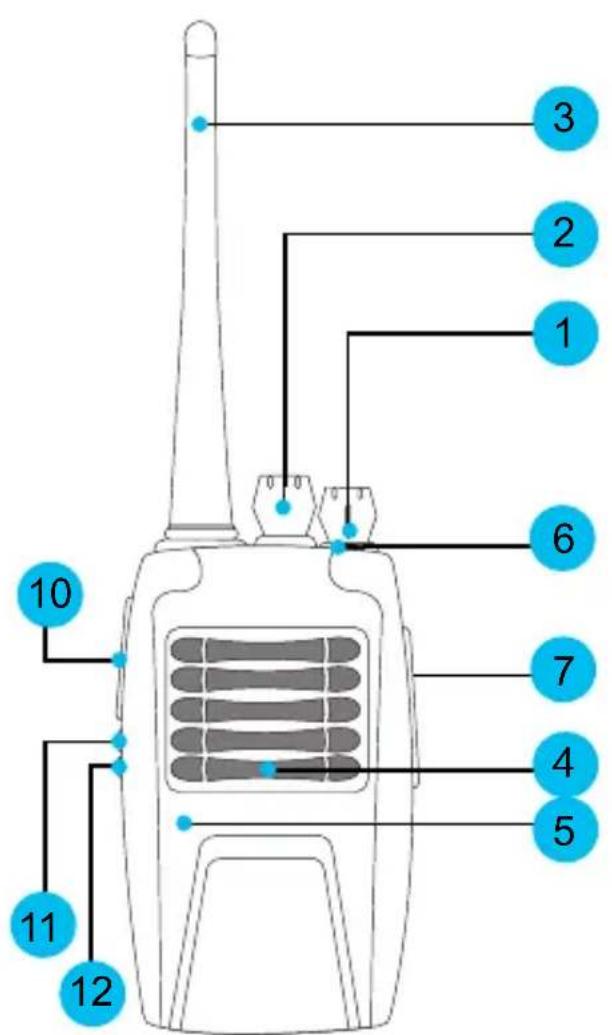
Front view Rear view
Front view
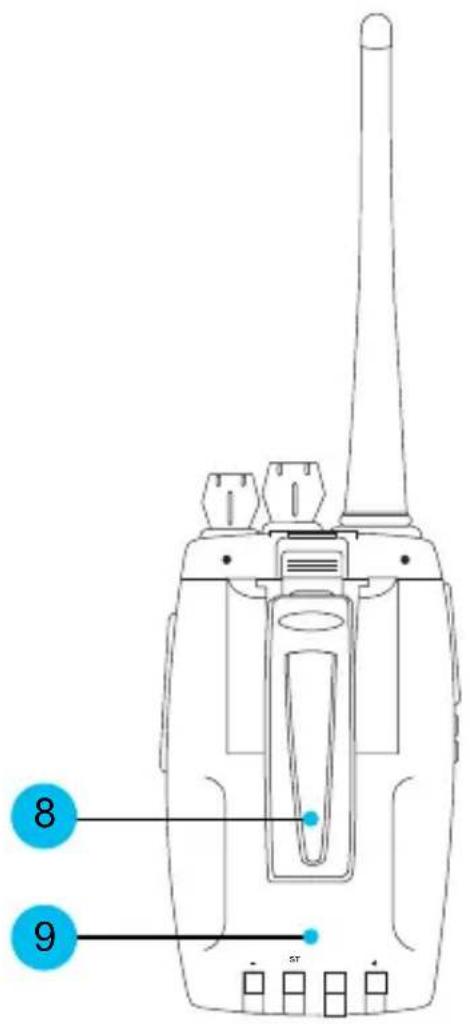
Rear view
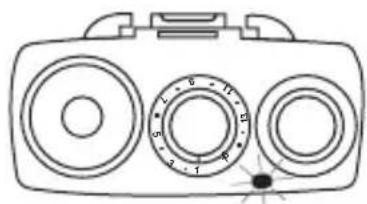
When transmitting red lights.
When receiving is turned on green.
When the battery is low the LED red flashes.
You can connect an external microphone and speaker (not included).
8.- Belt clip
9.- Battery
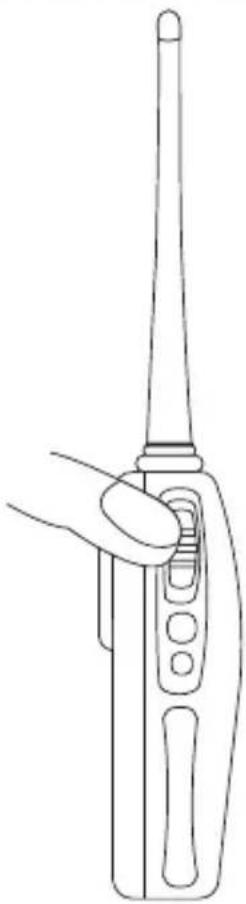
10.- PTT button
Press the PTT button to transmit.
11.- MONITOR Button
This button is used to verify activity on the selected channel before transmission.
You can also detect weak signals.
12.- SCAN button
Scans channel's signal
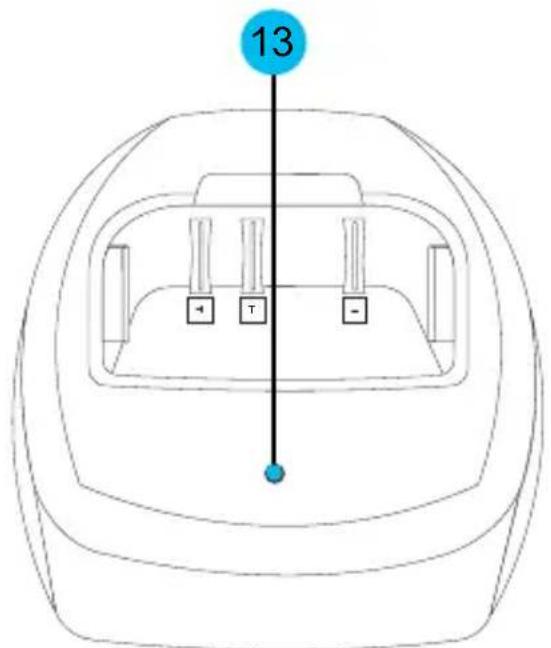
13.- LED indicator for the battery charger.
Turns red when the in the battery is charging.
Turns green when the battery is charged completely
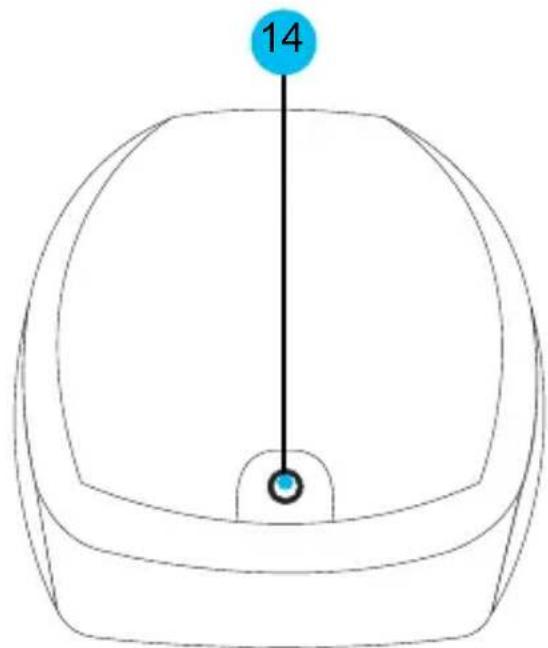
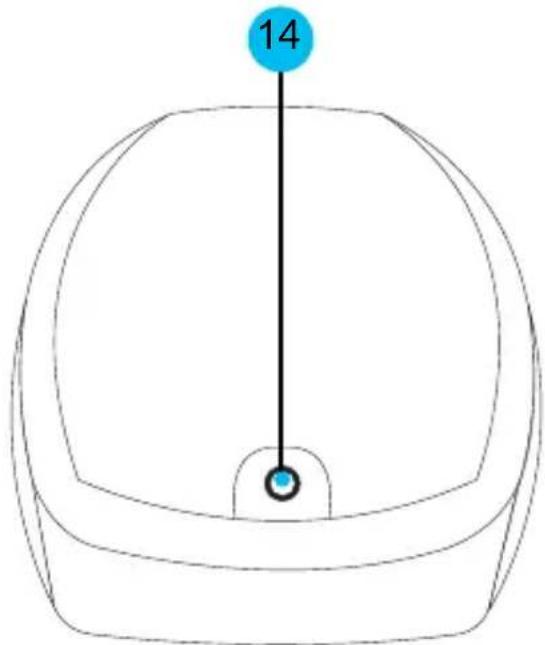
14.- AC Power input
INSTALLATION
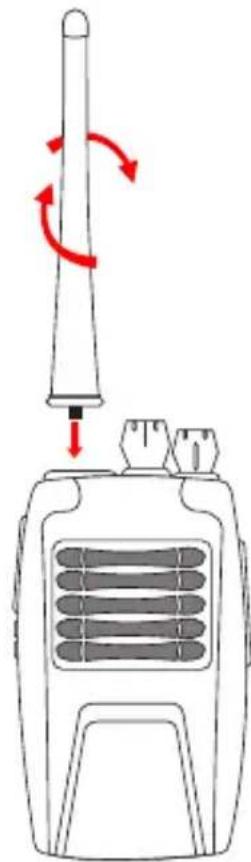
1.- To install the antenna, simply insert and turn it making sure it is firmly attached.
natural_image
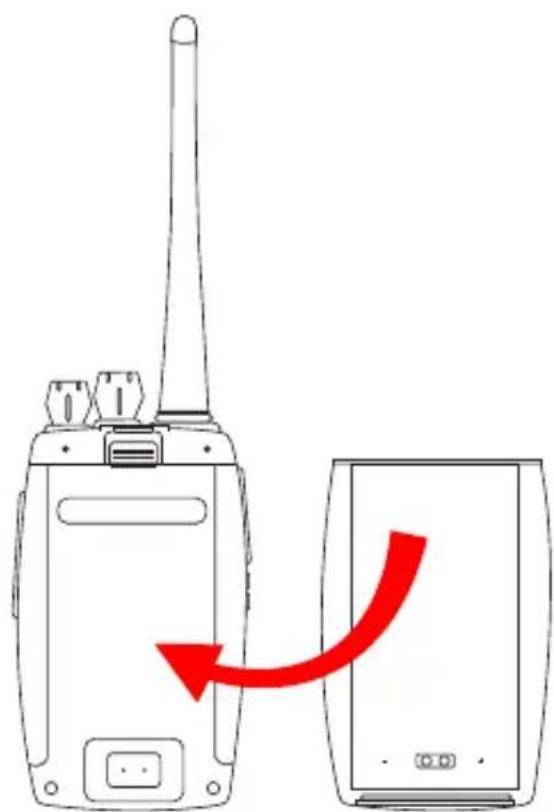
Line drawing of a walkie-talkie with red circular arrows indicating clockwise motion (no text or symbols)2.- To place the battery, and insert adjustment in the battery compartment.
To withdraw press the release button and discards the battery.
3.- Insert the belt clip.
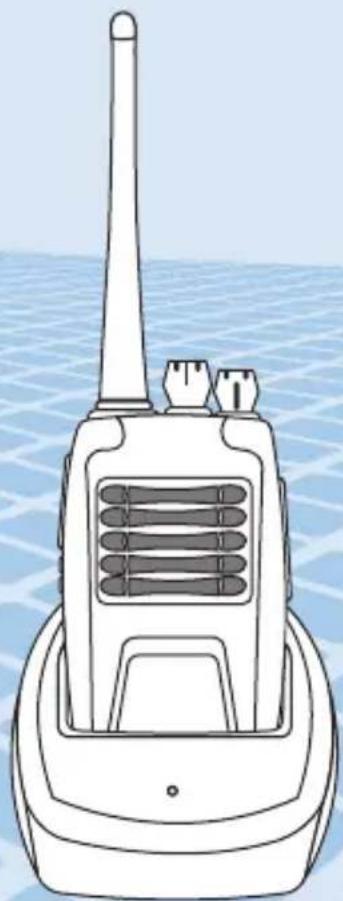
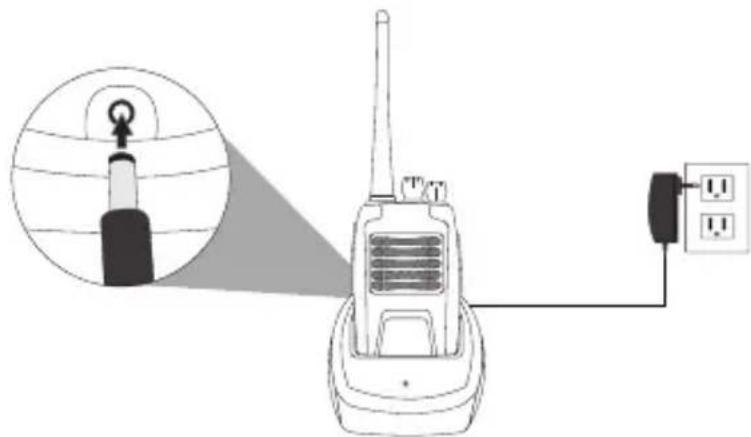
4.- Once you've installed the battery charger connect the AC charger adaptor into an AC household outlet. Insert the terminal on the charger and perform the initial charge for 12 hours or so.
The LED indicator lights red when the battery is in the process of loading.
Turns green when the battery is fully charged.
natural_image
Illustration of a walkie-talkie connected to a power outlet, with an inset showing a device emitting signal waves (no text or symbols present)In the 2-way radio every time this discharged battery LED indicator flashes in red. Insert terminal on the shipper and make the load.
natural_image
Line drawing of a vintage portable radio with three speakers and a dial (no text or symbols)OPERATION
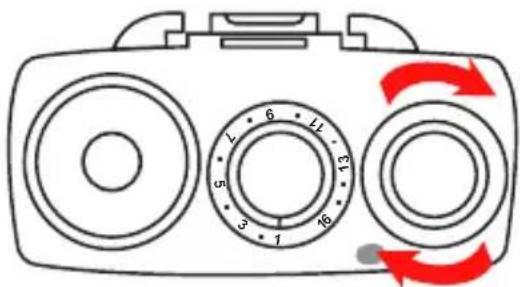
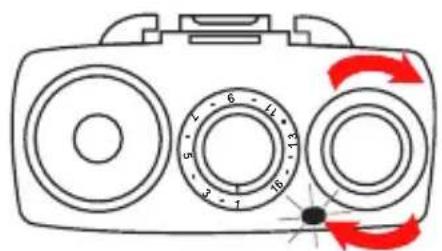
1.- Turn the microphone on.
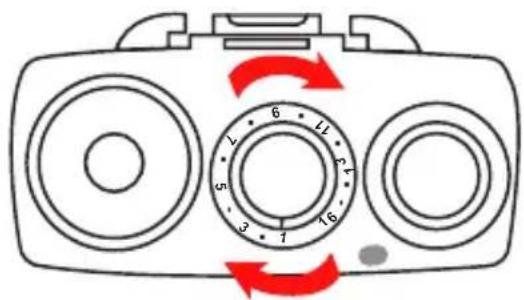
2.- Select a channel or press and hold the exploration button (SCAN) until the LED indicator flashes green, start the search for signal and will stop when the device found a signal active. Press the PTT channel button to communicate to activate signal and exploration will be deactivated.
If you want to leave the Exploration mode new press and hold the SCAN button.
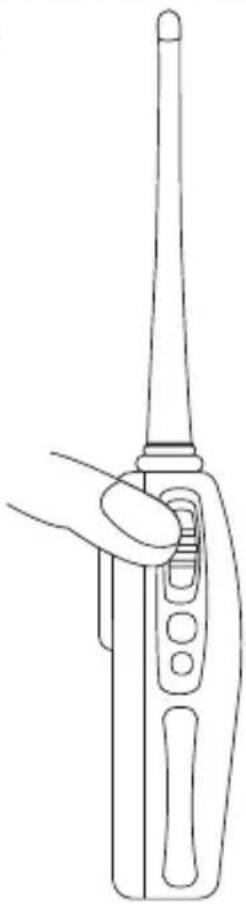
3.- To start communicating, just press and hold the PTT button, the LED indicator lights up red. While speaking, keep the unit in an upright position and at a distance of 2.5 cm from the mouth.
When you want to finish the conversation, release the button PTT
4.- When receiving, the LED indicator lights up green.
5.- Adjust the volume level according to your needs.
natural_image
Line drawing of a hand holding an electric toothbrush (no text or symbols)TROUBLESHOOTING
| Trouble Solution | |
| Cannot power on the device | Check the battery. Make sure that the battery is properly installed. |
| Recharge the battery. | |
| Reception is weak | Increase the volume level. |
| The signal can be out of range / the equipment is too far from signal. | |
| Check the antenna position. | |
| Range is limited | Change your position. If you're inside of a steel/ concrete building, go to a place with fewer obstacles. |
| Check the antenna position. | |
| Battery energy is weak. | |
| Noise and distortion | If you're transmitting, place the device around 2.5cm from your mouth. |
| If you're receiving, decrease the volume level. | |
SPECIFICATIONS
Frequency range: 400-470MHz
Channels: 16
Channel space: 25KHz / 12.5KHz
Operating temperature range: -20°C to +60°C
Input: 3.7V --- DC
Dimensions: 59x41x103mm
Weight: 220g (including batteries)
Transmitter: VHF/UHF
Transmitting power: ≤3W
Frequency stability: ±5ppm
Modulated mode: 16K¢F3E (width) 11K¢F3E (narrow)
Spurious emissions: ≤-70dB
FM noise: ≤-40dB
FM distortion: ≤5%
Maximum frequency deviation: ≤±5KHz (width) ≤±2.5KHz (narrow)
Receiver: VHF/UHF
Frequency stability: ±5ppm
Sensitivity (at 12dB SINARD): Bigger than 0.25μV (width) bigger than
0.28μV (narrow)
Receiving FM bandwidth: ≥±7KHz (width) ≥±3.5KHz (narrow)
Adjacent channel selectivity: ≥65dB
Intermodulation rejection ratio: ≥60dB
Anti interfere of spurious wave: ≥60dB
Audio power output: 500mW
ac/dc power converter
Input: 90-240V\~
Output: 5V --- at 400mA
Battery: 3.8V --- 2200mAh
Nominal consumption: 40 Wh/day
Stand-by power consumption: 7 Wh/day

Product design and specifications are subject to change without previous notice.
Product: 16 channel radio microphone system
Part number: RAD-510
Brand: Steren
WARRANTY
This Steren product is warranted under normal usage against defects in workmanship and materials to the original purchaser for one year from the date of purchase.
CONDITIONS
1.- This warranty card with all the required information, invoice, product box or package, and product, must be presented when warranty service is required.
2.- If the product stills on the warranty time, the company will repair it free of charge.
3.- The repairing time will not exceed 30 natural days, from the day the claim was received.
4.- Steren sell parts, components, consumables and accessories to customer, as well as warranty service, at any of the addresses mentioned later.
THIS WARRANTY IS VOID IN THE NEXT CASES:
If the product has been damaged by an accident, acts of God, mishandling, leaky batteries, failure to follow enclosed instructions, improper repair by unauthorized personnel, improper safe keeping, among others.
a) The consumer can also claim the warranty service in the purchase establishment.
b) If you lose the warranty card, we can reissue it, if you show the invoice or purchase ticket.
RETAILER INFORMATION
Name of the retailer
Address
Product
Brand
Part number
Serial number
Date of delivery
In case your product fails or have questions, please contact your nearest dealer. If you are in Mexico, please give a call to our Call Center. Call Center
01 800 500 9000

STEREN
www.steren.com
Help us to improve this instruction
manual, call us to:
01800 500 9000
Customer Service Center

Brand : Steren
Model : RAD-510
Category : Telephone