
DBP-4010UDCI - Blu-ray player DENON - Free user manual and instructions
Find the device manual for free DBP-4010UDCI DENON in PDF.


| Product type | Blu-ray player |
| Brand | DENON |
| Model | DBP-4010UDCI |
| Dimensions (W x H x D) | 434 x 137 x 342 mm |
| Weight | 6.5 kg |
| Power supply | AC 220-240 V, 50/60 Hz |
| Power consumption | 30 W (standby: 0.3 W) |
| Supported disc formats | Blu-ray, DVD-Video, DVD-R/RW, CD, CD-R/RW, SACD, DVD-Audio |
| Maximum video resolution | 1080p (Full HD) |
| Main functions | Blu-ray, DVD, CD playback; HDMI output; 1080p upscaling; network function (Ethernet); 3D support |
| Connectivity | 1 x HDMI, 1 x component, 1 x composite, 1 x optical digital audio, 1 x coaxial digital audio, 1 x Ethernet, 2 x USB, 1 x RS-232C |
| Supported audio formats | Dolby TrueHD, DTS-HD Master Audio, LPCM, MP3, WMA, AAC, FLAC |
| Network functions | Ethernet 10/100, DLNA, audio streaming |
| Care and cleaning | Clean the cabinet with a soft dry cloth. Use a cleaning disc for the laser lens. |
| Safety | Do not block ventilation openings. Avoid exposure to humidity and liquids. Unplug if not used for an extended period. |
| Spare parts and repairability | Spare parts available through authorized service. Repair by a qualified technician recommended. |
| General information | User manual available for download. Operating temperature: 5°C to 35°C. |
Frequently Asked Questions - DBP-4010UDCI DENON
User questions about DBP-4010UDCI DENON
0 question about this device. Answer the ones you know or ask your own.
Ask a new question about this device
Download the instructions for your Blu-ray player in PDF format for free! Find your manual DBP-4010UDCI - DENON and take your electronic device back in hand. On this page are published all the documents necessary for the use of your device. DBP-4010UDCI by DENON.
USER MANUAL DBP-4010UDCI DENON
※ Button illustrations used in this manual for operation explanation are for the Remote Control Unit.
You can operate the unit using the button of the same name on the front panel of the unit.
Use this manual in combination with the operating guide displayed on the GUI screen.
GUI Menu Operation ( page 22)
Français
The serial number of this product may be found on the back of the unit. No others have the same serial number as yours. You should record the number and other vital information here and retain this book as a permanent record of your purchase to aid identification in case of theft.
| Date of Purchase | |
| Dealer Purchase from | |
| Dealer Address | |
| Dealer Phone No. | |
| Model No. | |
| Serial No. |
SAFETY PRECAUTIONS

CAUTION
RISK OF ELECTRIC SHOCK DO NOT OPEN

CAUTION:
TO REDUCE THE RISK OF ELECTRIC SHOCK, DO NOT REMOVE COVER (OR BACK). NO USER-SERVICEABLE PARTS INSIDE. REFER SERVICING TO QUALIFIED SERVICE PERSONNEL.

The lightning flash with arrowhead symbol, within an equilateral triangle, is intended to alert the user to the presence of uninsulated "dangerous voltage" within the product's enclosure that may be of sufficient magnitude to constitute a risk of electric shock to persons.

The exclamation point within an equilateral triangle is intended to alert the user to the presence of important operating and maintenance (servicing) instructions in the literature accompanying the appliance.
WARNING:
TO REDUCE THE RISK OF FIRE OR ELECTRIC SHOCK, DO NOT EXPOSE THIS APPLIANCE TO RAIN OR MOISTURE.
CAUTION:
USE OF CONTROLS OR ADJUSTMENTS OR PERFORMANCE OF PROCEDURES OTHER THAN THOSE SPECIFIED HEREIN MAY RESULT IN HAZARDOUS RADIATION EXPOSURE. THIS PRODUCT SHOULD NOT BE ADJUSTED OR REPAIRED BY ANYONE EXCEPT PROPERLY QUALIFIED SERVICE PERSONNEL.
Laser Class (IEC 60825-1:2001)
CLASS 1
LASER PRODUCT
IMPOTANT SAFETY INSTRUCTIONS
- Read these instructions.
- Keep these instructions.
- Heed all warnings.
- Follow all instructions.
- Do not use this apparatus near water.
- Clean only with dry cloth.
- Do not block any ventilation openings. Install in accordance with the manufacturer's instructions.
- Do not install near any heat sources such as radiators, heat registers, stoves, or other apparatus (including amplifiers) that produce heat.
- Do not defeat the safety purpose of the polarized or grounding-type plug. A polarized plug has two blades with one wider than the other. A grounding type plug has two blades and a third grounding prong. The wide blade or the third prong are provided for your safety. If the provided plug does not fit into your outlet, consult an electrician for replacement of the obsolete outlet.
- Protect the power cord from being walked on or pinched particularly at plugs, convenience receptacles, and the point where they exit from the apparatus.
- Only use attachments/accessories specified by the manufacturer.
- Use only with the cart, stand, tripod, bracket, or table specified by the manufacturer, or sold with the apparatus. When a cart is used, use caution when moving the cart/ apparatus combination to avoid injury from tip-over.
- Unplug this apparatus during lightning storms or when unused for long periods of time.
- Refer all servicing to qualified service personnel. Servicing is required when the apparatus has been damaged in any way, such as power-supply cord or plug is damaged, liquid has been spilled or objects have fallen into the apparatus, the apparatus has been exposed to rain or moisture, does not operate normally, or has been dropped.
- Batteries shall not be exposed to excessive heat such as sunshine, fire or the like.
CAUTION:
- The ventilation should not be impeded by covering the ventilation openings with items, such as newspapers, tablecloths, curtains, etc.
- No naked flame sources, such as lighted candles, should be placed on the unit.
- Observe and follow local regulations regarding battery disposal.
- Do not expose the unit to dripping or splashing fluids.
- Do not place objects filled with liquids, such as vases, on the unit.
ATTENTION:
To completely disconnect this product from the mains, disconnect the plug from the wall socket outlet.
The mains plug is used to completely interrupt the power supply to the unit and must be within easy access by the user.
PRECAUTION:
| FCC INFORMATION (For US customers) |
| 1.PRODUCTThis product complies with Part 15 of the FCC Rules. Operation is subject to the following two conditions: (1) this product may not cause harmful interference, and (2) this product must accept any interference received, including interference that may cause undesired operation. |
| 2.IMPORTANT NOTICE: DO NOT MODIFY THIS PRODUCTThis product, when installed as indicated in the instructions contained in this manual, meets FCC requirements.Modification not expressly approved by DENON may void your authority, granted by the FCC, to use the product. |
| 3. NOTEThis product has been tested and found to comply with the limits for a Class B digital device, pursuant to Part 15 of the FCC Rules. These limits are designed to provide reasonable protection against harmful interference in a residential installation.This product generates, uses and can radiate radio frequency energy and, if not installed and used in accordance with the instructions, may cause harmful interference to radio communications. However, there is no guarantee that interference will not occur in a particular installation. If this product does cause harmful interference to radio or television reception, which can be determined by turning the product OFF and ON, the user is encouraged to try to correct the interference by one or more of the following measures:•Reorient or relocate the receiving antenna.•Increase the separation between the equipment and receiver.•Connect the product into an outlet on a circuit different from that to which the receiver is connected.Consult the local retailer authorized to distribute this type of product or an experienced radio/TV technician for help. |
This Class B digital apparatus complies with Canadian ICES-003.
Cautions on Handling 3
Cautions on Installation 3
About Media 3
Playable Media 3
Cautions on Using Media 6
About the Remote Control Unit 7
Inserting the Batteries 7
Operating Range of the Remote Control Unit 7
Remote Control Settings (Remote Control Side) 7
Part Names and Functions 8
Front Panel 8
Display 8
Rear Panel 9
Remote Control Unit 10
Connections
Preparation 12
Cables Used for Connections 12
- Home Theater Playback - Playing Back Using Multi-channel
System - 13
Using an HDMI Cable to Connect to an AV Amp or Television … 13
Required Settings for HDMI Connection 13
Connection to an AV Amp with No HDMI Audio Input 15
Connecting to a Device with an Analog Multi-channel
Audio Input Terminal 16
DENON LINK Connection ① Making a Jitter-free Connection·17
DENON LINK Connection ② Making a Normal Connection 17
Connection to an AV Amp with No HDMI Video Input 17
-
Playing Back with a Direct Connection to a TV 18
-
Playing Back 2-Channel Audio 18
Connecting to a Device with Analog 2-channel Audio Input Terminal with Stereo Pin Plug Cable 18
- Recording a CD 19
Connecting to a Digital Recording Device 19
- Using BD-LIVE function or updating the software version of
DBP-4010UDCI 19
Connecting to the Network 19
Connecting the Power Cord 20
Once Connections are Completed 20
Turning the Power On 20
GUI Menu Setup
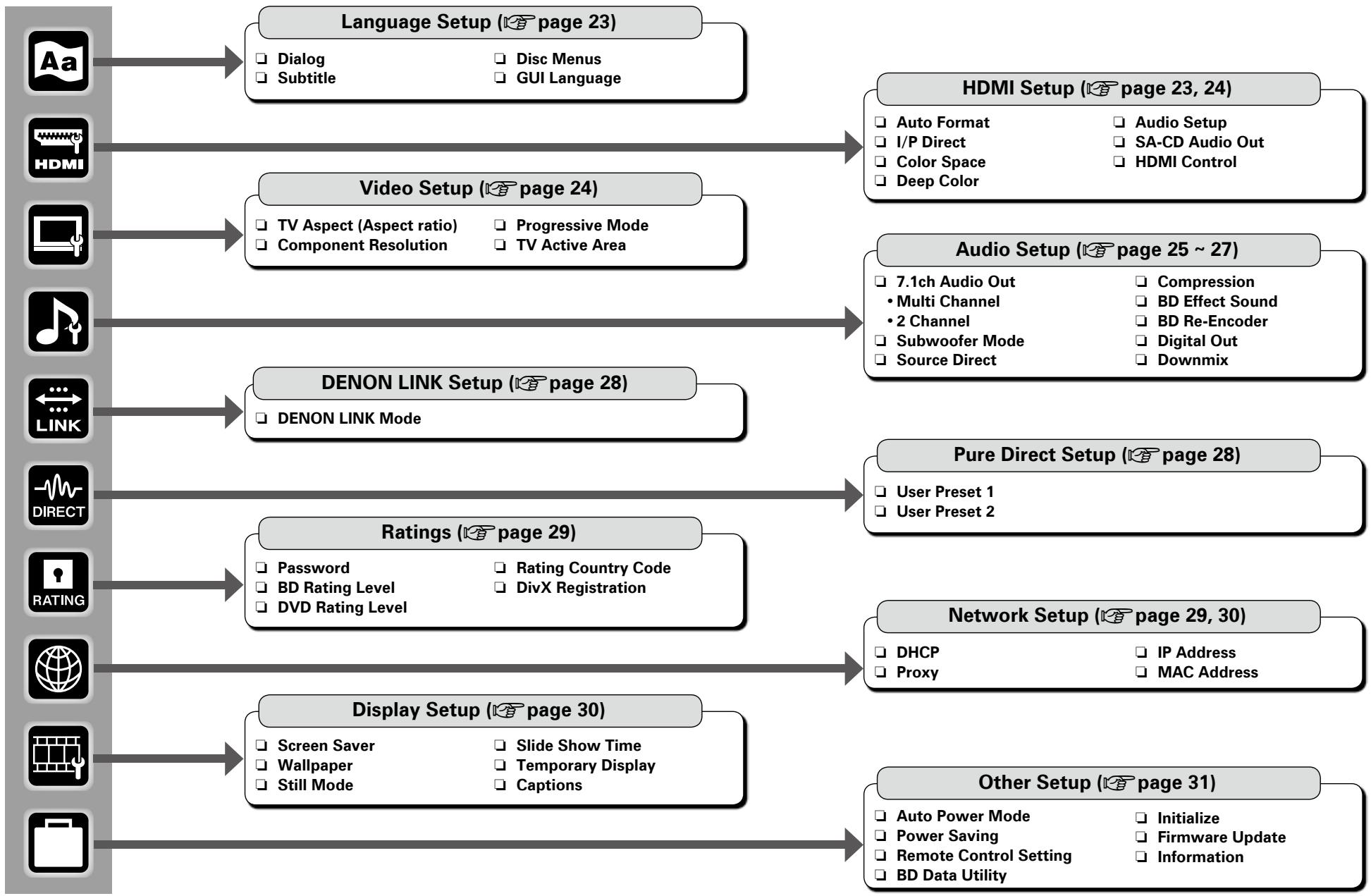
Menu Map 21
GUI Menu Operation 22
Examples of GUI Menu Screen Displays 22
Language Setup 23
HDMI Setup 23
Video Setup 24
Audio Setup 25
DENONLINKSetup 28
Pure Direct Setup 28
Ratings 29
Network Setup 29
Display Setup 30
Other Setup 31
Various Settings
Setting the Audio Mode 32
Changing the Playback File Display 32
Making Other Settings 32
Adjusting the Picture Quality (Picture Control) 33
Playback
Introduction 34
Before Playing a Disc 34
Before Playing a SD Memory Card 34
About Playback Information 34
Information Bar Display 34
Media Player Display 35
Playing BD and DVD-Video 36
Playing Back Super Audio CD 37
CDPlayback 37
DVD-Audio Playback 37
Playing Back High-Quality Audio (Pure Direct Function) 38
FilePlayback 38
FilePlayback 39
About Screen Display During Playback 40
Operation During Playback 40
Operations Enabled During Playback 41
PausePlayback 41
StopPlayback(ResumeFunction) 41
Skipping to the Chapter/Track/File You Want to Playback 41
Looking for Specific Sections Using the Search Modes 42
Memorizing Locations You Want to Replay
(Marker Function) 43
Fast Forward/Fast Reverse 43
Step-by-StepPlayback 43
Slow Forward/Slow Reverse Playback 43
Playback in Any Order (Random Playback) 44
Playing Back Repeatedly (Repeat Playback) 44
Repeat Playback Between Specified Points (A-B Repeat) 44
Playing Back in Your Preferred Order (Program Playback) 45
Switching Audio 45
Changing the Subtitles and Subtitle Style 46
Switching the Angle 47
Changing the Brightness of the Display (Dimmer Control) 47
HDMI Control Function 47
Other Information
About DENON LINK 48
About Advanced AL24 Processing 48
About Copyright Protection Technology 48
Trademark Information 48
Language Code List 49
Country Code List 50
Explanation of Terms 51
Index 52
Troubleshooting 53
Specifications 55
Features
Universal Blu-ray Disc player that plays Super Audio CD and DVD-Audio formats
page 3, 4 "Playable Media"
Jitter-free transmission owing to a fusion of DENON LINK 4th and HDMI transmission technology
In addition to multi-channel digital balance transmission of Super Audio CD that was achieved in 3rd, DENON LINK 4th provides the jitter control functionality during digital signal transmission.
page 17 "DENON LINK Connection ① Making a Jitter-free Connection"
Equipped with Dolby TrueHD, DTS-HD Master Audio decoder
Compatible with Linear PCM 192 kHz (one of the BD audio formats) and multi-channel output (6-ch).
page 16 "Connecting to a Device with an Analog Multi-channel Audio Input Terminal"
"Advanced AL24 Processing" installed on all channels to enhance HD audio performance
Detailed picture rendering with minimal distortion; accurate sound localization and rich bass.
Achieves playback more faithful to the original sound on all channels.
GUI installed with excellent operability and visibility
page 22 "GUI Menu Operation"
HDMI control ready
page 47 "HDMI Control Function"
Newly developed "S. V. H. Mechanism" with low center of gravity, vibration damping, quietness and high accuracy
Employs 6-block construction to eliminate mutual electrical and magnetic interference
Getting Started
Thank you for purchasing this DENON product. To ensure proper operation, please read these owner's manual carefully before using the product.
After reading them, be sure to keep them for future reference.
Accessories
Check that the following parts are supplied with the product.
① Owner's manual. 1
② Service station list 1
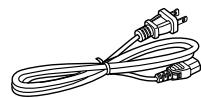
③ Power cord (Cord length: Approx. 5.9ft/1.8m)
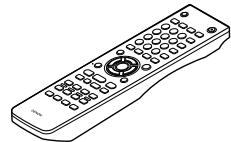
④ Remote control (RC-1140) 1
⑤ R6/AA batteries 2
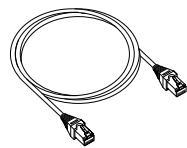
⑥ DENON LINK cable (Cord length: Approx. 4.9ft/1.5 m)...... 1
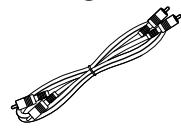
⑦ Audio cable (Cord length: Approx. 4.9ft/1.5m)............ 1
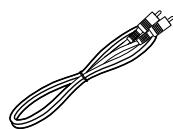
⑧ Video cable (Cord length: Approx. 4.9ft/1.5m)
^9 Warranty (for North America model only). 1
(3)
④
(6)
⑦
8
Cautions on Handling
- Before turning the power switch on
Check once again that all connections are correct and that there are no problems with the connection cables.
- Power is supplied to some of the circuitry even when the unit is set to the standby mode. When traveling or leaving home for long periods of time, be sure to unplug the power cord from the power outlet.
- Image persistence (image burn-in)
Do not leave the still images of the disc menu, DBP-4010UDCI menu, etc., displayed on the TV screen for long periods. This can result in image persistence (image burn-in) on the screen.
- About Condensation
If the DBP-4010UDCI unit is moved from a cold place to a warm place, or installed in a room subject to rapid temperature rise from a heater, etc., condensation (dew) may form on the internal parts of the unit (operating parts and lenses).
If used in this condition, the DBP-4010UDCI will not operate correctly and damage may result. If condensation is formed on the unit, leave the DBP-4010UDCI unit for 1 to 2 hours with the power OFF before use.
- Cautions on using mobile phones
Using a mobile phone near this unit may result in noise. If so, move the mobile phone away from this unit when it is in use.
- Moving the unit
Be sure to remove a disc, turn off the power and unplug the power cord from the power outlet. Next, disconnect the connection cables to other system equipment before moving the unit.
- About Care
-
Wipe the cabinet and control panel clean with a soft cloth.
-
Follow the instructions when using a chemical cleaner.
-
Benzene, paint thinner or other organic solvents as well as insecticide may cause material changes and discoloration if brought into contact with the unit, and should, therefore, not be used.
- Sufficiently ventilate the place of installation
If the unit is left in a room full of the smoke from cigarettes, etc., for long periods of time, the surface of the optical pickup could get dirty, in which case it will not be able to read the signals properly.
- Note that the illustrations in these instructions may differ from the actual unit for explanation purposes.
Cautions on Installation
Note:
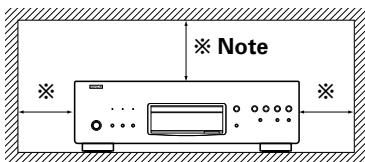
For proper heat dispersal, do not install this unit in a confined space, such as a bookcase or similar enclosure.
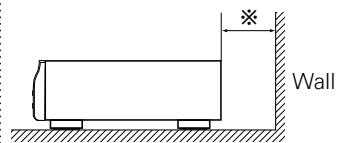
Do not place the DBP-4010UDCI on an amp or other piece of equipment that generates heat.
About Media
Playable Media
Discs
| Playable Media | Playable formats/ modes | Playable region codes | Symbols Used in this Owner's Manual | |
| BD-Video *1,*2 | Blu-ray Disc | - | Include region | BD |
| DVD-Audio *1 | DVD AUDIO | - | - | DVD-A |
| DVD-Video *1,*2 | DVDVIDEO | Include region | DVD-V | |
| DVD-R, DVD+R | DVD-RRW RW DVD+RW | Video mode, AVCHD format | - | DVD |
| DVD-RW, DVD+RW | DVD-RWAVCHD | |||
| Super Audio CD | SUPERAUDIO CD | - | - | SA-CD |
| CD | CDCOMPACT DIGITAL AUDIO | - | - | CD |
| CD-R | CDCOMPACT DIGITAL AUDIO DIGITAL AUDIO | - | ||
| CD-RW | CDCOMPACT DIGITAL AUDIO DIGITAL AUDIO | - | ||
1: BD-Video/DVD-Audio/DVD-Video discs may not operate as described in this manual due to menu structure.
2: The BD player and BD-Video disc, and DVD player and DVD-Video disc each have their region codes (code assigned for each region). Playback is not possible if the codes do not match.
NOTE
- A disc may not be accessible or play back incorrectly due to audio and video interruptions, etc., depending on the recording conditions when recorded with a BD recorder or DVD recorder.
- Unfinalised DVD-R/-RW/+R/+RW, and CD-R/-RW discs may not play back. Finalise discs before playing.

The following discs will not play back on this unit.
BD-RE Ver1.0
(BD disc with cartridge)
- BD-ROM/BD-R/BD-RE discs containing recorded movie, still image, audio, etc., files
BD-R/BD-RE in which BDMV/BDAV is recorded
HD DVD
DVD-RAM
CDV (Only the audio part can be played)
- CD-G (Only the audio signals can be output)
Non-standard CD (CD with copy pro
- Unauthorised disc (Pirated disc)
- Disc with recording area less than 55 ~mm in diameter
- Video Single Disc (VSD) / CVD/ Video CD / Super Video CD / CompactDisc-Interactive (CD-I) / Photo CDs
SD Memory Cards
| Playable cards | Symbols Used in this Owner's Manual | Playable files (Symbols Used in this Owner's Manual) |
| SD Memory Card *1 (8 MB ~ 2 GB) | SD | MP3 WMA AAC LPCM JPEG DivX · Data recorded for BD BONUS VIEW use · See "Files" in "Playable Media" ( page 4) for more information on files. |
| SDHC Memory Card *1 (4 GB) | ||
| miniSD Card *2 (8 MB ~ 2 GB) | ||
| microSD Card *2 (8 MB ~ 2 GB) |
1: This unit supports SD Memory Card with FAT16 file system, and SDHC Memory Card with FAT32 file system.
2 : For miniSD Card and microSD Card adapter is necessary.
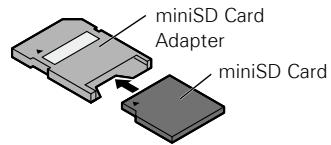
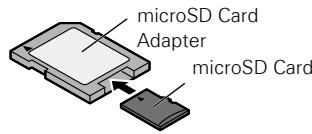
NOTE
- This unit does not support mini SDHC and micro SDHC Memory Card.
- Insert or remove a SD Memory Card while the power is in standby. If you insert a SD Memory Card while the power is ON, the SD Memory Card may not be read.
- The SD card used for the Bonus View function must have a capacity of 1GB or greater. Also the SD card must be initialized on the DBP4010UDCI (12 page 31).
Files
| Playable files (Extension) | Playable Media | File specification | Symbols Used in this Owner's Manual | |
| DVD-R/ -RW/ +R/+RW CD-R/-RW DVD CD | SD Memory Cards SD | |||
| MP3 (.mp3) | ○ | ○ | • Sampling frequency: 44.1 kHz, 48 kHz • Bit rate: 64 kbps ~ 320 kbps (144 kbps non-compatible) • Audio type: MPEG 1 Audio Layer 3 | MP3 |
| WMA * (.wma) | ○ | ○ | • Sampling frequency: 44.1 kHz, 48 kHz • Bit rate: 48 kbps ~ 192 kbps • Audio type: WMA Version 9 | WMA |
| AAC * (.m4a) | ○ | ○ | • Sampling frequency: 44.1 kHz, 48 kHz • Bit rate: 64 kbps ~ 192 kbps (Variable Bit Rate non compatible) • Audio type: AAC | AAC |
| LPCM (.wav) | ○ | ○ | • Sampling frequency: 44.1 kHz, 48 kHz • Bit length: 16 bit • Number of channels: 2 ch | LPCM |
| JPEG (.jpg/.jpeg) | ○ | ○ | • Maximum resolution: 4,096 x 4,096 pixels • Minimum resolution: 32 x 32 pixels • Maximum file size: 12 MB | JPEG |
| DivX® (.avi/.divx) | ○ | ○ | • Compatible versions: Up to DivX® 6 • Maximum size: 2 GB | DivX |
*: This unit cannot play back files recorded under DRM (Digital Rights Management) other than DivX® files.

- The abovementioned file type may also fail to play back depending on conditions at the time of recording.
- If characters not supported on the menu screen are included in a file name, title, artist name or album title, those are not displayed correctly.
- JPEG format images stored in progressive format cannot be played back.
About Media
About DivX® Video-on-Demand (VOD)
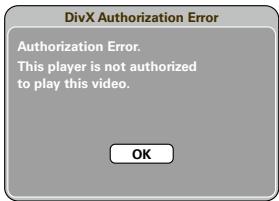
- When you purchase or rent a DivX® file through the official site of DivX® Video-On-Demand (VOD) services, a DBP-4010UDCI registration code is required. For details, see "DivX® Registration"
page 29).
- A DivX® VOD file recorded with a different code from the DBP4010UDCI registration code cannot be played back.
- Some DivX® VOD files are restricted with limited playable times. If your DivX® VOD file has such a limit, the number of playable times is displayed on the DivX® VOD display screen.
Use to select "Yes" if you want to play back the file, or to select "No" if you do not want to play it back. The press ENTER to confirm the selection.
DivX Rental
View DixX(R) VOD Rental .This rental has 3 views left
Do you want to use one of your 3 views now?


NOTE
- ABOUT DIVX VIDEO: DivX® is a digital video format created by DivX, Inc. This is an official Divx Certified device that plays DivX video. Visit www.divx.com for more information and software tools to convert your files into DivX video.
- ABOUT DIVX VIDEO-ON-DEMAND: This DivX Certified® device must be registered in order to play DivX Video-on-Demand (VOD) content. To generate the registration code, locate the DivX VOD section in the device setup menu. Go to vod.divx.com with this code to complete the registration process and learn more about DivX VOD.
About Discs and Files
BD-Video, DVD-Video
BD/DVD-Video discs are divided into several large sections (titles) and small sections (chapter). These sections are all allotted numbers, called the title numbers and chapter numbers.
[Example]
![DENON DBP-4010UDCI - [Example] - 1](/content/2019/11/89784/images/ec34b2aae6173ce3e30f6a92d9c107bdf4b0af79779a803c6c12c9e2fc4c7d55.jpg)
Super Audio CD
[Type of Super Audio CD]
![DENON DBP-4010UDCI - [Type of Super Audio CD] - 1](/content/2019/11/89784/images/84597e45726a9af7dcf5e388cc02a768e0affead84aea194e8ba6565b35d73b9.jpg)
- Single layer disc
- Dual layer disc
![DENON DBP-4010UDCI - [Type of Super Audio CD] - 2](/content/2019/11/89784/images/e6adf62cc4175740506f0dee30216b97afb61d4c1483e4d6d8b960f45a1172b3.jpg)
![DENON DBP-4010UDCI - [Type of Super Audio CD] - 3](/content/2019/11/89784/images/dfde01366447d4c9032641c88aca1a4d483980403cefdb9faecd48b2bee92ed1.jpg)
- Hybrid disc
CD layer HD layer
Single layer Super Audio CD with only an HD layer *.
Super Audio CD with a double HD layer *, offering extended playing time and high sound quality.
Two-layer Super Audio CD with an HD layer * and a CD layer. The signals on the CD layer can be played on a regular CD player.
*: All Super Audio CDs contain an HD (High Density) layer with high density Super Audio CD signals. This layer can contain a stereo channel area, a multi-channel area, or both a stereo channel and multi-channel area.
DVD-Audio
DVD-Audio discs are divided into several large sections (groups) and small sections (tracks). These sections are all allotted numbers, called the group numbers and track numbers.
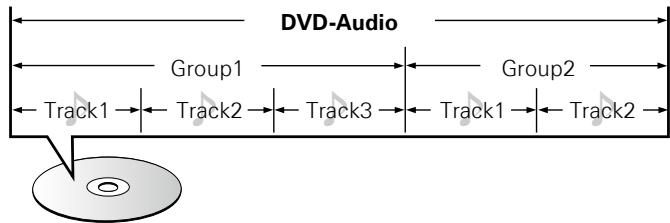
CD
CDs are divided into several sections (tracks). These sections are all allotted numbers, called the track numbers.

File
MP3/WMA/AAC/LPCM/JPEG/DivX® files recorded on DVD-R/-RW/+R/+RW, CD-R/-RW and SD Memory Card are divided into large segments ( folders) and small segments (files). Files are stored in folders, and folders can be placed for storage in a hierarchy. The DBP-4010UDCI can recognize up to 8 hierarchies of folder.
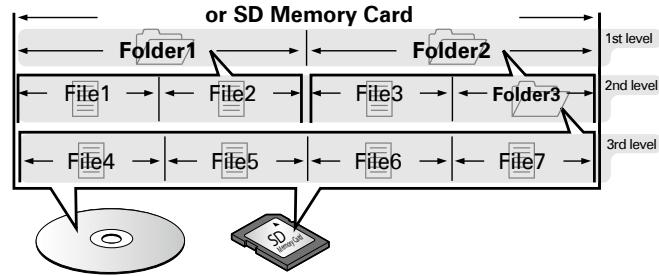
DVD-R/-RW/+R/+RW, CD-R/-RW

When writing MP3/WMA/AAC/JPEG/DivX® files on a CD-R/-RW disc, set the writing software's format to "ISO9660". The files may not play properly if they are recorded in other formats. For details, refer to the instructions of your writing software.
Cautions on Using Media
Inserting a Disc
- Set the disc with the labeled side facing up.
- Make sure the disc tray is fully open when inserting the disc.
- Place the disc horizontally in the tray, aligned with the tray guide.

If a disc that cannot be played is loaded or the disc is loaded upside down, "NO DISC" is displayed on the player's display.
NOTE
- Only load one disc at a time. Loading two or more discs can damage the unit or scratch the discs.
- Do not use cracked or warped discs or discs that have been repaired with adhesive, etc.
- Do not use discs on which the sticky part of cellophane tape or labels is exposed or on which there are traces of where labels have been removed. Such discs can get caught inside the player and damage it.
- Do not use discs with special shapes, as they could damage the player.


- Do not push the disc tray in by hand when the power is turned off. Doing so could damage the set.
Inserting an SD Memory Card
- Insert an SD Memory Card in the direction of the arrow into the SD CARD slot with the label facing up.
- Insert the card straight into SD CARD slot until it clicks.
- To remove the card, push it in the direction of insertion, and then release to eject.
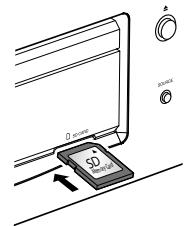
About Handling of Media
- Do not get fingerprints, oil or dirt on discs.
- Take special care not to scratch discs when removing them from their cases.
- Do not bend or heat discs.
- Do not enlarge the hole at the center.
- Do not write on the labeled (printed) surface with ball-point pens, pencils, etc., or stick new labels on discs.
- Water droplets may form on discs if they are moved suddenly from a cold place (outdoors for example) to a warm place, but do not try to dry them off using a hairdryer, etc.
- Do not eject an SD Memory Card or turn off the DBP-4010UDCI's power while the card content is in playback. This may result in malfunction or loss of the card's data.
- Do not attempt to open or modify SD Memory Cards.
- SD Memory Cards and files can be damaged by static electricity. Do not touch the metal contacts of an SD Memory Card with your fingers.
- Do not use warped SD Memory Cards.
- After use, be sure to remove any disc or SD Memory Card, and store it in its proper card case, to avoid dust, scratches and deformation.
- Do not store discs in the following places:
- Places exposed to direct sunlight for long periods of time
- Dusty or humid places
3.Places exposed to heat from heating appliances, etc.
Cleaning Discs
- If there are fingerprints or dirt on discs, wipe them off before using the disc.
- Use a commercially available disc cleaning set or a soft cloth to clean discs.
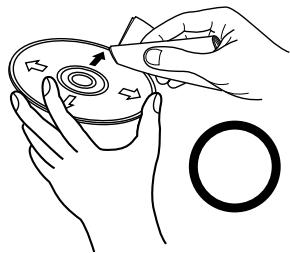
Gently wipe the disc from the inside towards the outside.
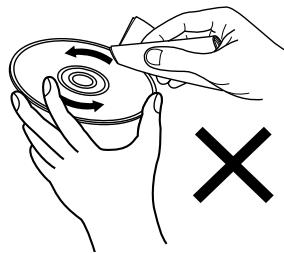
Do not wipe with a circular motion.
NOTE
Do not use record spray, antistatic agents, or benzene, thinner or other solvents.
About Copyright
- Unauthorised copying, broadcasting, public performance and lending of discs are prohibited.
- This product incorporates copyright protection technology that is protected by U.S. patents and other intellectual property rights.
- Use of this copyright protection technology must be authorized by Macrovision, and is intended for home and other limited viewing uses only unless otherwise authorized by Macrovision.
Reverse engineering or disassembly is prohibited.
- Portions of this product are protected under copyright law and provided under license by ARIS/SOLANA/4C.
About the Remote Control Unit
Inserting the Batteries
① Remove the remote control ② Set three R6/AA batteries in unit's rear cover. the battery compartment in the
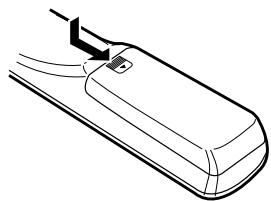
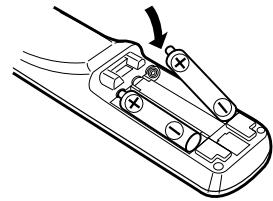
③ Put the rear cover back on.
NOTE
- Use R6/AA batteries in this remote control.
- Replace the batteries with new ones if the set does not operate even when the remote control unit is operated close to the unit. (The supplied batteries are only for verifying operation.)
- When inserting the batteries, be sure to do so in the proper direction, following the “ ” and “ ” marks in the battery compartment.
- To prevent damage or leakage of battery fluid:
- Do not use a new battery together with an old one.
- Do not use two different types of batteries.
- Do not attempt to charge dry batteries.
- Do not short-circuit, disassemble, heat or dispose of batteries in flames.
- If the battery fluid should leak, carefully wipe the fluid off the inside of the battery compartment and insert new batteries.
- Remove the batteries from the remote control unit if it will not be in use for long periods.
- Used batteries should be disposed of in accordance with the local regulations regarding battery disposal.
Operating Range of the Remote Control Unit
Point the remote control unit at the remote sensor when operating it.
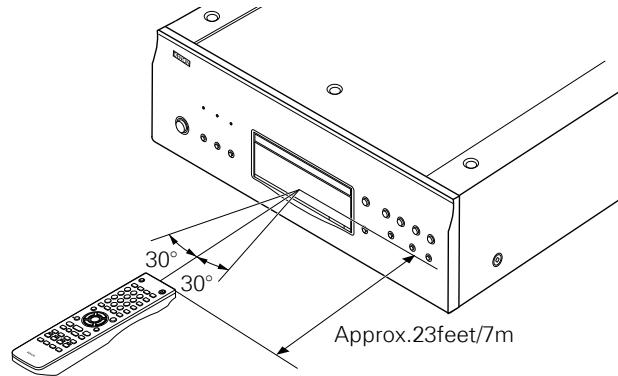
NOTE
The set may function improperly or the remote control unit may not operate if the remote control sensor is exposed to direct sunlight, strong artificial light from an inverter type fluorescent lamp or infrared light.
Remote Control Settings (Remote Control Side)
Switches when the DBP-4010UDCI's remote control operates another DENON BD players in the vicinity.
Set the remote control code simultaneously on the main unit, too. For how to set codes, see GUI menu: "Other Setup" - "Remote Control Setting" - "Remote ID" (12 page 31).
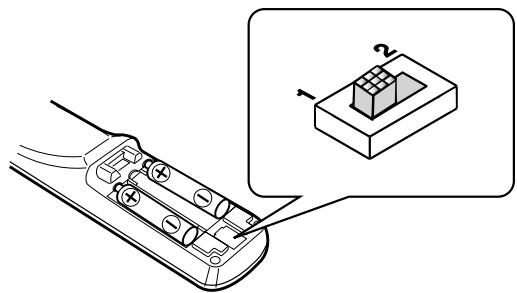
[Remote control code setting]
1 : Set the remote control code to "1".
2 : Set the remote control code to "2".
![DENON DBP-4010UDCI - [Remote control code setting] - 1](/content/2019/11/89784/images/3374e4fcf92f2ce5515ffed099d64d9c5ed3c99dc45bbf0251b6ec7a2f1f3b77.jpg)
- If the signal code of the remote control does not match the signal code of the unit, the remote control code set on the unit is shown on the display.
【Example】
If the code setting on the unit is "DENON 1", and the setting on the remote control is "2", "PLAYER 1" is shown on the display.
NOTE
- Match the signal code of the remote control with the signal code of the unit. If the remote control code is different, you cannot operate the DBP-4010UDCI with the remote control.
- Even if you change the remote control code, set GUI menu "Other Setup" - "Remote Control setting" - "Receive Legacy Remocon" (14 page 31) to "Off" when operating the DBP-4010UDCI with a remote control other than DENON's.
Part Names and Functions
Front Panel
For buttons not explained here, see the page indicated in parentheses ( ).
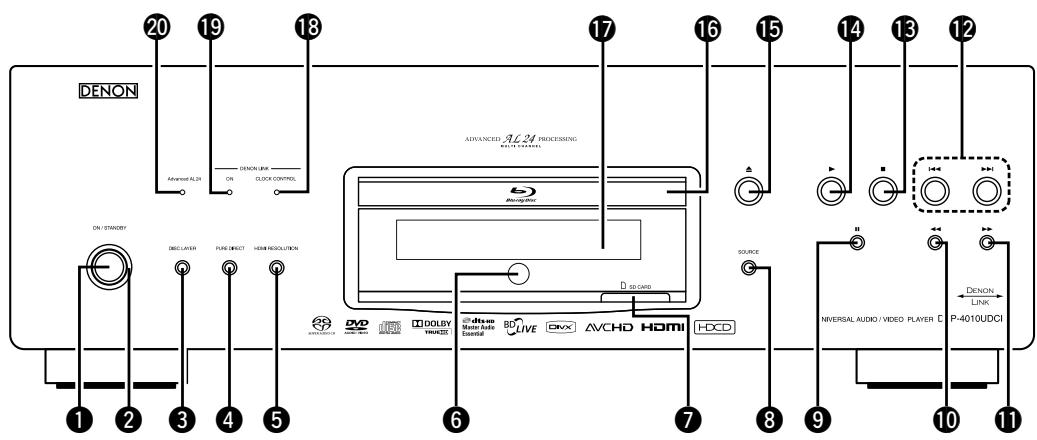
Power operation button (ON/STANDBY) (20)
Power indicator (20)
3 DISC LAYER button (37)
PURE DIRECT button (38)
5 HDMI RESOLUTION button (13)
Remote control sensor (7)
SD CARD slot (6)
8 SOURCE button (34)
9 Pause/Still button (II) (41, 43)
10 Fast reverse/slow button (43)
1 Fast forward/slow button (▶) (43)
12 Revers-skip/Forward-skip buttons (I←, ▷▶)
Stop button (■) (41)
Play button (▶) (37)
15 Disc tray open/close button (△) …………………… (34)
16 Disc tray (6)
17 Display (8)
18 CLOCK CONTROL indicator (17, 28) Lights when playing BD with DENON LINK 4th (jitter free) connections.
19 DENON LINK indicator (48)
20 ADVANCED AL24 indicator (48)

When power is in standby mode, press 14 and 15 to turn the power on.
Display
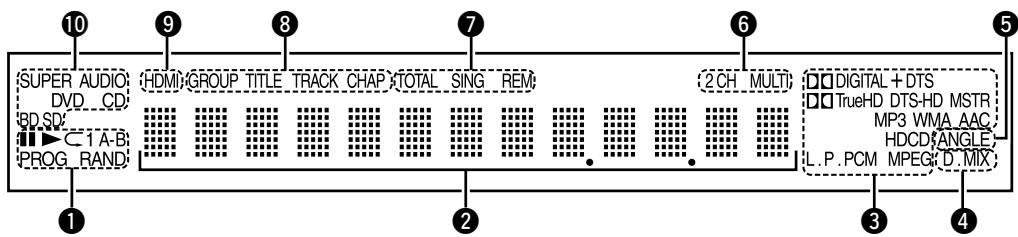
1Playback mode indicators
:DuringPlayback
: During pause and step-by-step playback
PROG : During program playback
RAND: During random playback
一 1 A-B:During repeat playback
Information display
Displays various information or playback elapsed time and so on of the disc.
③Playback format indicators
Downmix indicator
Displayed when playing back downmix permitted audio.
Angle information indicator
Displayed when a scene on the currently playing disc has been shot at various angles.
Audio channel indicators
Displays the number of audio signal channels during playback.
2CH : 2-channel playback
MULTI : Multi-channel playback
Time mode indicators
TOTAL: Total time of Super Audio CD and CD
SING : Elapsed time of title/chapter/track/file being played back
REM : Remaining time of title/chapter/track/file being played back
Group/Title/Track/Chapter indicators
9 HDMI output indicator
Display when HDMI video or audio signals are being output.

Does not display when the HDMI cable is not correctly connected and when the HDMI connection is not verified.
10 Media indicators
BD:BD
DVD : DVD-Video, DVD-R/+R/-RW/+RW
DVD AUDIO : DVD-Audio
SUPER AUDIO CD : Super Audio CD
CD:CD
SD : SD Memory Card
Displays the inserted media.
Part Names and Functions
Rear Panel
For buttons not explained here, see the page indicated in parentheses ( ).
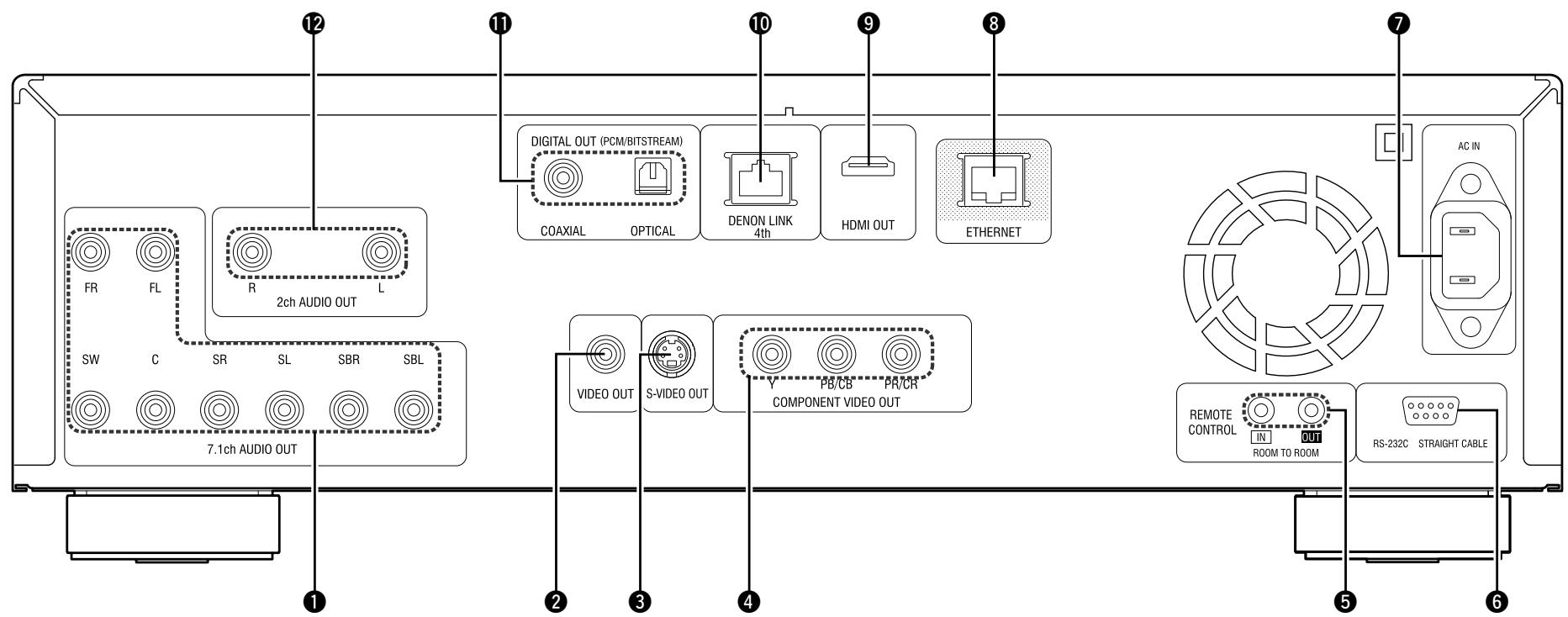
7.1ch AUDIO OUT connectors (16)
2VIDEO OUT connector (18)
S-VIDEO OUT connector (18)
4 COMPONENTVIDEOOUT connectors (18)
⑤ ROOM TO ROOM IN/OUT jacks
Extension jack for future use.
RS-232C connector
Extension connector for future use.
AC inlet (AC IN) (20)
ETHERNET connector (19, 20)
9 HDMI OUT connectors (13)
10 DENON LINK 4th connector (17)
1 DIGITAL OUT OPTICAL/COAXIAL connectors (15)
12 2ch AUDIO OUT connectors (18)
For software recorded in multi-channel, analog signals that have been down-mixed into 2 channels are output.
NOTE
- Do not touch the inner pins of the connectors on the rear panel. Electrostatic discharge may cause permanent damage to the unit.
- Do not put your finger or foreign object in the fan opening. Doing so could cause injury or unit failure.
-
When outputting audio from a DTS-HD 7.1-channel source to HDMI or analog 7.1 channel audio, and to 2-channel analog audio, perform the following settings so that the audio is down mixed to the correct 2-channel analog audio output signal as intended by the producer of the source and DTS, Inc.
-
In "HDMI Setup", set "Audio Setup" to "2Ch" (14 page 23).
- In "Audio Setup", set "7.1ch Audio Out" to "2 Channel" (2 page 25).
If "Audio Setup" in "HDMI Setup" and "7.1ch Audio Out" in "Audio Setup" are not set to "2Ch" or "2 Channel" respectively, 2-channel analog audio is output using this unit's own downmix. In this case, the downmix may differ from that intended by the producer of the source and DTS, Inc.
Remote Control Unit
For buttons not explained here, see the page indicated in parentheses ( ).
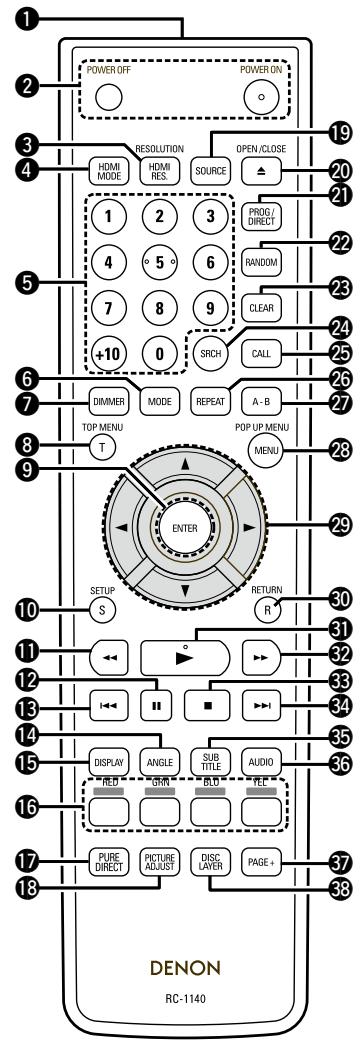
Remote control signal transmitter (7)
2 POWER buttons (POWER OFF, POWER ON) ……………………(20)
3 HDMI RESOLUTION button (HDMI RES.) (13)
4 HDMI MODE button (14)
5 Number buttons (0 9, + 10) (35, 36)
6 MODE button (32)
DIMMER button (47)
3 TOP MENU button (T) ……………………(36)
9 ENTER button (22)
10 SETUP button (S) (21)
11 Fast-reversing button (43)
12 Pause/Still button (II) (41, 43)
18 Revers-skip button (I-4) (41)
14 ANGLE button (47)
15 DISPLAY button (34)
16 RED/GRN/BLU/YEL buttons
PURE DIRECT button (38)
18 PICTURE ADJUST button (33)
19 SOURCE button (34)
20 Disc tray OPEN/CLOSE button (△) ……………………(34)
21 PROGRAM/DIRECT button (PROG/DIRECT) (45)
22 RANDOM button (44)
CLEAR button (33)
24 SEARCH button (SRCH) (37)
CALL button (45)
REPEAT button (44)
A-B button (44)
23 MENU/POP UP MENU button (36)
29 Cursor buttons ( < >) (22)
RETURN button (R) (22)
Play button (▶) ……………………(37)
Fast-forwarding button (▶▶) ……………………(43)
Stop button (■) ………………………………………… (41)
Forward-skip button (▶▶l) ……………………(41)
SUBTITLE button (46)
36 AUDIO button (45, 46)
7 PAGE + button (38)
DISC LAYER button (37)

- When power is in standby, press 20 and 31 to turn the power on.
- You can use 16 when operating the BD popup menu screen, etc.
Connections
Connect the DBP-4010UDCI as follows before using. Make connections according to the equipment you are connecting.
Some DBP-4010UDCI settings may be necessary depending on the connection method. Check each connection item for more information.
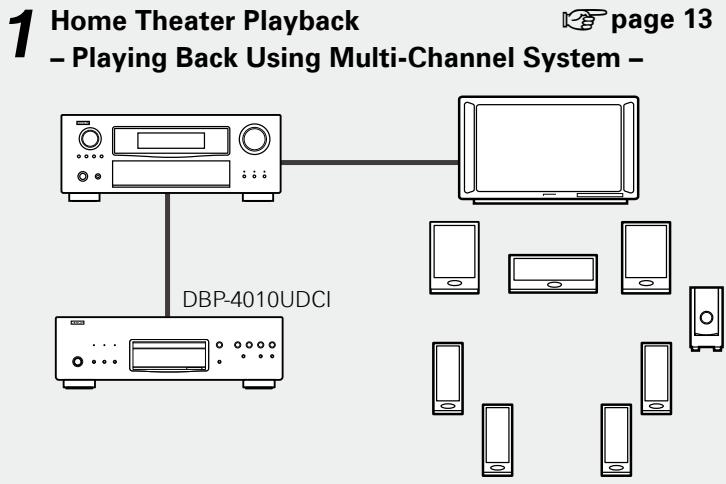
Multi-channel Audio + Video
HDMI connection
"Using an HDMI Cable to Connect to an AV Amp or Television" (13)
Multi-channel Audio
- DENON LINK connection
"Making a Jitter-free Connection" (10 page 17)
"Making a Normal Connection" (19 page 17)
- Digital audio connection
"Connection to an AV Amp with No HDMI Audio Input" (page 15)
- Analog 7.1ch connection
"Connecting to a Device with an Analog Multi-channel Audio Input Terminal" (page 16)
Video
- Analog video connection
"Connection to an AV Amp with No HDMI Video Input" (1 page 17)
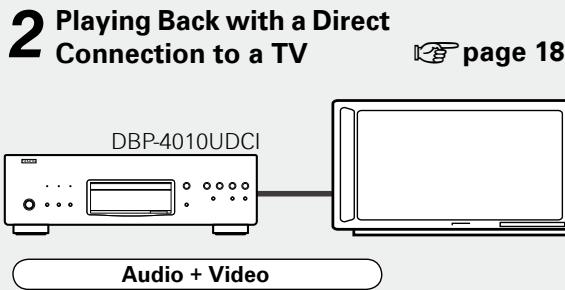
HDMI connection (page 13)
or
Audio
- Analog audio connection (page 18)
Video
- Analog video connection (page 18)
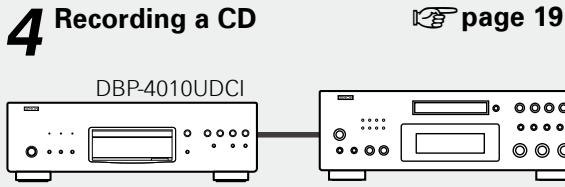
Digital output
"Connecting to a Digital Recording Device" (15)
- Connecting the Power Cord
- Once Connections are Completed
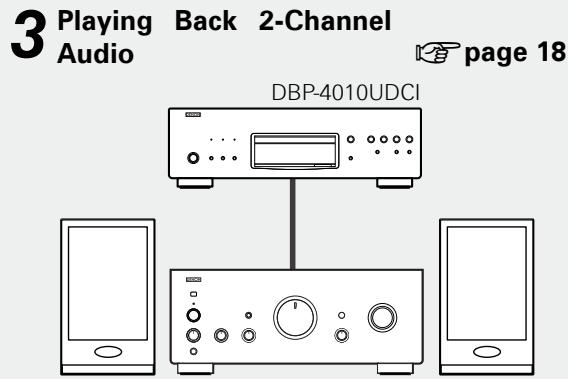
- 2ch stereo pin plug cable (unbalanced) connection
"Connecting to a Device with Analog 2-channel Audio Input Terminal with Stereo Pin Plug Cable" (page 18)
5 Using BD-LIVE function or updating the software page 19 version of DBP-4010UDCI
- LAN connection
"Connecting to the Network" (page 19)
Preparation
Cables Used for Connections
Prepare the cables to match the devices you are to use.
| Audio and video cables | |
| HDMI connections (Sold separately) | 19-pin HDMI cable |
| Audio cables | |
| Coaxial digital connections (Sold separately) | Coaxial digital (75 Ω/ohms pin-plug) cable |
| Optical digital connections (Sold separately) | Optical cable |
| Analog connections (stereo, surround) (1 included) | Stereo pin plug cable |
| Analog connections (center, subwoofer) (Sold separately) | Pin-plug cable |
| Video cables | |
| Component video connections(Sold separately) | (Y)(PB/CB)(PR/CR)Component video (75 Ω/ohms) cable |
| S-Video connections(Sold separately) | S-Video cable |
| Video connections(Included) | 75 Ω/ohms pin-plug video cable |
| Other cables | |
| DENON LINK connections(Included) | DENON LINK cable |
| Network connections(Sold separately) | Ethernet cable |
NOTE
- Do not plug the power cord into the power outlet until all connections are completed.
- Be sure to read the owner's manuals for the connected devices.
- First check the connection channels, and then correctly connect the input and output channels.
- Do not bundle the power cord together with the connection cables. This can result in noise.

- Use only HDMI (High Definition Multimedia Interface) cable that bears the HDMI logo (genuine HDMI product). Using cable without the HDMI logo (non-genuine HDMI product) may result in abnormal playback.
- When outputting deep colour or 1080p, etc., we recommend you use High Speed HDMI cable for enhanced high-quality playback.
1. Home Theater Playback – Playing Back Using Multi-channel System –
Using an HDMI Cable to Connect to an AV Amp or Television
- When connecting with an HDMI cable, press HDM1 MODE and set it to "HDMI On".
- DBP-4010UDCI automatically detects audio/video signal supported by the connected HDMI device and outputs the signal. To change the setting, see "HDMI Setup" on the GUI menu (page 23, 24).
NOTE
- When you press HDMI MODE and set it to "HDMI On", no video signals are output from the component video outputs.
-
To disable video or audio output from the HDMI terminal, set "Video Out" of "Pure Direct Setup", which outputs high quality analog audio to "Off". To enable the HDMI signal output, set the Pure Direct mode to one of the following setting:
-
Pure Direct mode"Off" or "User Preset 1" or "User Preset 2" (※)
("Playing Back High-Quality Audio (Pure Direct Function)" page 38)
※ Do this after setting "Pure Direct Setup" - "User Preset 1" or "User Preset 2" - "Video Out" on GUI menu to "On" (12 page 28).
During "HDMI On"
Audio/video signals are output from the HDMI terminal.
When the HDMI video resolution is set to "Auto" as described in "About HDMI Video Resolution Setting" (1 page 13), the DBP-4010UDCI outputs the highest resolution video signal that is supported by the connected equipment.

AV Amp or
NOTE
- When audio/video signals are output from the HDMI terminal, no video signals are output from the component terminals.
- When a signal comprising 24 frames per second, such as 1080P24, is output from the HDMI terminal, no video signals are output from the video or S-Video outputs.
During "HDMI Off"
Audio/video is not output from the HDMI terminal.
□ Connection to a device with a DVI-D terminal
If you use a HDMI/DVI-D conversion cable (sold separately), HDMI video signals are converted to DVI-D signals, enabling connection to a device with a DVI-D terminal.
NOTE
- In this case, the audio signal is not output. Make the appropriate audio connections for your devices. (10 page 14 ~ 20).
The video signal will be in RGB format. - You cannot output to a DVI-D device that does not support HDCP (high-bandwidth digital content copyright protection system).
- Video may not be output depending on the combination of devices.
Required Settings for HDMI Connection
Setting HDMI video output
Make HDMI Output Signal and HDMI Control Function Settings "HDMI Setup" ( page 23, 24)
Make the Video Output Signal Setting for the Connected Television "Video Setup" ( page 24)
About HDMI Video Resolution Setting
- Change the HDMI video resolution by pressing HDMI. Switch the output mode as follows. Default settings are underlined.

- If the HDMI resolution is not set to "Auto", set it to correspond with the resolution of your television. Images will not be projected normally if the television resolution and DBP-4010UDCI's output resolution do not match.
- Audio and video will be temporarily interrupted if the power of the connected device currently playing back is turned off, or input is switched.
- When you change the HDMI video resolution of the DBP-4010UDCI, it takes from a few seconds up to about 10 seconds for validation between the DBP-4010UDCI and the connected device. Audio/video is not output during this period.
- When outputting deep colour or 1080p, etc., we recommend you use High Speed HDMI cable for enhanced high-quality playback.

When outputting a video signal comprising 24 frames per second from the HDMI terminal, select "1080P24" or "Source Direct" after setting the GUI menu "HDMI Setup" - "I/P Direct" ( page 23) to "On".
See overleaf
NOTE
- When the HDMI video resolution is set to "1080P24", HDMI video signals are output from the DBP-4010UDCI with a resolution of 1080P and a frame rate of 24 frames per second, regardless of the video signals on the disc being played. Because of this, when playing discs containing video signals recorded with a frame rate of something other than 24 frames per second, the movement of the picture may be unnatural. If this happens, set the HDMI video resolution to something other than "1080P24".
- When the "I/P Direct" (12 page 23) setting is "On" and a disc with a frame rate of 24 frames per second is played, no video signals are output from the video or S-Video outputs.
- When the "I/P Direct" (12 page 23) setting is "Off", "1080P24" is not displayed.
Setting HDMI Audio Output
- When you press setup and set "HDMI Setup" - "Audio Setup" to "Auto" (K page 23) on the GUI menu, audio mode is set according to the connected device.
- When you want to set the HDMI audio output separately, change according to the following table.
- Refer to the owner's manual of the connected device regarding HDMI audio input specifications compatible with the connected device.
| Device to be connected | Setting items | About output signal and speaker settings |
| Device with the following built-in decoder · Dolby TrueHD · Dolby Digital Plus · Dolby Digital · DTS-HD · DTS | Auto | DBP-4010UDCI outputs a bitstream signal that is decoded by the connected device. ※ In this case, you cannot make a speaker setting for HDMI audio with the DBP-4010UDCI. Make the setting with the connected device. ※ When outputting the Dolby TrueHD or DTS-HD audio, press MODE and set “BD Audio Mode” to “HD Audio Output” (KBS page 32). |
| Device compatible with multi-channel HDMI audio input, but not capable of speaker setting for each channel | Multi LPCMB On | Outputs multi-channel Linear PCM audio signals with speaker setting by the DBP-4010UDCI. ※ For speaker setting, on the GUI menu, “Audio Setup” - “7.1ch Audio Out” - “Multi Channel” - “Speaker Configuration” (KBS page 25). ※ BM : Bass Management (means multi-channel speaker setting) |
| Device compatible with multi-channel HDMI audio input, and capable of speaker setting for each channel | Multi LPCMB Off | Output of multi-channel Linear PCM audio signals from the DBP-4010UDCI. Perform the speaker setting with the connected device. ※ BM : Bass Management (means multi-channel speaker setting) |
| Device compatible with 2-channel HDMI audio input | 2Ch | Downmixed 2-channel Linear PCM audio signals are output from the DBP-4010UDCI. Perform the speaker setting with the connected device. |
| Device not compatible with HDMI audio signal input | Mute | Audio signal are not output from the DBP-4010UDCI's HDMI terminal. Only video signals are output from the HDMI terminal. ※ Make the audio connection. |
Audio signal from the HDMI output terminal
You can change the audio format and playback number of channels according to the specifications of the device to which the DBP-4010UDCI's HDMI audio output signals are input. Make settings while checking the specifications of the audio device to be connected as well as the audio format/number of channels stored in media and files for playback.
| Media/Files | Audio format | Setting "HDMI Setup" - "Audio Setup" (14 page 23) on the GUI menu | ||
| Auto | Multi LPCMBM On/Off | 2Ch | ||
| BD | Dolby Digital | Dolby Digital*1 | Multi LPCM | 2 ch Downmix LPCM |
| Dolby Digital Plus | Dolby Digital Plus*1 | |||
| Dolby TrueHD | Dolby TrueHD*1 | |||
| DTS | DTS*1 | |||
| DTS-HD | DTS-HD*1 | |||
| LPCM | Multi LPCM | |||
| AVCHD | Dolby Digital | Dolby Digital | Multi LPCM | 2 ch Downmix LPCM |
| LPCM | Multi LPCM | |||
| DVD-Video | Dolby Digital | Dolby Digital | ||
| DTS | DTS | |||
| LPCM | 2 ch LPCM | |||
| DVD-Audio | LPCM, PPCM | Multi LPCM | 2 ch Downmix LPCM | |
| Super audio CD*2 | Multi area | |||
| Stereo area | 2 ch LPCM | |||
| CD layer | ||||
| DivX® | Dolby Digital | Dolby Digital | Multi LPCM | 2 ch Downmix LPCM |
| MP3, MP2 | 2 ch LPCM | |||
| CD, MP3, WMA, AAC, LPCM | ||||
| DTS-CD | DTS | Multi LPCM | 2 ch Downmix LPCM | |
1: Multi LPCM signals are output when "BD Audio Mode" is set to "Mix Audio Output" (12 page 32). Multi LPCM signals are output when outputting HDMI video signals with resolutions of 480i/576i or 480p/576p.
2: Super Audio CD audio signals are output at 44.1 kHz 16-bit.

Even if "HDMI Setup" - "Audio Setup" on the GUI menu is set to "Auto" (12 page 23), multilinear PCM or downmixed 2-channel linear PCM signals are output if a device that does not support bitstreams is connected.
1. Home Theater Playback – Playing Back Using Multi-channel System –
Copyright protection system
In order to play back digital video and audio such as BD-Video or DVD-Video via HDMI connection, both the player and TV or the AV Amp need to support the copyright protection system known as HDCP (High-bandwidth Digital Content Protection System). HDCP is copyright protection technology comprised of data encryption and authentication of the connected AV device. The DBP-4010UDCI supports HDCP.
NOTE
- If a device that does not support HDCP is connected, video and audio are not output correctly. Read the owner's manual of your television or AV Amp for more information.
- The audio signal from the HDMI output terminal (sampling frequency, number of channels, etc.) may be limited by the HDMI audio specifications of the connected device regarding permissible inputs. For example, if the HDMI audio specification of the connected device is 5.1 channels, 5.1-channel audio will be automatically output even when playing back 7.1 channels by the DBP-4010UDCI. In this case, analog audio output will also be 5.1-channel.
- Audio signal input may not be supported depending on the HDMI compatible monitor (projector, etc.) being used.
When the DBP-4010UDCI is connected to this kind of device, audio signals are not output from the HDMI terminal.
Connection to an AV Amp with No HDMI Audio Input
When playing back Dolby Digital Plus/Dolby TrueHD/DTS-HD audio recorded on a BD disc, the DBP4010UDCI outputs Dolby Digital or DTS bitstream from its digital audio output terminal.
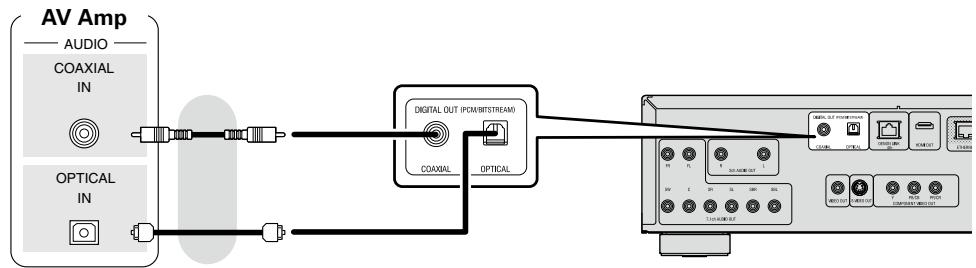
NOTE
- Dolby TrueHD/Dolby Digital Plus/DTS-HD audio signals are not output with this connection.
When outputting Dolby TrueHD/Dolby Digital Plus/DTS-HD audio signals, do so with an HDMI connection ( page 13, "Using an HDMI Cable to Connect to an AV Amp or Television"). - Super Audio CD's DSD signal cannot be output. Also, during CD layer playback, 44.1 kHz/16-bit Linear PCM is output.
- Do not output DTS audio signals to an AV Amp that does not support DTS. Playing back a BD/DVD disc with recorded DTS content can generate noise and even damage your speakers.
- When connecting with an optical transmission cable (sold separately), make sure the plug shape aligns with the socket, and insert fully.
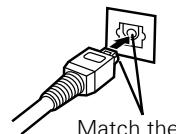
shapes
Audio Signal from the Digital Audio Output (Optical/Coaxial) Terminal
The DBP-4010UDCI can convert and output digital audio signal format recorded on media.
Convert the digital audio signal in accordance with the specifications of the device that is to input digital audio output signals from the DBP-4010UDCI.
| Media/Files | Audio format | Setting "Audio Setup" - "Digital Out" (12 page 27) on the GUI menu | |
| Bitstream | PCM/PCM Down Sampling | ||
| BD | Dolby Digital | Dolby Digital*1 | 2 ch Downmix LPCM |
| Dolby Digital Plus | |||
| Dolby TrueHD | |||
| DTS | DTS*1 | ||
| DTS-HD | |||
| LPCM | 2 ch Downmix LPCM*1 | ||
| AVCHD | Dolby Digital | Dolby Digital | |
| LPCM | 2 ch Downmix LPCM | ||
| DVD-Video | Dolby Digital | Dolby Digital | |
| DTS | DTS | ||
| LPCM | 2 ch Downmix LPCM | ||
| DVD-Audio | LPCM, PPCM | ||
| Super Audio CD | Multi area | Audio is not output | |
| Stereo area | |||
| CD layer | 2 ch LPCM | ||
| DivX® | Dolby Digital | Dolby Digital | 2 ch Downmix LPCM |
| MP3, MP2 | 2 ch LPCM | ||
| CD | |||
| MP3, WMA, AAC, LPCM | |||
| DTS-CD | DTS | 2 ch Downmix LPCM(DTS*2) | |
1: Bitstream signals are output in accordance with the BD re-encode setting when "BD Audio Mode" is set to "Mix Audio Output" (2 page 32).
2: When "HDMI Setup" - "Audio Setup" is set to "Auto" on the GUI menu and bit stream is output from HDMI, the DTS bit stream is output from the digital audio output (optical/coaxial) as well.

For content with copyright protection, audio signal is down sampled to 48kHz 16bit and is output.
Connecting to a Device with an Analog Multi-channel Audio Input Terminal
Outputs multi-channel audio decoded by the DBP-4010UDCI.
If your audio system has an analog multi-channel audio input terminal, connect using audio cable (sold separately).
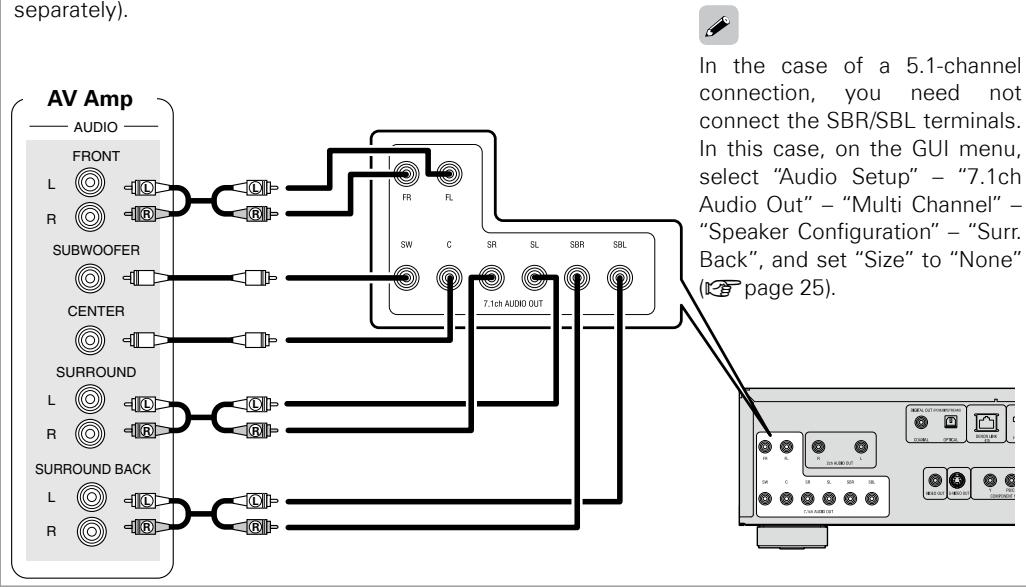
1. Home Theater Playback – Playing Back Using Multi-channel System –
DENON LINK Connection ① Making a Jitter-free Connection
BD
When you connect the DBP-4010UDCI to a DENON LINK 4th compatible AV Amp using DENON LINK cable and HDMI cable, during BD playback the DBP-4010UDCI's circuit operates with the AV Amp's master clock signal. (The clock control indicator of the DBP-4010UDCI lights.) This enables transmission of high-quality digital audio with minimal jitter.
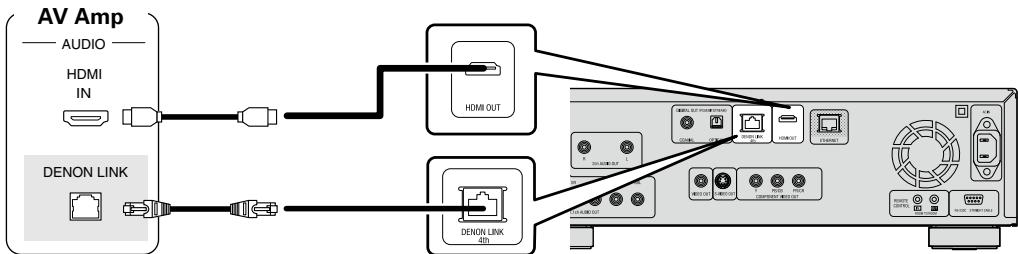
NOTE
- When using DENON LINK 4th functions, press the HDMI MODE and set to "HDMI On".
- The jitter-free function does not work except during BD playback. In this case, the video signal is output from the HDMI OUT terminal, and the audio signal from the DENON LINK terminal.
DENON LINK Connection ② Making a Normal Connection
- When connecting to a DENON LINK-compatible AV Amp, the multi-channel signals of DVD-Audio discs, Super Audio CDs, etc., can be transferred as such in digital format.
- DENON LINK connection requires that the version of AV Amp to be connected match the DBP4010UDCI version. Check the version of the AV Amp, and then on the GUI Menu, set "DENON LINK Setup" - "DENON LINK Mode" (page 28).
If the DBP-4010UDCI and AV Amp versions do not match, audio cannot be output correctly.

NOTE
DENON LINK does not support BD audio transmission.

- DENON LINK supports digital transmission up to 24 bit/2 ch at 192/176.4 kHz, and up to 24 bit/6 ch at 96 kHz or less.
- When you have made a DENON LINK connection, the DBP-4010UDCI's speaker setting becomes invalid. (Make the speaker setting on the connected AV Amp)
- DENON LINK 2nd cannot transmit multi/stereo area audio of Super Audio CD.
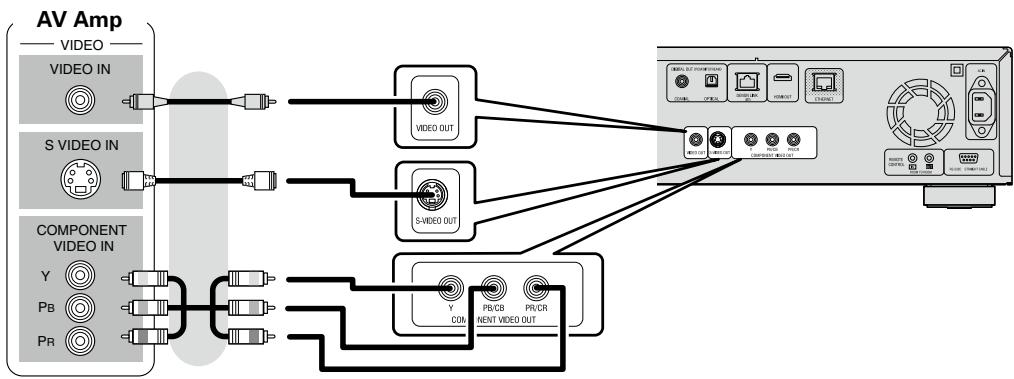
Connection to an AV Amp with No HDMI Video Input
- Check the video terminals and make the connection to one of them.
- When connecting using the component video outputs, press HDMI MODE and set it to "HDMI Off".
2. Playing Back with a Direct Connection to a TV
Check the television's audio and video terminals and make the connection to one of them.
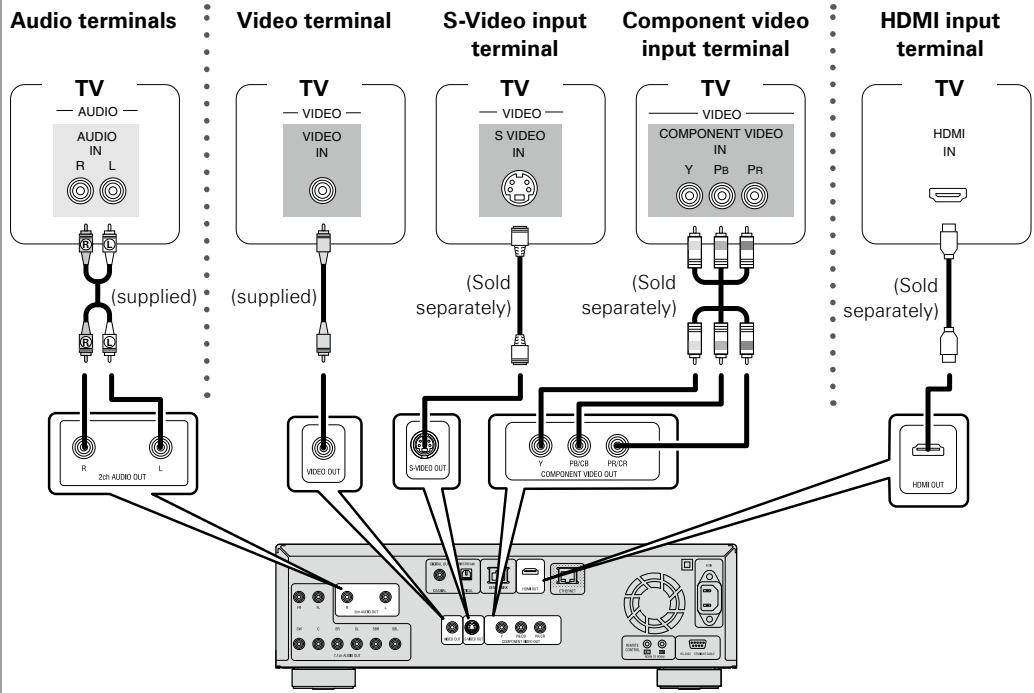
NOTE
Do not connect the DBP-4010UDCI's video output via a VCR (Video Cassette Recorder). Some media contain copy prohibit signals, which will disturb the screen image.
When playing NTSC disc, DBP-4010UDCI's video output becomes NTSC signal format.
When playing PAL disc, DBP-4010UDCI's video output becomes PAL signal format.
- When connected to the television's component video input terminal
- The DBP-4010UDCI's component video output supports 480i/576i/480p/576p/720p/1080i output. Match the output to the corresponding resolution of the connected television by setting, on the GUI menu: "Video Setup" - "Component Resolution" ( page 24). Images will not be projected normally if the television resolution and DBP-4010UDCI's output resolution do not match. Copyright protected DVD is output in 480i/576i or 480p/576p.
NOTE
When you press and set it to "HDMI On", no video signals are output from the component video terminals. When using the component video terminals, set HDMI mode to "HDMI Off".
- When connected to the HDMI input terminal
Outputting both digital video and digital audio signals.
See "Required Settings for HDMI Connection" ( page 13) for HDMI video output and audio output settings.
3. Playing Back 2-Channel Audio
Connecting to a Device with Analog 2-channel Audio Input Terminal with Stereo Pin Plug Cable
When connecting using the analog 2-channel audio output terminals
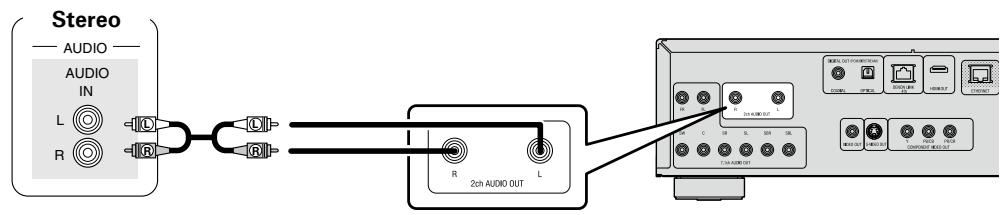

For software recorded in multi-channel, analog signals that have been down-mixed into 2 channels are output.
When connecting using the analog 7.1-channel audio output terminals
On the GUI menu, select "Audio Setup" - "7.1ch Audio Out", and set it to "2 channel" (10 page 25).
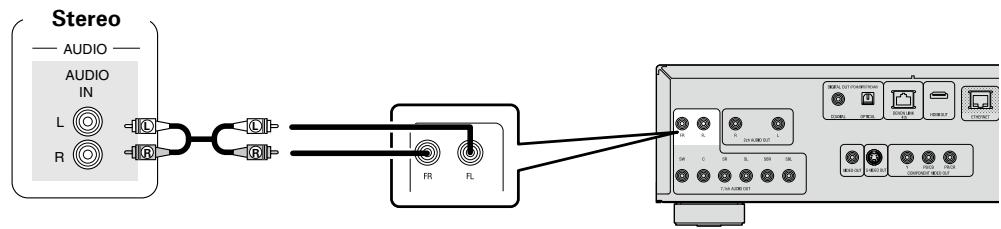

For software recorded in multi-channel, analog signals that have been down-mixed into 2 channels are output.
4. Recording a CD
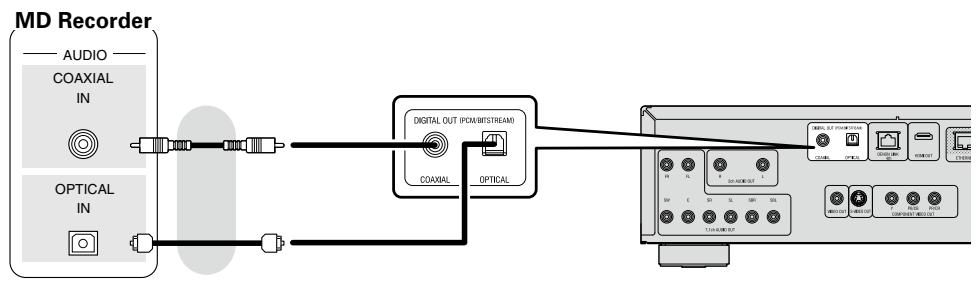
Connecting to a Digital Recording Device

When converting multi-channel audio to 2-channel for output, on the GUI menu, select "Audio Setup" - "Digital Out", and set it to "PCM Down Sampling" (15 page 27). If you play back DVD or other media with incorrect configuration, deafening noise occurs that may damage the speaker.
5. Using BD-LIVE function or updating the software version of DBP-4010UDCI
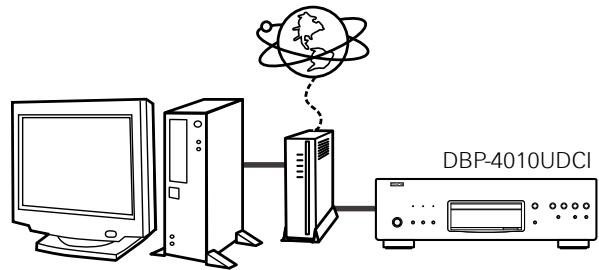
Connecting to the Network
- You can use a disc which offers BD-LIVE function by connecting the unit to the Internet ( page 36).
- You can update by downloading the latest firmware from the Internet. For more information, on the GUI menu, select "Other Setup" - "Firmware Update" (12 page 31).
- See "Network Setup" (12 page 29) on the GUI menu for more information on network setting.
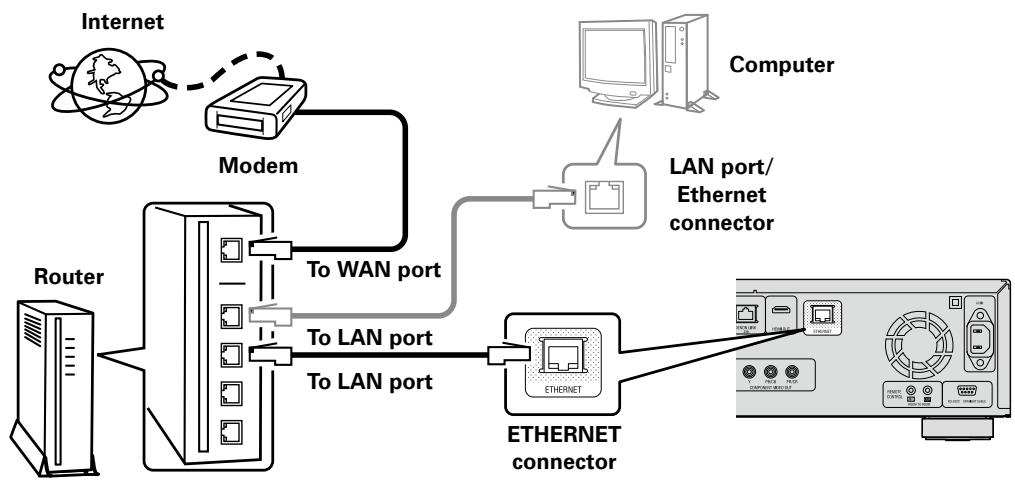
System Requirement
Internet Connection by Broadband Circuit
Modem
Device that connects to the broadband circuit and conducts communications on the Internet.
A type that is integrated with a router is also available.
Router
When using the DBP-4010UDCI, we recommend a router with the following features.
- Built-in DHCP (Dynamic Host Configuration Protocol) server.
Function that automatically assigns an IP address on the LAN.
- Built-in 100BASE-TX switch (built-in switching hub compatible with speeds upwards of 100 Mbps)
□ Ethernet cable (CAT-5 or greater recommended)
- An Ethernet cable is not included with the DBP-4010UDCI.
- For Ethernet cable, we recommend you use shielded straight cable (normal type).
If you use the flat type or a non-shielded cable, the noise may adversely affect other devices.

For Internet connection, use an ISP (Internet Service Provider). Ask your local dealer for details.
NOTE
- It is necessary to subscribe to an ISP in order to connect to the Internet. If you already have a broadband connection, there is no need to subscribe anew.
- The router you can use varies with the ISP. For more information, contact your ISP or PC dealer.
- DENON assumes no responsibility whatsoever for any communication errors or troubles resulting from customer's network environment or connected devices.
Others
- The DBP-4010UDCI can use the DHCP function to automatically set the network.
- With the type of circuit in which network setting is performed manually, when subscribed to a provider, conduct the setting in accordance with "Network Setup" on the GUI menu (12 page 29).
- If you connect the DBP-4010UDCI to a network without a DHCP function, conduct IP address and other settings according to "Network Setup" on the GUI menu (page 29).
- The DBP-4010UDCI does not support PPPoE. If you subscribe to a circuit that is set with PPPoE, a PPPoE-compatible router is required.
- When setting manually, check the setting contents with the network administrator.
Connecting the Power Cord
Connect the included power cord to the DBP-4010UDCI, and plug it into an AC outlet.

NOTE
- Be sure to insert the power plug firmly. Incomplete connection results in noise generation.
Once Connections are Completed
Turning the Power On
Press the unit's or the remote control's .
The power is turned on, and the power indicator lights green.
"LOADING" appears on the display, and disc information is read.
※ The "NO DISC" message is displayed when a disc is not loaded.
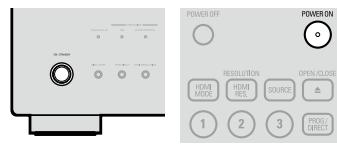
(DBP-4010UDCI)
(Remote control unit)

On the GUI menu, when "Other Setup" - "Auto Power Mode" - "On" (12 page 31), the following states are maintained for about 30 minutes, and then the power is turned automatically to standby.
- Disc not loaded
- Playback has stopped
- Stopped due to resume function
When power is switched to standby
Either press on the unit, or press on the remote control.
The power indicator lights red.
NOTE
During power standby, a slight amount of power is consumed. To totally cut off the power, remove the power cord from the power outlet.
GUI Menu Setup
Menu Map
Pressing Sd displays the GUI menu. From this menu, you can move to various setting screens.
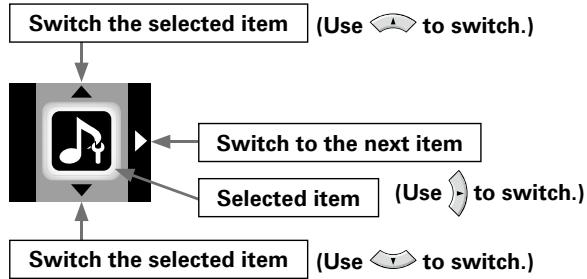
GUI Menu Operation
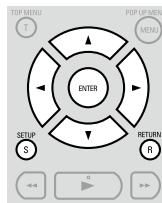
1 Press
The GUI menu is displayed on the TV screen.
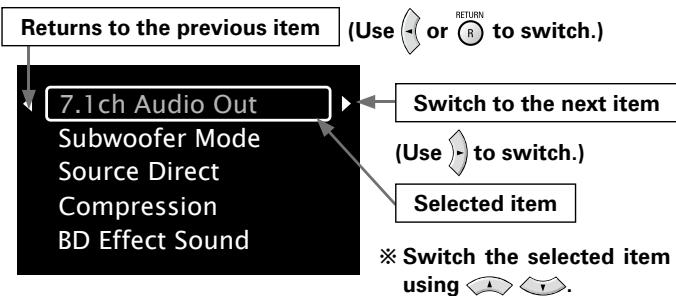
Press to select the menu to be set or operated.
※ To return to the previous item, press or
3 Press ENTER to enter the setting.
□ Exiting the GUI Menu
Press while the GUI menu is displayed.
- The GUI menu display disappears.
NOTE
You must use the GUI menu to make settings or operate while a disc or SD Memory Card is not inserted. In cases in which the resume function is activated, you may not make correct settings.

Text colors of selected items of the GUI menu are as follows:
- White : These items can be selected.
- Gray : These items cannot be selected.
Examples of GUI Menu Screen Displays
Typical examples are described below.
[Example 1] Menu selection screen (Top menu)
![DENON DBP-4010UDCI - [Example 1] Menu selection screen (Top menu) - 1](/content/2019/11/89784/images/d5b29e3455879d977afc1ea3108dd8c99287eca05766426750e0a9e39a0ae6e4.jpg)
1: List GUI menu setup icons
2 : Currently selected setup icon
3 : Currently selected setup item
4: List of currently selected setup items
*5: Guide text for the currently selected setup item
![DENON DBP-4010UDCI - [Example 1] Menu selection screen (Top menu) - 2](/content/2019/11/89784/images/4b18c1630f11f420439bd4bca989712eba77359156d5ce70c29733feaca22cac.jpg)
![DENON DBP-4010UDCI - [Example 1] Menu selection screen (Top menu) - 3](/content/2019/11/89784/images/d27fcf604579c2e55418f7af70d7884983fd9514e78b020a1e4a15f526c5af11.jpg)
6 : Selected setup icon
7 : Options of the selected setup item
[Example 2] Rating Country Code input screen (with virtual keyboard)
![DENON DBP-4010UDCI - [Example 2] Rating Country Code input screen (with virtual keyboard) - 1](/content/2019/11/89784/images/bb9a6f3cfa479bd69a7a01bc33ab376887185dcd12c66492e5baa7e3f09e1629.jpg)
8:Virtualkeyboard
9:Operation button guide
Icon
List

Language Setup
Default settings are underlined.
Set the language used for playback dialogs, subtitles, and menus.
| Setting items | Setting contents |
| Dialog Set the dialog used to play BDs or DVDs. | Original: Plays the dialog selected at the top in the language menu stored in the disc. English/French/Spanish/German/Japanese/Italian/Swedish/Dutch/Russian/Chinese/Korean/Danish/Finnish/Norwegian/Icelandic/Hungarian/Romanian/Turkish/Greek/Irish/Portuguese/Polish/Czech/Slovak/Bulgarian Others: Enter the language code. |
| Subtitle Set the subtitle language used to play BDs or DVDs. | Off: Do not display subtitles. English/French/Spanish/German/Japanese/Italian/Swedish/Dutch/Russian/Chinese/Korean/Danish/Finnish/Norwegian/Icelandic/Hungarian/Romanian/Turkish/Greek/Irish/Portuguese/Polish/Czech/Slovak/Bulgarian Others: Enter the language code. |
| Disc Menus Set the language used for BD or DVD menus. | English/French/Spanish/German/Japanese/Italian/Swedish/Dutch/Russian/Chinese/Korean/Danish/Finnish/Norwegian/Icelandic/Hungarian/Romanian/Turkish/Greek/Irish/Portuguese/Polish/Czech/Slovak/Bulgarian Others: Enter the language code. |
| GUI Language Set the GUI language. | English/François/Espanol/Deutsch/Italiano/Svenska/Nederlands/日本語 |
NOTE
The setting may not be active depending on the disc.

If "Other" is selected for "Dialog", "Subtitle" or "Disc Menu", refer to "Language Code List" (51), use number buttons 0 9 to input the language code, then press (enter) to set.

HDMI Setup
Default settings are underlined.
Set the HDMI output signal or HDMI control function.
| Setting items | Setting contents |
| Auto Format Set the content of HDMI video output resolution item "Auto" (12 page 14) with RESOLUTION. | Max Res.: Output data using the maximum resolution that can be handled by the connected TV. Panel Res.: Output data using the maximum resolution of the panel of the connected TV. If the TV does not support 1080P24, video is output in 1080P format. |
| I/P Direct Set whether the I/P converter converts 24P frames. | Off: Convert 1080 progressive 24 frames to 60 frames. On: Output 1080 progressive 24 frames without conversion. NOTE When "I/P Direct" is set to "On", when playing some discs no video signals are output from the video and S-Video terminals. |
| Color Space Set the video signal system to be output from HDMI. | YCbCr: Output by YCbCr video format. RGB Normal: Output using the RGB video system (16 (black) to 235 (white)). RGB Enhanced: Output using the RGB video system (0 (black) to 255 (white)). |
| Deep Color Set the HDMI terminal to output Deep Color. Expands the color depth (number of used colors) of the HDMI video signal, enabling playback with more natural colors and free of streaking. | Auto: Deep Color is automatically output when the connected HDMI device supports Deep Color. Off: Do not output Deep Color. |
| Audio Setup Set the audio signal system to be output from HDMI. | [Auto]: Automatically selects and outputs signals that can be input to the connected HDMI device. The bitstream signal takes priority. [Multi LPCM BM On]: Decoded Linear PCM multi-channel signal is output by the DBP-4010UDCI. Speaker setting is enabled. (BM: Bass Management) For setting, on the GUI menu, refer to, "Audio Setup" - "7.1ch Audio Out" (12 page 25, 26). • Speaker Configuration: Set the speaker configuration used for playback. Automatically sets channel components and characteristics according to setting. • Channel Level: Set the volume of the test tone to be the same when it is output from each speaker. • Distance: Set the distance between the listening position and each speaker. |
See overleaf
Remote control operation buttons

. Displaying the menu
Cancel the menu


Moves the cursor (Up/Down/Left/Right)

:Decision the setting
RETURN

:Return to previous menu
| Setting items | Setting contents |
| Audio Setup | [Multi LPCM BM Off] : Decoded Linear PCM multi-channel signal is output by the DBP-4010UDCI. This setting is not made in speaker setting. (BM: Bass Management) [2Ch] : Output the downmixed 2-channel LPCM signal. [Mute] : Do not output audio from HDMI. |
| SA-CD Audio Out Set to output stereo/multi area audio of Super Audio CD to the HDMI terminal. | On : Super Audio CD audio is output. Off : Super Audio CD audio is not output. The Super Audio CD audio signal is a 44.1 kHz/16-bit Linear PCM output. |
| HDMI Control Can operate the unit in conjunction with an HDMI control support device. | [Control] ·Off : Disable the HDMI control function. ·On : Link with the device connected to HDMI. [Power Off Control] ·On : Turns the DBP-4010UDCI's power to standby through linkage to the TV. ·Off : Does not turn the DBP-4010UDCI's power to standby through linkage to the TV. For the HDMI control function to operate, it is necessary for the DBP-4010UDCI or HDMI-compatible TV connected to the DBP-4010UDCI to have an HDMI connection. ·Refer to “HDMI Control Function” (47) page 47) for more information about the HDMI control function. ·The HDMI control function from the connected device becomes valid when, on the GUI menu, “DENON LINK Setup” – “DENON LINK Mode” is set to “4th” (48) page 28). ·After the “HDMI Control” setting has been changed, always turn off the power to the connected equipment and then turn it back on. |
NOTE
If you set "DENON LINK Setup" - "DENON LINK Mode" on the GUI menu to "4th", you will no longer be able to change the "HDMI Control" - "Control" setting. To change the setting, switch "DENON LINK Mode" to a setting other than "4th" first and then change the setting.

Video Setup
Default settings are underlined.
Set the video output signal according to the connected TV.
| Setting items | Setting contents |
| TV Aspect (Aspect ratio) | 16:9 Squeeze Auto : Output to a wide screen TV. For 4:3 video, display in the center of the screen without changing the aspect ratio.*1 |
| Set the screen type and display mode of the TV. | WIDE (16:9) : Output to a wide screen TV. |
| 4:3 PS : Output to a 4:3 TV. For wide video, trim the left and right side of the image and display in 4:3 aspect ratio.*2 | |
| 4:3 LB : Output to a 4:3 TV. Display all of the wide video. | |
| Component Resolution *3 | 480/576i, 480/576P, 720P, 1080i, Source Direct : Output video using its source resolution. Convert the 1080p video source to 1080i. |
| Set the component output resolution. | |
| Progressive Mode | Auto : Detect the type of video material and automatically switch the mode. Normally, this setting is used. |
| Set an appropriate progressive conversion mode for the source video material. | Video1 : Suitable for playing video material discs. |
| Video2 : Suitable for playing video material discs or 30-frame film material discs. | |
| TV Active Area | Full : Set when a home-use monitor is connected. |
| Sets the horizontal display range when the analog video output resolution is 480i/576i. | Normal : This setting is used when video synchronization is disturbed on a professional-use monitor. |
| This is not available for HDMI output. |
1: This has no effect with the video and S-Video outputs.
2: Depending on the video content, even though you set the 4:3 PS (Pan Scan), the content may be output in 4:3 LB (Letter Box).
*3: When video is output from the HDMI terminal, no video signals are output from the component terminals.
Remote control operation buttons

. Displaying the menu
Cancel the menu


Moves the cursor (Up/Down/Left/Right)

:Decision the setting
RETURN

:Return to previous menu
Set the speaker or audio to be output.
Setting related to each channel setting and other audio in the case of outputting analog audio signals decoded by the DBP-4010UDCI.
| Setting items | Setting contents |
| 7.1ch Audio Out Makes the audio setting for output of analog 7.1-channel audio to a multi-channel amplifier. To set "7.1ch Audio Out", set "HDMI Setup" - "Audio Setup" on the GUI menu to "2Ch" or "Mute" (42 page 24). NOTE You cannot select "None" or "NO" for "HDMI Setup" - Audio Setup" - "Multi LPCM BM On" - "Speaker Configuration" (43 page 23, 24) on the GUI menu. | Multi Channel Set the speaker configuration, channel level and distance for multi-channel playback. 2 Channel Outputs multi-channel downmixed audio from the front speaker output terminals (FL/FR) of the 7.1-channel audio output terminals. Make this setting when outputting to a TV and 2-channel amplifier. NOTE The 7.1-channel audio output terminals output only FL/FR when you make this setting. |
| Speaker Configuration : Set the speaker configuration. [Front] : Set the front speaker size. • Large : Use of a large speaker that can adequately play back low frequencies. • Small : Use of a small speaker that has inadequate playback capacity for low frequencies. [Center] : Set the presence and size of the center speaker. • Large : Use of a large speaker that can adequately play back low frequencies. • Small : Use of a small speaker that has inadequate playback capacity for low frequencies. • None : Select when a center speaker is not connected. [Subwoofer] : Set the presence of a subwoofer. • Yes : Use a subwoofer. • No : Select when a subwoofer is not connected. [Surround] : Set the presence and size of the Surround speakers. • Large : Use of a large speaker that can adequately play back low frequencies. • Small : Use of a small speaker that has inadequate playback capacity for low frequencies. • None : Select when the surround speakers are not connected. |
| Setting items | Setting contents |
| 7.1ch Audio Out | [Surr. Back] : Set the presence, size and number of surround back speakers. ·Size : Set the surround back speaker size. Large : Use of a large speaker that can adequately play back low frequencies. Small : Use of a small speaker that has inadequate playback capacity for low frequencies. None : Select when the surround back speakers are not connected. ·Number : Set the number of surround back speakers. 1 spkr : Use only one surround back speaker. Surround back audio is output from the surround back L terminal. 2 spkrs : Use two surround back speakers. |
| [Crossover Freq.] : Set the upper limit of the low frequency signals output from the subwoofer. ·40Hz/60Hz/80Hz/90Hz/100Hz/110Hz/120Hz/150Hz/200Hz/250Hz : Outputs at below set frequency, each speaker's bass signal output from the subwoofer. Set this according to the low frequency reproduction capabilities of the speakers you are using. ·Advanced : Set the low frequency signals to be output from the signals of the respective speakers to the subwoofer. Front, Center, Surround, Surr. Back 40Hz/60Hz/80Hz/90Hz/100Hz/110Hz/120Hz/150Hz/200Hz/250Hz LFE / LFE+Main 80Hz/90Hz/100Hz/110Hz/120Hz/150Hz/200Hz/250Hz | |
| When, on the GUI menu, "Audio Setup" - "7.1ch Audio Out" - "Multi Channel" - "Speaker Configuration" - "Subwoofer" is set to "Yes" (10 page 25), you can select "LFE" or "LFE+Main". |
See overleaf
Remote control operation buttons

. Displaying the menu
Cancel the menu


Moves the cursor (Up/Down/Left/Right)

:Decision the setting
RETURN

:Return to previous menu
Audio Setup
| Setting items | Setting contents |
| 7.1ch Audio Out | NOTE • Select “Large” or “Small” not according to the physical size of the speaker but according to the low frequency reproduction capabilities based on the frequency set at “Crossover Freq.”. • On the GUI menu, if the “Audio Setup” – “7.1ch Audio Out” – “Multi Channel” – “Speaker Configuration” item setting is changed, other settings are automatically changed as well. [Example] If you set “Front” to “Small”, “Subwoofer” is set to “Yes” and “Large” cannot be selected for “Center”, “Surround” and “Surr. Back”. • Audio signal (sampling frequency, number of channels) from the HDMI output terminal may be restricted by the specification of the HDMI audio that can be input by the device at the other side. [Example] If the HDMI audio specification of the device at the other side is the 5.1 channel, even when DBP-4010UDCI plays back by the 7.1 channel, the 5.1 channel audio is automatically output. In that case, the analog audio output becomes the 5.1 channel output as well. □ Channel Level : Set the volume of the test tone to be the same when it is output from each speaker. [Mode] : Select a test tone output method. • Auto : Automatically switch the test tone output speaker. • Manual : Manually switch the test tone output speaker. [Start] : Begin outputting the test tone. Front L / Center / Front R / Surround R / Surr. Back R / Surr. Back L / Surround L / Subwoofer ※ When the test tone output stops, press RETURN. [SW +10dB] : Increase the subwoofer output level by 10 dB.* • Off : Do not change the subwoofer output level. • On : Increase the subwoofer output level by +10 dB. *: “SW +10dB” cannot be set for “HDMI Setup” – “Audio Setup” – “Multi LPCM BM On” – “Channel Level” on the GUI menu. [Default] : Reset all channel level settings to factory default. • No : Do not Reset. • Yes : Reset. |
| Setting items | Setting contents |
| 7.1ch Audio Out | □ Distance : Set the distance between the listening position and each speaker. [Feet] or [Meters] : Set the unit of distance. [Step] : Set the minimum variable width of the distance. 1ft, 0.1ft, 0.1m, 0.01m [Default] : Reset all distance settings to factory default. Front L / Front R / Center / Subwoofer / Surround L / Surround R / Surr. Back L / Surr. Back R : Select the speaker you want to set, and set the distance. Set the value that is closest to the measured distance. 0 ~ 60ft or 0 ~ 18m ● Default settings : Front/Center/Subwoofer : 12 feet (3.6 meters) Surround/Surr. Back : 10 feet (3.0 meters) ● Set the difference in the distance between the speakers to less than 20 feet (6.0 meters). NOTE When "BD Audio Mode" is set to "HD Audio Output" (12 page 32), the "Distance" setting is disabled during DTS-HD 192kHz audio playback. |
| Subwoofer Mode Set the type of low frequency signal to be output from the subwoofer. | LFE : Add the low frequency signal of the channel for which the speaker size is set to "small" to the subwoofer signal and output it. LFE+Main : Add the low frequency signal of all channels to the subwoofer signal and output it. |
Audio Setup
| Setting items | Setting contents |
| Source Direct Disable the speaker and subwoofer settings and output the disc audio as is. | Off: Enable the speaker and subwoofer settings. On: 50kHz: Output the disc contents as is. When playing Super Audio CD, output up to 50 kHz audio signals. On: 100kHz: Output the disc contents as is. When playing Super Audio CD, output up to 100 kHz audio signals. |
| NOTE Set to within the playback frequency band of the amplifier you are to use: "On" at "50 kHz" or "100 kHz". Setting outside the frequency band can result in damage to your amplifier and even fire. | • Setting "On: 50 kHz" or "On: 100 kHz" enables full-range playback on all channels recommended for DTS. (Note that this results in a 5 dB increase in subwoofer volume, and a 15 dB increase with Super Audio CD). This also allows you to play back the 6-channel source of DVD-Audio recorded on all channels with the full frequency range. In this case, make an analog connection according to disc operating manual. • When set to "On: 50 kHz" or "On: 100 kHz", all speaker sizes are set to "Large" and "Yes" is set for the subwoofer. • Even when set to "On: 50 kHz" or "On: 100 kHz", "Channel Level" and "Distance" settings are available. |
| Compression Compresses the dynamic range of Dolby TrueHD/Dolby Digital/Dolby Digital Plus audio. At night or other times when you cannot play back at high volume, this compensates by reducing high level sounds and increasing low level sounds. | Auto: Automatically compress Dolby TrueHD audio dynamic range. The sound is not compressed when playing signals other than Dolby TrueHD signals. Off: Dynamic Range compression is not applied. Low: Set minimum dynamic range compression. Middle: Set middle dynamic range compression. High: Set maximum dynamic range compression. |
| BD Effect Sound Sets for a click sound and other outputs during BD popup menu operations. | On: Outputs BD effect sound. Off: Does not output BD effect sound. |
| Setting items | Setting contents |
| BD Re-Encoder Sets the format during output of the BD's Mix Audio signal from the digital output terminal. | Auto: Outputs primary audio (main audio) in the same type of audio format. Dolby Digital/Dolby Digital Plus/Dolby TrueHD are output as Dolby Digital, DTS/DTS-HD are output as DTS and Linear PCM is output as Linear PCM. Dolby Digital: Outputs to the digital audio output terminal (optical/coaxial) with Dolby Digital. DTS: Outputs to the digital audio output terminal (optical/coaxial) with DTS. Valid when "BD Audio Mode" is set to "Mix Audio Output" (12 page 32). |
| Digital Out Set the audio signal of digital audio output. For more information on each audio signal, refer to "Audio Signal from the Digital Audio Output (Optical/Coaxial) Terminal" (12 page 17). | Bitstream: Outputs a bitstream signal. Converts Dolby TrueHD, Dolby Digital Plus to Dolby Digital, and DTS-HD to DTS for output. PCM: Output the downmixed audio signal to 2ch LPCM. PCM Down Sampling: Convert sampling frequency audio greater than 48 kHz to a 48 kHz 2ch LPCM audio output signal. ·When outputting CD, etc. to a digital recording device such as the CD recorder, convert to PCM or PCM down sampling. ·When a disc with recorded Linear PCM or PPCM (Packed PCM) is played back, this outputs Linear PCM irrespective of the setting. |
| Downmix Set the method used to convert a multi-channel audio signal to a 2-channel signal. | Lt/Rt: Signals are converted to Dolby Surround compatible 2-channel audio signals for output. This setting is valid for DTS-HD, DTS Digital Surround, Dolby Digital Plus and Dolby Digital audio signals. (If the connected AV Amp is Dolby Pro Logic compatible, AV Amp plays back using surround audio.) Stereo: Outputs by converting to the 2ch (stereo) audio. NOTE In order to enable the "Lt/Rt" setting when playing back BD, set "BD Audio Mode" to "HD Audio Output" (12 page 32). |
Remote control operation buttons

. Displaying the menu.
Cancel the menu


.Moves the cursor (Up/Down/Left/Right)

:Decision the setting

:Return to previous menu
Set the audio signal to be output from the DENON LINK terminal.
| Setting items | Setting contents |
| DENON LINK Mode Set the audio output of DENON LINK. | [Off] : Do not use DENON LINK. [2nd] : Output digital audio using DENON LINK 2nd Edition. [3rd] : Output digital audio using DENON LINK 3rd Edition. [4th] : Output digital audio using DENON LINK 4th Edition. Compatible with jitter-free connection. For more information, refer to "DENON LINK Connection ① Making a Jitter-free Connection" (12 page 17). • HDMI : Improve HDMI digital signal jitter. • When set to "4th", the HDMI control function becomes available from the connected device. • When "4th" is set and jitter-free connection is set up, audio affected by the jitter-free function is output from the HDMI terminal during BD playback. When playing back media other than that, video signal is output from the HDMI terminal and audio signal is output from the DENON LINK terminal, respectively. • To play DENON LINK 4th signals, connect to a DENON LINK 4th-compatible AV Amp using an HDMI and a DENON LINK cable. • About the 4th setting of the AV Amp, see the owner's manual of the AV Amp. |
Signals Compatible with DENON LINK Setting and Transmission
The DENON LINK setting for the DENON LINK version of the connected AV Amp is as follows:
| DENON LINK version of AV Amp | The DENON LINK setting of the DBP-4010UDCI | Media | |||||
| BD (During jitter-free connection) | DVD-Video | DVD-Audio | Super audio CD | CD | SD | ||
| 2nd Edition ("S.E." displayed near terminal) | "2nd" | × | ○ | ○ | × | ○ | ○ |
| 3rd Edition ("3rd" displayed near terminal) | "3rd" | × | ○ | ○ | ○ | ○ | ○ |
| 4th Edition ("4th" displayed near terminal) | "4th" | ○ | ○ | ○ | ○ | ○ | ○ |
NOTE
With DENON LINK connections, no audio signals other than those of BD are output from the HDMI terminal.
(When "DENON LINK Mode" is set to "2nd" and "HDMI Setup" - "SA-CD Audio Out" (14 page 24) is set to "On", the audio signals of Super Audio CD are output from the HDMI terminal.)

Pure Direct Setup
Default settings are underlined.
Makes settings regarding digital audio and video output modes during Pure Direct mode, as well as display messages. Two types of setting can be registered.
| Setting items | Setting contents |
| User Preset 1/ User Preset 2 | [Digital Out]: Set whether to output signals to the digital audio output terminal. • On: Enable digital audio output. • Off: Disable digital audio output. [Video Out]: Set option of video output. • On: Enable video output. • Off: Disable video output. This setting also disables audio output from the HDMI terminal. [Display]: Set option for front panel display. • On: Turn on display. • Off: Turn off display. For more information, see "Playing Back High-quality Audio (Pure Direct Function)" (Ko page 38). |
Remote control operation buttons

. Displaying the menu
Cancel the menu

.Moves the cursor (Up/Down/Left/Right)

:Decision the setting

:Return to previous menu

Ratings
Default settings are underlined.
Set BD or DVD parental lock or display DivX® registration codes.
| Setting items | Setting contents |
| Password Sets the password for changing the parental control level and parental control country code of BD and DVD. | Change: Change the password.Use 0 ~ 9 to enter a password and then press ENTER to finalize it. The default setting is“0000”. |
| BD Rating Level Set the parental level for playing BD. | Level 0 ~ 254: Set the age allowed to play back media. Restricts playback of discs with relevant parental control. No Limit: Do not restrict playing of BDs. |
| DVD Rating Level Set the parental level for playing DVD. | Level1 ~ 8: Set the parental level for playing DVD. Lock All: Restrict playing of all DVDs. No Limit: Do not restrict playing of DVDs. |
| Rating Country Code Sets the standard country parental control. Apply the parental level of the set country. | Argentina / Australia / Austria/ Belgium / Brazil / Canada / Chile / China/ Denmark / Finland / France / Germany / Hong Kong / India / Indonesia / Italy / Japan / Korea, Republic of / Malaysia / Mexico / Netherlands /New Zealand / Norway / Pakistan / Philippines / Portugal / Russian Federation / Singapore / Spain / Switzerland / Sweden / Taiwan / Thailand / United Kingdom / United States / Colombia / Greece / Ireland / Luxembourg / Poland Others: Inputs the country code. Refer to “Country Code List” (13 page 50) and, with the virtual keyboard, use A to input the country code. |
| DivX Registration Display the DivX® registration code. | Show Code: Display the DivX® registration code |

Network Setup
Default settings are underlined.
Set to connect to the Internet.
You can use a disc which offers BD-LIVE function by connecting the unit to the Internet (page 36).
To obtain update support for your DBP-4010UDCI, you can download the latest firmware from our website.
Make a network connect beforehand according to "Connecting to the Network" (19 page 19).
| Setting items | Setting contents |
| DHCP Set how to perform network configuration, automatically or manually. Since the factory default setting is "On", you do not need to set items such as the IP address if the DHCP server of the broadband router is set to "Enable". Configure a proxy server if necessary. | [On] : Automatically configure the network by the DHCP function. [Off] : When connecting to a network, which does not have the DHCP function, manually configure the following network settings. For the details of the settings, confirm with the provider or network administrator. Use 0 ~ 9 to enter a value and then press ENTER to finalize it. IP Address (BD-LIVE, Update) : Manually configure the IP address for BD-LIVE or Firmware Update. IP Address (Control) : This is a configuration for future extensions. Usually it is not necessary to configure this. Subnet Mask : If the xDSL modem or terminal adaptor is directly connected to the DBP-4010UDCI, enter the subnet mask notified by the provider usually in a document. Usually, "255.255.255.0" is set. Default Gateway : If the device is connected to a gateway (router), enter its IP address. Primary DNS : Enter the primary DNS. Secondary DNS : Enter the secondary DNS. |
| Proxy Set to connect to the Internet via a proxy server. | [Off] Do not use a proxy server. [On (Address)] Set to connect to the Internet via a proxy server. Use the address to specify the proxy server. Use 0 ~ 9 to enter the address and then press ENTER to finalize it. Port : Use 0 ~ 9 to enter a port number and then press ENTER to finalize it. [On (Name)] Set to connect to the Internet via a proxy server. Specify the proxy server using the domain name. Input the domain name with the virtual keyboard, using A T B and ENTER. Port : Use 0 ~ 9 to enter a port number and then press ENTER to finalize it. |
Remote control operation buttons

. Displaying the menu
Cancel the menu


Moves the cursor (Up/Down/Left/Right)

:Decision the setting
RETURN

:Return to previous menu
Network Setup
| Setting items | Setting contents |
| IP Address | BD-LIVE, Firmware Update : Displays IP address for BD-LIVE or Firmware Update. Control : Displays IP address for future extensions. |
| MAC Address | BD-LIVE, Firmware Update : Displays MAC address for BD-LIVE or Firmware Update. Control : Displays MAC address for future extensions. |

Display Setup
Set display-related items.
Default settings are underlined.
| Setting items | Setting contents |
| Screen Saver Set the screensaver. | Off: Do not use thescreensaver. On: The screensaver function activates when stop or pause status continues for about three minutes. The screensaver function also activates during playback of a CD, Super Audio CD or audio file when no operations are performed for about three minutes. |
| Wallpaper Set to displaythe background while playback is stopping. | Picture: Displays the DENON logo. Black: Set the background to black. Gray: Set the background to gray. Blue: Set the background to blue. |
| Still Mode Set image quality during pause. | Automatic: Display automatically using “Field” or “Frame” per the still image information. Field: Set when there is a blurred image when “Automatic” image display is set. Frame: Set to display non moving images in high resolution. |
| Slide Show Time Sets the display time of JPEG files. | 3 ~ 5 ~ 100sec: This sets the display time per frame of a JPEG file during slideshow playback. |
| Temporary Display When the display is set to “Off” by the Dimmer Control (12 page 47) or Pure Direct Function (13 page 38), this sets it to temporarily display operations received. | Off: Do not temporarily display operations. On: Temporarily display operations. |
| Captions This setting output a subtitles signal to a closed caption decoder (sold separately). | Off: Do not output the closed caption (subtitle) signal. On: Output the closed caption (subtitle) signal. |
Remote control operation buttons

. Displaying the menu
Cancel the menu


Moves the cursor (Up/Down/Left/Right)

:Decision the setting

:Return to previous menu
Set other items.
| Setting items | Setting contents |
| Auto Power ModeThis setting automatically sets the power to standby. | Off: Do not use auto power mode.On : This setting automatically sets the power to standby if any of the following states continues for approximately 30 minutes.Disc not loadedPlayback has stoppedStopped due to resume function |
| Power SavingSet power saving mode during standby. | Power Saving Standby : This is the lowest power consumption mode.During standby, operations are not accepted via HDMI control or RS-232C.Normal Standby : During standby, operations are accepted via RS-232C.Power consumption is slightly higher at this time Quick Start Mode : Start up time is faster but power consumption during standby is higher. Operations are accepted via HDMI Control and RS-232C. |
| Remote Control Setting(Main unit side)Set the remote control. | [Remote ID]Switches the DBP-4010UDCI's remote control ID code when other DENON BD Players are in the vicinity.DENON 1 : Set the switch in the remote control battery compartment to "1" as well ("Remote Control Settings (Remote Control Side)" page 7).DENON 2 : Set the switch in the remote control battery compartment to "2" as well ("Remote Control Settings (Remote Control Side)" page 7).[Receive Legacy Remocon]Set whether or not to accept remote control signals of a DENON DVD player or other device.On : AcceptOff : Do not accept |
| BD Data UtilityErases data on SD Memory Card, and initializes cards. | BD Data Erase : Erases both internal memory and SD Memory Card storage.Initialize SD Card : Initialize the SD card to be used for the Bonus View and BD-LIVE function.NOTESTemplate card used for the Bonus View function must have a capacity of 1GB or greater. Also the SD card must be initialized on the DBP-4010UDCI.This operation will delete all the data. Do not perform this operation when an SD card containing MP3 or JPEG data is inserted.Remove the disc from the disc tray when carrying out "BD Data Erase" or "Initialize SD Card". |
| Setting items | Setting contents |
| Initialize All settings including audio mode and picture quality are default settings. | Cancel: Do not initialize. OK: Execute initialization. |
| Firmware Update Update the firmware of the unit via the Internet. | Check for Update: Check if the latest firmware exists. You can also check approximately how long it will take to complete an update. Start: Starts firmware update. When updating starts, the power indicator lights red and the GUI screen is shut down. During update, a rough remaining time is indicated on the display. When updating is complete the power indicator lights green and normal status is resumed. |
| Information Displays the license for the IPA font used by this product. | [Font License] Japanese (Original): Displays in Japanese. The font used in this product's GUI menu screen conforms to IPA font specifications. See the following URL for the IPA font license agreement. http://ipafont.ipa.go.jp/enduser牌照.html |
| Cautions on "Firmware Update" |
| ·In order to use these functions, you must have the correct system requirements and settings for a broadband Internet connection (12 page 19, 29).Do not turn off the power until updating is completed.Information regarding the "Firmware Update" function will be announced on the DENON web site each time related plans are defined.Even with a broadband connection to the Internet, approximately 1 hour is required for the updating procedure to be completed.Once updating starts, normal operations on the DBP-4010UDCI cannot be performed until updating is completed. Also, setting items of the GUI menu of DBP-4010UDCI or setting items of the image adjustment may be initialized.If a disc is inserted, remove it from the disc tray before performing "Firmware Update". |
Remote control operation buttons

. Displaying the menu
Cancel the menu


Moves the cursor (Up/Down/Left/Right)

:Decision the setting
RETURN

:Return to previous menu
Various Settings
You can set the audio mode and change playback files.
You can set various modes during playback. The setting menu is displayed at the top of the screen.

Displays the currently settable menu.
Vertical Stretch
BD Audio Mode
File filter
Off
Mix Audio Output
AII
※ The display content changes depending on the media being played back.
2 Select the setting item using , and then press ENTER or
3 Use to select a setting and use ENTER to change the setting.
Setting the Audio Mode
Default settings are underlined.
| Setting items | Setting contents |
| BD Audio ModeSwitch BD audio playback mode. | HD Audio Output : Can view by outputting high quality signals such as Dolby TrueHD, Dolby Digital Plus, or DTS-HD as its high sound quality bitstream. Cannot listen to interactive or secondary audio.Mix Audio Output : Outputs a mix of primary audio/interactive audio/secondary audio.NOTEWhen “BD Audio Mode” is set to “Mix Audio Output”, DTS-HD 192kHz audio is decoded to 96kHz. |
Changing thePlaybackFileDisplay
Default settings are
underlined.
| Setting items | Setting contents |
| File filter Selects the file format you want to play back from among the files mixed on a disc. | All : Plays back MP3/WMA/AAC/LPCM/JPEG/DivX® files. Audio : Plays back MP3/WMA/AAC/LPCM files. Picture : Plays back JPEG files. Video : Plays back DivX® files. Audio & Picture : Plays back MP3/WMA/AAC/LPCM/JPEG files. This operation is effective only when playback is stopped. |
Making Other Settings
Default settings are underlined.
| Setting items | Setting contents |
| Secondary Video (PIP) | Off: Does not display Secondary Video(Picture-In-picture).1/X* : Displays the first Secondary Video.2/X* : Displays the second Secondary Video.X/X* : Displays the X th Secondary Video.* : "X" is the number of Secondary Videos recorded and differs depending on the disc ("Playing Bonus View" 45 page 36) |
| Audio/Video SyncCorrect displaced video-audio playback timing. | HDMI / Component : Audio output is synchronized to the video output from the HDMI terminal or component terminals.S-Video /Video : Audio output is synchronized to the video output from the S-Video or Video terminals. |
| Audio Delay AdjustWhile viewing video,manually adjust the time to delay audio output. | 0 ~ 200msec : Use this to adjust the audio output delay time manually. |
| Vertical StretchExtends cinematoscope size video in the vertical direction. | Off : Displays the source video signal without modification. This should normally be set to "Off".On : Set when viewing cinematoscope size video with a combination of projector and anamorphic lens. Extends the image in the vertical direction so that the top and bottom black portions disappear. |
| NOTEThis has no effect with the video and S-Video outputs. |
Adjusting the Picture Quality (Picture Control)
You can adjust the picture quality to your liking.
You can store up to a maximum of 5 values in memory.

The currently set status is displayed.

PICT Memory 5
Standard
Memory 1

PICT Memory
V.P
tion
【
Co
ist


Change the setting with
※ Refer to the table on the right regarding contents of items which can be set.
□ When Finishing Picture Adjustment
Press picture adjustment during picture adjustment.
- When Outputting Standard Picture Quality without Using Picture Adjustment

an
d<
A
- tca
S6
elec
ct
Sta
nd
arc
1" a
nd
the
en
res

The picture adjustment set values are retained in memory even after the power is turned off.
| Setting items | Setting contents | Default |
| DNR | ||
| Reduce noise in the entire picture. | 0 ~ +3 | 0 |
| Contrast | ||
| Adjust picture contrast. | -6 ~ +6 | 0 |
| Brightness | ||
| Adjust picture brightness. | 0 ~ +12 | 0 |
| Enhancer *3 | ||
| Strengthens the contours of the picture. | 0 ~ +11 | 0 |
| Gamma Correction *1 | ||
| Adjust video brightness in detail. | G0 ~ 9 | G0 = 24 / G1 = 32 G2 = 48 / G3 = 64 G4 = 80 / G5 = 96 G6 = 128 / G7 = 160 G8 = 192 / G9 = 224 |
| Sharpness (medium range) *1, 3 | ||
| Adjust picture sharpness for the medium frequency range. | -6 ~ +6 | 0 |
| Sharpness (high range) *3 | ||
| Adjust picture sharpness for the higher frequency range. | -6 ~ +6 | 0 |
| Hue (color tone) *4 | ||
| Adjust the green and red color balance. | -6 ~ +6 | 0 |
| White Level | ||
| Adjust the white level. | -5 ~ +5 | 0 |
| Black Level *3 | ||
| Adjust the black level. | -5 ~ +5 | 0 |
| Chroma Level | ||
| Adjust the color density. | -6 ~ +6 | 0 |
| Setup Level *2 | ||
| Adjust the black areas of the image. | 0 IRE 7.5 IRE | 7.5 IRE |
| H.Position *3 | ||
| Adjust the left/right position. | -7 ~ +7 | 0 |
| V.Position *3 | ||
| Adjust the top/bottom position. | -7 ~ +7 | 0 |
1: This is not available for HDMI output.
2: Effective only for the 480i video signal from the video output terminal, S video output terminal, and component video output terminal.
3 : This has no effect with the video and S-Video outputs.
4: This has no effect with the video and S-Video outputs when playing PAL video.
About Gamma Correction
When you select "Gamma Correction", and then press ENTER, you can change the setting with .
In the example of the graph below, the horizontal axis shows the brightness level of the pictured recorded on the disc. The vertical axis shows the brightness of the picture output by the DBP-4010UDCI.
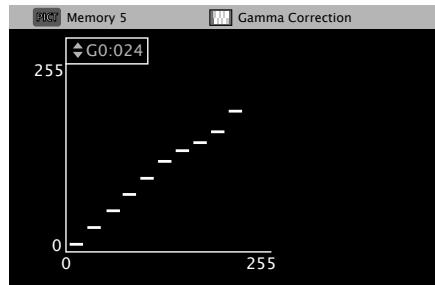
- On adjusting the brightness on the output side of bright parts on the disc side, the normally hard to see bright parts become clearly discernible images.
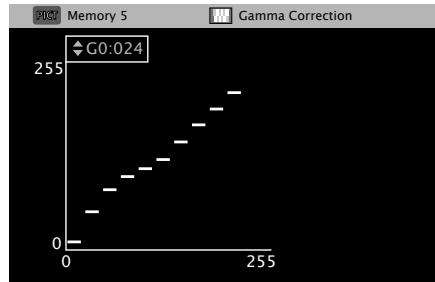
- On adjusting the brightness on the output side of dark parts on the disc side, the normally hard to see dark parts become clearly discernible images.
□ Resuming Initial Values after Gamma Correction
Press CLEAR while a graph is displayed.
Playback
Disc playback
Playing BD and DVD-Video (page 36)
Playing Back Super Audio CD (page 37)
CDPlayback page 37
DVD-Audio Playback (page 37, 38)
Playing Back High-Quality Audio ( page 38)
File playback
FilePlayback (15) page 38 40
Operations Enabled During Playback ( page 41)
NOTE
- The "S" (prohibited mark) may appear on the top right of the TV screen during an operation. This means that the operation being conducted is prohibited.
- Depending on the disc, certain operations may not be as described in this manual. Check each disc owner's manual for more information.
- During playback of a 2-layered disc, pictures may stop momentarily. This happens when the 1st layer switches to the 2nd layer. This is not a malfunction.
Introduction
Before Playing a Disc
1 Turn on the power of the amplifier and TV. Set the TV and amplifier function to DBP-4010UDCI input.
2 Turn the DBP-4010UDCI power on.
When playing back a bonus view, before turning on the power of the DBP-4010UDCI, insert a SD Memory Card that has at least 1GB and has been initialized by DBP-4010UDCI.
3 Press SOURCE to set the playback media mode to "DISC MODE".
4 Insert a disc. OPEN /CLOSE
- Press to open/close the disc tray.
- Insert the disc with the side you want to play facing down.
Before Playing a SD Memory Card
1 Turn on the power of the amplifier and TV. Set the TV and amplifier function to DBP-4010UDCI input.
2 Insert a SD Memory Card. Insert the SD Memory Card in the direction indicated by the arrow with the label side up ( page 6, 8).
3 Turn the DBP-4010UDCI power on.
4 Press SOURCE to set the playback media mode to "SD CARD MODE".

The playback media mode setting remains in the memory, even when the power is set to standby.
About Playback Information
Displayed playback information changes between the information bar and media player screen each time (DISPLAY) is pressed.
To erase display, press [DISPLAY] until it goes away.
※ Displayed content differs depending on the media being played back. Also, the information displayed during playback and stop differs.
Information Bar Display

DVD-A


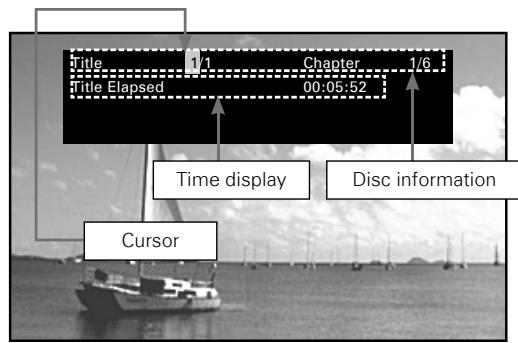
※ Displayed inside the frame at the top of the screen. (See the next page.)
About Playback Information
Disc Information Display
- Title
Chapter
Group
Track
Title being played/total number of titles
Chapter being played/total number of chapters
Group being played/total number of groups
Track being played/total number of tracks
Time Display
- Title Elapsed
- Title Remain
Chapter Elapsed
Chapter Remain
Group Elapsed - Group Remain
Track Elapsed
Track Remain
HDMI Output Signal Display
- Video Info
Audio Info
Max Channel
Video output signal format/resolution
Audio format being output
Number of audio channels that the connected device can receive
Search Using Information Bar
In the orange color cursor area, when you enter the number that you wish to search, that location is searched. There are 4 search modes, "Title search", "Chapter search", "Group search" and "Track search".
Use to move the cursor to the item that you wish to search.
Use ① 一 9 and +10 to enter a value.
3 Press ENTER. Search is ex
※ If the input number information is not on the disc, the current playback display reappears.


Media Player Display
SA-CD
CD
MP3
WMA
AAC
LPCM
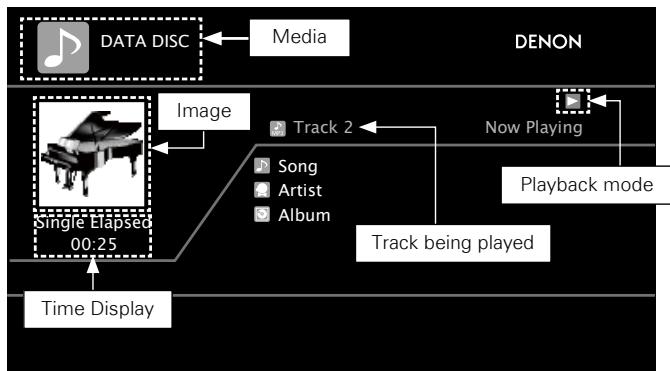
Disc Information Display
SA-CD
MP3
WMA
AAC
Title
- Artist name
Album title

About the time display and HDMI output signal display, see "Information Bar Display" (12 page 34).
Playing BD and DVD-Video

DVD-V
1Playback preparation ("Before Playing a Disc" page 34).
2 Make the various settings for playback on the disc menu.

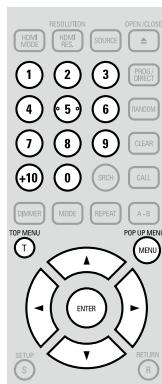

-
You can make the following settings on the disc menu. (Settable items vary depending on the disc.)
-
Subtitle language
Audio language
Audio format etc. -
When playing a BD hybrid disc, the disc layer can be changed to "BD layer" or "DVD layer" by pressing DISC.
During DVD-Video playback, press T or to display the menu. If the menu continues, press to get to the next part.
3 Select the playback title or chapter from the top menu for playback.




【Example】Disc menu
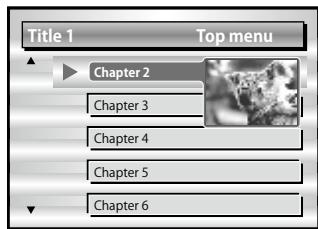
[Example] Top menu

With BD, depending on the disc, you can select title and chapter from the popup menu.
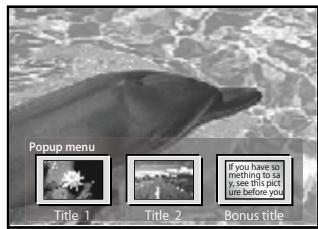
【Example】PopupMenu
Enjoying BD-LIVE features
- The functions that can be used with BD-LIVE differ from disc to disc. For details on the functions and how to operate them, see the individual disc's on-screen displays and explanations.
- An SD card must be loaded in the DBP-4010UDCI in order to save downloaded contents to use BD-LIVE functions. Use an SD card with a capacity of 1 GB or greater. Also, the SD card must be formatted on the DBP-4010UDCI.
- Do not remove the SD card from the DBP-4010UDCI while playing a BD-LIVE compatible disc.
Playing BD-Video Compatible with Bonus View
- With a disc that is compatible with bonus view (picture-in-picture), besides the main video (primary video) stored on the disc, you can play back the video director's commentary and simultaneously ongoing sub-story, as well as sub-video such as alternative camera angle (secondary video).
- Some BD discs use SD cards as the recording memory for Bonus View playback. While the DBP-4010UDCI is in standby, mount the SD Memory Card beforehand.
- The playback method, etc., is determined by the disc, and varies depending on the disc. Refer to the operation guide of the relevant disc.
Playing Bonus View
Press MODE to select the secondary video display you wish to playback.

[Selectable item]
Off : Does not display Secondary Video.
1/X * : Displays the first Secondary Video .
2/X*: Displays the second Secondary Video.
X/X* : Displays the X th Secondary Video.
*: "X" is the number of Secondary Videos recorded and differs depending on the disc.
![DENON DBP-4010UDCI - [Selectable item] - 1](/content/2019/11/89784/images/cf738dd9720a88ce221700fbed1743cdc757c412a045d903ec6e4c19477b0637.jpg)
【Example】Bonus view
NOTE
- Insert or remove a SD Memory Card while the power is in standby. If you insert a SD Memory Card while the power is ON, the SD Memory Card may not be read.
- The SD card used for the BD-LIVE and Bonus View Functions must have a capacity of 1GB or greater. Also the SD card must be initialized on the DBP-4010UDCI ( page 31).
- To use BD-LIVE functions, connect the DBP-4010UDCI to the Internet and make the settings described below, as necessary: Connections………“Connecting to the Network” (12 page 19) Settings………“Network Setup” (12 page 29)
- Depending on your network environment, in some cases time may be required to connect to the network or connection may not be possible.
- Remove the write protection of a SD Memory card.
Playing Back Super Audio CD
SA-CD
1Playback preparation ("Before Playing a Disc" page 34).
2 Select the playback area and layer with DISC LAYER.
Multi
: Plays back the multi-channel area of the HD layer.
Stereo
: Plays back the 2-channel area of the HD layer.
CD
: Plays back the CD layer.
※ Pressing plays back the selected area/ layer.
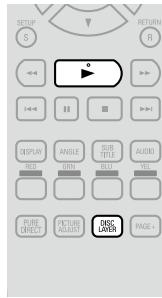
When You View the Text or Playback Time Display
See "Media Player Display" (page 35).

- When playing back disc whose selected area or layer does not exist, select the playback area or layer in the order "Multi", "Stereo", "CD".
- The area/layer selected at ( DISC LAYER ) remains in the memory even when the power is turned off.
CDPlayback
1Playbackpreparation(“BeforePlayingaDisc" page34).
2 Press Playback begin
When You Look at the Playback Time Display See "Media Player Display" ( page 35).
DVD-AudioPlayback
DVD-A
1Playback preparation ("Before Playing a Disc" page 34).
2 Select the part for playback with DISC.
Audio : Plays back the audio part.
Video : Plays back the video part.
3 If a top menu is available, select the playback group and track from the top menu, and then play back.
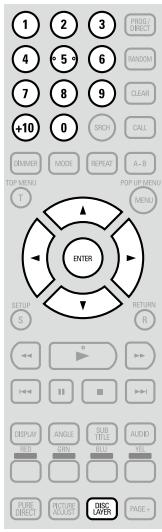
When You View the Text or Playback Time Display
See "Information Bar Display" (page 34).
Change Group/Track
1 During stop or during playback, select search mode with (snoch).
Search mode is displayed in the top right of the screen.
※ The search mode changes each time you press (SRTN).
Group search mode Track search mode
2 Select the playback group and track from the top menu, and then play back.
0 9+10 ENTER
Plays back the group or track of the pressed number
See "Looking for Specific Sections Using the Search Modes" ( page 42) for instructions on inputting numbers.
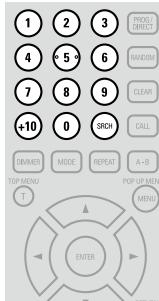

The search mode selected with this operation is memorized until the standby or the disc tray is opened.
Bonus Group playback
DVD-Audio may have a bonus group that can be played back on entry of a password.
1 During stop, select "Group" with
2 Enter the bonus group number with 0 9, 10 .

3 Using 0 9 enter a 4-digit password, and then press ENTER.
Playback will begin from the 1st track of the selected group.
※ The password may also be entered on the menu screen, so follow the instructions on the screen.
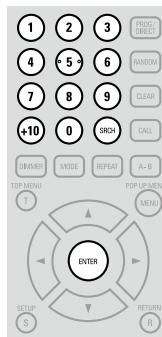
When you enter the wrong password
Press CLEAR to erase the input number and then enter the correct number.
Select Still Images
With DVD-Audio with still images, you can select images displayed during playback.
Press during playback.
The next still image is displayed.
Playing Back High-Quality Audio (Pure Direct Function)

This enables you to play back high quality audio by stopping the video signal, etc., output, and outputting the analog audio signal only.
Press PURE during stop, and then select pure direct mode.
Off : This turns off the pure direct function.
On : This turns off the digital signal output, video signal output and display on the display screen.
User Preset 1 : Operates with the registered pure direct setting.
User Preset 2 ("Pure Direct Setup" page 28)

- You cannot use pure direct while the GUI menu is displayed.
- With "On" and the main unit display set to off, indicators other than power are turned off.
- The pure direct setting returns to "Off" when the DBP-4010UDCI is put in standby mode.
FilePlayback
About the File Display
The limits on the number of folders and files that can be displayed by the DBP-4010UDCI are as follows.
(The limited number includes the root folder.)
Number of folder directory levels 8 levels
Number of folders 999
Number of files 9999
Number of text display characters
·File name,Folder name 32
·Artist name, title, etc. 60
※ Text more than one line is scroll displayed.
※ If characters not supported on the menu screen are included in a file name, title, artist name or album title, those are not displayed correctly.
FilePlayback
FilePlayback
DVD
DVD
一
MP3
WMA
AAC
.PCM
DivX
JPEG
1 Turn the DBP-4010UDCI power on.
2 Press media
SOURCE
and select the playback
DISC MODE
:Playing disc
SD CARD MODE
:Playing SD memory card
3 Load media. The file browse
See "Inserting a Disc" and "Inserting an SD Memory Card" (12 page 6) for how to load media
When file browser screen does not appear, press (MEN).
4 Select a folder of the data to be played back and press (ENTER).


ENTER
Display screen selection

··
··
To next level up

··
To next level down

··
··
To the top level

Press PROGY DIRECT
to select a playback mode.

Track Mode
: Plays back all files in the media.
Folder Mode
: Plays back files in the selected folder. The folder icon is displayed in the playback mode indicator.

Selecting and playing back files.


Decision or playback

Operation during playback differs depending on the file being played back. See "Operation During Playback" (12 page 40).
About folder and file displays
File Browser Screen
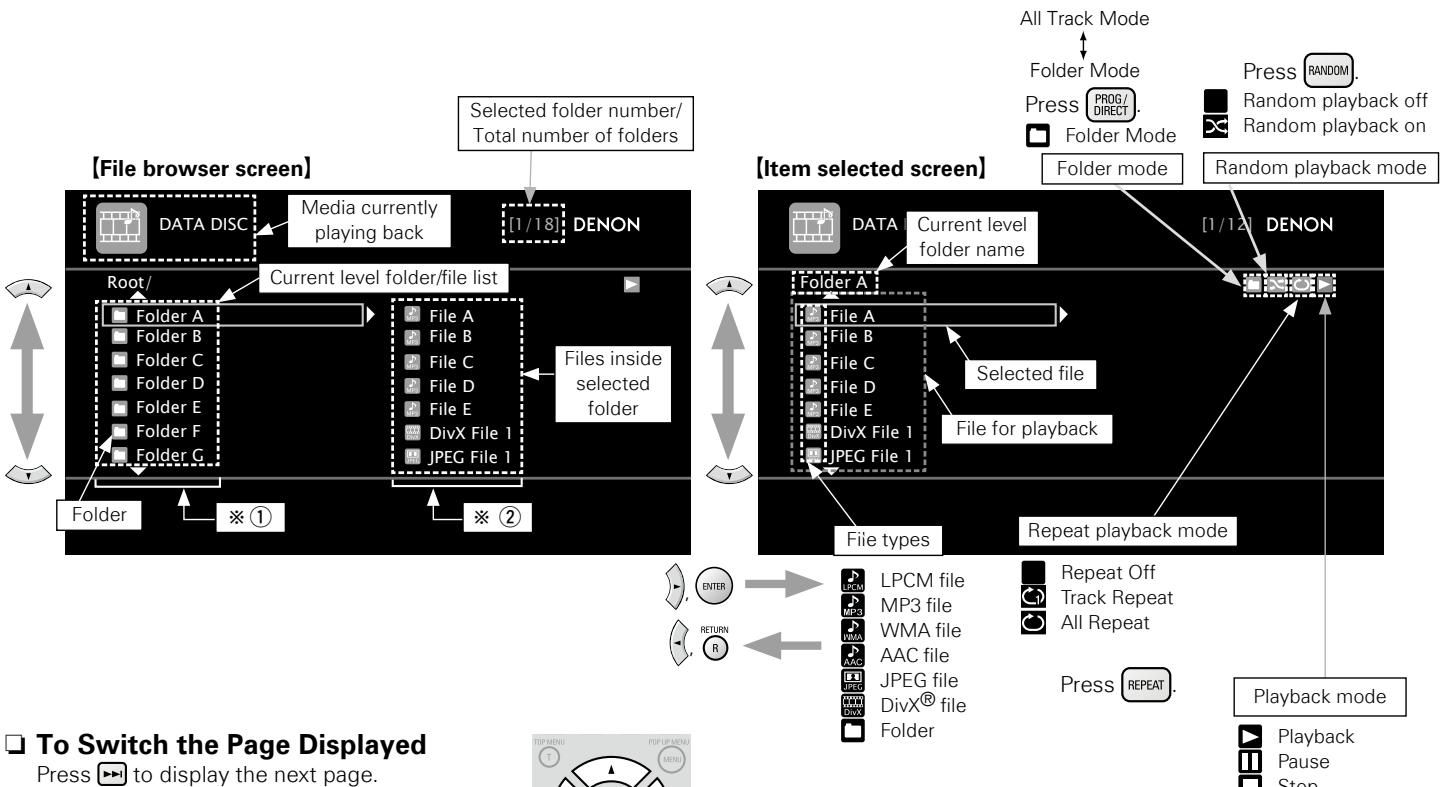
To Switch the Page Displayed
Press to display the next page. Press to display the previous page.

For playable media and files, see "Playable Media" (page 3, 4).
All Track Mode
Folder Mode
Folder Mode
Folder mode
Random playback off
Random playback on
Random playback mode
Playback mode
Playback
Pause

Stop
Fast reverse
Fast forward
FilePlayback
About Screen Display DuringPlayback
Display during Playback of Audio Files
Displays the JPEG image data for cover art, etc., recorded on the file being played.
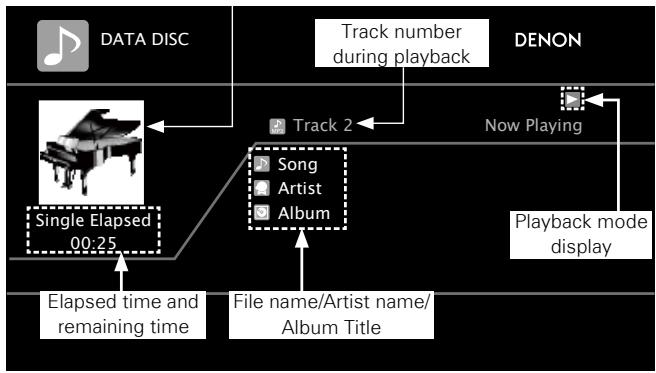
NOTE
The display of JPEG image data for cover art, etc., recorded on the file being played is valid when playing MP3 and AAC audio files.
Display of DivX® Files and JPEG Files
Displays video being played.
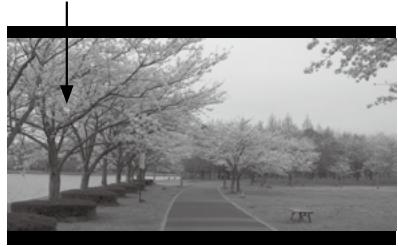
Displays still image being played
Operation During Playback
Audio file and DivX® file operation
MP3 WMA AAC LPCM DivX
Playback in Any Order (Random Playback)
Press RANDOM during stop, and then press ENTER or
□ Playing Back Repeatedly (Repeat Playback)
Press REPEAT to select the repeat playback mode.
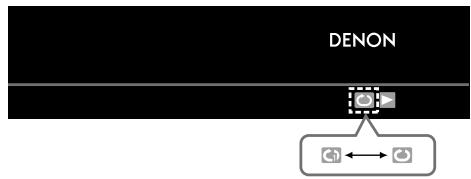
Playing Back JPEG File (Still Image)
JPEG
Slide show playback of JPEG format still image files stored on CD-R/RW, DVD-R/-RW/+R/+RW disc and SD Memory Card.
1 Press POPUP MENU while the file browser screen is displayed. The thumbnail screen will appear.
POPUP MENU * Pressing (MEN) while the thumbnail screen is displayed returns you to the file browser screen.
2 Use images.
to select still

3 Press ENTER. Display sele

- Set the image display time on the GUI menu with: "Display Setup" - "Slide Show Time" (12 page 30).
- With a large image file, the display time may be longer than the set time.
Changing the Still Image being Played Back
Press
- Before playback, or display of next image.
Pausing the Display
Press
To cancel pause, press
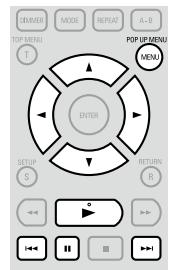
Changing the Still Image Orientation
Press
180° rotation
- Returning to Thumbnail Display Screen
Press POPUP MENU.
Operations Enabled During Playback
Operations Enabled During Playback
PausePlayback ( page 41)
StopPlayback(ResumeFunction)(page41)
- Skipping to the Chapter/Track/File You Want to Playback (12 page 41)
Looking for Specific Sections Using the Search Modes ( page 42)
□ Memorizing Locations You Want to Replay (Marker Function) (12 page 43)
Fast Forward/Fast Reverse (page 43)
Step-by-StepPlayback ( page 43)
Slow Forward/Slow Reverse Playback (page 43)
Playback in Any Order (Random Playback) (page 44)
Playing Back Repeatedly (Repeat Playback) (page 44)
RepeatPlayback between Specified Points (A-B Repeat) (page 44)
□ Playing back in your preferred order (Program Playback) (12 page 45)
Switching Audio ( page 45, 46)
Changing the Subtitles and Subtitle Style (page 46)
Switching the Angle ( page 47)
Changing the Brightness of the Display (Dimmer Control) ( page 47)
PausePlayback

Press during playback.
The "I" indicator will light on the display.
※Resume normal playback by pressing

If the video is blurred during pause, stop playback and press , then, on the GUI menu, change "Display Setup" - "Still Mode" - "Field" (12 page 30).
StopPlayback (Resume Function)


Press l during playback.
Playback stops.
About Resume Function
BD DVD-A DVD-V DVD DivX
When playback is stopped, the stop position is memorized.
- The “▶” indicator flashes on the display. When playing back data from the stop position, press while stop by the resume function.
To Cancel the Resume Function
Perform one of the following operations.
- Press during stop.
- Open the disc tray.
- Change the playback media mode with SOURCE
- Remove the SD Memory Card.

- The resume function does not work with menu playback or BD-J (Blu-ray Disc Java) compatible disc.
- The resume function remains valid even when the standby mode is set. For DivX® files, however, the resume function is cancelled even when the standby mode is set.
- The resume function is cancelled when the power is turned off by unplugging the power cord.
Skipping to the Chapter/Track/File You Want to Playback


During playback, press or
Playback begins from the start of the chapter/ track/file being played.
Playback begins from the start of the next chapter/track/file.
※ Continue pressing and skip to the chapter/track/file with just the number of times pressed.

Skipping to the start of a title or group may be prohibited depending on the disc.
Operations Enabled During Playback
Looking for Specific Sections Using the Search Modes


1 During playback, press (sR), and then search mode. The search mode setting bar is displayed at the top of the screen.
- The search mode changes each time the button is pressed.
Chapter search

Title search

Track search

Group search

Time search

Marker search

[Search mode-compatible media and files]
| Media / file Search mode | BD | DVD-A | SA-CD | DivX | MP3 | WMA |
| DVD-V | CD | LPCM | JPEG | |||
| DVD | AAC | |||||
| Chapter search | ○ | |||||
| Title search | ○ | |||||
| Time search | ○ | ○ | ○ | ○ | ||
| Marker search※ | ○ | ○ | ○ | |||
| Track search | ○ | ○ | ○ | ○ | ||
| Group search | ○ |
About Marker Search
Plays back from your selected marker number.

- When the entry mode for chapter/title/track/group search continues for about 5 seconds with no operation, it is cancelled.
- When the power is set to standby or the disc is removed, the set marker is deleted.
2 Conducting search condition entry or setting on the search mode setting bar.
Search specified location on completion of entry.

9 +10 Number entry

Finalizes number

Marker number selection

Finalizes the marker number or plays back

Marker number cancel


- Entering numbers
Entering 3 (ENTER)
Entering 26 ② ⑥ l or +10 +10 ⑥
Entering 138 ① ③ ⑧ ENTER
*: Depending on number of recorded songs or chapters, you don't need to use "ENTER" button.
- Search mode does not operate during program or random playback. Use , to cue.
- Time search corresponds with title and track playback time. It is not compatible chapter playback time.
Search mode may not operate depending on the disc.
Operations Enabled During Playback
Memorizing Locations You Want to Replay (Marker Function)
BD DVD-V DVD-A DVD SD DivX
You can attach a marker to a location you want to view or hear again, so that playback begins at that location.
1 During playback, press SRGH , and then select "Marker".
The search mode setting bar is displayed at the top of the screen.

2 Use to select the number.

※ Numbers you have already set will be displayed as "√".
3 Press (INTR) at the location you want to memorize.
The location is registered for the selected marker number.
※ The elapsed playing time at the set location is displayed.

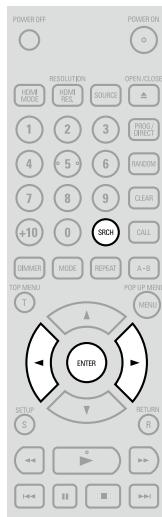
To Play Back Memorized Locations

to select the marker number, then press
To erase markers
Select the number you want to erase, and then press CLEAR
To erase all markers
Select "AC" and press


- Subtitles may not appear depending on the locations you have memorized.
- The markers you have set will be erased if you turn the power to standby or eject the disc.
- The marker function does not operate across titles and groups.
- Marker search can only be performed during playback.
Fast Forward/Fast Reverse
BD DVD-A DVD-V DVD SA-CD CD SD
MP3 WMA AAC LPCM DivX
During playback, press 一 or 二 .
- The fast forward/fast reverse speed changes each time the button is pressed.
- Speed varies with the disc and file.
※Resume normal playback by pressing
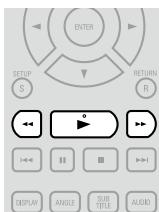

- You cannot fast forward/fast reverse across files or tracks during program or random playback.
- Fast forward/fast reverse may be disabled with some DivX® files.
- Audio is not output during fast forward/fast reverse of a BD or DVD.
Step-by-StepPlayback
BD DVD-V DivX
Press during pause.
The disc advances frame by frame each time the button is pressed.
※Resume normal playback by pressing
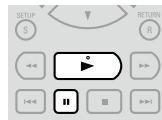

- Step-by-step reverse playback is not available with the DBP-4010UDCI.
- If the video is shaky during step-by-step playback, stop playback, press , then on the GUI menu, change "Display Setup" - "Still Mode" - "Field" (12 page 30).
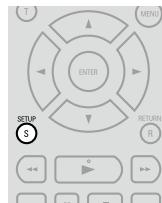
Slow Forward/Slow Reverse Playback
BD DVD-V DVD
Press l during pause.
The speed changes each time the button is pressed.
The speed of the slow reverse playback is not switched.
※Resume normal playback by pressing

- Audio is not output during slow forward/slow reverse playback.
- If the video is blurred during slow forward/slow reverse playback, stop playback and press then on the GUI menu, change "Display Setup" - "Still Mode" - "Field" ( page 30).
Operations Enabled During Playback
Playback in Any Order (Random Playback)


1 Press RANDOM during stop.
The "RAND" lights on the display and "Random Mode" is displayed on the screen.
2 Press to play back.
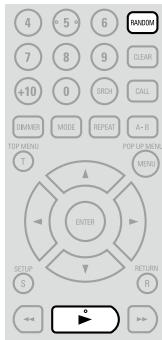
Resuming Normal Playback
Press (RANDOM)
during stop.

Random playback may not be enabled depending on the disc.
Playing Back Repeatedly (Repeat Playback)


1 Press REPEAT during playback.
The repeat mode icon is displayed at the top of the screen. The repeat mode changes each time the button is pressed
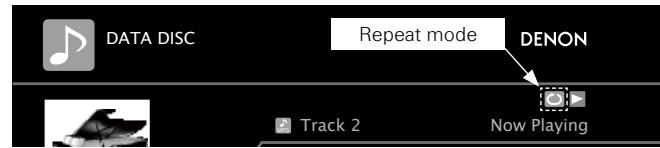
2 Press REPEAT to select the repeat mode.
※ To resume normal playback, press REPEAT, and select "Repeat Off".
About Repeat Mode
Settable repeat modes vary depending on the disc or file you are playing back.
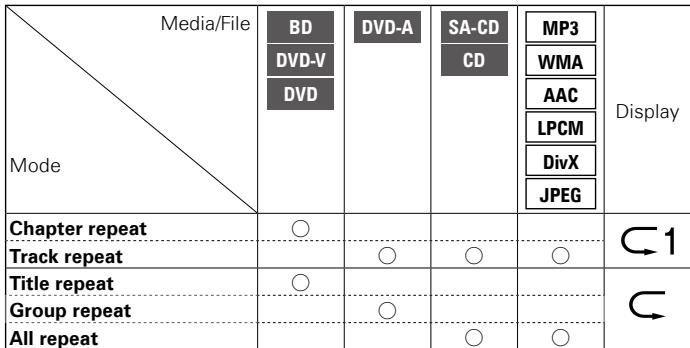

- Some repeat modes may not be accessible depending on the disc.
- Depending on the disc, even when set to repeat playback, the disc may not return to the start of title or chapter, and may advance to the next scene.
- Repeat playback is not available during A-B repeat playback.
Repeat Playback Between Specified Points (A-B Repeat)


1 During playback, press A-B at the desired starting point (A).
The "A-" indicator will light on the display.
※ To cancel starting point (A), press CLEAR
2 Press the A-B a ending point (B).
The "B" indicator will light on the display, and A-B repeat playback will commence.
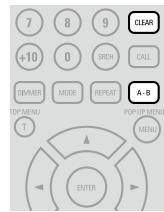
※ To resume normal playback, press A-B, and select "Repeat Off".

- You cannot skip title/file with A-B repeat.
- If you perform a search operation during A-B repeat playback, A-B repeat playback is cancelled.
- A-B repeat playback may not be enabled depending on the scene.
- A-B repeat playback of MP3/WMA/AAC/JPEG/LPCM files is not available.
- A-B repeat playback is not available during repeat playback.
- A-B repeat playback may not be enabled depending on the DivX® file.
Operations Enabled During Playback
Playing Back in Your Preferred Order (Program Playback)
SA-CD CD
You can program up to a maximum of 20 tracks.
1 Press PROG/ DIRECT The "PROG"
during stop.
The "PROG" indicator lights on the display, and the program setting screen appears.
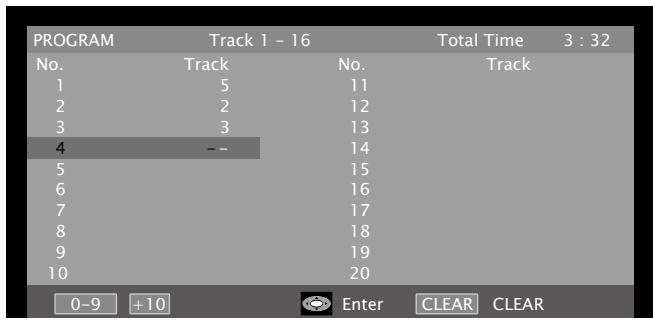
2 Enter the track numbers you want to program on the program setting screen.
0\~9,+10· ·Entry ENTER
3 Press▶. Playback begin
□ Checking the Program Contents
Press setting playback.
The program setting screen will appear.
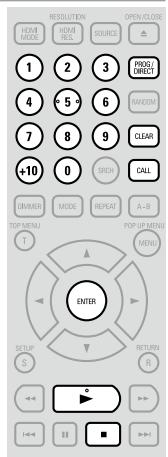

You can also check the contents of the program, which appears on the unit's display. Press during stop.
Erasing Programmed Tracks One by One
Press CLEAR during stop.
□ Erasing All Programmed Contents
Press PROG/DIRECT
Switching Audio
BD
DVD-A
DVD-V
DVD
CD
SD
DivX
With discs and files that have multiple audio track recording, you can change the audio during playback.
With BD, you can set sub-track audio such as interactive audio and commentary audio, etc., with "Secondary".
Switching a BD's Primary Audio/Secondary Audio
1 During playback of an Primary Audio/Secondary Audio title, press AIOO.
The audio number currently being played is displayed.
Audio
Primary
1/5:Dolby Digital 3/2.1 English
Secondary -/1:Off
2 Press "Seco
select "Primary" or d then press (ENTER).
Audio
Primary
1/5:Dolby Digital 3/2.1 English -/1:Off
※ If multiple audio items are recorded, "the current audio number/number of recorded audio items" is displayed.
※When "BD Audio Mode" is set to "HD Audio Output" (12 page 32), "Secondary" audio is not output.
3 Select your desired audio language with
Audio
Primary
2/5: Dolby Digital 3/2.1 Japanese
Secondary
-1:Off
4 Press Audio The setup s

- Depending on the disc, audio switching may be restricted to operation of the disc menu. In this case, switch the audio on the disc menu.
- Be sure to set "BD Audio Mode" to "Mix Audio Output" (12 page 32) for playing back secondary audio.
- Depending on the BD, even if picture-in-picture playback is set to "Off", Secondary Audio only may be output.
Operations Enabled During Playback
Audio Switching (Media Other than BD)
1 Press AUDIO during playback.
The audio number currently being played is displayed.
[Example] DVD

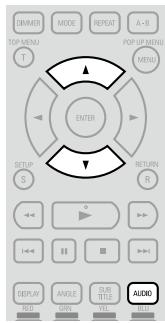
2 Use to select audio [Example] DVD-Video
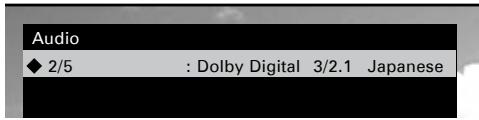
3 Press AUDIO. The setup screen disappears.

- With DVD-R/-RW with bilingual soundtrack recording, you can switch between "Main" (main audio) and "Sub" (secondary audio) or "Main/Sub" (main audio + secondary audio).
- In CD audio mode, you can switch "Stereo", "L-ch" (left channel) or "R-ch" (right channel).
- With a DivX® file, "MP3" or "Dolby Digital" audio formats and the number of recorded audio modes are displayed. "---" appears for audio other than these.
- With DTS-CD (5.1 music disc), you cannot switch audio modes.
Changing the Subtitles and Subtitle Style
BD
DVD-V
SD
DivX
During playback of a disc or file with recorded subtitles, you can switch subtitle on/off as well as subtitle language.
With BD, you can change the style of displayed subtitles.
Switching a BD's Primary Subtitle/Secondary Subtitle and Subtitle Style
1 Press SUB during playback.
The subtitle number currently being played is displayed.
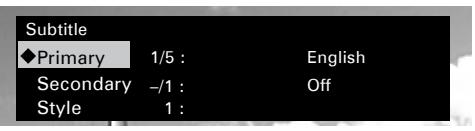
2 With , select "Primary", "Secondary" and "Style", and then press ENTER.
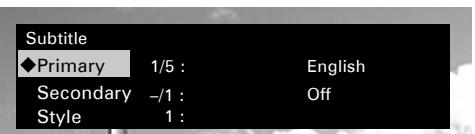
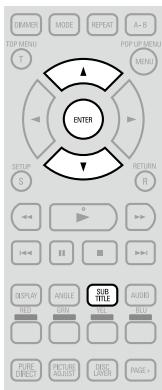
3 Use to select your desired subtitle language and subtitle style.
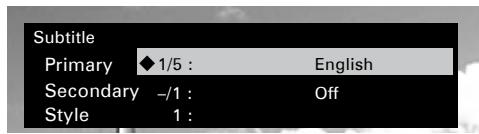
4 Press SUB
The setup screen disappears.

- If a disc does not include subtitles and subtitle style, "Not Available" is displayed.
- Depending on the disc, subtitle switching may be restricted to operation of the disc menu. In this case, switch the subtitles on the disc menu.
Selecting DVD-Video and DivX® file Subtitle
1 Press during playback.
The subtitle number currently being played is displayed.

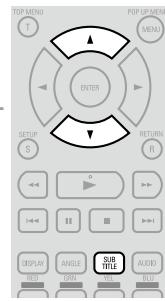
2 Use to select subtitle.
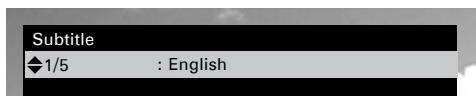

With a DivX® file, the currently playing subtitle number and number of recorded subtitles are displayed, the language option is not displayed.
Operations Enabled During Playback
Switching the Angle
BD DVD-V
During playback of a BD or DVD-Video recorded with several camera angles, you can change the angle.
1 Press ANGLE during playback.
The angle number currently being played is displayed.

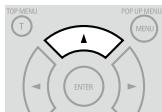
2 Use to select angle.

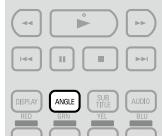
3 Press ANGLE.
The setup screen disappears.
NOTE
Angle changing may be restricted, depending on the disc.
Changing the Brightness of the Display (Dimmer Control)
Press DIMMER
The display brightness each time the button is pressed.
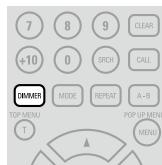


Even when "Off" is selected, the status of operations that are performed appears momentarily on the display if "Display Setup" - "Temporary Display" on the GUI menu is set to "On" (page 30).
HDMI Control Function
When you make an HDMI connection with a TV or AV Amp compatible with DBP-4010UDCI and HDMI control functions, you can perform the following operations by setting the HDMI control function of each device.
TV or AV Amp power is turned on by operating the DBP-4010UDCI, and functions change with DBP-4010UDCI input.
Turning off the TV's power turns the DBP-4010UDCI's power to standby.
□ Operating the DBP-4010UDCI via the TV's remote control.
(When the TV's remote control has player operation buttons)
NOTE
- The HDMI control function controls operations of a TV that is compatible with the HDMI control function. Make sure that the TV and HDMI are connected when you perform HDMI control.
- Some functions may not operate depending on the connected TV or AV Amp. Check the owner's manual of each device for details beforehand.
- When "Other Setup" - "Power Saving" on the GUI menu is set to "Power Saving Standby" or "Normal Standby" (10 page 31), the player's power cannot be turned on using the HDMI control function.
- When "HDMI Setup" - "HDMI Control" - "Power Off Control" on the GUI menu is set to "Off" (12 page 24), the DBP-4010UDCI is not set to standby even if the connected device is in the standby mode.
- When "DENON LINK Setup" - "DENON LINK Mode" on the GUI menu is set to "4th", the HDMI control function is enabled for the connected devices.
1 Set HDMI control function to "On".
On the GUI menu, set "HDMI Setup" - "HDMI Control" (24).
2 Turn the power on for all the equipment connected by HDMI cable.
3 Set the HDMI control function for all equipment connected by HDMI cable.
On the GUI menu, set the DBP-4010UDCI with "HDMI Setup" - "HDMI Control" ( page 24).
※ Please refer to the owner's manual as regards setting of connected devices.
※ Carry out Steps 2 and 3 should any of the equipment be unplugged.
4 To ensure that the DBP-4010UDCI's HDMI video output is projected on the TV screen, change the input function of the TV and AV Amp.
5 When you turn the TV's power to standby, check that the power of the DBP-4010UDCI and AV Amp also goes on standby.

If the HDMI control function does not operate properly, check the following points.
- Is the TV or AV Amp compatible with the HDMI control function?
- Are the HDMI control function settings of all equipment correct? (Step 3)
- After setting, did you add another HDMI device connection or make any changes in the connections? In this case, perform setting again.
Other Information
About DENON LINK
DENON LINK is a unique digital, balanced transfer type interface developed by DENON. It offers high speed, high quality transfer of digital audio data with low signal loss. It can be used together with DENON AV Amp equipped with a special DENON LINK connector using a single cable to enable playback with high sound quality. It allows digital transfer of the 192kHz / 24 bit 2-channel digital signals of DVD-Audio discs, PCM multi-channel signals, etc. Full-spec digital transfer of the audio contents of Super Audio CD is possible by connecting a player equipped for DENON LINK 3rd Edition.
During processing of DENON LINK, the DENON LINK indicator of the display lights.
DENON LINK 4th uses the clock of the AV Amp connected by DENON LINK to achieve HDMI signal transfer with little jitter when playing BD.
About Advanced AL24 Processing
"Advanced AL24 Processing" installed in the analog output dramatically improves the information volume on the time axis with independent speed signal detection and processing technology for the PCM signal playback system. In addition to data expansion to 24 bit, it conducts natural interpolation processing with no loss of original data by digital upsampling. The "Advanced AL24" indicator lights on the front panel when Advanced AL24 Processing is in operation.
About Copyright Protection Technology
This product incorporates copyright protection technology that is protected by U.S. patents and other intellectual property rights.
Use of this copyright protection technology must be authorised by Macrovision, and is intended for home and other limited viewing uses only unless otherwise authorised by Macrovision. Reverse engineering or disassembly is prohibited.
Trademark Information
This product uses the following technologies:
| Blu-ray Disc | Blu-ray Disc and "Blu-ray" are trademarks. |
| DVD | DVD is a trademark of the DVD Format / Logo licensing Corporation. |
| HDMI™ HIGH-DEFINITION MULTIMEDIA INTERFACE | HDMI, the HDMI logo and High- Definition Multimedia Interface are trademarks or registered trademarks of HDMI Licensing LLC. |
| Java POWERED | Java and all other trademarks and logos are trademarks or registered trademarks of Sun Microsystems, Inc. in the United States and/or other countries. |
| DOLBY TRUEHD | Manufactured under license from Dolby Laboratories. Dolby, Pro Logic and the double-D symbol (DD) are trademarks of Dolby Laboratories. |
| dts-hd Master Audio | Essential | Manufactured under license under U.S. Patent #’s: 5,451,942; 5,956,674; 5,974,380; 5,978,762; 6,226,616; 6,487,535; 7,392,195; 7,272,567; 7,333,929; 7,212,872 & other U.S. and worldwide patents issued & pending. DTS is a registered trademark and the DTS logos, Symbol, DTS-HD and DTS-HD Master Audio | Essential are trademarks of DTS, Inc. © 1996-2008 DTS, Inc. All Rights Reserved. |
| Plays Windows Media™ | Windows Media and the Windows logo are trademarks or registered trademarks of Microsoft Corporation in the United States and/or other countries. |
| DivX | DivX, DivX Certified, and associated logos are trademarks of DivX, Inc. and are used under license. |
| HDCD® | HDCD®, HDCD®, High Definition Compatible Digital® and Microsoft® are either registered trademarks or trademarks of Microsoft Corporation, Inc. in the United States and/or other countries. HDCD system manufactured under license from Microsoft Corporation, Inc. This product is covered by one or more of the following: In the USA: 5,479,168, 5,638,074, 5,640,161, 5,808,574, 5,838,274, 5,854,600, 5,864,311, 5,872,531, and in Australia: 669114. Other patents pending. |
| AVCHD | "AVCHD" and "AVCHD" logo is the trademark of Panasonic Corporation and Sony Corporation. |
| BONUS VIEW™ | "BONUSVIEW" is the trademark of Blu-ray Disc Association. |
| BD-LIVE™ | "BD-LIVE" logo is trademark of Blu-ray Disc Association. |
| SDHC® | SDHC logo is a trademark. |
Language Code List
| Language | Code | |
| A | Abkhazian | 4748 |
| Afar | 4747 | |
| Afrikaans | 4752 | |
| Albanian | 6563 | |
| Amharic | 4759 | |
| Arabic | 4764 | |
| Armenian | 5471 | |
| Assamese | 4765 | |
| Aymara | 4771 | |
| Azerbaijani | 4772 | |
| B | Bashkir | 4847 |
| Basque | 5167 | |
| Bengali;Bangla | 4860 | |
| Bhutani | 5072 | |
| Bihari | 4854 | |
| Bislama | 4855 | |
| Breton | 4864 | |
| Bulgarian | 4853 | |
| Burmese | 5971 | |
| Byelorussian | 4851 | |
| C | Cambodian | 5759 |
| Catalan | 4947 | |
| Chinese | 7254 | |
| Corsican | 4961 | |
| Croatian | 5464 | |
| Czech | 4965 | |
| D | Danish | 5047 |
| Dutch | 6058 | |
| E | English | 5160 |
| Esperanto | 5161 | |
| Estonian | 5166 | |
| F | Faroese | 5261 |
| Fiji | 5256 | |
| Finnish | 5255 | |
| French | 5264 | |
| Frisian | 5271 | |
| G | Galician | 5358 |
| Georgian | 5747 | |
| German | 5051 | |
| Greek | 5158 | |
| Greenlandic | 5758 | |
| Guarani | 5360 | |
| Gujarati | 5367 | |
| H | Hausa | 5447 |
| Hebrew | 5569 | |
| Hindi | 5455 | |
| Hungarian | 5467 | |
| Language | Code | |
| I | Icelandic | 5565 |
| Indonesian | 5560 | |
| Interlingua | 5547 | |
| Interlingue | 5551 | |
| Inupiak | 5557 | |
| Irish | 5347 | |
| Italian | 5566 | |
| J | Japanese | 5647 |
| Javanese | 5669 | |
| K | Kannada | 5760 |
| Kashmiri | 5765 | |
| Kazakh | 5757 | |
| Kinyarwanda | 6469 | |
| Kirghiz | 5771 | |
| Kirundi | 6460 | |
| Korean | 5761 | |
| Kurdish | 5767 | |
| L | Laothian | 5861 |
| Latin | 5847 | |
| Latvian; Lettish | 5868 | |
| Lingala | 5860 | |
| Lithuanian | 5866 | |
| M | Macedonian | 5957 |
| Malagasy | 5953 | |
| Malay | 5965 | |
| Malayalam | 5958 | |
| Maltese | 5966 | |
| Maori | 5955 | |
| Marathi | 5964 | |
| Moldavian | 5961 | |
| Mongolian | 5960 | |
| N | Nauru | 6047 |
| Nepali | 6051 | |
| Norwegian | 6061 | |
| O | Occitan | 6149 |
| Oriya | 6164 | |
| Oromo (Afan) | 6159 | |
| P | Panjabi | 6247 |
| Pashto; Pushto | 6265 | |
| Persian | 5247 | |
| Polish | 6258 | |
| Portuguese | 6266 | |
| Q | Quechua | 6367 |
| R | Rhaeto-Romance | 6459 |
| Romanian | 6461 | |
| Russian | 6467 | |
| Language | Code | |
| S | Samoan | 6559 |
| Sangho | 6553 | |
| Sanskrit | 6547 | |
| Scotts Gaelic | 5350 | |
| Serbian | 6564 | |
| Serbo-Croatian | 6554 | |
| Sesotho | 6566 | |
| Setswana | 6660 | |
| Shona | 6560 | |
| Sindhi | 6550 | |
| Singhalese | 6555 | |
| Siswat | 6565 | |
| Slovak | 6557 | |
| Slovenian | 6558 | |
| Somali | 6561 | |
| Spanish | 5165 | |
| Sundanese | 6567 | |
| Swahili | 6569 | |
| Swedish | 6568 | |
| T | Tagalog | 6658 |
| Tajik | 6653 | |
| Tamil | 6647 | |
| Tatar | 6666 | |
| Telugu | 6651 | |
| Thai | 6654 | |
| Tibetan | 4861 | |
| Tigrinya | 6655 | |
| Tonga | 6661 | |
| Tsonga | 6665 | |
| Turkish | 6664 | |
| Turkmen | 6657 | |
| Twi | 6669 | |
| U | Ukrainian | 6757 |
| Urdu | 6764 | |
| Uzbek | 6772 | |
| V | Vietnamese | 6855 |
| Volapuk | 6861 | |
| W | Welsh | 4971 |
| Wolof | 6961 | |
| X | Xhosa | 7054 |
| Y | Yiddish | 5655 |
| Yoruba | 7161 | |
| Z | Zulu | 7267 |
Country Code List
| Country | Code | |
| A | AFGHANISTAN | AF |
| ÁLAND ISLANDS | AX | |
| ALBANIA | AL | |
| ALGERIA | DZ | |
| AMERICAN SAMOA | AS | |
| ANDORRA | AD | |
| ANGOLA | AO | |
| ANGUILLA | AI | |
| ANTARCTICA | AQ | |
| ANTIGUA AND BARBUDA | AG | |
| ARMENIA | AM | |
| ARUBA | AW | |
| AZERBAIJAN | AZ | |
| B | BAHAMAS | BS |
| BAHRAIN | BH | |
| BANGLADERSH | BD | |
| BARBADOS | BB | |
| BELARUS | BY | |
| BELIZE | BZ | |
| BENIN | BJ | |
| BERMUDA | BM | |
| BHUTAN | BT | |
| BOLIVIA | BO | |
| BOSNIA AND HERZEGOVINA | BA | |
| BOTSWANA | BW | |
| BOUVET ISLAND | BV | |
| BRITISH INDIAN OCEAN TERRITORY | IO | |
| BRUNEI DARUSSALAM | BN | |
| BULGARIA | BG | |
| BURKINA FASO | BF | |
| BURUNDI | BI | |
| C | CAMBODIA | KH |
| CAMEROON | CM | |
| CAPE VERDE | CV | |
| CAYMAN ISLANDS | KY | |
| CENTRAL AFRICAN REPUBLIC | CF | |
| CHAD | TD | |
| CHRISTMAS ISLAND | CX | |
| COCOS (KEELING) ISLANDS | CC | |
| COMOROS | KM | |
| CONGO | CG | |
| CONGO, THE DEMOCRATIC REPUBLIC OF THE | CD | |
| COOK ISLANDS | CK | |
| COSTA RICA | CR | |
| Côte D’IVOIRE | CI | |
| CROATIA | HR | |
| Country | Code | |
| D | CUBA | CU |
| CYPRUS | CY | |
| CZECH REPUBLIC | CZ | |
| DJIBOUTI | DJ | |
| DOMINICA | DM | |
| DOMINICAN REPUBLIC | DO | |
| ECUADOR | EC | |
| EGYPT | EG | |
| EL SALVADOR | SV | |
| EQUATORIAL GUINEA | GQ | |
| ERITREA | ER | |
| ESTONIA | EE | |
| ETHIOPIA | ET | |
| F | FALKLAND ISLANDS (MALVINAS) | FK |
| FAROE ISLANDS | FO | |
| FIJI | FJ | |
| FRENCH GUIANA | GF | |
| FRENCH POLYNESIA | PF | |
| FRENCH SOUTHERN TERRITORIES | TF | |
| G | GABON | GA |
| GAMBIA | GM | |
| GEORGIA | GE | |
| GHANA | GH | |
| GIBRALTAR | GI | |
| GREENLAND | GL | |
| GRENADA | GD | |
| GUADELOUPE | GP | |
| GUAM | GU | |
| GUATEMALA | GT | |
| GUERNSEY | GG | |
| GUINEA | GN | |
| GUINEA-BISSAU | GW | |
| GUYANA | GY | |
| H | HAITI | HT |
| HEARD ISLAND AND MCDONALD ISLANDS | HM | |
| HOLY SEE (VATICAN CITY STATE) | VA | |
| HONDURAS | HN | |
| HUNGARY | HU | |
| I | ICELAND | IS |
| IRAN, ISLAMIC REPUBLIC OF | IR | |
| IRAQ | IQ | |
| ISLE OF MAN | IM | |
| ISRAEL | IL | |
| J | JAMAICA | JM |
| JERSEY | JE | |
| Country | Code | |
| K | JORDAN | JO |
| KAZAKHSTAN | KZ | |
| KENYA | KE | |
| KIRIBATI | KI | |
| KOREA, DEMOCRATIC PEOPLE'S REPUBLIC OF | KP | |
| KUWAIT | KW | |
| KYRGYZSTAN | KG | |
| L | LAO PEOPLE'S DEMOCRATIC REPUBLIC | LA |
| LATVIA | LV | |
| LEBANON | LB | |
| LESOTHO | LS | |
| LIBERIA | LR | |
| LIBYAN ARAB JAMAHIRIYA | LY | |
| LIECHTENSTEIN | LI | |
| LITHUANIA | LT | |
| M | MACAO | MO |
| MACEDONIA, THE FORMER YUGOSLAV REPUBLIC OF | MK | |
| MADAGASCAR | MG | |
| MALAWI | MW | |
| MALDIVES | MV | |
| MALI | ML | |
| MALTA | MT | |
| MARSHALL ISLANDS | MH | |
| MARTINIQUE | MQ | |
| MAURITANIA | MR | |
| MAURITIUS | MU | |
| MAYOTTE | YT | |
| MICRONESIA, FEDERATED STATES OF | FM | |
| MOLDOVA | MD | |
| MONACO | MC | |
| MONGOLIA | MN | |
| MONTENEGRO | ME | |
| MONTSERRAT | MS | |
| MOROCCO | MA | |
| MOZAMBIQUE | MZ | |
| MYANMAR | MM | |
| N | NAMIBIA | NA |
| NAURU | NR | |
| NEPAL | NP | |
| NETHERLANDS ANTILLES | AN | |
| NEW CALEDONIA | NC | |
| NICARAGUA | NI | |
| NIGER | NE | |
| NIGERIA | NG | |
| NIUE | NU | |
| Country | Code | |
| O | NORFOLK ISLAND | NF |
| NORTHERN MARIANA | MP | |
| ISLANDS | ||
| OMAN | OM | |
| PALAU | PW | |
| PALESTINIAN TERRITORY, OCCUPIED | PS | |
| PANAMA | PA | |
| PAPUA NEW GUINEA | PG | |
| PARAGUAY | PY | |
| PERU | PE | |
| PITCAIRN | PN | |
| PUERTO RICO | PR | |
| Q | QATAR | QA |
| R | RéUNION | RE |
| ROMANIA | RO | |
| RWANDA | RW | |
| S | SAINT BARTHELEMY | BL |
| SAINT HELENA | SH | |
| SAINT KITTS AND NEVIS | KN | |
| SAINT LUCIA | LC | |
| SAINT MARTIN | MF | |
| SAINT PIERRE AND MIQUELON | PM | |
| SAINT VINCENT AND THE GRENADINES | VC | |
| SAMOA | WS | |
| SAN MARINO | SM | |
| SAO TOME AND PRINCipe | ST | |
| SAUDI ARABIA | SA | |
| SENEGAL | SN | |
| SERBIA | RS | |
| SEYCHELLES | SC | |
| SIERRA LEONE | SL | |
| SLOVAKIA | SK | |
| SLOVENIA | SI | |
| SOLOMON ISLANDS | SB | |
| SOMALIA | SO | |
| SOUTH AFRICA | ZA | |
| SOUTH GEORGIA AND THE SOUTH SANDWICH ISLANDS | GS | |
| SRI LANKA | LK | |
| SUDAN | SD | |
| SURINAME | SR | |
| SVALBARD AND JAN MAYEN | SJ | |
| SWAZILAND | SZ | |
| SYRIAN ARAB REPUBLIC | SY | |
| Country | Code | |
| T | TAJIKISTAN | TJ |
| TANZANIA, UNITED | TZ | |
| REPUBLIC OF | ||
| TIMOR-LESTE | TL | |
| TOGO | TG | |
| TOKELAU | TK | |
| TONGA | TO | |
| TRINIDAD AND TOBAGO | TT | |
| TUNISIA | TN | |
| TURKEY | TR | |
| TURKMENISTAN | TM | |
| TURKS AND CAICOS | TC | |
| ISLANDS | ||
| TUVALU | TV | |
| U | UGANDA | UG |
| UKRAINE | UA | |
| UNITED ARAB EMIRATES | AE | |
| UNITED STATES MINOR | UM | |
| OUTLYING ISLANDS | ||
| URUGUAY | UY | |
| UZBEKISTAN | UZ | |
| V | VANUATU | VU |
| VATICAN CITY STATE | VA | |
| VENEZUELA | VE | |
| VIET NAM | VN | |
| VIRGIN ISLANDS, BRITISH | VG | |
| VIRGIN ISLANDS, U.S. | VI | |
| W | WALLIS AND FUTUNA | WF |
| WESTERN SAHARA | EH | |
| Y | YEMEN | YE |
| Z | ZAMBIA | ZM |
| ZIMBABWE | ZW | |
Explanation of Terms
Numerics
4:3 letterbox
When a wide (16 : 9) disc is played back by connecting a 4 : 3 TV and the DBP-4010UDCI, this function plays back the image with black area at the top and bottom.
4:3 pan-and-scan
When a wide (16 : 9) disc is played back by connecting a 4 : 3 TV and the DBP- 4010UDCI, this function cuts left and right of the played back image to the 4 : 3 size according to the disc's control information.
A
Anamorphic lens
This lens enlarges the 16 : 9 image to 2.35 : 1 image when projecting the image using a projector.
Aspect ratio
This is the length and width ratio of the TV screen. The conventional TV's screen ratio is 4 : 3 and the wide screen TV's screen ratio is 16 : 9.
B
BD-J (Java)
With BD-Videos, there are fun software with more interactive functions (games) using Java applications.
BD-LIVE
The DBP-4010UDCI can be connected to the Internet to enjoy a number of features, including additional contents such as special videos or subtitles, network games, etc.
Bit rate
This expresses the read amount per 1 second of video/audio data recorded in a disc.
Blu-ray disc
This is one-side 1 layer disc having 25GB capacity and can record high vision video movie and games.
Bonus View
Special images for BD-Videos. It includes comment of the movie director, simultaneously developing sub-story, and images from different angles.
C
Chapter
This is a break intended by a producer who organizes the title of BD or DVD-Video. The chapter search function searches the beginning of this break.
D
Deep Color
This technology allows expression of more number of colors than the conventional 8 bits and can reproduce colors close to natural ones without color streak.
DHCP (Dynamic Host Configuration Protocol)
This mechanism automatically perform network configuration such as IP address for network devices including DBP-4010UDCI, PC, and broadband router.
Dolby Digital (5.1ch Surround)
This is a stereophonic effect developed by Dolby Laboratories. This is maximum 5.1 channels of independent multi-channel audio system.
Dolby Digital Plus
This is an extension version of Dolby Digital and is a high sound quality digital audio technology adopted as an optional audio for Blur ray disc.
Dolby TrueHD
This lossless coding technology is adopted as optional audio for Blur disc and supports 7.1 channels.
Downmix
This function converts the number of channels of surround audio to less number of channels and plays back.
DTS
This is an abbreviation of Digital Theater System, which is a digital audio system developed by DTS. When playing back audio by connecting this system with a device such as DTS amplifier, accurate sound field position and realistic sound effect as if you are in a movie theater can be obtained.
DTS-HD
This audio technology provides higher sound quality and enhanced functionality than the conventional DTS and is adopted as an optional audio for Blu-ray disc. This technology supports multi-channel, high data transfer speed, high sampling frequency, and lossless audio playback. Maximum 7.1 channels are supported in Blu-ray disc.
Dynamic range
The difference between the maximum undistorted sound level and the minimum sound level that is discernible above the noise emitted by the device.
F
Finalise
This is processing that enables playing back of disc of BD/DVD/CD, which was recorded using a recorder, by other players.
H
HDCP
When transmitting digital signals between devices, this copyright protection technology encrypts the signals to prevent content from being copied without authorization.
HDMI
This is an abbreviation of High-Definition Multimedia Interface, which is an AV digital interface that can be connected to a TV or amplifier. Video signal and audio signal can be connected using 1 cable.
1
Interlacing (interlaced scanning)
This conventional method used to project images on a TV displays 1 frame of image in half and half, respectively as 2 fields.
Interactive audio
Audio such as click sound that is generated during operation and is recorded in the title of BD-Videos.
L
LFE
This is an abbreviation of Low Frequency Effect, which is an output channel that emphasizes low frequency effect sound. Surround audio is intensified by outputting 20Hz to 120Hz deep bass.
Linear PCM
This signal is uncompressed PCM (Pulse Code Modulation) signal. This is the same system as the CD audio but this uses 192kHz, 96kHz, and 48kHz sampling frequencies in BD or DVD and provides higher sound quality than CD.
M
MPEG
This is an abbreviation of Moving Picture Experts Group, which is an international standard of the moving picture audio compression method. Images of BD and DVD are recorded using this method.
P
Picture-in-picture
This BD-Video function allows you to view making or commentary scenes in the secondary video while viewing the main story in the primary video.
Popup menu
This menu recorded in BD software. While playing back a BD, this menu can be displayed on the front of the screen and can be operated.
Primary audio
This audio signal is recorded in the main story in BD-Video.
Progressive (sequential scanning)
This is a scanning system of video signal that displays 1 frame of video as one image. Compared to the interlace system, this system provides images with less flickering and bleeding.
R
Rating
Depending on the age of the viewer, this function restricts playing back of BD-Video or DVD-Video. DBP-4010UDCI can be set to restrict viewing in 0 to 254 level for BD-Video, and 1 to 8 level for DVD-Video.
Region code
This code indicates country or region where the BD or DVD-Video can be played back.
S
Secondary audio
This is audio signals of comment of movie director and other data recorded in the bonus view of BD-Video.
T
Title
This is the unit of content that consists of chapters of BD or DVD-Video. Some BD or DVD-Video may include multiple titles.
Index
| A | page |
| Adjusting the Picture Quality | 33 |
| Advanced AL24 Processing | 48 |
| Analog 7.1ch Connection | 16 |
| Analog Audio Connection | 18 |
| Audio Format | 14, 16 |
| Audio Mode | 32 |
| Audio Setup | 25 |
| Auto Power Mode | 31 |
| B | page |
| BD | 3, 51 |
| BD-Video | 3, 5 |
| BD-LIVE | 36, 51 |
| Bonus View | 36, 51 |
| Brightness of the Display | 47 |
| C | page |
| Cables Used for Connections | 12 |
| CD | 3,5 |
| CD-R/RW | 3,5 |
| Channel Level | 23,25 |
| Chapter | 5,51 |
| Component Resolution | 24 |
| Component Video Output | 18 |
| Country Code | 50 |
| D | page |
| Deep Color | 23, 51 |
| DENON LINK | 17, 28, 48 |
| Digital Audio Connection | 19 |
| Digital Audio Output | 27 |
| DivX® | 4,5 |
| Dolby Digital | 14, 16, 51 |
| Dolby Digital Plus | 14, 16, 51 |
| Dolby TrueHD | 14, 16, 51 |
| Downmix | 27, 51 |
| DTS | 14, 16, 51 |
| DTS-HD | 14, 16, 51 |
| DVD-Audio | 3, 5 |
| DVD-R/-RW/+R/+RW | 3, 5 |
| DVD-Video | 3, 5 |
| DVI-D Terminal | 13 |
| Dynamic Range | 27, 51 |
| F | page |
| File | 4,5 |
| File Browser Screen | 39 |
| Finalise | 4,51 |
| Firmware Update | 31 |
| Folder | 5 |
| G | page |
| Group | 5 |
| H | page |
| HDCP | 15, 51 |
| HD Layer | 5 |
| HDMI | 12, 13, 51 |
| HDMI Connection | 13 |
| HDMI Control Function | 47 |
| HDMI Setup | 23 |
| Home Theater Playback | 11 |
| I | page |
| Information Bar Display | 34 |
| Interlacing | 51 |
| J | page |
| Jitter-free Connection | 17 |
| JPEG | 4 |
| L | page |
| Language Code | 49 |
| Language Setup | 23 |
| Letter Box | 24, 51 |
| LFE | 26, 51 |
| Linear PCM(LPCM) | 14, 16, 51 |
| LPCM | 14, 16, 51 |
| M | page |
| Marker Function | 43 |
| Menu Map | 21 |
| MP3 | 4, 14, 16 |
| Multi linear PCM | 14 |
| N | page |
| Network | 19, 29 |
| P | page |
| Pan Scan | 24, 51 |
| Picture-in-Picture | 36, 51 |
| Playback(BD) | 36 |
| Playback(DVD) | 36 |
| Playback(Super Audio CD) | 37 |
| Playback(CD) | 37 |
| Playback(DVD-Audio) | 37 |
| Playback(JPEG) | 39 |
| Power Saving | 31 |
| Primary Audio | 51 |
| Progressive | 24, 51 |
| Pure Direct | 28, 38 |
| R | page |
| Rating | 29, 51 |
| Region Code | 3, 51 |
| Remote Control Setting | 31 |
| Remote Control Unit | 7 |
| Repeat Mode | 44 |
| Resume Function | 41 |
| S | page |
| Screen Saver | 30 |
| SD Memory Card | 4, 5 |
| Search Mode | 42 |
| Secondary Audio | 51 |
| Setting HDMI Audio Output | 14 |
| Setting HDMI Video Output | 13 |
| Source Direct | 27 |
| Speaker Configuration | 23, 25 |
| Subtitle | 46 |
| Super Audio CD | 3, 5 |
| T | page |
| Time Display | 35 |
| Title | 5, 51 |
| Track | 5 |
| TV Aspect | 24, 51 |
| V | page |
| Vertical Stretch | 32 |
| Video Setup | 24 |
| W | page |
| WMA | 4 |
Troubleshooting
1.Are the connections correct?
2. Is the set being operated as described in the owner's manual?
3.Are the other components operating properly?
If this unit does not operate properly, check the items listed in the table below. Should the problem persist, there may be a malfunction.
In this case, disconnect the power immediately and contact your store of purchase.
| Symptom | Cause / Countermeasure | Page |
| Power does not turn on. | ·Check if the power cord is properly connected. ·Plug the power supply cord into the power outlet. ·The safety protection device may be activated. Unplug the power cord once, and wait for 5-10 seconds and then plug it in again. ·DBP-4010UDCI enters the standby status by safety function when the fan stops. Check the back of the set if something is disturbing the fan rotation. | 20 - - 3,9 |
| Unable to play back BD-LIVE / bonus view. | ·Does the SD Memory Card has more than 1GB of available space? ·Has the SD Memory Card been initialized by the DBP-4010UDCI? ·Was the SD Memory Card inserted while the power of the unit is on. (Insert the SD Memory Card while the DBP-4010UDCI is in the standby status.) ·Remove the write protection of an SD Memory Card. | 4,36 31 4,36 - |
| Picture does not appear. | ·Switch the TV's input setting to the external input connected to the player. ·Is the Pure Direct function set to "On"? Set to "Off". Also, is "Pure Direct Setup" – "Video Out" on the GUI menu set to "Off" at the "User Preset 1" or "User Preset 2" setting? Set it to "On". ·Is HDMI mode set to "HDMI On"? In this case, video signals are output from the video, S-Video and HDMI terminals, but not from the component terminals. ·Check the connection of the video/S-Video/component video cable. ·Is the GUI menu "HDMI Setup" – "I/P Direct" set to "On"? In this case, no video signals are output from the video and S-Video terminals during playback of certain discs. ·Does the "Video Setup" – "Component Resolution" setting on the GUI menu match the connected device's resolution? Set it so that it matches. | - 28,38 13 18 23 24 |
| Symptom | Cause / Countermeasure | Page |
| Video and audio are not output with HDMI connection. | ·Check the connection of the HDMI cable. | 13 |
| ·Is the "HDMI" indicator of the display of the DBP-4010UDCI lighting? | 8 | |
| ·Is the Pure Direct function set to "On"? Set to "Off". Also, is "Pure Direct Setup" - "Video Out" on the GUI menu set to "Off" at the "User Preset 1" or "User Preset 2" setting? Set it to "On". | 28, 38 | |
| ·Is HDMI mode set to "HDMI Off"? In this case, video signals are output from the video and S-Video terminals, but not from the HDMI terminal. | 13 | |
| ·Check whether the connected display device or other device supports HDCP. This unit will not output a video signal unless the other device supports HDCP. See the owner's manual of your TV, AV Amp, etc. | 15 | |
| ·Check that the setting of the HDMI video resolution supports the resolution of the connected device. When set to "Auto", DBP-4010UDCI makes the setting automatically. | 13 | |
| HD audio is not output. | ·Set "BD Audio Mode" to "HD Audio Output". | 32 |
| Picture is not displayed or is disturbed. Picture of a BD-Video or DVD-Video disc is in black and white. | ·The picture may be slightly disturbed directly after fast-forwarding or reversing. This is not a malfunction. | - |
| ·Connect the DBP-4010UDCI's video/S-Video/component video output either directly to the TV or to the TV via the AV Amp. Do not connect via a VCR (video cassette recorder). Some discs include copy prohibit signals, and when such discs are played via a VCR, the copy guard system may cause the picture to be disturbed. | 18 | |
| ·Is a disc that is not compatible with the player or a disc with a different region number loaded? (This player supports region code "A" for BD-Video discs, "1" or "ALL" for DVD-Video discs.) | 3 | |
| ·Is the GUI menu "HDMI Setup" - "I/P Direct" set to "On"? In this case, no video signals are output from the video and S-Video terminals during playback of certain discs. | 23 | |
| No sound is heard or the sound is hard to hear. | ·Check the devices whose audio is connected and the speaker connections. ·Is the power of devices whose audio is connected turned on? Is the input selection set to the input to which the DBP-4010UDCI is connected? ·Is the audio output properly selected? | 11 ~ 20 - 13 ~ 20 |
| Picture freezes momentarily during playback. | ·When the disc is scratched or contaminated with fingerprints, the disc may not be played back correctly. Clean the disc or replace with a non-scratched disc. ·There may be a problem with the data recorded on the disc. | 6 - 3 |
| Playback does not start even when▲ is pressed, or starts but stops immediately. | ·Is there condensation inside the player or on the disc? (Let set for 1 to 2 hours with the power off.) ·When the disc is scratched or contaminated with fingerprints, the disc may not be played back correctly. Clean the disc or replace with a non-scratched disc. ·Is the disc loaded upside-down? Load the disc properly, with the side containing the signals to be played facing down. ·Is an unplayable disc loaded? | 6 3, 4 |
| Subtitles are not displayed. | ·Subtitles cannot be displayed for BD-Video, DVD-Video or DivX® files that do not contain subtitles. ·Is the subtitle setting "Off"? Use a disc menu or to set the SUB-MSE displayed subtitle. | 46 23 |
| SD Memory Card cannot be read. | ·The format of the card does not match to this unit or the card is not compatible. ·Is the playback media mode set to "SD CARD MODE"? Select "SD CARD MODE" at SOURCE. | 31 34 |
| No return to start-up screen when disc is removed. | ·There may be an internal error. Set the power to standby, wait awhile, then turn the power back on. | - 7 |
| The set cannot be operated with the remote control unit. | ·Aim the remote control directly at infrared sensor window on the front of the unit. ·Operate within a distance of 7 meters from the remote control sensor. ·Remove the obstacle. ·Replace the batteries with new ones. ·Insert the batteries in the proper direction, checking the ⊕ and ⊕ marks. ·Make the signal code of the remote control match to the signal code of the unit. | 7 7 - 7 7 |
| Symptom | Cause / Countermeasure | Page |
| The unit is operated by the remote control of other DENON products. | ·The unit is operated by the remote control of other DENON products. ·To avoid the unit being operated with the remote control of other devices, set “Other Setup” – “Remote Control Setting” – “Receive Legacy Remocon” to “Off” on the GUI menu. | 7, 31 31 |
| Buttons do not work or the unit stops responding. | ·Operations may not be permitted by the disc. ·The safety protection device may be activated. Unplug the power cord once, and wait for 5-10 seconds and then plug it in again. ·Refer to the instructions of the disc. | - - - |
| Playable disc is not read. | ·The pickup lens may be dirty. Before requesting servicing, try cleaning the laser pickup with a commercially available lens cleaner. (Do not use a cleaner with brush because it may damage the lens.) | - |
| Angle does not switch. | ·If a BD-Video or DVD-Video does not record multiple angles, angle cannot be switched. Also, multiple angles may be recorded for specific scenes. | 47 |
| Playback does not start when the title is selected. | ·Playback may be prohibited by the viewing restriction setting. Check the “Ratings” setting on the GUI menu. | 29 |
| The password for rating level has been forgotten. | ·On the GUI menu, perform the “Other Setup” – “Initialize” procedure. | 31 |

- Some function may not be used in some operation status and this is not failure of the unit. Read the description in this Owner's Manual for details on correct operations.
- The volume may differ from disc to disc. This is due to the differences in how the signals are recorded on the disc, and is not a malfunction.
- During programmed playback, it is not possible to perform random playback or to start playback from the desired track or file.
- Some functions are prohibited on some discs.
Specifications
Audio performance
Signal format :
NTSC
Applicable discs / memory cards :
(1) BD-Video discs :
12 cm 1 side 1 layer, 12 cm 1 side 2 layers
(2) DVD-Video / DVD-Audio discs :
12 cm 1 side 1 layer, 12 cm 1 side 2 layers /
12 cm 2 sides 2 layers (1 side 1 layer)
8 cm 1 side 1 layer, 8 cm 1 side 2 layers /
8 cm 2 sides 2 layers (1 side 1 layer)
(3) Super Audio CDs :
12 cm 1 layer / 12 cm 2 layer / 12 cm Hybrid
(4) Compact Discs (CD-DA):
12 cm / 8 cm discs
(5) Memory cards :
SD Memory Card / SDHC Memory Card / miniSD Card / microSD Card
S-Video output :
Y output level : 1Vp-p (75 Ω/ohms)
C output level : 0.286 Vp-p
Output terminal : S-Video, 1 set
Video output :
Output level : 1Vp-p (75 Ω/ohms)
Output terminal: Pin-jack, 1 set
Component video output :
Y output level : 1Vp-p (75 Ω/ohms)
Pb/Cb output level / Pr/Cr output level : 0.648 Vp-p (75 Ω/ohms)
Output terminal: Pin-jack, 1 set
HDMI output :
Output terminal : 19-pin HDMI terminals, 1 set
HDMI ver. 1.3a
(Deep Color, Dolby Digital Plus, Dolby TrueHD, DTS-HD)
Output level : 2 Vrms (10 kΩ/kehms)
2 channels output terminal : Pin-jack, 1 set
7.1 channels output terminal : Pin-jack, 1 set
Audio output characteristics :
(1) Frequency response
① BD (Multi linear PCM) : 2Hz ~ 22kHz (48kHz sampling)
: 2Hz ~ 44kHz (96kHz sampling)
: 2Hz ~ 88kHz (192kHz sampling)
② DVD (Multi linear PCM): 2Hz ~ 22kHz (48kHz sampling)
: 2Hz ~ 44kHz (96kHz sampling)
: 2Hz ~ 88kHz (192kHz sampling)
③ Super Audio CD : 2Hz ~ 100kHz
④ CD
(2) S/N ratio : 125dB
(3) Total harmonic distortion : 1kHz 0.0008%
(4) Dynamic range : 110dB
Digital audio output :
Optical digital output: Optical connector, 1 set
Coaxial digital output: Pin jack, 1 set
General
Power supply :
AC 120 V, 60 Hz
Power consumption :
55W
page 31 "Power Saving")
-
When in Power Saving Standby : 0.3 W
-
When in Normal Standby : 0.8 W
-
When in Quick Start Mode :
20 35W (Changes according to connection status, etc.)
Maximum external dimensions :
434 (W) x 137 (H) x 383 (D) mm (17-3/32" x 5-25/64" x 15-5/64")
10 kg (22 lbs 0.7 oz)
Remote control unit (RC-1140)
Remote control type : Infrared pulse
Batteries : R6/AA Type (two batteries)
Maximum external dimensions : 58 (W) x 230 (H) x 37 (D) mm (2-9/32" x 9-1/16" x 1-29/64")
Weight : 205 g (Approx. 7.2 oz) (included batteries)
- For purposes of improvement, specifications and design are subject to change without notice.
This section describes software license used for DBP-4010UDCI. To maintain the correct content, the original (English) is used.
Exhibit-A GNU GENERAL PUBLIC LICENSE
Version 2, June 1991
Copyright (C) 1989, 1991
Free Software Foundation, Inc. 59 Temple Place, Suite 330, Boston, MA 02111-1307 USA
Everyone is permitted to copy and distribute verbatim copies of this license document, but changing it is not allowed.
Preamble
The licenses for most software are designed to take away your freedom to share and change it. By contrast, the GNU General Public
License is intended to guarantee your freedom to share and change free software--to make sure the software is free for all its users. This General Public License applies to most of the Free Software Foundation's software and to any other program whose authors commit to using it. (Some other Free Software Foundation software is covered by the GNU Library General Public License instead.) You can apply it to your programs, too.
When we speak of free software, we are referring to freedom, not price. Our General Public Licenses are designed to make sure that you have the freedom to distribute copies of free software (and charge for this service if you wish), that you receive source code or can get it if you want it, that you can change the software or use pieces of it in new free programs; and that you know you can do these things.
To protect your rights, we need to make restrictions that forbid anyone to deny you these rights or to ask you to surrender the rights. These restrictions translate to certain responsibilities for you if you distribute copies of the software, or if you modify it.
For example, if you distribute copies of such a program, whether gratis or for a fee, you must give the recipients all the rights that you have. You must make sure that they, too, receive or can get the source code. And you must show them these terms so they know their rights.
We protect your rights with two steps: (1) copyright the software, and (2) offer you this license which gives you legal permission to copy, distribute and/or modify the software.
Also, for each author's protection and ours, we want to make certain that everyone understands that there is no warranty for this free software. If the software is modified by someone else and passed on, we want its recipients to know that what they have is not the original, so that any problems introduced by others will not reflect on the original authors' reputations.
Finally, any free program is threatened constantly by software patents. We wish to avoid the danger that redistributors of a free program will individually obtain patent licenses, in effect making the program proprietary. To prevent this, we have made it clear that any patent must be licensed for everyone's free use or not licensed at all.
The precise terms and conditions for copying, distribution and modification follow.
TERMS AND CONDITIONS FOR COOPYING, DISTRIBUTION AND MODIFICATION
- This License applies to any program or other work which contains a notice placed by the copyright holder saying it may be distributed under the terms of this General Public License. The "Program", below, refers to any such program or work, and a "work based on the Program" means either the Program or any derivative work under copyright law: that is to say, a work containing the Program or a portion of it, either verbatim or with modifications and/or translated into another language. (Hereinafter, translation is included without limitation in the term "modification".) Each licensee is addressed as "you".
Activities other than copying, distribution and modification are not covered by this License; they are outside its scope. The act of running the Program is not restricted, and the output from the Program is covered only if its contents constitute a work based on the Program (independent of having been made by running the Program). Whether that is true depends on what the Program does.
- You may copy and distribute verbatim copies of the Program's source code as you receive it, in any medium, provided that you conspicuously and appropriately publish on each copy an appropriate copyright notice and disclaimer of warranty; keep intact all the notices that refer to this License and to the absence of any warranty; and give any other recipients of the Program a copy of this License along with the Program.
You may charge a fee for the physical act of transferring a copy, and you may at your option offer warranty protection in exchange for a fee.
- You may modify your copy or copies of the Program or any portion of it, thus forming a work based on the Program, and copy and distribute such modifications or work under the terms of Section 1 above, provided that you also meet all of these conditions:
a) You must cause the modified files to carry prominent notices stating that you changed the files and the date of any change.
b) You must cause any work that you distribute or publish, that in whole or in part contains or is derived from the Program or any part thereof, to be licensed as a whole at no charge to all third parties under the terms of this License.
c) If the modified program normally reads commands interactively when run, you must cause it, when started running for such interactive use in the most ordinary way, to print or display an announcement including an appropriate copyright notice and a notice that there is no warranty (or else, saying that you provide a warranty) and that users may redistribute the program under these conditions, and telling the user how to view a copy of this License.
(Exception: if the Program itself is interactive but does not normally print such an announcement, your work based on the Program is not required to print an announcement.)
These requirements apply to the modified work as a whole. If identifiable sections of that work are not derived from the Program, and can be reasonably considered independent and separate works in themselves, then this License, and its terms, do not apply to those sections when you distribute them as separate works. But when you distribute the same sections as part of a whole which is a work based on the Program, the distribution of the whole must be on the terms of this License, whose permissions for other licensees extend to the entire whole, and thus to each and every part regardless of who wrote it.
Thus, it is not the intent of this section to claim rights or contest your rights to work written entirely by you; rather, the intent is to exercise the right to control the distribution of derivative or collective works based on the Program.
In addition, mere aggregation of another work not based on the Program with the Program (or with a work based on the Program) on a volume of a storage or distribution medium does not bring the other work under the scope of this License.
- You may copy and distribute the Program (or a work based on it, under Section 2) in object code or executable form under the terms of Sections 1 and 2 above provided that you also do one of the following:
a) Accompany it with the complete corresponding machine-readable source code, which must be distributed under the terms of Sections 1 and 2 above on a medium customarily used for software interchange; or,
b) Accompany it with a written offer, valid for at least three years, to give any third party, for a charge no more than your cost of physically performing source distribution, a complete machine-readable copy of the corresponding source code, to be distributed under the terms of Sections 1 and 2 above on a medium customarily used for software interchange; or,
c) Accompany it with the information you received as to the offer to distribute corresponding source code. (This alternative is allowed only for noncommercial distribution and only if you received the program in object code or executable form with such an offer, in accord with Subsection b above.)
The source code for a work means the preferred form of the work for making modifications to it. For an executable work, complete source code means all the source code for all modules it contains, plus any associated interface definition files, plus the scripts used to control compilation and installation of the executable.
However, as a special exception, the source code distributed need not include anything that is normally distributed (in either source or binary form) with the major components (compiler, kernel, and so on) of the operating system on which the executable runs, unless that component itself accompanies the executable.
If distribution of executable or object code is made by offering access to copy from a designated place, then offering equivalent access to copy the source code from the same place counts as distribution of the source code, even though third parties are not compelled to copy the source along with the object code.
-
You may not copy, modify, sublicense, or distribute the Program except as expressly provided under this License. Any attempt otherwise to copy, modify, sublicense or distribute the Program is void, and will automatically terminate your rights under this License. However, parties who have received copies, or rights, from you under this License will not have their licenses terminated so long as such parties remain in full compliance.
-
You are not required to accept this License, since you have not signed it. However, nothing else grants you permission to modify or distribute the Program or its derivative works. These actions are prohibited by law if you do not accept this License. Therefore, by modifying or distributing the Program (or any work based on the Program), you indicate your acceptance of this License to do so, and all its terms and conditions for copying, distributing or modifying the Program or works based on it.
-
Each time you redistribute the Program (or any work based on the Program), the recipient automatically receives a license from the original licensor to copy, distribute or modify the Program subject to these terms and conditions. You may not impose any further restrictions on the recipients' exercise of the rights granted herein.
You are not responsible for enforcing compliance by third parties to this License.
- If, as a consequence of a court judgment or allegation of patent infringement or for any other reason (not limited to patent issues), conditions are imposed on you (whether by court order, agreement or otherwise) that contradict the conditions of this License, they do not excuse you from the conditions of this License. If you cannot distribute so as to satisfy simultaneously your obligations under this License and any other pertinent obligations, then as a consequence you may not distribute the Program at all. For example, if a patent license would not permit royalty-free redistribution of the Program by all those who receive copies directly or indirectly through you, then the only way you could satisfy both it and this License would be to refrain entirely from distribution of the Program. If any portion of this section is held invalid or unenforceable under any particular circumstance, the balance of the section is intended to apply and the section as a whole is intended to apply in other circumstances.
It is not the purpose of this section to induce you to infringe any patents or other property right claims or to contest validity of any such claims; this section has the sole purpose of protecting the integrity of the free software distribution system, which is implemented by public license practices. Many people have made generous contributions to the wide range of software distributed through that system in reliance on consistent application of that system; it is up to the author/donor to decide if he or she is willing to distribute software through any other system and a licensee cannot impose that choice.
This section is intended to make thoroughly clear what is believed to be a consequence of the rest of this License.
- If the distribution and/or use of the Program is restricted in certain countries either by patents or by copyrighted interfaces, the original copyright holder who places the Program under this License may add an explicit geographical distribution limitation excluding those countries, so that distribution is permitted only in or among countries not thus excluded. In such case, this License incorporates the limitation as if written in the body of this License.
- The Free Software Foundation may publish revised and/or new versions of the General Public License from time to time. Such new versions will be similar in spirit to the present version, but may differ in detail to address new problems or concerns.
Each version is given a distinguishing version number. If the Program specifies a version number of this License which applies to it and "any later version", you have the option of following the terms and conditions either of that version or of any later version published by the Free Software Foundation. If the Program does not specify a version number of this License, you may choose any version ever published by the Free Software Foundation.
- If you wish to incorporate parts of the Program into other free programs whose distribution conditions are different, write to the author to ask for permission. For software which is copyrighted by the Free Software Foundation, write to the Free Software Foundation; we sometimes make exceptions for this. Our decision will be guided by the two goals of preserving the free status of all derivatives of our free software and of promoting the sharing and reuse of software generally.
NO WARRANTY
- BECAUSE THE PROGRAM IS LICENSED FREE OF CHARGE, THERE IS NO WARRANTY FOR THE PROGRAM, TO THE EXTENT PERMITTED BY APPLICABLE LAW. EXCEPT WHEN OTHERWISE STATED IN WRITING THE COPYRIGHT HOLDERS AND/OR OTHER PARTIES PROVIDE THE PROGRAM "AS IS" WITHOUT WARRANTY OF ANY KIND, EITHER EXPRESSED OR IMPLIED, INCLUDING, BUT NOT LIMITED TO, THE IMPLIED WARRANTYES OF MERCHANTABILITY AND FITNESS FOR A PARTICULAR PURPOSE. THE ENTIRE RISK AS TO THE QUALITY AND PERFORMANCE OF THE PROGRAM IS WITH YOU. SHOULD THE PROGRAM PROVE DEFECTIVE, YOU ASSUME THE COST OF ALL NECESSARY SERVICING, REPAIR OR CORRECTION.
- IN NO EVENT UNLESS REQUIRED BY APPLICABLE LAW OR AGREED TO IN WRITING WILL ANY Copyright HOLDER, OR ANY OTHER PARTY WHO MAY MODIFY AND/OR REDISTRIBUTE THE PROGRAM AS PERMITTED ABOVE, BE LIABLE TO YOU FOR DAMAGES, INCLUDING ANY GENERAL, SPECIAL, INCIDENTAL OR CONSEQUENTIAL DAMAGES ARISING OUT OF THE USE OR INABILITY TO USE THE PROGRAM (INCLUDING BUT NOT LIMITED TO LOSS OF DATA OR DATA BEING RENDERED INACCURATE OR LOSSES SUSTAINED BY YOU OR THIRD PARTIES OR A FAILURE OF THE PROGRAM TO OPERATE WITH ANY OTHER PROGRAMS), EVEN IF SUCH HOLDER OR OTHER PARTY HAS BEEN ADVISED OF THE POSSIBILITY OF SUCH DAMAGES.
END OF TERMS AND CONDITIONS
How to Apply These Terms to Your New Programs
If you develop a new program, and you want it to be of the greatest possible use to the public, the best way to achieve this is to make it free software which everyone can redistribute and change under these terms.
To do so, attach the following notices to the program. It is safest to attach them to the start of each source file to most effectively convey the exclusion of warranty; and each file should have at least the "copyright" line and a pointer to where the full notice is found.
Copyright (C)
This program is free software; you can redistribute it and/or modify it under the terms of the GNU General Public License as published by the Free Software Foundation; either version 2 of the License, or (at your option) any later version.
This program is distributed in the hope that it will be useful, but WITHOUT ANY WARRANTY; without even the implied warranty of MERCHANTABILITY or FITNESS FOR A PARTICULAR PURPOSE. See the GNU General Public License for more details.
You should have received a copy of the GNU General Public License along with this program; if not, write to the Free Software Foundation, Inc., 59 Temple Place, Suite 330, Boston, MA 02111-1307 USA
Also add information on how to contact you by electronic and paper mail.
If the program is interactive, make it output a short notice like this when it starts in an interactive mode:
Gnomovision version 69, Copyright (C) year name of author
Gnomovision comes with ABSOLUTELY NO WARRANTY; for details type 'show w'. This is free software, and you are welcome to redistribute it under certain conditions; type 'show c' for details.
The hypothetical commands 'show w' and 'show c' should show the appropriate parts of the General Public License. Of course, the commands you use may be called something other than 'show w' and 'show c'; they could even be mouse-clicks or menu items-whatever suits your program.
You should also get your employer (if you work as a programmer) or your school, if any, to sign a "copyright disclaimer" for the program, if necessary. Here is a sample; alter the names:
Yoyodyne, Inc., hereby disclaims all copyright interest in the program 'Gnomovation' (which makes passes at compilers) written by James Hacker.
Ty Coon, President of Vice
This General Public License does not permit incorporating your program into proprietary programs. If your program is a subroutine library, you may consider it more useful to permit linking proprietary applications with the library. If this is what you want to do, use the GNU Library General Public License instead of this License.
Exhibit-B
GNU LESSER GENERAL PUBLIC LICENSE
Version 2.1, February 1999
Copyright (C) 1991, 1999 Free Software Foundation, Inc.
59 Temple Place, Suite 330, Boston, MA 02111-1307
USA
Everyone is permitted to copy and distribute verbatim copies of this license document, but changing it is not allowed.
[This is the first released version of the Lesser GPL. It also counts as the successor of the GNU Library Public License, version 2, hence the version number 2.1.]
Preamble
The licenses for most software are designed to take away your freedom to share and change it. By contrast, the GNU General Public Licenses are intended to guarantee your freedom to share and change free software—to make sure the software is free for all its users.
This license, the Lesser General Public License, applies to some specially designated software packages—typically libraries—of the Free Software Foundation and other authors who decide to use it. You can use it too, but we suggest you first think carefully about whether this license or the ordinary General Public License is the better strategy to use in any particular case, based on the explanations below.
When we speak of free software, we are referring to freedom of use, not price. Our General Public Licenses are designed to make sure that you have the freedom to distribute copies of free software (and charge for this service if you wish); that you receive source code or can get it if you want it; that you can change the software and use pieces of it in new free programs; and that you are informed that you can do these things.
To protect your rights, we need to make restrictions that forbid distributors to deny you these rights or to ask you to surrender these rights. These restrictions translate to certain responsibilities for you if you distribute copies of the library or if you modify it.
For example, if you distribute copies of the library, whether gratis or for a fee, you must give the recipients all the rights that we gave you. You must make sure that they, too, receive or can get the source code. If you link other code with the library, you must provide complete object files to the recipients, so that they can relink them with the library after making changes to the library and recompiling it. And you must show them these terms so they know their rights. We protect your rights with a two-step method: (1) we copyright the library, and (2) we offer you this license, which gives you legal permission to copy, distribute and/or modify the library.
To protect each distributor, we want to make it very clear that there is no warranty for the free library. Also, if the library is modified by someone else and passed on, the recipients should know that what they have is not the original version, so that the original author's reputation will not be affected by problems that might be introduced by others.
Finally, software patents pose a constant threat to the existence of any free program. We wish to make sure that a company cannot effectively restrict the users of a free program by obtaining a restrictive license from a patent holder. Therefore, we insist that any patent license obtained for a version of the library must be consistent with the full freedom of use specified in this license.
Most GNU software, including some libraries, is covered by the ordinary GNU General Public License. This license, the GNU Lesser General Public License, applies to certain designated libraries, and is quite different from the ordinary General Public License. We use this license for certain libraries in order to permit linking those libraries into non-free programs.
When a program is linked with a library, whether statically or using a shared library, the combination of the two is legally speaking a combined work, a derivative of the original library. The ordinary General Public License therefore permits such linking only if the entire combination fits its criteria of freedom. The Lesser General Public License permits more lax criteria for linking other code with the library.
We call this license the "Lesser" General Public License because it does Less to protect the user's freedom than the ordinary General Public License. It also provides other free software developers Less of an advantage over competing non-free programs. These disadvantages are the reason we use the ordinary General Public License for many libraries. However, the Lesser license provides advantages in certain special circumstances.
For example, on rare occasions, there may be a special need to encourage the widest possible use of a certain library, so that it becomes a de-facto standard. To achieve this, non-free programs must be allowed to use the library. A more frequent case is that a free library does the same job as widely used non-free libraries. In this case, there is little to gain by limiting the free library to free software only, so we use the Lesser General Public License.
In other cases, permission to use a particular library in non-free programs enables a greater number of people to use a large body of free software. For example, permission to use the GNU C Library in non-free programs enables many more people to use the whole GNU operating system, as well as its variant, the GNU/Linux operating system.
Although the Lesser General Public License is Less protective of the users' freedom, it does ensure that the user of a program that is linked with the Library has the freedom and the wherewithal to run that program using a modified version of the Library.
The precise terms and conditions for copying, distribution and modification follow. Pay close attention to the difference between a "work based on the library" and a "work that uses the library".
The former contains code derived from the library, whereas the latter must be combined with the library in order to run.
TERMS AND CONDITIONS FOR COOPYING, DISTRIBUTION AND MODIFICATION
- This License Agreement applies to any software library or other program which contains a notice placed by the copyright holder or other authorized party saying it may be distributed under the terms of this Lesser General Public License (also called "this License"). Each licensee is addressed as "you".
A "library" means a collection of software functions and/or data prepared so as to be conveniently linked with application programs (which use some of those functions and data) to form executables.
The "Library", below, refers to any such software library or work which has been distributed under these terms. A "work based on the Library" means either the Library or any derivative work under copyright law: that is to say, a work containing the Library or a portion of it, either verbatim or with modifications and/ or translated straightforwardly into another language. (Hereinafter, translation is included without limitation in the term "modification".)
"Source code" for a work means the preferred form of the work for making modifications to it. For a library, complete source code means all the source code for all modules it contains, plus any associated interface definition files, plus the scripts used to control compilation and installation of the library.
Activities other than copying, distribution and modification are not covered by this License; they are outside its scope. The act of running a program using the Library is not restricted, and output from such a program is covered only if its contents constitute a work based on the Library (independent of the use of the Library in a tool for writing it). Whether that is true depends on what the Library does and what the program that uses the Library does. - You may copy and distribute verbatim copies of the Library's complete source code as you receive it, in any medium, provided that you conspicuously and appropriately publish on each copy an appropriate copyright notice and disclaimer of warranty; keep intact all the notices that refer to this License and to the absence of any warranty; and distribute a copy of this License along with the Library.
You may charge a fee for the physical act of transferring a copy, and you may at your option offer warranty protection in exchange for a fee. - You may modify your copy or copies of the Library or any portion of it, thus forming a work based on the Library, and copy and distribute such modifications or work under the terms of Section 1 above, provided that you also meet all of these conditions:
a) The modified work must itself be a software library.
b) You must cause the files modified to carry prominent notices stating that you changed the files and the date of any change.
c) You must cause the whole of the work to be licensed at no charge to all third parties under the terms of this License.
d) If a facility in the modified Library refers to a function or a table of data to be supplied by an application program that uses the facility, other than as an argument passed when the facility is invoked, then you must make a good faith effort to ensure that, in the event an application does not supply such function or
table, the facility still operates, and performs whatever part of its purpose remains meaningful.
(For example, a function in a library to compute square roots has a purpose that is entirely well-defined independent of the application. Therefore, Subsection 2d requires that any application-supplied function or table used by this function must be optional: if the application does not supply it, the square root function must still compute square roots.)
These requirements apply to the modified work as a whole. If identifiable sections of that work are not derived from the Library, and can be reasonably considered independent and separate works in themselves, then this License, and its terms, do not apply to those sections when you distribute them as separate works. But when you distribute the same sections as part of a whole which is a work based on the Library, the distribution of the whole must be on the terms of this License, whose permissions for other licensees extend to the entire whole, and thus to each and every part regardless of who wrote it.
Thus, it is not the intent of this section to claim rights or contest your rights to work written entirely by you; rather, the intent is to exercise the right to control the distribution of derivative or collective works based on the Library.
In addition, mere aggregation of another work not based on the Library with the Library (or with a work based on the Library) on a volume of a storage or distribution medium does not bring the other work under the scope of this License.
- You may opt to apply the terms of the ordinary GNU General Public License instead of this License to a given copy of the Library. To do this, you must alter all the notices that refer to this License, so that they refer to the ordinary GNU General Public License, version 2, instead of to this License. (If a newer version than version 2 of the ordinary GNU General Public License has appeared, then you can specify that version instead if you wish.) Do not make any other change in these notices.
Once this change is made in a given copy, it is irreversible for that copy, so the ordinary GNU General Public License applies to all subsequent copies and derivative works made from that copy.
This option is useful when you wish to copy part of the code of the Library into a program that is not a library.
- You may copy and distribute the Library (or a portion or derivative of it, under Section 2) in object code or executable form under the terms of Sections 1 and 2 above provided that you accompany it with the complete corresponding machine-readable source code, which must be distributed under the terms of Sections 1 and 2 above on a medium customarily used for software interchange.
If distribution of object code is made by offering access to copy from a designated place, then offering equivalent access to copy the source code from the same place satisfies the requirement to distribute the source code, even though third parties are not compelled to copy the source along with the object code.
- A program that contains no derivative of any portion of the Library, but is designed to work with the Library by being compiled or linked with it, is called a "work that uses the Library". Such a work, in isolation, is not a derivative work of the Library, and therefore falls outside the scope of this License.
However, linking a "work that uses the Library" with the Library creates an executable that is a derivative of the Library (because it contains portions of the Library), rather than a "work that uses the library". The executable is therefore covered by this License.
Section 6 states terms for distribution of such executables.
When a "work that uses the Library" uses material from a header file that is part of the Library, the object code for the work may be a derivative work of the Library even though the source code is not.
Whether this is true is especially significant if the work can be linked without the Library, or if the work is itself a library. The threshold for this to be true is not precisely defined by law.
If such an object file uses only numerical parameters, data structure layouts and accessors, and small macros and small inline functions (ten lines or less in length), then the use of the object file is unrestricted, regardless of whether it is legally a derivative work. (Executables containing this object code plus portions of the Library will still fall under Section 6.)
Otherwise, if the work is a derivative of the Library, you may distribute the object code for the work under the terms of Section 6. Any executables containing that work also fall under Section 6, whether or not they are linked directly with the Library itself.
- As an exception to the Sections above, you may also combine or link a "work that uses the Library" with the Library to produce a work containing portions of the Library, and distribute that work under terms of your choice, provided that the terms permit modification of the work for the customer's own use and reverse engineering for debugging such modifications.
You must give prominent notice with each copy of the work that the Library is used in it and that the Library and its use are covered by this License. You must supply a copy of this License. If the work during execution displays copyright notices, you must include the copyright notice for the Library among them, as well as a reference directing the user to the copy of this License. Also, you must do one of these things:
a) Accompany the work with the complete corresponding machine-readable source code for the Library including whatever changes were used in the work (which must be distributed under Sections 1 and 2 above); and, if the work is an executable linked with the Library, with the complete machine-readable "work that uses the Library", as object code and/or source code, so that the user can modify the Library and then relink to produce a modified executable containing the modified Library. (It is understood that the user who changes the contents of definitions files in the Library will not necessarily be able to recompile the application to use the modified definitions.)
b) Use a suitable shared library mechanism for linking with the Library. A suitable mechanism is one that (1) uses at run time a copy of the library already present on the user's computer system, rather than copying library functions into the executable, and (2) will operate properly with a modified version of the library, if the user installs one, as long as the modified version is interface-compatible with the version that the work was made with.
c) Accompany the work with a written offer, valid for at least three years, to give the same user the materials specified in Subsection 6a, above, for a charge no more than the cost of performing this distribution.
d) If distribution of the work is made by offering access to copy from a designated place, offer equivalent access to copy the above specified materials from the same place.
e) Verify that the user has already received a copy of these materials or that you have already sent this user a copy.
For an executable, the required form of the "work that uses the Library" must include any data and utility programs needed for reproducing the executable from it. However, as a special exception, the materials to be distributed need not include anything that is normally distributed (in either source or binary form) with the major components (compiler, kernel, and so on) of the operating system on which the executable runs, unless that component itself accompanies the executable.
It may happen that this requirement contradicts the license restrictions of other proprietary libraries that do not normally accompany the operating system. Such a contradiction means you cannot use both them and the Library together in an executable that you distribute.
- You may place library facilities that are a work based on the Library side-by-side in a single library together with other library facilities not covered by this License, and distribute such a combined library, provided that the separate distribution of the work based on the Library and of the other library facilities is otherwise permitted, and provided that you do these two things:
a) Accompany the combined library with a copy of the same work based on the Library, uncombined with any other library facilities. This must be distributed under the terms of the Sections above.
b) Give prominent notice with the combined library of the fact that part of it is a work based on the Library, and explaining where to find the accompanying uncombined form of the same work.
8. You may not copy, modify, sublicense, link with, or distribute the Library except as expressly provided under this License. Any attempt otherwise to copy, modify, sublicense, link with, or distribute the Library is void, and will automatically terminate your rights under this License. However, parties who have received copies, or rights, from you under this License will not have their licenses terminated so long as such parties remain in full compliance.
-
You are not required to accept this License, since you have not signed it. However, nothing else grants you permission to modify or distribute the Library or its derivative works. These actions are prohibited by law if you do not accept this License. Therefore, by modifying or distributing the Library (or any work based on the Library), you indicate your acceptance of this License to do so, and all its terms and conditions for copying, distributing or modifying the Library or works based on it.
-
Each time you redistribute the Library (or any work based on the Library), the recipient automatically receives a license from the original licensor to copy, distribute, link with or modify the Library subject to these terms and conditions. You may not impose any further restrictions on the recipients' exercise of the rights granted herein. You are not responsible for enforcing compliance by third parties with this License.
-
If, as a consequence of a court judgment or allegation of patent infringement or for any other reason (not limited to patent issues), conditions are imposed on you (whether by court order, agreement or otherwise) that contradict the conditions of this License, they do not excuse you from the conditions of this License. If you cannot distribute so as to satisfy simultaneously your obligations under this License and any other pertinent obligations, then as a consequence you may not distribute the Library at all. For example, if a patent license would not permit royalty-free redistribution of the Library by all those who receive copies directly or indirectly through you, then the only way you could satisfy both it and this License would be to refrain entirely from distribution of the Library. If any portion of this section is held invalid or unenforceable under any particular circumstance, the balance of the section is intended to apply, and the section as a whole is intended to apply in other circumstances.
It is not the purpose of this section to induce you to infringe any patents or other property right claims or to contest validity of any such claims; this section has the sole purpose of protecting the integrity of the free software distribution system which is implemented by public license practices. Many people have made generous contributions to the wide range of software distributed through that system in reliance on consistent application of that system; it is up to the author/donor to decide if he or she is willing to distribute software through any other system and a licensee cannot impose that choice.
This section is intended to make thoroughly clear what is believed to be a consequence of the rest of this License.
-
If the distribution and/or use of the Library is restricted in certain countries either by patents or by copyrighted interfaces, the original copyright holder who places the Library under this License may add an explicit geographical distribution limitation excluding those countries, so that distribution is permitted only in or among countries not thus excluded. In such case, this License incorporates the limitation as if written in the body of this License.
-
The Free Software Foundation may publish revised and/or new versions of the Lesser General Public License from time to time. Such new versions will be similar in spirit to the present version, but may differ in detail to address new problems or concerns.
Each version is given a distinguishing version number. If the Library specifies a version number of this License which applies to it and "any later version", you have the option of following the terms and conditions either of that version or of any later version published by the Free Software Foundation. If the Library does not specify a license version number, you may choose any version ever published by the Free Software Foundation.
- If you wish to incorporate parts of the Library into other free programs whose distribution conditions are incompatible with these, write to the author to ask for permission. For software which is copyrighted by the Free Software Foundation, write to the Free Software Foundation; we sometimes make exceptions for this. Our decision will be guided by the two goals of preserving the free status of all derivatives of our free software and of promoting the sharing and reuse of software generally.
NO WARRANTY
-
BECAUSE THE LIBRARY IS LICENSED FREE OF CHARGE, THERE IS NOW WARRANTY FOR THE LIBRARY, TO THE EXTENT PERMITTED BY APPLICABLE LAW. EXCEPT WHEN OTHERWISE STATED IN WRITING THE COPYRIGHT HOLDERS AND/OR OTHER PARTIES PROVIDE THE LIBRARY "AS IS" WITHOUT WARRANTY OF ANY KIND, Either EXPRESSED OR IMPLIED, INCLUDING, BUT NOT LIMITED TO, THE IMPLIED WARRANTYES OF MERCHANTABILITY AND FITNESS FOR A PARTICULAR PURPOSE. THE ENTIRE RISK AS TO THE QUALITY AND PERFORMANCE OF THE LIBRARY IS WITH YOU. SHOULD THE LIBRARY PROVE DEFECTIVE, YOU ASSUME THE COST OF ALL NECESSARY SERVICING, REPAIR OR CORRECTION.
-
IN NO EVENT UNLESS REQUIRED BY APPLICABLE LAW OR AGREED TO IN WRITING WILL ANY COPYRIGHT HOLDER, OR ANY OTHER PARTY WHO MAY MODIFY AND/OR REDISTRIBUTE THE LIBRARY AS PERMITTED ABOVE, BE LIABLE TO YOU FOR DAMAGES, INCLUDING ANY GENERAL, SPECIAL, INCIDENTAL OR CONSEQUENTIAL DAMAGES ARISING OUT OF THE USE OR INABILITY TO USE THE LIBRARY (INCLUDING BUT NOT LIMITED TO LOSS OF DATA OR DATA BEING RENDERED INACCURATE OR LOSSES SUSTAINED BY YOU OR THIRD PARTIES OR A FAILURE OF THE LIBRARY TO OPERATE WITH ANY OTHER SOFTWARE), EVEN IF SUCH HOLDER OR OTHER PARTY HAS BEEN ADVISED OF THE POSSIBILITY OF SUCH DAMAGES.
END OF TERMS AND CONDITIONS
How to Apply These Terms to Your New Libraries
If you develop a new library, and you want it to be of the greatest possible use to the public, we recommend making it free software that everyone can redistribute and change. You can do so by permitting redistribution under these terms (or, alternatively, under the terms of the ordinary General Public License).
To apply these terms, attach the following notices to the library. It is safest to attach them to the start of each source file to most effectively convey the exclusion of warranty; and each file should have at least the "copyright" line and a pointer to where the full notice is found.
Copyright (C)
This library is free software; you can redistribute it and/or modify it under the terms of the GNU Lesser General Public License as published by the Free Software Foundation; either version 2.1 of the License, or (at your option) any later version.
This library is distributed in the hope that it will be useful, but WITHOUT ANY WARRANTY; without even the implied warranty of MERCHANTABILITY or FITNESS FOR A PARTICULAR PURPOSE. See the GNU Lesser General Public License for more details.
You should have received a copy of the GNU Lesser General Public License along with this library; if not, write to the Free Software Foundation, Inc., 59 Temple Place, Suite 330, Boston, MA 02111-1307 USA
Also add information on how to contact you by electronic and paper mail.
You should also get your employer (if you work as a programmer) or your school, if any, to sign a "copyright disclaimer" for the library, if necessary. Here is a sample; alter the names:
Yoyodyne, Inc., hereby disclaims all copyright interest in the library 'Frob' (a library for tweaking knobs) written by James Random Hacker.
Ty Coon, President of Vice
That's all there is to it!
Exhibit-C
Copyright notice:
(C) 1995-2004 Jean-loup Gailly and Mark Adler
This software is provided 'as-is', without any express or implied warranty. In no event will the authors be held liable for any damages arising from the use of this software.
Permission is granted to anyone to use this software for any purpose, including commercial applications, and to alter it and redistribute it freely, subject to the following restrictions:
- The origin of this software must not be misrepresented; you must not claim that you wrote the original software. If you use this software in a product, an acknowledgment in the product documentation would be appreciated but is not required.
- Altered source versions must be plainly marked as such, and must not be misrepresented as being the original software.
- This notice may not be removed or altered from any source distribution.
Jean-Ioup Gailly Mark Adler
jloup@gzip.org madler@alumni.caltech.edu
If you use the zlib library in a product, we would appreciate not receiving lengthy legal documents to sign. The sources are provided for free but without warranty of any kind. The library has been entirely written by Jean-Iloup Gailly and Mark Adler; it does not include third-party code.
If you redistribute modified sources, we would appreciate that you include in the file ChangeLog history information documenting your changes. Please read the FAQ for more information on the distribution of modified source versions.
Exhibit-D
Copyright (c) 1998, 1999, 2000 Thai Open Source Software Center Ltd and Clark Cooper
Copyright (c) 2001, 2002 Expat maintainers.
Permission is hereby granted, free of charge, to any person obtaining a copy of this software and associated documentation files (the "Software"), to deal in the Software without restriction, including without limitation the rights to use, copy, modify, merge, publish, distribute, sublicense, and/or sell copies of the Software, and to permit persons to whom the Software is furnished to do so, subject to the following conditions:
The above copyright notice and this permission notice shall be included in all copies or substantial portions of the Software.
THE SOFTWARE IS PROVIDED "AS IS", WITHOUT WARRANTY OF ANY KIND, EXPRESS OR IMPLIED, INCLUDING BUT NOT LIMITED TO THE WARRANTYES OF MERCHANTABILITY, FITNESS FOR A PARTICULAR PURPOSE AND NONINFRINGEMENT.
IN NO EVENT SHALL THE AUTHORS OR COPYRIGHT HOLDERS BE LIABLE FOR ANY CLAIM, DAMAGES OR OTHER LIABILITY, WHETHER IN AN ACTION OF CONTRACT, TORT OR OTHERWISE, ARISING FROM, OUT OF OR IN CONNECTION WITH THE SOFTWARE OR THE USE OR OTHER DEALINGS IN THE SOFTWARE.
Exhibit-E
The Independent JPEG Group's JPEG software README for release 6b of 27-Mar-1998
This distribution contains the sixth public release of the Independent JPEG Group's free JPEG software. You are welcome to redistribute this software and to use it for any purpose, subject to the conditions under LEGAL ISSUES, below.
Serious users of this software (particularly those incorporating it into larger programs) should contact JG at jpeg-info@uunet.uu.net to be added to our electronic mailing list. Mailing list members are notified of updates and have a chance to participate in technical discussions, etc.
This software is the work of Tom Lane, Philip Gladstone, Jim Boucher, Lee Crocker, Julian Minguillon, Luis Ortiz, George Phillips, Davide Rossi, Guido Vollbeding, Ge Weijers, and other members of the Independent JPEG Group.
IJG is not affiliated with the official ISO JPEG standards committee.
This file contains the following sections:
OVERVIEW General description of JPEG and the IJG software.
LEGAL ISSUES Copyright, lack of warranty, terms of distribution.
REFERENCES Where to learn more about JPEG.
ARCHIVE LOCATIONS Where to find newer versions of this software.
RELATED SOFTWARE Other stuff you should get.
FILE FORMAT WARS Software *not* to get.
TO DO Plans for future IJG releases.
Other documentation files in the distribution are:
User documentation:
| install.doc | How to configure and install the IJG software. |
| usage.doc | Usage instructions for cjpeg, djpeg, jpegtran, rdjpgcom, and wrjpgcom. |
| *.1 | Unix-style man pages for programs (same info as usage.doc). |
| wizard.doc | Advanced usage instructions for JPEG wizards only. |
| change.log | Version-to-version change highlights. |
| Programmer and internal documentation: | |
| libjpeg.doc | How to use the JPEG library in your own programs. |
| example.c | Sample code for calling the JPEG library. |
| structure.doc | Overview of the JPEG library's internal structure. |
| filelist.doc | Road map of IJG files. |
| coderules.doc | Coding style rules — please read if you contribute code. |
Please read at least the files install.doc and usage.doc. Useful information can also be found in the JPEG FAQ (Frequently Asked Questions) article. See ARCHIVE LOCATIONS below to find out where to obtain the FAQ article.
If you want to understand how the JPEG code works, we suggest reading one or more of the REFERENCES, then looking at the documentation files (in roughly the order listed) before diving into the code. OVERVIEW
This package contains C software to implement JPEG image compression and decompression. JPEG (pronounced "jay-peg") is a standardized compression method for full-color and gray-scale images. JPEG is intended for compressing "real-world" scenes; line drawings, cartoons and other non-realistic images are not its strong suit. JPEG is lossy, meaning that the output image is not exactly identical to the input image. Hence you must not use JPEG if you have to have identical output bits. However, on typical photographic images, very good compression levels can be obtained with no visible change, and remarkably high compression levels are possible if you can tolerate a low-quality image. For more details, see the references, or just experiment with various compression settings.
This software implements JPEG baseline, extended-sequential, and progressive
compression processes. Provision is made for supporting all variants of these
processes, although some uncommon parameter settings aren't implemented yet.
For legal reasons, we are not distributing code for the arithmetic-coding
variants of JPEG; see LEGAL ISSUES. We have made no provision for supporting
the hierarchical or lossless processes defined in the standard.
We provide a set of library routines for reading and writing JPEG image files, plus two sample applications "cjpeg" and "djpeg", which use the library to perform conversion between JPEG and some other popular image file formats.
The library is intended to be reused in other applications. In order to support file conversion and viewing software, we have included considerable functionality beyond the bare JPEG coding/decoding capability; for example, the color quantization modules are not strictly part of JPEG decoding, but they are essential for output to colormapped file formats or colormapped displays. These extra functions can be compiled out of the library if not required for a particular application. We have also included "jpegtran", a utility for lossless transcoding between different JPEG processes, and "rdjpgcom" and "wjpgcom", two simple applications for inserting and extracting textual comments in JFIF files.
The emphasis in designing this software has been on achieving portability and flexibility, while also making it fast enough to be useful. In particular, the software is not intended to be read as a tutorial on JPEG. (See the REFERENCES section for introductory material.) Rather, it is intended to be reliable, portable, industrial-strength code. We do not claim to have achieved that goal in every aspect of the software, but we strive for it. We welcome the use of this software as a component of commercial products.
No royalty is required, but we do ask for an acknowledgement in product documentation, as described under LEGAL ISSUES.
LEGAL ISSUES
In plain English:
-
We don't promise that this software works. (But if you find any bugs, please let us know!)
-
You can use this software for whatever you want. You don't have to pay us.
-
You may not pretend that you wrote this software. If you use it in a program, you must acknowledge somewhere in your documentation that you've used the IJG code.
In legalese:
The authors make NO WARRANTY or representation, either express or implied, with respect to this software, its quality, accuracy, merchantability, or fitness for a particular purpose. This software is provided "AS IS", and you, its user, assume the entire risk as to its quality and accuracy. This software is copyright (C) 1991-1998, Thomas G. Lane.
All Rights Reserved except as specified below.
Permission is hereby granted to use, copy, modify, and distribute this software (or portions thereof) for any purpose, without fee, subject to these conditions:
(1) If any part of the source code for this software is distributed, then this README file must be included, with this copyright and no-warranty notice unaltered; and any additions, deletions, or changes to the original files must be clearly indicated in accompanying documentation.
(2) If only executable code is distributed, then the accompanying documentation must state that "this software is based in part on the work of the Independent JPEG Group".
(3) Permission for use of this software is granted only if the user accepts full responsibility for any undesirable consequences; the authors accept NO LIABILITY for damages of any kind.
These conditions apply to any software derived from or based on the IJG code, not just to the unmodified library. If you use our work, you ought to acknowledge us.
Permission is NOT granted for the use of any IJG author's name or company name in advertising or publicity relating to this software or products derived from it. This software may be referred to only as "the Independent JPEG Group's software".
We specifically permit and encourage the use of this software as the basis of commercial products, provided that all warranty or liability claims are assumed by the product vendor.
ansi2knr.c is included in this distribution by permission of L. Peter Deutsch, sole proprietor of its copyright holder, Aladdin Enterprises of Menlo Park, CA.
ansi2knr.c is NOT covered by the above copyright and conditions, but instead by the usual distribution terms of the Free Software Foundation; principally, that you must include source code if you redistribute it. (See the file ansi2knr.c for full details.) However, since ansi2knr.c is not needed as part of any program generated from the IJG code, this does not limit you more than the foregoing paragraphs do.
The Unix configuration script "configure" was produced with GNU Autoconf.
It is copyright by the Free Software Foundation but is freely distributable.
The same holds for its supporting scripts (config, guess, config.sub, ltconfig, ltmain.sh). Another support script, install-sh, is copyright by M.I.T. but is also freely distributable.
It appears that the arithmetic coding option of the JPEG spec is covered by patents owned by IBM, AT&T, and Mitsubishi. Hence arithmetic coding cannot legally be used without obtaining one or more licenses. For this reason, support for arithmetic coding has been removed from the free JPEG software.
(Since arithmetic coding provides only a marginal gain over the unpatented Huffman mode, it is unlikely that very many implementations will support it.)
So far as we are aware, there are no patent restrictions on the remaining code.
The IJG distribution formerly included code to read and write GIF files.
To avoid entanglement with the Unisys LZW patent, GIF reading support has been removed altogether, and the GIF writer has been simplified to produce "uncompressed GIFs". This technique does not use the LZW algorithm; the resulting GIF files are larger than usual, but are readable by all standard GIF decoders.
We are required to state that
"The Graphics Interchange Format(c) is the Copyright property of CompuServe Incorporated. GIF(sm) is a
Service Mark property of CompuServe Incorporated."
REFERENCES
We highly recommend reading one or more of these references before trying to understand the innards of the JPEG software.
The best short technical introduction to the JPEG compression algorithm is
Wallace, Gregory K. "The JPEG Still Picture Compression Standard", Communications of the ACM, April 1991 (vol. 34 no. 4), pp. 30-44.
(Adjacent articles in that issue discuss MPEG motion picture compression, applications of JPEG, and related topics.) If you don't have the CACM issue handy, a PostScript file containing a revised version of Wallace's article is available at ftp://ftp.uu.net/graphics/jpeg/wallace.ps.gz. The file (actually a preprint for an article that appeared in IEEE Trans. Consumer Electronics) omits the sample images that appeared in CACM, but it includes corrections and some added material. Note: the Wallace article is copyright ACM and IEEE, and it may not be used for commercial purposes.
A somewhat less technical, more leisurely introduction to JPEG can be found in "The Data Compression Book" by Mark Nelson and Jean-loup Gailly, published by M&T Books (New York), 2nd ed. 1996, ISBN 1-55851-434-1. This book provides good explanations and example C code for a multitude of compression methods including JPEG. It is an excellent source if you are comfortable reading C code but don't know much about data compression in general. The book's JPEG sample code is far from industrial-strength, but when you are ready to look at a full implementation, you've got one here...
The best full description of JPEG is the textbook "JPEG Still Image Data Compression Standard" by William B. Pennebaker and Joan L. Mitchell, published by Van Nostrand Reinhold, 1993, ISBN 0-442-01272-1. Price US$59.95, 638 pp.
The book includes the complete text of the ISO JPEG standards (DIS 10918-1 and draft DIS 10918-2).
This is by far the most complete exposition of JPEG in existence, and we highly recommend it.
The JPEG standard itself is not available electronically; you must order a paper copy through ISO or ITU. (Unless you feel a need to own a certified official copy, we recommend buying the Pennebaker and Mitchell book instead; it's much cheaper and includes a great deal of useful explanatory material.)
In the USA, copies of the standard may be ordered from ANSI Sales at (212) 642-4900, or from Global Engineering Documents at (800) 854-7179. (ANSI doesn't take credit card orders, but Global does.) It's not cheap: as of 1992, ANSI was charging 95 for Part 1 and 47 for Part 2, plus 7% shipping/handling. The standard is divided into two parts, Part 1 being the actual specification, while Part 2 covers compliance testing methods. Part 1 is titled "Digital Compression and Coding of Continuous-tone Still Images, Part 1: Requirements and guidelines" and has document numbers ISO/IEC IS 10918-1, ITU-T T.81. Part 2 is titled "Digital Compression and Coding of Continuous-tone Still Images, Part 2: Compliance testing" and has document numbers ISO/IEC IS 10918-2, ITU-T T.83.
Some extensions to the original JPEG standard are defined in JPEG Part 3, a newer ISO standard numbered ISO/IEC IS 10918-3 and ITU-T T.84. IJG currently does not support any Part 3 extensions.
The JPEG standard does not specify all details of an interchangeable file format. For the omitted details we follow the "JFIF" conventions, revision 1.02. A copy of the JFIF spec is available from:
Literature Department
C-Cube Microsystems, Inc.
1778 McCarthy Blvd
Milpitas, CA 95035
phone (408) 944-6300, fax (408) 944-6314
A PostScript version of this document is available by FTP at ftp://ftp.uu.net/graphics/jpeg/jfif.ps.gz. There is also a plain text version at ftp://ftp.uu.net/graphics/jpeg/jfif.txt.gz, but it is missing the figures.
The TIFF 6.0 file format specification can be obtained by FTP from ftp://ftp.sgi.com/graphics/tiff/TIFF6.ps.gz. The JPEG incorporation scheme found in the TIFF 6.0 spec of 3-June-92 has a number of serious problems.
IJG does not recommend use of the TIFF 6.0 design (TIFF Compression tag 6).
Instead, we recommend the JPEG design proposed by TiFF Technical Note #2 (Compression tag 7). Copies of this Note can be obtained from ftp.sgi.com or from ftp://ftp.uu.net/graphics/jpeg/. It is expected that the next revision of the TiFF spec will replace the 6.0 JPEG design with the Note's design.
Although IJG's own code does not support TIFF/JPEG, the free libtiff library uses our library to implement TIFF/JPEG per the Note. libtiff is available from ftp://ftp.sgi.com/graphics/tiff/.
ARCHIVE LOCATIONS
The "official" archive site for this software is ftp.uu.net (Internet address 192.48.96.9). The most recent released version can always be found there in directory graphics/jpeg. This particular version will be archived as ftp://ftp.uu.net/graphics/jpeg/jpegsrc.v6b.tar.gz.
If you don't have direct Internet access, uuNET's archives are also available via UUCP; contact help@uunet.uu.net for information on retrieving files that way.
Numerous Internet sites maintain copies of the UUNET files. However, only ftp.uu.net is guaranteed to have the latest official version.
You can also obtain this software in DOS-compatible "zip" archive format from the SimTel archives (ftp://ftp.simtel.net/pub/simtelnet/msdos/graphics/), or on CompuServe in the Graphics Support forum (GO CIS:GRAPHSUP), library 12 "JPEG Tools". Again, these versions may sometimes lag behind the ftp.uu.net release.
The JPEG FAQ (Frequently Asked Questions) article is a useful source of general information about JPEG. It is updated constantly and therefore is not included in this distribution. The FAQ is posted every two weeks to Usenet newsgroups comp.graphics.misc, newsAnswers, and other groups.
It is available on the World Wide Web at http://www.faqs.org/faqs/jpeg-faq/ and other news answers archive sites, including the official news answers archive at rtfm.mit.edu: ftp://rtfm.mit.edu/pub/usenet/news answering/jpeg-faq/.
If you don't have Web or FTP access, send e-mail to mailserver@rtfm.mit.edu with body
send usenet/newsAnswers.jpeg-faq/part1
send usenet/news_answers/jpeg-faq/part2 RELATED SOFTWARE
Numerous viewing and image manipulation programs now support JPEG. (Quite a few of them use this library to do so.) The JPEG FAQ described above lists some of the more popular free and shareware viewers, and tells where to obtain them on Internet.
If you are on a Unix machine, we highly recommend Jeff Poskanzer's free PBMPLUS software, which provides many useful operations on PPM-format image files. In particular, it can convert PPM images to and from a wide range of other formats, thus making cjpeg/djpeg considerably more useful. The latest version is distributed by the NetPBM group, and is available from numerous sites, notably ftp://wuarchive.wustl.edu/graphics/graphics/packages/NetPBM/.
Unfortunately PBMPLUS/NETPBM is not nearly as portable as the IJG software is; you are likely to have difficulty making it work on any non-Unix machine.
A different free JPEG implementation, written by the PVRG group at Stanford,
is available from ftp://havefun.stanford.edu/pub/jpeg/. This program is designed for research and experimentation rather than production use; it is slower, harder to use, and less portable than the IJG code, but it is easier to read and modify. Also, the PVRG code supports lossless JPEG, which we do not. (On the other hand, it doesn't do progressive JPEG.)
FILE FORMAT WARS
Some JPEG programs produce files that are not compatible with our library.
The root of the problem is that the ISO JPEG committee failed to specify a concrete file format. Some vendors "filled in the blanks" on their own, creating proprietary formats that no one else could read. (For example, none of the early commercial JPEG implementations for the Macintosh were able to exchange compressed files.)
The file format we have adopted is called JFIF (see REFERENCES). This format has been agreed to by a number of major commercial JPEG vendors, and it has become the de facto standard. JFIF is a minimal or "low end" representation.
We recommend the use of TIFF/JPEG (TIFF revision 6.0 as modified by TIFF Technical Note #2) for "high end" applications that need to record a lot of additional data about an image. TIFF/JPEG is fairly new and not yet widely supported, unfortunately.
The upcoming JPEG Part 3 standard defines a file format called SPIFF.
SPIFF is interoperable with JFIF, in the sense that most JFIF decoders should be able to read the most common variant of SPIFF. SPIFF has some technical advantages over JFIF but its major claim to fame is simply that it is an official standard rather than an informal one. At this point it is unclear whether SPIFF will supersede JFIF or whether JFIF will remain the de-facto standard. IJG intends to support SPIFF once the standard is frozen, but we have not decided whether it should become our default output format or not.
(In any case, our decoder will remain capable of reading JFIF indefinitely.)
Various proprietary file formats incorporating JPEG compression also exist.
We have little or no sympathy for the existence of these formats. Indeed, one of the original reasons for developing this free software was to help force convergence on common, open format standards for JPEG files. Don't use a proprietary file format!
TO DO
The major thrust for v7 will probably be improvement of visual quality.
The current method for scaling the quantization tables is known not to be very good at low Q values. We also intend to investigate block boundary smoothing, "poor man's variable quantization", and other means of improving quality-vs-file-size performance without sacrificing compatibility.
In future versions, we are considering supporting some of the upcoming JPEG Part 3 extensions — principally, variable quantization and the SPIFF file format.
As always, speeding things up is of great interest.
Please send bug reports, offers of help, etc. tojpeg-info@ uUNET.uu.net.
Exhibit-F
COPYRIGHT NOTICE, DISCLAIMER, and LICENSE:
If you modify libpng you may insert additional notices immediately following this sentence.
libpng version 1.2.6, August 15, 2004, is Copyright (c) 2004 Glenn Randers-Pehrson, and is distributed according to the same disclaimer and license as libpng-1.2.5 with the following individual added to the list of Contributing Authors
Cosmin Truta
libpng versions 1.0.7, July 1, 2000, through 1.2.5 - October 3, 2002, are Copyright (c) 2000-2002 Glenn Randers-Pehrson, and are distributed according to the same disclaimer and license as libpng-1.0.6 with the following individuals added to the list of Contributing Authors
Simon-Pierre Cadieux
Eric S. Raymond
Gilles Vollant
and with the following additions to the disclaimer:
There is no warranty against interference with your enjoyment of the library or against infringement. There is no warranty that our efforts or the library will fulfill any of your particular purposes or needs. This library is provided with all faults, and the entire risk of satisfactory quality, performance, accuracy, and effort is with the user.
libpng versions 0.97, January 1998, through 1.0.6, March 20, 2000, are Copyright (c) 1998, 1999 Glenn Randers-Pehrson, and are distributed according to the same disclaimer and license as libpng-0.96, with the following individuals added to the list of Contributing Authors:
Tom Lane
Glenn Randers-Pehrson
Willem van Schaik
libpng versions 0.89, June 1996, through 0.96, May 1997, are Copyright (c) 1996, 1997 Andreas Dilger Distributed according to the same disclaimer and license as libpng-0.88, with the following individuals added to the list of Contributing Authors:
John Bowler
Kevin Bracey
Sam Bushell
Magnus Holmgren
Greg Roelofs
Tom Tanner
libpng versions 0.5, May 1995, through 0.88, January 1996, are Copyright (c) 1995, 1996 Guy Eric Schalnat, Group 42, Inc.
For the purposes of this copyright and license, "Contributing Authors" is defined as the following set of individuals:
Andreas Dilger
Dave Martindale
Guy Eric Schalnat
Paul Schmidt
Tim Wegner
The PNG Reference Library is supplied "AS IS". The Contributing Authors and Group 42, Inc. declare all warranties, expressed or implied, including, without limitation, the warranties of merchantability and of fitness for any purpose. The Contributing Authors and Group 42, Inc. assume no liability for direct, indirect, incidental, special, exemplary, or consequential damages, which may result from the use of the PNG Reference Library, even if advised of the possibility of such damage.
Permission is hereby granted to use, copy, modify, and distribute this source code, or portions thereof, for any purpose, without fee, subject to the following restrictions:
-
The origin of this source code must not be misrepresented.
-
Altered versions must be plainly marked as such and must not be misrepresented as being the original source.
-
This Copyright notice may not be removed or altered from any source or altered source distribution.
The Contributing Authors and Group 42, Inc. specifically permit, without fee, and encourage the use of this source code as a component to supporting the PNG file format in commercial products. If you use this source code in a product, acknowledgment is not required but would be appreciated.
A "png_get_copyright" function is available, for convenient use in "about" boxes and the like: printf("%s",png_get_copyright(NULL)); Also, the PNG logo (in PNG format, of course) is supplied in the files "pngbar.png" and "pngbar.jpg (88x31) and "pngnow.png" (98x31).
Libpng is OSI Certified Open Source Software. OSI Certified Open Source is a certification mark of the Open Source Initiative.
Glenn Randers-Pehrson
glennrp@users.sourceforge.net
August 15, 2004
Exhibit-G
Copyright (c) 2001,2003 Keith Packard
Permission to use, copy, modify, distribute, and sell this software and its documentation for any purpose is hereby granted without fee, provided that the above copyright notice appear in all copies and that both that copyright notice and this permission notice appear in supporting documentation, and that the name of Keith Packard not be used in advertising or publicity pertaining to distribution of the software without specific, written prior permission. Keith Packard makes no representations about the suitability of this software for any purpose. It is provided "as is" without express or implied warranty.
KEITH PACKARD DISCLAIMS ALL WARRANTYES WITH REGARD TO THIS SOFTWARE, INCLUDING ALL IMPLIED WARRANTYES OF MERCHANTABILITY AND FITNESS, IN NO EVENT SHALL KEITH PACKARD BE LIABLE FOR ANY SPECIAL, INDIRECT OR CONSEQUENTIAL DAMAGES OR ANY DAMAGES WHATSOEVER RESULTING FROM LOSS OF USE, DATA OR PROFITS, WHETHER IN AN ACTION OF CONTRACT, NEGLIGENCE OR OTHER TORTIOUS ACTION, ASRISING OUT OF OR IN CONNECTION WITH THE USE OR PERFORMANCE OF THIS SOFTWARE.
Exhibit-H
The FreeType Project LICENSE
2002-Apr-11 Copyright 1996-2002 by David Turner, Robert Wilhelm, and Werner Lemberg
Introduction
The FreeType Project is distributed in several archive packages; some of them may contain, in addition to the FreeType font engine, various tools and contributions which rely on, or relate to, the FreeType Project.
This license applies to all files found in such packages, and which do not fall under their own explicit license. The license affects thus the FreeType font engine, the test programs, documentation and makefiles, at the very least.
This license was inspired by the BSD, Artistic, and IJG (Independent JPEG Group) licenses, which all encourage inclusion and use of free software in commercial and freeware products alike. As a consequence, its main points are that:
-
We don't promise that this software works. However, we will be interested in any kind of bug reports. ('as is' distribution)
-
You can use this software for whatever you want, in parts or full form, without having to pay us. ('royalty-free'usage)
-
You may not pretend that you wrote this software. If you use it, or only parts of it, in a program, you must acknowledge somewhere in your documentation that you have used the FreeType code. ('credits')
We specifically permit and encourage the inclusion of this software, with or without modifications, in commercial products.
We disclaim all warranties covering The FreeType Project and assume no liability related to The FreeType Project.
Finally, many people asked us for a preferred form for a credit/disclaimer to use in compliance with this license.
We thus encourage you to use the following text: Portions of this software are copyright © 1996-2002 The FreeType Project (www.freetype.org). All rights reserved.
Legal Terms
- Definitions
Throughout this license, the terms 'package', 'FreeType Project', and 'FreeType archive' refer to the set of files originally distributed by the authors (David Turner, Robert Wilhelm, and Werner Lemberg) as the 'FreeType Project', be they named as alpha, beta or final release.
'You' refers to the licensee, or person using the project, where 'using' is a generic term including compiling the project's source code as well as linking it to form a 'program' or 'executable'.
This program is referred to as 'a program using the FreeType engine'.
This license applies to all files distributed in the original FreeType Project, including all source code, binaries and documentation, unless otherwise stated in the file in its original, unmodified form a distributed in the original archive.
If you are unsure whether or not a particular file is covered by this license, you must contact us to verify this.
The FreeType Project is copyright (C) 1996-2000 by David Turner,
Robert Wilhelm, and Werner Lemberg. All rights reserved except as specified below.
- No Warranty
THE FREETYPE PROJECT IS PROVIDED 'AS IS' WITHOUT WARRANTY OF ANY KIND, Either EXPRESS OR IMPLIED, INCLUDING, BUT NOT LIMITED TO, WARRANTY OF MERCHANTABILITY AND FITNESS FOR A PARTICULAR PURPOSE. IN NO EVENT WILL ANY OF THE AUTHORS OR COPYRIGHT HOLDERS BE LIABLE FOR ANY DAMAGES CAUSED BY THE USE OR THE INABILITY TO USE, OF THE FREETYPE PROJECT.
- Redistribution
This license grants a worldwide, royalty-free, perpetual and irrevocable right and license to use, execute, perform, compile, display, copy, create derivative works of, distribute and sublicense the FreeType Project (in both source and object code forms) and derivative works thereof for any purpose; and to authorize others to exercise some or all of the rights granted herein, subject to the following conditions:
-
Redistribution of source code must retain this license file ('FTL.TXT') unaltered; any additions, deletions or changes to the original files must be clearly indicated in accompanying documentation. The copyright notices of the unaltered, original files must be preserved in all copies of source files.
-
Redistribution in binary form must provide a disclaimer that states that the software is based in part of the work of the FreeType Team, in the distribution documentation. We also encourage you to put an URL to the FreeType web page in your documentation, though this isn't mandatory.
These conditions apply to any software derived from or based on the FreeType Project, not just the unmodified files. If you use our work, you must acknowledge us. However, no fee need be paid to us.
- Advertising
Neither the FreeType authors and contributors nor you shall use the name of the other for commercial, advertising, or promotional purposes without specific prior written permission.
We suggest, but do not require, that you use one or more of the following phrases to refer to this software in your documentation or advertising materials: 'FreeType Project', 'FreeType Engine', 'FreeType library', or 'FreeType Distribution'.
As you have not signed this license, you are not required to accept it. However, as the FreeType Project is copyrighted material, only this license, or another one contracted with the authors, grants you the right to use, distribute, and modify it.
Therefore, by using, distributing, or modifying the FreeType Project, you indicate that you understand and accept all the terms of this license.
- Contacts
There are two mailing lists related to FreeType:
- freetype=freetype.org
Discusses general use and applications of FreeType, as well as future and wanted additions to the library and distribution.
If you are looking for support, start in this list if you haven't found anything to help you in the documentation.
- devel@freetype.org
Discusses bugs, as well as engine internals, design issues, specific licenses, porting, etc.
- http://www.freetype.org
Holds the current FreeType web page, which will allow you to download our latest development version and read online documentation.
You can also contact us individually at:
David Turner david.turner@freetype.org
Robert Wilhelm robert.wilhelm@freetype.org
Werner Lemberg werner.lemberg@freetype.org
Exhibit-I
- This document is freely plagiarised from the 'Artistic Licence', distributed as part of the Perl v4.0 kit by Larry Wall, which is available from most major archive sites
This documents purpose is to state the conditions under which these Packages (See definition below) viz: "Crack", the Unix Password Cracker, and "CrackLib", the Unix Password Checking library, which are held in copyright by Alec David Edward Muffett, may be copied, such that the copyright holder maintains some semblance of artistic control over the development of the packages, while giving the users of the package the right to use and distribute the Package in a more-or-less customary fashion, plus the right to make reasonable modifications.
So there.
Definitions:
A "Package" refers to the collection of files distributed by the Copyright Holder, and derivatives of that collection of files created through textual modification, or segments thereof.
"Standard Version" refers to such a Package if it has not been modified, or has been modified in accordance with the wishes of the Copyright Holder.
"Copyright Holder" is whoever is named in the copyright or copyrights for the package.
"You" is you, if you're thinking about copying or distributing this Package.
"Reasonable copying fee" is whatever you can justify on the basis of media cost, duplication charges, time of people involved, and so on. (You will not be required to justify it to the Copyright Holder, but only to the computing community at large as a market that must bear the fee.)
"Freely Available" means that no fee is charged for the item itself, though there may be fees involved in handling the item. It also means that recipients of the item may redistribute it under the same conditions they received it.
-
You may make and give away verbatim copies of the source form of the Standard Version of this Package without restriction, provided that you duplicate all of the original copyright notices and associated disclaimers.
-
You may apply bug fixes, portability fixes and other modifications derived from the Public Domain or from the Copyright Holder. A Package modified in such a way shall still be considered the Standard Version.
-
You may otherwise modify your copy of this Package in any way, provided that you insert a prominent notice in each changed file stating how and when AND WHY you changed that file, and provided that you do at least ONE of the following:
a) place your modifications in the Public Domain or otherwise make them Freely Available, such as by posting said modifications to Usenet or an equivalent medium, or placing the modifications on a major archive site such as uunet.uu.net, or by allowing the Copyright Holder to include your modifications in the Standard Version of the Package.
b) use the modified Package only within your corporation or organization.
c) rename any non-standard executables so the names do not conflict with standard executables, which must also be provided, and provide separate documentation for each non-standard executable that clearly documents how it differs from the Standard Version.
d) make other distribution arrangements with the Copyright Holder.
- You may distribute the programs of this Package in object code or executable form, provided that you do at least ONE of the following:
a) distribute a Standard Version of the executables and library files, together with instructions (in the manual page or equivalent) on where to get the Standard Version.
b) accompany the distribution with the machine-readable source of the Package with your modifications.
c) accompany any non-standard executables with their corresponding Standard Version executables, giving the non-standard executables non-standard names, and clearly documenting the differences in manual pages (or equivalent), together with instructions on where to get the Standard Version.
d) make other distribution arrangements with the Copyright Holder.
- You may charge a reasonable copying fee for any distribution of this Package. You may charge any fee you choose for support of this Package.
YOU MAY NOT CHARGE A FEE FOR THIS PACKAGE ITSELF. However, you may distribute this Package in aggregate with other (possibly commercial) programs as part of a larger (possibly commercial) software distribution provided that YOU DO NOT ADVERTISE this package as a product of your own.
-
The name of the Copyright Holder may not be used to endorse or promote products derived from this software without specific prior written permission.
-
THIS PACKAGE IS PROVIDED "AS IS" AND WITHOUT ANY EXPRESS OR IMPLIED WARRANTY, INCLUDING, WITHOUT LIMITATION, THE IMPLIED WARRANTY OF MERCHANTIBILITY AND FITNESS FOR A PARTICULAR PURPOSE.
Exhibit-J
Unless otherwise "explicitly" stated, the following text describes the licensed conditions under which the contents of this libcap release may be used and distributed:
Redistribution and use in source and binary forms of libcap, with or without modification, are permitted provided that the following conditions are met:
-
Redistributions of source code must retain any existing copyright notice, and this entire permission notice in its entirety, including the disclaimer of warranties.
-
Redistributions in binary form must reproduce all prior and current copyright notices, this list of conditions, and the following disclaimer in the documentation and/or other materials provided with the distribution.
-
The name of any author may not be used to endorse or promote products derived from this software without their specific prior written permission.
ALTERNATIVELY, this product may be distributed under the terms of the GNU General Public License, in which case the provisions of the GNU GPL are required INSTEAD OF the above restrictions. (This clause is necessary due to a potential conflict between the GNU GPL and the restrictions contained in a BSD-style copyright.)
THIS SOFTWARE IS PROVIDED "AS IS" AND ANY EXPRESS OR IMPLIED WARRANTY, INCLUDING, BUT NOT LIMITED TO, THE IMPLIED WARRANTYES OF MERCHANTABILITY AND FITNESS FOR A PARTICULAR PURPOSE ARE DISCLAIMED.
IN NO EVENT SHALL THE AUTHOR(S) BE LIABLE FOR ANY DIRECT, INDIRECT, INCIDENTAL, SPECIAL, EXEMPLARY, OR CONSEQUENTIAL DAMAGES (INCLUDING, BUT NOT LIMITED TO, PROCEDURE OF SUBSTITUTE GOODS OR SERVICES; LOSS OF USE, DATA, OR PROFITS; OR BUSINESS INTERRUPTION) HOWEVER CAUSED AND ON ANY THEORY OF LIABILITY, WHETHER IN CONTRACT, STRICT LIABILITY, OR TORT (INCLUDING NEGLIGENCE OR OTHERWISE) ASING IN ANY WAY OUT OF THE USE OF THIS SOFTWARE, EVEN IF ADVISED OF THE POSSIBILITY OF SUCH DAMAGE.
Exhibit-K
Copyright 1995 by Wietse Venema. All rights reserved. Some individual files may be covered by other copyrights. This material was originally written and compiled by Wietse Venema at Eindhoven University of Technology, The Netherlands, in 1990, 1991, 1992, 1993, 1994 and 1995.
Redistribution and use in source and binary forms are permitted provided that this entire copyright notice is duplicated in all such copies.
This software is provided "as is" and without any expressed or implied warranties, including, without limitation, the implied warranties of merchantability and fitness for any particular purpose.
Exhibit-L
Copyright (c) 1989 The Regents of the University of California.
All rights reserved.
Redistribution and use in source and binary forms, with or without modification, are permitted provided that the following conditions are met:
-
Redistributions of source code must retain the above copyright notice, this list of conditions and the following disclaimer.
-
Redistributions in binary form must reproduce the above copyright notice, this list of conditions and the following disclaimer in the documentation and/or other materials provided with the distribution.
-
All advertising materials mentioning features or use of this software must display the following acknowledgement:
This product includes software developed by the University of California, Berkeley and its contributors.
- Neither the name of the University nor the names of its contributors may be used to endorse or promote products derived from this software without specific prior written permission.
THIS SOFTWARE IS PROVIDED BY THE REGENTS AND CORNTRIBUTORS "AS IS" AND ANY EXPRESS OR IMPLIED WARRANTY, INCLUDING, BUT NOT LIMITED TO, THE IMPLIED WARRANTY OF MERCHANTABILITY AND FITNESS FOR A PARTICULAR PURPOSE ARE DISCLAIMED. IN NO EVENT SHALL THE REGENTS OR CORNTRIBUTORS BE LIABLE FOR ANY DIRECT, INDIRECT, INCIDENTAL, SPECIAL, EXEMPLARY, OR CONSEQUENTIAL DAMAGES (INCLUDING, BUT NOT LIMITED TO, PROCEDURE OF SUBSTITUTE GOODS OR SERVICES; LOSS OF USE, DATA, OR PROFITS; OR BUSINESS INTERRUIPTION) HOWEVER CAUSED AND ON ANY THEORY OF LIABILITY, WHETHER IN CONTRACT, STRICT LIABILITY, OR TORT (INCLUDING NEGLIGENCE OR OTHERWISE) ARISING IN ANY WAY OUT OF THE USE OF THIS SOFTWARE, EVEN IF ADVISED OF THE POSSIBILITY OF SUCH DAMAGE.
Exhibit-M
Copyright (c) 1998 Red Hat Software
Permission is hereby granted, free of charge, to any person obtaining a copy of this software and associated documentation files (the "Software"), to deal in the Software without restriction, including without limitation the rights to use, copy, modify, merge, publish, distribute, sublicense, and/or sell copies of the Software, and to permit persons to whom the Software is furnished to do so, subject to the following conditions:
The above copyright notice and this permission notice shall be included in all copies or substantial portions of the Software.
THE SOFTWARE IS PROVIDED "AS IS", WITHOUT WARRANTY OF ANY KIND, EXPRESS OR IMPLIED, INCLUDING BUT NOT LIMITED TO THE WARRANTYES OF MERCHANTABILITY, FITNESS FOR A PARTICULAR PURPOSE AND NONINFRINGEMENT. IN NO EVENT SHALL THE X CONSORTIUM BE LIABLE FOR ANY CLAIM, DAMAGES OR OTHER LIABILITY, WHETHER IN AN ACTION OF CONTRACT, TORT OR OTHERWISE, ARISING FROM, OUT OF OR IN CONNECTION WITH THE SOFTWARE OR THE USE OR OTHER DEALINGS IN THE SOFTWARE.
Except as contained in this notice, the name of the X Consortium shall not be used in advertising or otherwise to promote the sale, use or other dealings in this Software without prior written authorization from the X Consortium.
Exhibit-N
Copyright (c) 2004-2005 by Internet Systems Consortium, Inc. ("ISC")
Copyright (c) 1995-2003 by Internet Software Consortium Permission to use, copy, modify, and distribute this software for any purpose with or without fee is hereby granted, provided that the above copyright notice and this permission notice appear in all copies.
THE SOFTWARE IS PROVIDED "AS IS" AND ISC DISCLAIMS ALL WARRANTYES WITH REGARD TO THIS SOFTWARE INCLUDING ALL IMPLIED WARRANTYES OF MERCHANTABILITY AND FITNESS.
IN NO EVENT SHALL ISC BE LIABLE FOR ANY SPECIAL, DIRECT, INDIRECT, OR CONSEQUENTIAL DAMAGES OR ANY DAMAGES WHATSOEVER RESULTING FROM LOSS OF USE, DATA OR PROFITS, WHETHER IN AN ACTION OF CONTRACT, NEGLIGENCE OR OTHER TORTIOUS ACTION, ARISING OUT OF OR IN CONNECTION WITH THE USE OR PERFORMANCE OF THIS SOFTWARE.
Internet Systems Consortium, Inc.
950 Charter Street Redwood City, CA 94063
The Regents of the University of California. All rights reserved.
Redistribution and use in source and binary forms, with or without modification, are permitted provided that the following conditions are met:
-
Redistributions of source code must retain the above copyright notice, this list of conditions and the following disclaimer.
-
Redistributions in binary form must reproduce the above copyright notice, this list of conditions and the following disclaimer in the documentation and/or other materials provided with the distribution.
-
All advertising materials mentioning features or use of this software must display the following acknowledgement:
This product includes software developed by the University of California, Berkeley and its contributors.
- Neither the name of the University nor the names of its contributors may be used to endorse or promote products derived from this software without specific prior written permission.
THIS SOFTWARE IS PROVIDED BY THE REGENTS AND CORNTRIBUTORS "AS IS" AND ANY EXPRESS OR IMPLIED WARRANTY, INCLUDING, BUT NOT LIMITED TO, THE IMPLIED WARRANTY OF MERCHANTABILITY AND FITNESS FOR A PARTICULAR PURPOSE ARE DISCLAIMED. IN NO EVENT SHALL THE REGENTS OR CORNTRIBUTORS BE LIABLE FOR ANY DIRECT, INDIRECT, INCIDENTAL, SPECIAL, EXEMPLARY, OR CONSEQUENTIAL DAMAGES (INCLUDING, BUT NOT LIMITED TO, PROCEDURE OF SUBSTITUTE GOODSORSERVICES;LOSSOFUSE,DATA, OR PROFITS;ORBUSINESSINTERRUPTION)HOWEVER CAUSED AND ON ANY THEORY OF LIABILITY, WHETHER IN CONTRACT,STRICLYLIALITY,ORTORT(INCLUDING NEGLIGENCEOROTHERWISE)ARISINGINANYWAY OUT OF THE USE OF THIS SOFTWARE, EVEN IF ADVISED OF THEPOSSIBILITYOFSUCH DAMAGE.
Exhibit-P
ORIGINAL LICENSE:
This software is
(c) Copyright 1992 by Panagiotis Tsirigotis
The author (Panagiotis Tsirigotis) grants permission to use, copy, and distribute this software and its documentation for any purpose and without fee, provided that the above copyright notice extant in files in this distribution is not removed from files included in any redistribution and that this copyright notice is also included in any redistribution.
Modifications to this software may be distributed, either by distributing the modified software or by distributing patches to the original software, under the following additional terms:
- The version number will be modified as follows:
a. The first 3 components of the version number (i.e
b. A new component will be appended to the version number to indicate the modification level. The form of this component is up to the author of the modifications.
- The author of the modifications will include his/her name by appending it along with the new version number to this file and will be responsible for any wrong behavior of the modified software.
The author makes no representations about the suitability of this software for any purpose. It is provided "as is" without any express or implied warranty.
Modifications:
Version: 2.1.8.7-current
Copyright 1998-2001 by Rob Braun
Sensor Addition
Version: 2.1.8.9pre14a
Copyright 2001 by Steve Grubb
This is an excerpt from an email I recieved from the original author, allowing xinetd as maintained by me, to use the higher version numbers:
I appreciate your maintaining the version string guidelines as specified in the copyright. But I did not mean them to last as long as they did.
So, if you want, you may use any 2.N. (N >= 3) version string for future xinetd versions that you release. Note that I am excluding the 2.2. line; using that would only create confusion. Naming the next release 2.3.0 would put to rest the confusion about 2.2.1 and 2.1.8*.
Exhibit-Q
Except where otherwise noted in the source code (e.g. the files hash.c, list.c and the trio files, which are covered by a similar licence but with different Copyright notices) all the files are:
Copyright (C) 1998-2003 Daniel Veillard. All Rights Reserved.
Permission is hereby granted, free of charge, to any person obtaining a copy of this software and associated documentation files (the "Software"), to deal in the Software without restriction, including without limitation the rights to use, copy, modify, merge, publish, distribute, sublicense, and/or sell copies of the Software, and to permit persons to whom the Software is furnished to do so, subject to the following conditions:
The above copyright notice and this permission notice shall be included in all copies or substantial portions of the Software.
THE SOFTWARE IS PROVIDED "AS IS", WITHOUT WARRANTY OF ANY KIND, EXPRESS OR IMPLIED, INCLUDING BUT NOT LIMITED TO THE WARRANTY OF MERCHANTABILITY, FITNESS FOR A PARTICULAR PURPOSE AND NONINFRINGEMENT. IN NO EVENT SHALL THE DANIEL VEILLARD BE LIABLE FOR ANY CLAIM, DAMAGES OR OTHER LIABILITY, WHETHER IN AN ACTION OF CONTRACT, TORT OR OTHERWISE, ARISING FROM, OUT OF OR IN CONNECTION WITH THE SOFTWARE OR THE USE OR OTHER DEALINGS IN THE SOFTWARE.
Except as contained in this notice, the name of Daniel Veillard shall not be used in advertising or otherwise to promote the sale, use or other dealings in this Software without prior written authorization from him.
Exhibit-R Licenseesss
The OpenSSL toolkit stays under a dual license, i.e. both the conditions of the OpenSSL License and the original SSLeav license apply to the toolkit.
See below for the actual license texts. Actually both licenses are BSD-style Open Source licenses. In case of any license issues related to OpenSSL please contact opensll-core@opensll.org.
OpenSSL License
Copyright (c) 1998-2004 The OpensSL Project. All rights reserved.
Redistribution and use in source and binary forms, with or without modification, are permitted provided that the following conditions are met:
- Redistributions of source code must retain the above copyright notice, this list of conditions and the following disclaimer.
- Redistributions in binary form must reproduce the above copyright notice, this list of conditions and the following disclaimer in the documentation and/or other materials provided with the distribution.
- All advertising materials mentioning features or use of this software must display the following acknowledgment:
"This product includes software developed by the OpensSL Project for use in the OpensSL Toolkit. (http://www.openssl.org/)
- The names "OpenSSL Toolkit" and "OpenSSL Project" must not be used to endorse or promote products derived from this software without prior written permission. For written permission, please contact openssl-core@openssl.org.
- Products derived from this software may not be called "OpenSSL" nor may "OpenSSL" appear in their names without prior written permission of the OpenSSL Project.
- Redistributions of any form whatsoever must retain the following acknowledgment:
"This product includes software developed by the OpenSSL Project for use in the OpenSSL Toolkit (http://www.openss.org/)
THIS SOFTWARE IS PROVIDED BY THE OpenSSL PROJECT "AS IS" AND ANY EXPRESSED OR IMPLIED WARRANTY, INCLUDING, BUT NOT LIMITED TO, THE IMPLIED WARRANTY OF MERCHANTABILITY AND FITNESS FOR A PARTICULAR PURPOSE ARE DISCLAIMED.
IN NO EVENT SHALL THE OpenssL Project OR ITS CONTRIBUTORS BE LIABLE FOR ANY DIRECT, INDIRECT,INCIDENTAL,SPECIAL,EXEMPLARY,OR CONSEQUENTIAL DAMAGES (INCLUDING,BUT NOT LIMITED TO,PROCUREMENT OF SUBSTITUTE GOODS OR SERVICES;LOSS OF USE,DATA,OR PROFITS;OR BUSINESS INTERRUsION)HOWEVER CAUSED AND ON ANY THEORY OF LIABILITY,WHETHER IN CONTRACT, STRICT LIABILITY,OR TORT (INCLUDING NEGLIGENCE OR OTHERWISE)ARISING IN ANY WAY OUT OF THE USE OF THIS SOFTWARE,EVEN IF ADVISED OF THE POSSIBILITY OF SUCH DAMAGE.
This product includes cryptographic software written by Eric Young (eay@cryptsoft.com). This product includes software written by Tim Hudson (tjh@cryptsoft.com).
Original SSLeay License
Copyright (C) 1995-1998 Eric Young (eay@cryptsoft.com) All rights reserved.
This package is an SSL implementation written by Eric Young (eay@cryptsoft.com).
The implementation was written so as to conform with Netscapes SSL.
This library is free for commercial and non-commercial use as long as the following conditions are aheared to. The following conditions apply to all code found in this distribution, be it the RC4, RSA, lhash, DES, etc., code; not just the SSL code. The SSL documentation included with this distribution is covered by the same copyright terms except that the holder is Tim Hudson (tjh@cryptsoft.com). Copyright remains Eric Young's, and as such any Copyright notices in the code are not to be removed.
If this package is used in a product, Eric Young should be given attribution as the author of the parts of the library used.
This can be in the form of a textual message at program startup or in documentation (online or textual) provided with the package.
Redistribution and use in source and binary forms, with or without modification, are permitted provided that the following conditions are met:
- Redistributions of source code must retain the copyright notice, this list of conditions and the following disclaimer.
- Redistributions in binary form must reproduce the above copyright notice, this list of conditions and the following disclaimer in the documentation and/or other materials provided with the distribution.
- All advertising materials mentioning features or use of this software must display the following acknowledgement:
"This product includes cryptographic software written by Eric Young (eay@cryptsoft.com)"
The word 'cryptographic' can be left out if the routines from the library being used are not cryptographic related .
- If you include any Windows specific code (or a derivative thereof) from the apps directory (application code) you must include an acknowledgement:
"This product includes software written by Tim Hudson (tjh@cryptsoft.com)"
THIS SOFTWARE IS PROVIDED BY ERIC YOUNG "AS IS" AND ANY EXPRESS OR IMPLIED WARRANTYES, INCLUDING, BUT NOT LIMITED TO, THE IMPLIED WARRANTY OF MERCHANTABILITY AND FITNESS FOR A PARTICULAR PURPOSE ARE DISCLAIMED. IN NO EVENT SHALL THE AUTHOR OR COLNTRIBUTORS BE LIABLE FOR ANY DIRECT, INDIRECT, INCIDENTAL, SPECIAL, EXEMPLARY, OR CONSEQUENTIAL DAMAGES (INCLUDING, BUT NOT LIMITED TO, PROCEDURE OF SUBSTITUTE GOODS OR SERVICES; LOSS OF USE, DATA, OR PROFITS; OR BUSINESS INTERRUPTION) HOWEVER CAUSED AND ON ANY THEORY OF LIABILITY, WHETHER IN CONTRACT, STRICT LIABILITY, OR TORT (INCLUDING NEGLIGENCE OR OTHERWISE) ARISING IN ANY WAY OUT OF THE USE OF THIS SOFTWARE, EVEN IF ADVISED OF THE POSSIBILITY OF SUCH DAMAGE.
The licence and distribution terms for any publicly available version or derivative of this code cannot be changed. i.e. this code cannot simply be copied and put under another distribution licence [including the GNU Public Licence.]
Exhibit-S
Copyright (c) 1998-2001,2002 Free Software Foundation, Inc.
Permission is hereby granted, free of charge, to any person obtaining a copy of this software and associated documentation files (the "Software"), to deal in the Software without restriction, including without limitation the rights to use, copy, modify, merge, publish, distribute, distribute with modifications, sublicense, and/or sell copies of the Software, and to permit persons to whom the Software is furnished to do so, subject to the following conditions:
The above copyright notice and this permission notice shall be included in all copies or substantial portions of the Software.
THE SOFTWARE IS PROVIDED "AS IS", WITHOUT WARRANTY OF ANY KIND, EXPRESS OR IMPLIED, INCLUDING BUT NOT LIMITED TO THE WARRANTYES OF MERCHANTABILITY, FITNESS FOR A PARTICULAR PURPOSE AND NONINFRINGEMENT.
IN NO EVENT SHALL THE ABOVE COPYRIGHT HOLDERS BE LIABLE FOR ANY CLAIM, DAMAGES OR OTHER LIABILITY, WHETHER IN AN ACTION OF CONTRACT, TORT OR OTHERWISE, ARISING FROM, OUT OF OR IN CONNECTION WITH THE SOFTWARE OR THE USE OR OTHER DEALINGS IN THE SOFTWARE.
Except as contained in this notice, the name(s) of the above copyright holders shall not be used in advertising or otherwise to promote the sale, use or other dealings in this Software without prior written authorization.
Exhibit-T
Copyright (c) 1990 The Regents of the University of California.
All rights reserved.
Redistribution and use in source and binary forms, with or without modification, are permitted provided that the following conditions are met:
- Redistributions of source code must retain the above copyright notice, this list of conditions and the following disclaimer.
- Redistributions in binary form must reproduce the above copyright notice, this list of conditions and the following disclaimer in the documentation and/or other materials provided with the distribution.
- All advertising materials mentioning features or use of this software must display the following acknowledgement:
This product includes software developed by the University of California, Berkeley and its contributors.
- Neither the name of the University nor the names of its contributors may be used to endorse or promote products derived from this software without specific prior written permission.
THIS SOFTWARE IS PROVIDED BY THE REGENTS AND CORNTRIBUTORS "AS IS" AND ANY EXPRESS OR IMPLIED WARRANTY, INCLUDING, BUT NOT LIMITED TO, THE IMPLIED WARRANTY OF MERCHANTABILITY AND FITNESS FOR A PARTICULAR PURPOSE ARE DISCLAIMED. IN NO EVENT SHALL THE REGENTS OR CORNTRIBUTORS BE LIABLE FOR ANY DIRECT, INDIRECT, INCIDENTAL, SPECIAL, EXEMPLARY, OR CONSEQUENTIAL DAMAGES (INCLUDING, BUT NOT LIMITED TO, PROCEDURE OF SUBSTITUTE GOODSOR SERVICES;LOSS OF USE, DATA, OR PROFITS;OR BUSINESS INTERUPTION)HOWEVER CAUSED AND ON ANY THEORY OF LIABILITY, WHETHER IN CONTRACT, STRICT LIABILITY, OR TORT (INCLUDING NEGLIGENCE OR OTHERWISE)ARISING IN ANY WAY OUT OF THE USE OF THIS SOFTWARE, EVEN IF ADVISED OF THE POSSIBILITY OF SUCH DAMAGE.
Copyright (C) 1985-2005 by the Massachusetts Institute of Technology.
All rights reserved.
Export of this software from the United States of America may require a specific license from the United States Government. It is the responsibility of any person or organization contemplating export to obtain such a license before exporting.
WITHIN THAT CONSTRAINT, permission to use, copy, modify, and distribute this software and its documentation for any purpose and without fee is hereby granted, provided that the above copyright notice appear in all copies and that both that copyright notice and this permission notice appear in supporting documentation, and that the name of M.I.T. not be used in advertising or publicity pertaining to distribution of the software without specific, written prior permission. Furthermore if you modify this software you must label your software as modified software and not distribute it in such a fashion that it might be confused with the original MIT software.
M.I.T. makes no representations about the suitability of this software for any purpose. It is provided "as is" without express or implied warranty.
THIS SOFTWARE IS PROVIDED "AS IS" AND WITHOUT ANY EXPRESS OR IMPLIED WARRANTY, INCLUDING, WITHOUT LIMITATION, THE IMPLIED WARRANTYES OF MERCHANTIBILITY AND FITNESS FOR A PARTICULAR PURPOSE.
Individual source code files are copyright MIT, Cygnus Support, OpenVision, Oracle, Sun Soft, FundsXpress, and others.
Project Athena, Athena, Athena MUSE, Discuss, Hesiod, Kerberos, Moira, and Zephyr are trademarks of the Massachusetts Institute of Technology (MIT). No commercial use of these trademarks may be made without prior written permission of MIT.
"Commercial use" means use of a name in a product or other for-profit manner. It does NOT prevent a commercial firm from referring to the MIT trademarks in order to convey information (although in doing so, recognition of their trademark status should be given).
The following copyright and permission notice applies to the OpenVision Kerberos Administration system located in kadmin/create, kadmin/dbutil, kadmin/passwd, kadmin/server, lib/kadm5, and portions of lib/rpc:
Copyright, OpenVision Technologies, Inc., 1996, All Rights Reserved
WARNING: Retrieving the OpenVision Kerberos Administration system source code, as described below, indicates your acceptance of the following terms. If you do not agree to the following terms, do not retrieve the OpenVision Kerberos administration system.
You may freely use and distribute the Source Code and Object Code compiled from it, with or without modification, but this Source Code is provided to you "AS IS" EXCLUSIVE OF ANY WARRANTY, INCLUDING, WITHOUT LIMITATION, ANY WARRANTYES OF MERCHANTABILITY OR FITNESS FOR A PARTICULAR PURPOSE, OR ANY OTHER WARRANTY, WHETHER EXPRESS OR IMPLIED. IN NO EVENT WILL OPENVISION HAVE ANY LIABILITY FOR ANY LOST PROFITS, LOSS OF DATA OR COSTS OF PROCEDURE OF SUBSTITUTE GOODS OR SERVICES, OR FOR ANY SPECIAL, INDIRECT, OR CONSEQUENTIAL DAMAGES ARISING OUT OF THIS AGREEMENT, INCLUDING, WITHOUT LIMITATION, THOSE RESULTING FROM THE USE OF THE SOURCE CODE, OR THE FAILURE OF THE SOURCE CODE TO PERFORM, OR FOR ANY OTHER REASON.
OpenVision retains all copyrights in the donated Source Code. OpenVision also retains copyright to derivative works of the Source Code, whether created by OpenVision or by a third party. The OpenVision copyright notice must be preserved if derivative works are made based on the donated Source Code.
OpenVision Technologies, Inc. has donated this Kerberos Administration system to MIT for inclusion in the standard Kerberos 5 distribution. This donation underscores our commitment to continuing Kerberos technology development and our gratitude for the valuable work which has been performed by MIT and the Kerberos community.
Portions contributed by Matt Crawford crawdad@fnal.gov were work performed at Fermi National Accelerator Laboratory, which is operated by Universities Research Association, Inc., under contract DE-AC02-76CHO3000 with the U.S. Department of Energy.
The implementation of the Yarrow pseudo-random number generator in src/lib/crypto/yarrow has the following copyright:
Copyright 2000 by Zero-Knowledge Systems, Inc.
Permission to use, copy, modify, distribute, and sell this software and its documentation for any purpose is hereby granted without fee, provided that the above copyright notice appear in all copies and that both that copyright notice and this permission notice appear in supporting documentation, and that the name of Zero-Knowledge Systems, Inc. not be used in advertising or publicity pertaining to distribution of the software without specific, written prior permission. Zero-Knowledge Systems, Inc. makes no representations about the suitability of this software for any purpose. It is provided "as is" without express or implied warranty.
ZERO-KNOWLEDGE SYSTEMS, INC. DISCLAIMS ALL WARRANTIES WITH REGARD TO THIS SOFTWARE, INCLUDING ALL IMPLIED WARRANTY OF MERCHANTABILITY AND FITNESS, IN NO EVENT SHALL ZERO-KNOWLEDGE SYSTEMS, INC. BE LIABLE FOR ANY SPECIAL, INDIRECT OR CONSEQUENTIAL DAMAGES OR ANY DAMAGES WHATEVER RESULTING FROM LOSS OF USE, DATA OR PROFITS, WHETHER IN AN ACTION OF CONTRACT, NEGLIGENCE OR OTHER TORTUOUS ACTION, ASING OUT OF OR IN CONNECTION WITH THE USE OR PERFORMANCE OF THIS SOFTWARE.
The implementation of the AES encryption algorithm in src/lib/crypto/aes has the following copyright:
Copyright (c) 2001, Dr Brian Gladman brg@gladman.uk.net, Worcester, UK.
All rights reserved. License TERMS
The free distribution and use of this software in both source and binary form is allowed (with or without changes) provided that:
- distributions of this source code include the above copyright notice, this list of conditions and the following disclaimer;
- distributions in binary form include the above copyright notice, this list of conditions and the following disclaimer in the documentation and/or other associated materials;
- the copyright holder's name is not used to endorse products built using this software without specific written permission.
DISCLAIMER
This software is provided "as is" with no explicit or implied warranties in respect of any properties, including, but not limited to, correctness and fitness for purpose.
The implementation of the RPCSEC_GSS authentication flavor in src/lib/rpc has the following copyright:
Copyright (c) 2000 The Regents of the University of Michigan.
All rights reserved.
Copyright (c) 2000 Dug Song dugsong@UMICH.EDU. All rights reserved, all wrongs reversed.
Redistribution and use in source and binary forms, with or without modification, are permitted provided that the following conditions are met:
- Redistributions of source code must retain the above copyright notice, this list of conditions and the following disclaimer.
-
Redistributions in binary form must reproduce the above copyright notice, this list of conditions and the following disclaimer in the documentation and/or other materials provided with the distribution.
-
Neither the name of the University nor the names of its contributors may be used to endorse or promote products derived from this software without specific prior written permission.
THIS SOFTWARE IS PROVIDED "AS IS" AND ANY EXPRESS OR IMPLIED WARRANTYES, INCLUDING, BUT NOT LIMITED TO, THE IMPLIED WARRANTYES OF MERCHANTABILITY AND FITNESS FOR A PARTICULAR PURPOSE ARE DISCLAIMED. IN NO EVENT SHALL THE REGENTS OR COLNTRIBUTORS BE LIABLE FOR ANY DIRECT, INDIRECT, INCIDENTAL, SPECIAL, EXEMPLARY, OR CONSEQUENTIAL DAMAGES (INCLUDING, BUT NOT LIMITED TO, PROCEDURE OF SUBSTITUTE GOODS OR SERVICES; LOSS OF USE, DATA, OR PROFITS; OR BUSINESS INTERRUPTION) HOWEVER CAUSED AND ON ANY THEORY OF LIABILITY, WHETHER IN CONTRACT, STRICT LIABILITY, OR TORT (INCLUDING NEGLIGENCE OR OTHERWISE) ASING IN ANY WAY OUT OF THE USE OF THIS SOFTWARE, EVEN IF ADVISED OF THE POSSIBILITY OF SUCH DAMAGE.
Acknowledgments
Appreciation Time!!! There are far too many people to try to thank them all; many people have contributed to the development of Kerberos V5. This is only a partial listing...
Thanks to Kevin Coffman and the CITI group at the University of Michigan for providing patches for implementing RPCSEC_GSS authentication in the RPC library.
Thanks to Derrick Schommer for reporting multiple memory leaks.
Thanks to Quanah Gibson-Mount of Stanford University for helping exercise the thread support code.
Thanks to Michael Tautschnig for reporting the heap buffer overflow in the password history mechanism. [MITKRB5-SA-2004-004]
Thanks to Wyllys Ingersoll for finding a buffer-size problem in theRPCSEC_GSS implementation.
Thanks to the members of the Kerberos V5 development team at MIT, both past and present: Danilo Almeida, Jeffrey Altman, Jay Berkenbilt, Richard Basch, Mitch Berger, John Carr, Don Davis, Alexandra Ellwood, Nancy Gilman, Matt Hancher, Sam Hartman, Paul Hill, Marc Horowitz, Eva Jacobus, Miroslav Jurisic, Barry Jaspan, Geoffrey King, John Kohl, Peter Litwack, Scott McGuire, Kevin Mitchell, Cliff Neuman, Paul Park, Ezra Peisach, Chris Provenzano, Ken Raeburn, Jon Rochlis, Jeff Schiller, Jen Selby, Brad Thompson, Harry Tsai, Ted Ts'o, Marshall Vale, Tom Yu.
Very special thanks go to Marshall Vale, our departing team leader.
Over the past few years, Marshall has been extremely valuable to us as mentor, advisor, manager, and friend. Marshall's devotion as a champion of Kerberos has helped our team immensely through many trials and hardships. We will miss him tremendously, and we wish him the best in his future endeavors.
Exhibit-U
Copyright (c) 1989 The Regents of the University of California.
All rights reserved.
This code is derived from software contributed to Berkeley by Mike Muuss.
Redistribution and use in source and binary forms, with or without modification, are permitted provided that the following conditions are met:
- Redistributions of source code must retain the above copyright notice, this list of conditions and the following disclaimer.
- Redistributions in binary form must reproduce the above copyright notice, this list of conditions and the following disclaimer in the documentation and/or other materials provided with the distribution.
- All advertising materials mentioning features or use of this software must display the following acknowledgement:
This product includes software developed by the University of California, Berkeley and its contributors. - Neither the name of the University nor the names of its contributors may be used to endorse or promote products derived from this software without specific prior written permission.
THIS SOFTWARE IS PROVIDED BY THE REGENTS AND CORNTRIBUTORS "AS IS" AND ANY EXPRESS OR IMPLIED WARRANTY, INCLUDING, BUT NOT LIMITED TO, THE IMPLIED WARRANTY OF MERCHANTABILITY AND FITNESS FOR A PARTICULAR PURPOSE ARE DISCLAIMED. IN NO EVENT SHALL THE REGENTS OR CORNTRIBUTORS BE LIABLE FOR ANY DIRECT, INDIRECT, INCIDENTAL, SPECIAL, EXEMPLARY, OR CONSEQUENTIAL DAMAGES (INCLUDING, BUT NOT LIMITED TO, PROCEDURE OF SUBSTITUTE GOODSOR SERVICES;LOSS OF USE,DATA, OR PROFITS;OR BUSINESS INTERUPTION)HOWEVER CAUSED AND ON ANY THEORY OF LIABILITY,WHETHER IN CONTRACT,STRICT LIABILITY,OR TORT (INCLUDING NEGLIGENCE OR OTHERWISE)ARISING IN ANY WAY OUT OF THE USE OF THIS SOFTWARE, EVEN IF ADVISED OF THE POSSIBILITY OF SUCH DAMAGE.
License Information for the Software Used in the Unit
About GPL (GNU-General Public License), LGPL (GNU Lesser General Public License) License
This product uses GPL/LGPL software and software made by other companies.
After you purchase this product, you may procure, modify or distribute the source code of the GPL/ LGPL software that is used in the product.
DENON provides the source code based on the GPL and LPGL licenses at the actual cost upon your request to our customer service center. However, note that we make no guarantees concerning the source code. Please also understand that we do not offer support for the contents of the source code.
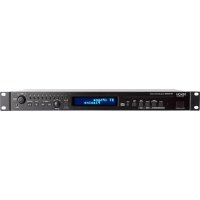
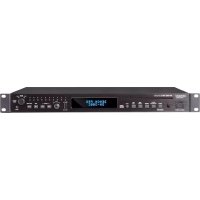
- Français
- SAFETY PRECAUTIONS
- CAUTION
- CAUTION:
- WARNING:
- Laser Class (IEC 60825-1:2001)
- IMPOTANT SAFETY INSTRUCTIONS
- ATTENTION:
- PRECAUTION:
- Connections
- GUI Menu Setup
- Various Settings
- Playback
- Other Information
- Features
- Getting Started
- Accessories
- Cautions on Handling
- - Before turning the power switch on
- - Image persistence (image burn-in)
- - About Condensation
- - Cautions on using mobile phones
- - Moving the unit
- - About Care
- - Sufficiently ventilate the place of installation
- Cautions on Installation
- Note:
- About Media
- Playable Media
- NOTE
- About DivX® Video-on-Demand (VOD)
- About Discs and Files
- BD-Video, DVD-Video
- [Example]
- Super Audio CD
- [Type of Super Audio CD]
- DVD-Audio
- CD
- File
- Cautions on Using Media
- Inserting a Disc
- Inserting an SD Memory Card
- About Handling of Media
- Cleaning Discs
- About Copyright
- About the Remote Control Unit
- Inserting the Batteries
- Operating Range of the Remote Control Unit
- Remote Control Settings (Remote Control Side)
- [Remote control code setting]
- 【Example】
- Part Names and Functions
- Front Panel
- Display
- Rear Panel
- Remote Control Unit
- Multi-channel Audio
- Video
- Audio
- Preparation
- Cables Used for Connections
- Home Theater Playback – Playing Back Using Multi-channel System –
- Using an HDMI Cable to Connect to an AV Amp or Television
- During "HDMI On"
- During "HDMI Off"
- □ Connection to a device with a DVI-D terminal
- Required Settings for HDMI Connection
- Setting HDMI video output
- Setting HDMI Audio Output
- Audio signal from the HDMI output terminal
- Copyright protection system
- Connection to an AV Amp with No HDMI Audio Input
- Audio Signal from the Digital Audio Output (Optical/Coaxial) Terminal
- Connecting to a Device with an Analog Multi-channel Audio Input Terminal
- DENON LINK Connection ① Making a Jitter-free Connection
- BD
- DENON LINK Connection ② Making a Normal Connection
- Connection to an AV Amp with No HDMI Video Input
- Playing Back with a Direct Connection to a TV
- - When connected to the television's component video input terminal
- - When connected to the HDMI input terminal
- Playing Back 2-Channel Audio
- Connecting to a Device with Analog 2-channel Audio Input Terminal with Stereo Pin Plug Cable
- When connecting using the analog 2-channel audio output terminals
- When connecting using the analog 7.1-channel audio output terminals
- Recording a CD
- Using BD-LIVE function or updating the software version of DBP-4010UDCI
- Connecting to the Network
- System Requirement
- Internet Connection by Broadband Circuit
- Modem
- Router
- □ Ethernet cable (CAT-5 or greater recommended)
- Others
- Connecting the Power Cord
- Once Connections are Completed
- Turning the Power On
- Press the unit's or the remote control's .
- When power is switched to standby
- Menu Map
- GUI Menu Operation
- □ Exiting the GUI Menu
- Examples of GUI Menu Screen Displays
- [Example 1] Menu selection screen (Top menu)
- [Example 2] Rating Country Code input screen (with virtual keyboard)
- Icon
- List
- Language Setup
- Default settings are underlined.
- HDMI Setup
- Video Setup
- Set the speaker or audio to be output.
- Audio Setup
- Signals Compatible with DENON LINK Setting and Transmission
- Pure Direct Setup
- Ratings
- Network Setup
- Display Setup
- You can set the audio mode and change playback files.
- Setting the Audio Mode
- Changing thePlaybackFileDisplay
- Making Other Settings
- Adjusting the Picture Quality (Picture Control)
- You can adjust the picture quality to your liking.
- □ When Finishing Picture Adjustment
- - When Outputting Standard Picture Quality without Using Picture Adjustment
- About Gamma Correction
- □ Resuming Initial Values after Gamma Correction
- Disc playback
- File playback
- Operations Enabled During Playback ( page 41)
- Introduction
- Before Playing a Disc
- Before Playing a SD Memory Card
- About Playback Information
- Information Bar Display
- Disc Information Display
- Time Display
- HDMI Output Signal Display
- Search Using Information Bar
- Media Player Display
- Playing BD and DVD-Video
- Enjoying BD-LIVE features
- Playing BD-Video Compatible with Bonus View
- Playing Bonus View
- [Selectable item]
- Playing Back Super Audio CD
- When You View the Text or Playback Time Display
- CDPlayback
- DVD-AudioPlayback
- Change Group/Track
- Bonus Group playback
- Select Still Images
- Playing Back High-Quality Audio (Pure Direct Function)
- FilePlayback
- About the File Display
- Turn the DBP-4010UDCI power on.
- Press media
- Load media. The file browse
- Select a folder of the data to be played back and press (ENTER).
- About folder and file displays
- File Browser Screen
- To Switch the Page Displayed
- About Screen Display DuringPlayback
- Display during Playback of Audio Files
- Display of DivX® Files and JPEG Files
- Operation During Playback
- Playing Back JPEG File (Still Image)
- Operations Enabled During Playback
- PausePlayback
- StopPlayback (Resume Function)
- Press l array during playback.
- About Resume Function
- To Cancel the Resume Function
- Skipping to the Chapter/Track/File You Want to Playback
- During playback, press or
- Looking for Specific Sections Using the Search Modes
- About Marker Search
- Conducting search condition entry or setting on the search mode setting bar.
- Memorizing Locations You Want to Replay (Marker Function)
- Fast Forward/Fast Reverse
- During playback, press 一 or 二 .
- Step-by-StepPlayback
- Press during pause.
- Slow Forward/Slow Reverse Playback
- Press l array during pause.
- Playback in Any Order (Random Playback)
- Resuming Normal Playback
- Playing Back Repeatedly (Repeat Playback)
- Press REPEAT to select the repeat mode.
- About Repeat Mode
- Repeat Playback Between Specified Points (A-B Repeat)
- Playing Back in Your Preferred Order (Program Playback)
- Press PROG/ DIRECT The "PROG"
- during stop.
- Enter the track numbers you want to program on the program setting screen.
- Press▶. Playback begin
- □ Checking the Program Contents
- Erasing Programmed Tracks One by One
- □ Erasing All Programmed Contents
- Switching Audio
- Switching a BD's Primary Audio/Secondary Audio
- During playback of an Primary Audio/Secondary Audio title, press AIOO.
- Press "Seco
- Select your desired audio language with
- Press Audio The setup s
- Audio Switching (Media Other than BD)
- Changing the Subtitles and Subtitle Style
- Switching a BD's Primary Subtitle/Secondary Subtitle and Subtitle Style
- Selecting DVD-Video and DivX® file Subtitle
- Switching the Angle
- Changing the Brightness of the Display (Dimmer Control)
- HDMI Control Function
- About DENON LINK
- About Advanced AL24 Processing
- About Copyright Protection Technology
- Trademark Information
- Language Code List
- Country Code List
- Explanation of Terms
- Numerics
- 4:3 letterbox
- 4:3 pan-and-scan
- A
- Anamorphic lens
- Aspect ratio
- B
- BD-J (Java)
- BD-LIVE
- Bit rate
- Blu-ray disc
- Bonus View
- C
- Chapter
- D
- Deep Color
- DHCP (Dynamic Host Configuration Protocol)
- Dolby Digital (5.1ch Surround)
- Dolby Digital Plus
- Dolby TrueHD
- Downmix
- DTS
- DTS-HD
- Dynamic range
- F
- Finalise
- H
- HDCP
- HDMI
- 1
- Interlacing (interlaced scanning)
- Interactive audio
- L
- LFE
- Linear PCM
- M
- MPEG
- P
- Picture-in-picture
- Popup menu
- Primary audio
- Progressive (sequential scanning)
- R
- Rating
- Region code
- S
- Secondary audio
- T
- Title
- Index
- Troubleshooting
- Specifications
- Audio performance
- General
- Remote control unit (RC-1140)
- Exhibit-A GNU GENERAL PUBLIC LICENSE
- Preamble
- TERMS AND CONDITIONS FOR COOPYING, DISTRIBUTION AND MODIFICATION
- NO WARRANTY
- END OF TERMS AND CONDITIONS
- How to Apply These Terms to Your New Programs
- Exhibit-B
- GNU LESSER GENERAL PUBLIC LICENSE
- How to Apply These Terms to Your New Libraries
- Exhibit-C
- Exhibit-D
- Exhibit-E
- ARCHIVE LOCATIONS
- FILE FORMAT WARS
- TO DO
- Exhibit-F
- Cosmin Truta
- Simon-Pierre Cadieux
- Tom Lane
- John Bowler
- Exhibit-G
- Exhibit-H
- The FreeType Project LICENSE
- Exhibit-I
- Exhibit-J
- Exhibit-K
- Exhibit-L
- Exhibit-M
- Exhibit-N
- Exhibit-P
- Exhibit-Q
- Exhibit-R Licenseesss
- OpenSSL License
- Original SSLeay License
- Exhibit-S
- Exhibit-T
- DISCLAIMER
- Exhibit-U
- License Information for the Software Used in the Unit
- About GPL (GNU-General Public License), LGPL (GNU Lesser General Public License) License
Brand : DENON
Model : DBP-4010UDCI
Category : Blu-ray player