
Csys - Lamp DYSON - Free user manual and instructions
Find the device manual for free Csys DYSON in PDF.


| Product type | LED desk lamp |
| Brand | Dyson |
| Model | Csys |
| Category | Task/ambient lamp |
| Dimensions (H x W x D) | 64 cm x 27 cm x 27 cm |
| Weight | 4.5 kg |
| Power supply | Mains 100-240 V, 50/60 Hz |
| Nominal power | 60 W equivalent (consumption 9.5 W) |
| Luminous flux | 800 lumens |
| Color temperature | 2700 K to 6000 K (adjustable) |
| Color rendering index (CRI) | Greater than 80 |
| LED lifespan | 180,000 hours |
| Main functions | Ambient and task lighting, brightness and color temperature adjustment, touchless switching |
| Maintenance and cleaning | Clean with a soft dry cloth. Do not use chemical products. |
| Safety | Do not immerse in water, do not use near heat sources, do not block ventilation openings. |
| Spare parts and repairability | LED module not user-replaceable. Contact Dyson customer service. 2-year warranty. |
| General information | Made in Malaysia. CE, RoHS certifications. |
| Included accessories | Power cable, power adapter |
Frequently Asked Questions - Csys DYSON
User questions about Csys DYSON
0 question about this device. Answer the ones you know or ask your own.
Ask a new question about this device
Download the instructions for your Lamp in PDF format for free! Find your manual Csys - DYSON and take your electronic device back in hand. On this page are published all the documents necessary for the use of your device. Csys by DYSON.
USER MANUAL Csys DYSON
natural_image
Technical line drawing of a mechanical lever assembly (no text or symbols)CD03
Thank you for choosing
to buy a Dyson light
To read your manual in English go to page 4.
6 Registration
8 Important safety instructions
12 Assembly
14 Controls
Additional information
16 Disposal
16 Terms and conditions of the Dyson 5 year guarantee
17 Important data protection information
18 Important information
Registration
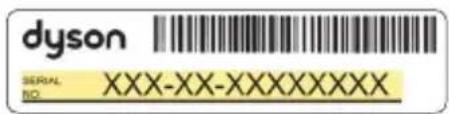
After registering your 5 year guarantee, your Dyson light will be covered for parts and labour for 5 years from the date of purchase, subject to the terms of the guarantee. If you have any questions about your Dyson light, call the Dyson Helpline with your serial number and details of where and when you bought the light. Most questions can be solved over the phone by one of our trained Dyson Helpline staff. Your serial number can be found on the base of the light.
Visit www.dyson.com for online help, support videos, general tips and useful information about Dyson.
Note your serial number for future reference.

natural_image
Empty white rectangle with black border (no text or symbols)This illustration is for example purposes only.
Register online
Visit our website to register your full parts
and labour guarantee online.
www.dyson.com

Register by phone
Call our dedicated Helpline.
(+44) 0800 345 7788
IMPORTANT SAFETY INSTRUCTIONS
Before using this light read all instructions and cautionary markings in this manual and on the light.
When using any electrical appliance, basic precautions should always be followed, including the following:
WARNING
These warnings apply to the light, and also where applicable to chargers or mains adaptors.
To reduce the risk of fire, electric shock, or injury:
- This Dyson light can be used by persons with reduced physical, sensory or reasoning capabilities, or lack of experience and knowledge, only if they have been given supervision or instruction by a responsible person concerning use of the light in a safe way and understand the hazards involved. Cleaning and maintenance shall not be performed by children.
- Do not allow to be used as a toy. Close attention is necessary when the light is used near children.
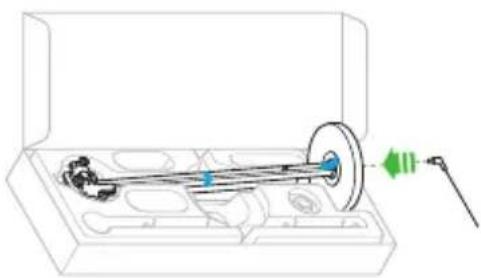
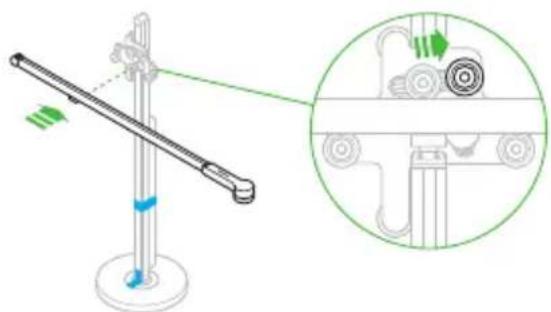
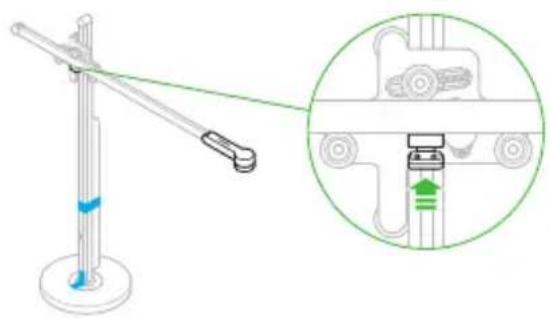
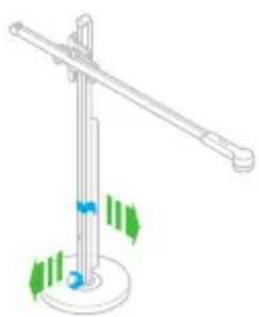
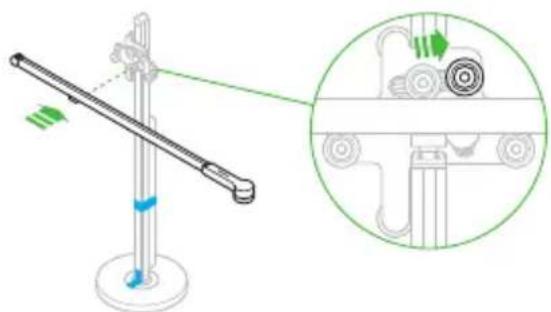
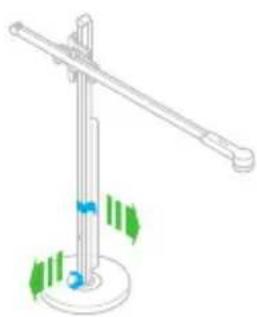
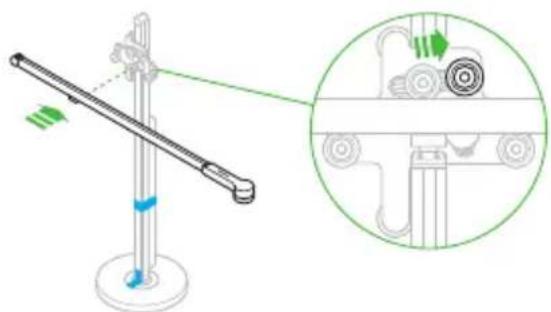
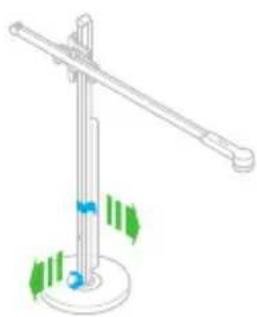
- Ensure light is fully assembled in line with the instructions before use.
- Suitable for indoor use only 0^ C ( 32^ F) – 40^ C ( 104^ F).
- Use only as described in this Dyson Operating Manual. Do not carry out any maintenance other than that advised by the Dyson Helpline.
- If the light is not working as it should, has received a sharp blow, has been
dropped, damaged, left outdoors, or dropped into water, do not use and contact the Dyson Helpline.
-
If a service or repair is needed, contact the Dyson Helpline so we can discuss the available options. Do not disassemble the light as incorrect reassembly may result in an electric shock or fire.
-
Do not handle any part of the light, cable or plug with wet hands.
-
Do not use with a damaged cable or plug. If the supply cable is damaged it must be replaced by Dyson, its service agent or similarly qualified persons in order to avoid a hazard.
-
Do not stretch the cable or place the cable under strain. Keep cable away from heated surfaces.
-
Do not route the cable under furniture or appliances. Do not cover cable with throw rugs, runners or similar coverings. Arrange cable away from traffic area and where it will not be tripped over.
-
Do not unplug by pulling on the cable. To unplug, grasp the plug, not the cable. The use of an extension cable is not recommended.
-
Turn off all controls before unplugging. Unplug from socket when not in use for extended periods. To avoid a tripping hazard, safely coil the cable.
-
Do not use near furnaces, fireplaces, stoves or other high temperature heat sources.
-
The light source is not replaceable; when the light source reaches its end of life, the whole light shall be replaced. End of life replacement is not covered under the guarantee.
READ AND SAVE THESE INSTRUCTIONS
Assembly
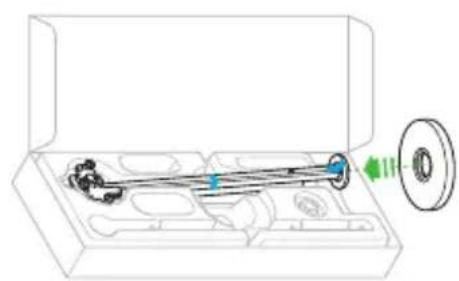
1
natural_image
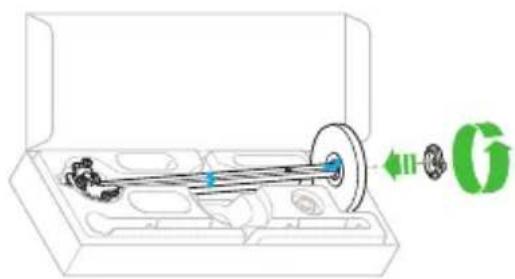
Technical line drawing of a mechanical assembly inside a transparent housing, showing internal components and a green directional arrow (no text or symbols)2
natural_image
Technical illustration of a mechanical assembly inside a transparent housing, showing a shaft and gear mechanism (no text or symbols)3
natural_image
Technical illustration of a mechanical assembly inside a transparent box, showing a shaft and housing with a green indicator light (no text or symbols)4
natural_image
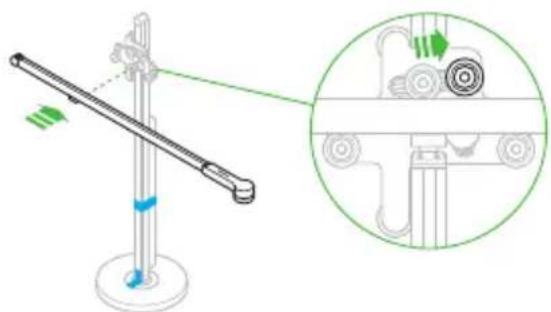
Diagram of a mechanical lever system with a magnified inset showing internal components (no text or labels)12
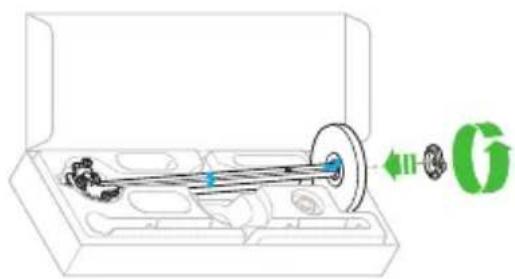
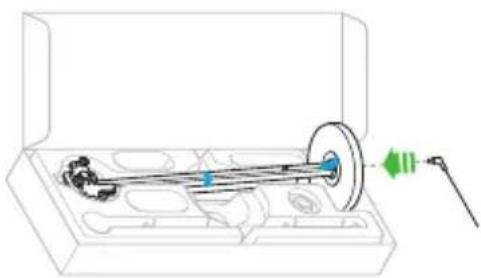
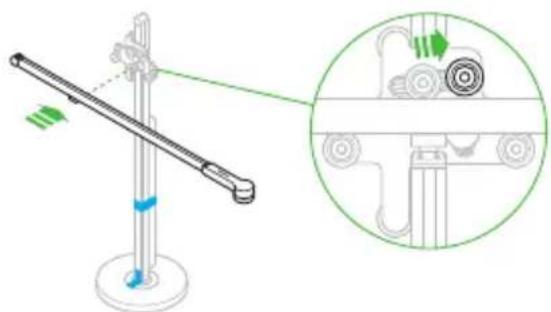
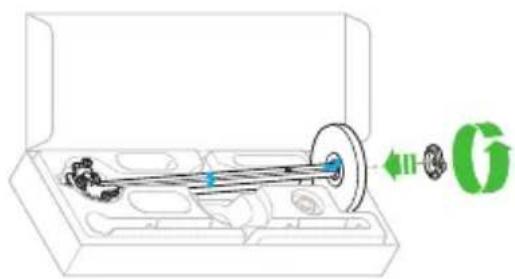
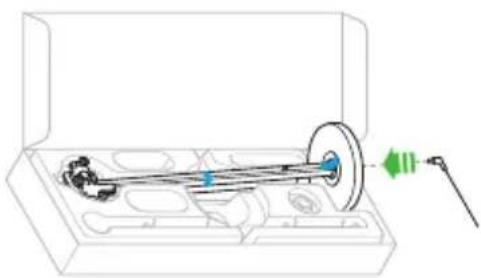
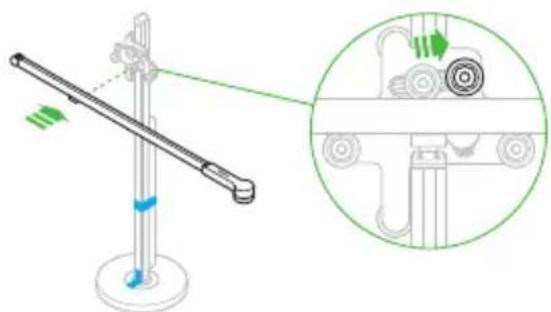
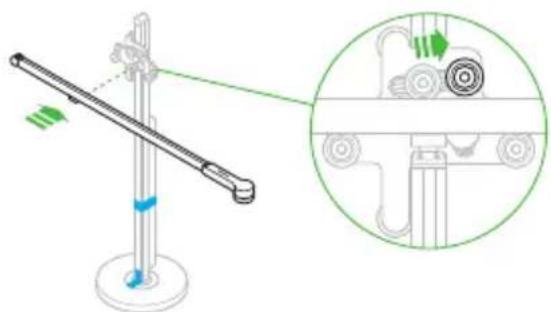
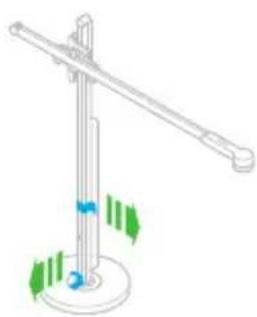
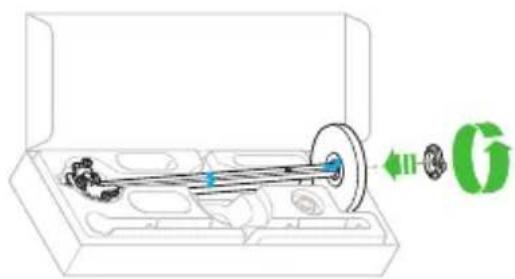
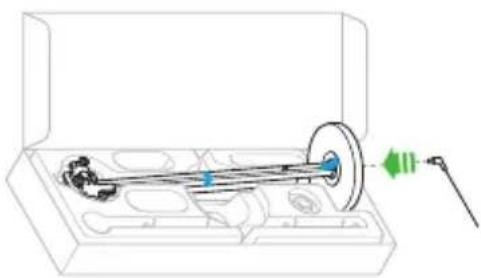
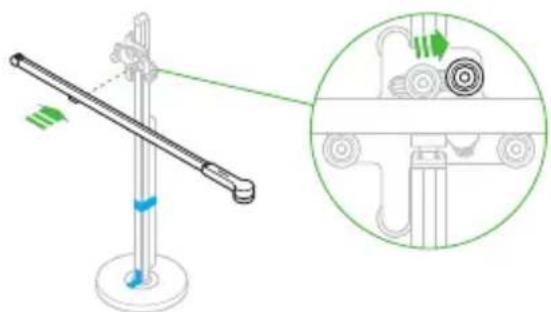
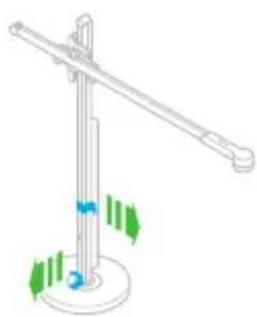
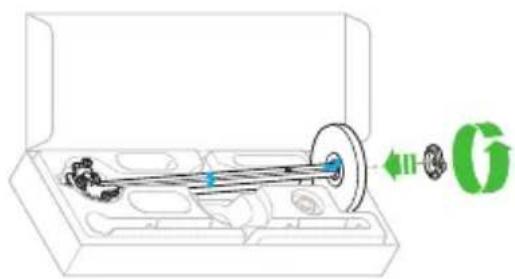
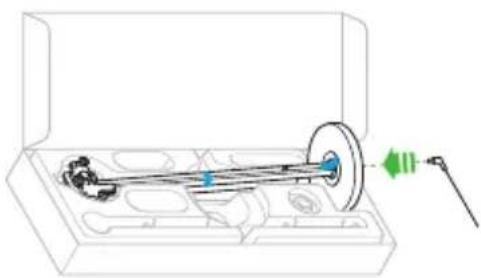
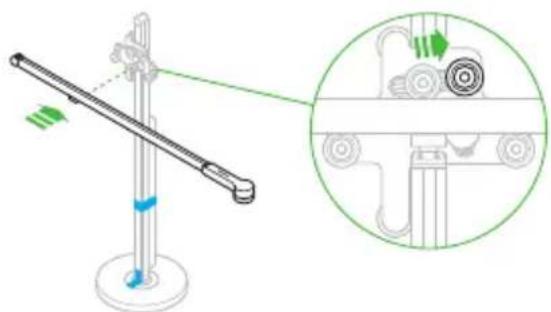
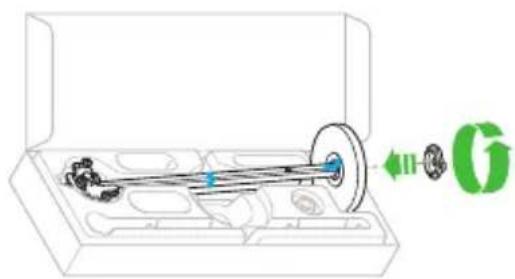
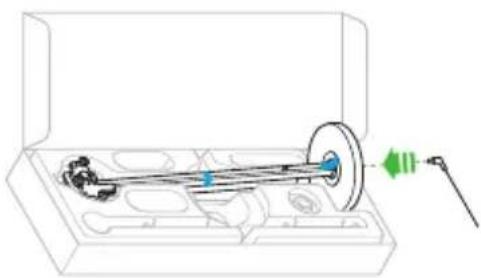
It is important that the light is assembled in the box as shown. Do not remove the transit tape until the light is fully assembled.
5
natural_image
Diagram of a mechanical device with a lever and inset showing a close-up view of a mechanical component (no text or symbols present)6
natural_image
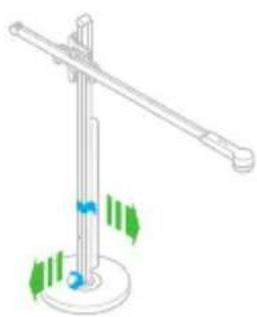
Isometric line drawing of a mechanical lever system with green and blue directional arrows indicating motion (no text or symbols)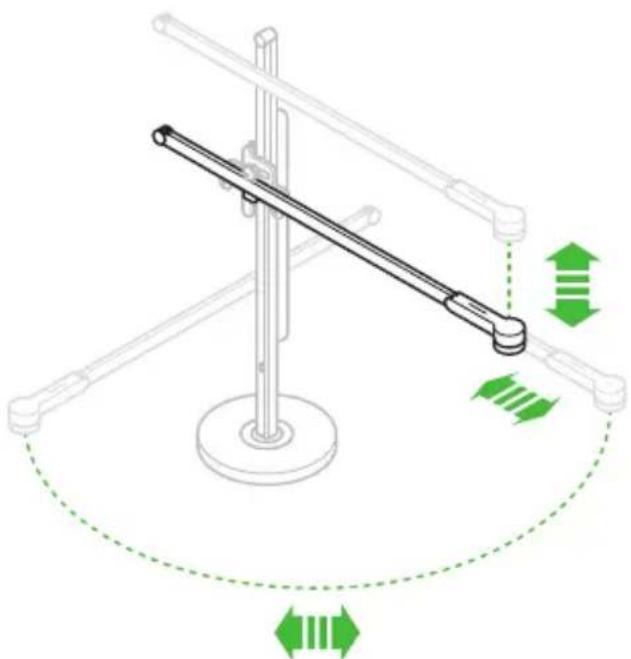
natural_image
Diagram of a mechanical lever system with green directional arrows indicating motion or force (no text or symbols)Controls
Swipe to change the brightness of the light.
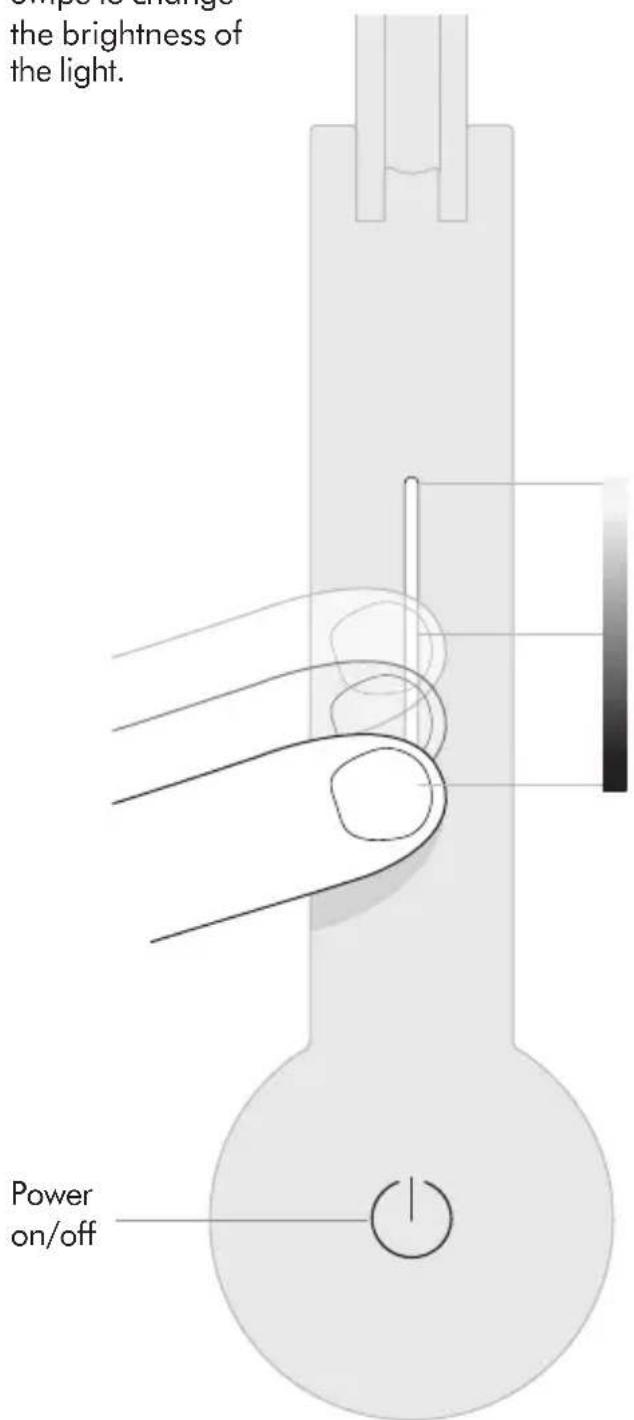
14
Tap to change quickly between brightness levels.
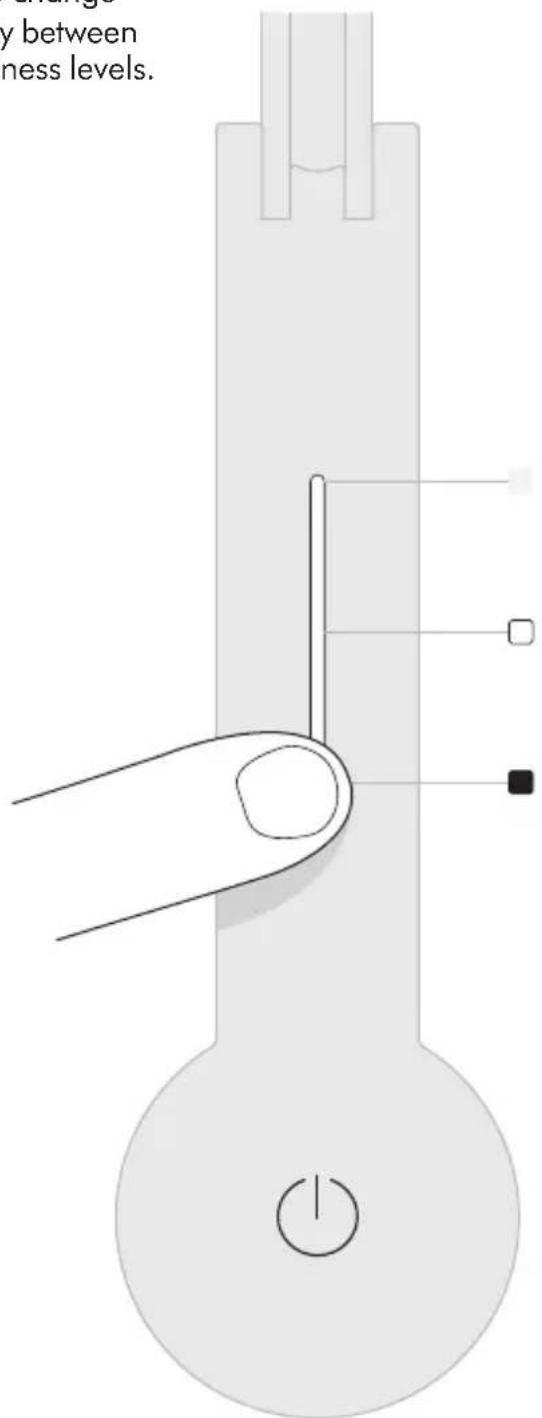
15
Additional information
DISPOSAL
- Dyson products are made from high grade recyclable materials. Recycle where possible.
- Dispose in accordance with local ordinances or regulations.
This marking indicates that this product should not be disposed with other household wastes throughout the EU. To prevent possible harm to the environment or human health from uncontrolled waste disposal, recycle it responsibly to promote the sustainable reuse of material resources. To return your used device, please use the return and collection systems or contact the retailer where the product was purchased. They can take this product for environmentally safe recycling.
LIMITED 5 YEAR GUARANTEE
TERMS AND CONDITIONS OF THE DYSON 5 YEAR LIMITED GUARANTEE.
WHAT IS COVERED
- The repair or replacement of your Dyson light (at Dyson's discretion) if it is found to be defective due to faulty materials, workmanship or function within 5 years of purchase or delivery (if any part is no longer available or out of manufacture Dyson will replace it with a functional replacement part).
- Where this light is sold outside of the EU, this guarantee will only be valid if the light is used in the country in which it was sold.
- Where this light is sold within the EU, this guarantee will only be valid (i) if the light is used in the country in which it was sold or (ii) if the light is used in Austria, Belgium, France, Germany, Ireland, Italy, Netherlands, Spain or the United Kingdom and the same model as this light is sold at the same voltage rating in the relevant country.
WHAT IS NOT COVERED
Dyson does not guarantee the repair or replacement of a light where a defect is the result of:
- Damage caused by not carrying out any recommended maintenance of the light.
- Accidental damage, faults caused by negligent use or care, misuse, neglect, carelessness or operation or handling of the light which is not in accordance with the Dyson Operating Manual.
- Use of the light for anything other than the use it is designed for.
- Use of parts not assembled or installed in accordance with the instructions of Dyson.
- Use of parts and accessories which are not genuine Dyson components.
- Faulty installation (except where installed by Dyson).
- Repairs or alterations carried out by parties other than Dyson or its authorised agents.
- Normal wear and tear (e.g. fuse etc.). If you are in any doubt as to what is covered by your guarantee, please contact the Dyson Helpline.
SUMMARY OF COVER
- The guarantee becomes effective from the date of purchase (or the date of delivery if this is later).
- You must provide proof of (both the original and any subsequent) delivery/purchase before any work can be carried out on your Dyson light. Without this proof, any work carried out will be chargeable. Keep your receipt or delivery note.
- All work will be carried out by Dyson or its authorised agents.
- Any parts which are replaced by Dyson will become the property of Dyson.
- The repair or replacement of your Dyson light under guarantee will not extend the period of guarantee.
- The guarantee provides benefits which are additional to and do not affect your statutory rights as a consumer.
IMPORTANT DATA PROTECTION INFORMATION
WHEN REGISTERING YOUR DYSON LIGHT:
You will need to provide us with basic contact information to register your product and enable us to support your guarantee.
- When you register, you will have the opportunity to choose whether you would like to receive communications from us. If you opt-in to communications from Dyson, we will send you details of special offers and news of our latest innovations. We never sell your information to third parties and only use information that you share with us as defined by our privacy policies which are available on our website privacy.dyson.com
IMPORTANT INFORMATION
- If your light needs servicing, please call the Dyson Helpline or visit the website at www.dyson.com
- To clean, use a soft, dry, lint free cloth to wipe all over the light.
DE/AT/CH Inhalt
Erste Schritte
natural_image
Technical line drawing of a mechanical assembly inside a transparent housing, showing a shaft and flange (no text or symbols)2
natural_image
Technical illustration of a mechanical assembly inside a transparent housing, showing a shaft and gear mechanism (no text or symbols)3
natural_image
Technical illustration of a mechanical assembly inside a transparent box, showing a shaft and housing with a green indicator light (no text or symbols)4
natural_image
Diagram of a mechanical lever system with an inset showing a wheel assembly (no text or labels)28
natural_image
Diagram of a mechanical device with a lever and inset showing internal components (no text or symbols)6
natural_image
Isometric line drawing of a pole with green directional arrows indicating movement or force (no text or symbols)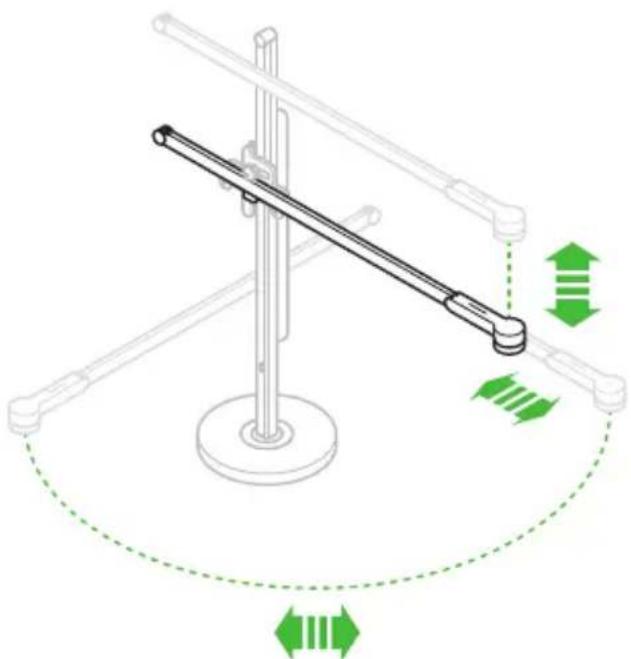
natural_image
Diagram of a mechanical lever system with green directional arrows indicating motion or force (no text or symbols)Steuerelemente
natural_image
Empty white rectangle with black border (no text or symbols)
Registro en línea
natural_image
Technical line drawing of a mechanical assembly inside a transparent housing, showing internal components and a green arrow indicating direction (no text or symbols)2
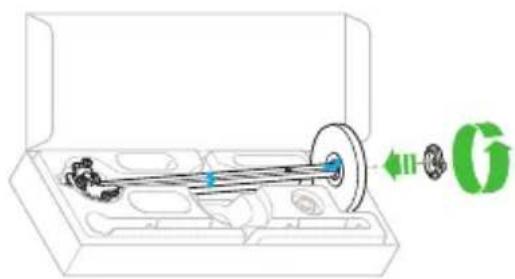
natural_image
Technical illustration of a mechanical assembly inside a transparent housing, showing a shaft and housing with a green directional arrow (no text or symbols)3
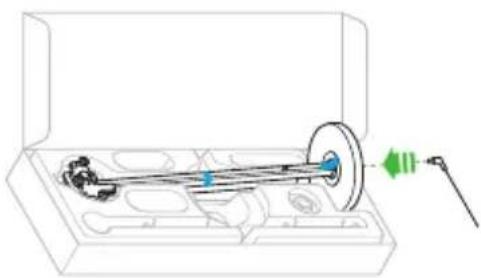
natural_image
Technical illustration of a mechanical assembly inside a transparent box, showing a shaft and housing with a green indicator light (no text or symbols)4
natural_image
Diagram of a mechanical lever system with a magnified inset showing internal components (no text or labels)44
natural_image
Diagram of a mechanical device with a lever and inset showing internal components (no text or symbols)6
natural_image
Simple line drawing of a pole with green directional arrows indicating rotation or movement (no text or symbols)
natural_image
Diagram of a mechanical lever system with green directional arrows indicating motion or force (no text or symbols)Controles
natural_image
Empty white rectangle with black border (no text or symbols)
natural_image
Technical line drawing of a mechanical assembly inside a transparent housing, showing a shaft and housing with a green directional arrow (no text or symbols)2
natural_image
Technical illustration of a mechanical assembly inside a transparent housing, showing gears and a shaft (no text or symbols)3
natural_image
Technical illustration of a mechanical assembly inside a transparent box, showing a shaft and housing with a green indicator light (no text or symbols)4
natural_image
Diagram of a mechanical lever system with a magnified inset showing internal components (no text or labels)60
natural_image
Diagram of a mechanical device with a lever and inset showing a close-up view of a car's wheel assembly (no text or symbols)6
natural_image
Isometric line drawing of a pole with green directional arrows indicating movement or force (no text or symbols)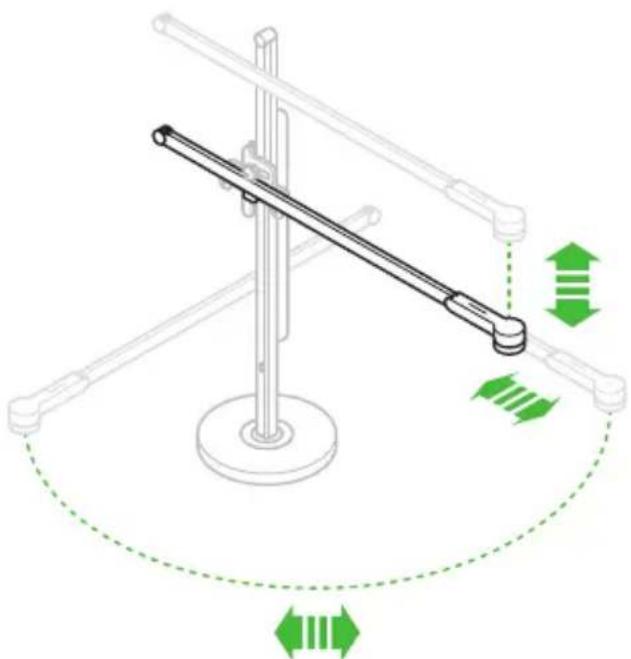
natural_image
Diagram of a mechanical lever system with green directional arrows indicating motion or force (no text or symbols)Contrôles
natural_image
Empty rectangular frame with black border (no text or symbols)
natural_image
Technical line drawing of a mechanical assembly inside a transparent housing, showing a shaft and flange (no text or symbols)2
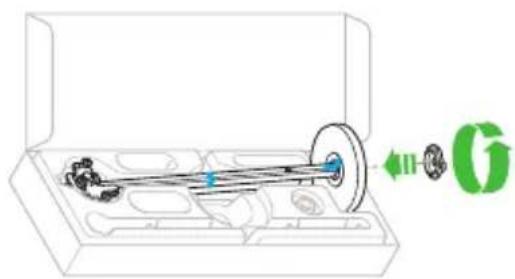
natural_image
Technical illustration of a mechanical assembly inside a box, showing a shaft and housing with a green directional arrow (no text or symbols)3
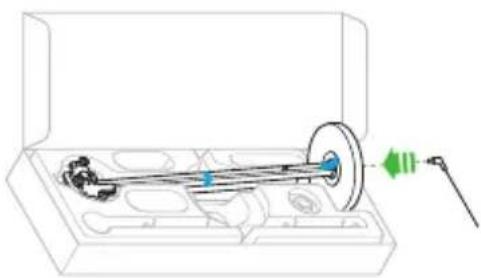
natural_image
Technical illustration of a mechanical assembly inside a transparent box, showing a shaft and housing with a green indicator light (no text or symbols)4
natural_image
Diagram of a mechanical lever system with a magnified inset showing internal components (no text or labels)76
natural_image
Diagram of a mechanical device with a lever and base, showing a close-up inset of its internal components (no text or symbols present)6
natural_image
Isometric line drawing of a mechanical lever system with green and blue directional arrows indicating motion (no text or symbols)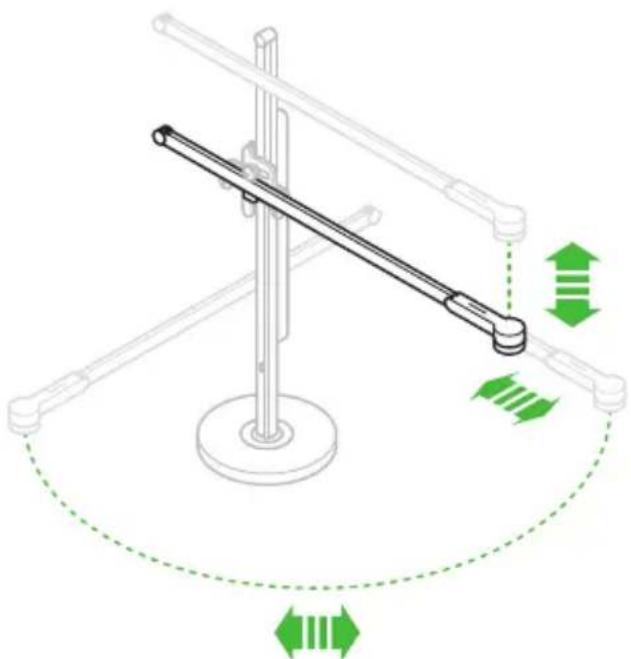
natural_image
Diagram of a mechanical lever system with green directional arrows indicating motion or force (no text or symbols)Pulsanti
natural_image
Empty white rectangle with black border (no text or symbols)
Online registreren
natural_image
Technical line drawing of a mechanical assembly inside a transparent housing, showing a shaft and housing with a green directional arrow (no text or symbols)2
natural_image
Technical illustration of a mechanical assembly inside a box, showing a shaft and housing with a green directional arrow (no text or symbols)3
natural_image
Technical illustration of a mechanical assembly inside a transparent box, showing a shaft and housing with a green indicator light (no text or symbols)4
natural_image
Diagram of a mechanical lever system with a magnified inset showing internal components (no text or labels)92
natural_image
Diagram of a mechanical device with a lever and inset showing a close-up view of a car's wheel assembly (no text or symbols)6
natural_image
Isometric line drawing of a pole with green directional arrows indicating movement or force (no text or symbols)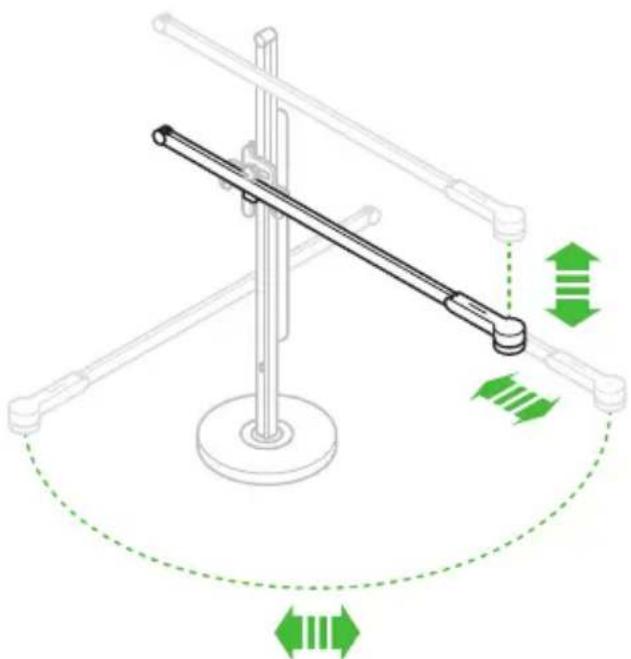
natural_image
Diagram of a mechanical lever system with green directional arrows indicating motion or force (no text or symbols)Bedieningselementen
natural_image
Technical line drawing of a mechanical assembly inside a transparent housing, showing internal components and a green directional arrow (no text or symbols)2
natural_image
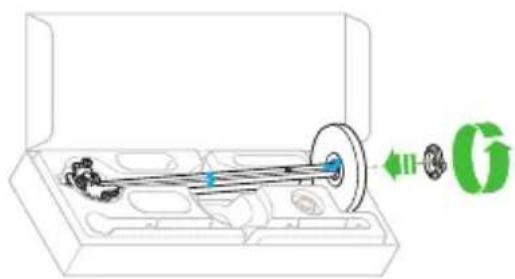
Technical illustration of a mechanical assembly inside a transparent housing, showing a shaft and housing with a green directional arrow (no text or symbols)3
natural_image
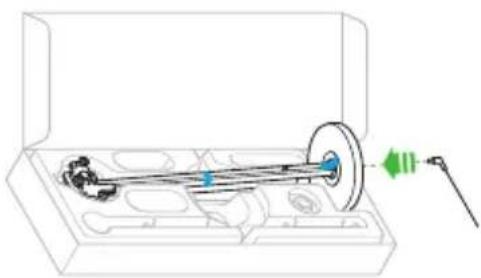
Technical illustration of a mechanical assembly inside a transparent box, showing a shaft and housing with a green indicator light (no text or symbols)4
natural_image
Diagram of a mechanical lever system with a magnified inset showing internal components (no text or labels)108
natural_image
Diagram of a mechanical lever system with an inset showing a close-up of the lever mechanism (no text or symbols present)6
natural_image
Simple line drawing of a pole with green directional arrows indicating motion or force (no text or symbols)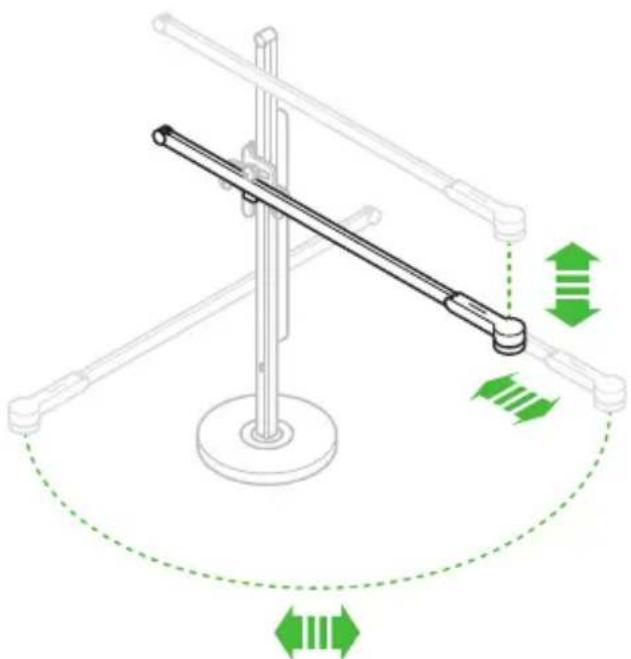
natural_image
Diagram of a mechanical lever system with green directional arrows indicating motion or force (no text or symbols)Элементы управления
Registrer online
natural_image
Technical line drawing of a mechanical assembly inside a transparent housing, showing a shaft and flange (no text or symbols)2
natural_image
Technical illustration of a mechanical assembly inside a transparent housing, showing gears and a shaft (no text or symbols)3
natural_image
Technical illustration of a mechanical assembly inside a transparent box, showing a shaft and housing with a green indicator light (no text or symbols)4
natural_image
Diagram of a mechanical lever system with a magnified inset showing internal components (no text or labels)126
natural_image
Diagram of a mechanical device with a lever and inset showing a close-up view of a mechanical component (no text or symbols present)6
natural_image
Isometric line drawing of a mechanical lever system with green and blue directional arrows indicating motion (no text or symbols)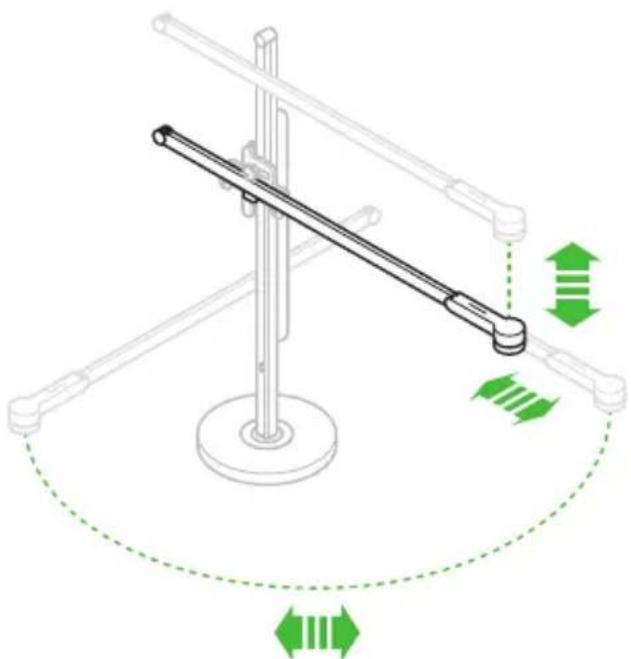
natural_image
Diagram of a mechanical lever system with green directional arrows indicating motion or force (no text or symbols)Betjeningsknapper
HVAD ER IKKE DÄKKET?
natural_image
Empty rectangular frame with black border (no text or symbols)
Rekisteröi verkossa
natural_image
Technical line drawing of a mechanical assembly inside a transparent housing, showing a shaft and housing with a green directional arrow (no text or symbols)2
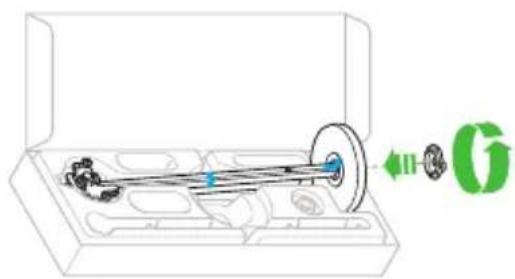
natural_image
Technical illustration of a mechanical assembly inside a transparent housing, showing gears and a shaft (no text or symbols)3
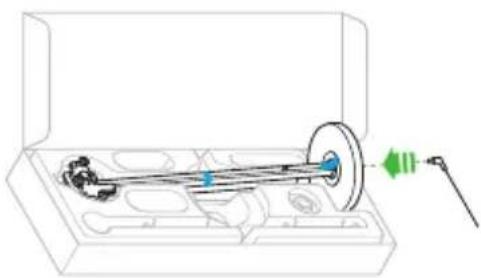
natural_image
Technical illustration of a mechanical assembly inside a transparent box, showing a shaft and housing with a green indicator light (no text or symbols)4
natural_image
Diagram of a mechanical lever system with a magnified inset showing internal components (no text or labels)natural_image
Diagram of a mechanical device with a lever and inset showing a close-up view of a car's wheel assembly (no text or symbols)6
natural_image
Isometric line drawing of a pole with green directional arrows indicating movement or force (no text or symbols)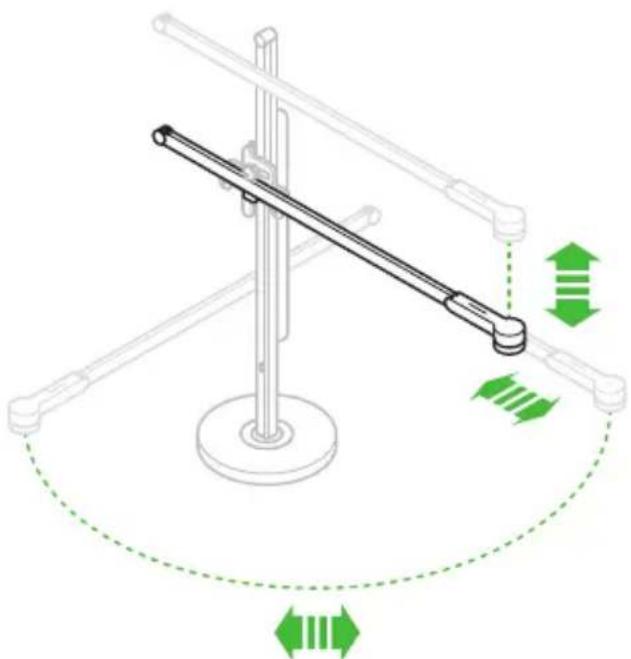
natural_image
Diagram of a mechanical lever system with green directional arrows indicating motion or force (no text or symbols)Ohjaimet
natural_image
Empty rectangular frame with black border (no text or symbols)
Registrere på Internett
natural_image
Technical line drawing of a mechanical assembly inside a transparent housing, showing a shaft and flange (no text or symbols)2
natural_image
Technical illustration of a mechanical assembly inside a transparent housing, showing gears and a shaft (no text or symbols)3
natural_image
Technical illustration of a mechanical assembly inside a transparent box, showing a shaft and housing with a green indicator light (no text or symbols)4
natural_image
Diagram of a mechanical lever system with a magnified inset showing internal components (no text or labels)natural_image
Diagram of a mechanical device with a lever and inset showing a close-up view of a car's wheel assembly (no text or symbols)6
natural_image
Isometric line drawing of a pole with green directional arrows indicating movement or force (no text or symbols)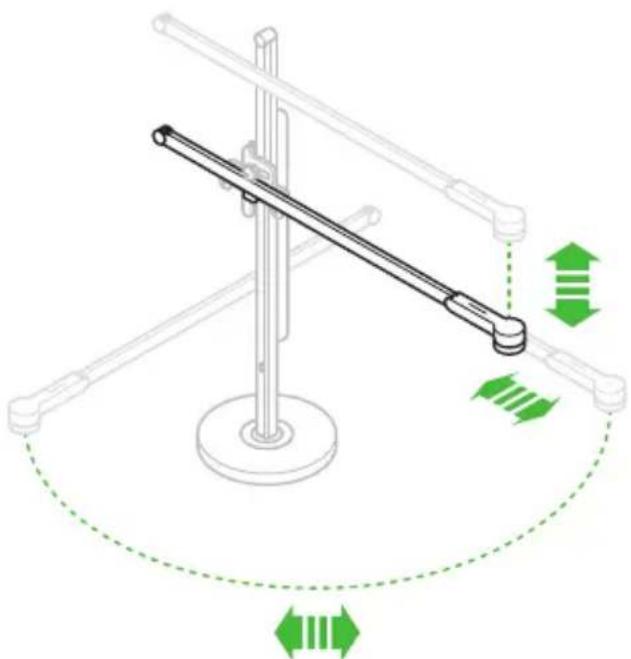
natural_image
Diagram of a mechanical lever system with green directional arrows indicating motion or force (no text or symbols)Kontroller
natural_image
Empty rectangular frame with black border (no text or symbols)
Registrera online
natural_image
Technical line drawing of a mechanical assembly inside a transparent housing, showing a shaft and flange (no text or symbols)2
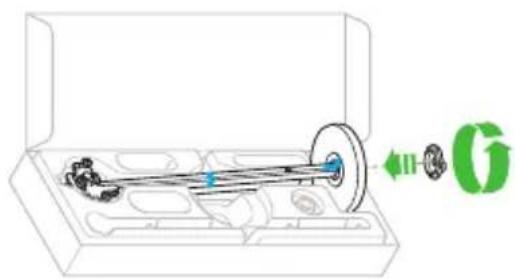
natural_image
Technical illustration of a mechanical assembly inside a transparent housing, showing a shaft and gear mechanism (no text or symbols)3
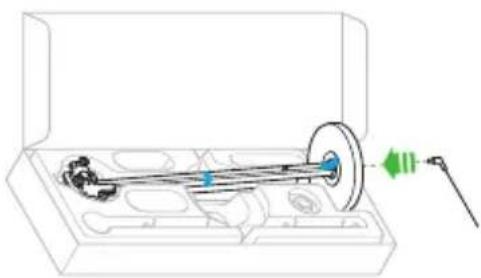
natural_image
Technical illustration of a mechanical assembly inside a transparent box, showing a shaft and housing with a green indicator light (no text or symbols)4
natural_image
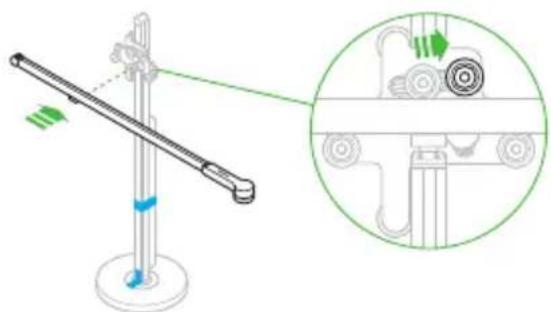
Diagram of a mechanical lever system with a magnified inset showing internal components (no text or labels)natural_image
Diagram of a mechanical device with a lever and inset showing a close-up view of a car's wheel assembly (no text or symbols)6
natural_image
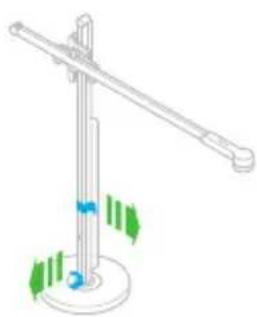
Isometric line drawing of a pole with green directional arrows indicating movement or force (no text or symbols)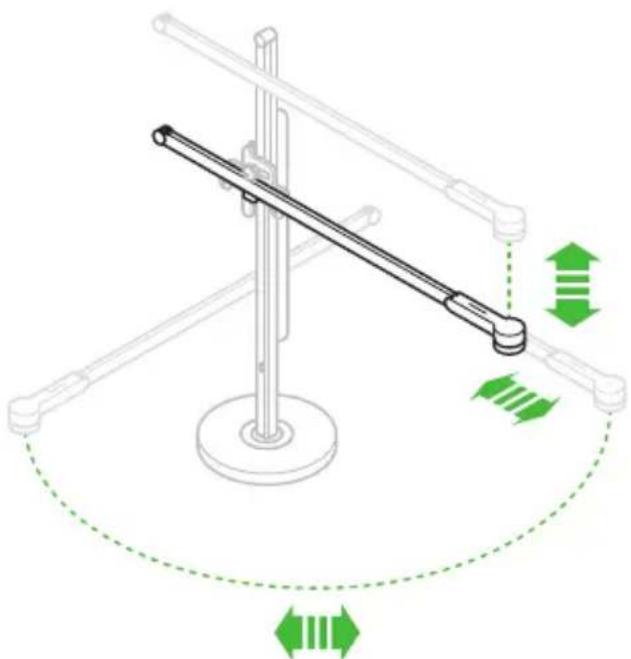
natural_image
Diagram of a mechanical lever system with green directional arrows indicating motion or force (no text or symbols)Kontroller
SAMMANFATTNING AV GARANTIN
Dyson Technology Limited, Tetbury Hill, Malmesbury,
Wiltshire, SN16 ORP
DE/AT/CH
DE
www.dyson.at
(+49) 0800 3131 319
business@dyson.de
Dyson Servicecenter - DVG -, Birkenmaarstr.
5,53340 Meckenheim
AT
www.dyson.at
0800 28 67 46
info-austria@dyson.com
Amsterdam, Nederland/The Netherlands
BE
www.dyson.be
(+32) 0800 39 209
help@dysonairblade.be
Dyson, Vlaamse Kaai 55, 2000 Antwerpen,
België/Belgique
RU
www.dyson.com.ru
8 800 100 100 2
info.russia@dyson.com
Dyson Sweden AB, c/o Convendum, Vasagatan 16,
111 20 Stockholm
FI
www.fi.dyson.com
010 321 5080
myynti@aqva.fi
Dyson Sweden AB, c/o Convendum, Vasagatan 16,
111 20 Stockholm
SE
www.dyson.se
020 0125472
ServiceProfessional@dyson.se
Dyson Sweden AB, c/o Convendum, Vasagatan 16,
111 20 Stockholm
www.dyson.com
JN.94646 PN.267464-10-02 18.07.18 RCS PARIS 410 191 589
- Additional information
- Registration
- Register online
- Register by phone
- IMPORTANT SAFETY INSTRUCTIONS
- WARNING
- READ AND SAVE THESE INSTRUCTIONS
- Assembly
- Controls
- DISPOSAL
- LIMITED 5 YEAR GUARANTEE
- WHAT IS COVERED
- WHAT IS NOT COVERED
- SUMMARY OF COVER
- IMPORTANT DATA PROTECTION INFORMATION
- WHEN REGISTERING YOUR DYSON LIGHT:
- IMPORTANT INFORMATION
- DE/AT/CH Inhalt
- Erste Schritte
- Steuerelemente
- Registro en línea
- Controles
- Contrôles
- Pulsanti
- Online registreren
- Bedieningselementen
- Элементы управления
- Registrer online
- Betjeningsknapper
- HVAD ER IKKE DÄKKET?
- Ohjaimet
- Registrere på Internett
- Kontroller
- Registrera online
- SAMMANFATTNING AV GARANTIN
- DE/AT/CH
- DE
- AT
- BE
- RU
- FI
Brand : DYSON
Model : Csys
Category : Lamp