PENTAX KS-2 - Digital SLR Camera

KS-2 - Digital SLR Camera PENTAX - Free user manual and instructions

Find the device manual for free KS-2 PENTAX in PDF.

📄 136 pages English EN Download 💬 AI Question 12 questions ⚙️ Specs
Notice PENTAX KS-2 - page 131
View the manual : Français FR English EN
Pick your language and provide your email: we'll send you a specifically translated version.
Product Type Digital SLR Camera
Brand PENTAX
Model KS-2
Sensor 20.1 MP CMOS (APS-C format)
Dimensions (approx.) 120 x 92.5 x 69.5 mm
Weight 558 g (with battery and memory card)
Power Source Rechargeable lithium-ion battery D-LI109
Charger Battery charger D-BC109
Recording Media SD, SDHC, SDXC memory card (compatible with Eye-Fi and Flucard)
Lens Mount K mount (DA, DA L, D FA, FA J, FA, F lenses)
Viewfinder Optical viewfinder with diopter correction
Screen 3-inch LCD screen (approx. 921,000 dots)
Main Features Auto Picture, Scene, Effect modes; exposure modes P, Sv, Tv, Av, TAv, M, B; Full HD video recording; Live View; image stabilization (Shake Reduction); digital filter; optional GPS
Maintenance and Cleaning Clean the lens with a brush; do not use solvents; sensor cleaning via menu (vibration); for professional cleaning, contact after-sales service
Safety Do not use or store near strong magnetic fields; avoid high temperatures; do not expose to water; use only the specified battery and charger
Spare Parts and Repairability Battery D-LI109, charger D-BC109, strap O-ST132, AC adapter K-AC128 (optional), remote control O-RC1 (optional), GPS unit (optional)
Warranty 12 months against manufacturing defects (subject to conditions)

Frequently Asked Questions - KS-2 PENTAX

How to charge the battery of the PENTAX KS-2?
Use the supplied D-BC109 charger. Plug in the power cord, insert the D-LI109 battery with the ▲ mark facing up. The indicator lights up during charging and turns off when the battery is full. Maximum charging time is approximately 240 minutes.
What types of memory cards are compatible?
The camera accepts SD, SDHC, and SDXC memory cards. It is also compatible with Eye-Fi and Flucard (wireless) cards. Use a high-speed card for videos.
How to mount a lens on the KS-2?
Make sure the camera is off. Remove the body cap and lens cap. Align the red dot on the mount and rotate the lens clockwise until it clicks. To remove, press the release button and turn counterclockwise.
How to set the date and time?
After initial power-on or via Menu 1 (Date Setting). Use the arrow keys to change the format, date, and time. Confirm with OK.
What shooting modes are available?
The modes include: Auto Picture (AUTO) which automatically selects the best mode, Scene modes (SCN) like Portrait or Landscape, Effect modes (EFFECT) like Bleach Bypass or Vivid, and exposure modes (P, Sv, Tv, Av, TAv, M, B) for manual control.
How to use the built-in flash?
Press the flash pop-up button to raise it. Flash modes include Auto, Red-eye, Slow Sync, etc. Select the mode using the direct keys (◄ button). The intensity can be adjusted.
How to adjust focus?
Use the focus mode selector (AF/MF). In AF mode, options include AF.S (single), AF.C (continuous), and AF.A (auto). For Live View, contrast AF offers face detection, predictive, etc. You can also select the AF area via the menu.
How to clean the sensor?
Use the 'Dust Reduction System' in menu 4 to vibrate the sensor and remove dust. For manual cleaning, use 'Sensor Cleaning' which locks the mirror. For professional cleaning, contact an authorized service center.
What accessories are recommended?
Optional accessories: AC adapter K-AC128, remote control O-RC1 (waterproof), GPS unit for geotagging, external flash. A spare D-LI109 battery is also recommended.
How to transfer photos to a computer?
Connect the camera to the computer using the supplied USB cable. Set the USB connection mode in menu 2 (MSC recommended). The computer will recognize the memory card as a removable drive. You can also use a wireless memory card.

User questions about KS-2 PENTAX

2 questions about this device. Answer the ones you know or ask your own.

Ask a new question about this device

The email remains private: it is only used to notify you if someone responds to your question.

How to update the firmware on a PENTAX KS-2 camera?
Frequently Asked Questions - 18/04/2026
Response Notice-Facile

To update the firmware of your PENTAX KS-2 digital SLR camera, follow the steps below:

1. Check the current firmware version

Turn on your camera, go to the Setup menu and then Firmware Version to find out the installed version. This will let you know if an update is necessary.

2. Download the update

Visit the official PENTAX or Ricoh Imaging website, in the support or download section. Look for the latest firmware version for the KS-2 model and download the corresponding file to your computer.

3. Prepare the memory card

Insert a compatible SD card into your computer and format it to ensure it is empty and ready to receive the update file.

4. Copy the update file

Copy the downloaded file to the root of the memory card (not in a folder).

5. Install the update on the device

  • Insert the memory card into your PENTAX KS-2.
  • Turn on the device and go to the Setup menu and then Firmware Update.
  • Follow the on-screen instructions to start and complete the update.

6. Check the success of the update

Once the update is complete, check the firmware version again in the menu to confirm that the new version is installed.

Important: Do not turn off the device during the update and ensure that the battery is sufficiently charged to avoid any issues.

Respond (be the first)
Why are my photos taken with the PENTAX KS-2 black and how can I resolve this issue?
Frequently Asked Questions - 01/03/2026
Response Notice-Facile

If your photos taken with the PENTAX KS-2 appear black, it means that the 20-megapixel APS-C CMOS sensor is not receiving enough light or that the mirror is blocking the exposure. Here are the steps to check and correct to resolve this issue:

First, check the lens and aperture: Make sure that the K-mount compatible lens is securely locked onto the body. Remove the front lens cap. For Pentax DA, DA L, D FA, and FA J lenses, ensure that the aperture ring is set to position 9 (Auto) at the top of the ring. If it is set to another value, the camera will refuse to trigger. If you are using another lens, select [Allow] in the E4 menu ([26 Use aperture ring]).

Check the exposure settings: Use Auto Picture mode (R) to let the camera automatically select the optimal settings. If you are shooting in manual mode (G, H, I, J, K, L, M), check the following settings: the shutter speed should not be too fast (try 1/250s or slower in low light), the aperture should be sufficiently open (f/5.6 or less), and increase the ISO sensitivity up to 3200 or 6400 in dark conditions (the ISO range of the KS-2 goes up to 51,200).

Test in Live View mode: Press the K/L button to activate Live View mode. The Live View image will display directly on the 3-inch LCD screen. If the screen shows a normal image, this indicates that the sensor is functioning and the problem may come from the viewfinder or shutter. If Live View also shows a black image, the problem is with the exposure. Increase the zoom by pressing E to check if part of the image is visible.

Check the battery and power: A weak D-LI109 battery can disrupt overall operation. Fully charge the battery before continuing. If the problem persists after a full recharge, remove the battery for 30 seconds and then reinstall it, as this may correct malfunctions due to static electricity.

Try a different lens: If possible, test with another compatible lens to rule out a lens-specific issue. A dirty lens or a faulty aperture can block light.

Check the memory card and clean the sensor: Ensure that the memory card has enough free space and is not locked. If the sensor has defects or dust, activate [Dead pixel detection] in the D4 menu (the operation takes about 30 seconds with a fully charged battery). To clean the CMOS sensor, turn off the camera, remove the lens, turn it back on, then select [Sensor cleaning] in the D4 menu and choose [Mirror up] to clean with a manual blower.

If none of these steps resolve the issue, reset the camera settings to factory values via the D4 menu. As a last resort, contact an authorized Pentax repair center, as the sensor or shutter may require professional servicing.

Respond (be the first)

Download the instructions for your Digital SLR Camera in PDF format for free! Find your manual KS-2 - PENTAX and take your electronic device back in hand. On this page are published all the documents necessary for the use of your device. KS-2 by PENTAX.

USER MANUAL KS-2 PENTAX

PENTAX KS-2 - 1
Batterie lithium-ion rechargeable D-L1109

Réglages capture image 42

Réglages capture video 42

Réglages capture image

PENTAX KS-2 - Réglages capture image - 1

http://www.apple.com/quicktime/download/

Index

Symboles

,menu. 20
, menu. 23
,menu. 23
, menu 24
C, menu 26
mode. 49
Portrait. 43
Paysage 43
Macro 43
Objet en mouvement 43
Portrait nocturne..... 43
Coucher de soleil..... 43
Cielbleu 43
Forét 44
Nocturne 44
Scene nocturne HDR 44
Instantané nocturne 44
Mer & Neige 44
Concert. 44
Gastronomie 44
Animalfavori. 44
Enfants 44
Silhouette 44
Lumiere tamisee..... 44
Musee. 44

A

Auto (Zone active AF) .... 56

Autres voyants 25

Av,mode. 46

AWB 62

B

Correction diffraction 69

Correction distorsion 69

Informations copyright.... 94

Live View 11, 21, 40

Logiciel 115

Logiciel fourni 115

Portrait (Personaliser image) 65

Portrait nocturne (SCN).... 43

Pose B. 46

Réglages capture image 42

Rotation d/images. 75

Rotation image auto 75

s

Sabot 7

Sans blanchiment (Personnaliser image) 65

Selection (Zone active AF)..... 56

Spot (Zone active AF) .... 56

Superposer zone AF 17

Supprimer 41

Copyright (c) T.Teranishi.

Copyright (c) TeraTerm Project.

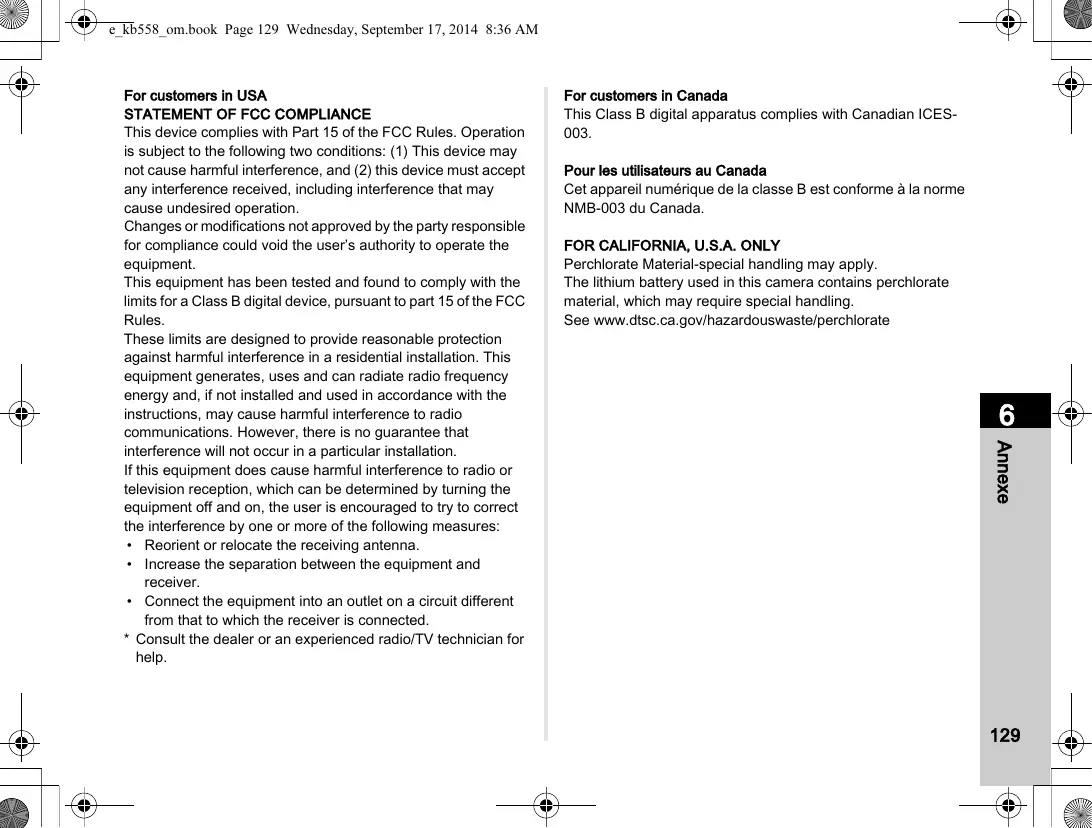
For customers in USA

STATEMENT OF FCC COMPLIANCE

This device complies with Part 15 of the FCC Rules. Operation is subject to the following two conditions: (1) This device may not cause harmful interference, and (2) this device must accept any interference received, including interference that may cause undesired operation.

Changes or modifications not approved by the party responsible for compliance could void the user's authority to operate the equipment.

This equipment has been tested and found to comply with the limits for a Class B digital device, pursuant to part 15 of the FCC Rules.

These limits are designed to provide reasonable protection against harmful interference in a residential installation. This equipment generates, uses and can radiate radio frequency energy and, if not installed and used in accordance with the instructions, may cause harmful interference to radio communications. However, there is no guarantee that interference will not occur in a particular installation.

If this equipment does cause harmful interference to radio or television reception, which can be determined by turning the equipment off and on, the user is encouraged to try to correct the interference by one or more of the following measures:

  • Reorient or relocate the receiving antenna.
  • Increase the separation between the equipment and receiver.
  • Connect the equipment into an outlet on a circuit different from that to which the receiver is connected.
  • Consult the dealer or an experienced radio/TV technician for help.

For customers in Canada

This Class B digital apparatus complies with Canadian ICES-003.

Perchlorate Material-special handling may apply.

The lithium battery used in this camera contains perchlorate material, which may require special handling.

See www.dtsc.ca.gov/hazardouswaste/perchlorate

Declaration of Conformity

According to 47CFR, Parts 2 and 15 for

Class B Personal Computers and

Peripherals

We: RICOH IMAGING AMERICAS CORPORATION

Located at: 633 17th Street, Suite 2600

Denver, Colorado 80202 U.S.A.

Phone: 800-877-0155

FAX: 303-790-1131

Declare under sole responsibility that the product identified herein complies with 47CFR Parts 2 and 15 of the FCC rules as a Class B digital device. Each product marketed is identical to the representative unit tested and found to be compliant with the standards. Records maintained continue to reflect the equipment being produced can be expected to be within the variation accepted, due to quantity production and testing on the statistical basis as required by 47CFR §2.909. Operation is subject to the following two conditions: (1) This device may not cause harmful interference, and (2) This device must accept any interference received, including interference that may cause undesired operation. The above named party is responsible for ensuring that the equipment complies with the standards of 47CFR §15.101 to §15.109.

Product Name: SLR Digital Camera

Model Number: PENTAX K-S1

Contact person: Customer Service Manager

Date and Place: August, 2014. Colorado

PENTAX House, Heron Drive, Langley, Slough, Berks SL3 8PN, U.K. (http://www.ricoh-imaging.co.uk)

RICOH IMAGING AMERICAS CORPORATION

633 17th Street, Suite 2600, Denver, Colorado 80202, U.S.A. (http://www.us.ricoh-imaging.com)

RICOH IMAGING CANADA INC.

520 Explorer Drive Suite 300, Mississauga, Ontario, L4W 5L1, CANADA (http://www.ricoh-imaging.ca)

RICOH IMAGING CHINA CO., LTD.

23D, Jun Yao International Plaza, 789 Zhaojiabang Road, Xu Hui District, Shanghai, 200032, CHINA (http://www.ricoh-imaging.com.cn)

Manual assistant
Powered by Anthropic
Waiting for your message
Product information

Brand : PENTAX

Model : KS-2

Category : Digital SLR Camera