PENTAX K-500 - Digital SLR Camera

K-500 - Digital SLR Camera PENTAX - Free user manual and instructions

Find the device manual for free K-500 PENTAX in PDF.

📄 325 pages English EN Download 💬 AI Question 13 questions ⚙️ Specs
Notice PENTAX K-500 - page 321
View the manual : Français FR English EN
Pick your language and provide your email: we'll send you a specifically translated version.
Product Type Digital SLR Camera
Dimensions Approx. 129.0 mm (W) x 96.5 mm (H) x 70.0 mm (D)
Weight Approx. 650 g (with D-LI109 battery and SD card), 675 g (with AA batteries), 590 g (body only)
Power Source Rechargeable lithium-ion battery D-LI109 or battery holder D-BH109 (4 AA batteries), optional AC adapter K-AC128
Sensor 16.2 megapixel CMOS (4928x3264)
Image Stabilization Shake Reduction (sensor shift)
Display 3-inch LCD, 921,000 dots
Viewfinder Pentamirror optical, 96% coverage, 0.85x magnification
ISO Sensitivity 100-12800 (expandable to 25600 in NR mode)
Video 1920x1080 (30p/25p/24p), 1280x720 (60p/50p)
Focus TTL phase-detection autofocus, 11 points (9 cross-type)
Exposure Metering Multi-segment, center-weighted, spot
Shutter Speed 30 s to 1/6000 s, Bulb
Built-in Flash GN 12 (ISO 100/m), covers 28 mm (35 mm equivalent)
Operating Environment Temperature: -10°C to 40°C, humidity: up to 85%
Maintenance and Cleaning Use a brush for the lens; avoid solvents; professional sensor cleaning recommended
Safety Do not disassemble; use only specified accessories; protect from magnetic fields
Spare Parts and Repairability Contact PENTAX customer service; overhaul every 1-2 years
General Information 12-month warranty; compatible with DA, DA L, D FA, FA J lenses; wide range of accessories

Frequently Asked Questions - K-500 PENTAX

How to activate image stabilization on the Pentax K-500?
The Shake Reduction function (p.124) is activated via the [Capture Mode] menu or by pressing the dedicated button. You can choose between Normal, Panning, or Off modes.
What type of memory card to use with the K-500?
Use commercially available SD, SDHC, or SDXC cards (p.54). For videos, prefer a high-speed card to avoid recording interruptions.
How to manually set the white balance?
In the [Capture Mode] menu, select Manual White Balance (p.156). Point the camera at a white surface or use a gray card to take the measurement.
How to use the built-in flash of the K-500?
Press the Flash pop-up button (p.73) to raise it. The flash mode is adjusted using the navigation button (p.78): auto, red-eye reduction, slow sync, etc.
How to connect the camera to a computer?
Use the supplied USB cable (I-USB7). Set the USB connection mode (p.254) to MSC (mass storage) or PTP as needed, then connect the powered camera to the computer.
How to format a memory card in the K-500?
Go to the [Preferences] menu > [Format] (p.238). Confirm the operation. Formatting erases all data on the card. Use this function for new cards or cards used on other devices.
How to clean the CMOS sensor of the K-500?
The camera has a dust removal system (p.288). You can start automatic cleaning via the menu. For manual cleaning, use a blower or contact PENTAX customer service (fee-based service).
How to use the self-timer?
Press the navigation button (▲▼◀▶) in standby mode to access the drive mode (p.78). Select Self-timer (p.126) and choose the delay (2s, 12s, or custom).
How to record a video with the K-500?
Turn the mode dial to VIDEO (p.136). Press the shutter button to start recording and again to stop. You can adjust resolution, frame rate, and recording level via the Video menu.
How to customize the buttons of the K-500?
In the [Custom Settings] menu (p.84), you can assign different functions to the RAW/Fx and AF/AE-L buttons (p.174). For example, assign white balance or sensitivity for quick access.

User questions about K-500 PENTAX

3 questions about this device. Answer the ones you know or ask your own.

Ask a new question about this device

The email remains private: it is only used to notify you if someone responds to your question.

How to use manual zoom on the PENTAX K-500 digital SLR camera?
Frequently Asked Questions - 03/03/2026
Response Notice-Facile

The PENTAX K-500 does not have motorized zoom. Zooming is done entirely by hand, directly on the lens. Here’s how to use it correctly:

Use the zoom ring on the lens: When using a zoom lens, locate the zoom ring on the lens barrel. Turn it to the right or left to change the field of view and adjust your framing. Unlike motorized zooms, manual zoom offers direct and immediate control over composition. Look through the viewfinder or observe on the 3-inch LCD screen to see real-time changes as you make your adjustments.

Set the lens focal length: If you are using a lens whose focal length cannot be automatically detected by the camera, you need to set it manually for the shake reduction system to work properly. Access the Shooting Mode menu (menu A) and select [Input Focal Length]. Turn the rear dial to choose the focal length from the available values: 8, 10, 12, 15, 18, 20, 24, 28, 30, 35, 40, 45, 50, 55, 65, 70, 75, 85, 100, 120, 135, 150, 180, 200, 250, 300, 350, 400, 450, 500, 550, 600, 700, and 800 mm. Press OK to confirm. If your zoom lens has a focal length that is not exactly on this list, select the closest value.

Advantages of manual zoom: Although slower than motorized zoom, manual zoom gives you precise and immediate control over your framing. There is no lag or execution delay, allowing for quick and smooth composition. Manual zoom is also more battery-efficient and provides a direct tactile feel of your lens, ideal for photographers seeking complete mastery of their shot.

Respond (be the first)
How to view photos taken with the PENTAX K-500 digital SLR?
Frequently Asked Questions - 03/03/2026
Response Notice-Facile

To view the photos you have taken with your PENTAX K-500 digital SLR camera, follow these simple steps:

  • Turn on the camera by switching the power switch to the ON position.
  • Press the "Playback" button (often represented by a triangle icon) located on the body. This activates playback mode and displays the last photo taken on the LCD screen.
  • Use the arrow buttons (usually to the right of the screen) to navigate through the different images stored on the memory card.
  • To zoom in on a photo and see the details, use the zoom buttons (+/-) located on the camera.
  • To return to shooting mode, press the "Playback" button again.

This method allows you to quickly view your photos directly on the device, without needing to connect it to a computer.

Respond (be the first)
How to display the live image on the LCD screen of the PENTAX K-500?
Frequently Asked Questions - 03/03/2026
Response Notice-Facile

The PENTAX K-500 features a Live View mode that allows you to see the live image on the 3-inch LCD screen at the back of the camera. This function is particularly useful for shooting at difficult angles, macro photography, or when you prefer not to use the optical viewfinder. The 921,000-dot LCD screen provides adequate viewing quality to frame your composition.

To activate Live View mode, follow these steps:

  • Press the U/i (Live View) button located at the back of the camera, near the delete button. The Live View image will immediately appear on the LCD screen.
  • Position your subject within the AF target visible on the screen.
  • Press the shutter button halfway to activate autofocus. Once focus is achieved, the AF target turns green, confirming that your subject is in focus.
  • Press the shutter button fully to take the photo. The shooting steps are the same as in standard operation.
  • To exit Live View mode and return to the optical viewfinder, press the U/i button again.

Some important points to know about the PENTAX K-500: noise may appear on the Live View image in poorly lit areas, and the displayed image may slightly differ from the final photo if lighting conditions change during Live View. With a 16-megapixel APS-C sensor and 11-point autofocus, Live View mode works effectively even in varying light conditions.

Respond (be the first)

Download the instructions for your Digital SLR Camera in PDF format for free! Find your manual K-500 - PENTAX and take your electronic device back in hand. On this page are published all the documents necessary for the use of your device. K-500 by PENTAX.

USER MANUAL K-500 PENTAX
PENTAX K-500 - 1
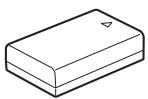
Batterie lithium-ion rechargeable D-LI109*

① Bouton (Correction IL)

13 Sur-impression (p.134)

Increments ILValeur de correction de l'exposition
1/3 IL±0,3; ±0,7; ±1,0; ±1,3; ±1,7; ±2,0; ±2,3; ±2,7; ±3,0; ±3,3; ±3,7; ±4,0; ±4,3; ±4,7; ±5,0
1/2 IL±0,5; ±1,0; ±1,5; ±2,0; ±2,5; ±3,0; ±3,5; ±4,0; ±4,5; ±5,0

Affichage 4/9/16/36/81 imagettes

Amplification des tons

Baguedemiseau point 117

Batteries rechargeable

Ni-MH 50

INFO (Bouton INFO) .... 21, 24, 25, 31, 194

Info/optionsprograme 236

(Lecture), bouton 21, 24, 74

MENU (Bouton
MENU) 22, 24, 42

Mer & Neige 90

OK (Bouton OK) ....22, 24, 112

RAW/Fx, bouton 21, 177

Réglages capture image ....150

Réglages capture video 137

For customers in USA STATEMENT OF FCC COMPLIANCE

This device complies with Part 15 of the FCC Rules. Operation is subject to the following two conditions: (1) This device may not cause harmful interference, and (2) this device must accept any interference received, including interference that may cause undesired operation.

Changes or modifications not approved by the party responsible for compliance could void the user's authority to operate the equipment. This equipment has been tested and found to comply with the limits for a Class B digital device, pursuant to part 15 of the FCC Rules.

These limits are designed to provide reasonable protection against harmful interference in a residential installation. This equipment generates, uses and can radiate radio frequency energy and, if not installed and used in accordance with the instructions, may cause harmful interference to radio communications. However, there is no guarantee that interference will not occur in a particular installation.

If this equipment does cause harmful interference to radio or television reception, which can be determined by turning the equipment off and on, the user is encouraged to try to correct the interference by one or more of the following measures:

  • Reorient or relocate the receiving antenna.
  • Increase the separation between the equipment and receiver.
  • Connect the equipment into an outlet on a circuit different from that to which the receiver is connected.
  • Consult the dealer or an experienced radio/TV technician for help.

For customers in Canada

This Class B digital apparatus complies with Canadian ICES-003.

Perchlorate Material-special handling may apply.

The lithium battery used in this camera contains perchlorate material, which may require special handling.

See www.dtsc.ca.gov/hazardouswaste/perchlorate

Declaration of Conformity

According to 47CFR, Parts 2 and 15 for

Class B Personal Computers and Peripherals

We: PENTAX RICOH IMAGING AMERICAS CORPORATION

Located at: 633 17th Street, Suite 2600 Denver, Colorado 80202 U.S.A. Phone: 800-877-0155 FAX: 303-790-1131

Declare under sole responsibility that the product identified herein complies with 47CFR Parts 2 and 15 of the FCC rules as a Class B digital device. Each product marketed is identical to the representative unit tested and found to be compliant with the standards. Records maintained continue to reflect the equipment being produced can be expected to be within the variation accepted, due to quantity production and testing on the statistical basis as required by 47CFR §2.909. Operation is subject to the following two conditions: (1) This device may not cause harmful interference, and (2) This device must accept any interference received, including interference that may cause undesired operation. The above named party is responsible for ensuring that the equipment complies with the standards of 47CFR §15.101 to §15.109.

Product Name: Digital Camera

Model Number: K-500

Contact person: Customer Service Manager

Date and Place: May, 2013, Colorado

PENTAX RICOH IMAGING FRANCE S.A.S. (European Headquarters)

112 Quai de Bezons, B.P. 204, 95106 Argenteuil Cedex, FRANCE
(HQ - http://www.pentax.eu)
(France - http://www.pentax.fr)

PENTAX RICOH IMAGING
DEUTSCHLAND GmbH

Am Kaiserkai 1, 20457 Hamburg,
GERMANY
(http://www.pentax.de)

PENTAX RICOH IMAGING UK LTD.

PENTAX House, Heron Drive, Langley, Slough, Berks SL3 8PN, U.K. (http://www.pentax.co.uk)

PENTAX RICOH IMAGING AMERICAS CORPORATION

633 17th Street, Suite 2600, Denver, Colorado 80202, U.S.A.
(http://www.pentaximaging.com)

PENTAX RICOH IMAGING CANADA INC.

1770 Argentina Road Mississauga, Ontario L5N 3S7, CANADA (http://www.pentax.ca)

PENTAX RICOH IMAGING CHINA CO., LTD.

23D, Jun Yao International Plaza, 789 Zhaojiabang Road, Xu Hui District, Shanghai, 200032, CHINA (http://www.pentax.com.cn)

Manual assistant
Powered by Anthropic
Waiting for your message
Product information

Brand : PENTAX

Model : K-500

Category : Digital SLR Camera