PENTAX K-30 - Digital SLR Camera

K-30 - Digital SLR Camera PENTAX - Free user manual and instructions

Find the device manual for free K-30 PENTAX in PDF.

📄 328 pages English EN Download 💬 AI Question 2 questions
Notice PENTAX K-30 - page 324
View the manual : Français FR English EN
Pick your language and provide your email: we'll send you a specifically translated version.

User questions about K-30 PENTAX

2 questions about this device. Answer the ones you know or ask your own.

Ask a new question about this device

The email remains private: it is only used to notify you if someone responds to your question.

How to adjust the focus on a PENTAX K-30 digital SLR camera?
Frequently Asked Questions - 21/04/2026
Response Notice-Facile

The PENTAX K-30 features a SAFOX IXi+ autofocus system with 11 AF points that allows you to precisely adjust the sharpness before taking your photos. There are three main AF modes accessible via the focus mode switch on the lens:

  • l (AF Single): focuses once when you press the shutter halfway and locks it for stationary subjects. This focus-priority mode is suitable for classic photography.
  • k or A (AF Continuous): continues to focus automatically as long as you keep the shutter pressed halfway, ideal for tracking moving subjects like in Sports mode.
  • f (AF Auto): automatically switches between AF Single and AF Continuous depending on the detected scene.
  • \ (MF): switches to manual focus for complete control.

To select your focus area, first set the switch to l, A, or k, then go to the menu and choose from the options: Auto with 5 or 11 AF points (the focus will automatically be on the best detected subject), or Select to manually choose one of the 11 points that will appear in red in the viewfinder. If you activate Spot mode, only the central point will be used for maximum precision.

In manual focus (MF), set the focus mode switch on the lens to \ and turn the focus ring while looking through the viewfinder until the subject is sharp. If you lightly press the shutter during this operation, the focus indicator ] will display and a beep will confirm when the sharpness matches the subject. In Live View mode, you can check the focus precisely by pressing button 4 to zoom in on the image on the LCD screen.

Also adjust the diopter of the viewfinder with the diopter adjustment wheel located next to the viewfinder if the image appears blurry, so that your eye sees a sharp image in the viewfinder regardless of your vision. Once your focus is achieved, you can lock the composition and recompose your photo if necessary, as the focus will remain memorized as long as you keep the shutter pressed halfway in AF Single mode.

The K-30 has a dedicated AF assist LED light that automatically activates in low-light environments to facilitate autofocus. If you find the focus inaccurate after shooting, you can use the Fine AF Adjustment function (accessible via the menu) to refine the autofocus behavior according to your specific objectives.


Respond (be the first)
How to troubleshoot focusing issues via the viewfinder on a PENTAX K-30 DSLR camera?
Frequently Asked Questions - 21/04/2026
Response Notice-Facile

If you are experiencing focusing issues via the viewfinder of your PENTAX K-30, here are the steps to follow to identify and correct the malfunction:

First, check the diopter adjustment of the viewfinder. The PENTAX K-30 has a diopter adjustment lever located near the eyepiece. Look through the viewfinder and slide this lever left or right until the AF target (the square or focus points) appears sharp. If this target does not seem sharp, you might think that the camera's focus is not working properly, while it is simply a poor adaptation to your vision.

Check the focus mode of the lens. Make sure that the focus switch on your lens (if it has one) is set to AF (autofocus) for automatic focusing. For lenses without this switch, the mode is controlled solely by the camera. If you want to test manual focus, turn the focus ring on the lens until you see a sharp image in the viewfinder.

Check the camera's AF mode. The PENTAX K-30 offers three autofocus modes: AF Single (l) for stationary subjects, AF Continuous (k) for moving subjects, and AF Auto (f) for automatic selection. Set the appropriate mode via the focus mode switch located on the body. In AF Single mode, the system locks focus when you press halfway down on the shutter button.

Check the selected AF point. The PENTAX K-30 has 11 focus points. Place your subject in one of the points visible in the viewfinder. A green AF point indicates that focus is achieved, while a red AF point means the subject is not sharp. If focusing fails, you can select another AF point or use the center focus mode. In low light conditions, the AF assist light may automatically turn on to aid focusing.

Check the lens. Remove the lens by unlocking the mount ring and reattach it firmly. Ensure that the electrical contacts between the lens and the body are clean. A poor mount or dirty contacts can prevent communication between the camera and the lens, blocking autofocus.

Test with another lens. If possible, borrow another lens compatible with the PENTAX K-30 (K mount) to test. If focusing works with this other lens, the problem lies with your original lens. If the problem persists with all lenses, contact an authorized PENTAX repair center to have the camera's focusing system checked.

Reset settings as a last resort. If none of the previous steps resolve the issue, access the menu and look for the option to reset the camera settings to factory values. This may correct configurations affecting focus, although this action will also reset your other custom settings.

Respond (be the first)

Download the instructions for your Digital SLR Camera in PDF format for free! Find your manual K-30 - PENTAX and take your electronic device back in hand. On this page are published all the documents necessary for the use of your device. K-30 by PENTAX.

USER MANUAL K-30 PENTAX

The Excellent digital development technology

PENTAX K-30 - 1

PENTAX K-30 - 2

PENTAX K-30 - 3

PENTAX K-30 - 4

PENTAX K-30 - 5

PENTAX K-30 - 6
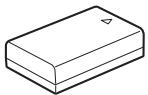
Batterie lithium-ion rechargeable D-LI109

① Bouton (Correction IL)

Incréements ILValeur de correction de l'exposition
1/3 IL±0,3; ±0,7; ±1,0; ±1,3; ±1,7; ±2,0; ±2,3; ±2,7; ±3,0; ±3,3; ±3,7; ±4,0; ±4,3; ±4,7; ±5,0
1/2 IL±0,5; ±1,0; ±1,5; ±2,0; ±2,5; ±3,0; ±3,5; ±4,0; ±4,5; ±5,0

Affichage 4/9/16/36/81 imagettes

Assistance AF 19, 72, 116

Batteries rechargeables Ni-MH 52

Bouton (Correction IL) 21, 23, 104

Bouton INFO .... 21, 23, 30, 202

Bouton de navigation (▲▼▲▶) 21, 23, 40, 82

Bouton (Lecture) 21, 23, 78

Bouton V/ (Live View/ Supprimer) 21, 23, 73, 79, 26

Bouton MENU 21, 23, 43

Bouton OK 21, 23, 118

Bouton RAW/Fx 21, 185

Bouton vert 21, 181

Portrait nocturne 95

Réglages capture image ....156

Réglages capture video 144

Réglages plaque dynamiq ....167

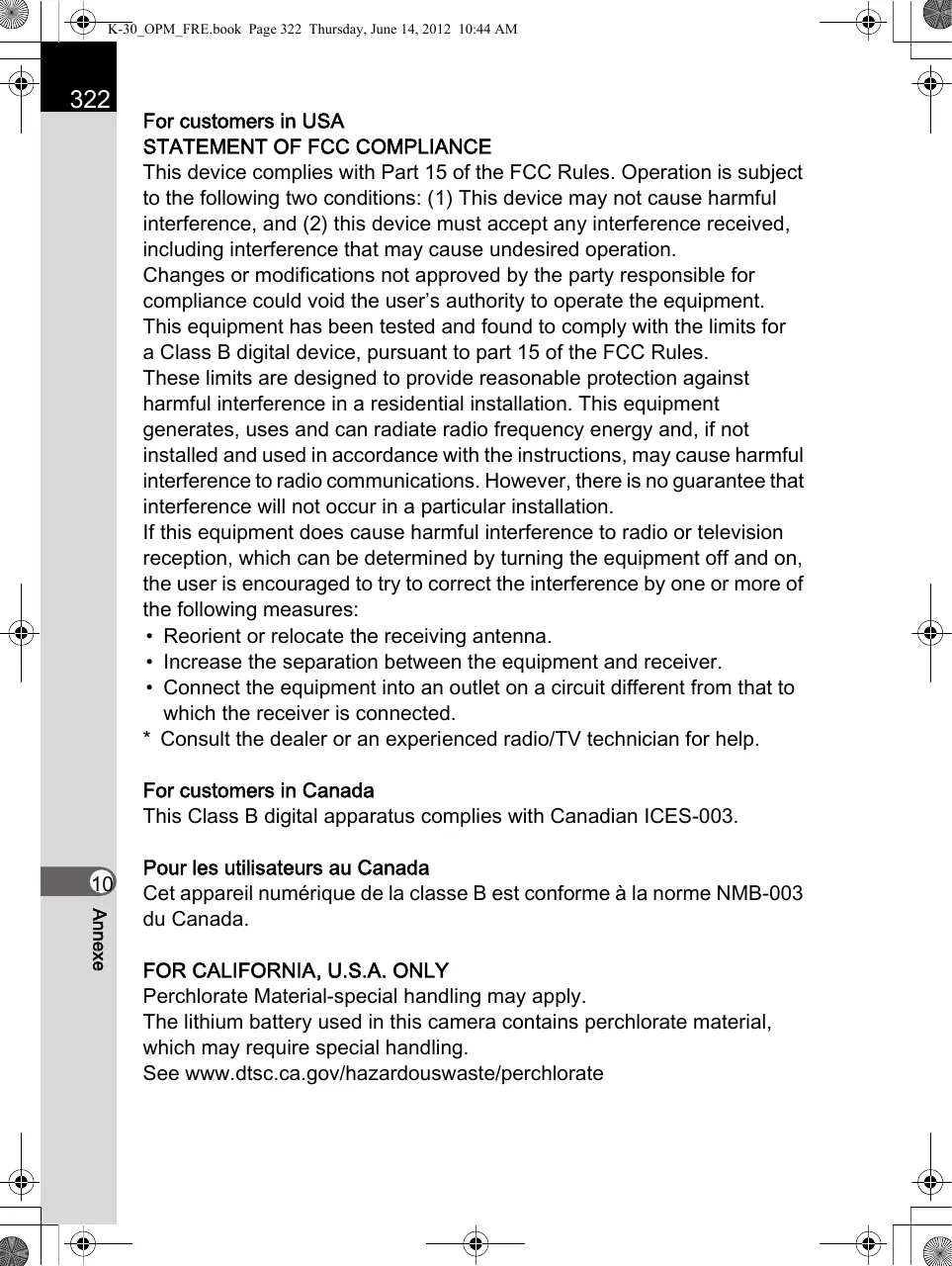
For customers in USA

STATEMENT OF FCC COMPLIANCE

This device complies with Part 15 of the FCC Rules. Operation is subject to the following two conditions: (1) This device may not cause harmful interference, and (2) this device must accept any interference received, including interference that may cause undesired operation.

Changes or modifications not approved by the party responsible for compliance could void the user's authority to operate the equipment.

This equipment has been tested and found to comply with the limits for a Class B digital device, pursuant to part 15 of the FCC Rules.

These limits are designed to provide reasonable protection against harmful interference in a residential installation. This equipment generates, uses and can radiate radio frequency energy and, if not installed and used in accordance with the instructions, may cause harmful interference to radio communications. However, there is no guarantee that interference will not occur in a particular installation.

If this equipment does cause harmful interference to radio or television reception, which can be determined by turning the equipment off and on, the user is encouraged to try to correct the interference by one or more of the following measures:

  • Reorient or relocate the receiving antenna.
  • Increase the separation between the equipment and receiver.
  • Connect the equipment into an outlet on a circuit different from that to which the receiver is connected.
  • Consult the dealer or an experienced radio/TV technician for help.

For customers in Canada

This Class B digital apparatus complies with Canadian ICES-003.

Perchlorate Material-special handling may apply.

The lithium battery used in this camera contains perchlorate material, which may require special handling.

See www.dtsc.ca.gov/hazardouswaste/perchlorate

Declaration of Conformity

According to 47CFR, Parts 2 and 15 for

Class B Personal Computers and Peripherals

We: PENTAX RICOH IMAGING AMERICAS CORPORATION

Located at: 633 17th Street, Suite 2600 Denver, Colorado 80202 U.S.A. Phone: 800-877-0155 FAX: 303-790-1131

Declare under sole responsibility that the product identified herein complies with 47CFR Parts 2 and 15 of the FCC rules as a Class B digital device. Each product marketed is identical to the representative unit tested and found to be compliant with the standards. Records maintained continue to reflect the equipment being produced can be expected to be within the variation accepted, due to quantity production and testing on the statistical basis as required by 47CFR §2.909. Operation is subject to the following two conditions: (1) This device may not cause harmful interference, and (2) This device must accept any interference received, including interference that may cause undesired operation. The above named party is responsible for ensuring that the equipment complies with the standards of 47CFR §15.101 to §15.109.

Product Name: Digital Camera

Model Number: K-30

Contact person: Customer Service Manager

Date and Place: June, 2012, Colorado

Manual assistant
Powered by Anthropic
Waiting for your message
Product information

Brand : PENTAX

Model : K-30

Category : Digital SLR Camera