

To achieve quality photos in a room lit by a lamp with your PENTAX K-7, it is essential to properly adjust the balance of settings. Here are the recommended adjustments that make the most of your camera's capabilities.
Adjust the white balance: Press the navigation button (4) to access the White Balance screen. Select mode I (Tungsten) which is specifically designed for electric lighting from incandescent bulbs. This setting will automatically correct the warm (reddish) tint characteristic of these light sources and render your photos with natural colors. The Tungsten mode of the K-7 corresponds to approximately 3000 Kelvin, the typical color temperature of incandescent bulbs.
Optimize the aperture and shutter speed: Use aperture priority mode (Av) or manual mode (M) to control exposure. Open the lens to its maximum (the smallest f value possible, for example f/2.8 or f/4) to let in as much light as possible. Choose a shutter speed of at least 1/60th of a second to avoid motion blur if you are holding the camera by hand. If you have a tripod, you can use slower speeds.
Increase the ISO sensitivity: Your K-7 has an ISO range of 100 to 6400 (expandable up to 12800 in high sensitivity mode). For indoor shooting under lamp light, start with ISO 800 or ISO 1600 and adjust according to your results. A higher ISO will allow for better exposure but may introduce digital noise. You can also use the AUTO ISO mode by setting a range of 200 to 1600 for smart automation.
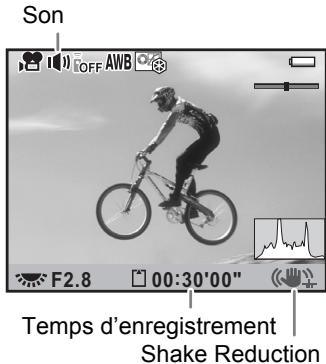
Activate image stabilization: The K-7 features the Shake Reduction system (sensor stabilization) that compensates for vibrations. Set it to on (k) in the menu to reduce motion blur, particularly useful with slower shutter speeds indoors. This function works with all compatible PENTAX K-mount lenses.
Additional fine-tuning: Once the Tungsten mode is selected, you can fine-tune the white balance by pressing the navigation button (5). This allows you to adjust the hues on the green-magenta and blue-amber axes to perfect the color balance according to your specific light source. Use the digital preview (button | green) to check the effect before taking your photo.








![[ ( ) ] 30 F4 37](/content/2019/11/87325/images/b7af27cdd34d24b0d5636dca585a6d6b11521af8fd3961b02d66a13cd20f1d34.jpg)

![[ [ 0.0 ( ) ] ]](/content/2019/11/87325/images/98dcec134d9f85e70a6df91e639908b32d659e652b42a91ccf95a9060ff88b7d.jpg)


![B Bulb F5.6 ISO 100 -5 4 3 2 1 1 2 3 4 +5 AWB JPEG 14M ★★★ [ 37 ]](/content/2019/11/87325/images/176076d23bd2cd4a07bfc03018848f4a809aa1f88c17de287596cd6f089efc63.jpg)