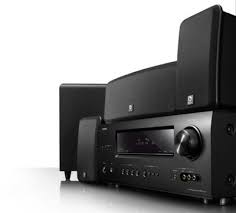
DENON DHT-1312BA - Home Theater System

DHT-1312BA - Home Theater System DENON - Free user manual and instructions

Find the device manual for free DHT-1312BA DENON in PDF.

📄 63 pages English EN Download 💬 AI Question 10 questions ⚙️ Specs
Notice DENON DHT-1312BA - page 46
View the manual : Français FR English EN
Pick your language and provide your email: we'll send you a specifically translated version.
Product type Home theater system with 5.1 channel AV receiver
Brand DENON
Model DHT-1312BA
Output power 75 W × 5 channels (8 Ω, 20 Hz - 20 kHz, 0.08% THD); 110 W × 5 channels (6 Ω, 1 kHz, 0.7% THD)
Speaker impedance 6 - 16 Ω
HDMI inputs 4 inputs (compatible with 3D, Deep Color, x.v.Color)
HDMI output 1 output (MONITOR OUT)
Supported audio formats Dolby TrueHD, DTS-HD Master Audio, Dolby Digital Plus, DTS Express, multichannel LPCM
Additional connectivity Analog inputs, optical, coaxial, V.AUX (front), PORTABLE IN (front), FM/AM antenna terminals, iPod dock (DENON ASD-11R/3N/3W/51N/51W optional)
Network functions Internet radio, music and photo playback from PC (via optional iPod dock and Internet connection)
Surround modes Dolby Pro Logic IIx, DTS Neo:6, Multi Ch Stereo, Virtual, Direct, Stereo, Cinema/Music/Game modes
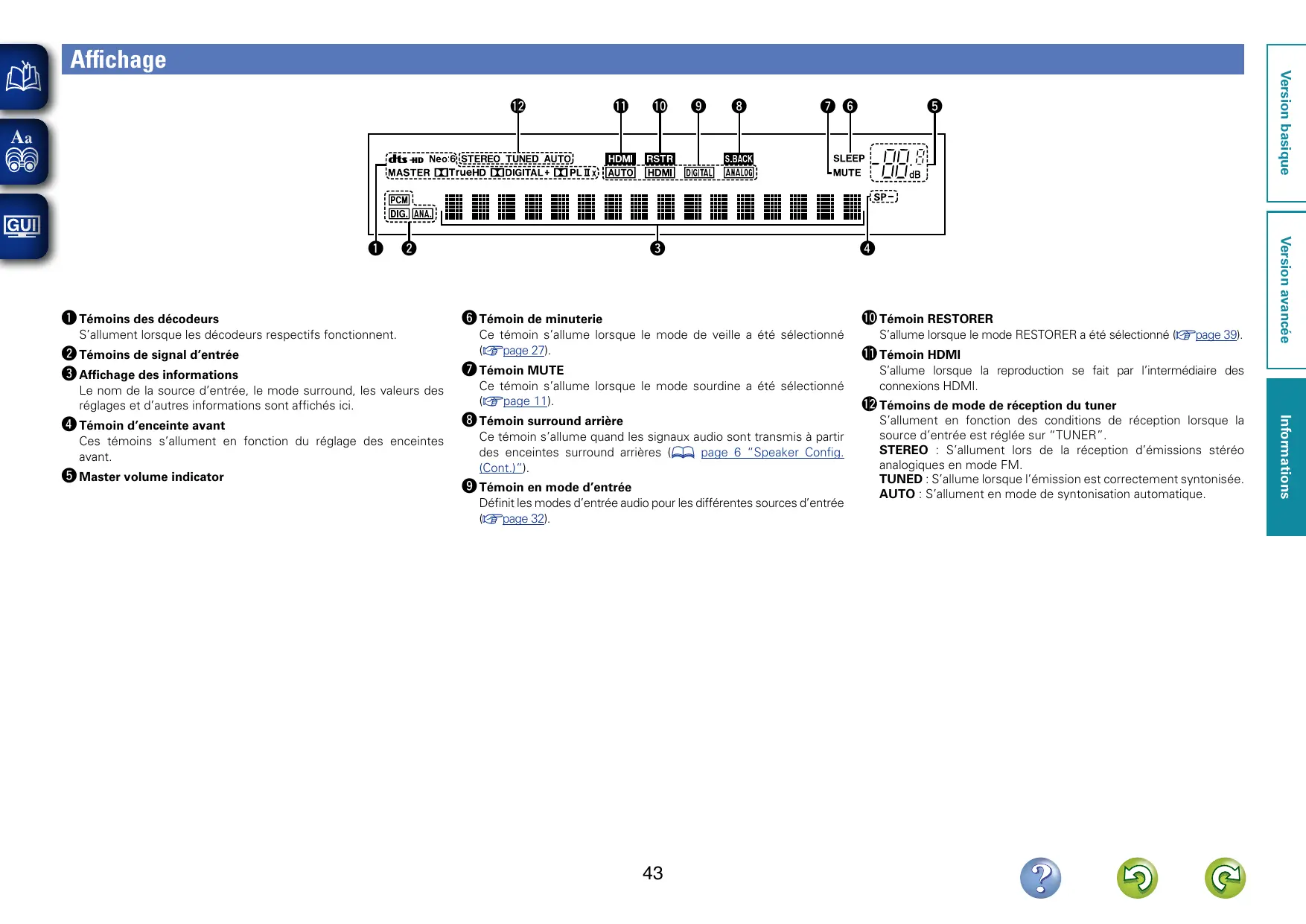
Display Front panel display + OSD menu on TV (via HDMI)
Remote control RC-1158 (main) with R03/AAA batteries
Dimensions (W × H × D) 434 × 167 × 381 mm (17-1/8 × 6-9/16 × 15 inches)
Weight 9.0 kg (19 lb 13.5 oz)
Power supply Mains (polarized plug, consumption not specified, standby < 0.5 W typical)
Power consumption Not specified in manual, estimated 350-450 W during operation
Care and cleaning Wipe with a soft, dry cloth. Do not use benzene, thinner, or insecticides.
Safety Do not open, risk of electric shock. Unplug during lightning storms or prolonged non-use. Install in a well-ventilated area.
Spare parts and repairability No user-serviceable parts. Contact qualified technician. Microprocessor reset possible (page 57 of manual).
General information 63-page manual, available as PDF download. HDMI 1.4a, HDCP compatible. iPod support via optional dock.

Frequently Asked Questions - DHT-1312BA DENON

How do I connect my TV to the DENON DHT-1312BA?
Use an HDMI cable to connect the receiver's HDMI output to the TV's HDMI input. To listen to TV sound through the system, also connect an optical digital audio output from the TV to the receiver's optical input (assign it via the Input Assign menu).
Can I play 3D videos with this system?
Yes, the DENON DHT-1312BA supports 3D video signals via HDMI 1.4a. You need to connect a compatible 3D Blu-ray player and a 3D TV. Note that the OSD menu display may interrupt 3D playback.
How do I adjust the surround mode for a movie?
Press the SURROUND button on the remote to cycle through modes. For a movie, select Dolby Pro Logic IIx Cinema or DTS Neo:6 Cinema depending on the signal. You can fine-tune settings via the Audio Adjust menu (press AUDIO ADJUST then ENTER).
What should I do if no picture appears on the screen?
Check HDMI connections, ensure the TV is set to the correct input, and that the source device is on. If the TV is not HDCP compatible, the video signal may be blocked. Try changing the resolution of the source player.
How do I connect an iPod or iPhone?
Use a compatible DENON dock (ASD-11R, ASD-3N, ASD-3W, ASD-51N or ASD-51W) sold separately. Connect the dock to the DOCK terminal on the receiver. Place the iPod in the dock, select the DOCK source, then navigate with the remote. For video, also connect the VIDEO MONITOR output to the TV.
The subwoofer produces no sound, what should I check?
Ensure the subwoofer is powered on and properly connected to the SUBWOOFER terminal of the receiver. In the Speaker Config. menu, verify that Subwoofer is set to Yes. If the front speakers are configured as Large and SW mode is LFE, some signals may not activate the subwoofer.
How do I preset radio stations?
First tune to the desired station manually or automatically. Press MEMORY, then select a memory block (A-G) with SHIFT and a preset number with CH+/-. Press MEMORY again to confirm. Up to 56 stations can be stored.
The remote control does not work, what should I do?
Replace the batteries (R03/AAA) respecting polarities. Check that no obstacles are between the remote and the sensor (max distance 7 m, angle 30°). Avoid direct sunlight or fluorescent lamps on the sensor.
Can I use the Restorer function to improve audio quality?
Yes, the RESTORER function regenerates signals lost during compression (MP3, WMA, etc.). Press RESTORER to activate it (RSTR lights up). It is only available with analog or PCM 44.1/48 kHz signals. Not available in Direct mode.
How do I reset the unit in case of malfunction?
Set the unit to standby with ON/STANDBY. Hold down the and I buttons (to the right of the display) while pressing ON/STANDBY again. Release when the display flashes. All settings return to default values.

User questions about DHT-1312BA DENON

0 question about this device. Answer the ones you know or ask your own.

Ask a new question about this device

The email remains private: it is only used to notify you if someone responds to your question.

No questions yet. Be the first to ask one.

Download the instructions for your Home Theater System in PDF format for free! Find your manual DHT-1312BA - DENON and take your electronic device back in hand. On this page are published all the documents necessary for the use of your device. DHT-1312BA by DENON.

USER MANUAL DHT-1312BA DENON

Précautions relatives aux manipulations

DTS Digital Surround

Channel Level 26, 28

Circuit de protection 53

Condensation 2

Connexion

Antenne 10

DTS Digital Surround 53

DTS-ES Discrete 6.1 20,53

DTS-ES Matrix 6.1 20,53

DTS Express 53

DTS-HD 20,53

DTS-HD High Resolution Audio 53

DTS-HD Master Audio 53

DTS NEO:6TM Surround 20,53

E

Enceintes

Connexion 24

Installation 23

Enceinte surround arriere 23, 24

F

FM/AM 17

Fonction fader 26

Mode Navigation 13, 14, 15

Mode Telecommande 13, 14, 15

MP3 54

MPEG 54

Mute Level 34

N

NIGHT MODE 38

0

Option Setup 34

Other Setup 35

Volume Control 34

Other Setup 35

Auto Surround 35

Display 35

HDMI Audio Out 35

Setup Lock 35

P

Panneau arrriere 44

Panneau avant 42

Panorama 37
Table of contents Click a title to access it
Manual assistant
Powered by Anthropic
Waiting for your message
Product information

Brand : DENON

Model : DHT-1312BA

Category : Home Theater System