
WS 2266 - Weather Station HYUNDAI - Free user manual and instructions
Find the device manual for free WS 2266 HYUNDAI in PDF.


| Product Type | Weather Station |
| Brand | Hyundai |
| Model | WS 2266 |
| Power Supply Main Unit | 3 x AAA batteries (not included) |
| Power Supply Outdoor Sensor | 2 x AAA batteries (not included) |
| Wireless Frequency | 433.9 MHz |
| Transmission Range | 30 meters (98 feet) in open area |
| Indoor Temperature Range | -9.9°C to 50°C (14.2°F to 122°F) |
| Outdoor Temperature Range | -20°C to 50°C (-4°F to 122°F) |
| Humidity Range | 20% to 99% |
| Time Synchronization | Radio controlled (DCF) |
| Calendar | Perpetual up to year 2099 |
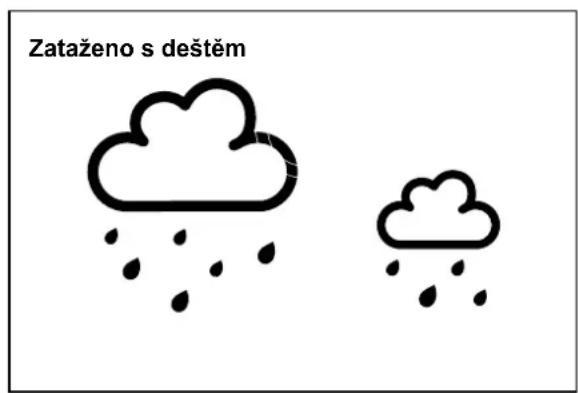
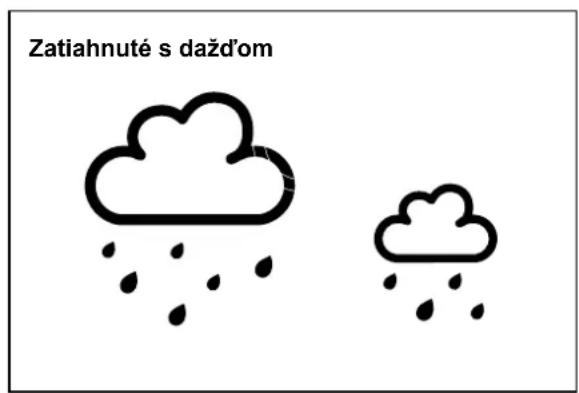
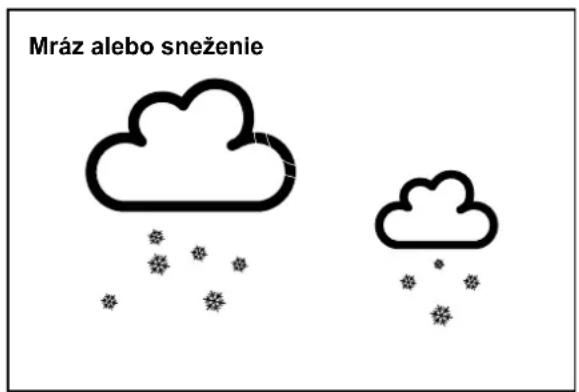
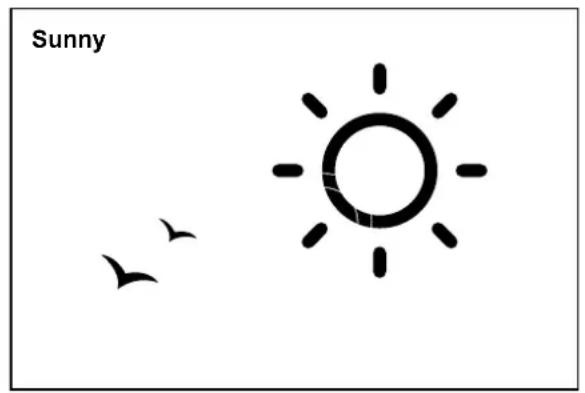
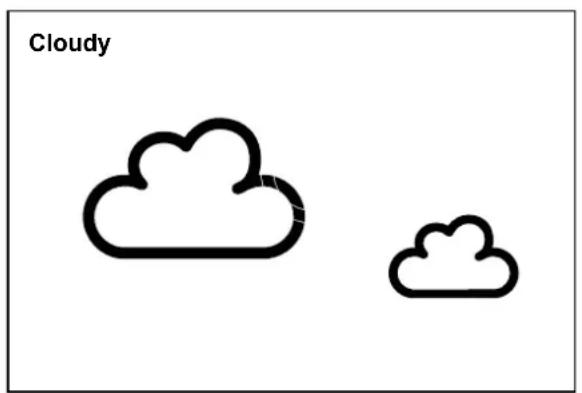
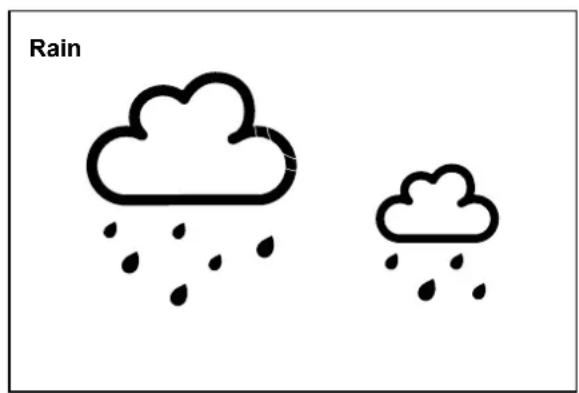
| Weather Forecast | 5 icons: Sunny, Slightly Cloudy, Cloudy, Rain, Freezing/Snow |
| Moon Phase Display | 8 phases |
| Alarm | Daily with snooze (5 minutes, up to 7 times) |
| Backlight | Yes, 5 seconds on button press |
| Temperature Unit | °C/°F selectable |
| Time Format | 12/24 hour selectable |
| Day of Week Languages | 10 languages (GE, EN, FR, IT, NE, ES, DA, CZ, RU, NO) |
| Outdoor Sensor Probe | 1.5 m cord probe for extreme temperatures |
| Low Battery Indicator | Yes for outdoor sensor |
| Dimensions (Main Unit) | Approx. 150 x 100 x 30 mm (estimated) |
| Weight (Main Unit) | Approx. 200 g (without batteries) - estimated |
| Mounting Options | Table stand (main unit); wall mount or table stand (sensor) |
| Maintenance | Clean with a soft dry cloth; avoid abrasive cleaners |
| Safety | Keep plastic bags away from children; do not expose to water |
| Spare Parts / Repairability | Reset button; replace batteries; no user-serviceable parts |
| Compliance | EU Directive 2014/53/EU; declaration at hyundai-electronics.cz |
Frequently Asked Questions - WS 2266 HYUNDAI
User questions about WS 2266 HYUNDAI
0 question about this device. Answer the ones you know or ask your own.
Ask a new question about this device
Download the instructions for your Weather Station in PDF format for free! Find your manual WS 2266 - HYUNDAI and take your electronic device back in hand. On this page are published all the documents necessary for the use of your device. WS 2266 by HYUNDAI.
USER MANUAL WS 2266 HYUNDAI
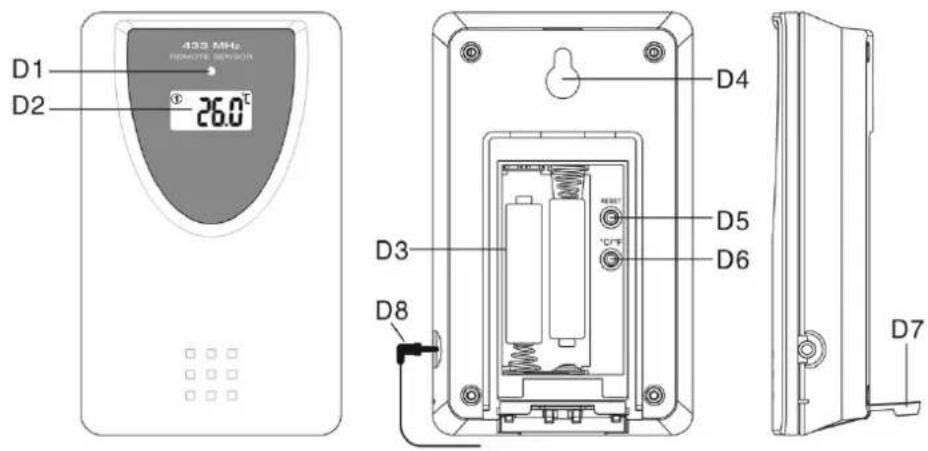
3. VENKOVNÍ TEPLOTNÍ SENZOR
natural_image
Simple illustration of a sun and birds, no text or symbols present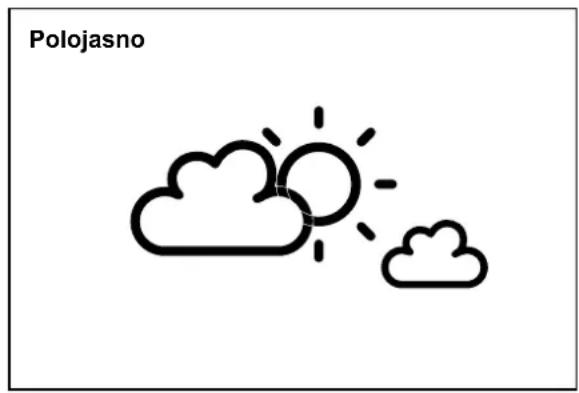
natural_image
Simple line drawing of a sun and clouds with the label 'Polojasno' above (no other text or symbols)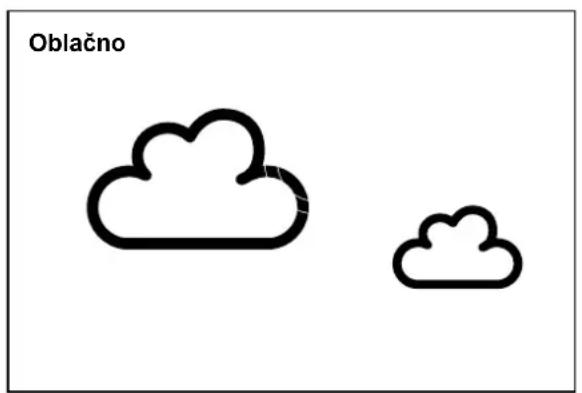
natural_image
Simple line drawing of a sun and birds, no text or symbols present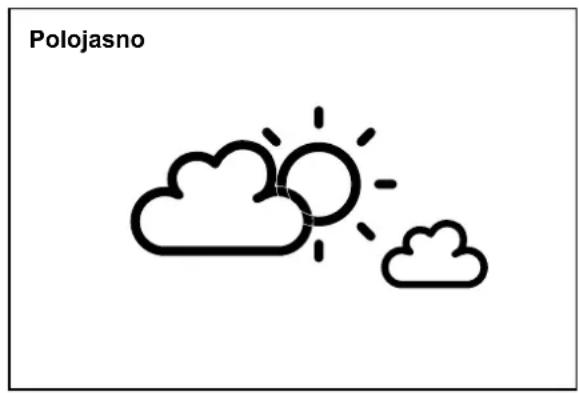
natural_image
Simple line drawing of a sun and clouds with the label 'Polojasno' above (no other text or symbols)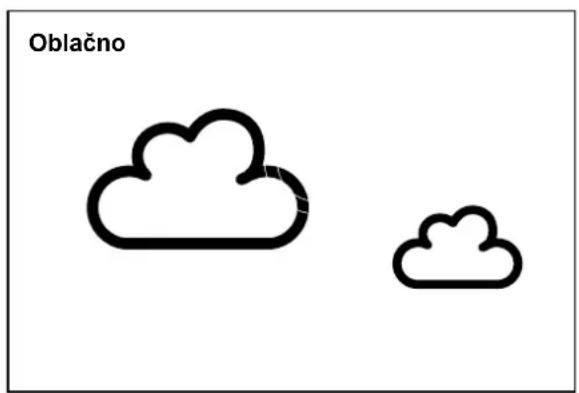
natural_image
Simple illustration of a sun and birds, no text or symbols present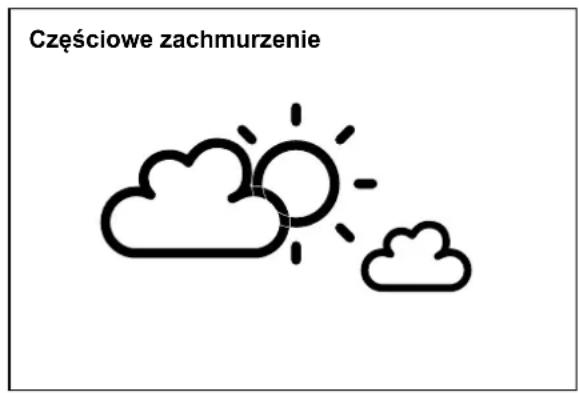
-Sunny, Slightly Cloudy, Cloudy, Rainy and Snow animation
1.2 Time
-Radio controlled time with Manual Time setting option
-12/24 hour user selectable
-Daily Snooze Alarm function
-Perpetual Calendar Up to Year 2099
-Day of week in 10 languages user selectable
1.3 Humidity
-Measurable range: 20 \~ 99 %
-Max/Min Memory
1.4 Temperature
-Indoor measurable range: -9,9 \~ 50 °C
-Measures °C/°F user selectable
-Outdoor measurable range: -20 \~ 50 °C]
-Max/Min Memory [indoor & outdoor]
1.5 Wireless Outdoor Sensor
-Low-battery indicator for Outdoor Thermo Sensor
-Wall Mount or Table Stand
-One Wireless Thermo Sensor Included
-433,9 MHz RF transmitting frequency, E.i.r.p. 0,19 mW
-30 meter [98 feet] transmission range in an open area
2. MAIN UNIT APPEARANCE
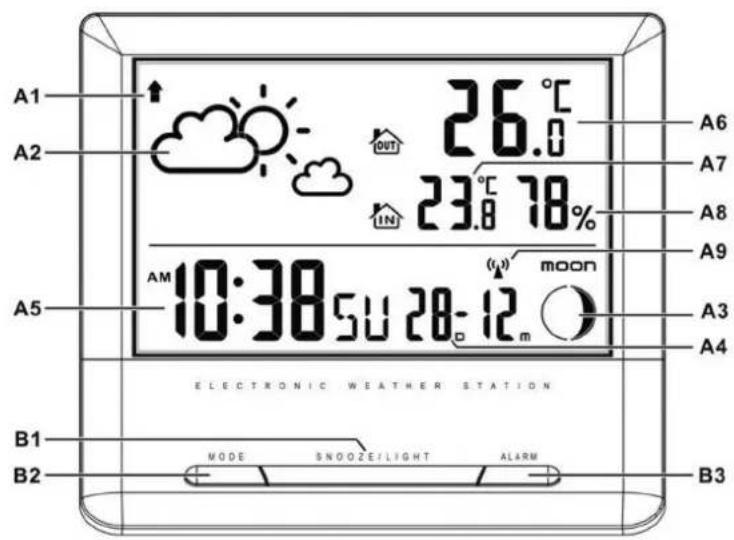
2.1 Part A - LCD
A1: Air Pressure Trend
A2: Weather Forecast
A3: Moon Phase
A4: Date
A5: Time
A6: Outdoor Temperature
A7: Indoor Temperature
A8: Indoor Humidity
A9: Radio Control Icon
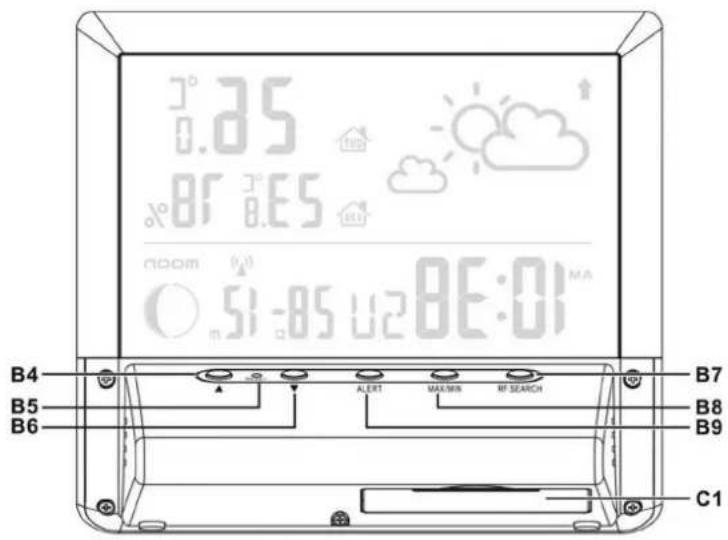
2.2 Part B - Buttons
B1: "SNOOZE/LIGHT" button
B2: "MODE" button
B3: "ALARM" button
B4: “▲” button
B5: "RESET" button
B6: “▼” button
B7: "RF SERACH" button
B8: "MAX/MIN" button
B9: "ALERT" button
2.3 Part C – Structure
C1: Battery Compartment
3. OUTDOOR THERMO SENSOR
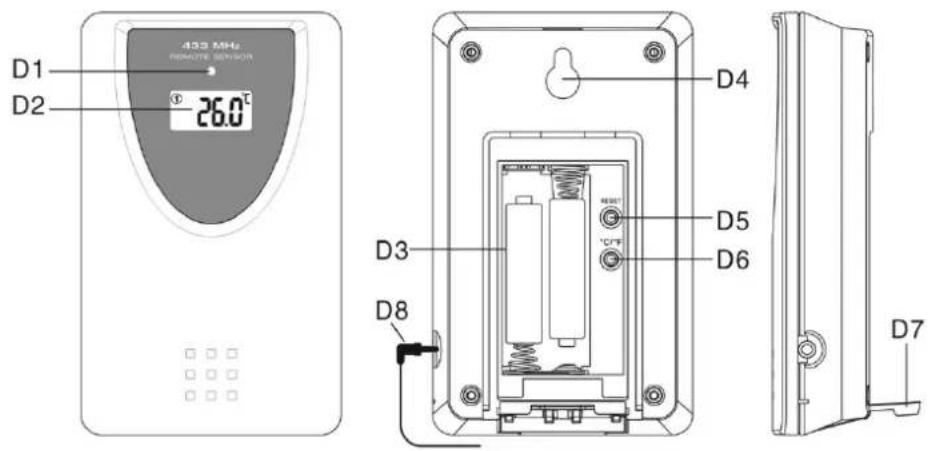
D1: Transmission Indication LED D2: Temperature Display
D3: Battery Compartment D4: Wall Mount Hole
D5: "RESET" button D6: "C/F" button
D7: Stand D8: Cable probe
4. GETTING STARTED
4.1 Main Unit:
- Open main unit battery compartment cover
- Insert 3 x AAA batteries observing polarity [ “+” and “−” marks]
- Replace main unit battery compartment cover
- Replace main unit battery compartment cover, the main unit is now ready for use.
4.2 Outdoor Thermo Sensor
- Batteries compartment (D3) of thermo sensor is locating behind the back cover
- Insert 2 x AAA batteries observing polarity [ “+” and “−” marks]
5. INSTALLATION
5.1 Main Unit
Placed the main unit can be placed onto any flat surface.
5.2 Outdoor Thermo sensor
The remote sensor should be securely mounted onto a horizontal surface.
Note: Transmissions between receiver and transmitter can reach up to 30 m in open area. Open Area: there are no interfering obstacles such as buildings, trees, vehicles, high voltage lines, etc.
6. WEATHER FORECAST FUNCTION
6.1 Operation
- After power up, weather icon flash on the LCD. Enter the current weather pressing “▲” or “▼” button. Press “MODE” button to confirm the setting. The weather forecast may not be accurate if the current weather entered is not correct
- The current weather status should be entered again if the altitude of the Main Unit is changed. (Barometric pressure is lower at higher altitude location. Therefore, altitude change will affect the weather forecast). The weather station will start the first forecast at 6 hours later after the current weather status is entered.
6.2 Weather Conditions
There are totally 5 different weather status animations in the weather forecast.
natural_image
Simple illustration of a sunny day with a sun and birds (no text or symbols)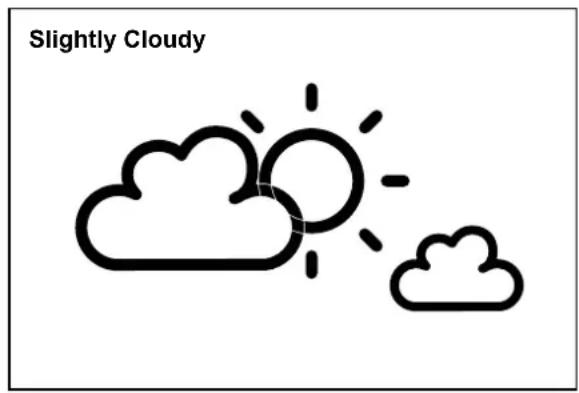
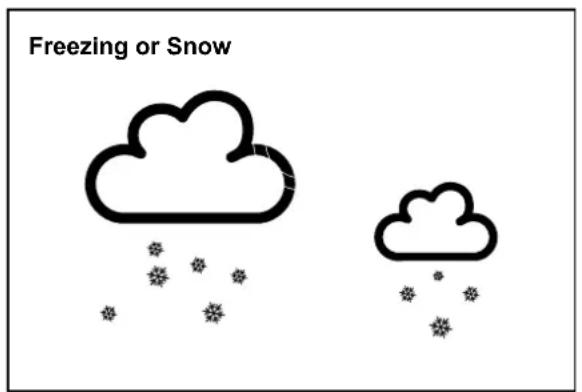
Note:
- "Freezing or snow" is shown if the weather forecast is Rainy and outdoor temperature under 0 °C.
- Frost Alert: “ ICE is shown if the outdoor temperature is between -2 °C \~ +3 °C.
- If there is any inconsistency of weather forecast between Local Weather Station and this unit, the Local Weather Station's forecast should prevail. The manufacture will not hold responsible for any trouble that may come up due to wrong forecasting from this unit.
6.3 Barometric Trend Pointer
The trend pointer displayed on the LCD (A1) indicates the trend of the Barometric pressure.
 | [XXX7] |  |
| Indicating the barometric pressure trend is rising | Indicating the barometric pressure trend is steady | Indicating the barometric pressure trend is falling |
7. THERMOMETER
7.1 RF Transmission Procedure:
- The main unit automatically starts receiving transmission from outdoor thermo sensor for outdoor temperature after weather condition setting.
- The thermo sensor unit will automatically transmit temperature signal to the main unit after batteries inserted.
- If main unit failed to receive transmission from outdoor thermo sensor in first 3 minutes after power up (“- - . -” display on the LCD), hold “RF SEARCH” button for 3 seconds to receive transmission manually.
7.2 Temperature& Humidity
- Press “▼” button (B6) to select Indoor/Outdoor Temperature in Celsius mode or Fahrenheit mode.
- If the temperature is out of the measurable range, LL.L (beyond the minimum temperature) or HH.H (beyond the maximum temperature) will be shown on the LCD.
(2) Maximum/Minimum Temperature & Indoor Humidity Recording Function:
- Press "MAX/MIN" button (B8) to show the maximum recorded Indoor Outdoor Temperature and Indoor Humidity. "This shown on the LCD.
- Press "MAX/MIN" button (B8) again to show the minimum recorded Indoor/Outdoor Temperature and Indoor Humidity. "This is shown on the LCD.
- When viewing maximum or minimum record, hold "MAX/MIN" button to clear minimum and maximum temperature & humidity record.
(3) Outdoor Temperature Alert Function
- Press "OUTDOOR TEMP ALERT" button to select to activate or deactivate outdoor temperature alert function.
- Press ALERT button select to:
- Active outdoor upper temperature alert, the icon “” besides outdoor temperature digit would display.
- Active outdoor upper& lower temperature alert, the icon "” besides outdoor temperature digit would display.
- Active outdoor lower temperature alert, the icon “” besides outdoor temperature digit would display.
- Deactivate outdoor temperature alert, alert icon disappear.
- Hold "ALERT" button for 3 seconds to enter outdoor temperature alert setting. Icon "▲" or "▼" besides outdoor temperature's digits flash. Press "▲" or "▼" button to adjust the setting value, press "ALERT" to confirm the setting. Setting sequence as follow: Upper limit of temperature, Lower limit of temperature.
- When it's alert, the corresponding icon "or " would flash on the LCD. Press any buttons to stop the alert sound.
(4) The use of 1.5 m cord Temperature Probe:
- Insert the probe plug (D8) to the jack on the right hand side of the Thermo Sensor Unit.
- Put the cable outside and leave the Thermo Sensor Unit in indoor area to avoid freezing up the battery when the outdoor temperature is below -20^ .
- Always use the temperature probe to sense the temperature when the temperature is between the following range: -50^ 0^ and +50^ +70^
8. TIME AND ALARM SETTING
8.1 Radio Controlled Clock:
- After batteries inserted and main unit finishes receiving the transmissions from outdoor thermo sensor, the clock automatically starts to scan the DCF time signal. Radio Control Icon “(▲) (A9) flashes on the LCD.
 (A9) flashes,Indicating now is receiving DCF signal (A9) flashes,Indicating now is receiving DCF signal |  (A9) turns on,Indicating signal received successfully (A9) turns on,Indicating signal received successfully |  (A9) disappear,Indicating signal reception failed (A9) disappear,Indicating signal reception failed |
- The clock automatically scans the time signal at 3.00 a.m. every day to maintain accurate timing. If reception fail, scanning stops ("") on LCD disappear) and repeats again at 4.00 a.m. 5.00 a.m. and 6.00 a.m.
- The clock can be set to scan the time signal manually by holding “▼” button (B6) for 3 seconds. Each reception takes about 5 minutes. If receptions fail, scanning stops. (“(▲)” on LCD disappear).
- Stop scanning by holding “▼” button (B6) for 3 seconds.
- "DST" shown on the LCD if it is in Daylight Saving Time Mode
8.2 Manual Time Setting:
- Hold "MODE" button (B2) for 3 seconds to enter Clock/Calendar setting mode.
- Press “▲” (B4) or “▼” (B6) button to adjust the setting and press “MODE” button (B2) to confirm each setting.
- The setting sequence is shown as follow: Weather forecast, RCC ON/OFF, Time Zone, 12/24Hour, Hour, Minute, Weekday language, Year, Month-Day Sequence, Month, Day, Temperature Unit
- 10 languages can be selected in Day-of-week, they are: German (GE), English(EN), French(FR), Italian(IT), Dutch(NE), Spanish(ES), Danish(DA), Czech(CZ), Russian(RU), Norwegian (NO)
- The Time zone is used for the countries where can receive the DCF time signal but the time zone is different from the German time.
- When the country time is faster than the German time for 1 hour, the zone should be set to +1. Then the clock will automatically set 1 hour faster from the signal time received.
Note:
The Time Setting Mode will automatically exit in 15 seconds without any adjustmen
8.3 Daily Snooze Alarm Function:
- Press "MODE" button (B2) to select to view :
Time → Alarm Time („AL“ Shown on the LCD)
- When viewing the Alarm Time, hold "MODE" button (B2) for 3 seconds to enter Alarm Time setting. Press "▲" (B4) or "▼" (B6) button to adjust the alarm time. Press "MODE" button (B2) to confirm the setting.
- Press "ALARM" button (B3) to switch alarm on or off. If it is on, "show on the LCD.
- When Alarming, press "SNOOZE/LIGHT" button (B1) to activate the snooze alarm, ("flash on the LCD). The alarm will snooze for 5 minutes, then it alarms again. This snooze function can be enabled for maximum 7 times.
- Except "Snooze" button, press any buttons to stop the snooze alarm.
9. MOON PHASE DISPLAY
The Moon Phase (A3) of each day is shown on the LCD.

A

B

C

D

E

F

G

H
A: New Moon
B: Waxing Crescent
C: First Quarter
D: Waxing Gibbous
E: Full Moon
F: Waning Gibbous
G: Last Quarter
H: Waning Crescent
10. LOW BATTERY INDICATION:
The low battery icon “☒” will appear indicating thermo sensor is in low battery status. The batteries should be replaced.
11. BACKLIGHT
Press "SNOOZE/LIGHT" button (B1), back light states for 5 seconds.
12. PRECAUTIONS
- Use a pin to press the reset button (B5) if the Unit does not work properly.
- All setting modes will automatically exit in 15 seconds without any adjustment.
- The clock loses its time information when the battery is removed.
- Avoid placing the clock near interference sources/metal frames such as computer or TV sets.
- Do not expose it to direct sunlight, heavy heat, cold, high humidity or wet areas
- The outdoor sensor must not be set up and installed under water. Set it up in away direct sunlight and Rain
- Never clean the device using abrasive or corrosive materials or products. Abrasive cleaning agents may scratch plastic parts and corrode electronic circuits
- If there is any inconsistency of weather forecast between Local Weather Station and this unit, the Local Weather Station's forecast should prevail. The manufacturer will not take responsible for incorrect forecasting from this unit.
We reserve the right to change technical specifications.


TO AVOID DANGER OF SUFFOCATION, KEEP THE PLASTIC BAG AWAY FROM BABIES AND CHILDREN. DO NOT USE THIS BAG IN CRIBS, BEDS, CARRIAGES OR PLAYPENS. THIS BAG IS NOT A TOY
Disposal of old Electrical & Electronic Equipment (Applicable in the European Union and other European countries with separate collection systems)
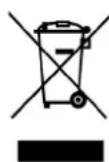
This symbol on the product or on its packaging indicates that this product shall not be treated as household waste. Instead it shall be handed over to the applicable collection point for the recycling of electrical and electronic equipment. By ensuring this product is disposed of correctly, you will help prevent potential negative consequences for the environment and human health, which could otherwise be caused by inappropriate
waste handling of this product. The recycling of materials will help to conserve natural resources. For more detailed information about recycling of this product, please contact your local Civic Office, your household waste disposal service or the shop where you purchased the product.
Hereby, ETA a.s. declares that the radio equipment type WS2266 is in compliance with Directive 2014/53/EU. The full text of the EU declaration of conformity is available at the following internet address: http://www.hyundai-electronics.cz/declaration_of_conformity
1. JELLEMZÖK
natural_image
Simple illustration of a sun and birds, labeled 'Napos' in the top-left corner (no other text or symbols)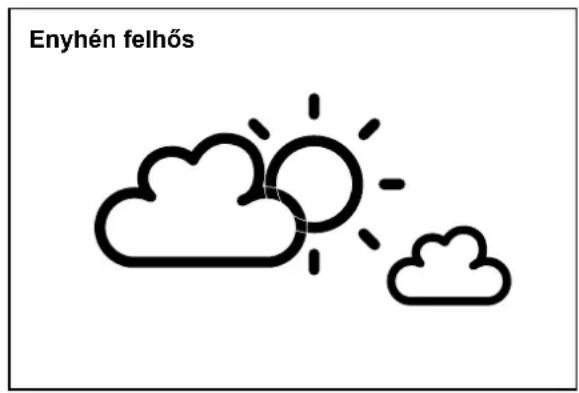
natural_image
Simple illustration of a sun and birds, no text or symbols present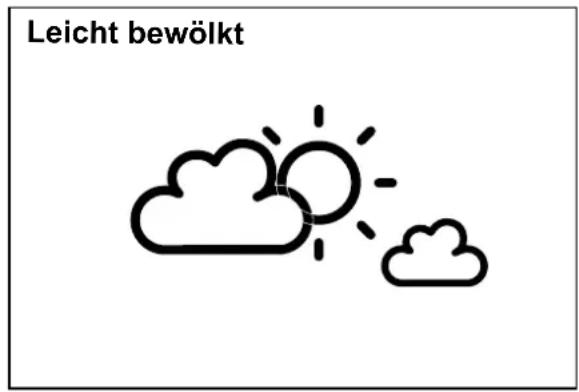
Licensed by Hyundai Corporation Holdings, Korea