
MB 3000 - Smartphone Mobiola - Free user manual and instructions
Find the device manual for free MB 3000 Mobiola in PDF.


| Product Type | Smartphone |
| Brand | Mobiola |
| Model | MB 3000 |
| SIM Card Type | Mini SIM only (dual SIM) |
| Memory Card Support | microSD up to 16 GB |
| Rear Camera | Yes |
| Flashlight | Yes (LED torch) |
| Audio Connector | 3.5 mm |
| Charging Connector | micro USB |
| Battery | Removable |
| Keypad | Numeric keypad with navigation keys |
| Profiles | General, Silent, Meeting |
| Call Functions | Call divert, call waiting, call barring, hide ID, minute reminder, auto redial |
| Messaging | SMS |
| Multimedia | Camera, video recording, audio recording |
| Operating Temperature | 0°C to 40°C |
| Water Resistance | Not water resistant |
| Safety | Use only approved batteries, chargers, and accessories |
| Default Passcode | 1234 (for factory reset) |
| EU Declaration | Compliant with Directive 2014/53/EU |
Frequently Asked Questions - MB 3000 Mobiola
User questions about MB 3000 Mobiola
0 question about this device. Answer the ones you know or ask your own.
Ask a new question about this device
Download the instructions for your Smartphone in PDF format for free! Find your manual MB 3000 - Mobiola and take your electronic device back in hand. On this page are published all the documents necessary for the use of your device. MB 3000 by Mobiola.
USER MANUAL MB 3000 Mobiola
thank you for choosing your MOBIOLA mobile phone. Get to know the basic operation of your device.
Vážený zákazníku,
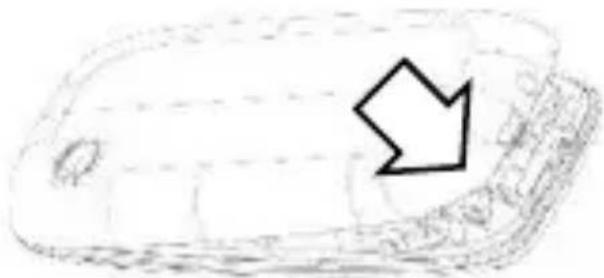
Remove battery cover on selected place using nail or plectrum.
If the battery is in the phone, lift it out.
Follow the sign for SIM1 and SIM2 on the phone to install SIM1 and SIM2 cards. Only miniSIM cards work with this device. Using SIM cards reductions is not recommended. Make sure that the golden contacts of the card face into the phone and the notched corner has the same direction with the card slot.
natural_image
Simple line drawing of a smartphone with a downward arrow icon (no text or symbols)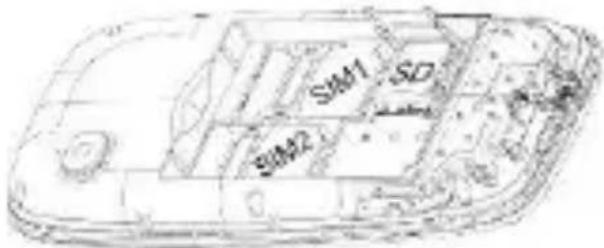
If you want to insert micro SD card (max. 16 GB), slide right the card holder to unlock. Open the card holder and insert memory card. Close card holder and swipe left to lock it.
natural_image
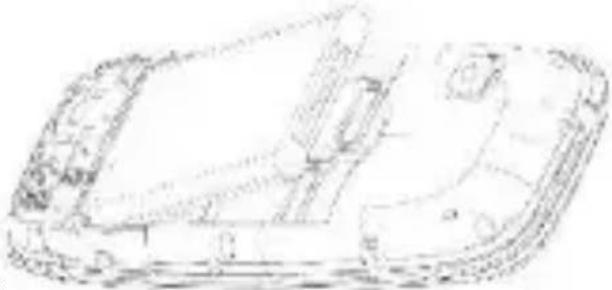
Technical line drawing of a device casing with internal components (no text or symbols)Replace the battery with its golden contact part facing the set phone battery contact piece, and then replace the battery cover.
Insert the battery cover.
Charging
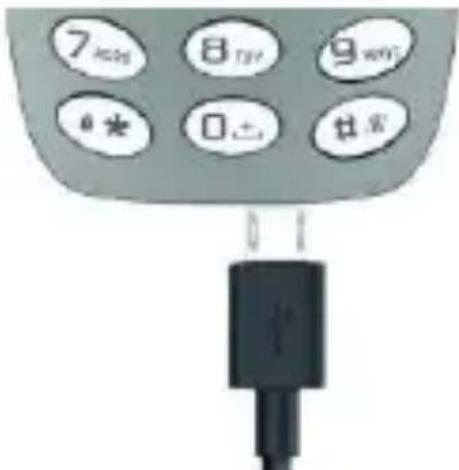
Use included charger or you may use any micro USB compatible charger. When you want to charge battery, connect charger with phone by bottom charging connector (9).
Device layout
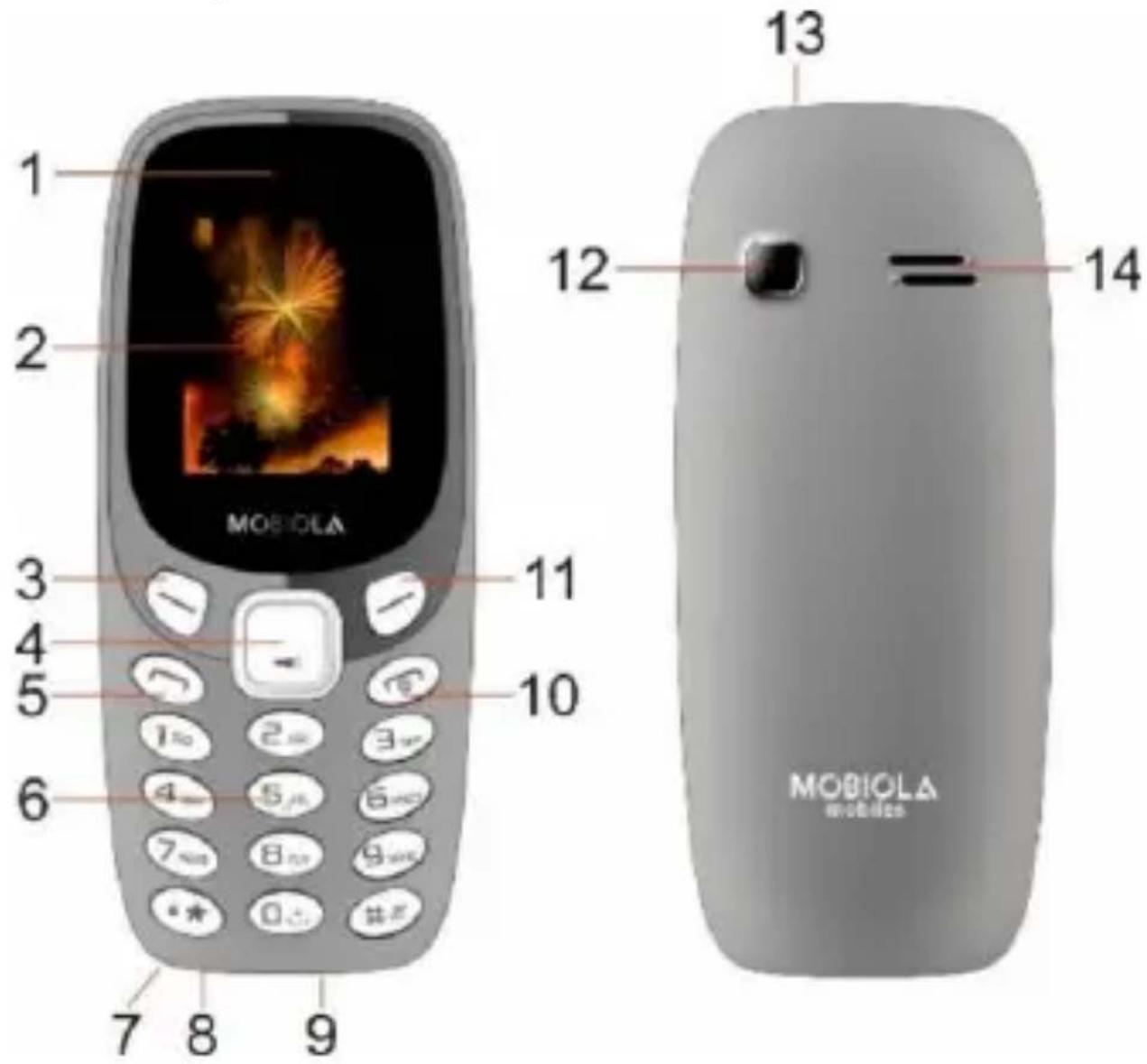
1 Receiver
2 Display
3 Left selection key
4 Central key
5 Call key
6 Numeric keypad
7 Microphone
8 Audio connector
9 Charging connector
10 End/Power key
11 Right selection key
12 Back camera
13 Flashlight
14 Loudspeaker
-2- EN
Keys description
| Left selection key (3) | Enter to menu. Confirm (in some sections). Accept call. |
| Right selection key (11) | Back. Typing text: clear characters. Standby mode: Contacts. End call. |
| Central key (4) | Incoming call - silent. During call: switch from Handsfree mode to normal. Standby mode: long press – LED torch on/off. |
| Call key (6) | Start calling (after choosing number or contact). Incoming call – Accept. Standby mode: open call history. |
| End / Power key (10) | Long press: Switch on/off. Short press: End call. Back to standby mode. |
| “0” | Typing text: gap between words. |
| “*” | Standby mode: enter characters (*, +, P, w) Typing text: special characters or punctuation marks. |
| “#” | Long press: Switch between General, Silent and Meeting profiles. Typing text: switch between character cases. |
Switch the device on and off
To switch the device on or off, press and hold the power key (10). If the device prompts for a PIN code, enter it and select OK or press “#” key.
Keypad Lock/unlock
Press left selection key (3) and “*” to lock or unlock keyboard.
Calling
Enter the phone number by numeric keypad (6) or choose contact from list and press Call key (6) to start calling.
To receive incoming call press Call key (6) or left selection key (3). To end call press End key (10) or right selection key (11). To adjust volume during call, press up or down key on central key (4).
Messages
Select Messages > Write message to compose new message. Select Options (3) > Send or press Central key (4) to send it. Received messages are displayed on screen. Press left soft key (3) to view message or press Menu > Messages > Inbox. Unread messages are displayed by icon in top part of screen.
Multimedia
It is recommended to insert micro SD card when using multimedia section. To capture photos, start video recording, record audio etc. press central key (4).
Profiles
Your phone has various setting groups (profiles), for which you can customize the phone tones for different events and environments. You can change current profiles or create own and change ringtones for calling messages, adjust volume for each SIM card individually or set silent or meeting mode.
Settings
Call settings: Dual-SIM settings, Call divert, Call waiting, Call barring, Hide ID, and other call functions (e.g. minute reminder, auto redial).
Phone settings: Date & Time, language settings, shortcut setting for central key (4), auto power on/off, factory settings (default passcode: 1234).
Display: wallpaper setting, Idle display settings, contrast, backlight and Keypad backlight settings.
Security settings: SIM card(s) PIN change and activation/deactivation, privacy mode for chosen sections (e.g.
Messages – to enter to this section passcode is required), auto lock, fixed dialing, blacklist.
Connectivity: network parameters settings
Safety and recommendations for care
- This phone is a complex electronic device Protect it from shocks and from the magnetic field, keep it in a clean, dust-free environment.
- Do not switch on or use your phone in areas where it is forbidden to use it (e.g., aircrafts, hospitals, etc.).
- The phone contains small parts that could be swallowed or cause choking. If your phone is equipped with a camera or lighting device, do not use it too near children or animals.
- Prolonged listening at full power using a lightweight headset or headphones can damage your hearing. Reduce the volume to the lowest possible level when listening to music or conversations. Avoid high volumes over extended periods.
-
If you want to clean your phone, use a dry cloth (do not use a solvent, such as benzene, or alcohol).
-
This model is not water resistant. Keep it in dry place. MOBIOLA is not responsible for any damage caused by liquid.
- Observe all local laws. When driving, always leave your hands free and pay attention to road safety.
- Use only MOBIOLA approved batteries, chargers and other accessories for use with this model. Do not connect incompatible products. Do not dispose of batteries in a fire, they may explode!
- Ideal operating temperatures are 0 °C to 40 °C. Do not expose batteries to temperatures higher than +50 °C.
- Do not use a SIM card adapter, it can damage the connectors! MOBIOLA is not responsible for any damage caused by improper use.
- Repairs and service can be performed by authorized MOBIOLA service points (see www.mobiola.eu), otherwise the manufacturer's warranty may be void.
Legal notice
- Some phone features depend on software version, location, or local operator settings, and may vary or be restricted.
- MOBIOLA reserves the right to change or modify any information contained in this manual without prior notice.
- This manual is for informational purposes only. It does not provide any warranties. Copying, distributing or transmitting in any form without prior permission is not allowed!
- MOBIOLA shall not be liable for negligence, whether in contract or in tort, for any direct, indirect, incidental or special damages, legal fees, expenses or any other damage arising from use of the content or services by yourself or
by a third party even if MOBIOLA has been advised of the possibility of such inconveniences.
- The software in this device is undergoing gradual development, and some sections may not be translated. This is not a defect of the device and does not prevent its use.
Disposal and recycling information
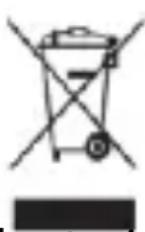
This symbol (with or without a solid bar) on the device, batteries (if included), and/or the packaging, indicates that the device and its electrical accessories (for example, a headset, adapter, or cable) and batteries should not be disposed of as household garbage. These items should not be disposed of as unsorted municipal waste and should be taken to a certified collection point for recycling or proper disposal. For more detailed information about device or battery recycling, contact your local city office, household waste disposal service, or retail store.
EU Declaration of Conformity
Hereby, ENKAMP Shop s.r.o. declares that the radio equipment type MOBIOLA MB3000 is in compliance with Directive 2014/53/EU.
The full text of the EU declaration of conformity is available at the following internet address: www.mobiola.eu/ce.
Otevření krytu
natural_image
Simple line drawing of a smartphone with a downward arrow icon (no text or symbols)Vložení SIM
natural_image
Line drawing of a car interior frame with no visible text or symbolsNabíjení
natural_image
Simple line drawing of a smartphone with a downward arrow on the screen (no text or symbols)Vloženie SIM
natural_image
Line drawing of a car interior frame with no visible text or symbolsnatural_image
Line drawing of a smartphone with a downward arrow icon on the screen (no text or symbols)Włożenie SIM
natural_image
Line drawing of a car interior frame with no visible text or symbolsŁadowanie
natural_image
Simple line drawing of a smartphone with a downward arrow icon (no text or symbols)Insertar la tarjeta SIM
natural_image
Line drawing of a mobile phone casing with visible internal components (no text or symbols)Carga
natural_image
Simple line drawing of a smartphone with a downward arrow on the screen (no text or symbols)Insira o cartão SIM
natural_image
Technical line drawing of a device casing with internal components (no text or symbols)Carga
natural_image
Blue circular logo with a curved arrow, no text or symbols present- Charging
- Device layout
- -2- EN
- Keys description
- Switch the device on and off
- Keypad Lock/unlock
- Calling
- Messages
- Multimedia
- Profiles
- Settings
- Safety and recommendations for care
- Legal notice
- Disposal and recycling information
- EU Declaration of Conformity
- Otevření krytu
- Vložení SIM
- Nabíjení
- Vloženie SIM
- Włożenie SIM
- Ładowanie
- Insertar la tarjeta SIM
- Carga
- Insira o cartão SIM
Brand : Mobiola
Model : MB 3000
Category : Smartphone