
DV-2-H 378 DU - DVD player HYUNDAI - Free user manual and instructions
Find the device manual for free DV-2-H 378 DU HYUNDAI in PDF.


| Product Type | DVD Player |
| Brand | Hyundai |
| Model | DV-2-H 378 DU |
| Disc Compatibility | DVD, VCD, HDCD, CD, DVD±R/RW, MPEG4 3.0/4.0/5.0, WMA, MP3, Kodak Picture CD |
| Video Outputs | Composite (x1), Component Y/Pb/Pr (x1), SCART (x1), HDMI (x1) |
| Audio Outputs | 2.0ch analog (x1), Digital coaxial (x1) |
| HDMI Resolution | Auto, 480p, 576p, 720p, 1080i, 1080p |
| Frequency Response (CD) | 4 Hz – 20 kHz |
| Frequency Response (DVD 48kHz) | 4 Hz – 22 kHz |
| Signal-to-Noise Ratio | > 92 dB |
| Total Harmonic Distortion | < 0.04% |
| TV System | PAL / NTSC / AUTO |
| Aspect Ratio | 4:3, 16:9 |
| View Modes | Fill, Original, Auto Fit, Pan Scan |
| Power Supply | AC 100-240 V, 50/60 Hz, 15 W |
| Dimensions (W x D x H) | 225 x 230 x 33 mm |
| Weight (Net) | 1.5 kg |
| Parental Control | Yes, with password (default 8888) |
| Playback Features | Slow motion, Zoom, A-B Repeat, Program, Shuffle, Step frame |
| Remote Control Batteries | 2x AAA (not included) |
| Cleaning Instructions | Unplug, wipe with damp cloth (water only) |
Frequently Asked Questions - DV-2-H 378 DU HYUNDAI
User questions about DV-2-H 378 DU HYUNDAI
0 question about this device. Answer the ones you know or ask your own.
Ask a new question about this device
Download the instructions for your DVD player in PDF format for free! Find your manual DV-2-H 378 DU - HYUNDAI and take your electronic device back in hand. On this page are published all the documents necessary for the use of your device. DV-2-H 378 DU by HYUNDAI.
USER MANUAL DV-2-H 378 DU HYUNDAI
natural_image
Simple line drawing of a person in a cup with lightning bolts, no text or symbols presentTeplo
natural_image
Simple line drawing of an electronic component with no text or symbolsVentilace
natural_image
Illustration of three different household appliances: a portable air conditioner, a person in a bed with a lamp, and a CD-ROM (no text or symbols present)Příslušenství
natural_image
Simple line drawing of a desktop computer with monitor and keyboard (no text or symbols)natural_image
Silhouette of a person lifting a large object inside a circular frame (no text or symbols)POUŽITÍ
Zdroj elektriny
natural_image
Pure electrical circuit lines without any symbolsnatural_image
Illustration of a person exiting a door while being plugged into a plug, with no visible text or symbols.natural_image
Simple line drawing of a server rack with indicator lights and a small battery (no text or symbols)Příslušenství
natural_image
Illustration of a hand using a pen to press down an electronic device with stars around (no text or symbols)ANTÉNY
natural_image
Simple line drawing of a person reacting to a water bottle pouring liquid into a control panel (no text or symbols)natural_image
Illustration of a person using a device to press or install a device (no text or symbols visible)natural_image
Illustration of a person using a phone to call into a microphone, with no visible text or symbols.natural_image
Illustration of a person using a handheld device (no text or symbols visible)natural_image
Cartoon illustration of a person reacting to a ringing device with sound waves (no text or symbols)Náhradní díly
natural_image
Symbol of a trash bin crossed with a diagonal line and a horizontal bar below (no text or labels)natural_image
Simple line drawing of a person in a cup with lightning bolts, no text or symbols presentTeplo
natural_image
Simple line drawing of an electronic component with no text or symbolsVentilácia
natural_image
Illustration of three different household appliances: a portable air conditioner, a person in a bed with a lamp, and a CD-ROM (no text or symbols present)Príslušenstvo
Neumiest'ujte zariadenie na nestabilné vozíky, stojany, statívy, konzoly či stolíky.
natural_image
Simple line drawing of a desktop computer with monitor and keyboard (no text or symbols)Pripevnenie na stenu či strop
natural_image
Silhouette of a person lifting a large object inside a circular frame (no text or symbols)POUŽITIE
Zdroj elektriny
natural_image
Pure electrical circuit lines without any symbolsnatural_image
Illustration of a person standing next to a plug emerging from a socket, with another figure holding a bag (no text or symbols present)natural_image
Simple line drawing of a server rack with indicator lights and a small battery (no text or symbols)Príslušenstvo
natural_image
Illustration of a hand using a pen to press down an electronic device with stars around (no text or symbols)ANTÉNY
Uzemnenie vonkajšej antény
natural_image
Simple line drawing of a person reacting to a water bottle pouring liquid into a washing machine (no text or symbols)natural_image
Illustration of a person using a device to press or install a device (no text or symbols visible)natural_image
Illustration of a person using a phone to call into a microphone, with no visible text or symbols.natural_image
Illustration of a person using a handheld device (no text or symbols visible)natural_image
Cartoon illustration of a person reacting to a ringing device with sound waves (no text or symbols)Náhradné diely
VYOBRAZENÍ PREDNÉHO A ZADNÉHO PANELU
PREDNÝ PANEL
natural_image
Symbol of a trash bin crossed with a diagonal line and a horizontal bar below (no text or labels)natural_image
Illustration of a person in a hooded shirt with teeth, holding a device and lightning bolts (no text or symbols)Ciepło
natural_image
Simple line drawing of an electronic component with no text or symbolsWentylacja
natural_image
Illustration of three scenes: a portable radio, a person relaxing in a room with a bookshelf, and a closed bookshelf (no text or symbols)Akcesoria
natural_image
Simple line drawing of a desktop computer with monitor and keyboard (no text or symbols)natural_image
Silhouette of a person climbing a ladder inside a circular frame (no text or symbols)ZASTOSOWANIE
natural_image
Pure electrical circuit lines without any symbolsnatural_image
Illustration of a person exiting a door while another person with a rose is lit, no text or symbols present.Ochrona przewodu
natural_image
Simple line drawing of a server rack with a power outlet and star symbols (no text or labels)Akcesoria
natural_image
Illustration of a hand pressing down on a device with stars around (no text or symbols)ANTÉNY
natural_image
Simple line drawing of a person reacting to a water bottle pouring water from a digital device (no text or symbols)natural_image
Illustration of a person using a device to interact with another person (no text or symbols visible)natural_image
Illustration of a person using a phone to listen, with a vintage radio nearby (no text or symbols)natural_image
Illustration of a person using a handheld device (no text or symbols visible)natural_image
Cartoon illustration of a person reacting to a ringing device with sound waves (no text or symbols)Cząści zamienne
natural_image
Symbol of a trash bin crossed with a diagonal line and a horizontal bar below (no text or labels)Dear customer, thank you for purchasing our product. Please read the operating instructions carefully before putting the appliance into operation and keep these instructions including the warranty, the receipt and, if possible, the box with the internal packing.
GENERAL SAFETY INSTRUCTIONS
- The appliance is designed exclusively for private use and for the envisaged purpose.
• This appliance is not fit for commercial use. - Keep it away from sources of heat, direct sunlight, humidity (never dip it into any liquid) and sharp edges. Do not use the appliance with wet hands. If the appliance is humid or wet, unplug it immediately. Do not put it in water.
- When cleaning or putting it away, switch off the appliance and always pull out the plug from the socket (pull on the plug, not the cable) if the appliance is not being used and remove the attached accessories.
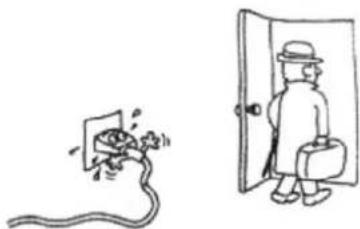
- Do not operate the machine without supervision. If you should leave the workplace, always switch the machine off or remove the plug from the socket (pull the plug itself, not the lead).
- To protect children from the dangers posed by electrical appliances, make sure that the cable is hanging low and that children do not have access to the appliance.
- Check the appliance and the cable for damage on a regular basis. Do not use the appliance if it is damaged.
- Do not try to repair the appliance on your own. Always contact an authorized technician. To avoid the exposure to danger, always have a faulty cable be replaced only by the manufacturer, by our customer service or by a qualified person and with a cable of the same type.
- Pay careful attention to the following "Special Safety Instructions for this unit".
SAFETY
- No naked flame sources such as lighted candles, should be placed on the apparatus.
- Where the mains plug or an appliance coupler is used as the disconnect device, the disconnect device will remain readily operable.
- Excessive sound pressure from earphones and headphones can cause hearing loss.
- It shall not be exposed to dripping or splashing and that no objects filled with liquids, such as vases, shall be placed on the apparatus.
- Ensure minimum distances around the apparatus for sufficient ventilation. The ventilation should not be impeded by covering the ventilation openings with items, such as newspapers, table-cloths, curtains, etc.
- Attention should be drawn to the environmental aspects of battery disposal.
- The use of apparatus in moderate climates.
- Danger of explosion if battery is incorrectly replaced. Replace only with the same or equivalent type.
- Batteries shall not be exposed to excessive heat such as sunshine, fire or the like.
- Do not place the product in closed bookcases or racks without proper ventilation.
- This appliance is not intended for use by persons people (including children) with reduced physical sensory or mental capabilities, or lack of experience and knowledge, unless they have been given supervision or instructions concerning the way of use of the appliance by a person responsible for their safety.
- Children should be supervised to ensure that they do not play with the appliance.
INSTALLATION
Water and Moisture
Do not use powering operated appliances near water for example, near a bathtub, washbowl, kitchen sink, or laundry tub, in a wet basement, or near a swimming pool, etc.
natural_image
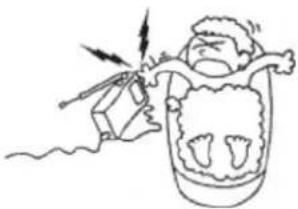
Simple line drawing of a person in a hooded shirt with lightning bolts, no text or symbols presentHeat
Do not place the appliance near or over a radiator or heat register, or where it is exposed to direct sunlight.
natural_image
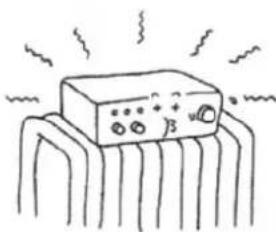
Simple line drawing of an electronic component with no text or symbolsVentilation
The slots and openings in the cabinet are provided for necessary ventilation.
To ensure reliable operation of the appliance, and to protect it from overheating, these slots and openings must never be blocked or covered.
Never cover the slots and openings with a cloth or other materials.
Never block the slots and openings by placing the appliance on a bed, sofa, rug or other similar surface.
Never place the appliance in a confined space, such as a bookcase, or built-in cabinet, unless proper ventilation is provided.

natural_image
Illustration of three scenes: a portable air conditioner, a person relaxing in a bed, and a CD-ROM with books (no text or symbols)Accessories
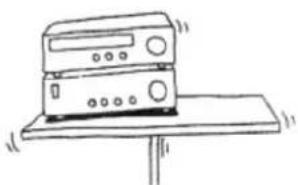
Do not place the appliance on an unstable cart, stand, tripod, bracket, or table.
The appliance may fall, causing serious injury to a child or an adult, and serious damage to the appliance.
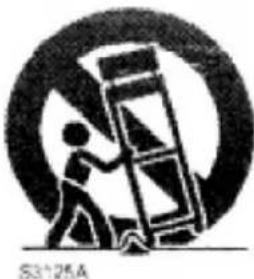
An appliance and cartcombination should be moved with care.
Quick stops, excessive force, and uneven surfaces may cause the appliance and cart combination to overturn.
natural_image
Simple line drawing of a desktop computer with monitor and keyboard (no text or symbols)WALL or Ceiling Mounting
If your appliance can be mounted to a wall or ceiling, mount it only as recommended by Hyundai.
natural_image
Silhouette of a person climbing a ladder inside a circular frame (no text or symbols)USE
Power Source
This appliance should be operated only from the type of power source indicated on the marking label. If you are not sure of the type of electrical power supplied to your home, consult yourdealer or local power company. For those appliances designed to operate from battery power, or other sources, refer to the operating instructions.
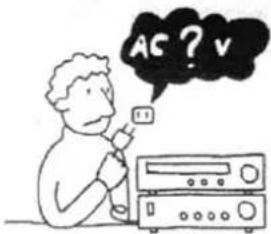
Grounding or Polarization
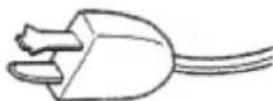
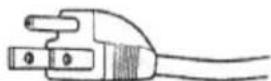
This appliance is equipped with a polarized AC power cord plug (a plug having one blade wider than the Other), or with a three-wire grounding type plug) a plug having a third pin for grounding). Follow the instructions below:
- For the appliance with a polarized AC power cord plug:
This plug will fit into the power outlet only one way. This is a safety featurefl you are unable to insert the plug fully into the outlet, try reversing the plug. If the plug should still fail to fit, contact your electrician to have a suitable outlet installed. Do not defeat the safety purpose of the polarized plug by forcing it in.
- For the appliance with a three-wire grounding type AC plug:
This plug will only fit into a grounding-type power outlet. This is a safety feature. If you are unable to insert the plug into the outlet, contact your electrician to have a suitable outlet installed. Do not defeat the safety purpose, of the grounding plug.
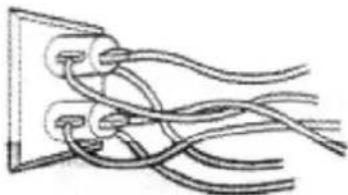
Overloading
Do not overload wall outlets, extension cords or convenience receptacles beyond their capacity, since this can result in fire or electric shock.
natural_image
Pure electrical circuit lines without any symbolsWhen not in use
Unplug the power cord of the appliance from the outlet when left unused for a long period of time. To disconnect the cord, pull it out by grasping the plug. Never pull the plug out by the cord.
natural_image
Illustration of a person standing next to a plug inserted into a socket, with another person holding a bag (no text or symbols present)Power-Cord Protection
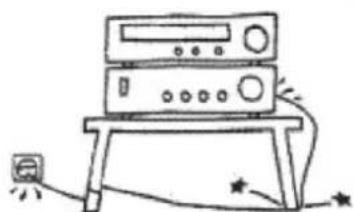
Route the power cord so that it is not likely to be walked on or pinched by items placed upon or against them, paying particular attention to the plugs, receptacles, and the point where the cord exits from the appliance.
natural_image
Simple line drawing of a server rack with indicator lights and a small battery (no text or symbols)Attachments
Do not use attachments not recommended by Hyundai, as they may cause hazards
Lightning
For added protection for this appliance during a lightning storm, or when it is left unattended and unused for long periods of time, unplug it from the wall outlet and disconnect the antenna or cable system. This will prevent damage to the appliance due to lightning and powerline surges.
Cleaning
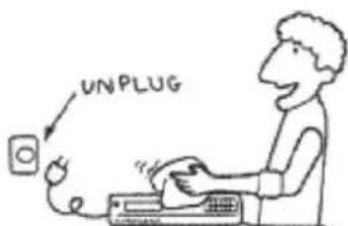
Unplug the appliance from the wall outlet before cleaning or polishing it.
Do not use liquid cleaners or aerosol cleaners. Use a cloth lightly dampened with water for cleaning the exterior of the appliance.
Object and Liquid Entry
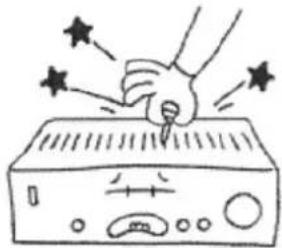
Never push objects of any kind into the appliance through openings as they may touch dangerous voltage points or short out parts that could result in a fire or electric shock. Never spill liquid of any kind on the appliance.
natural_image
Illustration of a hand using a pen to press down an electronic device with stars around (no text or symbols)ANTENNAS
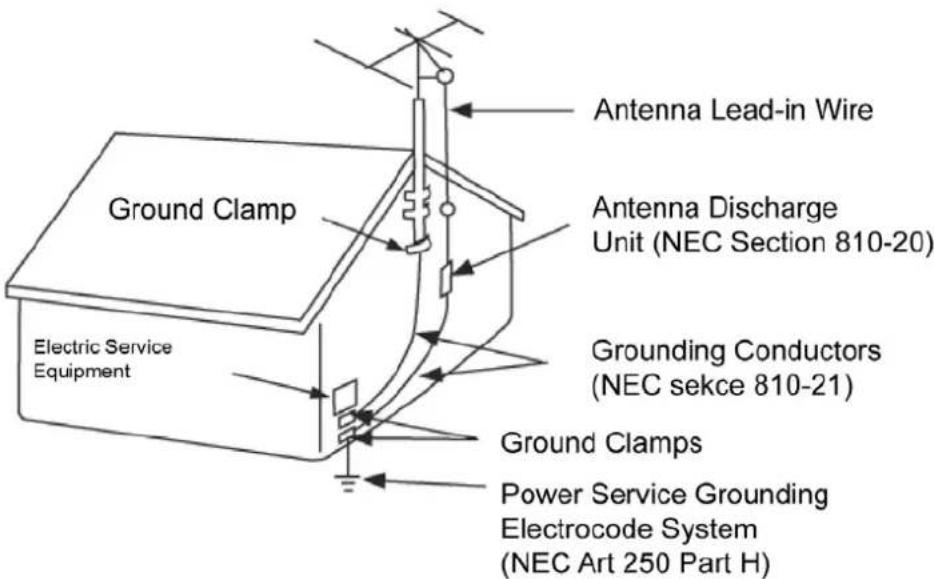
Outdoor Antenna Grounding
If an outdoor antenna or cable system is insttaled, follow the precautions below.
An outdoor antenna system should not be located in the vicinity of overhead power lines or other electric light or power circuits, or where it can come in contact with such power lines or circuits. WHEN INSTALLING AN OUTDOOR ANTENNA SYSTEM, EXTREME CARE SHOULD BE TAKEN TO KEEP FROM CONTACTING SUCH POWER LINES OR CIRCUITS AS CONTACT WITH THEM IS ALMOST INVARIABLY FATAL.
Be sure the antenna system is gorunded so as to provide some protection against voltage surges and built-up static charges. Section 810 of the National Electrical Code provides information with respect to proper grounding of the mast and supporting structure, Grounding of the lead-in wire to an antenna discharge unit, size of grounding conductors, location of antenna-discharge unit, connection to grounding electrodes, and requirements for the grounding electrode.
- Antenna Grounding According to the National Electrical code
SERVIS
Damage Requiring Service
Unplug the appliance from the wall outlet and refer servicing to qualified service personnel under the following conditions:
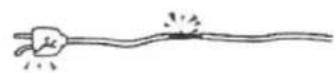
- When the power cord or plug is damaged or frayed.
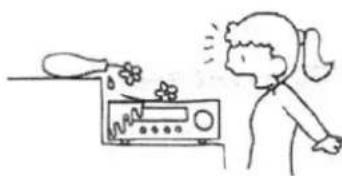
- If liquid has been spilled or objects have fallen into the appliance.
natural_image
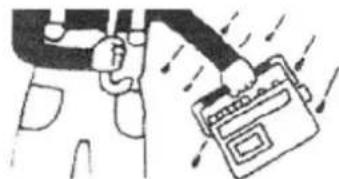
Simple line drawing of a person reacting to a water bottle pouring water from a digital device (no text or symbols)- If the appliance has been exposed to rain or water
natural_image
Illustration of a person using a device to interact with hands (no text or symbols visible)- The appliance does not appear to operate normally or exhibits a marked change in performance. This indicates a need for service.
natural_image
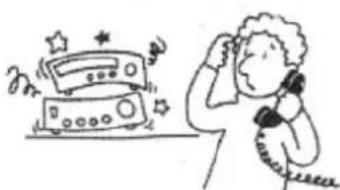
Illustration of a person using a telephone to listen, with a radio and starburst symbols nearby (no text or labels)- If the appliance does not operate normally when following the operating instructions, adjust only those controls that are specified in the operating instructions. Improper adjustment of other controls may result in damage and will often require extensive work by a qualified technician to restore the appliance to normal operation.
natural_image
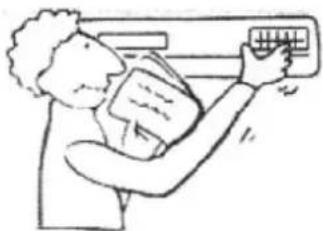
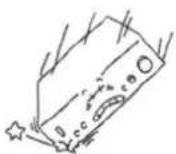
Illustration of a person using an air conditioner (no text or symbols visible)- If the appliance has been subject to excessive shock by being dropped, or the cabinet has been damaged..
Servicing
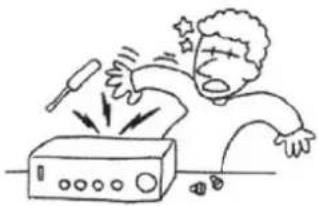
- Do not attempt to service the appliance yourself as opening or removing covers may expose you to dangerous voltage or other hazards. Refer all servicing to qualified service personnel.
natural_image
Illustration of a person reacting to a ringing phone with sound waves (no text or symbols)Replacement parts
- When replacement parts are required, be sure the service technician has used replacement parts specified that have the same characteristics as the original parts. Unauthorized substitutions may result in fire, electric shock, or other hazards.
Safety Check
- Upon completion of any service or repairs to the appliance, ask the service technician to perform routine safety checks (as specified) to determine that the appliance si in safe operating condition.

FRONT PANEL AND REAR PANEL ILLUSTRATION
FRONT PANEL
The front of the DVD player
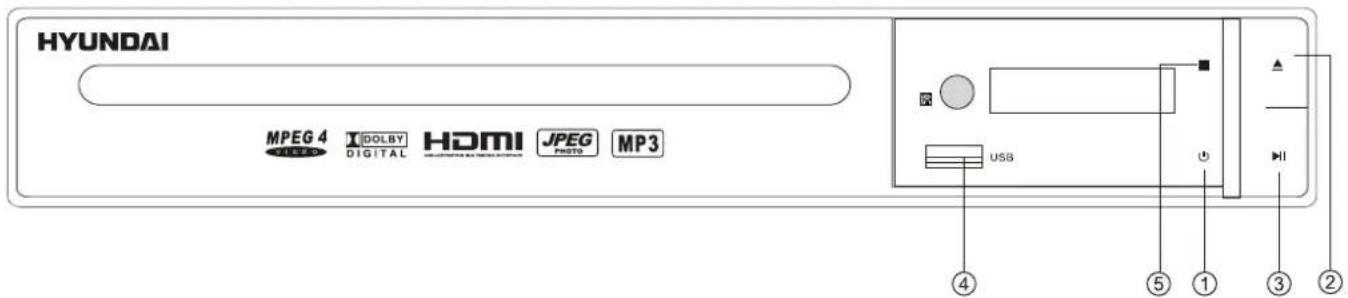
1) POWER
2) OPEN/CLOSE
3) PLAY/PAUSE
The back of the DVD player
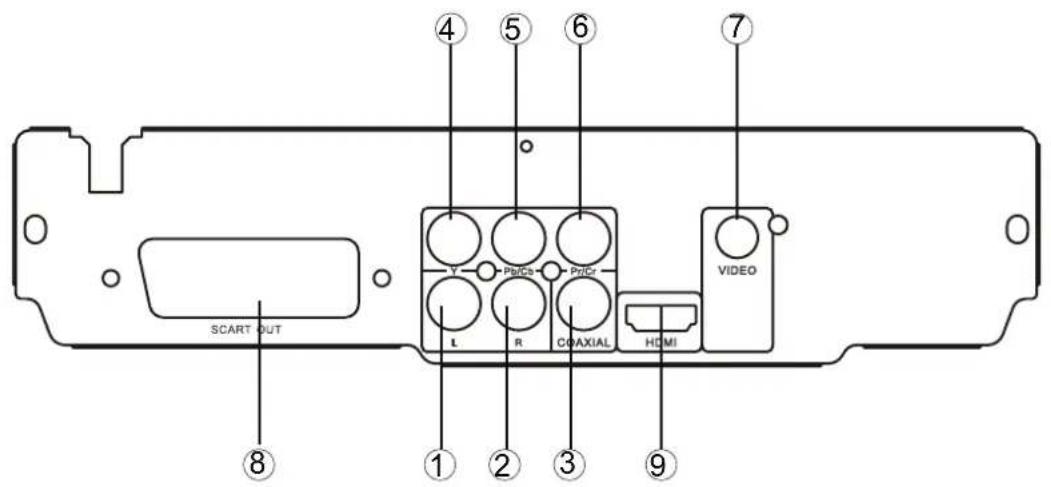
1) LEFT output jack
2) RIGHT output jack
3) Digital signal COAXIAL output jack
4) Y output jack
5) Pb/Cb output jack
6) Pr/Cr output jack
7) VIDEO output jack
8) SCART output jack
9) HDMI output jack
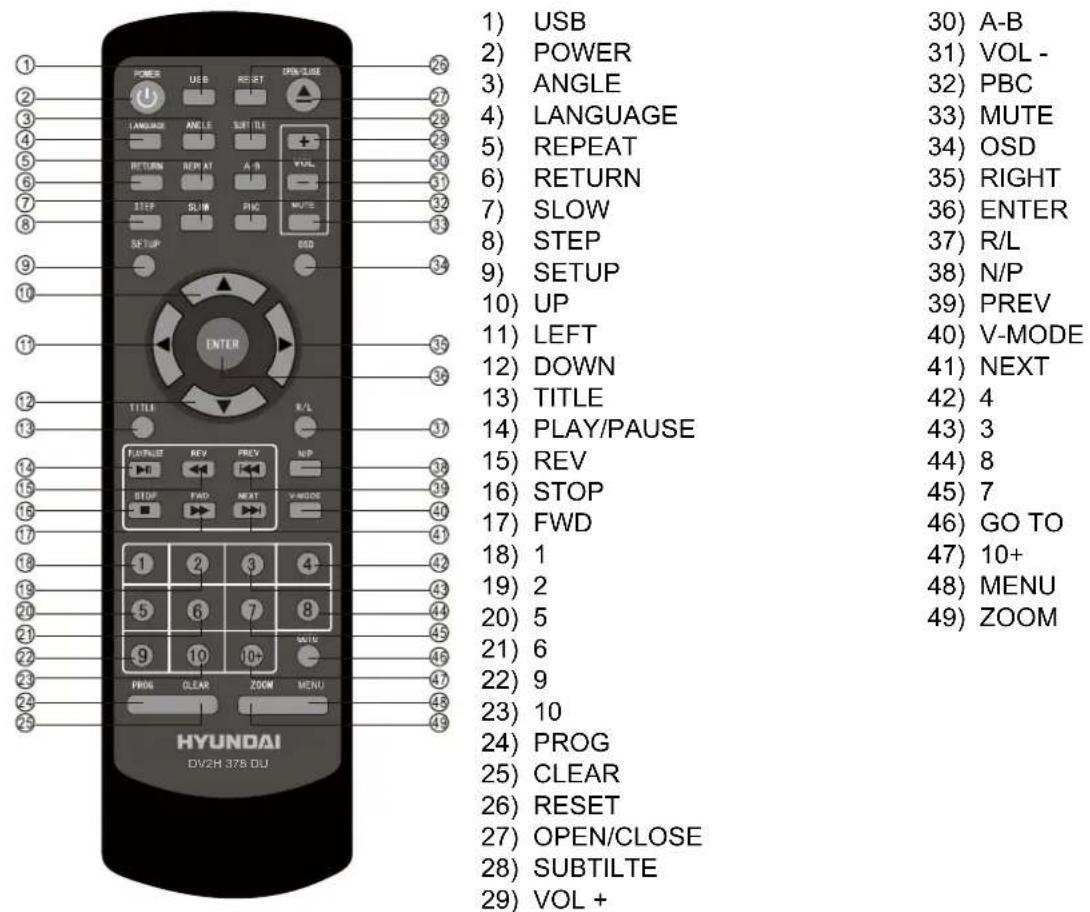
REMOTE CONTROL
- When use, direct the remote control to the infra-red sensor (within 45 degrees).
- Do not put remote control near to the place with high temperature or moisture.
- Do not put water or any other object on remote control.
- Do not use new and old batteries or different type batteries together.
- Please replace batteries when find remote control out of work or weak sensitivity.
This player allows you to customise the performance to your personal preferences.

flowchart
graph TD
    A["Language"] --> B["Setup Menu"]
    C["Video"] --> B
    D["Audio"] --> B
    E["Rating"] --> B
    F["Misc"] --> B
The selected category will provide you the Setting detail s using the following screen.
MAIN PAGE
| Language | OSD Language English / Polish / Hungarian / Czech / Slovenian | |
| Subtitle | English / Polish / Hungarian / Czech / Slovenian / Auto / Off. | |
| MPEG4 Subtitle Western European / Central European | ||
| subtitles position High/Middle/Bottom | ||
| Background color | Grey/Transparent | |
| Audio | English / Polish / Hungarian / Czech / Slovenian | |
| DVD Menu English / Polish / Hungarian / Czech / Slovenian | ||
| Video | Aspect Ratio 4:3 / 16:9 | |
| View Mode Fill / Original / Auto Fit / Pan Scan | ||
| TV System NTSC / PAL / Auto | ||
| Video Out Composite / S-video / Component / RGB / P-Scan | ||
| HD Resolution Aute/480p/576p/720p/1080i/1080p | ||
| Audio Digital Output | Off / PCM / All | |
| Rating | Parental Control:8. AdultSet Password | 1) 1.Kid Safe2) G3) PG4) PG-135) PG-R6) R7) NC-178) Adult |
| Misc | Use Default Settings Yes / No | |
| Screen Saver On / Off | ||
Note:
Set on "PARENTAL CONTROL" under "Rating", enter and input code. The original factory code is 8888. After input and confirm the code, press "PARENTAL CONTROL" and choose the desired rating. Move below to "SET PASSWORD", press enter and input the code "8888", them input the new code, under "SET PASSWORD", input again the code, and confirm. The function of "PARENTAL CONTROL" is effective.
| POWER During playback, press POWER to stop the player and Close the power. | |||
| OPEN/CLOSE | To open the disc tray, press OPEN/CLOSETo close the disc tray, press OPEN/CLOSE again. | ||
| TITLE | During DVD playback, press TITLE to display the DVD title menu or play the first title. Note: this function is subject to the disc. | ||
| MENU | During DVD playback, press MENU to display the disc menu of the current title. Note: This function is subject to the disc. | ||
| V-MODE(Video režim) | Under the stop mode, Press this button to switch the video of 1) Composite 2) Component 3) YCbCr 4) RGB 5) YPbPr | ||
| OSD | During VCD/DVD playback, press OSD to display the current time counter position as follows.VCD 2.0 Time ____:____/____:____ Elapsed time Left time for the current track DVD Video Time ____:____/____:____ Elapsed time Left time for the current track | ||
| PBC | During VCD/SVCD playback, Press PBC to select the mode of PBC On or PBC Off PBC is: playback control used to navigate VCD/SVCD | ||
| 0-10 Keys | These keys are used to input the time, as well as title, chapter and track numbers.When a CD, DVD, MP3 or VCD is playing (with PBC off), press the 0-10 keys to select a track Directly.When a numeric item is displayed on the screen, press the 0-10 keys to select the desired entry. | ||
| SLOW | During MPEG4,DVD, VCD or SVCD playback, press SLOW for slow motion play back. Once you press SLOW, the disc will play at 1/2, 1/4, 1/6 and 1/8 normal speed as follows: Press PLAY to resume normal playback. | ||
| PREV | During MPEG4, DVD, CD, MP3 or VCD playback, press PREV to play the previous chapter, title or track. | ||
| NEXT | During MPEG4, DVD, CD, MP3 or VCD playback, press NEXT to play the next chapter, title or track. | ||
| REPEAT | Each press of the REPEAT button will change the repeat mode.During MPEG4, VCD, CD, MP3 playback, there are three modes: repeat Single, repeat All and Off. During DVD, playback, there are three modes: Repeat Chapter, Repeat Title and Off.Note: During VCD playback,the PCB mode must be set to Off. | ||
| A-B | During playback, press A-B to select point A.Press it again to select point B. The player will repeat the section from A to B automatically. Press A-B a third time to cancel A-B repeat and clear points A and B.Note: During CD/VCD/SVCD playback, points A and B must be within the same track. | ||
| REV | During MPEG4, DVD playback, points A and B can be selected from different chapters. During MPEG4, DVD, CD, MP3 or VCD playback, press REV to scan in reverse.The player will review the disc at 2, 4, 8 and 16 times speed as follows: Press PLAY to resume normal playback | ||
| FWD | During MPEG4, DVD, CD, MP3 or VCD playback, press FWD to scan forward. The player will cue the disc at 2, 4, 8 and 16 times speed as follows: Press PLAY to resume normal playback. | ||
| N/P | Press N/P when in STOP mode to select the mode from PAL/AUTO/NTSC . | ||
| MUTE | Press MUTE to turn off the audio.Press MUTE again to resume normal sound. | ||
| R/L | During VCD/SVCD playback, press R/L repeatedly to select the channel of audio-output: Left / Right / Mix / Stereo. | ||
| PLAY/PAUSE | Press PAUSE during playback to pause playback.Press again to step forward one frame.Press PLAY to resume normal palyback.NOTE: the step function is not available during CD playback | ||
| STOP | Press STOP once during playback to stop and hold playback.Press PLAY to resume playback from the point you have pressed STOP.Press STOP twice to stop playback completely. | ||
| RETURN | When the PBC is on, select your item press return, you can select once again from the menu displaying. This function is only valuable to VCD. | ||
| ZOOM | During VCD/SVCD/DVD/MPEG4 playback, press ZOOM to magnify the image as follows: 1 Q2 Q3 This function can zoom, can't lessen. | ||
| STEP | When playing DVD, VCD, SVCD disc, press STEP once, the picture changes to next frame, Press PLAY to resume normal play. | ||
| SETUP | Press the SETUP button on you remote control to access the setup menu.The setup menu is a multi-level menu.Use the ▼ or ▲ buttons to select the menu option that you need.Use the ◀ and ▶ to go back to previous level menu or to enter the next level menu. Press ENTER button to confirm selection.Press SETUP button to exit setup. | ||
| VOL | Press VOL + to enlarge the volume.Press VOL - to reduce the volume. | ||
| ANGLE | During DVD playback:Press ANGLE to view scenes from different camera angles.Press ANGLE to repeatedly to change from one camera angle to another.Note: This function is disc specific. | ||
| SUBTITLE | During DVD playback:Press SUBT repeatedly to select from up to 32 subtitle languages.Note: This function is disc specific (language will vary). | ||
| LANGUAGE | Press LANGUAGE repeatedly to select from up to 8 audio languages/formats during DVD playback. Press repeatedly to select from up to 4 audio languages/formats during SVCD playback.Note: This function is disc specific. | ||
| GO TO | During DVD, VCD, MPEG4 playback, press GOTO and the menu will display as follow: | ||
| DVD: | Title | Use ↑ ↓ to select TITLE, CHAPTER, TIME. | |
| Chapter | Use the number keys to input the desired time or track, then press ENTER to confirm. | ||
| Time | During DVD playback, press GOTO and the menu will display as follow: | ||
| VCD: | Track | Use ↑ ↓ to select TRACK, TIME or DISC TIME. | |
| Time | Use the number keys to input the desired time, title or chapter, then press ENTER to confirm. | ||
| Disc Time | Note:1) TIME searches for an exact time in the track.2) TRACK searches for a desired title or chapter3) For some DVD discs, the search function is unavailable. | ||
| PROG | Press PROG to get programme menu when reading DVD & VCD, then program your wanted songs.(DVD programme needs TITLE and MENU.) | ||
| USB | Choose this button to setup the DISC,USB output mode:DISC: Choose this settings if your DISC output mode is connected to a DISC.USB: Choose this settings if your USB output mode is connected to a USB.The default setting is DISC.Only press STOP buton can you switch to USB mode when this unit on playback disc. | ||
Program:
When playing mp3, press "right", "up" or "down" and "enter" to choose edit mode and then Press "left" and "enter" to choose the music you want.
After that, press “right” and “enter” to choose “add to program”, and then “up” and “enter” to choose “program view”, next press “up” to choose “edit mode” and then press “Left” and “enter” to choose the music, press play to play the music.
Cancel program:
After program, press “stop” twice and press “Right to choose “editmode” and then Press “left” to choose the music you’d like to cancel and “enter” to confirm your operation. Press “right” and “enter” to choose “clear program”, next press “Right” to browse view and return to play in order.
Shuffle:
During VCD SVCD playback, the function is unuseful in PBC ON when PBC OFF, press “shuffle” key, shuffle on ,your favorite programs in a different order every time; Press shuffle key again,shuffle off this function is only for VCD and SVCD playback.
Note:
"if play mp3 songs or jpeg pictures, can only play maximum 500pcs at onetime, if there're more than 500 pcs. or mp3 songs in the usb or card reader, please create two or more files to make sure each file not exceed 500 pcs., for example if totally 1020 pcs. pictures in one usb, then create three files, one file is 500 pcs., second file is 500 pcs., third file is 20 pcs. in this case can play all the 1020 pcs pictures."
HDMI Function:
- Connect HDMI cable to HDMI output of the rear panel of DVD player and TV.
- Set TV mode te 'HMDI' mode
- Press'setup'button on remote control, in system setup/HD output, please choose the HDMI mode (720P, 1080i, 1080P) you want.
TROUBLE SHOOTING
REMOTE CONTROL IS INSENSITIVE OR DOES NOT WORK
Check the batteries of remote control and make sure that they are to be powerful and good conductivity. Direct the remote control to the IR sensor of the player. Check whether there are some obstacles between the remote control and IR sensor.
ABNORMAL FUNCTION OPERATION
Turn off the power, and then turn on again.
The disc can not be taken out of the tray when the player is reading, so you have to turn off the power and turn on again, and press OPEN/CLOSE key immediately to open the tray.
| Typ of disc | DVD/VCD/HDCD/CD/DVD±R/RW/MPEG43.0, 4.0, 5.0,WMA, MP3 KodakPicture CD | Frequency Response | CD: 4 Hz – 20kHz (EIAT) |
| DVD: 4Hz – 22kHz (48K) 4Hz – 44 kHz (96K) | |||
| Video format MPEG4 | S/N radio > 92 dB | ||
| THD < 0,04% | |||
| Audio format | MPEG 1, LAYER 1,LAYER 2, LAYER 3 | Output terminals | Video (composite) output x 12.0ch output x 1Digital coaxial output x 1SCART output x 1Y/Pb/Pr output x 1 |
| Signal Output | Color system: PAL/NTSC/MULTIAudio system: AC-3Digital outputAudio DAC 16 bit/48 kHzVideo Output: 1 Vpp (at 75 Ω)Audio Output: 2 Vpp | Power input | AC 100-240 V, 50/60 Hz, 15 W |
| Dimensions | Body size:W225XD230XH33mmWeight (NETTO): 1,5 kg |
We reserve the right to change technical specifications.
WARNING: Do not use this product near water, in wet areas to avoid fire or injury of electric current. Always turn off the product when you don't use it or before a revision. There aren't any parts in this appliance which are reparable by consumer. Always appeal to a qualified authorized service. The product is under a dangerous tention.
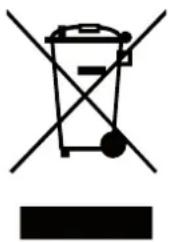
Old electrical appliances, used batteries and accumulators disposal
natural_image
Symbol of a trash bin crossed with no text or labels, accompanied by a solid black rectangle below (no text or symbols present)This symbol appearing on the product, on the product accessories or on the product packing means that the product must not be disposed as household waste. When the product/ battery durability is over, please, deliver the product or battery (if it is enclosed) to the respective collection point, where the electrical appliances or batteries will be recycled. The places, where the used electrical appliances are collected, exist in the European Union and in other European countries as well. By proper disposal of the product you can prevent possible negative impact on environment and human health, which might otherwise occur as a consequence of improper manipulation with the product or battery/ accumulator. Recycling of materials contributes to protection of natural resources. Therefore, please, do not throw the old electrical appliances and batteries/ accumulators in the household waste. Information, where it is possible to leave the old electrical appliances for free, is provided at your local authority, at the store where you have bought the product. Information, where you can leave the batteries and accumulators for free, is provided to you at the store, at your local authority.
natural_image
Simple line drawing of a person in a mask inside a container with footprints, no text or symbols presentHõ
natural_image
Simple line drawing of an electronic component with no text or symbolsSzellőzés
natural_image
Illustration of three scenes: a portable air conditioner, a person in a newspaper, and a CD-ROM with sound waves (no text or symbols)Kellékek
natural_image
Simple line drawing of a desktop computer with monitor and keyboard (no text or symbols)natural_image
Silhouette of a person lifting a large object inside a circular frame (no text or symbols)HASZNÁLAT
Áramforrás
natural_image
Pure electrical circuit lines without any symbolsnatural_image
Illustration of a person exiting a door while being plugged into a plug, with no visible text or symbols.natural_image
Simple line drawing of a server rack with a small battery and star symbols at the base (no text or labels)Alkatrészek
natural_image
Illustration of a hand using a pen to interact with a device, surrounded by stars (no text or symbols)ANTENNÁK
SZERVIZELÉS
natural_image
Simple line drawing of a person reacting to a water bottle pouring liquid into a device (no text or symbols)natural_image
Illustration of a hand holding a device with motion arrows indicating movement (no text or symbols)natural_image
Illustration of a person using a radio with star decorations (no text or symbols)natural_image
Illustration of a person using an air conditioner (no text or symbols visible)natural_image
Cartoon illustration of a person reacting to a ringing device with sound waves (no text or symbols)Alkatrészcsere
AZ ELÓLAP ÉS HÁTLAP ILLUSZTRÁCIÓJA
ELÖLAP
natural_image
Symbol of a trash bin with crossed lines and a solid rectangle below (no text or labels)Licensed by Hyundai Corporation, Korea