
Decko Karaoke - Mp3 player GoGen - Free user manual and instructions
Find the device manual for free Decko Karaoke GoGen in PDF.


| Product Type | Portable MP3 Player with CD, Bluetooth, USB, and Karaoke |
| Brand | GoGen |
| Model | Decko Karaoke |
| Power Supply | AC: 100-240 V, 50/60 Hz; DC: 9V via adapter; Battery: 6 x C (R14) batteries |
| Power Consumption | 16 W (active), <0.5 W (standby) |
| Output Power | 2 x 1.2 W |
| Weight (main unit) | 1.0 kg (2.2 lbs) |
| Weight (with accessories) | 1.3 kg (2.9 lbs) |
| Supported Disc Formats | CD, CD-MP3, CD-WMA; ISO 9660, Joliet, Multisession, UDF, Enhanced Music CD, Mixed Mode |
| MP3 Bit Rate | 32-320 kbps (prefer 128 kbps) |
| MP3 Sampling Frequency | 8-48 kHz (prefer 44.1 kHz) |
| Bluetooth Range | 10 m (line-of-sight) |
| Bluetooth Frequency | 2402 - 2480 MHz |
| Bluetooth EIRP | -6.4 dBm |
| USB Compatibility | USB flash drive up to 32 GB |
| Microphone | Included wired microphone with 6.3 mm jack |
| Headphone Jack | 3.5 mm |
| CD Loading | Top-loading with manual open/close door |
| Controls | Power, Repeat, Program, Skip, Play/Pause, Stop, +10, Pairing, Function Selector (BT/CD.MP3/USB), Volume |
| Safety Class | Class 1 Laser Product |
| Operating Temperature | +5°C to +35°C |
| Cleaning Instruction | Wipe disc from center to edge with soft cloth; do not use solvents |
| Disposal | WEEE compliant, do not dispose as household waste |
Frequently Asked Questions - Decko Karaoke GoGen
User questions about Decko Karaoke GoGen
0 question about this device. Answer the ones you know or ask your own.
Ask a new question about this device
Download the instructions for your Mp3 player in PDF format for free! Find your manual Decko Karaoke - GoGen and take your electronic device back in hand. On this page are published all the documents necessary for the use of your device. Decko Karaoke by GoGen.
USER MANUAL Decko Karaoke GoGen
natural_image
Illustration of two colorful portable radio units with musical notes and a cartoon insect, no text or symbols present.NÁVOD K POUŽITÍ / NÁVOD NA POUŽITIE INSTRUKCJA OBSŁUGI / HASZNÁLATI UTASÍTÁS INSTALLATION MANUAL/ BEDIENUNGSANLEITUNG
ÚVOD
POZNÁMKA:
DÔLEŽITÉ BEZPEČNOSTNÉ POKYNY
POZOR
natural_image
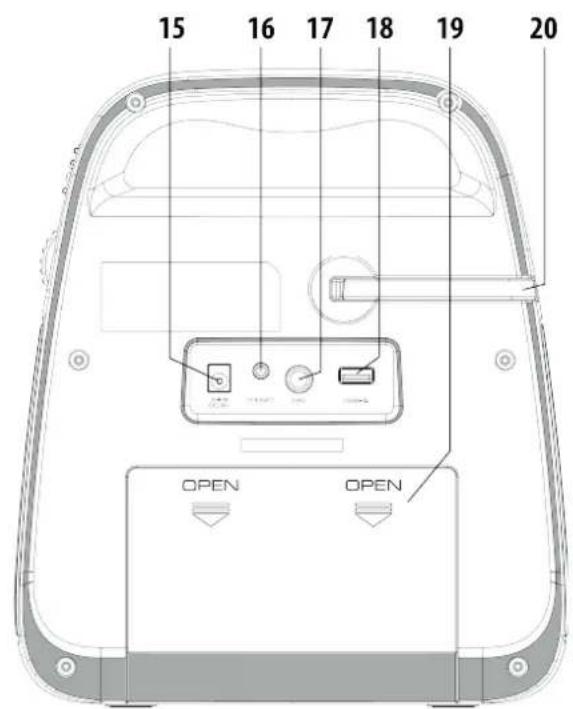
Illustration of a microphone with a numbered label '21' on the top (no other text or symbols)- TLAČIDLO HLAVNÉHO VYPÍNAČA
- INDIKÁTOR NAPÁJANIA
- OPAKOVANIE (REP)
- PROGRAMOVANIE (PROG)
- PRESKOČENIE SPÄT
- DISPLEJ LED
- VEKO CD
- PRESKOČENIE VPRED ▶
- PREHRÁVANIE/PAUZA ▶II
- STOP ■
-
TLAČIDLO +10
-
TLAČIDLO PÁROVANIE
- VOLIČ FUNKCIÍ (BT/CD.MP3/USB)
- OVLÁDANIE HLASITOSTI
- KONEKTOR VSTUPU PRE JEDNOSMERNÝ PRÚD
- KONEKTOR SLÚCHADIEL 3,5 mm
- KONEKTOR MIKROFÓNU 6,3 mm
- VSTUP USB (LEN PRE PREHRÁVANIE)
- PRIESTOR PRE BATÉRIE
- DRŽIAK MIKROFÓNU
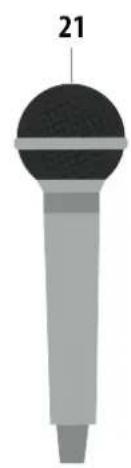
- MIKROFÓN
PRIPOJENIE NAPÁJANIA
NAPROGRAMOVANÉ PREHRÁVANIE
POZNÁMKA:
natural_image
Illustration of a microphone with a numbered label '21' on the top (no other text or symbols)- PRZYCISK ON/OFF
- WSKAŻNIK ZASILANIA
- PRZYCISK REPEAT (REP)
- PRZYCISK PROG
- PRZYCISK ◀ SKIP BACK
- WYŚWIETLACZ LED
- KLAPKA CD
- PRZYCISK SKIP ▶ FORWARD
- PRZYCISK PWAY / PAUSE
- PRZYCISK ■ STOP
-
PRZYCISK +10
-
PRZYCISK PAROWANIE
- PRZEŁĄCZNIK FUNKCJI (BT/CD.MP3/USB)
- POKRETŁO GŁOŚNOŚCI
- WEJŚCIE ZASILANIA DC
- ZŁACZE SŁUCHAWKOWE 3,5 mm
- ZŁĄCZE MIKROFONOWE 6,3 mm
- PORT USB (TYLKO DO ODTARZANIA)
- KOMORA BATERII
- UCHWYT NA MIKROFON
- MIKROFON
PODŁĄCZANIE DO ZASILANIA
PROGRAMOWANIE ODTWARZANIA
UWAGA:
natural_image
Illustration of a microphone with a numbered label '21' on the top (no other text or symbols)- BE/KIKAPCSOLÓ
- MÜKÖDÉSI FÉNYJELZÖ
- ISMÉTLÉS (REP)
- PROG
- UGRÁS VISSZA
- LED KIJELZÖ
- CD AJTÓ
- UGRÁS ELÓRE
- LEJÁTSZÁS / SZÜNET
- STOP ■
-
+10 GOMB
-
PÁROSÍTÁS
- FUNKCIÓ KIVÁLASZTÓ (BT/CD.MP3/USB)
- HANGERÓ
- DC ALJZAT
- 3,5 mm ALJZAT
- 6,3 mm MIKROFONALJZAT
- USB ALJZAT (CSAK LEJÁTSZÁSHOZ)
- ELEM TARTÓ
- MIKROFONTARTÓ
- MIKROFON
ÁLTALÁNOS MÜKÖDÉS
MEGJEGYZÉS:
KARAOKE
DC 9 V (6 x "C" R14 méret).
Thank you for buying our product. Please read through these operating instructions, so you will know how to operate your equipment properly. After you finished reading the instructions manual, put it away in a safe place for future reference.
IMPORTANT SAFETY PRECAUTIONS
CAUTION
Use of controls or adjustment or performance of procedures other than those specified herein may result in hazardous radiation exposure.
✗ Avoid installing the unit in locations described below:
Places exposed to direct sunlight or close to heat radiating appliances such as electric heaters, or other equipments that radiate too much heat.
Places subjected to constant vibration.
Unventilated or dusty places.
Humid or moist places.
✗ Operate buttons and switches as instructed in the manual.
✗ Before turning on the power for the first time, make sure that the power cord is properly installed and the voltage switch is correctly set.
✗ Store your CD or other devices in a cool area to avoid damage from heat.
WARNING:
✗ Remove batteries if exhausted or if they will not be used for a long period.
✗ The incorrect use of batteries can cause electrolyte leakage and will corrode the compartment or cause the batteries to burst. Therefore:
Do not mix battery types, e.g. alkaline with zinc carbonate.
When inserting new batteries, replace all batteries at the same time.
✗ The apparatus is used in moderate climates.
✗ The battery shall not be exposed to excessive heat such as sunshine, fire or the like.
✗ The apparatus shall not be exposed to dripping or splashing and that no objects filled with liquids, such as vases, shall be placed on the apparatus.
✗ The main plug is used as the disconnect device, the disconnect device shall remain readily operable.
DANGER
Invisible laser radiation when open and interlock failed or defeated. Avoid direct exposure to beam.
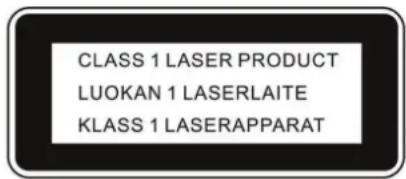
This Compact Disc player is classified as a Class 1 LASER PRODUCT. THE CLASS 1 LASER PRODUCT label is located on the rear exterior.
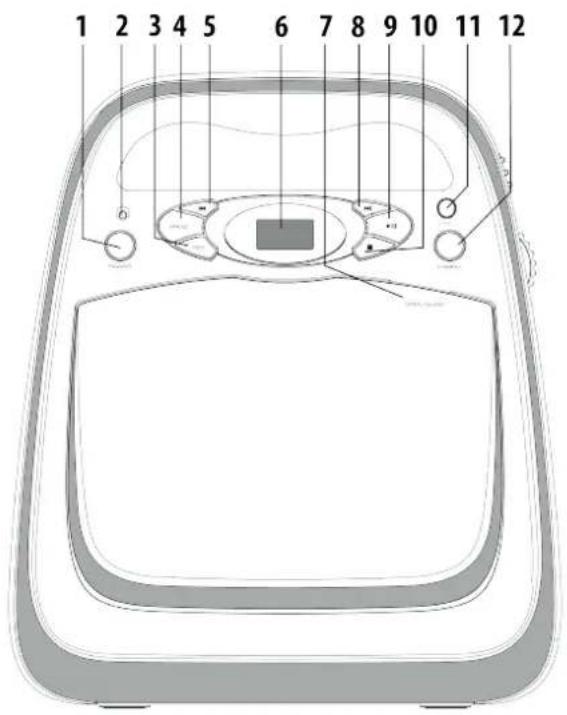
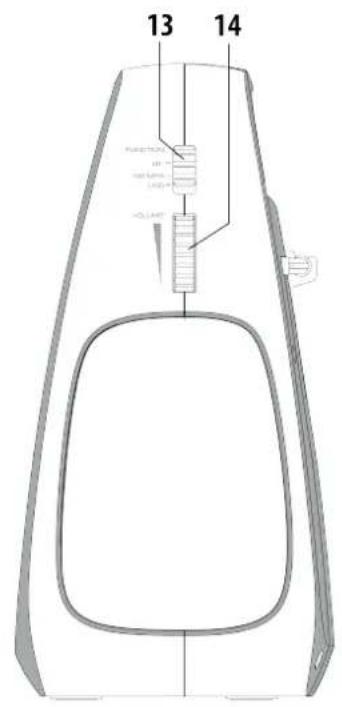
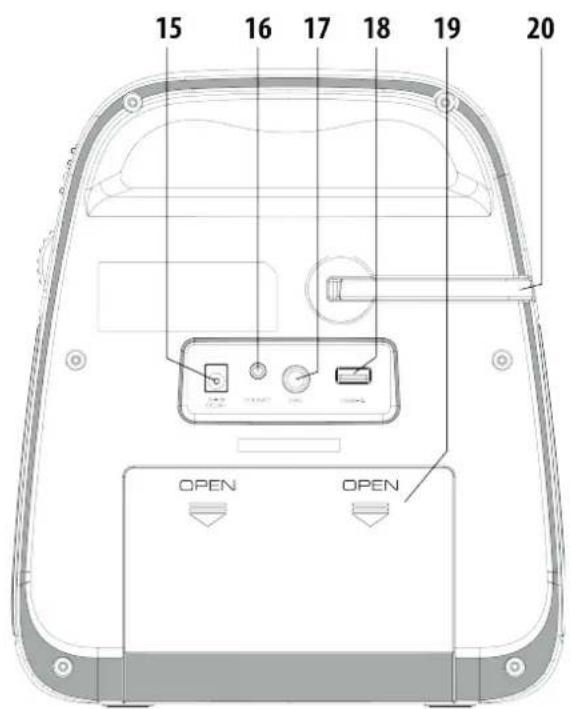
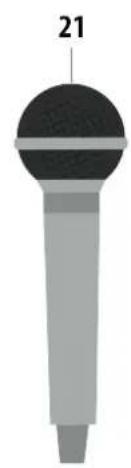
natural_image
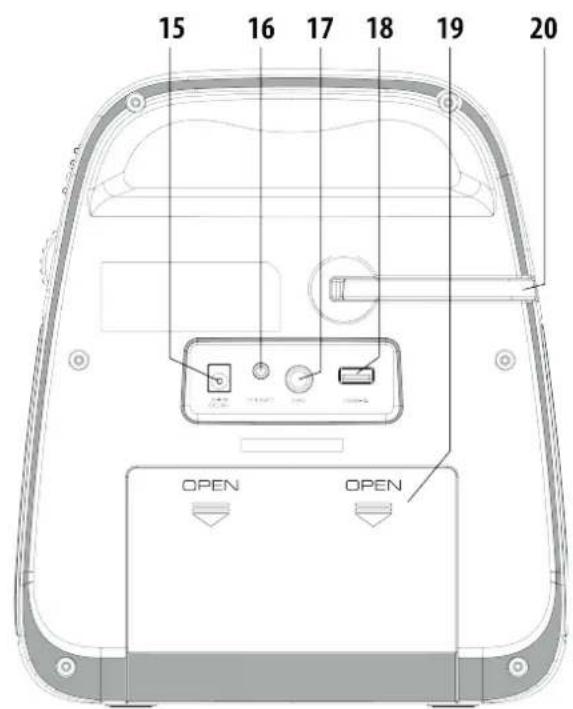
Illustration of a microphone with a numbered label '21' on the top (no other text or symbols)- POWER ON/OFF BUTTON
- POWER INDICATOR
- REPEAT (REP)
- PROG
- SKIP BACK
- LED DISPLAY
- CD DOOR
- SKIP FORWARD
- PLAY / PAUSE ▶II
- STOP ■
-
+10 BUTTON
-
PAIRING BUTTON
- FUNCTION SELECTOR (BT/CD.MP3/USB)
- VOLUME GEAR
- DC INPUT JACK
- 3,5 mm EARPHONE JACK
- 6,3 mm MIC JACK
- USB PORT (FOR PLAYBACK ONLY)
- BATTERY COMPARTMENT
- MICROPHONE HOLDER
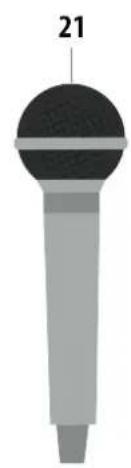
- MICROPHONE
CONNECTING POWER
The unit can be using AC or DC to operate.
× For AC power:
Before connecting the power, check that the mains voltage on the rating plate which is same as the voltage in your area.
Plug the DC jack into back of the unit.
Plug the provided AC adaptor into the wall socket.
Press the POWER button then set the function selector to desired function.
The unit is now ready for use.
✗ For DC battery, please insert 6x UM-2/C size batteries. (battery not included)
✗ To turn the unit on: Press the POWER button. The display will light and the unit will switch on.
✗ To switch off the unit: Press the POWER button. This unit will switch off.
ENERGY SAVING/ ERP2 REGULATION - This device is equipped with an automatic switch off / STANDBY system for energy-saving requirements. This is regulated by an EU-standard and is NOT A MALFUNCTION.
NOTE: If the CD player turn to standby, press any button on front panel to active again. This is ERP2 power management.
ADJUSTING THE VOLUME
Adjust the VOLUME gear to increase or decrease the volume level.
SELECTING A SOURCE
You can choose to listen to following sources by using function switch: BT / CD, MP3 / USB.
LISTENING TO A CD
LOADING DISCS
NOTE: This player can playback CD, MP3 and WMA audio format.
✗ Set the function selector to CD position
✗ Loading a disc: Press the Open/Close marking on CD door to open. Display show "OP". Gently place a disc on the center spindle with the label up side. Once in place, press the center of the disc until it clicks into place on the turntable. Close the CD door.
✗ After a few seconds the disc will read and the disc data. For the tracks display 3 digits.
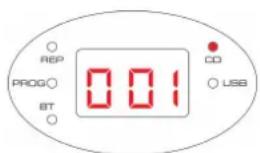
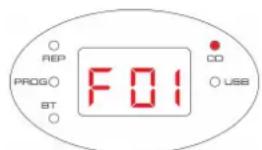
✗ For the CD-MP3/ CD-WMA disc contains folder, „F“ stand for folder and following 2 digits for folder number.
✗ Unloading a disc: If the disc is playing, press the ■ button and wait a few seconds for the disc to stop. Press the Open/Close marking on CD door to open. Grip the disc at the sides and lift it out of the disc compartment.
CD PLAYBACK
× Load the CD.
✗ CD playback starts when closed CD door.
✗ If not, press the button to start the CD playing. Display show the current track number and track timing. Use +10 button to skip tracks for every 10 songs fast forward
✗ When a CD is playing, pressing the button at any time will pause playback and tracks display blinks. Press the button again to re-start playback.
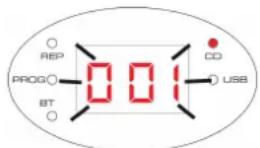
✗ Press the ◀◀/▶◀ button briefly to select the previous or next track from the disc.
✗ Press and hold the ◀◀/▶◀ button to search the passage backward or forward.
CD REPEAT
You can repeat a single track or the whole disc.
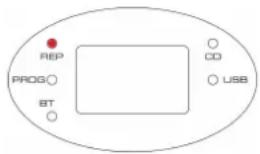
✗ To set a repeat: In CD mode, press the REP button to cycle through the options of repeat current track, the „REP“ indicator blinks.
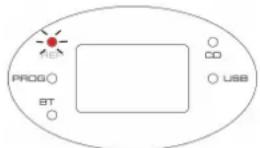
✗ For Repeat all tracks (whole disc), the „REP“ indicator will go stable.
PROGRAM PLAY
For CD disc, you can store a random sequence of up to CD-20 and MP3/WMA-99 tracks to play in your preferred order.
To store a program track(s):
✗ In CD Stop mode, press the PROG button.
✗ Display showing „P01“ and „PROG“ indicator blinks. „P“ stand for program and following 2 digits stand for program number.
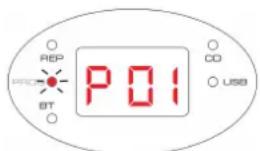
× Press the ◀◀/▶▶ button to select the track number for the first track you want to program.
✗ Press the PROG button to store this track into the program memory. The track will be store and the program counter will increase to „P02”.
✗ Repeat the above two steps to store the next and subsequent tracks in your program sequence.
✗ When you have finished entering all tracks in your program, press the ▶ button to start the program playing.
To clear a program
✗ During program playing, press the ■ button twice.
× Open the CD door.
Note: USB program play is same operation.
LISTENING TO AN USB
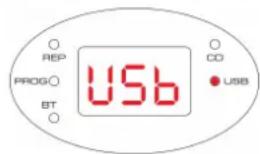
✗ Set the function selector to USB position.
✗ Press button to playback the music.
✗ The operation procedures are the same as CD playback.
NOTE:
Compatible storage device (up to 32GB).
Please do NOT use a USB extension cable to connect your USB flash drive. Such cable can pick up additional interference which can corrupt the data flow.
Always connect your USB flash drive directly to the USB port without USB extension cable.
Due to some USB drive manufacturer's non-compliance with the full USB 1.1/2.0 standard. A small percentage (about 5% ) of USB flash drive might not be compatible.
BLUETOOTH OPERATION
You can listen to tracks from a media device if it is connected to the unit via Bluetooth®. To connect your device to the unit via Bluetooth®, follow the steps below:
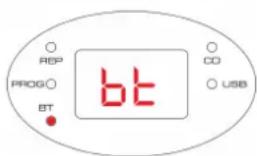
✗ Set the function selector to BT position.
✗ This unit will automatically activate Bluetooth pairing, OR manually pair via PAIRING button. The „bt“ LED indicator flashing. When successfully paired, the „bt“ LED indicator will steady.
✗ Search for the system with your Bluetooth device and you should see DECKO KARAOKE
× When connected, the „bt“ indicator will keep in steady.
NOTE: When the unit has found the last paired Bluetooth device, it will connect automatically.
KARAOKE
✗ Plug the provided microphone into MIC jack
✗ Start playback as described on CD PLAYBACK instruction page.
✗ Slide the MIC's ON/OFF switch to the „ON“ position and sing along!
✗ Adjust the VOLUME gear to desired level.
NOTE: The microphone sound level was 80% of master volume.
✗ To shut off the microphone, slide the MIC's ON/OFF switch to the „OFF“ position.
NOTE: Please always switch the MIC's ON/OFF to „OFF“ position when placing to the unit -MIC holder. Otherwise, very high frequency echo noise will be heard.
HEADPHONES JACK
There is a Headphone output jack (3,5 mm) at the back of the unit. If headphones are connected to this socket for private listening, the speakers will cut out automatically.
- Always use a compact disc bearing the mark as shown.
- Notes on handling discs
Removing the disc from its storage case and loading it. Do not touch the reflective recorded surface. Do not stick paper or write anything on the surface. Do not bend the disc.
- Storage
Store the disc in its case. DO not expose discs to direct sunlight or high temperatures, high humidity or dusty places.
- Cleaning a disc
Should the disc become soiled, wipe off dust, dirt and fingerprints with a soft cloth. The disc should be cleaned from the center to the edge. Never use benzene, thinners, record cleaner fluid or anti-static spray. Be sure to close the CD door, so the lens is not contaminated by dust. Do not touch the lens.
TROUBLESHOOTING
| PROBLEM CAUSE / SOLUTION | |
| No sound / power × | Volume not adjusted. Adjust the volume.× Mains cable not securely connected. Connect the mains cable properly.× Batteries dead/incorrectly inserted. Insert (fresh) batteries correctly.× CD contains non-audio/ MP3/ WMA files. Press ◀◀/▶, button repeatedly to skip to a CD or MP3 audio track, instead of the data file.× Ensure the current mode is correctly selected. |
| CD display does not function properly / No reaction to operation of any of the controls | × Electrostatic discharge. Switch to OFF mode and unplug the unit. Reconnect after a few seconds.× No CD inserted. Insert a CD.× CD badly scratched or dirty. Replace or clean the CD, see Maintenance.× Laser lens steamed up. Wait until lens has cleared.× CD-R / CD-RW is blank or not finalized. Use a finalized CD-R / CD-RW or a suitable CD Audio disc only.× Make sure the CD is not encoded with Copyright protection technologies, as some do not conform to the Compact Disc standard.× Slide the function selector to CD position. |
| The CD skips tracks × | CD damaged or dirty. Replace or clean CD.× Program is active. Quit program mode.× A CD badly scratched or dirty may result in improper operation. |
| Echo noise | × Microphone head point to the L/R speaker. Keep away from the speaker direction. Reduce the master volume level. |
GENERAL
Supply voltage:
AC input: 100 - 240 V, 50/60 Hz, 350 mA
Output: DC 9 V, 1000 mA
Battery supply:
DC 9V (6 x "C" SIZE R14).
Power consumption: 16 W
Standby power consumption: < 0,5 W
Output power: 2 x 1,2 W
Weight of main unit: 1,0 kg (1,3 kg with all accessories)
Operation temperature: + 5 °C \~ + 35 °C
BLUETOOTH
Reception Range 10 meter (line-of-sight distance)
Operating frequency: 2402 – 2480 MHz
EIRP: - 6,4 dBm
COMPACT DISC SECTION
This set supports:
- Disc format: ISO 9660, Joliet, Multisession, UDF, Enhanced Music CD, and Mixed Mode CD.
- MP3 bit rate: 32-320 kbps and variable bit rate (128 kbps preferable)
- MP3 sampling frequency: 8-48 kHz (44.1 kHz preferable)
WE RESERVE THE RIGHT TO CHANGE TECHNICAL SPECIFICATIONS.
WARNING: DO NOT USE THIS PRODUCT NEAR WATER, IN WET AREAS TO AVOID FIRE OR INJURY OF ELECTRIC CURRENT. ALWAYS TURN OFF THE PRODUCT WHEN YOU DON'T USE IT OR BEFORE A REVISION. THERE AREN'T ANY PARTS IN THIS APPLIANCE WHICH ARE REPARABLE BY JMER. ALWAYS APPEAL TO A QUALIFIED AUTHORIZED SERVICE. THE ICT IS UNDER A DANGEROUS TENTION
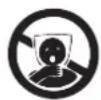
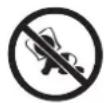
TO AVOID DANGER OF SUFFOCATION, KEEP THE PLASTIC BAG AWAY FROM BABIES AND CHILDREN. DO NOT USE THIS BAG IN CRIBS, BEDS, CARRIAGES OR PLAYPENS. THIS BAG IS NOT A TOY.
Disposal of old Electrical & Electronic Equipment (Applicable in the European Union and other European countries with separate collection systems)
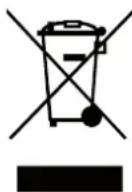
This symbol on the product or on its packaging indicates that this product shall not be treated as household waste. Instead it shall be handed over to the applicable collection point for the recycling of electrical and electronic equipment. By ensuring this product is disposed of correctly, you will help prevent potential negative consequences for the environment and human health, which could otherwise be caused by inappropriate waste handling of this product. The recycling of materials will
help to conserve natural resources. For more detailed information about recycling of this product, please contact your local Civic Office, your household waste disposal service or the shop where you purchased the product.
Hereby, ETA a.s. declares that the radio equipment type DECKOKARAOKER, DECKOKARAOKEB is in compliance with Directive 2014/53/EU. The full text of the EU declaration of conformity is available at the following internet address: http://www.gogen.cz/declaration_of_conformity
EINLEITUNG
natural_image
Illustration of a microphone with a numbered label '21' on the top (no other text or symbols)- HAUPTSCHALTERTASTE
- LEISTUNGSANZEIGE
- WIEDERHOLEN (REP)
- PROGRAMMIEREN (PROG)
- SKIP ZURÜCK
- DISPLAY LED
- DECKEL CD
- SKIP VORWÄRTS
- WIEDERGABE/PAUSE ▶II
- STOP ■
-
TASTE +10
-
PAIRING-TASTE
- FUNKTIONSWAHLSCHALTER (BT/CD.MP3/USB)
- LAUTSTÄRKEREGLER
- EINGANGSSTECKER FÜR DC STROM
- KOPFHÖRERANSCHLUSS 3,5 mm
- MIKROFONANSCHLUSS 6,3 mm
- USB-EINGANG (NUR FÜR WIEDERGABE)
- BATTERIEFACH
- MIKROFONHALTER
- MIKROFON
STROMANSCHLUSS
× Load the CD.
✗ CD playback starts when closed CD door.
PROGRAMMIERTE WIEDERGABE
| EN - English | ||
| Charging adapter | ||
| A | Manufacturer's name or trademark, business registration number and address | Dong Guan City GangQi Electronic Co., Ltd Privately Operated Industrial District, ShiYong, 532600 Heng Li Town, Dong Guan, Guangdong, China |
| B | Model identifier GQ12-090100-AG | |
| C | Input voltage 100-240 V (AC) | |
| D | Input frequency 50/60 Hz | |
| E | Output voltage 9 V (DC) | |
| F | Output current 1 A | |
| G | Output power 9 W | |
| H | Average efficiency in active mode 82,73 % | |
| I | Low load efficiency (10%) | - |
| J | Power consumption without load | 0,077 W |


- ÚVOD
- DÔLEŽITÉ BEZPEČNOSTNÉ POKYNY
- POZOR
- PRIPOJENIE NAPÁJANIA
- NAPROGRAMOVANÉ PREHRÁVANIE
- PODŁĄCZANIE DO ZASILANIA
- PROGRAMOWANIE ODTWARZANIA
- ÁLTALÁNOS MÜKÖDÉS
- KARAOKE
- IMPORTANT SAFETY PRECAUTIONS
- CAUTION
- WARNING:
- DANGER
- CONNECTING POWER
- ADJUSTING THE VOLUME
- SELECTING A SOURCE
- LISTENING TO A CD
- LOADING DISCS
- CD PLAYBACK
- CD REPEAT
- PROGRAM PLAY
- To clear a program
- LISTENING TO AN USB
- NOTE:
- BLUETOOTH OPERATION
- HEADPHONES JACK
- TROUBLESHOOTING
- GENERAL
- BLUETOOTH
- COMPACT DISC SECTION
- EINLEITUNG
- STROMANSCHLUSS
- PROGRAMMIERTE WIEDERGABE
Brand : GoGen
Model : Decko Karaoke
Category : Mp3 player