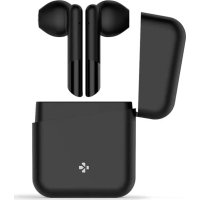
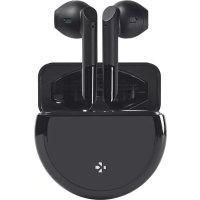
ZeBuds Premium - Headphones MYKRONOZ - Free user manual and instructions
Find the device manual for free ZeBuds Premium MYKRONOZ in PDF.


| Product type | In-ear wireless headset (True Wireless) |
| Earbud dimensions | 25 x 20 x 20 mm (each) |
| Charging case dimensions | 60 x 40 x 25 mm |
| Earbud weight | 4.5 g (each) |
| Charging case weight | 45 g |
| Power supply | Lithium-ion battery, USB-C charging |
| Earbud battery life | 6 hours |
| Total battery life with case | 24 hours |
| Charging time | 2 hours |
| Main features | Bluetooth 5.0, active noise cancellation, touch controls, built-in microphone, IPX5 water resistance, SBC/AAC compatibility |
| Care and cleaning | Clean with a soft, dry cloth; use a cotton swab for the eartips; do not immerse in water |
| Safety | Do not use at high volume for extended periods; avoid excessive moisture; keep out of reach of children |
| Spare parts | Replaceable eartips available |
| Repairability | Non-user-replaceable battery; repair by authorized center |
| Warranty | 2 years |
Frequently Asked Questions - ZeBuds Premium MYKRONOZ
User questions about ZeBuds Premium MYKRONOZ
0 question about this device. Answer the ones you know or ask your own.
Ask a new question about this device
Download the instructions for your Headphones in PDF format for free! Find your manual ZeBuds Premium - MYKRONOZ and take your electronic device back in hand. On this page are published all the documents necessary for the use of your device. ZeBuds Premium by MYKRONOZ.
USER MANUAL ZeBuds Premium MYKRONOZ
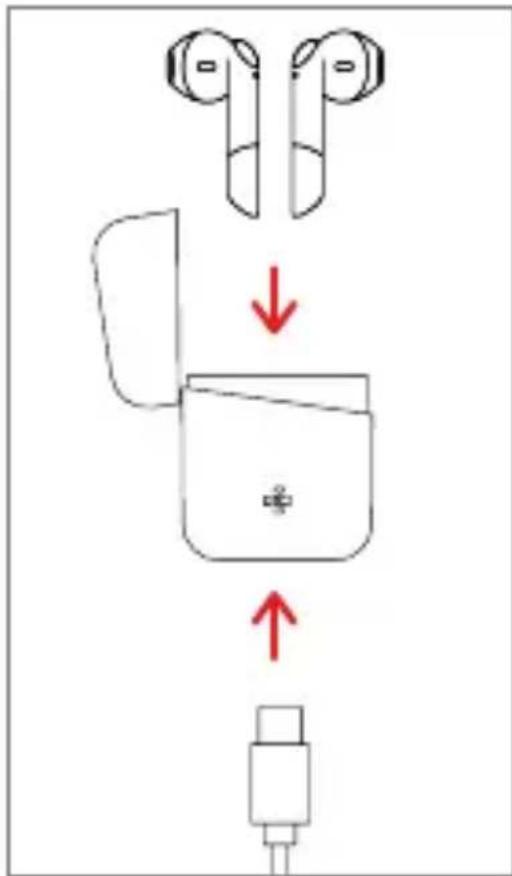
Before the first time use, make sure to fully charge
ZeBuds Premium inside their charging box with the USB-C cable for about 2 hours.
ZeBuds Premium and its charging case will reach maximum battery capacity in order to provide you with up to 20 hours playtime.
ZeBuds Premium can deliver about 4 hours of battery life. When reaching low battery level, you will hear an audio indication in your earbuds inviting you to put them back in the charging case to recharge them.
It will take about 90 minutes to fully charge your earbuds in the charging case. Once the charging case is fully charged, you can recharge your earbuds up to 4 times until it reaches low battery.
flowchart
graph TD
    A["Top 200 MHz Bluetooth"] --> B["Device with USB port"]
    B --> C["Device with USB port"]
    C --> D["Device with USB port"]
LED INFORMATION
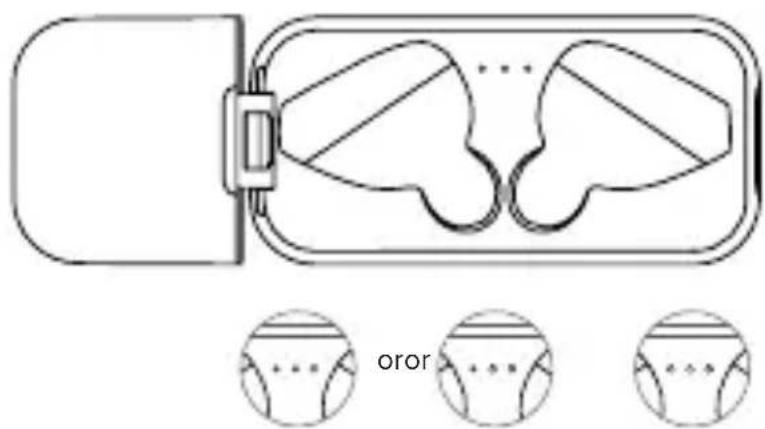
There are 3 LED indicators in the charging case to indicate its built-in battery level.
3 LEDs ON = between 75% and 100%
2 LEDs ON = between 25% and 75%
1 LED ON = below 25% and requires your attention
LED OFF = 0% battery
text_image
ororPAIRING
In order to pair your ZeBuds Premium with your smartphone, please follow the below instructions:
- Search for the MyKronoz App in the App store or Google Play store, download and install the App on your mobile device.
- Open the MyKronoz App on your mobile device. Sign up if you are a new member or login with your existing account.
- Ensure the Bluetooth® is enabled on your mobile smartphone.
- Then follow the on-screen instructions.
- When your ZeBuds Premium are successfully paired, you will be notified on your mobile device's screen and white LED on either earbud will stay solid state for one second then turn off.
- You're now ready to enjoy your new ZeBuds Premium.
Note: Thanks to the MyKronoz mobile app you'll also enjoy new features and performance improvements.
HOW TO PAIR WITH ANOTHER SMARTPHONE
Android user: To pair your ZeBuds Premium with another phone, please unpair ZeBuds Premium from MyKronoz mobile app first, then perform a new pairing procedure with another smartphone as mentioned above.
iOS user: To pair your ZeBuds Premium with another phone, please forget ZeBuds Premium from your iOS device's Bluetooth list, then perform a new pairing procedure with another smartphone as mentioned above.
| Play / Pause | x2 | ||
| Next track | x2 | ||
| Voice control | x3 | or* | x3 |
| Answer call | x2 | or* | x2 |
| Reject call | Press & hold for 3 seconds | or* | Press & hold for 3 seconds |
| End call | x2 | or* | x2 |
use either earbud to conduct these operations
TROUBLESHOOTING
Bluetooth® disconnection issues
ZeBuds Premium are Bluetooth ^® 5.0 earphones, which provide a more stable connection with compatible mobile devices and less interference.
- Make sure that both devices are within Bluetooth® range.
- Ensure both earphones have enough battery power.
- Make sure to install all available updates to the MyKronoz app.
- Put the earbuds back to the charging case. Then take the earbuds out of the case. Reboot your Bluetooth® device and pair the earbuds once again after restarting.
Bluetooth ^® connection issues
- Insert the both ZeBuds back into the case and open the case to enter pairing mode again.
• Make sure the mobile device is within 10m of ZeBuds when trying to pair initially. - Double tap on the top section (touch area) of 2 earbuds at the same time to reconnect both earbuds together. If it works, the 2 earbuds will start blinking very quickly, then the light stays on for 2 seconds. After that, the lights blink in normal speed.
Can't hear other end on phone calls / Poor Audio Quality
- Adjust the volume on the connected mobile device.
- Move to another area with better quality signal.
• Make sure your ZeBuds are fully and properlyinserted into your ears. - Ensure the mobile device is within 10m of ZeBuds while on a call.
TECH SPECS
I EARBUDS:
Bluetooth ^® 5.0 - Dimensions: 17.8*43*19mm - Weight: 4 g each - Battery type: 40 mAh Battery life: up to 4h of playtime - Charging time: 20 min for 1h listening / 1h30 full charge Dual microphone - Speaker impedance: 32Ω - Frequency: 20Hz/20KHz - IPX4 water resistant - Operating temperature: -10°C to +60°C
CHARGING CASE:
Dimensions: 46.6*22.5*56.5mm - Weight: 47 g - Battery type: 400 mAh - Battery life: 16h of extra playtime - Charging time: 1h30 for full charge - USB-C charging port
Compatible with iOS and Android devices.
1 year international warranty.
WHAT'S IN THE BOX
I ZeBuds Premium with charging case
1x USB-C charging cable
1x Quick start guide
FRANÇAIS
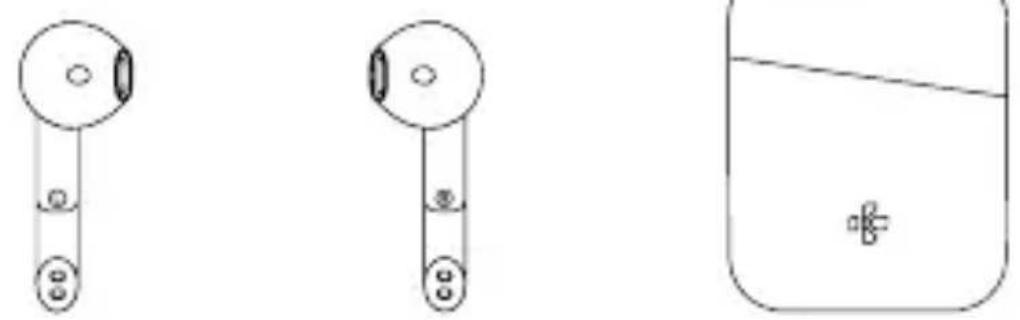
VUE D'ENSEMBLE
natural_image
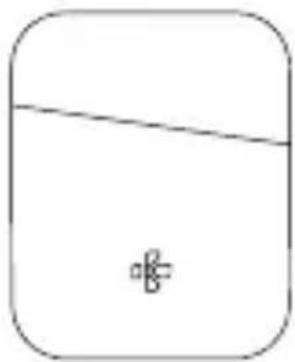
Simple line drawing of a square with a horizontal line and a small cross at the bottom (no text or symbols)ÉCOUTEUR GAUCHE BŒTOURTEUR CHARGE
natural_image
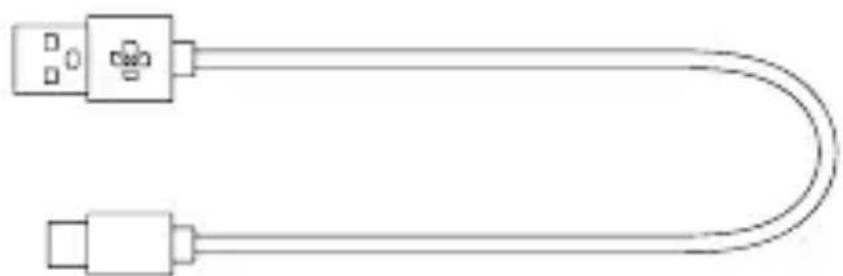
Pure diagram of two USB connectors with a U-shaped cable, no text or symbols presentCÂBLE DE CHARGE USB-C
CHARGEMENT
flowchart
graph TD
    A["Device with two earbuds"] --> B["Transfer to a container with a plus symbol"]
    B --> C["Product with plug"]
INDICATEURS LUMINEUX
natural_image
Diagram of a device with internal components and three circular insets showing different types of devices (no text or symbols present)JUMELAGE
natural_image
Simple line drawing of a square with a horizontal line and a small cross symbol at the bottom (no text or labels)LINKER OHRHÖRER LADEGETHÄRUSHRHÖRER

natural_image
Pure diagram of two USB connectors with a U-shaped cable, no text or symbols presentUSB-C-LADEKABEL
LADEN
text_image
Diagram showing the process of inserting a wireless ear into a device, with red arrows indicating the direction of change.LED-INFORMATIONEN
- To prevent possible hearing damage, do not listen at high volume levels for long periods of time.
- Use of earbuds will prevent your ability to hear other sounds.
- Use your earbuds with caution when engaging in any activity that requires your full attention.
- This package contains small parts that may be hazardous to children and should be kept out of reach from children. This product is not a toy never allow children to play with this product.
- Never try to dismantle the product yourself, or push objects of any kind into the products, as this may cause short circuits, which could result in a fire or electric shock.
- None of the components can be replaced or repaired by users. Please contact customer service for any assistance.
- Avoid exposing your product to rain, moisture or other liquids to protect against damage to the product or injury to you.
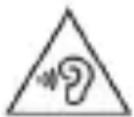
- Do NOT submerge the earbuds in water.
- Do NOT expose the earbuds to moving water (e.g., from a faucet, etc.).
- Do NOT wear the earbuds while showering or bathing, or when participating in water sports, e.g., swimming, waterskiing, surfing, etc.
• Leaving the product in hot or cold places, such as in a closed car in the summer and winter conditions, will reduce the capacity and lifetime of the earbuds. - Read all the instructions before using the charging case.
- Do not expose charging case to water, rain, liquids or snow.
- Use of a power supply or charger that is not recommended may result in a risk of fire or injury.
- Do not use the charging case in excess of its output range.
INFORMATIONS DE SÉCURITÉ
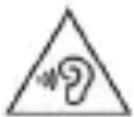
This device complies with part 15 of the FCC Rules. Operation is subject to the following two conditions: (1) This device may not cause harmful interference, and (2) this device must accept any interference received, including interference that may cause undesired operation.
CAUTIONS
Any changes or modifications not expressly approved by the party responsible for compliance could void your authority to operate the equipment.
FCC NOTICE
This equipment has been tested and found to comply with the limits for a Class B digital device, pursuant to part 15 of the FCC Rules. These limits are designed to provide reasonable protection against harmful interference in a residential installation.
This equipment generates, uses and can radiate radio frequency energy and, if not installed and used in accordance with the instructions, may cause harmful interference to radio communications. However, there is no guarantee that interference will not occur in a particular installation. If this equipment does cause harmful interference to radio or television reception, which can be determined by turning the equipment off and on, the user is encouraged to try to correct the interference by one or more of the following measures:
• Reorient or relocate the receiving antenna.
- Increase the separation between the equipment and receiver.
- Connect the equipment into an outlet on a circuit different from that to which the receiver is connected.
- Consult the dealer or an experienced radio/ TV technician for help.
FCC ID: 2AA7D-ZEBDS
RF EXPOSURE STATEMENTS
This equipment complies with FCC radiation exposure requirement set forth for an uncontrolled environment. End users must follow the specific operating instructions for satisfying RF exposure compliance.
CANADA ISED STATEMENT
This device complies with Industry Canada license-exempt RSSs. Operation is subject to the following two conditions: (1) this device may not cause interference, and (2) this device must accept any interference, including interference that may cause undesired operation of the device. This Class B digital apparatus complies with Canadian ICES-0003.
RF EXPOSURE STATEMENTS
This device complies with the ISED RSS-102 RF exposure requirement set forth for an uncontrolled environment and are safe for intended operation as described in this manual.
KRONOZ LLC hereby declares that the device is in compliance with the essential requirements and other relevant provisions of directives 2014/53/EU and 2012/19/EU. The original EU declaration of conformity may be found at https://www.mykronoz.com/assets/certifications-ce-ZeBuds-Premium.pdf
DISPOSAL AND RECYCLING INFORMATION
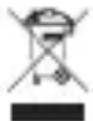
After the implementation of the European Directive 2012/19/EU in the national legal system, the following applies: electrical and electronic devices may not be disposed of with domestic waste. Consumers are obliged by law to return electrical and electronic device at the end of their service lives to the public collecting points set up for this purpose or point of sale. Details to this are defined by the national law of the respective country. This symbol on the product, the instruction manual or the package indicates that a product is subject to these regulations. By recycling, reusing the materials or other forms of utilizing old devices, you are making an important contribution to protecting our environment.
©2019 Kronoz LLC, all rights reserved. Kronoz LLC, Avenue Louis-Casai 18, 1209 Geneva, Switzerland All brands or product names are or may be trademarks of their respective owners. Pictures and specifications are not contractual. Les marques citées sont des marques déposées par leur fabricant respectif. Photos et caractéristiques non contractuelles. Alle Marken oder Produktnamen sind Warenzeichen ihrer jeweiligen Besitzer oder können Warenzeichen sein. Bilder und Angaben sind nicht bindend.
Designed in Switzerland - Assembled in China
MYKRONOZ
WEARABLE DESIGNED IN SWITZERLAND
JOIN US @MYKRONOZ



© 2019 KRONOZ LLC. All rights reserved.