IAN 89656 - Lighting Livarno Lux - Free user manual and instructions
Find the device manual for free IAN 89656 Livarno Lux in PDF.


User questions about IAN 89656 Livarno Lux
0 question about this device. Answer the ones you know or ask your own.
Ask a new question about this device
Download the instructions for your Lighting in PDF format for free! Find your manual IAN 89656 - Livarno Lux and take your electronic device back in hand. On this page are published all the documents necessary for the use of your device. IAN 89656 by Livarno Lux.
USER MANUAL IAN 89656 Livarno Lux
natural_image
Black-and-white product photo featuring a geometric 3D model, a black octagonal device, and a white remote control device (no visible text or symbols on main objects)LED MOOD LIGHT
GB IE
LED MOOD LIGHT
Operation and Safety Notes
IAN89656
IE
GB / IE Operation and Safety Notes Page 3
Intended use...... Page 4
Parts description ...... Page 4
Technical Data Page 5
Scope of delivery......Page 6
General Safety Instructions...... Page 6
Battery safety information...... Page 8
Before initial use Page 10
First use
Remote control functions...... Page 10
Changing the battery Page 12
Cleaning and Care Page 13
Disposal Page 13
LED Mood Light
Intendeduse
This product is suitable to create impressive lighting effects in dry living spaces. This product is intended for use in private, domestic environments only and not for commercial purposes.
●Partsdescription
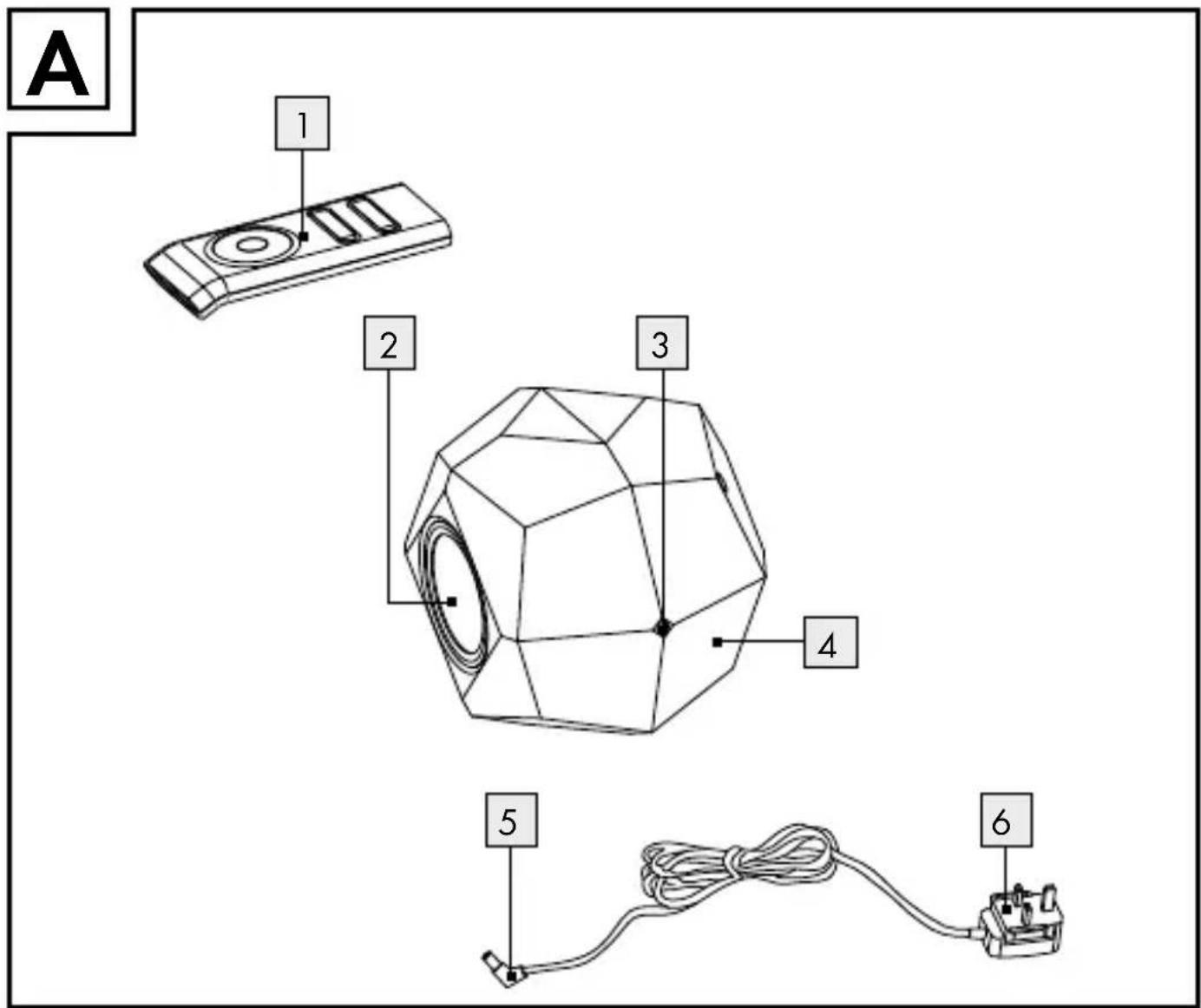
1 Remote control unit
2 LEDspotlight
3 Low voltage jack
4 Moodlight
5 Low voltage plug
6 Mainsadapter
7 Batterycompartment
8 Battery (CR 2025)
9 On/Off button
10 Colour change button
11 " + " button (brighter)
12 Quick button (accelerates colour change)
13"-" button (dim light)
14 Slow button (slows colour changes)
15 Colour selection button
●TechnicalData
Mood light
Operating voltage: 15V ——, max. 4 W
Low voltage jack: DC power jack 3.5 mm,
Illuminant: 12 x RGB LED, each max. 0.2 W
(non-replaceable)
Protection class:

Model no.: Z31472A-BS (black) or
Z31472B-BS (white)
Mains adapter
Primary rated voltage: 100-240V\~, 0.3A max., 50/60Hz
Secondary rated voltage: 15 V ——, 0.3 A
Low voltage plug: DC jack ∅ 3.5 mm,
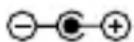
Protection category:

Model no.: XY-1500300-B
Remote Control
Battery: 3 V
==, type CR2025
Max. range: approx. 3–5 m
- Scope of delivery
1 LED mood light
1 Mains adapter
1 Remote control (with built-in battery)
1 Set of operating instructions

General Safety Instructions
Before using the product, please familiarise yourself with all of the safety information and instructions for use. When passing this product on to others, please also include all the documents.

Children or persons lacking knowledge or experience in handling the device or have limited physical, sensory or mental abilities, must not use the device without supervision or instruction by a person responsible for their safety. Children must be supervised at all times to prevent them from playing with the device.
The extremely high speed of colour changes could result in visual impairment in children or predisposed persons.
Avoid the danger of death from electric shock!
Before use, ensure the available mains voltage matches the voltage required for operating the device (100–240 V \~, 50 / 60 Hz).
■ Only use the mood light with the enclosed mains adapter (model no. XY-1500300-B).
Before connecting the product to the mains, always check it and the mains adapter for damage. Never use the device if any damage is detected.
This product does not contain any parts that can be serviced by the user. The bulbs cannot be replaced.
- Protect the product and the supply line from sharp edges, mechanical loads and hot surfaces.
■ CAUTION! RISK OF OVERHEATING! Verify the LED spotlight is unobstructed. Never cover!

Battery safety information

WARNING! DANGER TO LIFE!
■ Batteries are not intended for children. If accidentally swallowed seek immediate medical attention.

CAUTION! EXPLOSION HAZARD!
- Never recharge non-rechargeable batteries and do not short-circuit and / or open any batteries.
■ Never throw batteries into fire or water. - Do not exert mechanical loads to batteries.
8 GB/IE
Risk of battery leaking
In the event of a battery leak, immediately remove it from the device to prevent damage.
- Avoid contact with the skin, eyes and mucous membranes. In the event of contact with battery acid, thoroughly flush the affected area with clean water and seek immediate medical attention.
- Avoid extreme conditions and temperatures which may impact batteries, e.g. radiators!
■ Remove the battery from the device if it is not going to be used for extended periods.
Risk of property damage
■ Use only the recommended battery type!
- When inserting the battery ensure the correct polarity! This is indicated on the battery compartment cover.
If necessary, clean the battery and device contacts before inserting the battery.
■ Promptly remove drained batteries from the product.
- Before initial use
☐ Remove the plastic strip from the battery compartment 7 of the remote control 1 (Fig. B). This is only for transport safety.
☐ Plug the low voltage plug 5 for the mains adapter 6 into the low voltage jack 3 of the mood light 4 (Fig. A). Plug the mains adapter into an easy to access outlet.
-Firstuse
- Remote control functions
The remote control allows you to adjust the lighting effects of the mood light 4. The remote control 1 uses infrared light. This means the virtual path between the remote control and the receiver on the mood light must not be obstructed. The receiver for the transmission signal is located behind the LED spotlight 2 (Fig. D). At full charge the remote control has a range of about 5 metres.
Switching on / off:
☐ Switch the light on or off using the On / Off button 9
When first switching the light on after connecting it to the mains the colour will change at medium speed.
ATTENTION! The extremely high speed of colour changes could result in visual impairment in children or predisposed persons.
Selecting the colour:
☐ Switch on the static coloured light using the colour selection button 15. The first light is medium bright red.
☐ Press the colour selection button again to change between blue, green, yellow, purple, turquoise, or white.
There are a total of 5 brightness settings for the static light.
☐ Press the “+” button 11 to increase the brightness by one setting.
☐ Press the “-” button 13 to decrease the brightness by one setting.
Changing the colour:
☐ Use the colour change button 10 to change colours. Colour change will automatically change between the following colours: red, blue, green, yellow, purple, turquoise and white.
There are 7 settings for adjusting the speed of the colour change.
☐ Press the Slow button 14 to reduce the speed.
☐ Press the Quick speed 12 to increase the speed.
- Changing the battery
Note: If the range of the battery is reduced, the batteries need to be replaced.
☐ Open the battery compartment 7 at the back of the remote control 1 (Fig. B).
☐ Remove the old battery 8 and insert the new battery under the retaining bracket in the battery compartment. Be sure to check the
12 GB/IE
polarity of the battery! This is indicated on the compartment cover.
Only use type CR2025 batteries.
☐ Close the battery compartment.
- Cleaning and Care
CAUTION! RISK OF ELECTRIC SHOCK!
☐ First remove the mains adapter from the mains socket.
☐ Only use a dry, lint-free cloth for cleaning.
●Disposal

The packaging is made of environmentally friendly materials, which may be disposed through your local recycling facilities.
Contact your local authorities for information on how to dispose of the product at the end of product life.
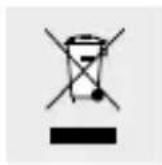
Never dispose of the product / the article in your regular household waste. Dispose of the device / article at an authorised disposal centre or at your local council disposal facility. Observe the applicable regulations. In case of doubt, please contact your waste disposal centre.
Defective or used batteries must be recycled in accordance with Directive 2006 / 66 / EC. Return batteries and / or the device to a local recycling facility.
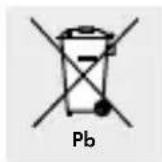
Improper disposal of batteries can harm the environment!
Never dispose of batteries in your household waste. They may contain toxic heavy metals and are subject to hazardous waste regulations. The chemical symbols of the heavy metals are: Cd = cadmium, Hg = mercury, Pb = lead. Therefore, dispose of used batteries through your municipal collection site.
EMC CE
14 GB/IE
text_image
A 1 2 3 4 5 6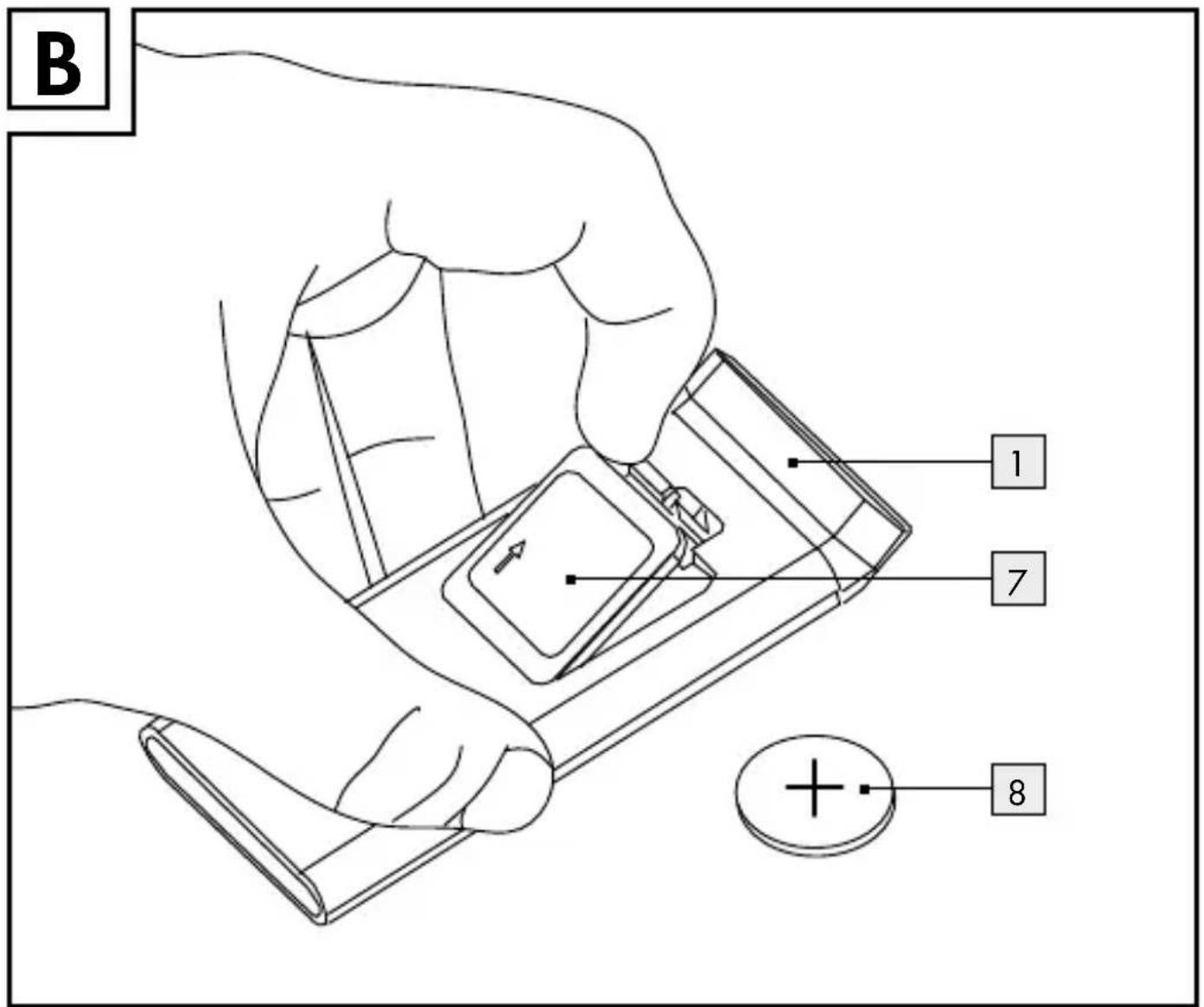
text_image
B 1 7 8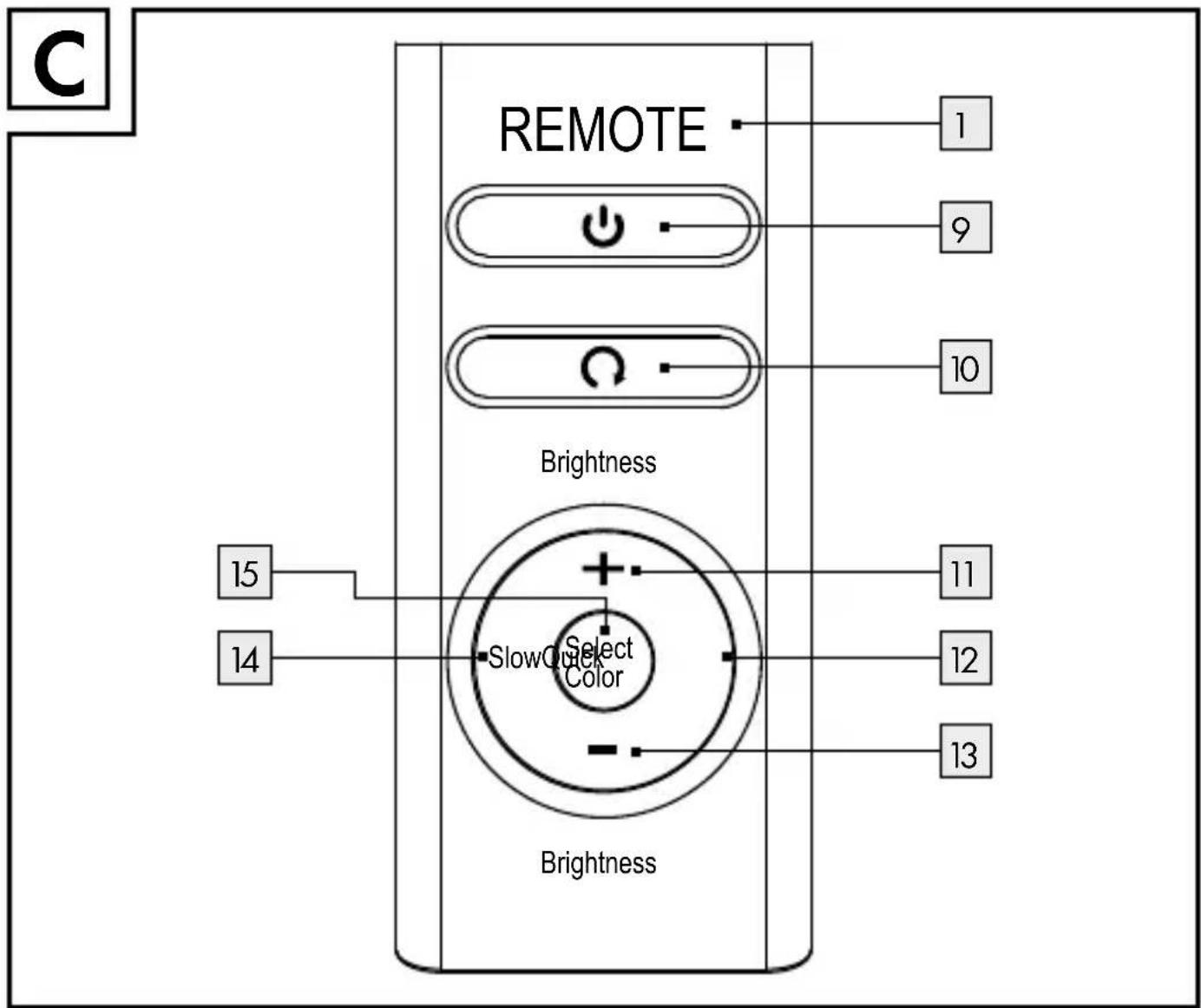
text_image
REMOTE Brightness 15 14 SlowQuick Color 1 9 10 11 12 13 Brightness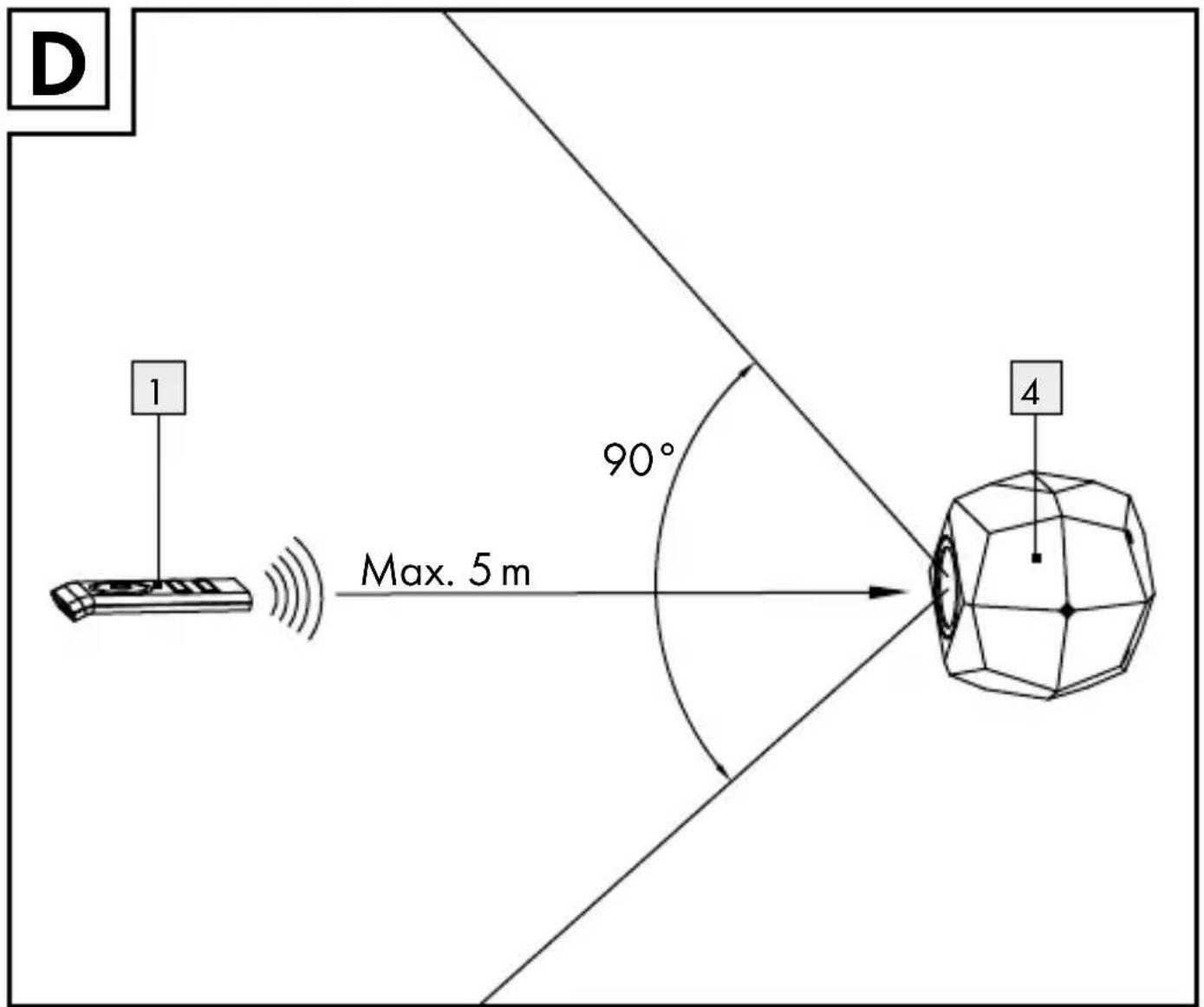
text_image
D 1 Max. 5 m 90° 4OWIM GmbH & Co. KG
Stiftsbergstraße 1
D-74167 Neckarsulm
Model-No.: Z31472A-BS, Z31472B-BS
Version: 05/2013
Last Information Update: 04 / 2013
Ident.-No.: Z31472A-BS/B-BS042013-6
IAN89656