
ES-3831 - Shaver PANASONIC - Free user manual and instructions
Find the device manual for free ES-3831 PANASONIC in PDF.


| Product Type | Wet/Dry Battery Shaver |
| Model Numbers | ES-3831, ES3832, ES3833 |
| Brand | Panasonic |
| Power Source | Two AA (LR6) dry-cell batteries (DC 3.0 V, sold separately) |
| Battery Type | Alkaline (non-rechargeable recommended) |
| Usage | Wet shaving with lather or dry shaving, shower-safe |
| Parts Included | Protective cap, outer foil, foil frame, inner blade, cleaning brush (case and trimmer for ES3832/ES3833) |
| Operation | Slide switch with lock button, 0/1 positions |
| Trimmer | Included on ES3833 only for sideburns |
| Foil Replacement Interval | Once per year |
| Inner Blade Replacement Interval | Once every two years |
| Cleaning Method | Rinse with water and hand soap; use brush for inner blade |
| Safety Features | Switch lock button; do not use if foil damaged; keep away from children |
| Intended Use | Household use only |
| Regulatory Compliance | Panasonic Corporation; manufactured in China |
Frequently Asked Questions - ES-3831 PANASONIC
User questions about ES-3831 PANASONIC
0 question about this device. Answer the ones you know or ask your own.
Ask a new question about this device
Download the instructions for your Shaver in PDF format for free! Find your manual ES-3831 - PANASONIC and take your electronic device back in hand. On this page are published all the documents necessary for the use of your device. ES-3831 by PANASONIC.
USER MANUAL ES-3831 PANASONIC
Operating Instructions
使用說明書
사용 설명서
คุมีอาการใชงาน
(Household) Wet/Dry Battery Shaver
(家用)乾 / 濕兩用電動刮鬍刀
(가정용)습식/건식배터리면도기
natural_image
Line drawing of a handheld device with a circular button and textured grip (no text or symbols)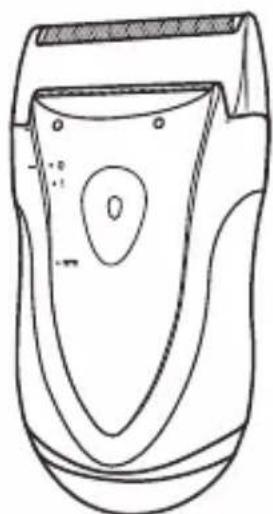
natural_image
Line drawing of a handheld electric shaver with no text or symbolsBefore operating this unit, please read these instructions completely and save them for future use. 使用本產品前,請仔細閱讀此說明書,並妥善保存以備未來使用。
This Wet/Dry shaver can be used for wet shaving with shaving lather or for dry shaving. You can use this watertight shaver in the shower and clean it in water.
▶ Using the shaver
Caution - The outer foil is very thin and can be damaged if not used correctly. Check that the foil is not damaged before using the shaver. Do not use the shaver if the foil etc. is damaged as you will cut your skin.
▶ Cleaning the shaver
If you clean the shaver with water, do not use salt water or hot water. Do not soak the shaver in water for a long period of time. Wipe it with a cloth dampened with soapy water. Do not use thinner, benzine or alcohol.
▶ Storing the shaver
Do not leave this shaver within the reach of small children. Keep these operating instructions in a safe place.
This appliance is not intended for use by persons (including children) with reduced physical, sensory or mental capabilities, or lack of experience and knowledge, unless they have been given supervision or instruction concerning use of the appliance by a person responsible for their safety. Children should be supervised to ensure that they do not play with the appliance.
Always follow the cautions printed on the battery.
Check the polarity of the battery (+ and -) and install it correctly.
Remove the battery immediately and dispose of it safely when it is discharged.
Remove the battery when not using the appliance for an extended period of time.
Use the battery by the recommended use-by date.
Non-rechargeable batteries are not to be recharged.
Do not disassemble the battery or throw it into a fire.
The supply terminals are not to be short -circuited.
SPECIFICATIONS
Model: ES3831/ES3832/ES3833
Batteries: Two AA (LR6) dry-cell batteries (DC 3.0 V) (Sold separately)
This product is intended for household use only.
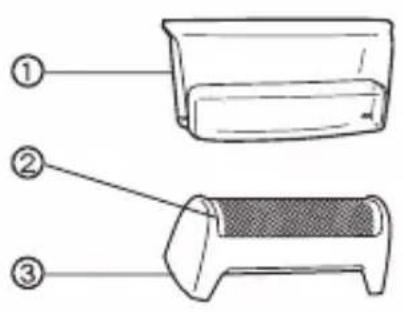
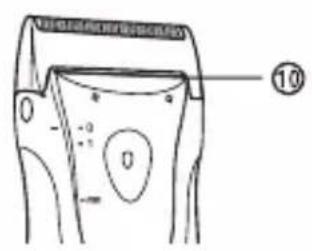
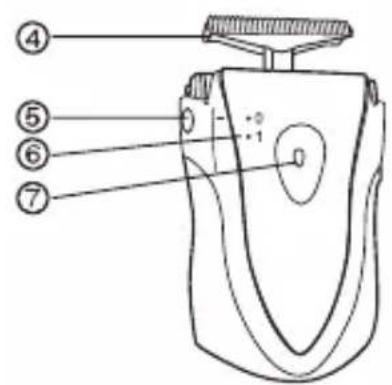
Parts identification
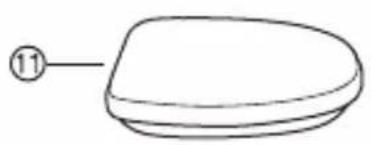
natural_image
Simple line drawing of a rounded rectangular object with a numbered label (11) pointing to its side (no text or symbols on the object itself)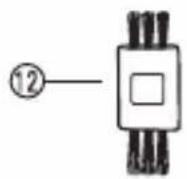
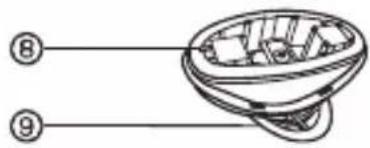
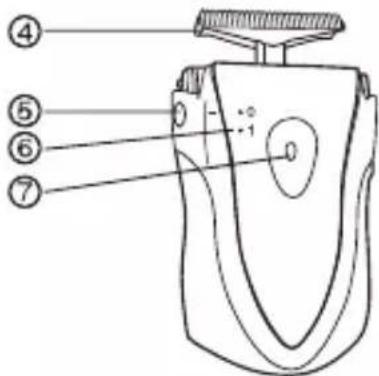
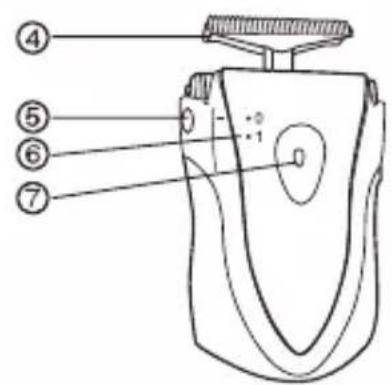
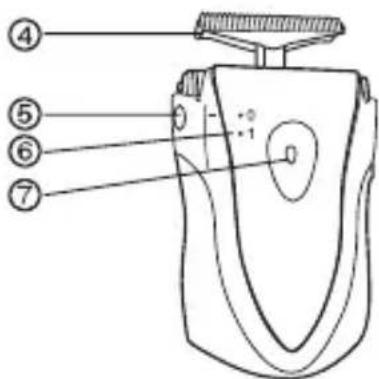
① Protective cap
② Outer foil
③ Foil frame
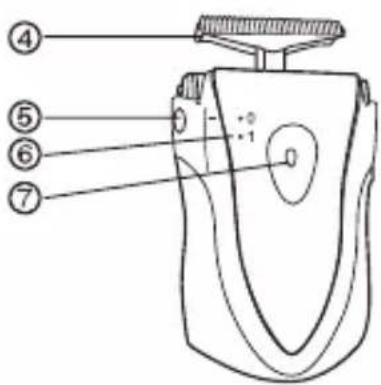
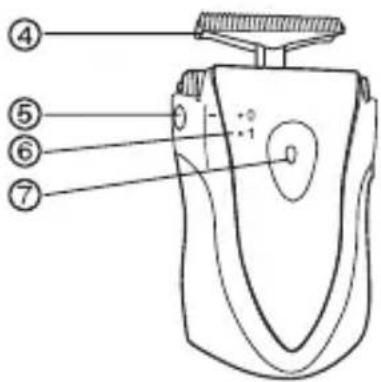
④ Inner blade
⑤ Foil frame release button
⑥ 0/1 switch
⑦ Switch lock button
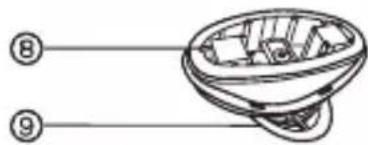
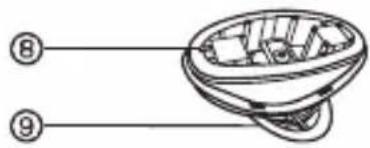
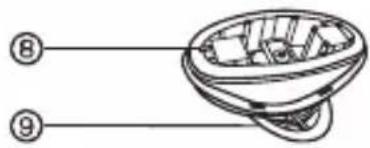
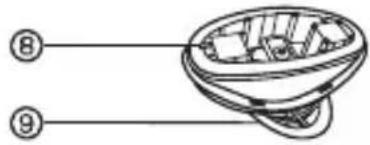
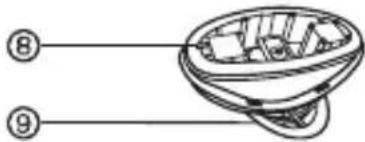
⑧ Battery cover
⑨ Battery cover release dial
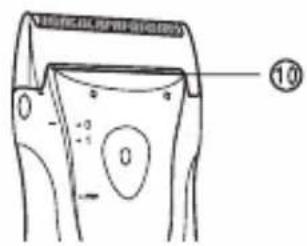
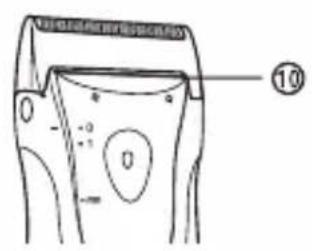
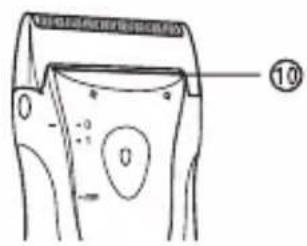
⑩ Trimmer (ES3833 only)
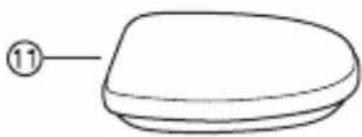
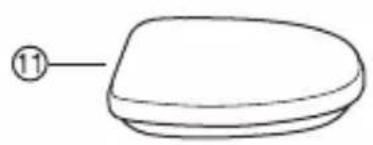
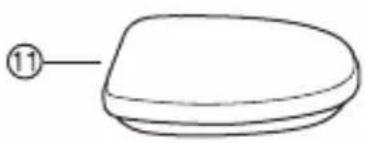
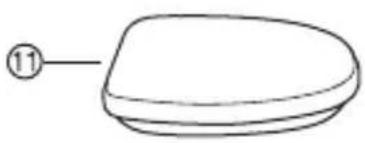
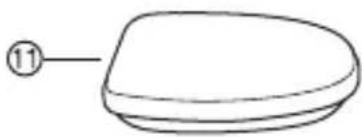
⑪ Case (ES3832/ES3833 only)
⑫ Cleaning brush
Shave
Using the shaver
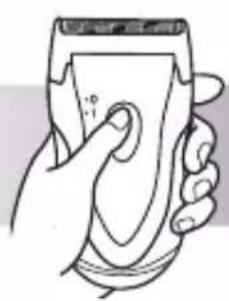
natural_image
Hand holding a handheld device with a paper clip, no visible text or symbols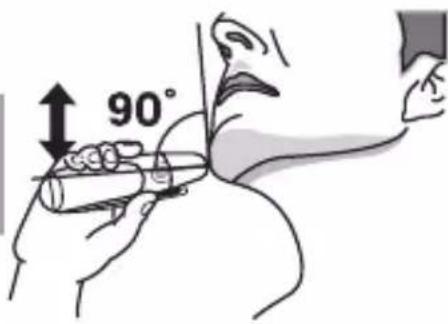

natural_image
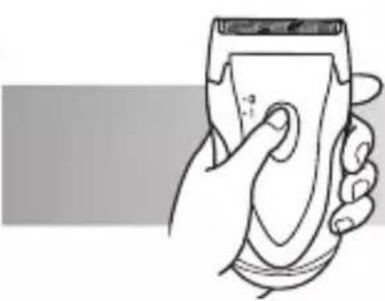
Solid dark gray right-pointing arrow shape (no text or symbols)1 Depress the switch lock button and slide the 0/1 switch upwards.
2 Hold the shaver as illustrated above and shave.
- Start out shaving by applying gentle pressure to your face. Stretch your skin with your free hand and move the shaver back and forth in the direction of your beard. You may gently increase the amount of pressure as your skin becomes accustomed to this shaver. Applying excessive pressure does not provide a closer shave.
▶ Using the trimmer (ES3833 only)
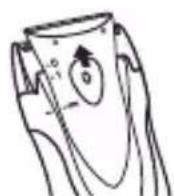
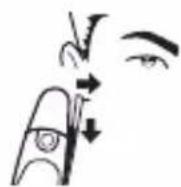
Slide the 0/1 switch upwards. Align the “” mark and the “-” mark on the body with each other. Place at a right angle to your skin and move downwards to trim your sideburns.
Clean
Cleaning
1
natural_image
Line drawing of a hand holding a small electronic device with sound waves (no text or symbols)2
natural_image
Illustration of a hand holding a device with arrows indicating motion or force (no text or symbols)3
natural_image
Illustration of a hand using a power tool to clean or exhaust air, with no text or symbols present.3
natural_image
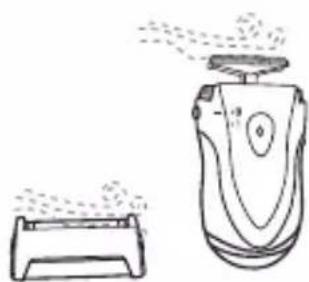
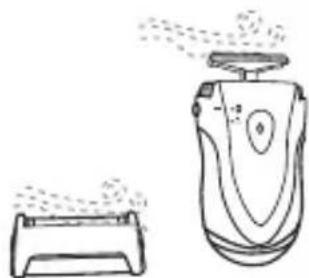
Line drawing of a pair of hair shifters, one emitting mist from the other (no text or symbols)- Remove the protective cap.
- Apply some hand soap to the outer foil.
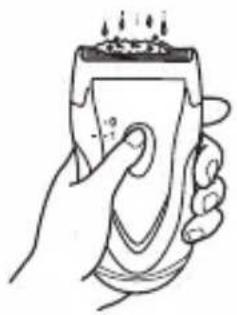
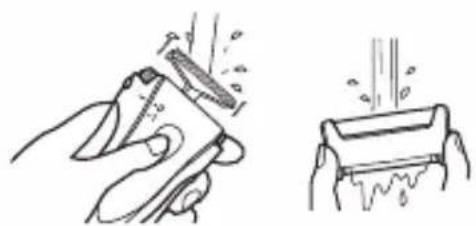
- Turn the shaver on and then pour some water over the outer foil. (Fig. 1)
- Turn the shaver off after 10-20 seconds.
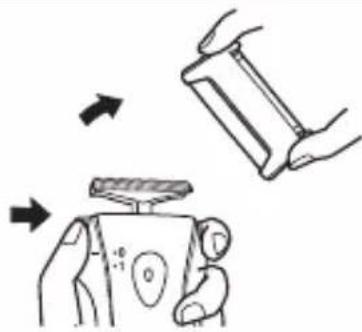
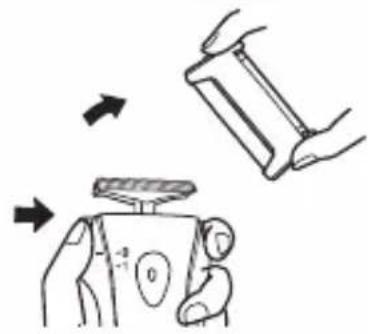
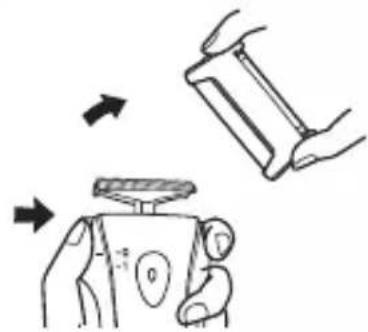
- Remove the foil frame while pressing the foil frame release button and clean it with running water. (Fig. 2)
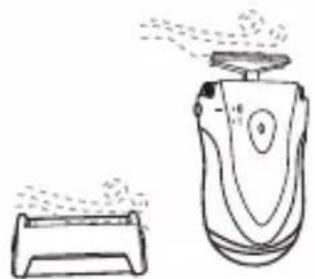
- Wipe off any drops of water with a dry cloth.
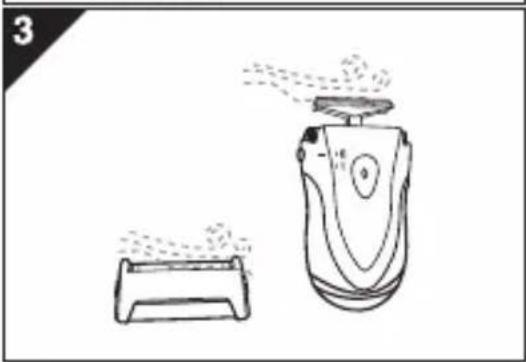
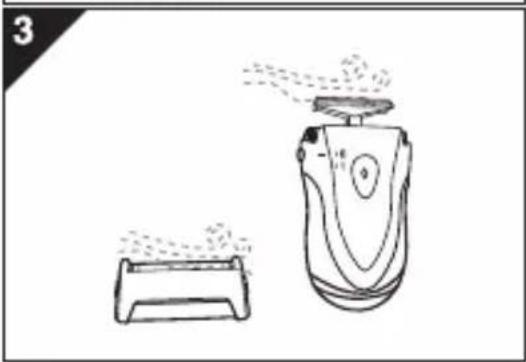
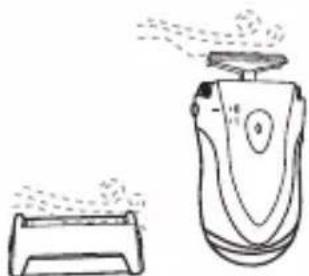
- Remove the foil frame to allow it to dry completely. (Fig 3.)
Replacing the outer foil and the inner blade
| outer foil once every year |
| inner blade once every two years |
natural_image
Illustration of hands performing a physical manipulation or repair operation on a device (no text or symbols visible)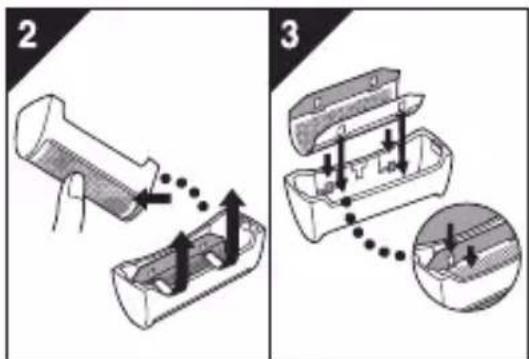
natural_image
Illustration of a hand pressing down on a battery with a valve, showing mechanical components (no text or symbols)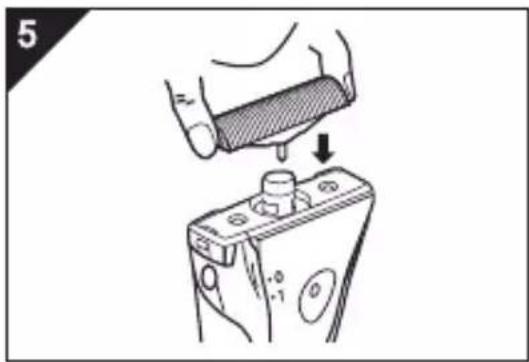
natural_image
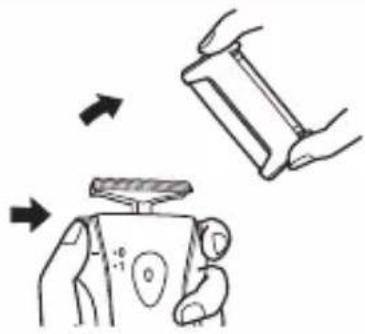
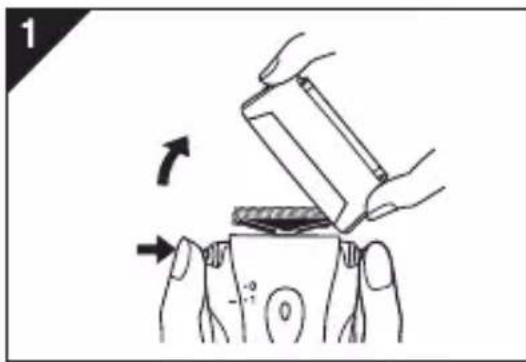
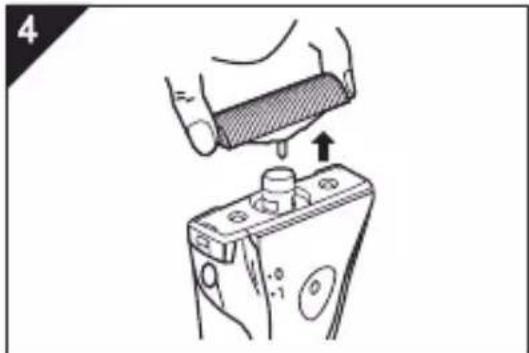
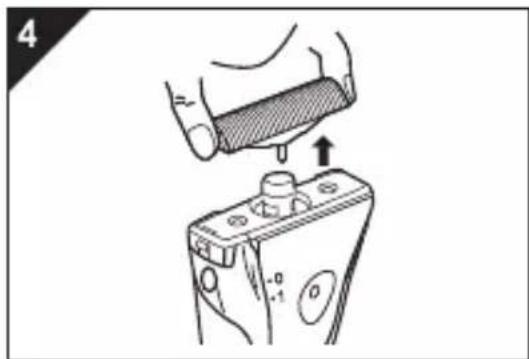
Illustration of a hand pressing down on a battery with a valve, showing mechanical components (no text or symbols)- Press the foil frame release button and lift the outer foil upwards as illustrated.
- Gently push the outer foil in the way as illustrated. Then it will pop up from the foil frame. (Fig. 2)
- The new outer foil should be slightly bent and pushed in until it hooked in the foil frame.
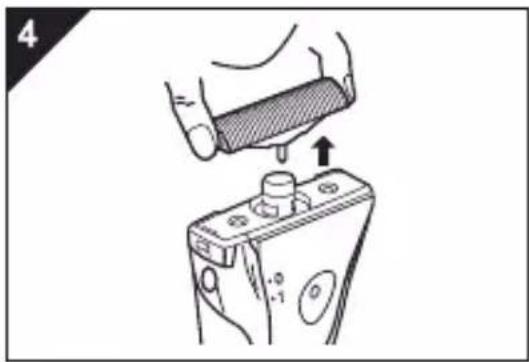
▶ Replacing the inner blade
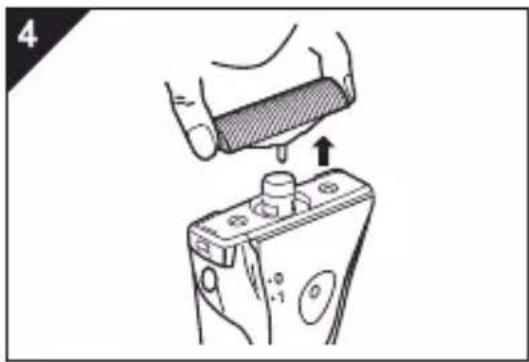
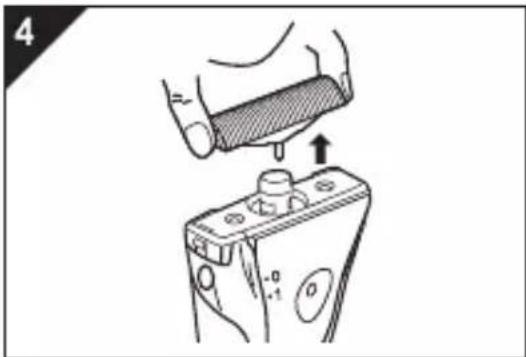
- Remove the inner blade as illustrated.
- Do not touch the edges (metal parts) of the inner blade to prevent injury to your hand.
- Insert the inner blade until it clicks as illustrated.
Note:
- Turn the shaver off before replacing the outer foil and the inner blade.
Cleaning with the brush
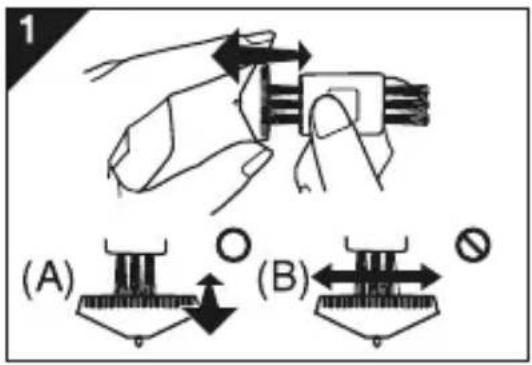
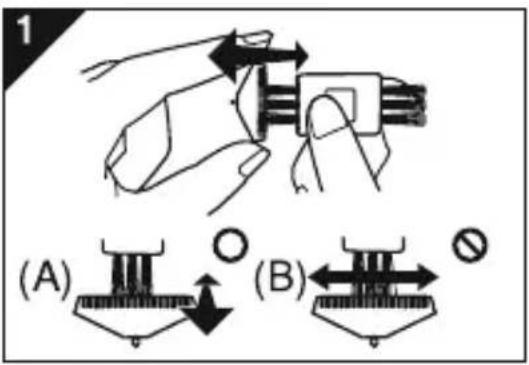
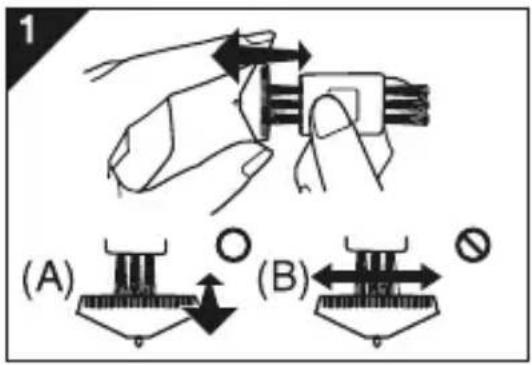
- Clean the inner blade using the short brush by moving it in direction (A).
Clean the outer foil, the shaver body and the trimmer using the long brush.
- Do not move the short brush in direction (B) as it will damage the inner blade and affect its sharpness.
- Do not use the short brush to clean the outer foil.
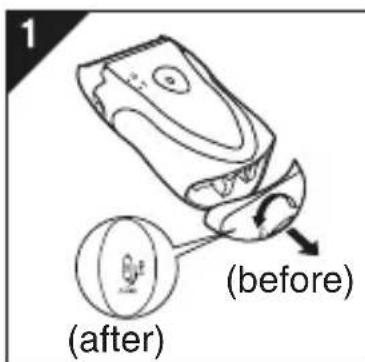
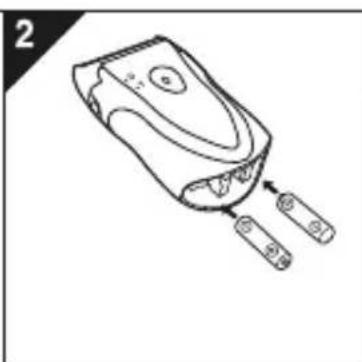
Replacing batteries
When the blade speed decreases, this indicates that the batteries should be replaced with new ones.
-
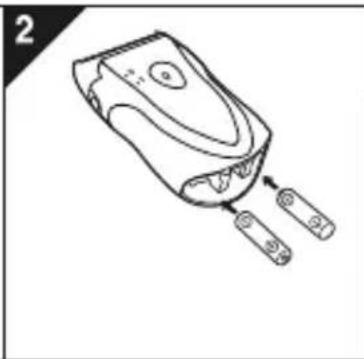
Bottom of the shaver, turn the battery cover release dial to "open" position then remove the battery cover. (Fig. 1)
-
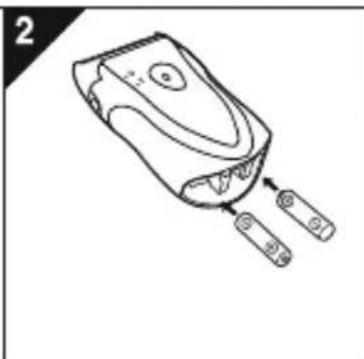
Insert two AA LR6 alkaline batteries. (Fig. 2)
- Be careful to insert the battery with + and - correctly oriented.
- Reattach the battery cover and turn the battery cover release dial to "close" position. (Fig. 3)
Notes:
- Turn the shaver off before replacing batteries.
- Before replacing the batteries, wipe the shaver free of moisture to prevent the inside from getting wet.
- Do not use a new battery together with an old one.
- We recommend that do not use rechargeable batteries for the leakage of battery may do harm to the shaver.
- Please make sure that the old batteries are disposed of at an officially assigned location.
- If the shaver will not be used for a long time, please remove the batteries.
natural_image
Line drawing of a handheld electronic device with two ports and a handle, no text or symbols present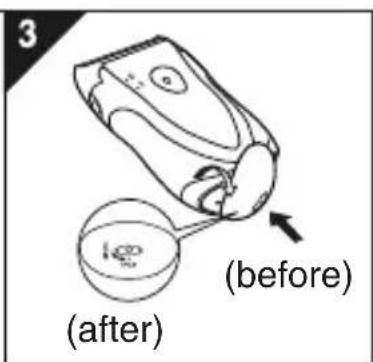
重要
▶ 使用前
natural_image
Simple line drawing of a rounded rectangular object with a numbered label (11) pointing to its top surface.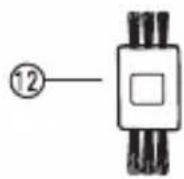
natural_image
Illustration of a hand holding a handheld device with a paper clip (no text or symbols visible)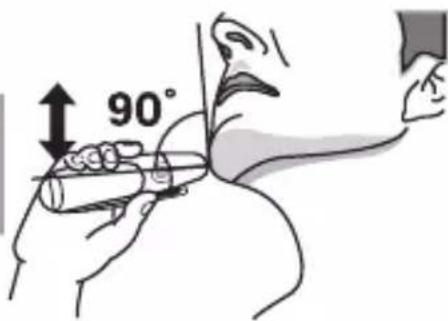
natural_image
Solid black right-pointing arrow shape on white background (no text or symbols)natural_image
Line drawing of a hand holding a handheld electronic device with indicator lights (no text or symbols)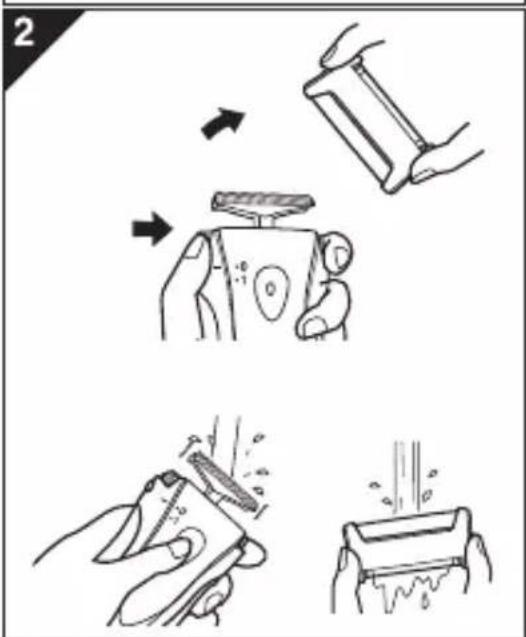
natural_image
Line drawing of a pair of hair blisters, one emitting powder from a fan (no text or symbols)natural_image
Illustration of hands using a tool to lift a small object, showing motion direction (no text or symbols)▶ 更換外層網面
natural_image
Illustration of a hand pressing down on a cylindrical component with an arrow indicating motion (no text or symbols)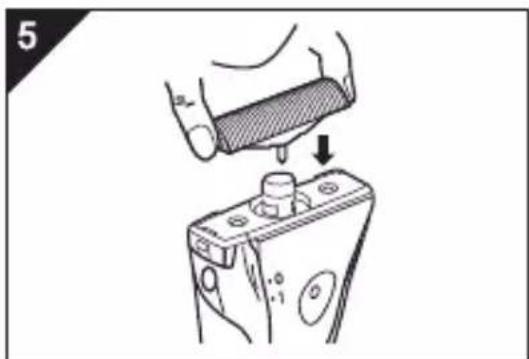
natural_image
Illustration of a hand pressing down on a battery with a valve, showing mechanical components (no text or symbols)以毛刷清潔
- 利用毛刷依著(A)方向來清潔內層刀片。
natural_image
Line drawing of a handheld device with two connectors and a handle (no text or symbols)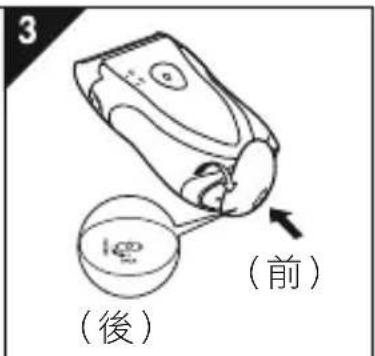

廢電池請回收
只限於台灣
委製商:Panasonic Corporation
商品原產地:中國
natural_image
Simple line drawing of a rounded rectangular object with a numbered label (11) pointing to its top edge (no text or symbols on the object itself)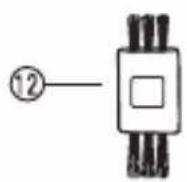
natural_image
Line drawing of a hand holding a handheld device with a circular button (no text or symbols)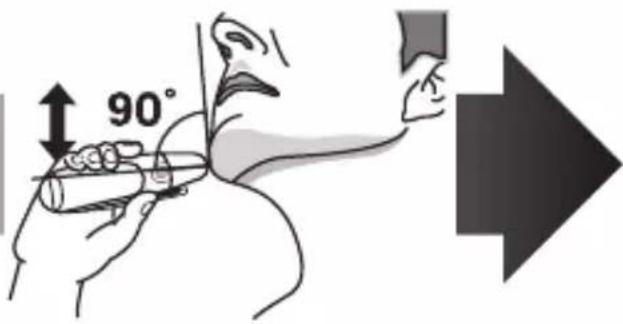
natural_image
Line drawing of a hand holding a handheld electronic device with indicator lights (no text or symbols)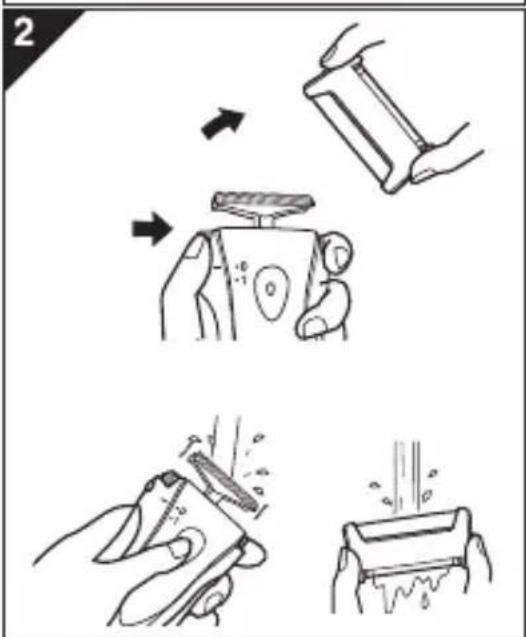
natural_image
Line drawing of a pair of hair blisters, one emitting powder from a fan (no text or symbols)natural_image
Illustration of hands using a tool to press or install a component, showing motion arrows (no text or symbols)▶ 면도망 교환
natural_image
Illustration of a hand pressing down on a battery with a handle, showing mechanical components (no text or symbols)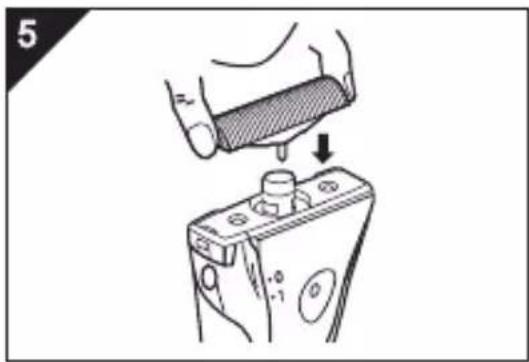
natural_image
Illustration of a hand pressing down on a battery with a handle, showing mechanical components (no text or symbols)술을 사용하여 청소
natural_image
Line drawing of a handheld electronic device with two ports and a handle (no text or symbols)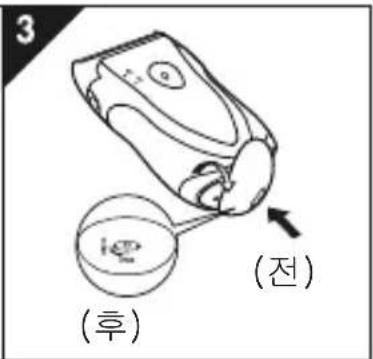
สิ่งสำคัญ
▶ ก่อนใช้งาน
natural_image
Simple line drawing of a rounded rectangular object with a numbered label (11) pointing to its top edge (no text or symbols on the object itself)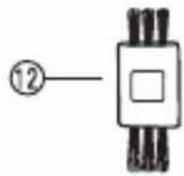
natural_image
Illustration of a hand holding a handheld device with a circular button (no text or symbols visible)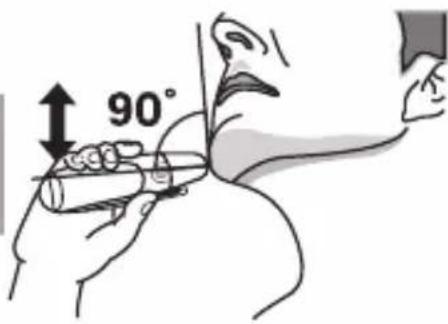

natural_image
Solid black right-pointing arrow shape on white background (no text or symbols)natural_image
Line drawing of a hand holding a small object with a lid, emitting vapor or smoke (no text or symbols)2
natural_image
Illustration of a hand holding a device with arrows indicating motion or change (no text or symbols present)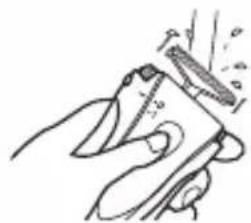
natural_image
Illustration of a hand holding a tool with a blade and spout (no text or symbols)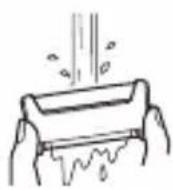
3
natural_image
Line drawing of a pair of hairdryers, one emitting steam from the nozzle (no text or symbols)natural_image
Illustration of hands performing a physical manipulation or tooling task on a device (no text or symbols visible)natural_image
Illustration of a hand pressing down on a mechanical component with a knob, showing no text or symbols.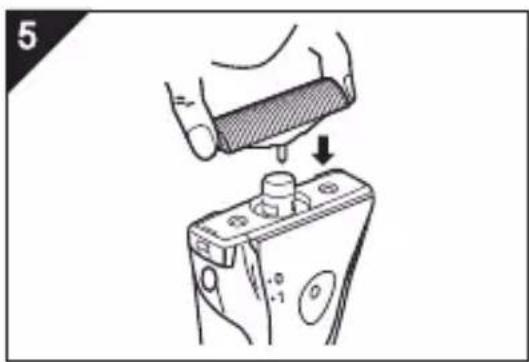
natural_image
Illustration of a hand pressing down on a battery with a knob, showing mechanical components (no text or symbols)natural_image
Line drawing of a handheld electronic device with two batteries and a handle (no text or symbols)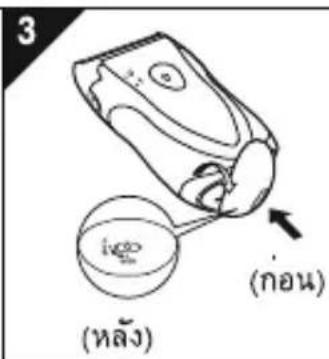
natural_image
Line drawing of a handheld electronic device with two ports and a handle, no text or symbols present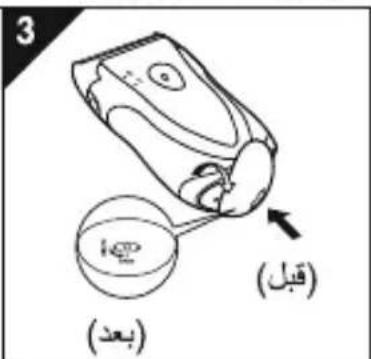
natural_image
Illustration of hands using a tool to press or install a component, showing motion arrows (no text or symbols)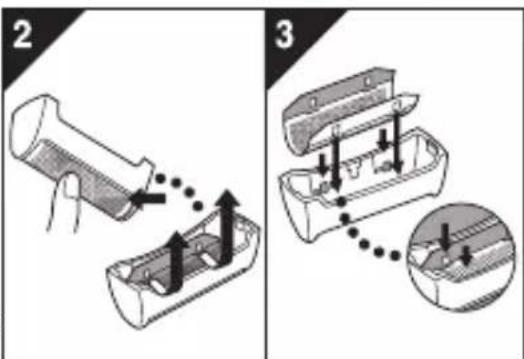
natural_image
Illustration of a hand pressing down on a mechanical component with an arrow indicating motion (no text or symbols)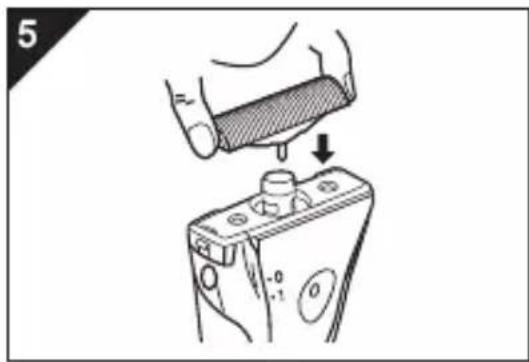
natural_image
Illustration of a hand pressing down on a battery component with a downward arrow indicating force (no text or symbols present)natural_image
Line drawing of a hand holding a small container with a lid, emitting steam or smoke (no text or symbols)2
natural_image
Illustration of a hand holding a device with arrows indicating motion or interaction (no text or symbols)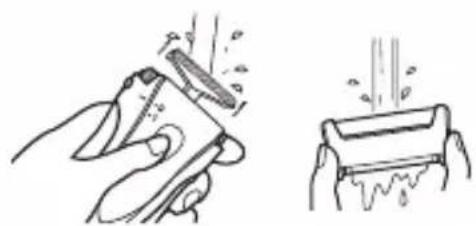
natural_image
Illustration of a hand using a tool to clean or spread material, with no text or symbols present.3
natural_image
Line drawing of a pair of hair shifters, one emitting mist from the other (no text or symbols)natural_image
Hand holding a smartphone with a circular button, no visible text or symbols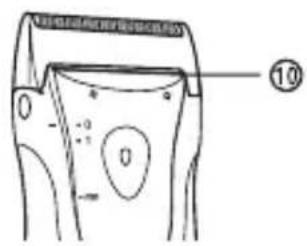
natural_image
Simple line drawing of a rounded rectangular object with a numbered label (11) pointing to its top edge (no text or symbols on the object itself)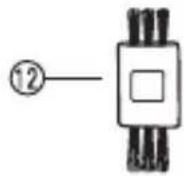
① الغطاء الواقي
natural_image
Line drawing of a handheld electronic device with ports and connectors (no text or symbols)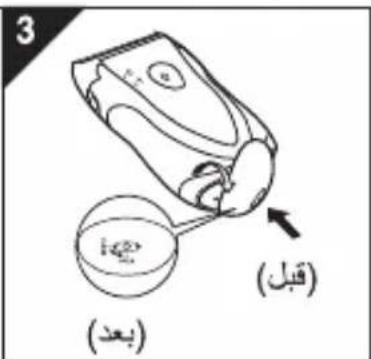
natural_image
Illustration of a hand holding a small object with arrows indicating motion (no text or symbols)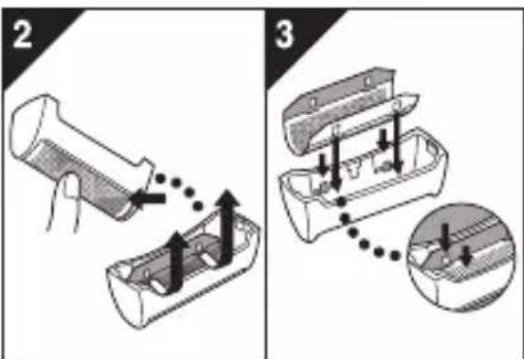
natural_image
Illustration of a hand pressing down on a mechanical component with an arrow indicating force (no text or symbols present)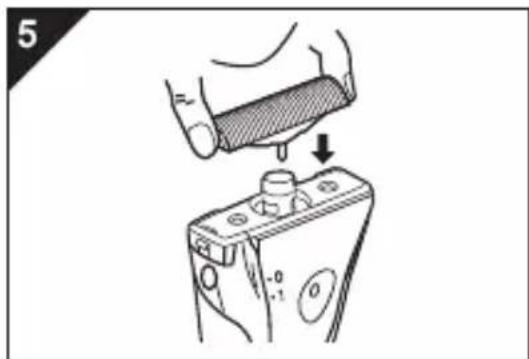
natural_image
Illustration of a hand pressing down on a battery with a knob, showing mechanical components (no text or symbols)natural_image
Hand holding a beverage can with steam rising (no text or symbols visible)2
natural_image
Illustration of a hand holding a small device with arrows indicating motion or operation (no text or symbols present)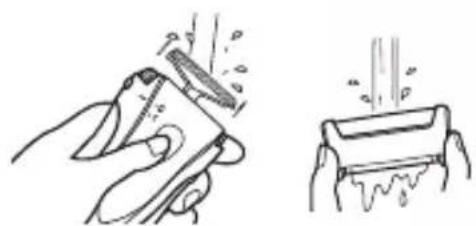
natural_image
Illustration of a hand cleaning a tool and pouring liquid into a container (no text or symbols)3
natural_image
Line drawing of a pair of hair shifters, one emitting smoke or dust (no text or symbols)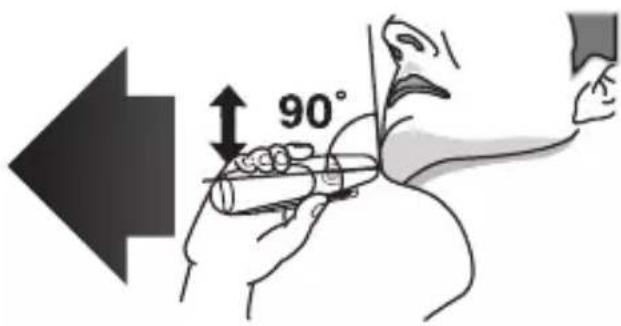
natural_image
Illustration of a hand holding a handheld device (no text or symbols visible)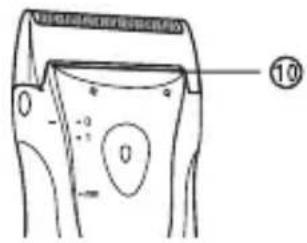
natural_image
Simple line drawing of a rounded rectangular object with a numbered label (11) pointing to its top edge (no text or symbols on the object itself)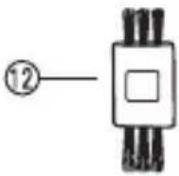
① الغطاء الواقي
natural_image
Line drawing of a handheld device with a circular button and textured top (no text or symbols)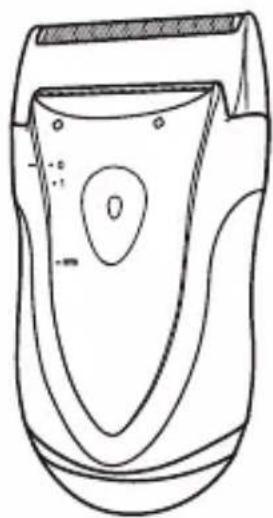
natural_image
Line drawing of a handheld device with a central oval and side stripes (no text or symbols)© Panasonic Corporation 2011-2020

- ▶ Using the shaver
- ▶ Cleaning the shaver
- ▶ Storing the shaver
- SPECIFICATIONS
- Parts identification
- Shave
- Using the shaver
- ▶ Using the trimmer (ES3833 only)
- Clean
- Cleaning
- Replacing the outer foil and the inner blade
- ▶ Replacing the inner blade
- Note:
- Cleaning with the brush
- Replacing batteries
- Notes:
- 重要
- ▶ 使用前
- ▶ 更換外層網面
- 以毛刷清潔
- 廢電池請回收
- ▶ 면도망 교환
- 술을 사용하여 청소
- สิ่งสำคัญ
- ▶ ก่อนใช้งาน
- 2
- 3
Brand : PANASONIC
Model : ES-3831
Category : Shaver