KVX1 - Kitchen scale Vigan Mammoth - Free user manual and instructions
Find the device manual for free KVX1 Vigan Mammoth in PDF.


User questions about KVX1 Vigan Mammoth
0 question about this device. Answer the ones you know or ask your own.
Ask a new question about this device
Download the instructions for your Kitchen scale in PDF format for free! Find your manual KVX1 - Vigan Mammoth and take your electronic device back in hand. On this page are published all the documents necessary for the use of your device. KVX1 by Vigan Mammoth.
USER MANUAL KVX1 Vigan Mammoth
text_image
Vigan® Mammoth Vigan® Mammoth MODE 258 g ZEROtext_image
CE RoHS compliant GS X XČIŠTĚNÍ A ÚDRŽBA

2. MÓD MERANIA OBJEMU
text_image
CE RoHS GS X X
ČISTENIE A ÚDRŽBA

Digital kitchen scale KVX1
Thank you for purchasing this product. This digital kitchen scale is a useful help in the kitchen, with which you just not only measure weight, but you can measure the volume of water and milk too. When you are cooking or baking, you do not need both scales and measuring cups, so this product saves space on the kitchen counter.
FEATURES
- Indicate volume of water and milk
- Two weight unit systems: g and lb:oz
- Two volume unit systems: ml and fl'oz
- Low battery power / Overload indication
- With high precision gauge sensor
- With zero and tare function
- Auto off
SPECIFICATIONS
Power supply: 2 pcs of 1,5V batteries AAA (not included)
Capacity: 5 kg
Resolution: 1 g
LCD dimensions: 58 x 27 mm
Weight brutto: 0,68 kg
Weight netto: 0,53 kg
Product dimensions without package: 21,5 x 21,5 x 13 cm
Product dimensions with package: 22 x 22 x 12 cm
Number of pieces in carton: 12
Design: Stainless steel
DESCRIPTION
- Bowl made of stainless steel with volume 1,8 l
- Mode button
- LCD display
- Zero button
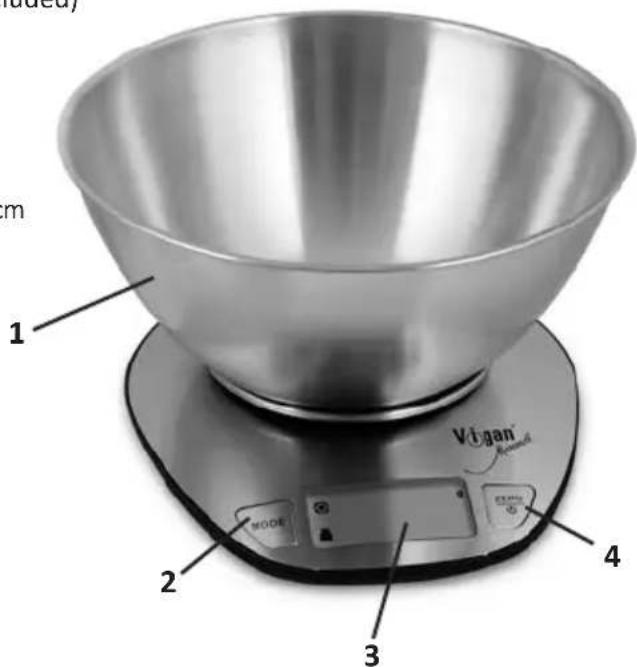
text_image
1 m Vigan Routard 2 3 4TO INSTALL OR REPLACE BATTERY
This product uses 2 pcs of 1,5V (AAA) batteries (not included).
Open the battery case cover at the bottom of scale:
A. Take out used batteries with the help of pointed object, if needed.
B. Install new batteries by putting one battery first, then the other.
Please observe the polarity.
LCD
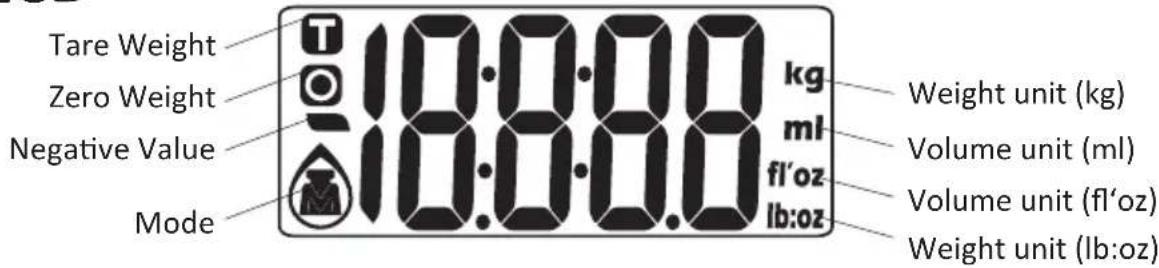
text_image
Tare Weight Zero Weight Negative Value Mode 10:00.0 kg ml fl'oz lb:oz Weight unit (kg) Volume unit (ml) Volume unit (fl'oz) Weight unit (lb:oz)
Weight mode Milk volume mode Water volume mode
BUTTON FUNCTION
MODE de conversion
1ZERO turn on/turn off/Zero/Tare
convert unit systems of Metric or Imperial. (Conversion button at the bottom of scale)
TO CONVERT WEIGHT UNIT
If the scale with both unit systems of metris (g, ml) or imperial (lb:oz, fl'oz) press MODE button to choose working mode (weight, milk volume, water volume) then press UNIT conversion button to convert between two systems. Take the conversion of weight unit for example:
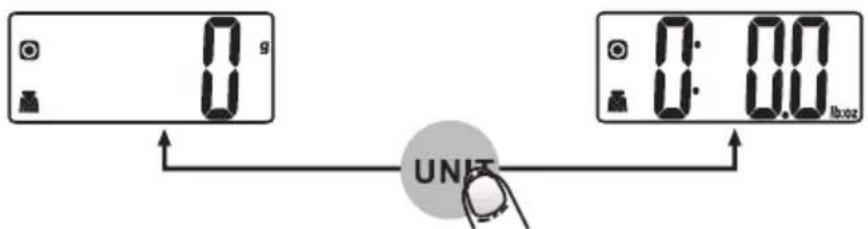
text_image
0 g 0:00 0:00 UNITS- When setting g as weight unit, the default volume unit is ml.
- When setting lb:oz as weight unit, the default volume unit is fl'oz.
Remark: the unit system of scale depends on sales destination or the requirement of distributor.
TO START WEIGHTING
1. WEIGHTING MODE
A. Place the scale on a solid and flat surface.
B. Place bowl (if used) on the scale.
C. Press ZERO to turn on.
D. Wait until LCD shows „0“. Press MODE button to convert to weighting mode.
E. Load object on scale (or bowl) to start weighting. LCD will show the weight reading.
F. If the object is water or milk, press MODE button to choose volume mode and view the volume of object.

flowchart
graph LR
    A["0 ml"] -->|MODE| B["0 g"]
    B -->|Put the goods on| C["86 g"]
    C -->|MODE| D["86 ml"]
2. VOLUME INDICATION MODE
A. Place the scale on a solid and flat surface.
B. Press ZERO to turn on.
C. Wait until LCD shows „0“, and press MODE button to choose „Water“ or „Milk“ mode.
D. Put a liquid container onto the scale platform. LCD shows weight of container.
E. Press ZERO button to zero or tare weight.
F. Pour liquid (water or milk) into the container, LCD shows the volume of the liquid.
G. Press MODE button to choose „Weight“ mode and view the weight of liquid.
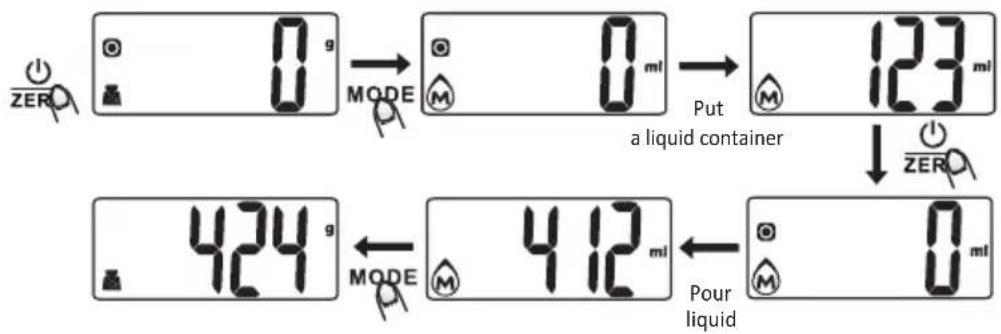
text_image
0 g MODE Put a liquid container 123 ml ZERO 424 g MODE Pour liquid 412 mlMODE CONVERSION
After turning on the scale, press MODE button to select mode as shown bellow:
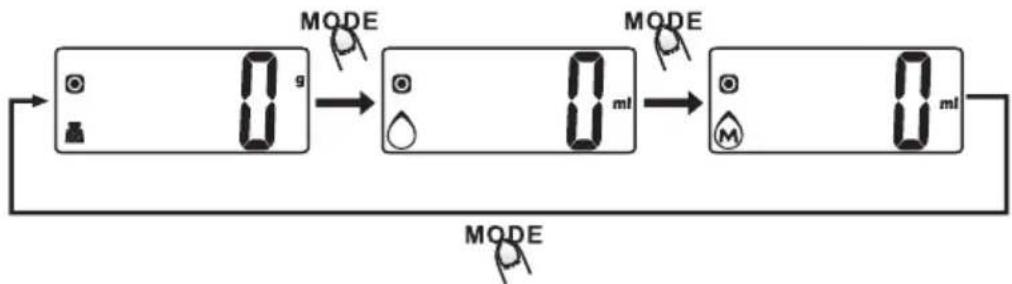
flowchart
graph LR
    A["0.9g"] --> B["0ml"]
    B --> C["0ml"]
    D["MODE"] --> E["MODE"]
    F["MODE"] --> G["MODE"]
    H["MODE"] --> I["MODE"]
Remark: the unit system of scale depends on sales destination or the requirement of distributor.
"ZERO" OR "TARE" FUNCTION
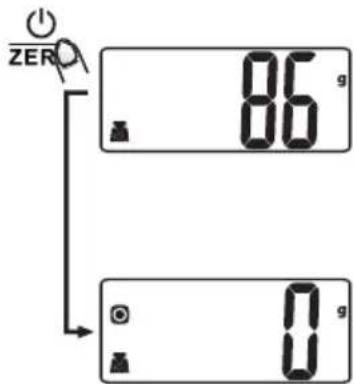
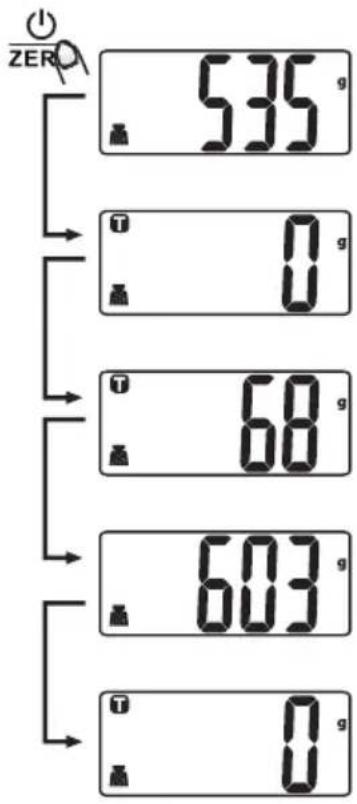
To weight differen loads consecutively without removing loads from the scale. Put first load on the scale, get weight reading. Press ZERO button to reset the LCD reading to „0“ before adding next load. You can repeat this operation.
text_image
ZER 86 g 0 gCondition 1: „Zero“ function
When total sum of all loads on scale ≤ 4% of scale's max. weight capacity. (200 g, when capacity is 5 000 g)
LCD will show ---- or 0g every time ZERO is presses.
---- means not stable, please wait for a moment. 0g and meanwhile an icon o on the left side of LCD means ZERO function is activated.
Max. weight capacity remains unchanged.
bar
| Category | Value (g) | |---|---| | ZER | 535 | | T | 0 | | T | 68 | | T | 603 | | T | 0 |When total sum of all loads on scale >4% of scale's max. weight capacity. (200 g, when capacity is 5 000 g)
LCD will show ---- or 0g every time ZERO is presses.
---- means not stable, please wait for a moment. 0 g and meanwhile an icon T on the left side of LCD means TARE function is activated.
Max. weight capacity is reduced by total weight of all loads.
Under this condition:
By pressing ZERO, you can see the total weight of all loads on the scale. If you want to weight mode loads, just press ZERO to reset LCD reading to „0“ again.
text_image
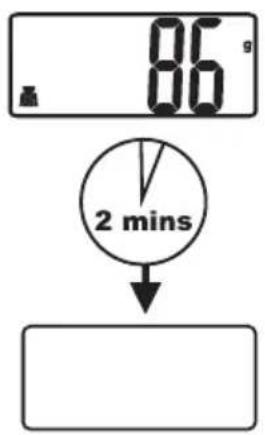
86 s 2 minsAUTO SHUT OFF
Auto shut-off occurs if display shows „0“ or shows the same weight reading for 2 minutes.
text_image
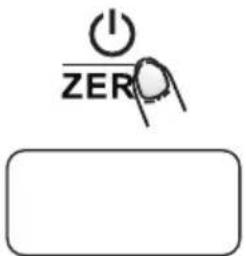
I ZEROMANUAL SHUT OFF
To maximize battery life, please press ZERO button to turn off scale after use.
Remark: When LCD reading shows „0“, press ZERO button to shut off directly. When LCD shows weight reading, continuously press ZERO button to shut off.
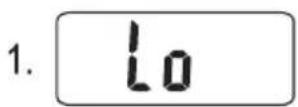
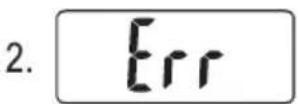
WARNING INDICATORS
- Replace new battery.
- Scale overload. Remove item to avoid damage. Max. weight capacity is indicated on the scale.

text_image
CE RoHS compliant GS X XCLEANING AND CARE

- Clean the scale with slightly damp cloth. DO NOT immerse the scale in water or use chemical/abrasive cleaning agents.
- All plastic parts should be cleaned immediately after contact with fats, spices, vinegar and strongly flavored/colored foods. Avoid contact with acids citrus juices.
- Always use the scale on a hard, flat surface. DO NOT use it on a carpet.
- Avoid mechanical damage of scales. Do not overload it.
- Operate buttons gently and do not press on them with hard objects.
- If after switching on scale does nothing, make sure the battery isn't weak.
- Do not put scale near heat sources such as radiators, ovens and other. Effect of heat shortens its lifetime.
- Proximity of electromagnetic fields, eg. a cell phone or microwave oven can affect measurement accuracy.
- When you will not use scales for a longer time, remove the batteries from it.
- This scales is for domestic use only.
DISPOSAL OF OLD ELECTRICAL AND ELECTRONIC EQUIPMENT
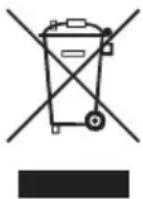
This symbol on the product, its accessories, packaging or accompanying documents indicates that the product should not be treated as household waste. Please take this product to the respective collection point where will be carried out specialist recycling of electronic equipment. In the European Union and other European countries there are collection points for used electrical and electronic equipment. By ensuring proper product disposal, you prevent potential negative impact for the environment and human health, which could result from improper handling of this product. Recycling of these materials also helps to preserve natural resources. For this reason, please do not throw the old electric and electronic equipment together with household waste. For more information please contact your local authority, any service company liquidating household waste or the store where you purchased the product. Details also refer to the relevant laws about waste, in the Czech Republic no. 185/2001 Coll. as amended. Furthermore, the website www.elektrowin.cz and www.asekol.cz (disposal of electrical waste). The improper disposal of this waste can be in accordance with applicable laws, regulations and fines.
Importer:
GM electronic, spol. s r. o.
We offer warranty for 24 months sounding from the day of purchase by you. This warranty covers defect caused by defective material or error in workmanship. It does not cover defects caused by mechanical damage, natural disaster of other inevitable events, connecting to the wrong power grid voltage, modifications or service work by non-qualified or unauthorized personal, misuse or use in contradiction to this manual.
Please remember, that this product is only for home use, not professional use.
If you find out, that this product does not suit you, it is not a reason for a complaint.
In the case of complaint please submit receipt.
All documents about your purchase and service repairs on any product keep for at least three years to ensure quality customer service.
In the case of malfunction of your product, please contact the dealer, you bought it from, or service at the following address:
Service: Interservis Liberec s r.o.