95-7340B - Kit auto Metra - Free user manual and instructions
Find the device manual for free 95-7340B Metra in PDF.


User questions about 95-7340B Metra
0 question about this device. Answer the ones you know or ask your own.
Ask a new question about this device
Download the instructions for your Kit auto in PDF format for free! Find your manual 95-7340B - Metra and take your electronic device back in hand. On this page are published all the documents necessary for the use of your device. 95-7340B by Metra.
USER MANUAL 95-7340B Metra
INSTALLATION INSTRUCTIONS FOR PART 95-7340B
APPLICATIONS
2011 KIA SORENTO
95-7340B
KIT FEATURES
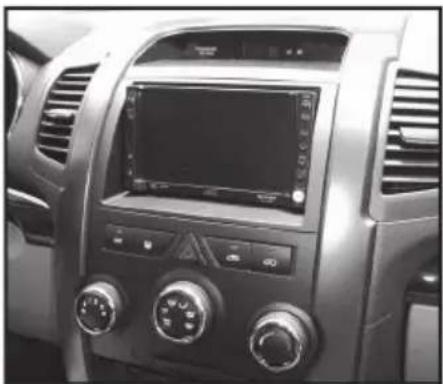
• DDIN / Stacked ISO Din Head unit provision
- Painted Matte Black to Match Factory
natural_image
Interior view of a car dashboard with air conditioners and a digital display (no visible text or symbols)KIT COMPONENTS
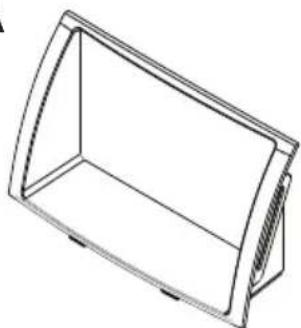
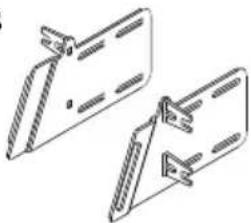
• A) DDIN Radio Housing • B) DDIN Radio Housing Brackets
A
natural_image
Line drawing of a 3D rectangular frame with rounded corners and a side protrusion (no text or symbols)B
natural_image
Technical line drawing of two mechanical clamps or brackets (no text or symbols)WIRING & ANTENNA CONNECTIONS (Sold Separately)
• 70-7303 2009-Up Kia/Hyundai Harness
• 40-KI11 2007-Up Kia Antenna Adapter
TOOLS REQUIRED
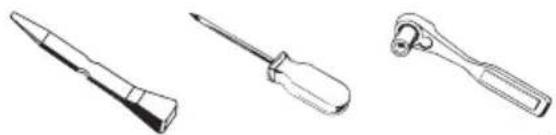
- Panel Removal Tool • Phillips Screwdriver • Socket Wrench
natural_image
Three types of screwdrivers shown in line drawings (no text or labels)INSTALLATION INSTRUCTIONS FOR PART 95-7340B
TABLE OF CONTENTS
DASH DISASSEMBLY
CAUTION: Metra recommends disconnecting the negative battery terminal before beginning any installation. All accessories, switches, and especially air bag indicator lights must be plugged in before reconnecting the battery or cycling the ignition.
*NOTE: Refer also to the instructions included with the aftermarket radio.

text_image
INSTALLER INSTITUTEKNOWLEDGE IS POWER
Enhance your installation and fabrication skills by enrolling in the most recognized and respected mobile electronics school in our industry.
Log onto www.installerinstitute.com or call 800-354-6782 for more information and take steps toward a better tomorrow.

Metra recommends MECP certified technicians
95-7340B DASH DISASSEMBLY
2011 KIA SORENTO
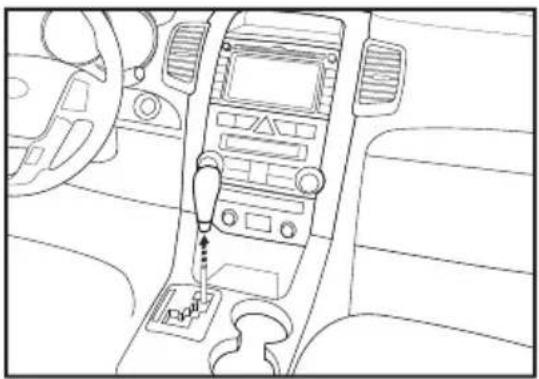
1 Remove Shifter knob. (Fig. A)
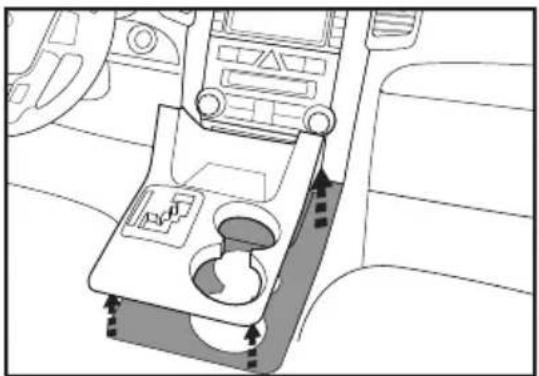
2 Remove the shifter surround panel. (Fig. B)
3 Remove panel under the heater & A/C controls. (Fig. C)
A
natural_image
Interior view of a car dashboard with steering wheel and infotainment panel (no text or symbols)B
natural_image
Interior view of a car gear shift lever system (no text or symbols visible)C

natural_image
Interior view of a car dashboard with infotainment panel and seatbelt (no text or symbols visible)Continued on Pg. 2 ......
95-7340B DASH DISASSEMBLY
2011 KIA SORENTO
4 Remove (2) Phillips screws from bottom and remove center fascia panel. (Fig. D)
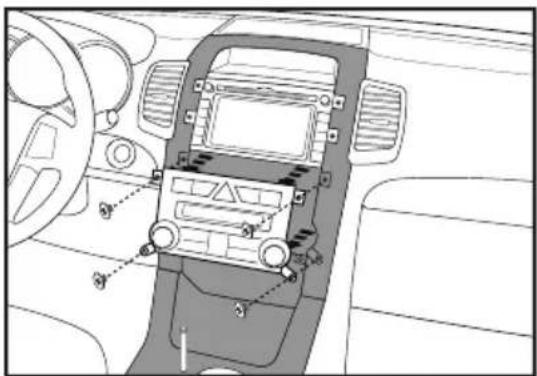
5 Remove (4) Phillips screws securing the heater & A/C controls. (Fig. E)
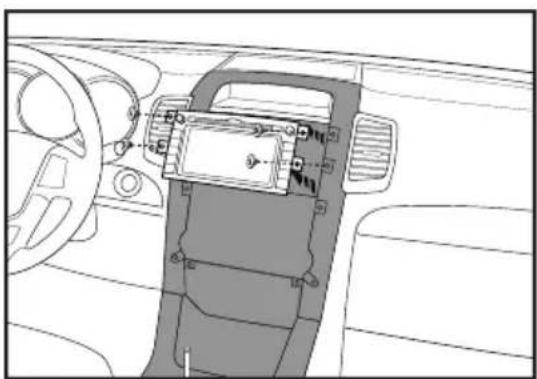
6 Remove (4) Phillips screws securing the radio. (Fig. F)
D

natural_image
Interior view of a car dashboard and infotainment system (no text or symbols visible)E
natural_image
Interior view of a car dashboard and infotainment system (no text or symbols visible)F
natural_image
Interior view of a car dashboard and steering wheel (no text or symbols visible)Continue to kit assembly......
95-7340B KIT ASSEMBLY
DDIN / STACKED ISO DIN HEAD UNIT PROVISION
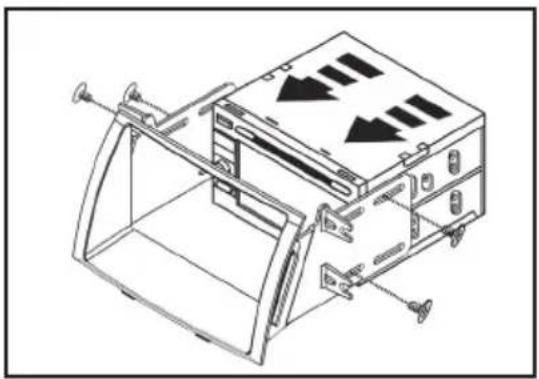
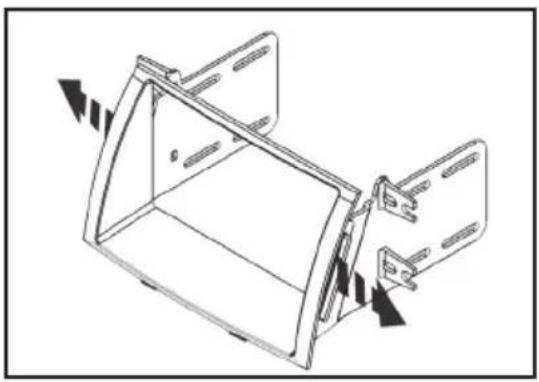
1 Attach the Double DIN brackets to the Double DIN trim plate. (Fig. A)
2 Slide the Double DIN head unit or stacked ISO head units into the bracket/radio housing assembly from the rear and secure the Double DIN head unit or stacked ISO head units to the assembly using the screws supplied with the radio. (Fig. B)
3 Locate the factory wiring harness and antenna plug in the dash. Metra recommends using the proper mating adapters from Metra and/or AXXESS.
4 Reassemble dash in reverse order of disassembly.
A
natural_image
Technical line drawing of a mechanical component with directional arrows indicating movement (no text or symbols)B