
70-5521 - Kit auto Metra - Free user manual and instructions
Find the device manual for free 70-5521 Metra in PDF.


| Product Type | Receiver Wiring Adapter for Aftermarket Car Stereos |
| Brand | Metra |
| Model | 70-5521 |
| Compatible Vehicles | Select vehicles with factory radio harness (consult Metra or vehicle-specific guide) |
| Wire Connection Method | Crimp connections using supplied crimp caps or electrical tape |
| Power Input | 12V DC (vehicle electrical system) |
| Wire Length | Approximately 6 inches (typical) |
| Number of Wires | Standard 12-pin configuration (wire functions: power, ground, speakers, illumination, etc.) |
| Wire Functions Included | Constant 12V, Switched 12V, Ground, Left Front (+/-), Right Front (+/-), Left Rear (+/-), Right Rear (+/-), Illumination (Orange) |
| Illumination Wire Handling | Tape off if new receiver does not have illumination wire |
| Ground Wire | Black wire – connect to receiver ground |
| Installation Tools Required | Wire stripper/crimp tool, crimp caps, electrical tape |
| Installation Steps | 1. Match wires by function (ignore color). 2. Strip, twist, and crimp. 3. Tape unused wires. 4. Plug into factory harness. |
| Safety Precautions | Disconnect vehicle battery negative terminal before installation to prevent short circuit |
| Dimensions (Approx.) | 4 x 2 x 0.5 inches (adapter body) |
| Weight (Approx.) | 0.1 lb |
| Material | Plastic housing with color-coded copper wires |
| Maintenance | None required; keep connections secure and dry |
| Spare Parts Availability | Not applicable; adapter is single-use wiring harness |
| Repair | If damaged, replace entire adapter; no user-serviceable parts |
| Country of Origin | Not specified; likely China (typical for Metra accessories) |
| Certifications | Meets automotive industry standards for 12V systems |
| Warranty | Limited lifetime warranty (verify with retailer or Metra) |
| Manual Included | Yes, 2-page PDF with step-by-step instructions |
Frequently Asked Questions - 70-5521 Metra
User questions about 70-5521 Metra
0 question about this device. Answer the ones you know or ask your own.
Ask a new question about this device
Download the instructions for your Kit auto in PDF format for free! Find your manual 70-5521 - Metra and take your electronic device back in hand. On this page are published all the documents necessary for the use of your device. 70-5521 by Metra.
USER MANUAL 70-5521 Metra
Receiver Wiring Adaptor
IMPORTANT
120 70-5521
Before starting, compare items on your invoice with items received. Thoroughly check packing materials. If an item is missing, please call Crutchfield at 1-888-955-6000.
Revision 09/29/15
STEP 1 -- MATCH & CONNECT WIRES
A. Match wires below to the matching function of each wire on your receiver (refer to instructions supplied with receiver). The wire colors of your new receiver may, or may not, match the wire colors of the adaptor. Match adaptor and receiver wires by function, disregarding color.
B. If your receiver does not have an Illumination wire, tape off the Orange wire.
C. Connect Black wire to Ground wire of new receiver.
D. Individually tape off any unused wires.
E. Make final wiring connections following instructions on the next page.
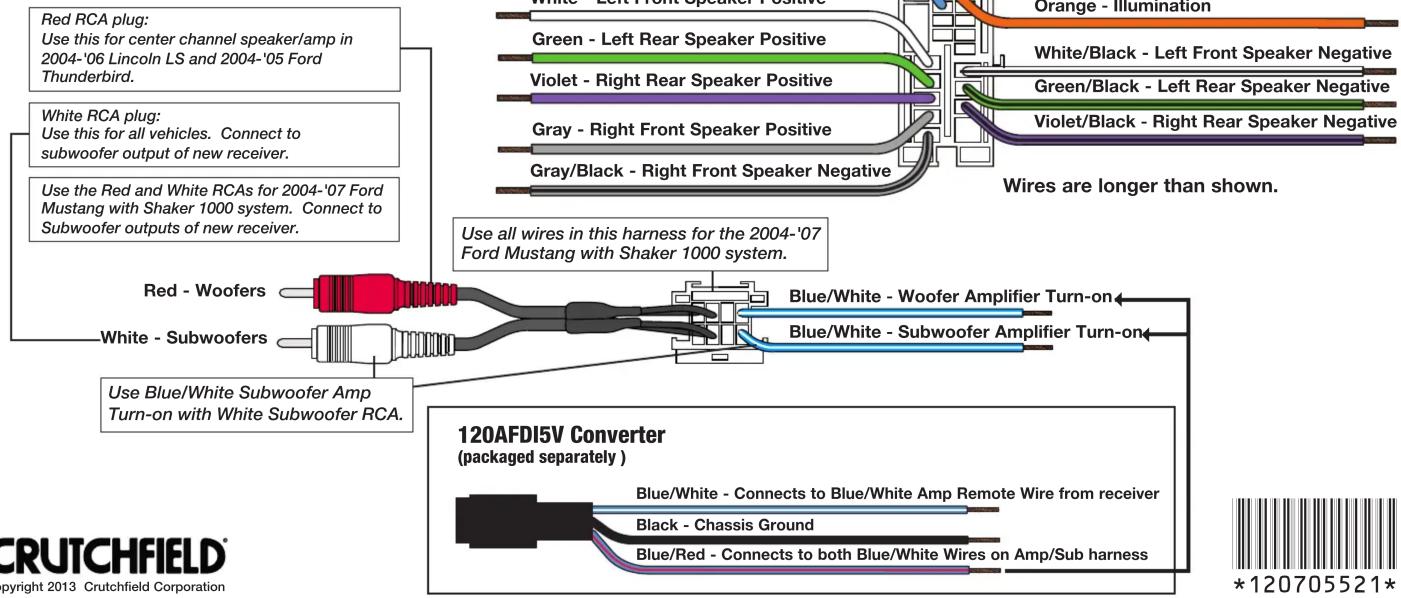
Receiver Wiring Adaptor Connections
120 70-5521
STEP 2 -- CRIMP CONNECTIONS
Tools & Parts Required ▶
Wire Stripper/Crimp Tool Crimp Caps
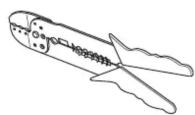
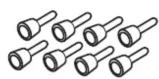
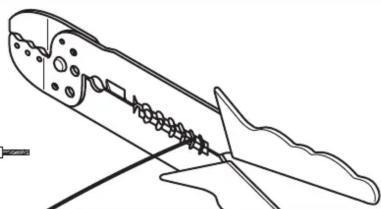
A. Strip wires back 1/2".

natural_image
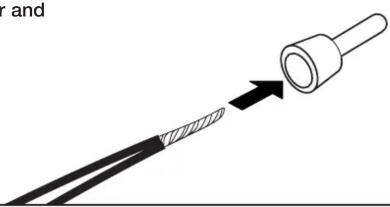
Line drawing of a mechanical component with internal gears and a handle (no text or symbols)B. Twist wires together and insert in crimp cap.
natural_image
Diagram showing a cable being inserted into a plug, with an arrow indicating the insertion direction (no text or symbols present)C. Squeeze middle of cap for tight connection.
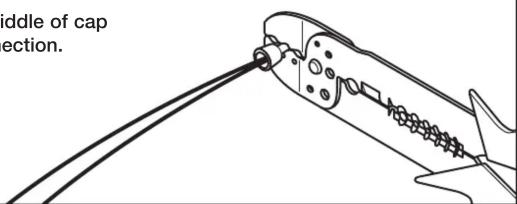
STEP 2 -- CONTINUED
D. Complete crimp connections for all necessary wires.
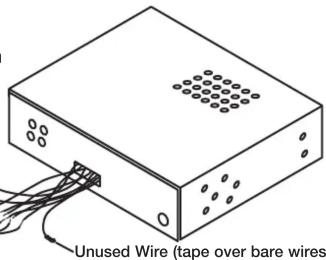
E. Be sure to wrap any wires from the Wiring Adaptor that are not necessary (wires with no match from the new receiver) with electrical tape.
Receiver Wiring Adaptor
Generic Illustration
STEP 3 -- APPLICATION
When ready to install the receiver, plug the Wiring Adaptor from the new receiver or receiver assembly into the factory radio harness(es) in the vehicle dash.
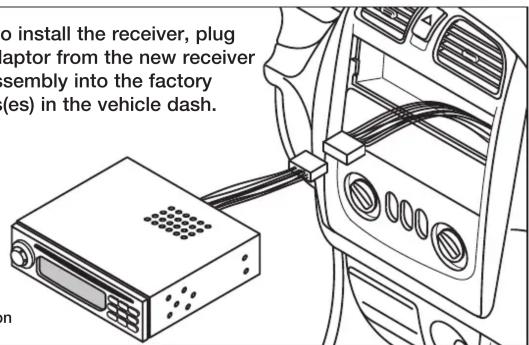
Generic Illustration
CRUTCHFIELD®
Copyright 2013 Crutchfield Corporation
Brand : Metra
Model : 70-5521
Category : Kit auto