
ACP-09CH25AEMI - Air-conditioner Vivax - Free user manual and instructions
Find the device manual for free ACP-09CH25AEMI Vivax in PDF.


| Product Type | Split Air Conditioner (Wall-mounted Indoor Unit) |
| Model | ACP-09CH25AEMI |
| Brand | Vivax |
| Refrigerant | R32 (Flammable) |
| Cooling Capacity | 9000 BTU/h |
| Heating Capacity | 9000 BTU/h (Heat Pump Model) |
| Power Supply | 220-240 V ~ 50 Hz |
| Indoor Temperature Range | 17°C – 30°C |
| Operating Modes | Auto, Cool, Dry, Heat, Fan |
| Fan Speeds | Auto, Low, Med, High |
| Timer | 24-hour programmable ON/OFF timer |
| Remote Control Model | RG10B1(E)/BGEF |
| Remote Control Range | 8 m |
| Remote Control Batteries | 2 x R03/LR03 (AAA) |
| Air Filter | Washable, clean every 2 weeks |
| Self-Clean Function | Yes (via Clean button) |
| Airflow Direction | Horizontal louver (auto swing) |
| Safety Features | Earth leakage breaker required, grounding, overload protection |
| Installation Requirements | Room area > 5 m², professional installation required |
Frequently Asked Questions - ACP-09CH25AEMI Vivax
User questions about ACP-09CH25AEMI Vivax
0 question about this device. Answer the ones you know or ask your own.
Ask a new question about this device
Download the instructions for your Air-conditioner in PDF format for free! Find your manual ACP-09CH25AEMI - Vivax and take your electronic device back in hand. On this page are published all the documents necessary for the use of your device. ACP-09CH25AEMI by Vivax.
USER MANUAL ACP-09CH25AEMI Vivax
natural_image
Illustration of a wrench and screwdriver crossed with a gear, connected to a warning sign with flames (no text or symbols)Oprez: Opasnost od požara/Zapaljivi materijali Za uređaje koji koriste R32 rashladni medij.
UPOZORENJE: Servisiranje treba provodi na način koji propisuje proizvođač uređaja. Održavanje i servisiranje od strane stručnog osoblja se treba provoditi pod nadzorom osobe koja ima dozvolu za rukovanje zapaljivim sredstvima. Za više detalja molimo da pogledate "Informacije o servisiranju" u "UPUTAMA ZA INSTALACIJU". Odnosi se na uređaje koji koriste R32 rashladni medij.
UPOZORENJA O INSTALACIJI
- Kontaktirajte ovlaštenog trgovca u vezi instalacije ovog klima uređaja. Nepravilna instalacija može dovesti do curenja vode, strujnog udara ili nastanka požara.
- Sve popravke, održavanja i premještanja uređaja mora provesti ovlašteni tehničar. Nepravilno provedeni popravci mogu dovesti do ozljeda ili kvara uređaja.
UPOZORENJA VEZANA UZ KORIŠTENJE UREĐAJA
natural_image
Diagram of a car air conditioner unit with airflow arrows indicating airflow direction (no text or symbols)Raspon
SI. A
Oprez: Pripazite da rebrenica nije previše vertikalno postavljena, zbog toga što može doći do nakupljanja kapi koje mogu pasti na vaše pokućstvo.
VIVAX
HR

OPREZ
natural_image
Diagram showing a hand pressing down on a car's side panel with a downward arrow (no text or symbols)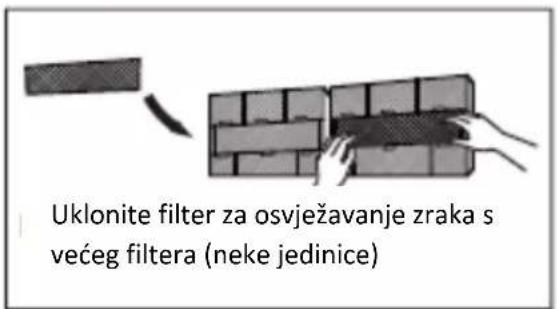
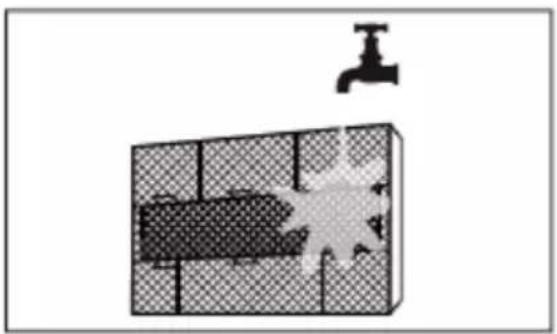
natural_image
Diagram showing a water tank with a faucet above it, no text or symbols presentVIVAX
HR
OPREZ
natural_image
Diagram of a rectangular grid structure with a small arrow pointing to the top-right corner (no text or symbols)natural_image
Simple line drawing of a house with wavy roof and window pattern (no text or symbols)natural_image
Technical line drawing of a device with internal components (no text or symbols)natural_image
Diagram of a grid-patterned rectangular structure with a small protrusion on top (no text or symbols)Očistite sve filtere
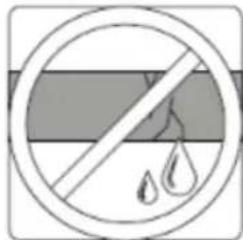
natural_image
Simple line drawing of a smartphone with internal components (no text or symbols)Zamijenite baterije

4. Poteškoće

CAUTION
MJERE SIGURNOSTI
U slučaju da dođe do pojave BILO KOJIH od sljedećih okolnosti, odmah isključite uređaj!
natural_image
Pure electrical circuit lines without any symbolsKLIMA UREĐAJ
PRIKAZ DALJINSKOG UPRAVLJAČA
Specifikacije su podložne promjenama bez prethodne obavijesti. Obratite se trgovcu ili proizvođaču u slučaju nedoumica.
Zahvaljujemo na kupovini našeg proizvoda. Molimo da pažljivo pročitate ovaj priručnik prije rukovanja klima uređajem.
SADRŽAJ
natural_image
Simple line drawing of a device with three buttons at the bottom (no text or symbols)Izvođenje operacija
- Način rada: AUTO, COOL (Hlađenje), DRY (Ödvlaživanje), HEAT (Grijanje) ili FAN (Ventilacija).
- Postavljanje IMER-a vremenskog brojača) na 24 h.
- Postavljanje unutamje temp. u rasponu: 17°C\~30°C.
- Funkcija LCD ekrana (Liquid Crystal Display – tekući kristalni zaslon).
Funkcije tipki
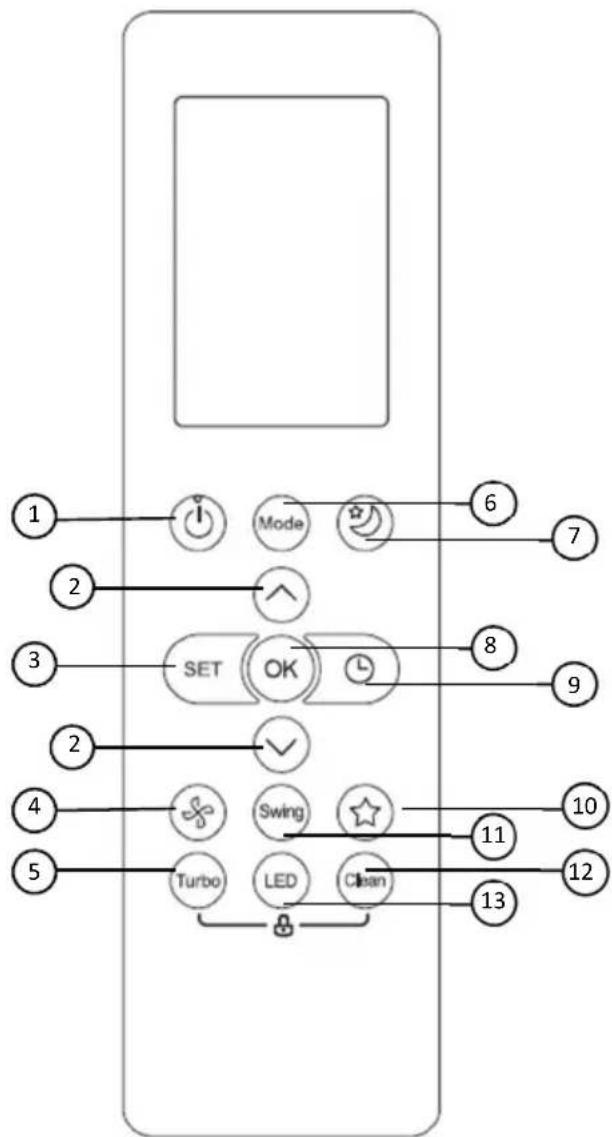
flowchart
graph TD
    A["1"] --> B["Mode"]
    C["2"] --> D["SET"]
    E["3"] --> D
    F["4"] --> G["Turbo"]
    H["5"] --> I["LED"]
    J["6"] --> K["Clean"]
    L["7"] --> K
    M["8"] --> N["OK"]
    O["9"] --> N
    P["10"] --> Q["Swing"]
    R["11"] --> Q
    S["12"] --> T["Clean"]
    U["13"] --> V["Light Bulb"]
1.ON/OFF Tipka
Radnja s pokreće kada se pritisne ovaj gumb te se radnja zaustavlja kada se pritisne ovaj gumb ponovno.
2. TEMP ▲ / ▼ Tipka
Povećava ili smanjuje temperaturu za 1°C. Maksimalna temp. je 30°C.
3. SET Tipka
Hlađenje/ Grijanje/ Ventilator
Brojač vremena
FRESH → SLEEP → FOLLOW ME → AP mode
Fresh funkcija
natural_image
Line drawing of a wall-mounted air conditioner unit with a handheld control panel (no text or symbols)natural_image
Illustration of a hand holding two electronic devices with downward arrows indicating internal components (no text or symbols)Oprez: opasnost od požara/zapaljivi materijali. Za uređaje koji koriste R32 rashladni gas.
UPOZORENJE: Održavanje i servisiranje uređaja treba da se obavlja na način koji propisuje proizvođač - od strane stručnog osoblja, pod nadzorom osobe koja ima dozvolu za rukovanje zapaljivim sredstvima. Za više detalja pogledajte "Informacije o servisiranju" u Uputstvima za instalaciju! Odnosi se na uređaje koji koriste R32 rashladni gas.
Mere za bezbednost
| SILENCE-"OF" je aktivirana funkcija TIMER OFF-su aktivirane funkcije FRESH, SWING, TURBO ili SILENCE"cF" kada je aktivirana funkcija protiv hladnoće "dF" odmrzavanje "SC" auto-čišćenje uređaja "FP" aktivirana zaštita od zamrzavanja | |
natural_image
Diagram of a car air conditioner with airflow arrows indicating airflow direction (no text or symbols)Raspon
SI. A
natural_image
Diagram showing a hand pressing down on a car's side panel with a downward arrow (no text or symbols)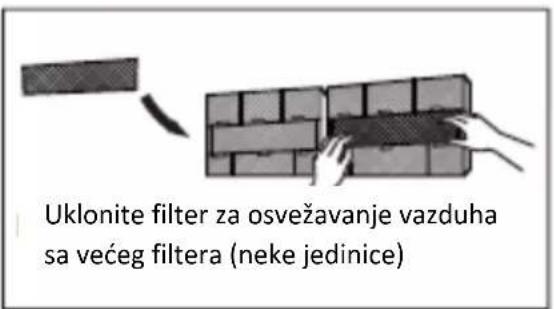
natural_image
Diagram showing a water tank with a faucet above it, no text or symbols presentOPREZ
natural_image
Diagram of a 3D rectangular block with grid pattern and a small arrow pointing to its top edge (no text or symbols)natural_image
Simple line drawing of a house with wavy lines indicating airflow or ventilation (no text or symbols)natural_image
Technical line drawing of a device with internal components (no text or symbols)natural_image
Diagram of a grid-patterned rectangular structure with a small protrusion on top (no text or symbols)Ödistite sve filtere
Proverite curi li negde tečnost
natural_image
Simple line drawing of a smartphone with internal components (no text or symbols)Zamenite baterije

4. Poteškoće

CAUTION
MERE SIGURNOSTI
Izvođenje operacija
- Način rada: AUTO, COOL (Hlađenje), DRY (Odvlaživanje), HEAT (Grejanje) ili FAN (Ventilacija).
- Postavljanje TIMER-a (vremenskog brojača) na 24 h.
- Postavljanje unutrašnje temp. u rasponu: 17°C\~30°C.
- Funkcija LCD ekrana (Liquid Crystal Display – tečni kristalni ekran).
PAŽNJA:
- Dizajn tastera može biti malo drugačiji od onog koji ste vi zapravo kupili, zavisi o individualnim modelima.
- Sve opisane funkcije se ostvaruju preko unutrašnje jedinice.
- Ako unutrašnja jedinica nema ova svojstva, neće se obaviti odgovarajuće komande za koje ste pritisnuli taster na daljinskom upravljaču.
Funkcije tastera
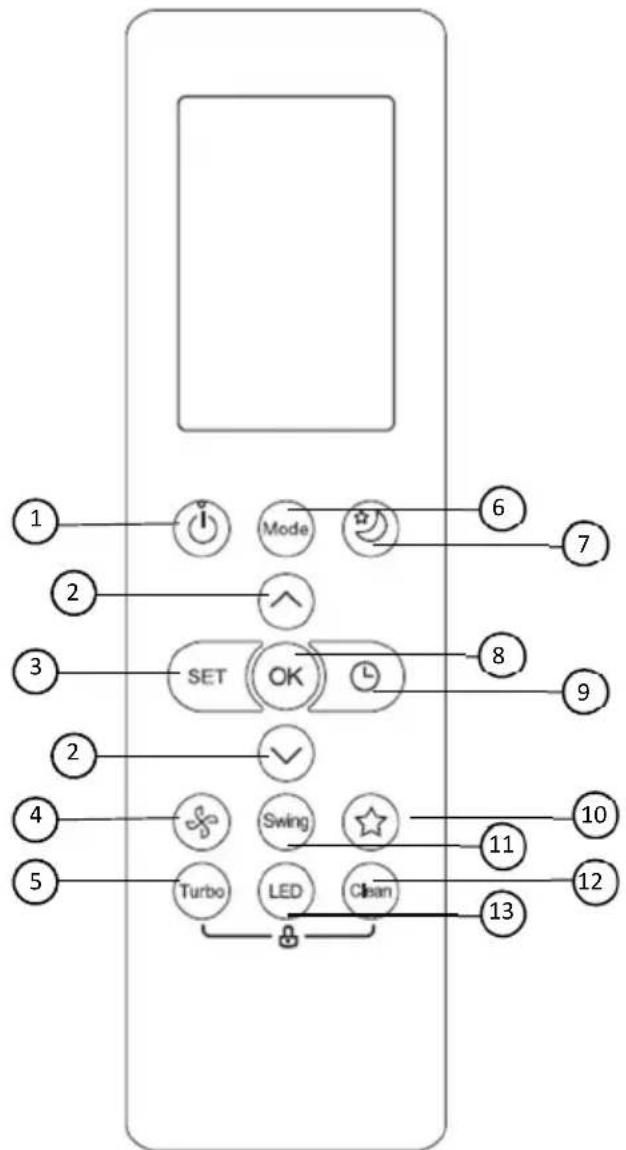
flowchart
graph TD
    A["1"] --> B["Mode"]
    C["2"] --> D["SET"]
    E["3"] --> D
    F["4"] --> G["Turbo"]
    H["5"] --> I["LED"]
    J["6"] --> K["Clean"]
    L["7"] --> K
    M["8"] --> N["OK"]
    O["9"] --> N
    P["10"] --> Q["Swing"]
    R["11"] --> Q
    S["12"] --> T["Clean"]
    U["13"] --> V["Light Bulb"]
1.ON/OFF Taster
Radnja s pokreće kada se pritisne ovaj taster te se radnja zaustavlja kada se pritisne ovaj taster ponovo.
2. TEMP ▲ / ▼ Taster
Povećava ili smanjuje temperaturu za 1°C. Maksimalna temp. je 30°C.
3. SET Taster
Kružni odabir Dodatnih funkcija: Prati me ( ⚙ ) → AP način
( ) Prati me( ).
Odgovarajuća ikona odabrane funkcije svetleće na ekranu. Kako biste potvrdili, pritisnite taster OK.
4.FAN SPEED (Brzina ventilatora)
Koristite brzinu ventilatora u četiri koraka:

5. TURBO Taster
Pažnja:
Svi indikatori prikazani na slici su u svrhu jasne prezentacije. No tokom stvarnog rada na ekranu se prikazuju samo relativni indikatori.
-
Prikaz dodatnih funkcija S leva na desno:
-
Fresh prikaz funkcije
- (Ne prikazuje se kad je funkcija Fresh aktivirana) Sleep prikaz funkcije
- Follow me prikaz funkcije
- Wi-Fi prikaz funkcije
- Nizak nivo baterije Ako ikona blinka.
2. Prikaz funkcija
Prikazuje trenutni način rada. Uključuje AUTO, HLAĐENJE, ODVLAŽIVANJE (GREJANJE, BRZINU VENTILACIJE i ponovo AUPO.
3. ECO Display
Odvlaživanje
Pritisnite taster Swing.
- Horizontalni usmerivači vazduha će se pokretati gore/ dole automatski. Ponovo pritisnite kako biste prekinuli funkciju.
LED ekran
Pritisnite taster LED.
- Pritiskom na ovu taster uključiće / isključiće se ekran unutrašnje jedinice.
Funkcija tihog rada
FRESH → SLEEP → FOLLOW ME → AP mode
Fresh funkcija

natural_image
Line drawing of a wall-mounted air conditioner unit with a remote control panel attached (no text or symbols)natural_image
Illustration of a hand holding two remote control devices with arrows indicating movement or change (no text or symbols present)Sledeći simptomi su znak slabih baterija. Zamenite ih novima.
- Nema povratnog zvuka kada se stisne taster.
- Svetlo indikatora je slabo.
Daljinski upravljač radi pomoću dve suve baterije(R03/LR03X2) koje s nalaze u zadnjem delu i zaštićene su poklopcem.
(1) Uklonite poklopac tako što ćete pritisnuti I skliznuti poklopcem.
(2) Uklonite stare baterije i stavite nove baterije postavljajući plus(+) i minus(-) na za to određena mesta.
(3) Vratite poklopac kliznim pokretom na isto mesto.
PAŽNJA: Nakon uklanjanja starih baterija, daljinski upravljač briše sve programe,a nakon stavljanja novih baterija svi se programi moraju reprogramirati.

OPREZ
Nemojte mešati stare i nove baterije različitih vrsta.
Ne ostavljajte baterije u daljinskom upravljaču ako ih nećete koristiti sledeća dva ili tri meseca.
Ne bacajte baterije kao nerazvrstani gradski otpad. Skupini takvog otpada potreban je poseban tretman recikliranja.
natural_image
Illustration of a wrench and screwdriver crossed with a gear, connected to a warning triangle with a flame symbol (no text or labels)natural_image
Diagram of a car air conditioner with airflow arrows indicating airflow direction (no text or symbols)Hapësirë
Foto A
natural_image
Technical line drawing of a cylindrical electronic device with internal components (no text or symbols)Doreza për lirim
natural_image
Pure mechanical assembly diagram without any text, numbers, or symbolsFunksioni i gjumit
natural_image
Diagram showing a hand pressing down on a car's side panel with a downward arrow indicating force or motion (no text or symbols present)
natural_image
Diagram showing a water tank with a faucet above it, no text or symbols presentKUJDES
natural_image
Diagram of a rectangular grid structure with a small arrow pointing to the top-right corner (no text or symbols)natural_image
Simple line drawing of a house with wavy lines inside, no text or symbols presentnatural_image
Technical line drawing of a device with internal components (no text or symbols)Heqja e baterive nga telekomanda
Mirëmbajtje – Kontroll para sezonit
natural_image
Simple 3D grid pattern with a small triangular pointer on top-right corner (no text or symbols)natural_image
Technical line drawing of a device with internal components (no text or symbols)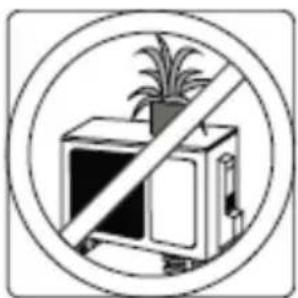
natural_image
Prohibition sign showing a crossed-out computer with a potted plant, enclosed in a circle (no text or symbols)natural_image
Pure electrical circuit lines without any symbolsPAJISJE PËR KLIMATIZIM SHFAQJE E TELEKOMANDËS
Funksionimi automatik
SHENIM
FRESH → SLEEP* → FOLLOW ME → AP mode
FRESKET→GJUME→ME NDIQ MUA→modaliteti AP
natural_image
Symbol of a trash bin crossed out by two crossed lines, no text or numbers presentnatural_image
Illustration of a wrench and screwdriver crossed with a gear, connected to a warning sign with flames (no text or symbols)natural_image
Diagram of a car air conditioner unit with downward arrow indicating cooling effect (no text or symbols)Оncer
Сл. А
natural_image
Technical line drawing of a cylindrical device with internal compartments (no text or symbols)Deflector
Дефлектор прачка
natural_image
Pure mechanical assembly diagram without any text, numbers, or symbolsVIVAX
MK
Операција за спиење
natural_image
Diagram of a vehicle interior with a downward arrow indicating motion (no text or symbols)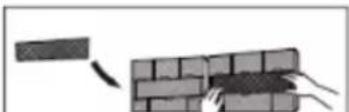
natural_image
Diagram showing brick wall construction with a block and hand holding a tool (no text or symbols)ВНИМАНИЕ
natural_image
Diagram of a solar panel array with grid pattern and mounting bracket (no text or symbols)Исчистеги филтрите

natural_image
Simple line drawing of a house with wavy lines inside, no text or symbols presentПроверете ги жиците
natural_image
Simple 3D diagram of a rectangular block with grid pattern and a small flag on top (no text or symbols)Проверете од течење
natural_image
Technical line drawing of a device with internal components (no text or symbols)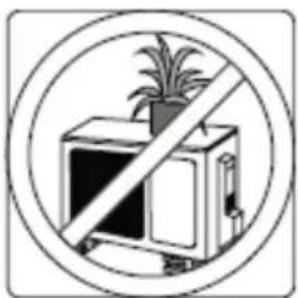
natural_image
Prohibition sign showing a crossed-out computer with a potted plant, enclosed in a circle (no text or symbols)Карактеристика на перформанси
АВТОМАТСКИ РЕЖИМ:
natural_image
Line drawing of an air conditioner unit with a handheld remote control (no text or symbols)natural_image
Illustration of a hand holding two electronic devices with arrows indicating process flow (no text or symbols)The design and specifications are subject to change without prior notice for product improvement. Consult with the sales agency or manufacturer for details.
natural_image
Symbol of a trash bin crossed out by a diagonal line, indicating no waste or discharge (no text or labels)natural_image
Illustration of a wrench crossed with a gear and magnifying glass, symbolizing mechanical safety (no text or symbols present)Pozor: Nevarnost požara/vnetljivi materiali Samo za enote z R32 plinom
natural_image
Diagram of a car air conditioner with downward arrows indicating airflow direction (no text or symbols)Razpon
SI. A
natural_image
Simple line drawing of a rectangular object on a horizontal line with a small circle nearby (no text or symbols)natural_image
Diagram showing a hand pressing down on a textured panel with a black arrow indicating downward motion (no text or symbols present)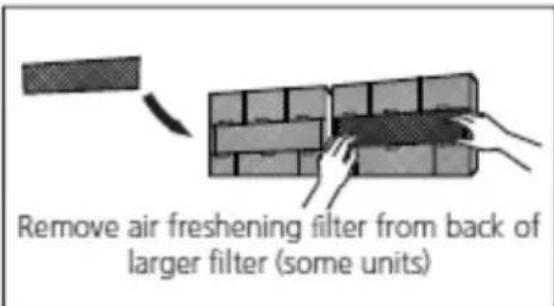
natural_image
Diagram showing a pipe with a valve above a grid-patterned object, no text or symbols presentnatural_image
Diagram of a 3D grid structure with a small arrow pointing to the top-right corner (no text or symbols)
natural_image
Simple line drawing of a house with wavy lines indicating airflow or ventilation (no text or symbols)Turn on FAN function until unit dries out completely

natural_image
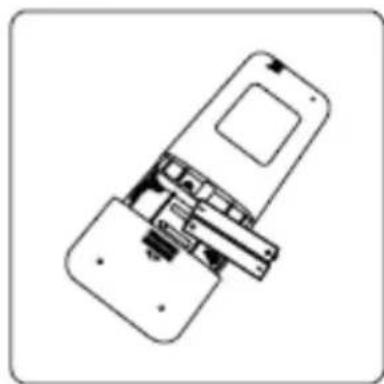
Technical line drawing of a device with internal components (no text or symbols)Remove batteries from remote control
natural_image
Simple line drawing of a rectangular grid with a small flag on top (no text or symbols)Clean all filters
natural_image
Technical line drawing of a device with internal components (no text or symbols)
natural_image
Prohibition sign showing a crossed-out box with a potted plant, enclosed in a circle (no text or symbols)Funkcija uspešnosti
→ AUTO → LOW → MED → HIGH
5. Gumb TURBO
V načinu AUTO bo enota samodejno izbrala delovanje COOL, FAN ali HEAT glede na nastavljeno temperaturo.
- Pritisnite gumb MODE, da izberete Auto.
- Pritisnite gumb ▲ / ▼, da nastavite želeno temperaturo. Temperaturo lahko nastavite v območju od 17 °C do 30 °C v korakih po 10 °C.
- Pritisnite gumb ON / OFF, da zaženete klimatsko napravo.
OPOMBA
Delovanje časovnika
Pritisnite gumb TIMER ON, da nastavite čas samodejnega vklopa enote. Pritisnite gumb TIMER OFF, da nastavite čas samodejnega izklopa enote.
Če želite nastaviti časovnik-ON:
Pritisnite gumb Swing.
- Horizontalna loputa se bo samodejno zanihala gor in dol, ko pritisnete gumb Swing. Pritisnite še enkrat, da se ustavi.
LED zaslon
Pritisnite gumb LED.
- Pritisnite ta gumb, da vklopite in izklopite zaslon na notranji enoti.
Funkcija tišine
natural_image
Line drawing of an air conditioner unit with a digital display and control panel (no text or symbols)Lokacija daljinskog upravljalnika
natural_image
Illustration of a hand holding two remote control devices with arrows indicating movement or change (no text or symbols present)Naslednji primeri kažejo na nizko stanje baterije. Zamenjajte stare baterije z novimi.
natural_image
Pure electrical circuit lines without any symbolsnatural_image
Diagram showing a wrench crossed with a screwdriver and a gear with a magnifying glass, connected to a triangular warning symbol (no text or labels)CAUTION: Risk of fire/ flammable materials. FOR R32 units only.
CONTENTS
Operation and maintenance
Warning 3
Safety Precautions 4
Notices for use 9
Names of each part 12
Clean and care 13
Troubleshooting 15
Note: All the pictures in this manual are just schematic diagrams, the actual is the standard.
Warning
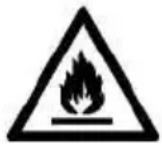
Warning: This air conditioner uses R32 flammable refrigerant.
Notes: Air conditioner with R32 refrigerant, if roughly treated, may cause serious harm to the human body or surrounding things.
* The room space for the installation, use, repair, and storage of this air conditioner should be greater than 5m.
* Air conditioner refrigerant can not charge more than 1.7kg.
* Do not use any methods to speed up defrost or to clean frosty parts except for particular recommended by manufacturer.
* Not pierce or burn air conditioner, and check the refrigerant pipeline wether be damaged.
* The air conditioner should be stored in a room without lasting fire source, for example, open flame, burning gas appliance, working electric heater and so on.
* Notice that the refrigerant may be tasteless.
* The storage of air conditioner should be able to prevent mechanical damage caused by accident.
* Maintenance or repair of air conditioners using R32 refrigerant must be carried out after security check to minimize risk of incidents.
* Air conditioner must be installed with stop valve cover.
* Please read the instruction carefully before installing, using and maintaining.
Symbol
Note
Explanation
WARNING
This symbol shows that this appliance uses a flammable refrigerant. If the refrigerant is leaked and exposed to an external ignition source, there is a risk of fire

CAUTION
This symbol shows that the operation manual should be read carefully.

CAUTION
This symbol shows that a service personnel should be handling this equipment with reference to the installation manual.

CAUTION
This symbol shows that information is available such as the operating manual or installation manual
Safety precautions
Incorrect installation or operation by not following these instructions may cause harm or damage to people, properties, etc.
The seriousness is classified by the following indications:
WARNING

This symbol indicates the possibility of death or serious injury.
CAUTION

This symbol indicates the possibility of injury or damage to properties.
WARNING

This appliance can be used by children aged from 8 years and above and persons with reduced physical, sensory or mental capabilities or lack of experience and knowledge if they have been given supervision or instruction concerning use of the appliance in a safe way and understand the hazards involved. Children shall not play with the appliance. Cleaning and user maintenance shall not be made by children without supervision.
Safety Precautions

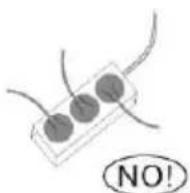
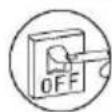
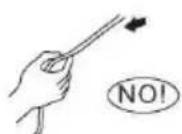
The air conditioner must be grounded. Incomplete grounding may result in electric shocks.
Do not connect the earth wire to the gas pipeline, water pipeline, lightning rod, or telephone earth wire.
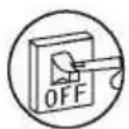
Always switch off the device and cut the power supply when the unit is not in use for long time so as to ensure safety.
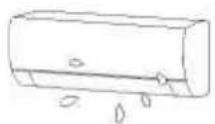
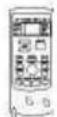
Take care not let the remote control and the indoor unit watered or being too wet.
Otherwise, it may cause short circuit
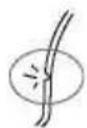
If the power supply cable is damaged, it must be replaced by the manufacture or its service agent or a similar qualified person.
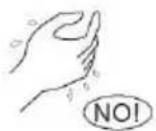
Don't cut off main power switch during operating or with wet hands.
It may cause electric shock.
Don't share the socket with other electric appliance. It may cause electric shock.
Always switch off the device and cut the power supply before performing any maintenance or cleaning.
Otherwise, it may cause electric shock or damage.
Don't pull the power cable.
The damage of pulling power cord will cause serious electric shock.
Pay attention that ducts connected to an appliance shall not contain an ignition source.
Safety Precautions
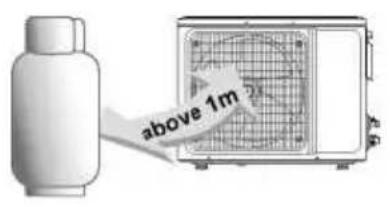
Don't install air conditioner in a place where there is flammable gas or liquid. The distance between them should above 1m. It may cause fire even explosion.
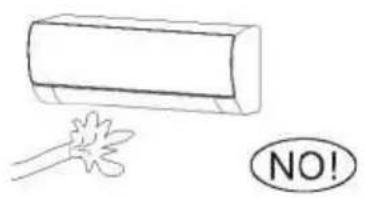
Don't use liquid or corrosive cleaning agent wipe the air conditioner and sprinkle water or other liquid either. Doing this may cause electric shock or damage to the unit.
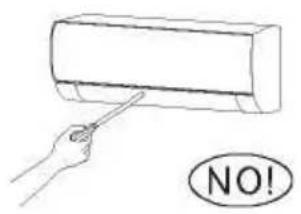
Don't attempt to repair the air conditioner by yourself. Incorrect repairs may cause fire or explosion. Contact a qualified service technician for all service requirement.
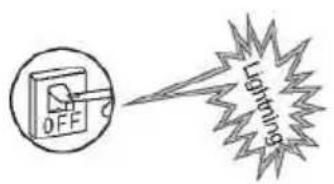
Don't use air conditioner in lightning strom weather. Power supply should be cut in time to prevent the occurrence of danger.
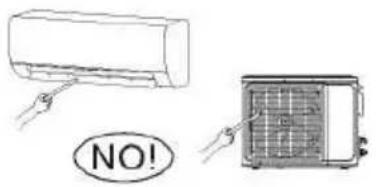
Don't put hands or any objects into the air inlets or outlets. This may cause personal injury or damage to the unit.
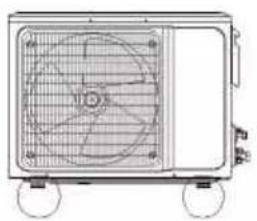
natural_image
Technical line drawing of a four-wheeled air conditioner unit (no text or symbols)Please note whether the installed stand is firm enough or not. If it is damaged, it may lead to the fall of the unit and cause the injury.
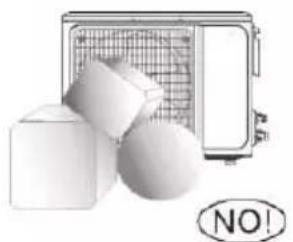
natural_image
Illustration of a microwave oven with a grid, cube, and sphere (no text or symbols)Don't block air inlet or air outlet.
Otherwise, the cooling or heating capacity will be weakened, even cause system stop operating
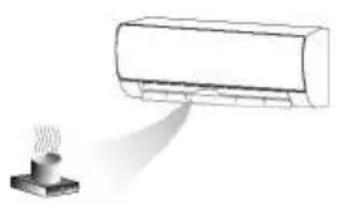
natural_image
Simple line drawing of a rectangular air conditioner emitting vapor from a steaming cup (no text or symbols)Don't let the air conditioner blow against the heater appliance. Otherwise it will lead to incomplete combustion, thus causing poisoning
The appliance shall be installed in accordance with national wiring regulations.
An earth leakage breker with rated capacity must be installed to avoid possible electric shocks.
Safety Precautions
This product contains fluorinated greenhouse gases.
Refrigerant leakage contributes to climate change. Refrigerant with lower global warming potential (GWP) would contribute less to global warming than a refrigerant with higher GWP, if leaked to the atmosphere. This appliance contains a refrigerant fluid with a GWP equal to [675] . This means that if 1 kg of this refrigerant fluid would be leaked to the atmosphere, the impact on global warming would be [675] times higher than 1 kg of CO2, over a period of 100 years. Never try to interfere with the refrigerant circuit yourself or disassemble the product yourself and always ask a professiona.
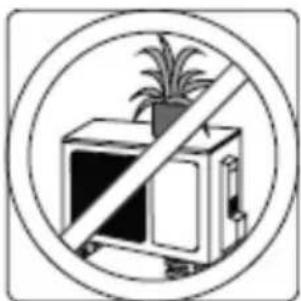
Ensure no following objects under the indoor unit:
- microwaves, ovens and other hot objects.
- computers and other high electrostatic appliances.
- sockets that plug frequently.
The joints between indoor and outdoor unit shall not be reused, unless after reflaring the pipe.
The specification of the fuse are printed on the circuit bord, such as: 3.15A/250V AC, etc.
Safety Precautions
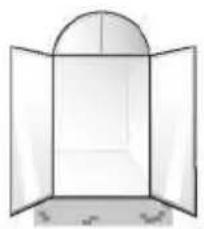
natural_image
Simple line drawing of an open window with a curved arched top (no text or symbols)Don't open the windows and doors for long time when the air conditioner is running.
Otherwise, the cooling or heating capacity will be weakened.
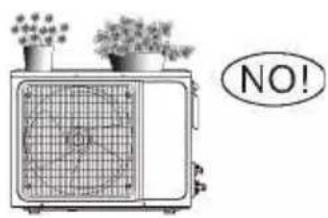
Don't stand on the top of the outdoor unit or place heavy things on it. This cloud cause personal injuries or damage the unit.
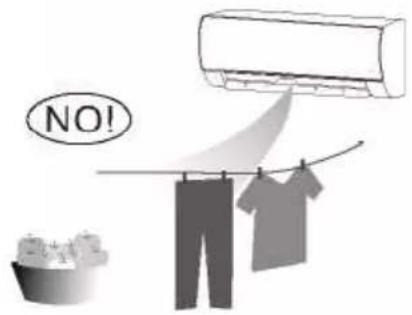
Don't use the air conditioner for other purposes, such as drying clothes, preserving foods, etc.
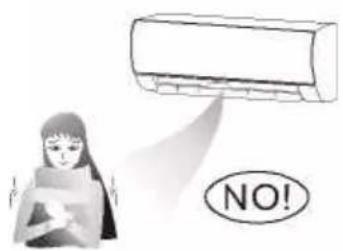
Don't apply the cold air to the body for a long time.
It will deteriorate your physical conditions and cause health problems.
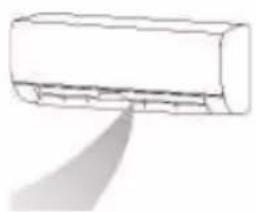
natural_image
Simple line drawing of a rectangular object with a diagonal line extending from its top, resembling a stylized arrow or pointer (no text or symbols)Set the suitable temperature.
It is recommended that the temperature difference between indoor and outdoor temperature should not be too large.
Appropriate adjustments of the setting temperature can prevent the waste of electricity.
If your air conditioner is not fitted with a supply cord and a plug, an anti-explosion all-pole switch must be installed in the fixed wiring and the distance between contacts should be no less than 3.0 mm.
If your air conditioner is permanently connected to the fixed wiring, a anti-explosion residual current device (RCD) having rated residual operating current not exceeding 30 mA should be installed in the fixed wiring.
The power supply circuit should have leakage protector and air switch of which the capacity should be more than 1.5 times of the maximum current.
Regarding the installation of the air conditioners, please refer to the below paragraphs in this manual.
Notices for use
The conditions of unit can't normally run
Within the temperature range provided in following table, the air conditioner may stop running and other anomalies may arise.
| Cool | Outside | >43 °C (Applicable for T1) |
| >52 °C (Applicable for T3) | ||
| Inside <18 °C | ||
| Heat | Outside | >24 °C |
| <-7 °C | ||
| Inside >27 °C | ||
* When the temperature is too high, the air conditioner may activate the automatic protection device, so that the air conditioner could be shut down.
* When the temperature is too low, the heat exchanger of the air conditioner may freeze, leading to water dripping or other malfunction.
* In long-term cooling or dehumidification with a relative humidity of above 80% (doors and windows are open), there may be water condenses or dripping near the air outlet.
* T1 and T3 refer to ISO 5151.
Notes for heating
* The fan of the indoor unit will not start running immediately after the heating is started to avoid blowing out cool air.
* When it is cold and wet outside, the outdoor unit will develop frost over the heat exchanger which will increased the heating capacity. Then the air conditioner will start defrost function.
* During defrost, the air conditioner will stop heating for about 5-12 minutes.
* Vapor may come out from the outdoor unit during defrost. This is not a malfunction, but a result of fast defrost.
* Heating will resume after defrost is complete.
Notes for turning off
When the air conditioner is turned off, the main controller will automatically decide whether to stop immediately or after running for dozens of seconds with lower frequency and lower air speed.
Notices for use
Emergency operation
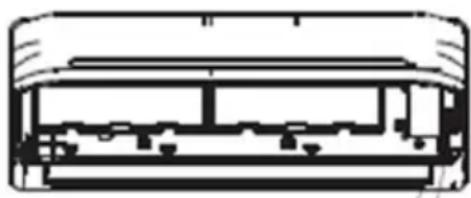
* If the remote controller is lost or broken, use force switch button to operate the air conditioner.
* If this button is pushed with the unit OFF, the air conditioner will operate in Auto mode.
* If you press the switch twice within five seconds, the unit will operate under forced COOL operation.
natural_image
Cross-sectional diagram of a vehicle or air conditioner unit (no text or labels)AUTO/COOL Manual Switch
NOTE: Picture is for reference only. The force switch button may be located somewhere near the place like on the picture.
Airflow direction adjustment
-
Use up-down swing and left-right swing buttons on the remote controller to adjust the airflow direction. Refer to the operation manual of the remote controller for detail.
-
For models without left-right swing function, the fins has to be moved manually.
Note: Move the fins before the unit is in operation, or your finger might be injured.
Never place your hand into the air inlet or outlet when the air conditioner is in operation.
natural_image
Line drawing of two hands holding a rectangular appliance (no text or symbols)MAIN PARTS
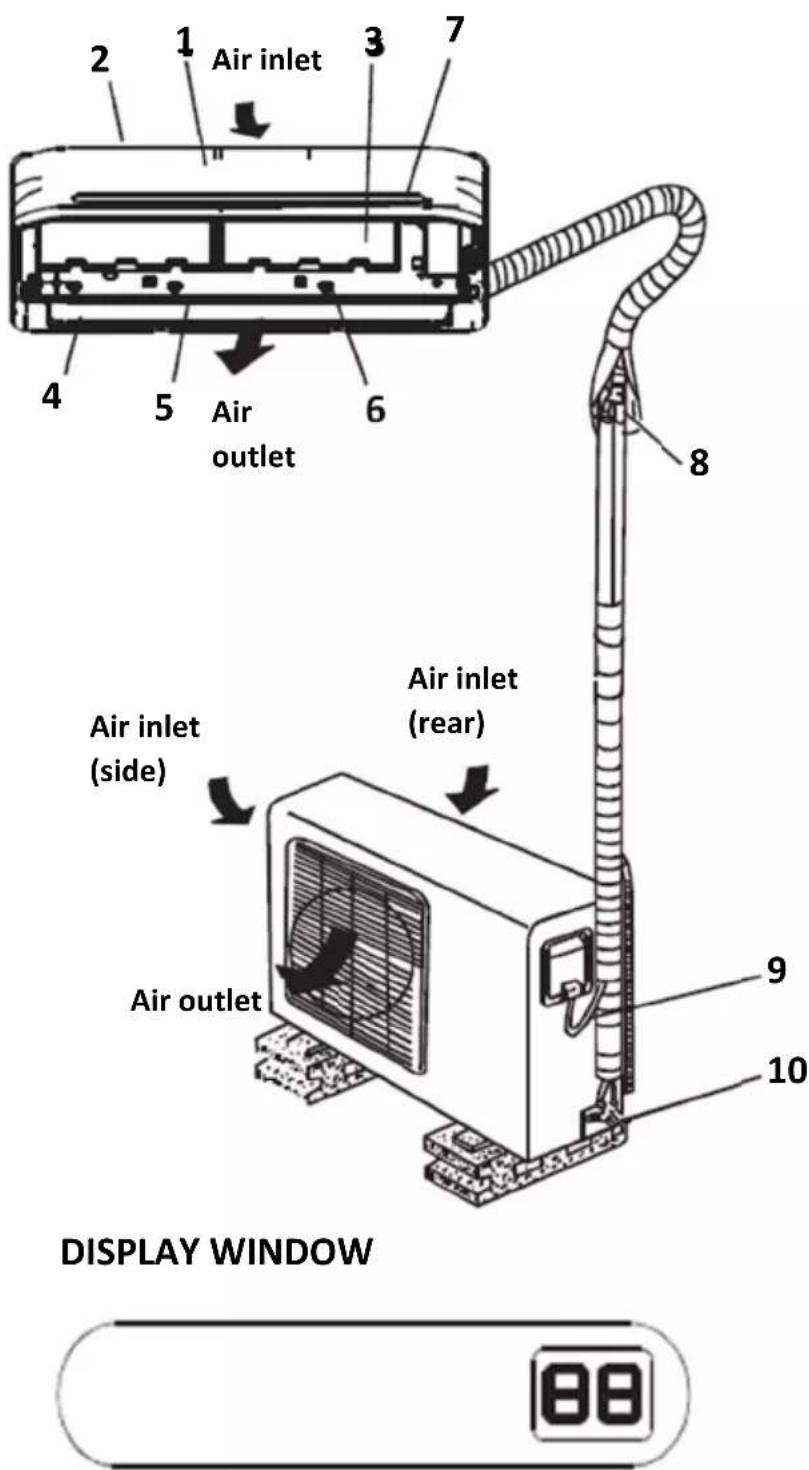
INDOOR UNIT
- Front panel
- Air inlet
- Air filter
- Air outlet
- Hirizontal air flow grille
- Vertical air flow louver
- Display window
OUTDOOR UNIT
- Connecting pipe
- Connecting cable
- Stop valve
Note: All pictures in this manual are only schematic representations. Mains plug, WI-FI function, negative ion function and vertical and horizontal swivel function are optional. The actual unit takes precedence.
DIGITAL DISPLAY EXPLANATION
Displays on for three seconds when Timer ON, Fresh, Swing, Turbo or Silence feature is activated.
Displays Of for three seconds when Timer OFF is set.
Displays Of for three seconds when Fresh, Swing, Turbo or Silence feature is deactivated.
Displays dF under defrosting operation
Displays cF when anti-cold air feature is activated under heating mode.
Displays SC during self clean operation.
Displays FP under 8°C heating operation.
When ECO is activated the 88 illuminates gradually one by one as E C 0 set temperature E ...in one second interval.
Clean and care
Warning
Before the cleaning of the air conditioner, it must be shut down and the electricity must be cut off for more than 5 minutes, otherwise there might be the risk of electric shocks.
Do not wet the air conditioner, which can cause an electric shock. Make sure not to rinse the air conditioner with water under any circumstances. Volatile liquids such as thinner or gasoline will damage the air conditioner housing, therefore please clean the housing of air conditioner only with soft dry cloth and damp cloth moistened with neutral detergent.
In the course of the using, pay attention to cleaning the filter regularly, to prevent the covering of dust which may affect the effect. If the service environment of the air conditioner is dusty, correspondingly increase the number of times of cleaning. After removing the filter, do not touch the fin part of the indoor unit with the finger, and no force to damage the refrigerant pipeline.
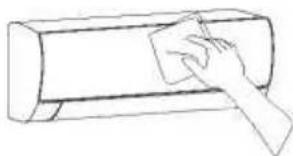
Clean the panel
When the panel of the indoor unit is contaminated, clean it gently with a wrung towel using tepid water below 40"C, and do not remove the panel while cleaning.
natural_image
Simple line drawing of a hand using a power tool to clean or brush the next page of a cylindrical object (no text or symbols)Clean the air filter
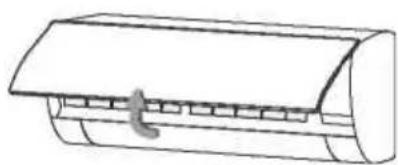
■ Remove the air filter
natural_image
Line drawing of a cylindrical air conditioner unit with a handle and cooling fins (no text or symbols)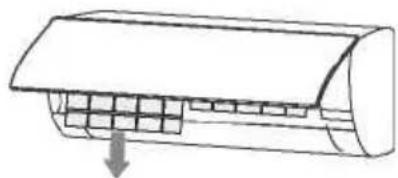
natural_image
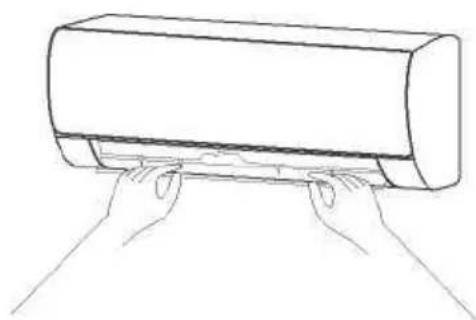
Diagram of a car air conditioner unit with cooling fins and airflow direction arrow (no text or labels)- Use both hands to open the panel for an angle from both ends of the panel in accordance with the direction of the arrow.
- Release the air filter from the slot and remove it.
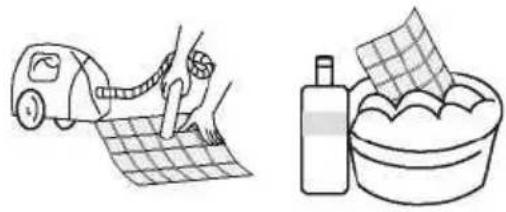
■ Clean the Air Filter
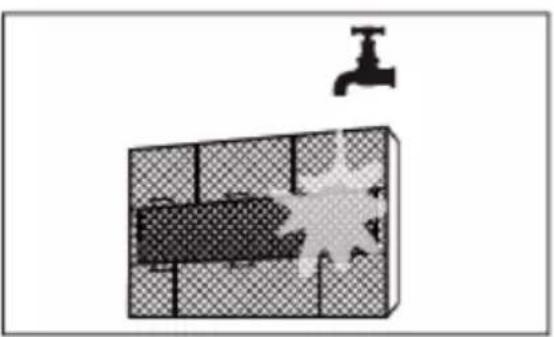
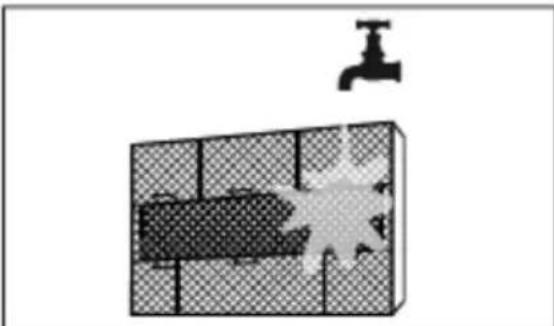
Use a vacuum cleaner or water to rinse filter, and if the filter is very dirty (for example, with greasy dirt), clean it with warm water (below 45 °C) with mild detergent dissolved in, and then put the filter in the shade to dry in the air
natural_image
Illustration showing a car being cleaned on a grid paper and a bottle filled with food in a bowl (no text or symbols)Clean and care
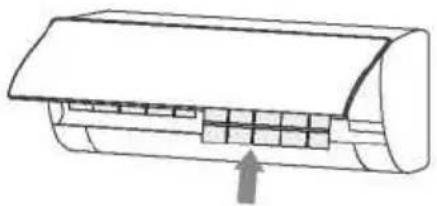
Mount the Filter
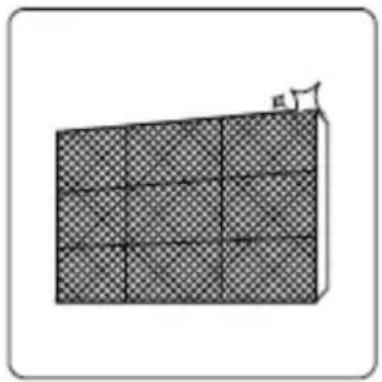
Reinstall the dried filter in reverse order of removal, then cover and lock the panel.
Mount the Filter
natural_image
Diagram of a cylindrical air conditioner unit with internal compartments and airflow direction indicated by an arrow (no text or labels)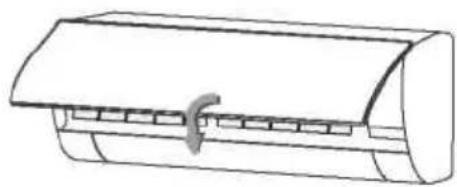
natural_image
Line drawing of a cylindrical container with a handle and side slots (no text or symbols)Check before use
- Check whether all the air inlets and outlets of the units are unblocked.
- Check whether there is blocking in the water outlet of the drain pipe, and immediately clean it up if any.
- Check the ground wire is reliably grounded.
- Check whether the remote control batteries are installed, and whether the power is sufficient.
- Check whether there is damage in the mounting bracket of the outdoor unit, and if any, please contact our local service center.
Maintain after use
- Cut off the power source of the air conditioner, turn off the main power switch and remove the batteries from the remote controller.
- Clean the filter and the unit body.
- Remove the dust and debris from the outdoor unit.
- Check whether there is damage in the mounting bracket of the outdoor unit, and if any, please contact our local service center.
Troubleshooting
Caution
Do not repair the air conditioner by yourself as wrong maintenance may cause electric shock or fire or explode, please contact the authorized service center and let the professionals conduct the maintenance, and checking the following items prior to contacting for maintenance can save your time and money.
Phenomenon
The air conditioner does not work.
There might be power outages.^ Wait until power is restored
Power plug may be loose out from the socket.
- The plug in the plug tightly.
Power switch fuse may blow.^ Replace the fuse.
The time for timing boot is yet to come. -Wait or cancel the timer settings.
The air conditioner can't run after the immediate start-up after rit is shut down.
If the air conditioner is turned on immediately after it is turned off, the protective delay switch will delay the operation for 3 to 5 minutes
The air conditioner stops running after it starts up for a while
May reach the setting temperature.
— It is a normal function phenomenon.
May be at a defrosting state. — It will automatically restore and run again after defrosting.
Shutdown Timer may be set.
— If you continue to use, please turn it on again.
The indoor unit blows out odor.
The air conditioner itself does not have undesirable odor. If there is odor, it may be due to accumulation of the odor in the environment.
^Clean the air filter or activate the cleaning function.
The wind blows out, but the cooling/heating effect is not good.
Excessive accumulation of dust on filter, blocking at air inlet and outlet, and the excessively small angle of the louver blades all will affect the cooling and heating effect.
— Please clean the filter, remove the obstacles at the air inlet and outlet and regulate the angle of the louver blades. Poor cooling and heating effect caused by doors and windows opening, and unclosed exhaust fan.
— Please close the doors, windows, the exhaust fan, etc. Auxiliary heating function is not turned on while heating, which may lead to poor heating effect.
— Turn on the auxiliary heating function. (only for models with auxiliary heating function) Mode setting is incorrect, and the temperature and wind speed settings are not appropriate.
— Please re-select the mode, and set the appropriate temperature and wind speed.
There is sound of running water during the running of air conditioner.
When the air conditioner is started up or stopped, or the compressor is started up or stopped during the running, sometimes the "hissing" sound of running water can be heard. — This is the sound of the flow of the refrigerant, not a malfunction.
A slight "click" sound is heard at the of start-up or shut-down.
Due to temperature changes, panel and other parts will swell, causing the sound of friction.
— This is normal, not a fault.
There are water drops over the surface of the indoor unit.
- When ambient humidity is high, water drops will be accumulated around the air outlet or the panel, etc. - This is a normal physics phenomenon.
- Prolonged cooling run in open space produces water drops. ^Close the doors and windows.
- Too small opening angle of the louver blades may also result in water drops at the air inlet. -Increase the angle of the louver blades.
The indoor unit makes abnormal sound.
- The sound of fan or compressor relay switched on or off.
- When the defrosting is started or stop running, it will sound.
▶That is due to the refrigerant flowed to reverse direction. They are not malfunctions.
- Too much dust accumulation in the air filter of the indoor unit may result in fluctuation of the sound. Clean the air filters in time.
- Too much air noise when "Strong wind" is turned on.
- This is normal, if feeling uncomfortable, please deactivate the "Strong wind" function.
During the cooling operation, the indoorunit outlet sometimes will blow out mist
When the indoor temperature and humidity are high, it happens sometimes.
This is because the indoor air is cooled rapidly. After it runs for some time, the indoor temperature and humidity will be reduced and the mist will disappear.
Immediately stop all operations and cut off the power supply, contact our Service center locally in following situations.
Hear any harsh sound or smell any awful odor during running.
Abnormal heating of power cord and plug occurs.
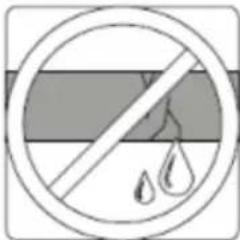
The unit or remote controller has any Impurity or water.
Air switch or leakage protection switch is often disconnected.
AIR CONDITIONER
REMOTE CONTROLLER
specifications are subject to change without prior notice improvement. Consult with the sales agency or manufacturer
Thank you very much for purchasing our air conditioner. Please read this owner's manual carefully before using your air conditioner.
CONTENTS
Remote controller Specifications. 21
Operation buttons 22
Indicators on LCD 24
How to use the buttons 25
Auto operation....25
Cooling/Heating/Fan operation. 26
Dehumidifying operation 26
Adjusting air flow direction. 26
Timer operation....27
Advanced functions ......28
Handling the remote controller....30
European Disposal Guidelines....32
NOTE:
Buttons design is based on typical model and might be slightly different from the actual one you purchased the actual shape shall prevail.
All the functions described are accomplished by the unit. If the unit has no this feature, there is no corresponding operation happened when press the relative button on the remote controller.
When there are wide differences between “Remotecontroller Illustration” and “USER'S MANUAL” on function description, the description of “USER'S MANUAL” shall prevail.
Remote Controller Specifications
| Model | RG10B1(E)/BGEF |
| Rated Voltage | 3.0V(Dry batteries R03/LR03 2) |
| Signal Receiving Range | 8m |
| Environment | _o -5°C _o - 60 °C (23°F~140°F) |
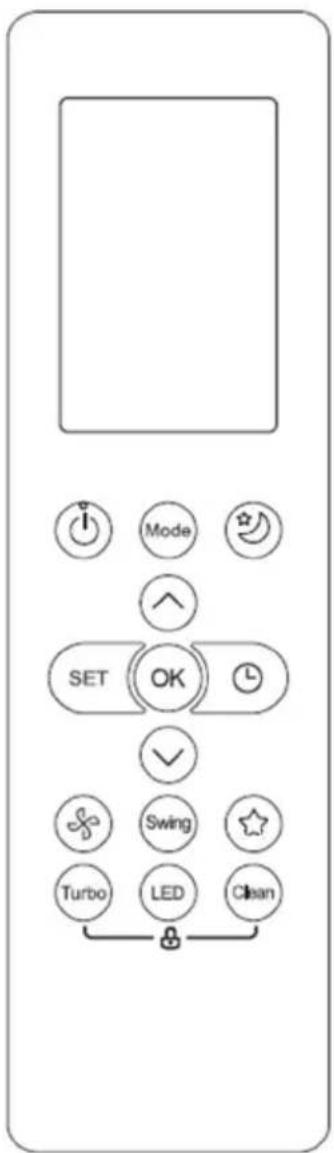
Performance Feature
- Operating Mode: AUTO, COOL, DRY, HEAT and FAN.
- Timer Setting Function in 24 hours.
- Indoor Setting Temperature Range : 17°C\~30°C.
- Full function of LCD (Liquid Crystal Display).
NOTE:
- Buttons design might be slightly different from the actual one you
• purchased depending on individual models. - All the functions described are accomplished by the indoor unit.
- If the indoor unit has no this feature, there is no corresponding operation happened when press the relative button on the remote controller
Function buttons
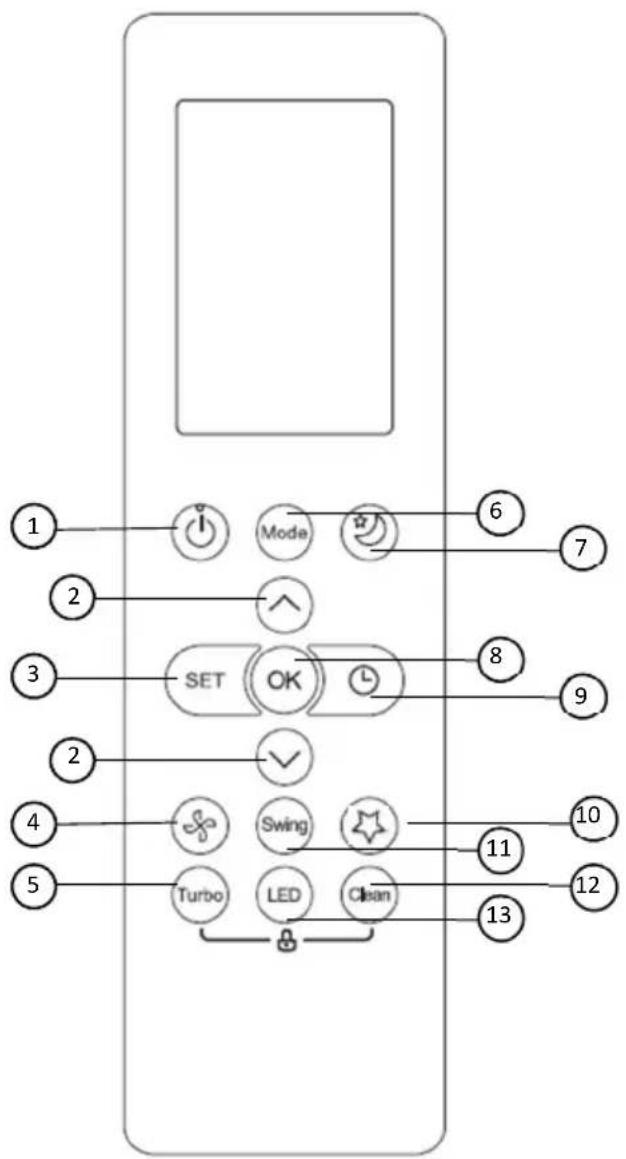
flowchart
graph TD
    A["1"] --> B["Mode"]
    C["2"] --> D["SET"]
    E["3"] --> D
    F["4"] --> G["Turbo"]
    H["5"] --> I["LED"]
    J["6"] --> K["Clean"]
    L["7"] --> K
    M["8"] --> K
    N["9"] --> K
    O["10"] --> P["Swing"]
    Q["11"] --> P
    R["12"] --> P
    S["13"] --> P
5. TURBO Button
1.ON/OFF Button
Operation starts when this button is pressed and stops when this button is pressed again.
2. TEMP ▲ / ▼ Button
Increases temperate in 1^ C increments. Max. temperature is 30^ C.
3. SET Button
Scrolls through operation functions as follows: Follow Me(
⑧ ) → AP mode
( )→ Follow Me( ).
The selected symbol will flash on the display area, press OK button to confirm.
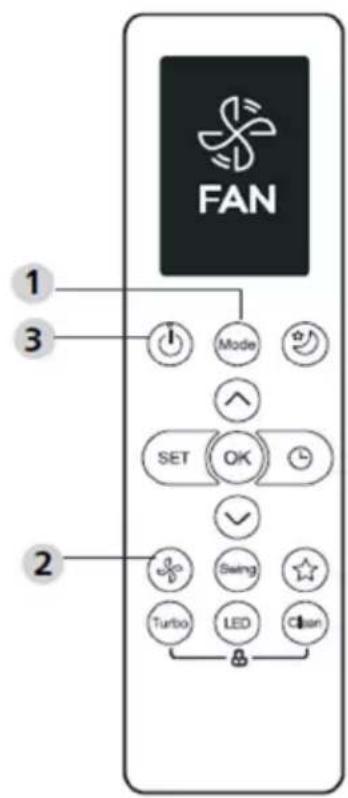
4.FAN SPEED
Selects fan speeds in the following order:

Enables unit to reach preset temperature in shortest possible time.
6. MODE Button
Each time the button is pressed, the operation mode is selected in a sequence of following:

flowchart
graph LR
    A["AUTO"] --> B["COOL"]
    B --> C["DRY"]
    C --> D["HEAT"]
    D --> E["FAN"]
Note: HEAT mode is not supported appliance.
by the cooling only
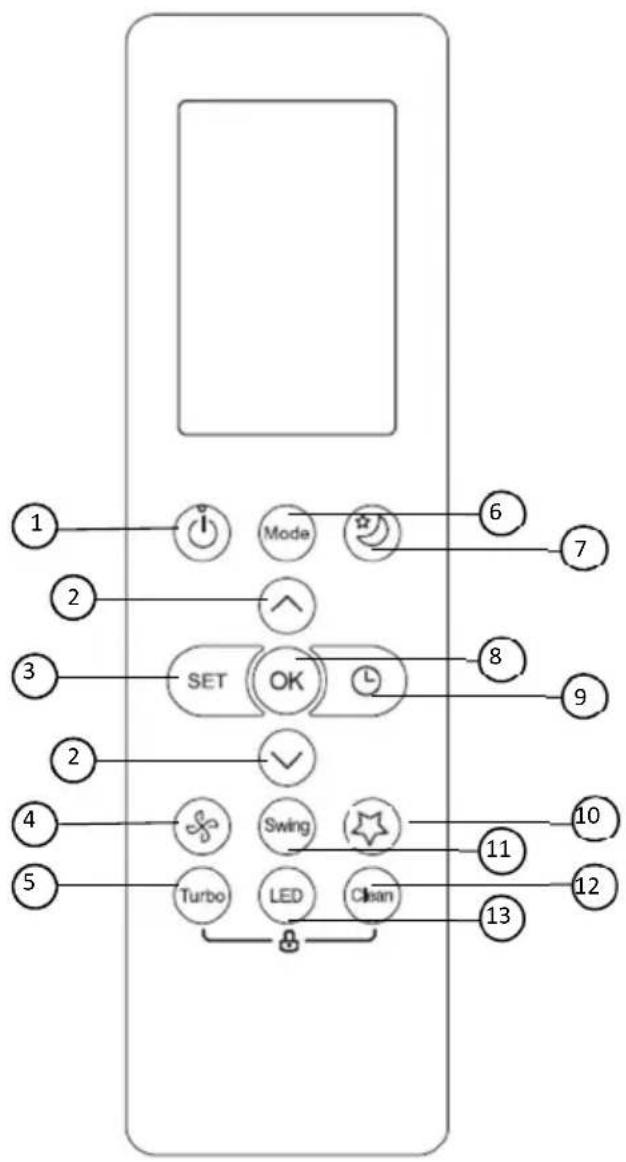
flowchart
graph TD
    A["1"] --> B["Mode"]
    C["2"] --> D["SET"]
    E["3"] --> D
    F["4"] --> G["Turbo"]
    H["5"] --> I["LED"]
    J["6"] --> K["Switch"]
    L["7"] --> K
    M["8"] --> N["OK"]
    O["9"] --> N
    P["10"] --> Q["Swing"]
    R["11"] --> Q
    S["12"] --> T["Clean"]
    U["13"] --> T
    B --> V["Mode"]
    D --> W["SET"]
    G --> X["Turbo"]
    I --> Y["LED"]
7. SLEEP Button
Saves energy during sleeping hours.
8. OK Button
Used to confirm the selected functions.
9. TIMER Button
Set timer to turn unit on or off.
10.FRESH Button
Used to start/stop the Fresh feature.
11.SWING Button
Starts and stops the horizontal louver movement.
12.CLEAN Button
Used to start/stop the Self Clean function.
13.LED Button
Turns indoor unit's LED display and air conditioner buzzer on and off (model dependent), which create a comfortable and quiet environment.
Indicator on LCD
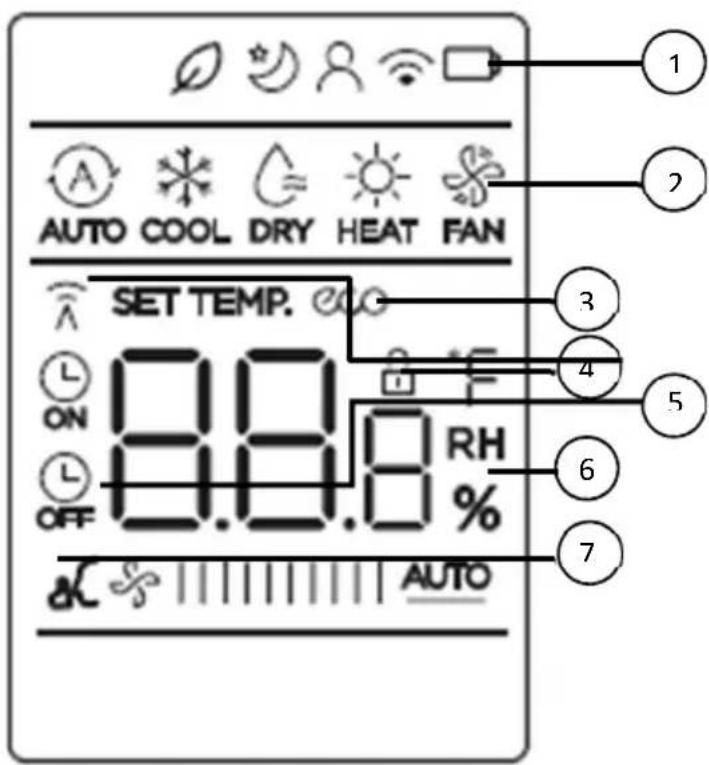
Note:
All indicators shown in the figure are for the purpose of clear presentation. But during the actual operation only the relative functional signs are shown on the display window.
1.Features
From left to right:
- Fresh feature display
- (No displays when Fresh feature is activated) Sleep mode display
- Follow me feature display
- Wireless control feature display
- Low battery detection display(If flashes)
2. Mode display
Displays the current operation mode.
Including AUTO ,
COOL *,
DRY ≈,
HEAT
FAN and again
AUTO.
3. ECO Display
Displays when ECO feature is activated
4. LOCK Display
Displays when LOCK feature is activated.
5. Transmission indicator /Timer On/ Off indicator
Transmission:
This transmission indicator lights when remote controller transmits signals to the indoor unit.
Timer On/Off:
This Timer indicator lights when Time ris turned on or off.
6. Temperature/Timer/Fan speed display
Displays the set temperature by default, or fan speed or timer setting when using TIMER ON/OFF functions.
Displays the temperature setting (17°C\~30°C). When you set the operating mode to FAN, no temperature setting is displayed. And if in the TIMER mode, shows the ON and OFF settings of the TIMER.
7. Fan speed display
Displays selected fan speed: Low/ Med/ High or Auto.
NOTE: This fan speed can not be adjusted in AUTO or DRY mode.
How to use the buttons?
Auto operation
Ensure the unit is plugged in and power is available. The OPERATION indicator on the display panel of the indoor unit starts flashing.
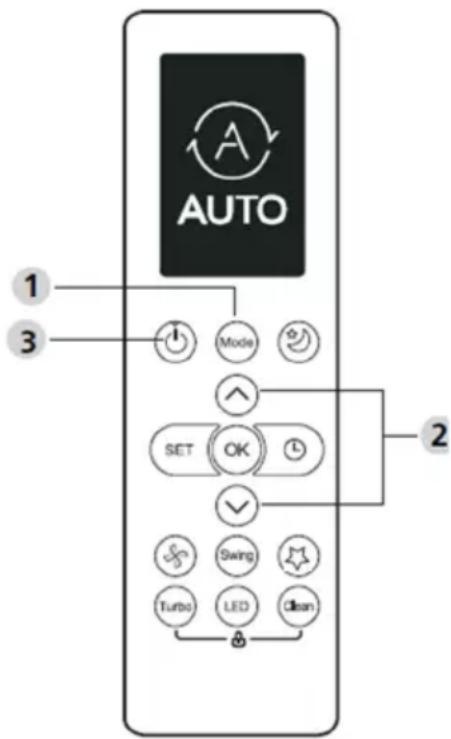
AUTO:
In AUTO mode, the unit will automatically select the COOL, FAN, or HEAT operation based on the set temperature.
- Press the MODE button to select Auto.
- Press the ▲/▼ button to set the desired temperature. The temperature can be set within a range of 17°C\~300°C in 10°C increments.
- Press the ON/OFF button to start the air conditioner.
NOTE
- In the Auto mode, the air conditioner can logically choose the mode of Cooling, Fan, and Heating by sensing the difference between the actual ambient room temperature and the setting temperature on the remote controller.
- In the Auto mode, you can not switch the fan speed. It has already been automatically controlled.
- If the Auto mode is not comfortable for you, the desired mode can be selected manually.
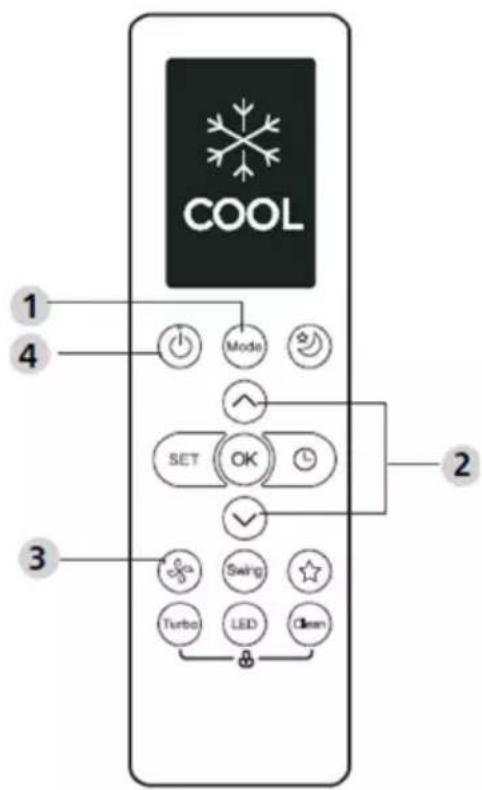
Cooling /Heating/Fan operation
- Press the MODE button to select COOL, HEAT (cooling & heating models only) or FAN mode.
- Press the UP/DOWN buttons to set the desired temperature. The temperature can be set within a range of 17°C\~30°C in 1°C increments.
- Press the FAN button to select the fan speed in four steps- Auto, Low, Mid, or High.
- Press the ON/OFF button to start the air conditioner.
NOTE
In the FAN mode, the setting temperature is not displayed in the remote controller and you are not able to control the room temperature either. In this case, only step 1, 3 and 4 may be performed.
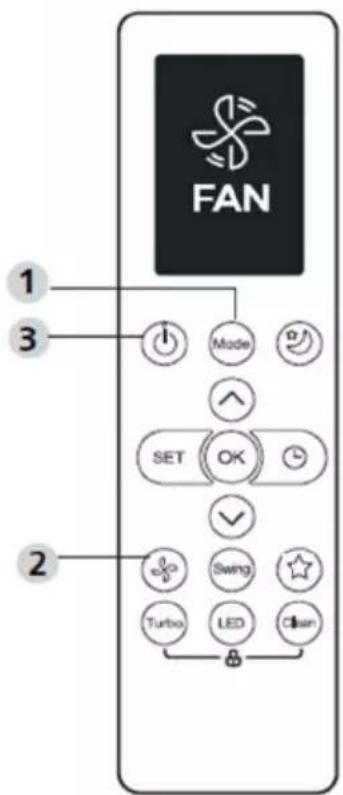
Dehumidifying operation
- Press the MODE button to select DRY mode.
- Press the UP/DOWN buttons to set the desired temperature. The temperature can be set within a range of 17°C\~30°C in 1°C increments.
- Press the ON/OFF button to start the air conditioner.
NOTE
In the Dehumidifying mode, you can not switch the fan speed. It has already been automatically controlled.
Adjusting air flow direction (option)
- When push the SWING UP/DOWN button, the horizontal louver changes 6 degree in angle for each push. If pushing more than 2 seconds, the louver will automatically swing up and down.
Timer operation
Press the TIMER ON button can set the auto-on time of the unit. Press the TIMER OFF button can set the auto-off time of the unit.
To set the Timer-ON:
- Press the TIMER ON button.
- Press Temp. up or down button for multiple times to set the desired time to turn on the unit.
NOTE: If you want to set 2.5 h timer, you will press 5 times to set it (5 x 0,5 h).
- Point remote to unit and wait 1sec, the TIMER ON will be activated.
To set the Timer-OFF:
- Press TIMER button to initiate the OFF time sequence.
- Press Temp. up or down button for multiple times to set the desired time to turn off the unit.
NOTE: If you want to set timer off in 5 hours, you will press 10 times to set it (10 x 0.5 h).
- Point remote to unit and wait 1sec, the TIMER OFF will be activated.
NOTE:
- When setting the TIMER ON or TIMER OFF, the time will increase by 30 minutes increments with each press, up to 10 hours. After 10 hours and up to 24, it will increase in 1 hour increments. (For example, press 5 times to get 2.5h, and press 10 times to get 5h,) The timer will revert to 0.0 after 24.
- Cancel either function by setting its timer to 0.0h.
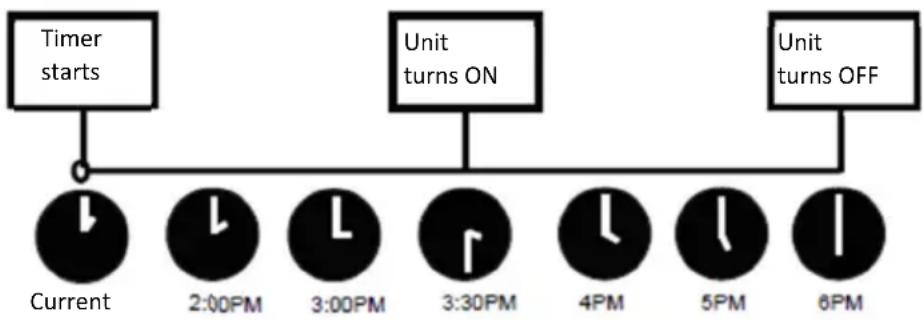
Example of timer setting
Example: If current timer is 1:00PM, to set the timer as above steps, the unit will turn on 2.5h later (3:30PM) and turn off at 6:00PM.
flowchart
graph TD
    A["Timer starts"] --> B["Current"]
    B --> C["2:00PM"]
    C --> D["3:00PM"]
    D --> E["3:30PM"]
    E --> F["4PM"]
    F --> G["5PM"]
    G --> H["6PM"]
    I["Unit turns ON"] --> E
    J["Unit turns OFF"] --> H
Time 1PM
ADVANCED FUNCTIONS
Swing Function
Press Swing button.
- The horizontal louver will swing up and down automatically when pressing Swing button. Press again to make it stop.
LED Display
Press LED button.
- Press this button to turn on and turn off the display on the indoor unit.
Silence Function
Keep pressing Fan button for more than 2 seconds to activate/disable Silence function.
Due to low frequency operation of compressor, it may result in insufficient cooling and heating capacity. Press ON/OFF, Mode, Sleep, Turbo or Clean button while operating will cancel silence function.
Lock Function
Press together Clean button and Turbo button at the same time more than 5 seconds to activate Lock function. All buttons will not response except pressing these two buttons for two seconds again to disable locking.
Clean Function
Press Clean button.
Airborne bacteria can grow in the moisture that condenses around heat exchanger in the unit. With regular use, most of this moisture is evaporated from the unit.
By pressing the CLEAN button, your unit will clean itself automatically. After cleaning, the unit will turn off automatically. Pressing the CLEAN button mid-cycle will cancel the operation and turn off the unit. You can use CLEAN as often as you like.
Note: You can only activate this function in COOL or DRY mode.
Turbo Function
Press TURBO Button.
- When you select Turbo feature in COOL/HEAT mode, the unit will blow cool air with strongest wind setting to jump-start the cooling/heating process.
SET Function
Press the SET button to enter the function setting, then press SET button or TEMP ▼ or TEMP ▲ button to select the desired function. The selected symbol will flash on the display area, press the OK button to confirm.
To cancel the selected function, just perform the same procedures as above.
Press the SET button to scroll through operation functions as follows:
FRESH → SLEEP* → FOLLOW ME → AP mode
*: If your remote controller has Fresh and Sleep button, you can not use the SET button to select the Fresh and Sleep feature.
Fresh function

When the FRESH function is initiated, the ion generator is energized and will help to purify the air in the room.
Sleep function

The SLEEP function is used to decrease energy use while you sleep (and don't need the same temperature settings to stay comfortable).
AP function

Choose AP mode to do wireless network configuration. For some units, it doesn't work by pressing the SET button. To enter the AP mode, continuously press the LED button seven times in 10 seconds.
Follow me function

The FOLLOW ME function enables the remote control to measure the temperature at its current location and send this signal to the air conditioner every 3 minutes interval. When using AUTO, COOL or HEAT modes, measuring ambient temperature from the remote control (instead of from the indoor unit itself) will enable the air conditioner to optimize the temperature around you and ensure maximum comfort.
NOTE: Press and hold Turbo button for seven seconds to start/stop memory feature of Follow Me function.
Handling the remote controller
natural_image
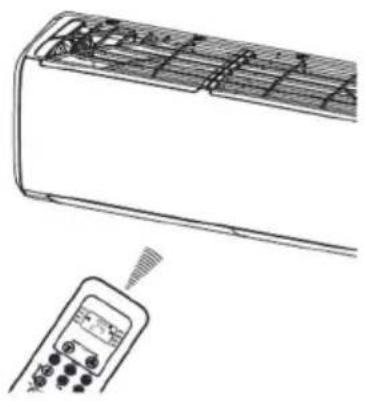
Line drawing of an air conditioner unit with a handheld control panel attached (no text or symbols)Location of the remote controller.
Use the remote controller within a distance of 8 meters from the appliance, pointing it towards the receiver. Reception is confirmed by a beep.
CAUTIONS
- The air conditioner will not operate if curtains, doors or other materials block the signals from the remote controller to the indoor unit.
- Prevent any liquid from falling into the remote controller. Do not expose the remote controller to direct sunlight or heat.
- If the infrared signal receiver on the indoor unit is exposed to direct sunlight, the air conditioner may not function properly. Use curtains to prevent the sunlight from falling on the receiver.
- If other electrical appliances react to the remote controller, either move these appliances or consult your local dealer.
- Do not drop the remote controller. Handle with care. Do not place heavy objects on the remote controller, or step on it.
Replacing batteries
natural_image
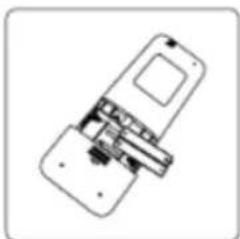
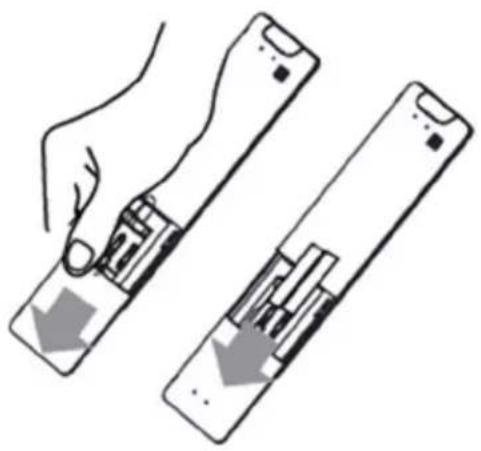
Illustration of a hand holding two rectangular devices with internal components, showing a downward arrow indicating movement or change (no text or symbols present)The following cases signify exhausted batteries. Replace old batteries with new ones.
- Receiving beep is not emitted when a signal is transmitted.
- Indicator fades away.
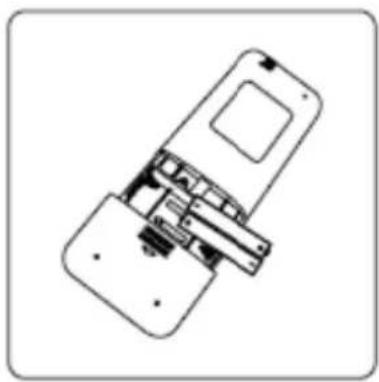
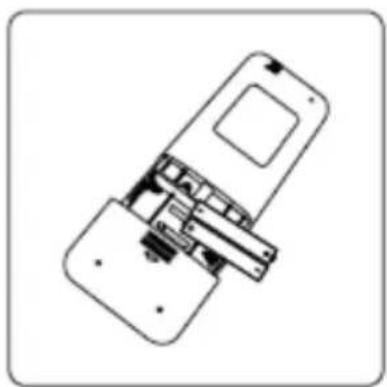
The remote controller is powered by two dry batteries (R03/LR03X2) housed in the back rear part and protected by a cover.
(1) Remove the cover in the rear part of the remote controller.
(2) Remove the old batteries and insert the new batteries placing the (+) and (-) ends correctly.
(3) Install the cover back on.
NOTE: When the batteries are removed, the remote controller erases all programming. After inserting new batteries, the remote controller must be reprogrammed.

CAUTIONS
- Do not mix old and new batteries or batteries of different types.
- Do not leave the batteries in the remote controller if they are not going to be used for 2 or 3 months.
- Do not dispose batteries as unsorted municipal waste. Collection of such waste separately for special treatment is necessary.
The design and specifications are subject to change without prior notice for product improvement. Consult with the sales agency or manufacturer for details.
European Disposal Guidelines
To protect our environment and to recycle the raw materials used as completely as possible, the consumer is asked to return unserviceable equipment to the public collection system for electrical and electronic.
The symbol of the crossed indicates that this product must be returned to the collection point for electronic waste to feed it by recycling the best possible raw material recycling.
By ensuring this product you will prevent possible negative effects on the environment and human health, which could otherwise be caused due to improper disposal of that product. The recycling of materials from this product, you will help to preserve a healthy environment and natural resources.
For detailed information about the collection of EE products contact M SAN Grupa dd or the dealer where you purchased the product.
This appliance contains refrigerant and other potentially hazardous materials. When disposing of this appliance, the law requires special collection and treatment. Do not dispose of this product as household waste or unsorted municipal waste.
When disposing of this appliance, you have the following options:
- Dispose of the appliance at designated municipal electronic waste collection facility.
- When buying a new appliance, the retailer will take back the old appliance free of charge.
- The manufacturer will take back the old appliance free of charge.
- Sell the appliance to certified scrap metal dealers.
Special notice
Disposing of this appliance in the forest or other natural surroundings endangers your health and is bad for the environment. Hazardous substances may leak into the ground water and enter the food chain.
EU Declaraton of Conformity
This device is manufactured in accordance with the applicable European standards and in accordance with all applicable Directives and Regulations.
EU declaration of conformity can be downloaded from the following link: www.msan.hr/dokumentacijaartikala

POŠTOVANI!
Zahvaljujemo na kupnji VIVAX uređaja i nadamo se da ćete biti zadovoljni odabirom. Ako u jamstvenom roku bude potreban popravak proizvoda, molimo savjetujte se sa ovlaštenim prodavačem koji Vam je proizvod prodao ili nas kontaktirajte na dolje navedene brojeve i adrese. MOLIMO VAS DA PRIJE UPORABE PROIZVODA PAŽLJIVO PROČITATE UPUTE PRILOŽENE UZ PROIZVOD!
JAMSTVENI LIST HR
VIVAX
MODEL UREĐAJA
SERIJSKI BROJ
DATUM PRODAJE
BROJ RAČUNA PRODAVATELJA
POTPIS I PEČAT PRODAVATELJA
- Preuzimamo obavezu besplatno popraviti ili zamijeniti neispravne dijelove VIVAX klima uređaja koji bi se takvim pokazali za vrijeme trajanja jamstva, kao greška prilikom izrade ili montaže. Ovim jamstvom jamčimo da će predmet ovog jamstva raditi bez pogreške uzrokovane eventualnom lošom izradom ili lošim materijalom izrade. Svi, eventualno nastali, kvarovi biti će besplatno otklonjeni od strane ovlaštenog servisa u jamstvenom roku.
UVJETI JAMSTVA:
BROJ RAČUNA PRODAVAOCA
POTPIS I PEČAT PRODAVAOCA
- Preuzimamo obavezu da besplatno popravimo ili zamijenimo neispravne dijelove Vivax cool klima uređaja koji bi se takvim pokazali za vrijeme trajanja garancije, kao greška prilikom izrade ili montaže
Ovom garancijom garantujemo da će predmet ove garancije raditi bez pogreške uzrokovane eventualnom lošom izradom ili lošim materijalom izrade. Svi, eventualno nastali, kvarovi biće besplatno otklonjeni u ovlaštenom servisu u garantnom roku.
USLOVI GARANCIJE:
-
Garancija na Vivax cool klima uređaje počinje teći od dana kupovine proizvoda i traje 24 mjeseca, osim modela ACP-xxxxCCxxxxx, ACP-xxxxCTxxxxx, ACP-xxxxDTxxxxx, ACP-xxxxCFxxxxx, ACP-xxxxFSxxxxx za koje vrijedi garancija u trajanju od 12 mjeseci
-
Garancija na uređaje u upotrebi produžuje se za sljedećih 12 mjeseci nakon izvršenja garantnog servisnog pregleda od strane ovlaštenog servisa.
-
Garancija se može produžavali ukupno tri puta, osim modela ACP-xxxxCCxxxxx, ACP-xxxxCTxxxxx, ACP-xxxxDTxxxxx, ACP-xxxxCFxxxxx, ACP-xxxxFSxxxxx za koje se garancija može produljivati četiri puta, što u ukupnom trajanju može iznositi maksimalno 60 mjeseci
-
Garantni servisni pregled naplaćuje ovlašteni servis po cjenovniku zastupnika KimTec d.o.o. i/ili Kim Tec servis d.o.o. i ovjerava garantni list što dokazuje produženje i valjanost garancije
-
Garancija vrijedi ako su montaža ili servis Vivax cool klima uređaja obavljeni od strane ovlaštenog servisa kojeg je ovlastio zastupnik Kimtec d.o.o..
-
Vivax cool klima uređaj kao cjelinu čine unutarnja jedinica, instalacija i vanjska jedinica koji su pravilno odabrani i koji međusobno odgovaraju po modelu i snazi.
-
U slučaju kvara na Vivax cool klima uređaju obvezujemo se da ćemo isti popraviti u najkraćem mogućem roku, a najkasnije u roku 45 dana, ako se Vivax cool klima uređaj ne može popraviti ili se ne popravi u roku od 45 dana, biće zamijenjen novim. Ako popravak Vivax cool klima uređaja traje duže od 10 dana, garancija će sa produžiti za vrijeme trajanja popravka.
-
Garancija se priznaje samo uz račun o kupovini, te uz ovaj garantni list koji mora bili ispravno popunjen i ovjeren od strane prodavca, ovlaštenog montažera ili servisera.
-
Davaoc garancije osigurava servis i rezervne dijelova 7 godina od datuma kupnje Vivax cool klima uređaj
11. GARANCIJA NE OBUHVATA:
Redovnu provjeru, održavanje uz zamjenu dijelova koji se troše normalnom upotrebom, prilagođavanje ili promjene za poboljšanje proizvoda za primjenu koji nisu opisane u tehničkim uputstvima za korištenje, osim ako je za te preinake predočena saglasnost M SAN GRUPA d.o.o.; i KimTec d.o.o. i/ili Kim Tec servis d.o.o.
12. Garancija se ne priznaje u sljedećim slučajevima:
Ako kupac ne predoči ispravan garantni list i račun o kupovini.
POTPIS I PEČAT PRODAVCA
- Ovom izjavom o saobraznosti proizvođač proizvoda, preko KIM TEC CG d.o.o., kao uvoznika i davaoca prava u Crnoj Gori osigurava besplatan popravak istog u skladu s vazečim propisima i u skladu s uslovima opisanim u ovoj izjavi o saobraznosti.
- Ovom izjavom o saobraznosti ističemo da će predmet ovog prava raditi bez greške uzrokovane eventualnom lošom Izradom i lošim materijalom izrade. Svi eventualno nastali kvarovi biće besplatno otklonjeni u ovlašcenom servisu u predvidjenom roku za reklamaciju.
- Rok za reklamaciju proizvoda počinje od dana kupovine proizvoda i traje 24 mjeseca.
- Rok za reklamaciju proizvoda u upotrebi produžuje se za sljedećih 12 mjeseci nakon izvršenja kontrolnog servisnog pregleda od strane ovlašćenog servisa.
- Rok za reklamaciju proizvoda može se produžavati ukupno tri puta, što u ukupnom trajanju može iznositi maksimalno 60 mjeseci
- U slučaju kvara na proizvodu koji je predmet reklamacije, obavezujemo se da ćemo isti popraviti u najkraćem mogućem roku, a najkasnije u roku od 15 dana. Ako se proizvod ne može popraviti ili se ne popravi u roku od 15 dana, biće zamijenjen novim.
- Pravo na reklamaciju se priznaje uz fiskalni račun o kupovini, ili uz ovu izjavu o saobraznosti koji mora biti ispravno popunjen odnosno mora sadržati datum prodaje, pečat i potpis prodavca.
- Davalac izjave o saobraznosti osigurava servis i rezervne djelove u razumno vremenskom periodu.
PRAVO NA REKLAMACIJU NE OBUHVATA
City Company Adress Phone
| Prishtine-Fush Kosove-Lipjan | Eko Electronics | Vëllezërit Fazliu Nr. 74 | 045553800 |
| Prishtine-Fush Kosove-Lipjan | Unique | Rr.Isa Kastrati p.n Kompleksi ARKOS | 049111499 |
| Ferizaj Termo Ylli | 044677077 | ||
| Gjilan-Viti | Toni-Impex | 28 Nentori nr 60 | 044 490 939 |
| Mitrovice Kulla | Ahmet Maloku 60 | 049307307 | |
| Peje | Uraniku | Vitomerice | 049178749 |
| Peje | CTA | Sahit Bakalli nr. 24 | 049506447 |
| Gjakove | Lila Tech | Rr. Skenderbeu | 048116811 |
| Prizren-Suharek-Malisheve | Perfect Service | Lidhja e dukagjinit | 048166141 |
| Prizren-Suharek-Malisheve | Miranda- X-Tronics | Prizren | 044140434 |
| Kosove | Xhela Gorenje | Drenas | 048170700 |
sSPOŠTOVANI KUPCI!
Zahvaljujemo se vam za nakup Vivax klimatske naprave. Upamo, da boste z izbiro zadovoljni.
PROSIMO, DA PRED UPORABO PROIZVODA NATANČNO PREBERETE TEHNIČNO DOKUMENTACIJO TER PRILOŽENA NAVODILA ZA UPORABO