
GZ 39D - Deep fryer Guzzanti - Free user manual and instructions
Find the device manual for free GZ 39D Guzzanti in PDF.


| Brand | Guzzanti |
| Model | GZ 39D |
| Product Type | Air Fryer Oven (Deep Fryer) |
| Rated Power | 1500 W |
| Power Supply | AC 220-240 V, 50 Hz |
| Capacity | 10 L |
| Temperature Range | 80–200 °C |
| Cooking Modes | French Fries, Roast, Fish, Shrimp, Pizza, Chicken, Baking, Rotisserie, Dehydrate, Reheat |
| Display | LCD with touch control panel |
| Timer | Up to 120 minutes (adjustable in 1 min increments) |
| Included Accessories | 2 Mesh Racks, 1 Drip Tray, 1 Rotisserie Shaft, 1 Rotisserie Basket, 8 Skewers, 1 Removal Tool |
| Overheating Protection | Yes (automatic shut-off if internal temperature control fails) |
| Automatic Switch-Off | Yes (when timer reaches zero; fan runs 20 sec to cool) |
| Cool-Down Fan | Runs for 20 seconds after cooking stops |
| Interior Light | Yes (controlled by Light button) |
| Window | Yes (pauses cooking when opened) |
| Material | Stainless steel housing, mesh racks, drip tray |
| Cleaning | Accessories dishwasher safe; wipe exterior with damp cloth; clean interior with non-abrasive sponge |
| Safety Features | Overheating protection, auto shut-off, cool-down fan, child lock? (not specified) |
| Dimensions (approx.) | Not specified in manual; estimate ~35 x 30 x 30 cm |
| Weight (approx.) | Not specified; estimate ~6 kg |
Frequently Asked Questions - GZ 39D Guzzanti
User questions about GZ 39D Guzzanti
0 question about this device. Answer the ones you know or ask your own.
Ask a new question about this device
Download the instructions for your Deep fryer in PDF format for free! Find your manual GZ 39D - Guzzanti and take your electronic device back in hand. On this page are published all the documents necessary for the use of your device. GZ 39D by Guzzanti.
USER MANUAL GZ 39D Guzzanti
natural_image
Line drawing of a portable air fryer with digital display and control buttons (no text or symbols)natural_image
Line drawing of a rectangular tray with a grid pattern and handle (no text or symbols)
natural_image
Line drawing of a square-shaped object with concentric layers, no text or symbols presentnatural_image
Line drawing of a hand inserting a device into a device housing (no text or symbols)Drátěné rošty
natural_image
Line drawing of a hand inserting a device into a rack, with an arrow indicating the process (no text or symbols present)Odkapávací plech
natural_image
Line drawing of a hand inserting a device into an air conditioner unit (no text or symbols)Rožen
natural_image
Line drawing of a hand holding a chicken next to a rectangular object with a rod, no text or symbols presentnatural_image
Illustration of hands using pliers to adjust a chicken's body, showing posture and movement (no text or symbols)natural_image
Line drawing of a person inside an open kitchen appliance with digital display (no text or symbols)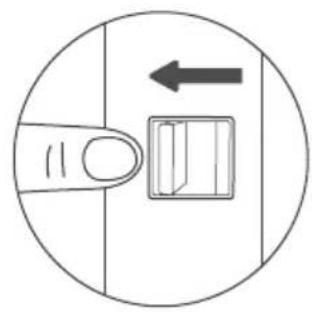
natural_image
Simple line drawing of a finger pressing a button with an arrow indicating left motion (no text or symbols)Grilovací koš
natural_image
Simple line drawing of a finger pressing a button with an arrow indicating direction (no text or symbols)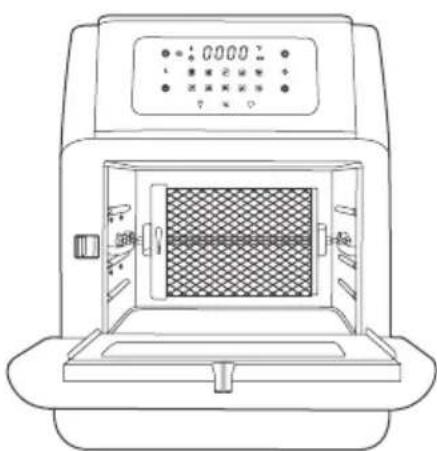
natural_image
Line drawing of a laboratory instrument with a central chamber and digital display (no text or symbols)natural_image
Line drawing of a portable oven with control panel and side view showing internal components (no text or symbols)Grilovací jehly
natural_image
Two identical line drawings of skewers and six syringes arranged in a row, no text or symbols present.Varování
natural_image
Symbol of a trash bin crossed with two diagonal lines, representing no waste or discharge (no text or labels)
USCHOVAJTE SI TENTO NÁVOD NA OBSLUHU
natural_image
Line drawing of a modern air fryer with digital display and control buttons (no text or symbols)natural_image
Line drawing of a square plate with a grid pattern and handle (no text or symbols)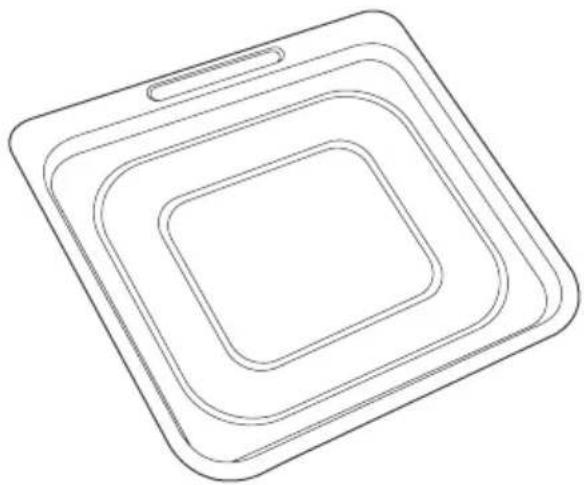
natural_image
Line drawing of a square-shaped object with concentric layers, no text or symbols presentnatural_image
Technical line drawings of two mechanical tools: a multi-pronged tool and a multi-pronged tool (no text or symbols present)⑤ Prepínač
⑥ Zaistenie ražna / grilovacieho koša
natural_image
Line drawing of a hand inserting a device into a device housing (no text or symbols)Drôtené rošty
natural_image
Line drawing of a hand inserting a device into a rack, with an arrow indicating the process (no text or symbols present)Odkvapkávací plech
natural_image
Line drawing of a hand inserting a device into an air conditioner unit (no text or symbols)Ražen
natural_image
Line drawing of a hand holding a chicken next to a rectangular object with a rod, no text or symbols presentnatural_image
Illustration of hands using pliers to adjust a chicken's body, showing posture and movement (no text or symbols)- Presuňte prepínač doprava. Vložte ražeň do držiakov a zatlačte ho do uzamknutej polohy.
natural_image
Line drawing of a person inside an open kitchen appliance with digital display (no text or symbols)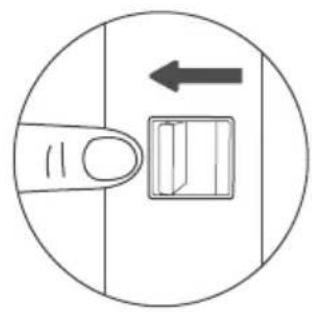
natural_image
Simple line drawing of a finger pressing a button with an arrow indicating left motion (no text or symbols)Grilovací kôš
- Presuňte prepínač doprava. Vložte hriadel'grilovacieho koša do držiakov a zatlačte ho do uzamknutej polohy.
natural_image
Simple line drawing of a finger pressing a button with an arrow indicating direction (no text or symbols)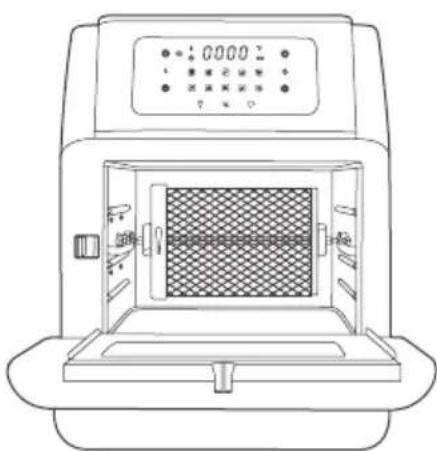
natural_image
Line drawing of a laboratory instrument with a central chamber and digital display (no text or symbols)- Na vybratie koša použite náradie dodané spolu so spotrebičom, aby ste sa nepopálili.
Grilovacie ihly
natural_image
Two identical line drawings of skewers and six syringes arranged in a row, no text or symbols present.Varovanie
natural_image
Symbol of a trash bin crossed with no text or numbers, representing environmental protection (no text present)natural_image
Line drawing of a portable air fryer with digital display and control buttons (no text or symbols)natural_image
Line drawing of a square plate with a grid pattern and handle (no text or symbols)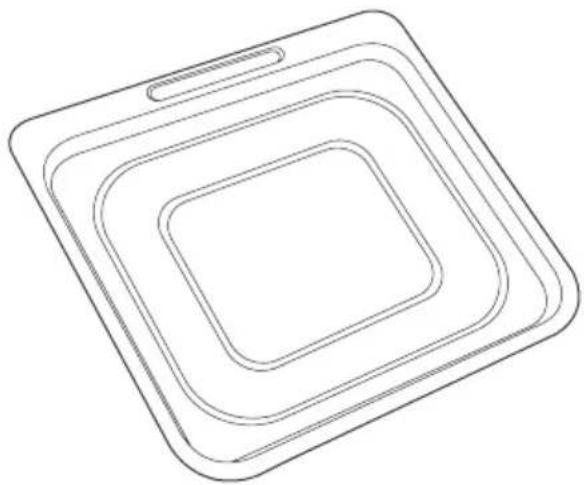
natural_image
Line drawing of a square electronic device with concentric layers (no text or symbols)2 x druciane ruszty 1 x taca ociekowa
natural_image
Technical line drawings of two mechanical tools: a multi-pronged tool and a multi-pronged tool (no text or symbols present)natural_image
Line drawing of a hand inserting a device into a device housing (no text or symbols)Druciane ruszty
natural_image
Line drawing of a hand inserting a device into a rack, with an arrow indicating the process (no text or symbols present)Taca ociekowa
natural_image
Line drawing of a hand inserting a device into an open air mask (no text or symbols)Szpikulec
natural_image
Line drawing of a hand holding a chicken next to a rectangular object with a rod, showing a motion or assembly (no text or symbols)natural_image
Line drawing of hands using pliers to adjust a small object, with arrows indicating movement (no text or symbols)natural_image
Line drawing of a person inside an open kitchen appliance with digital display (no text or symbols)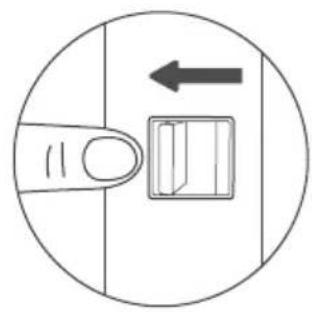
natural_image
Simple line drawing of a finger pressing a button with an arrow indicating left motion (no text or symbols)Kosz do grillowania
natural_image
Simple line drawing of a finger pressing a button with an arrow indicating direction (no text or symbols)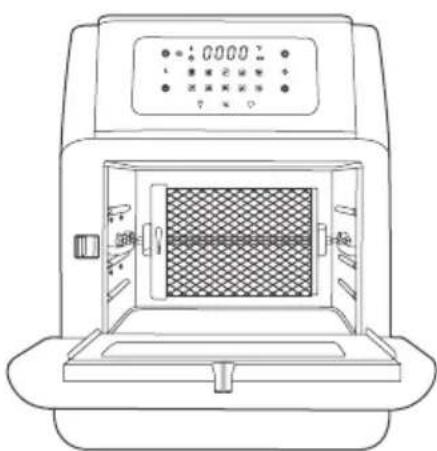
natural_image
Line drawing of a laboratory instrument with a central chamber and digital display (no text or symbols)Igły do grillowania
natural_image
Two identical line drawings of skewers and microwires arranged in a tray, no text or symbols present.Ostrzeżenie
natural_image
Symbol of a trash bin crossed with no text or numbers, representing environmental protection (no text present)natural_image
Line drawing of a modern air fryer with digital display and control buttons (no text or symbols)natural_image
Line drawing of a square plate with a grid pattern and handle (no text or symbols)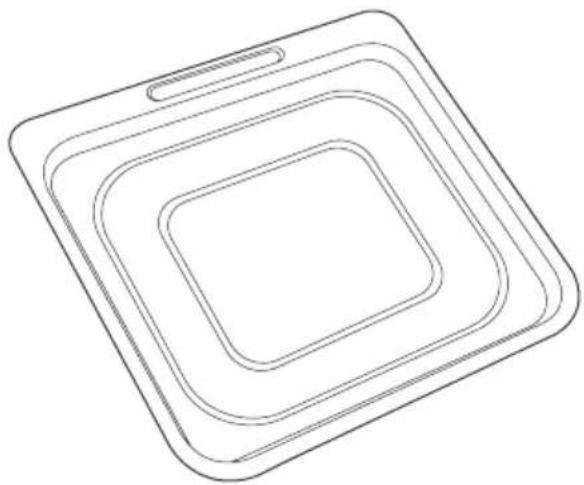
natural_image
Line drawing of a square-shaped object with concentric layers, no text or symbols presentnatural_image
Line drawing of a mesh-coated container with a handle and spout (no text or symbols)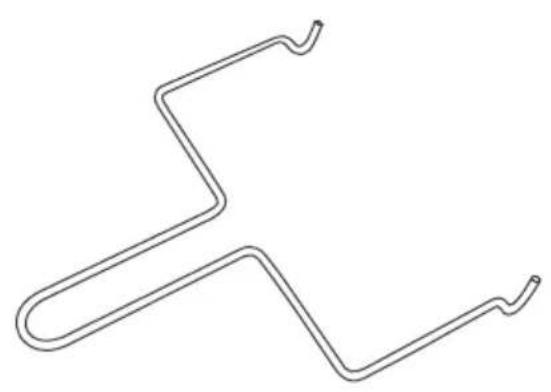
natural_image
Pure line drawing of a zigzag pipe or conduit without any text, numbers, or symbolsnatural_image
Line drawing of multiple parallel metal rods with curved ends, no text or symbols present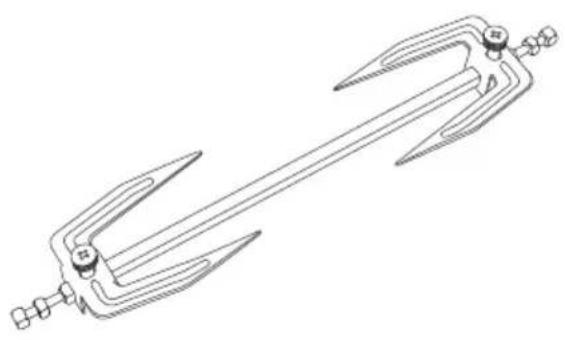
natural_image
Line drawing of a mechanical tool or plunger with multiple blades and a central handle (no text or symbols)natural_image
Line drawing of a hand inserting a device into a device housing (no text or symbols)Fémrács
natural_image
Line drawing of a hand inserting a device into a rack, with an arrow indicating the process (no text or symbols present)Zsírfelfogó tálca
natural_image
Line drawing of a hand inserting a device into an air conditioner unit (no text or symbols)Nyárs
natural_image
Line drawing of a hand holding a chicken next to a rectangular object with a rod, no text or symbols presentnatural_image
Illustration of hands using pliers to adjust a small object, showing mechanical components and directional arrows (no text or symbols)natural_image
Line drawing of a person inside an open kitchen appliance with digital display (no text or symbols)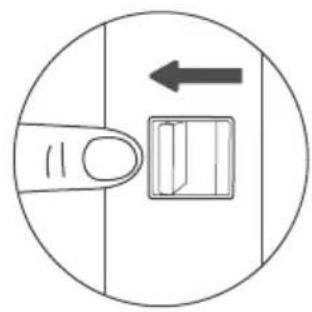
natural_image
Simple line drawing of a finger pressing a button with an arrow indicating left motion (no text or symbols)Grillkosár
natural_image
Simple line drawing of a finger pressing a button with an arrow indicating direction (no text or symbols)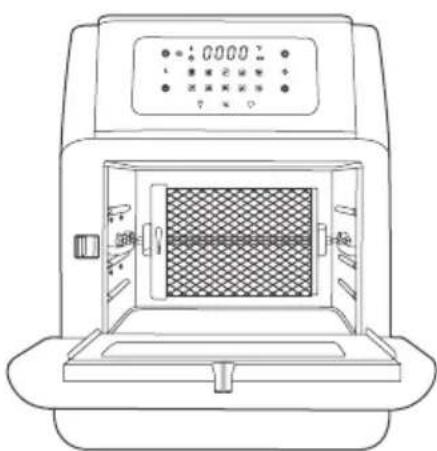
natural_image
Line drawing of a laboratory instrument with a central chamber and digital display (no text or symbols)Grillnyársak
natural_image
Two identical line drawings of skewers and microwires arranged in a tray, no text or symbols present.Figyelmeztetés
natural_image
Symbol of a trash bin crossed with no text or numbers, representing waste sorting or disposal (no text present)natural_image
Line drawing of a portable air fryer with digital display and control buttons (no text or symbols)natural_image
Line drawing of a rectangular tray with a grid pattern and handle (no text or symbols)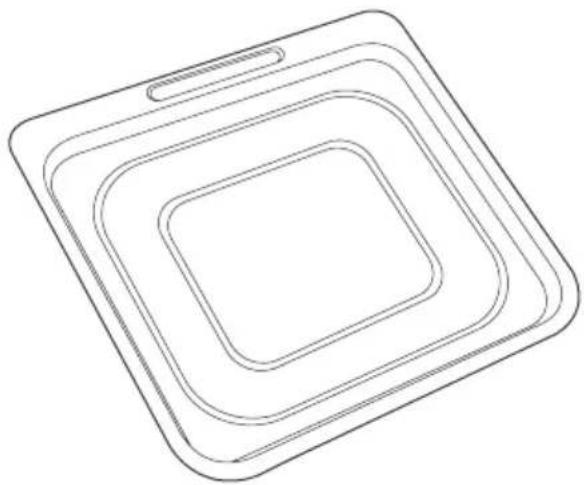
natural_image
Line drawing of a square-shaped object with concentric layers, no text or symbols presentnatural_image
Technical line drawings of a mesh-coated fan and a zigzag electrical component (no text or symbols)natural_image
Technical line drawings of two mechanical tools: a multi-pronged tool and a multi-pronged tool (no text or symbols present)8 x nabodala za peko na žaru 1 x vrtljivi raženj
natural_image
Line drawing of a hand inserting a device into a device housing (no text or symbols)Rešetke
natural_image
Line drawing of a hand inserting a device into a rack, with an arrow indicating the process (no text or symbols present)natural_image
Line drawing of a hand inserting a device into an air conditioner unit (no text or symbols)Raženj
natural_image
Line drawing of a hand holding a chicken next to a rectangular object with a rod, no text or symbols presentnatural_image
Illustration of hands using pliers to adjust a chicken's body, showing posture and movement (no text or symbols)- Premaknite stikalo v desno. Raženj vstavite v nosilca in potisnite v zaklenjen položaj.
- Sprostite stikalo, da raženj pritrdite.

natural_image
Line drawing of a person inside an open kitchen appliance with digital display (no text or symbols)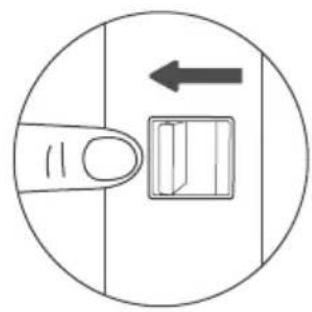
natural_image
Simple line drawing of a finger pressing a button with an arrow indicating left motion (no text or symbols)Košara za peko na žaru
- Premaknite stikalo v desno. Vstavite os košare za peko na žaru v nosilca in jo potisnite v zaklenjen položaj.
natural_image
Simple line drawing of a finger pressing a button with an arrow indicating direction (no text or symbols)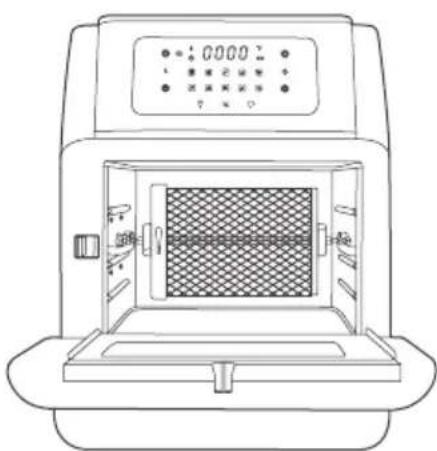
natural_image
Line drawing of a laboratory instrument with a central chamber and digital display (no text or symbols)- Sprostite stikalo, da košaro pritrdite.
natural_image
Line drawing of a portable air purifier with control panel and side view showing internal structure (no text or symbols)- Če želite košaro odstraniti, uporabite priloženo orodje, da se izognete opeklinam.
Nabodala za peko na žaru
natural_image
Two identical line drawings of skewers and six syringes arranged in a row, no text or symbols present.Pozor
Nabodala za peko na žaru in drugi dodatki so razmeroma ostri. Pri ravnanju s to dodatno opremo bodite zelo previdni, po potrebi se ustrezno zaščitite.
natural_image
Symbol of a trash bin crossed with no text or numbers, representing environmental protection (no text present)natural_image
Line drawing of a portable air fryer with digital display and control buttons (no text or symbols)natural_image
Line drawing of a rectangular tray with a grid pattern and handle (no text or symbols)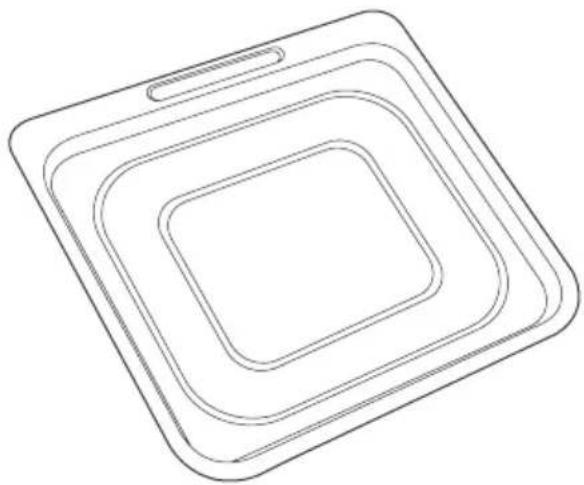
natural_image
Line drawing of a square-shaped object with concentric layers, no text or symbols presentnatural_image
Line drawing of a mesh-coated container with a handle and spout (no text or symbols)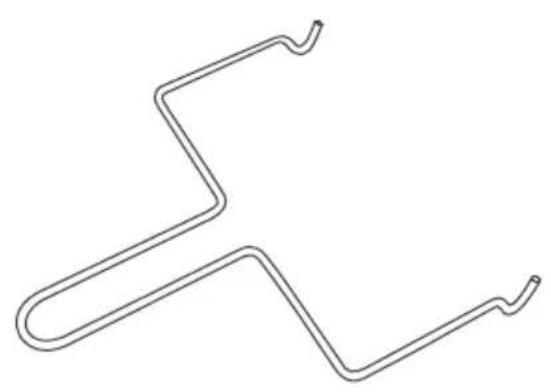
natural_image
Pure line drawing of a zigzag, curved pipe or wire (no text or symbols)natural_image
Line drawing of multiple parallel metal rods with curved ends, no text or symbols present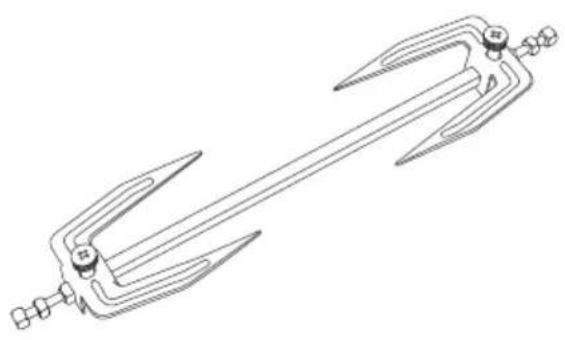
natural_image
Line drawing of a mechanical tool or plunger with multiple blades and a central handle (no text or symbols)natural_image
Line drawing of a hand inserting a device into a device housing (no text or symbols)Drahtroste
natural_image
Line drawing of a hand inserting a device into a machine, with an arrow indicating the process (no text or symbols present)Abtropfblech
natural_image
Line drawing of a person using an air fryer to open the oven, with an arrow indicating process direction (no text or symbols)Drehspieß
natural_image
Line drawing of a hand holding a chicken next to a rectangular object with a handle, no text or symbols presentnatural_image
Illustration of hands using pliers to adjust a chicken's body, showing posture and movement (no text or symbols)natural_image
Line drawing of a person inside an open kitchen appliance with digital display (no text or symbols)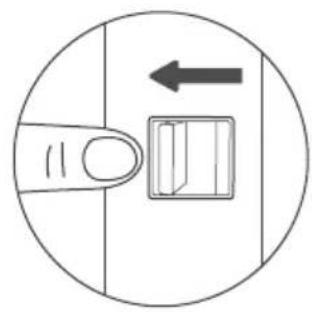
natural_image
Simple line drawing of a finger pressing a button with an arrow indicating left motion (no text or symbols)Grillkorb
natural_image
Simple line drawing of a finger pressing a button with an arrow indicating direction (no text or symbols)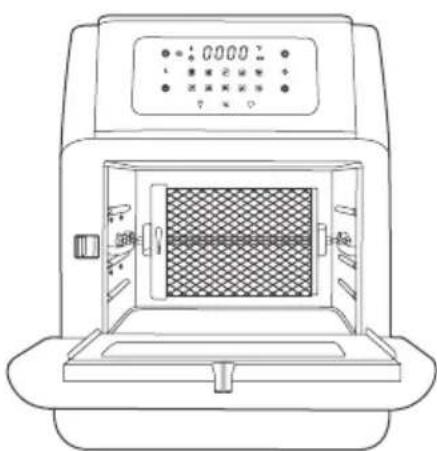
natural_image
Line drawing of a laboratory instrument with a central chamber and digital display (no text or symbols)Grillspieße
natural_image
Two identical line drawings of skewers and microwires arranged in a tray, no text or symbols present.Warnung
natural_image
Symbol of a trash bin crossed with no text or numbers, representing waste sorting or disposal (no text present)When using your electrical appliances, basic safety precautions should always be followed to reduce the risk of fire, electric hazard and injury to persons, including the following.
Danger
- This appliance is not intended for use by persons (in eluding children below 8 years old) with reduced physical, sensory or mental capabilities, or lack of experience and knowledge, unless they have been given supervision or instruction concerning the use of appliance by a person responsible for their safety.
- Check if the voltage indicated on the appliance corresponds to the local mains voltage before you connect the appliance.
- Do not use the appliance if the plug or the mains cord or the appliance itself is damaged.
- Never immerse the housing, which contains electrical components and the heating elements, in water nor rinse under tap water.
- Do not let any water or other liquid enter the appliance to prevent electric shock.
- Always put the ingredients to be fried in the accessories to prevent it from coming into contact with the heating elements.
- Do not cover the air inlet and the air outlet while the appliance is operating.
- Do not fill the pan with oil as this may cause a fire hazard.
- While working, the internal temperature of the unit reaches several hundred degrees Fahrenheit. TO AVOID PERSONAL INJURY, never place hands inside the unit unless it is thoroughly cooled.
- Children should be supervised to ensure that they do not play with the appliance. Cleaning and user maintenance shall not be made by children unless they are older than 8 and supervised.
- Keep the mains cord away from hot surfaces.
- Do not place the appliance on or near combustible materials such as a tablecloth or curtain.
- Do not place the appliance against a wall or against other appliances. Leave at least 10cm / 3.9in free space on the back and sides and 10cm / 3.9in free space above the appliance. Do not place anything on top of the appliance.
- Do not use the appliance for any other purpose than described in this manual.
-
During hot air frying, hot steam is released through the air outlet openings. Keep your hands and face at a safe distance from the steam and from the air outlet openings. Also be careful of hot steam and air when you remove the pan from the appliance.
-
The accessible surfaces may become hot during use.
- After using the appliance, the metal cover inside is very hot, avoid contact with it after cooking.
- Immediately unplug the appliance if you see dark smoke coming out of the appliance. Wait for the smoke emission to stop before you remove the pan from the appliance.
- When reaches the set timer, cooking will stop but the fan WILL CONTINUE RUNNING for 20 seconds to cool down the Unit.
CAUTION
- Place the appliance on a horizontal, even and stable surface.
- Improper use and use of the product not listed in the user guide will void the warranty and we are not liable for the damage caused.
- Always unplug the appliance after use.
- Let the appliance cool down for approx. 30 minutes before you handle or clean it.
- The cooktop may smoke the first time it is used. It is not defective and the smoke will burn off within a few minutes.
OVERHEATING PROTECTION
The appliance comes with an overheating protection system. It will be turned off automatically if the inner temperature control system fails. Unplug the mains cord, let the appliance cool down and send it to authorized service centre for repairing.
AUTOMATIC SWITCH-OFF
The appliance comes with a built in shut-off device that will automatically shut down the unit when reaches the set timer. You can manually switch off the appliance at any time by pressing the Power Button. The fan will continue running for about 20 seconds to cool down the unit.
SAVE THE INSTRUCTIONS
natural_image
Line drawing of a portable air fryer with digital display and control buttons (no text or symbols)1 x Air Fryer Oven

natural_image
Line drawing of a rectangular tray with a grid pattern and handle (no text or symbols)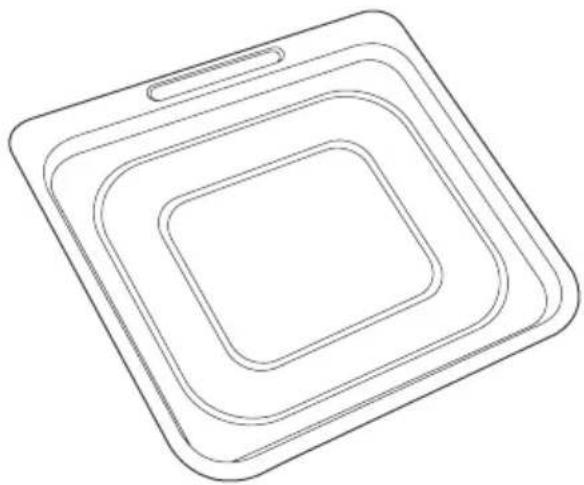
natural_image
Line drawing of a square-shaped object with concentric layers, no text or symbols present2 x Mesh Racks 1 x Drip Tray
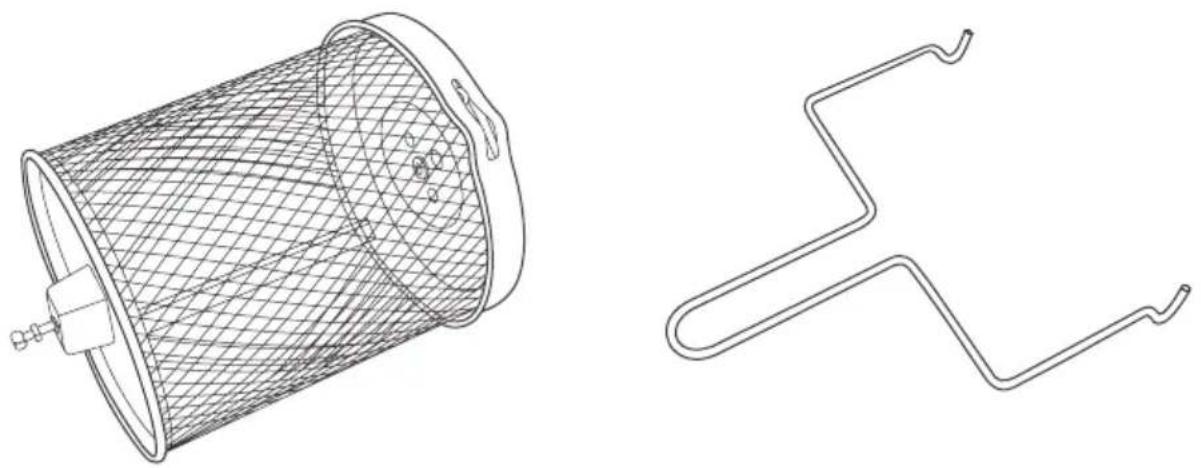
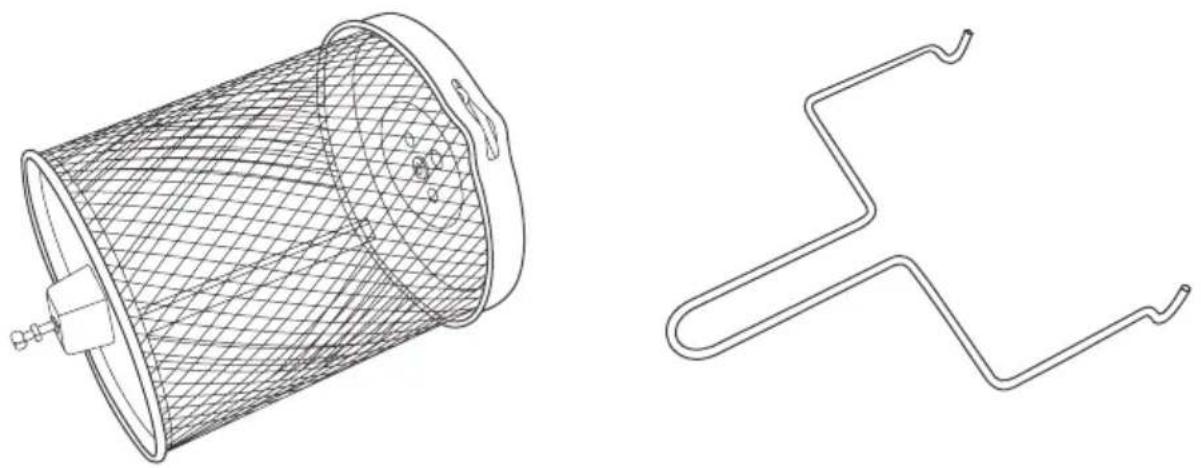
1 x Rotisserie Basket 1 x Removal Tool
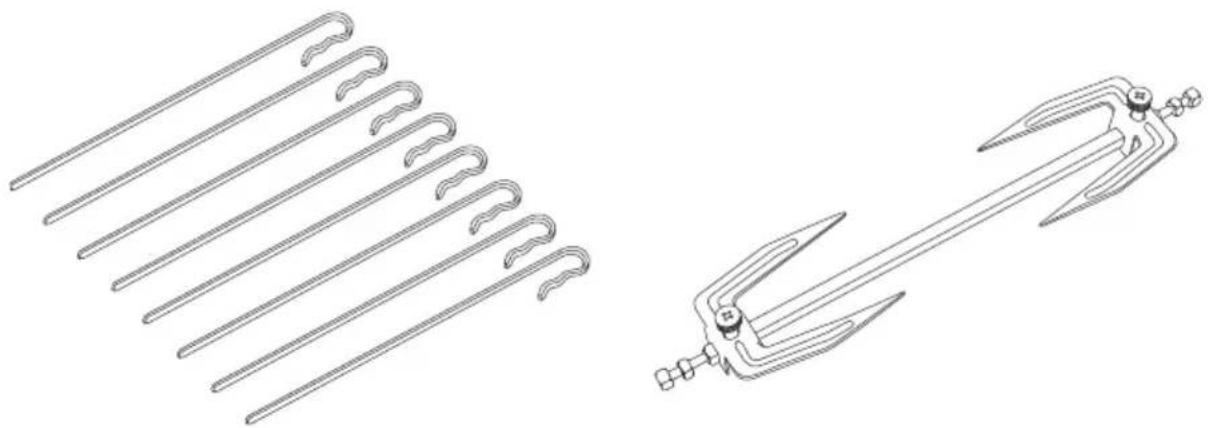
natural_image
Technical line drawings of two mechanical tools: a multi-pronged tool and a multi-pronged tool (no text or symbols present)8 x Skewers 1 x Rotisserie Shaft
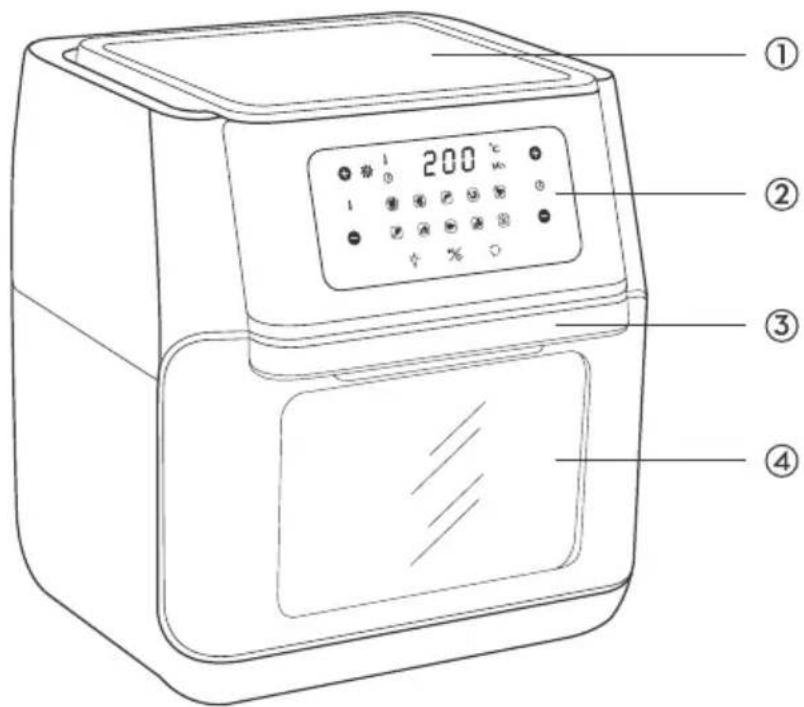
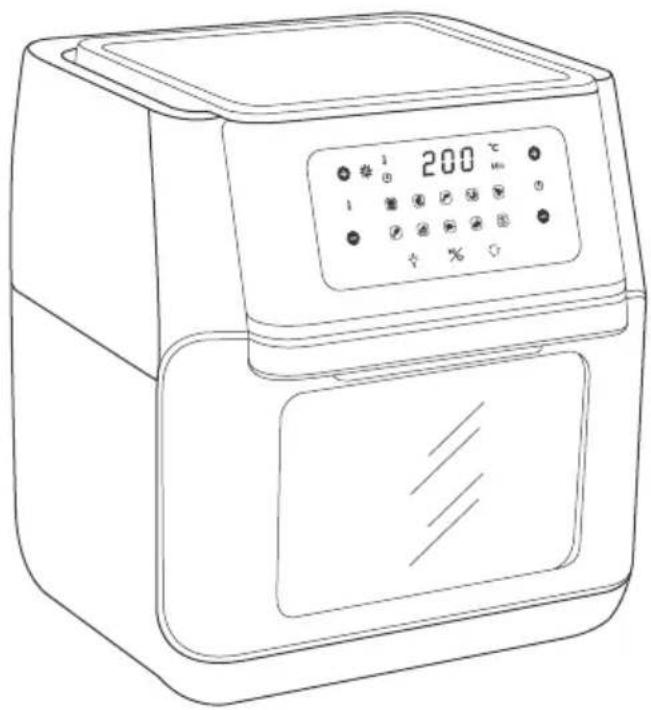
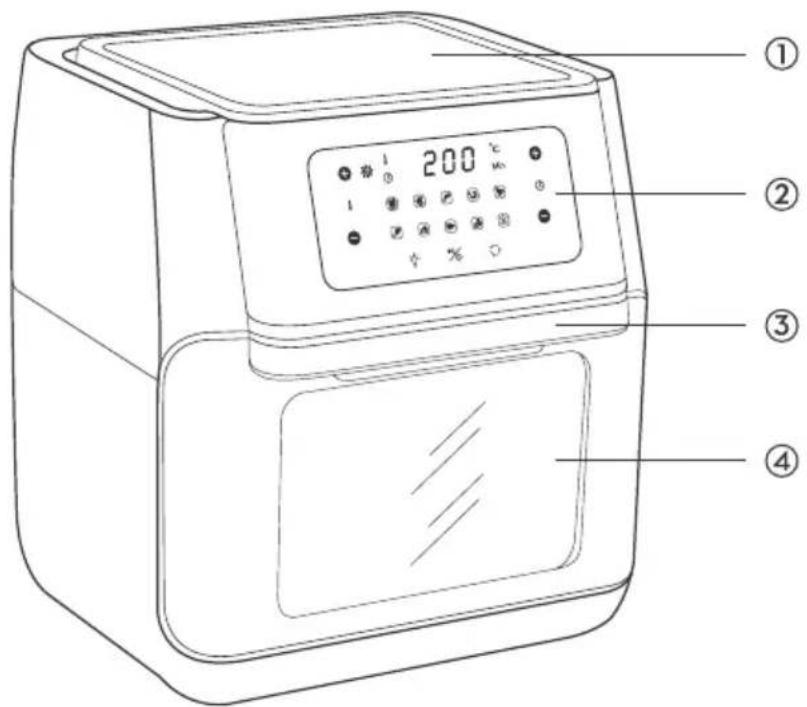
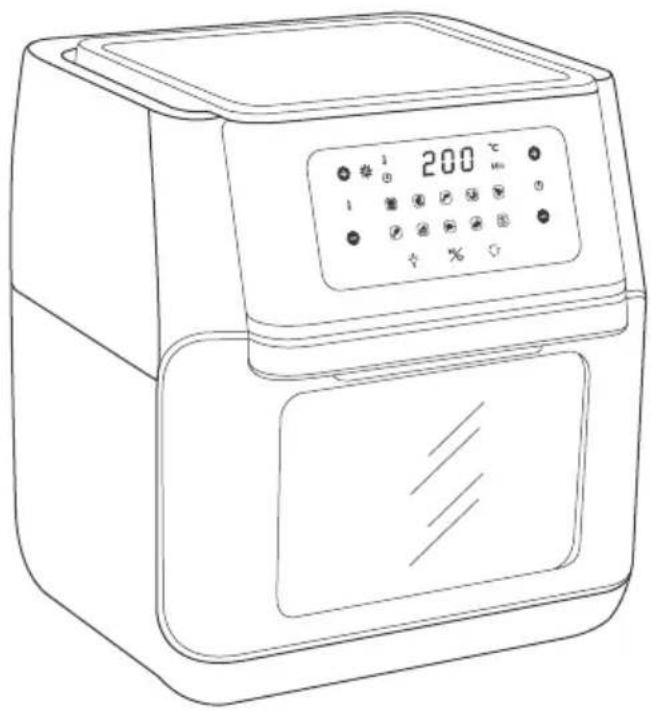
① Top Lid
② Control Panel
③ Handle
④ Window
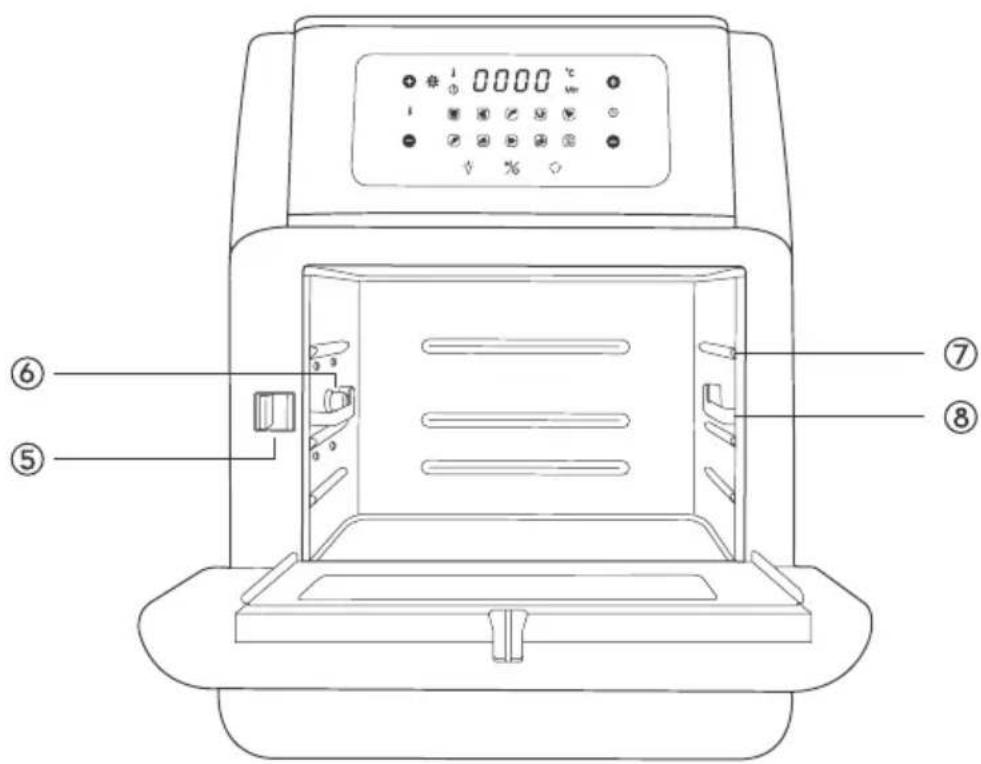
⑤ Switch
⑥ Lock
⑦ Rails
⑧ Sliding Chute
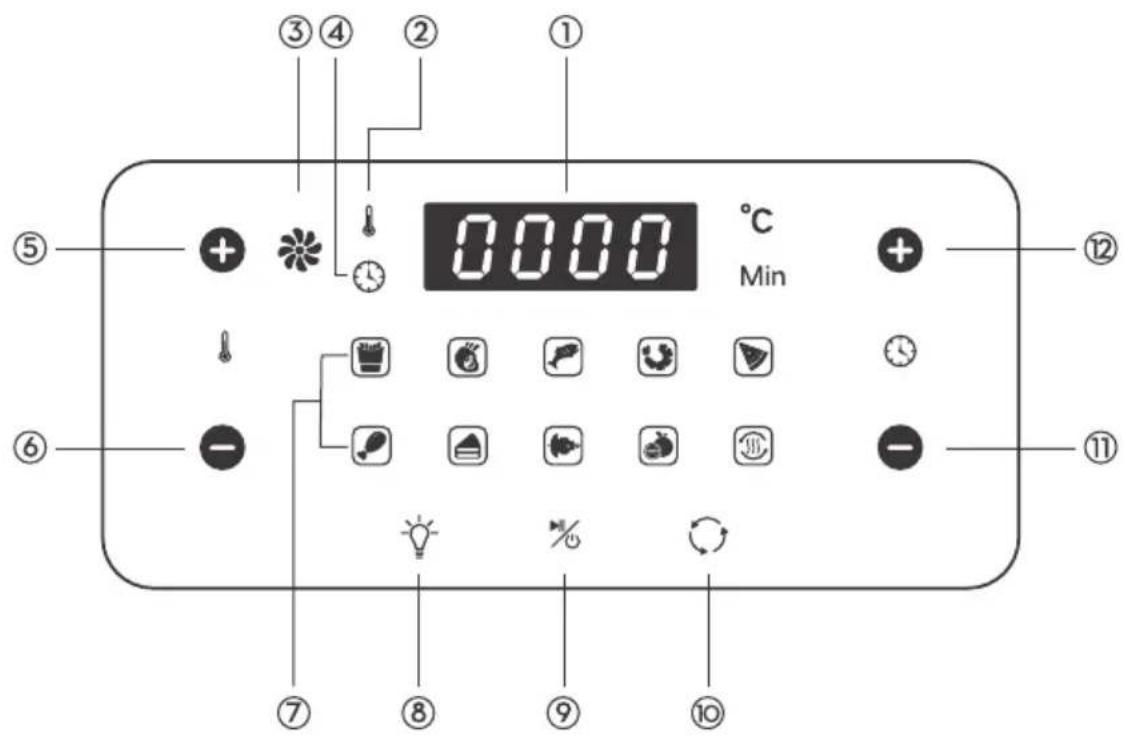
① LCD Display
② Temperature Indicator
③ Working Indicator
④ Time Indicator
⑤ Temperature +
⑥ Temperature -
⑦ Mode Indicators: French Fry, roast, fish, shrimp, pizza, chicken, bake, rotisserie, dehydrate, reheat
⑧ Light Button
⑨ Power on/Pause Button
(Long-press to turn off the machine)
⑩ Rotating Button
⑪ Time -
⑫ Time +
SPECIFICATIONS
| Model GZ39D | |
| Supply Power AC 220-240 V 50 HZ | |
| Rated Power 1500 W | |
| Capacity 10 L | |
| Temperature 80-200 °C |
BEFORE FIRST USE
- Remove all packaging
- Check the intactness of the appliance and completeness of the accessories.
- Remove any stickers or labels from the appliance.
- Thoroughly clean the accessories with hot water, some mild detergent and a non-abrasive sponge.
- Wipe the inside and outside of the appliance with a damp cloth.
Note: Never wash or submerge the main unit in water.
HOW TO USE
Connect the appliance to a power source, it enters standby mode with a beep. All the indicators on the control panel will flash once.
Power On / Off
Tap the Power Button to turn on the appliance with a beep. All the indicators on the control panel will light up.
Tap it again to turn off the appliance. When it is off, the fan will continue working for 20 seconds.
Light Control
When the appliance is on, press the Light Button to turn on / off the light.
Preheat the Oven
When the appliance is on, tap the Preheat Button to preheat it if needed.
Choose the Cooking Mode
- When the unit is on, tap the Mode Button to choose the cooking mode as desired. The corresponding mode indicator will light up. The LCD display will show the cooking temperature and cooking time alternatively with the latter counting down by the minute.
- When the mode is selected, press the Power Button to start the cooking process. Or you can wait for 3 seconds and cooking will start automatically. The Working Indicator will keep flashing once cooking is started.
- Open the Window during a cooking process, the oven will pause working. Close it again, the appliance will resume working under the previous reaming time and temperature.
Note: Tap the Rotating Button to start rotating if the rotisserie shaft or basket is used for more even result.
Default Cooking Time and Temperature
| Cooking Mode Temperature | Cooking Time | |
| French Fries 200 °C 15 min | ||
| Roast 180 °C 25 min | ||
| Fish 170 °C 15 min | ||
| Shrimp 160 °C 12 min | ||
| Pizza 180 °C 15 min | ||
| Chicken 180 °C 30 min | ||
| Baking 160 °C 30 min | ||
| Rotisserie 190 °C 30 min | ||
| Dehydrate 40 °C 120 min | ||
| Reheat | 120 °C | 6 min |
Set the Cooking Time
Tap the Time + / - Buttons to increase / decrease the cooking time with a difference of 1 minute in each tap.
Set the Cooking Temperature
Tap the Temperature + / - Buttons to change the cooking temperature.
Recommended Cooking Time and Temperature
| Food | Amount | Time | Temperature | Recommendations |
| Thin Frozen Fries | 1.5-3 cups | 15-16 mins | 200 °C | |
| Thick Frozen Fries | 1.5-3 cups | 15-20 mins | 200 °C | |
| Homemade Fries | 1.5-3.5 cups | 10-16 mins | 200 °C | Add 1/2 tbsp, oil |
| Homemade Potato Wedges | 1.5-3.5 cups | 18-22 mins | 182 °C | Add 1/2 tbsp, oil |
| Homemade Potato Cubes | 1.5-3 cups | 12-18 mins | 182 °C | Add 1/2 tbsp, oil |
| Hash Browns | 1 cup | 15-18 mins | 182 °C | |
| Potato Gratin | 2 cups | 15-18 mins | 200 °C | |
| Steak | 1/4-1.1 lb | 8-12 mins | 182 °C | |
| Pork Chops | 1/4-1.1 lb | 10-14 mins | 182 °C | |
| Hamburger | 1/4-1.1 lb | 7-14 mins | 182 °C |
| Food Amount | Time Temperature | Recommendations | |
| Sausage Roll 1/4-1.1 lb | 13-15 mins 200 °C | ||
| Chicken Drumsticks 1/4 | 1-1 lb 18-22 mins 182 °C | ||
| Chicken Breast 1/4-1.1 lb | 10-15 mins 182 °C | ||
| Spring Rolls 1/4-3/4 lb | 15-20 mins 200 °C Use oven-ready | ||
| Frozen Chicken Nuggets | 1/4-1.1 lb 10-15 mins 200 °C Use oven-ready | ||
| Frozen Fish Sticks 1/4-1.1 lb | 6-10 mins 200 °C Use oven-ready | ||
| Mozzarella Sticks | 1/4-1.1 lb 8-10 mins 182 °C Use oven-ready | ||
| Stuffed Vegetables | 1/4-1.1 lb 10 mins 160 °C | ||
| Cake | 1.25 cups 20-25 mins 160 °C Use baking tin | ||
| Quiche | 1.5 cups 20-22 mins 182 °C Use baking tin/oven dish | ||
| Muffins | 1.25 cups 15-18 mins 200 °C Use baking tin | ||
| Sweet Snacks | 1.5 cups 20 mins 160 °C Use baking tin / oven dish | ||
| Frozen Onion Rings | 1 lb 15 mins 200 °C |
GET STARTED
Use the Accessories
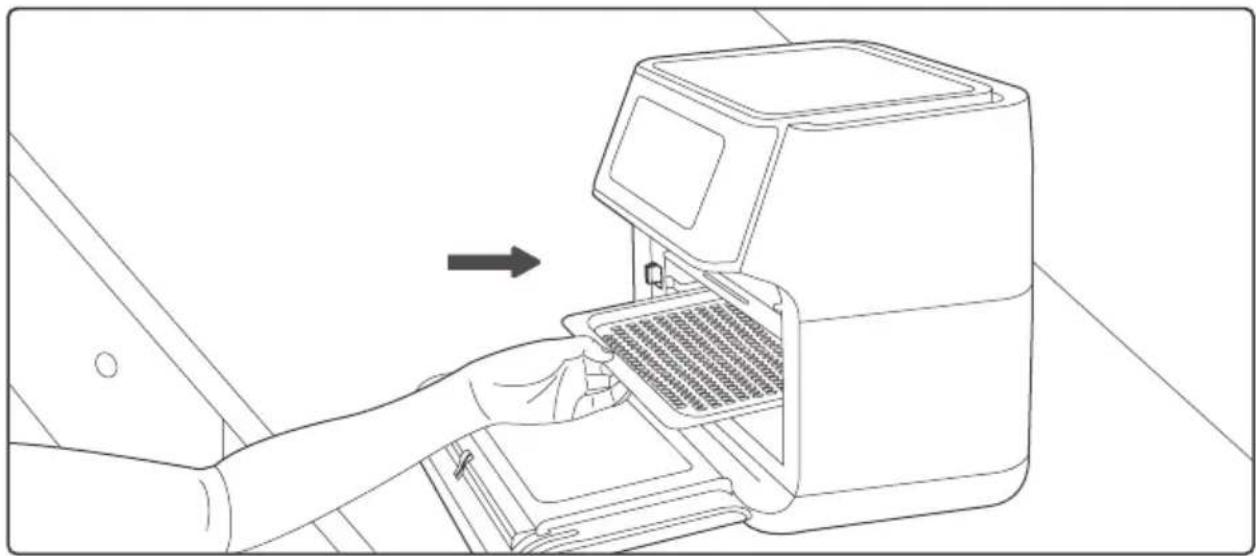
Please choose the proper accessories as per the ingredients to be cooked. Pull the Handle to open the window and install the accessories as instructed below.

natural_image
Line drawing of a hand inserting a device into a device housing (no text or symbols)Mesh Racks
Slide the mesh racks into the upper two sliding chutes for dehydration or to cook crispy snacks /reheat items like pizza.
natural_image
Line drawing of a hand inserting a device into a rack, with an arrow indicating the process (no text or symbols present)Drip Tray
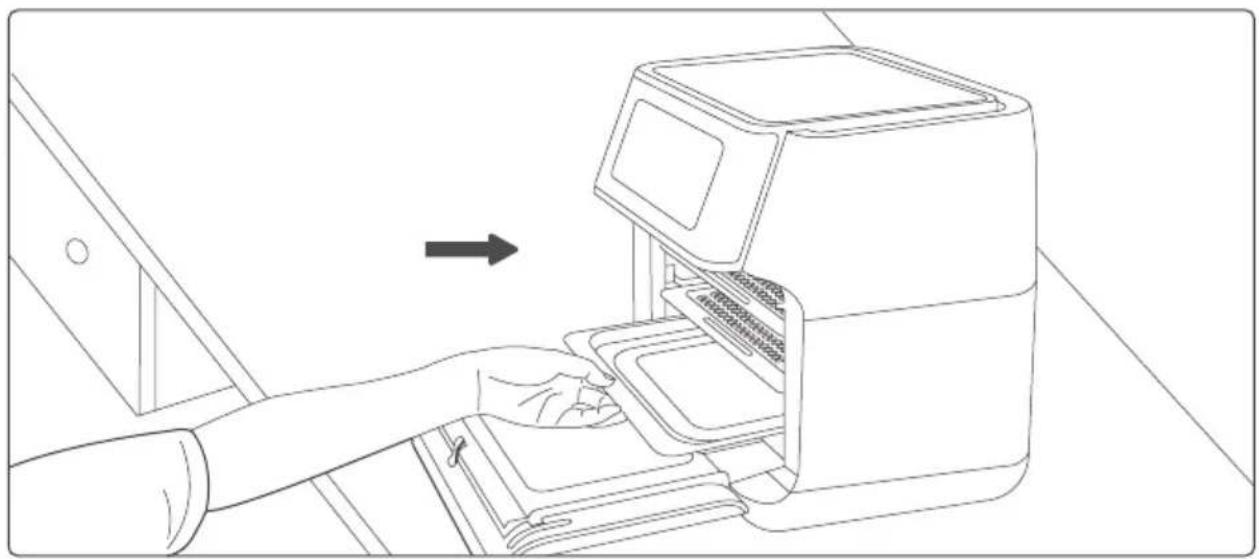
Slide the drip tray into the lowest sliding chute to collect the dripping oil and residue for easier cleaning of the oven.
natural_image
Line drawing of a hand inserting a device into an air conditioner unit (no text or symbols)Rotisserie Shaft
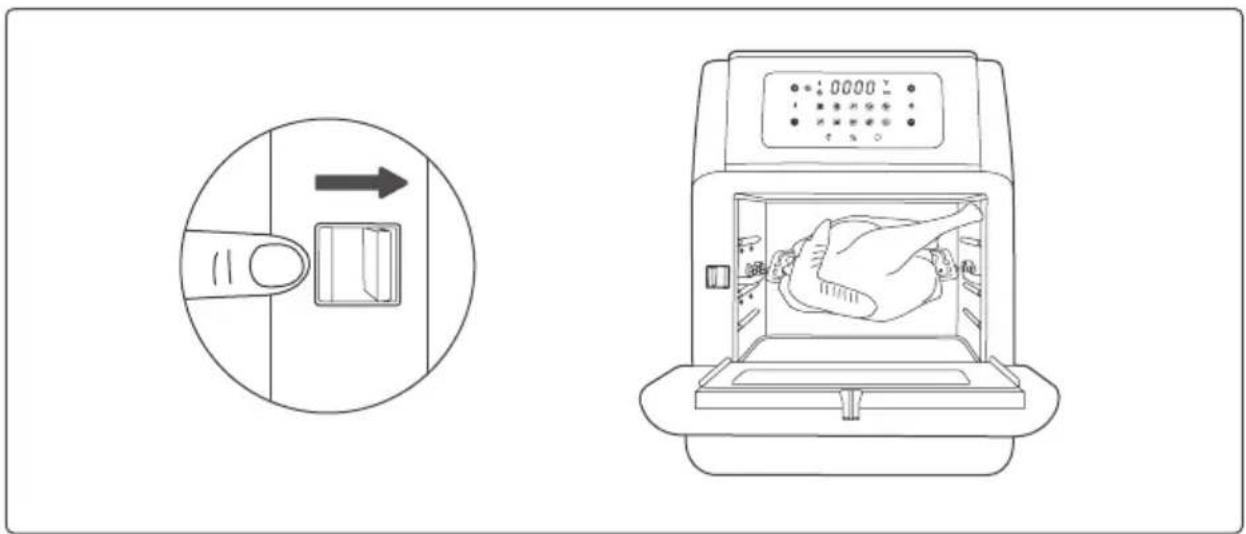
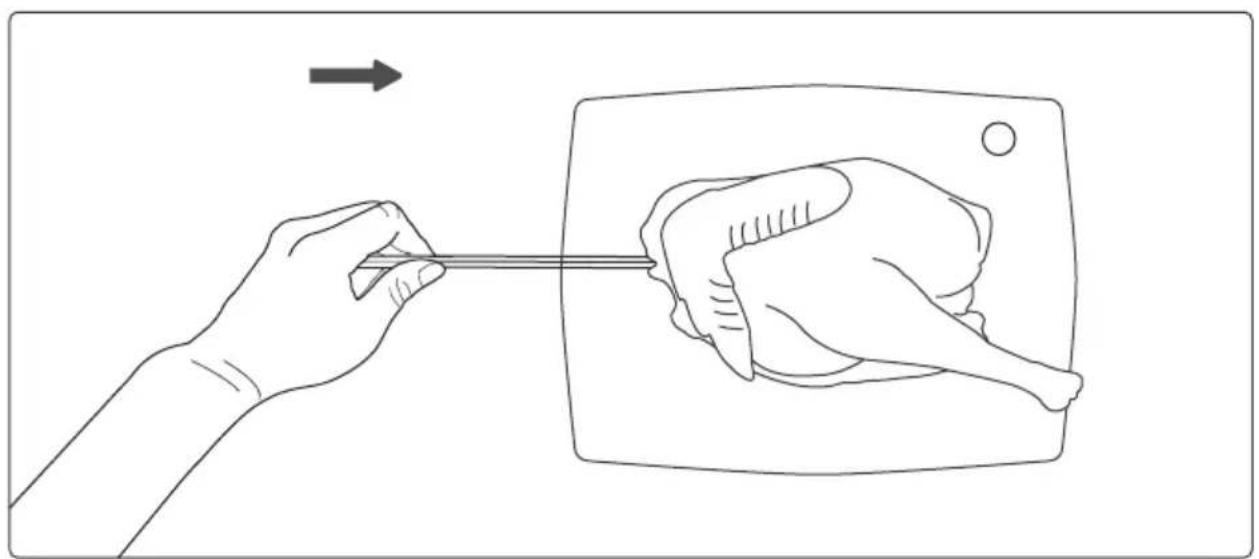
It is used to roast whole chicken and relatively large pieces of meat.
- Pass the shaft through the lenght of the whole chicken.
natural_image
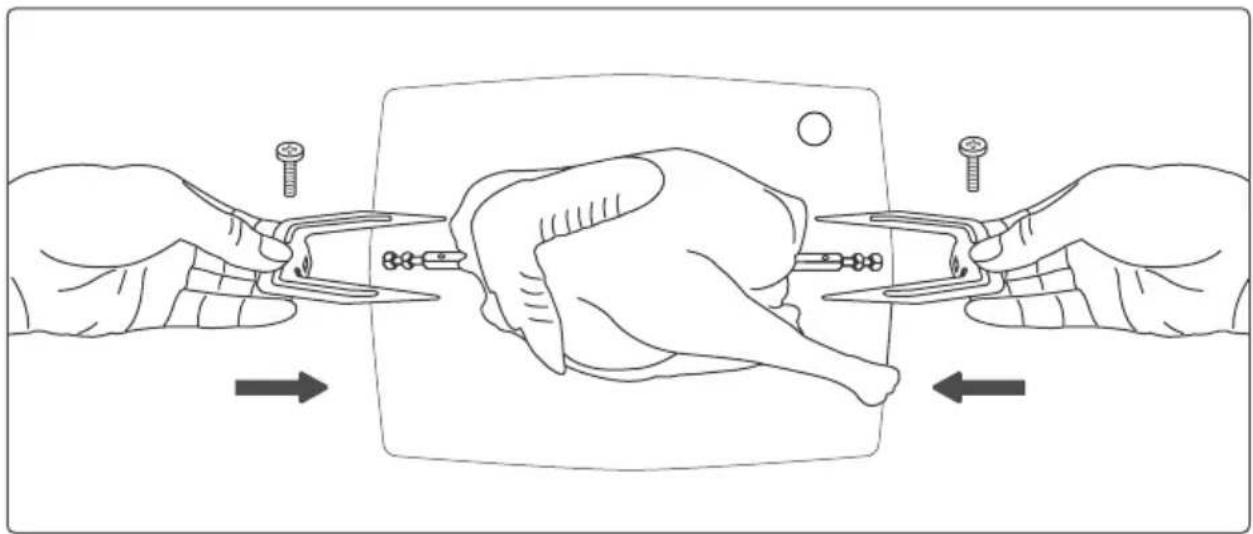
Line drawing of a hand holding a chicken next to a rectangular object with a rod, no text or symbols present- Mount the meat forks onto the shaft and insert it into the meat. Fix the forks with the screws.
natural_image
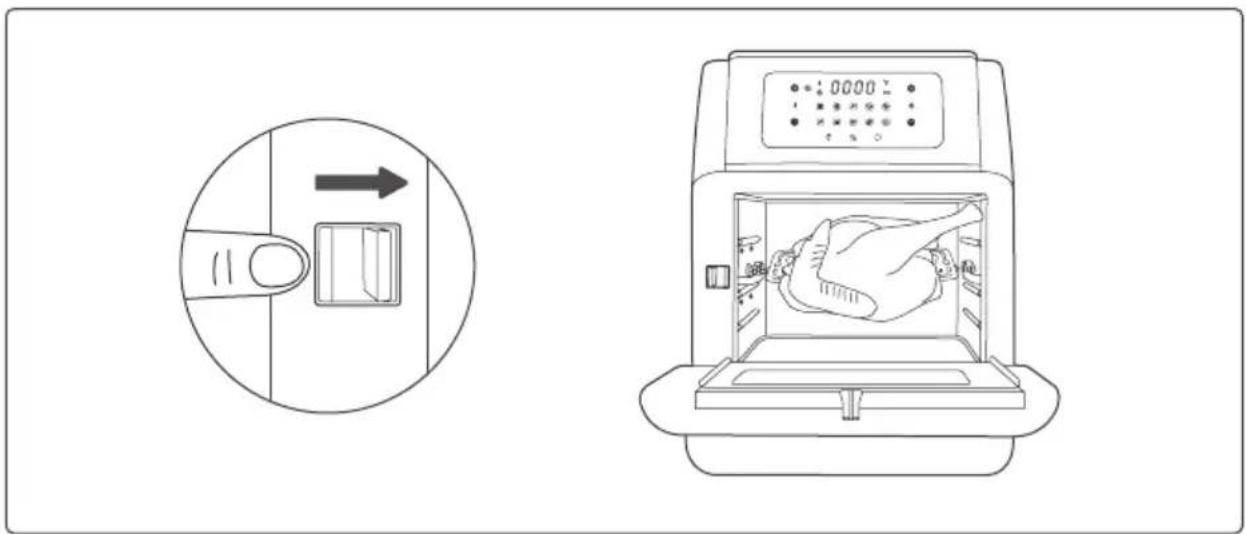
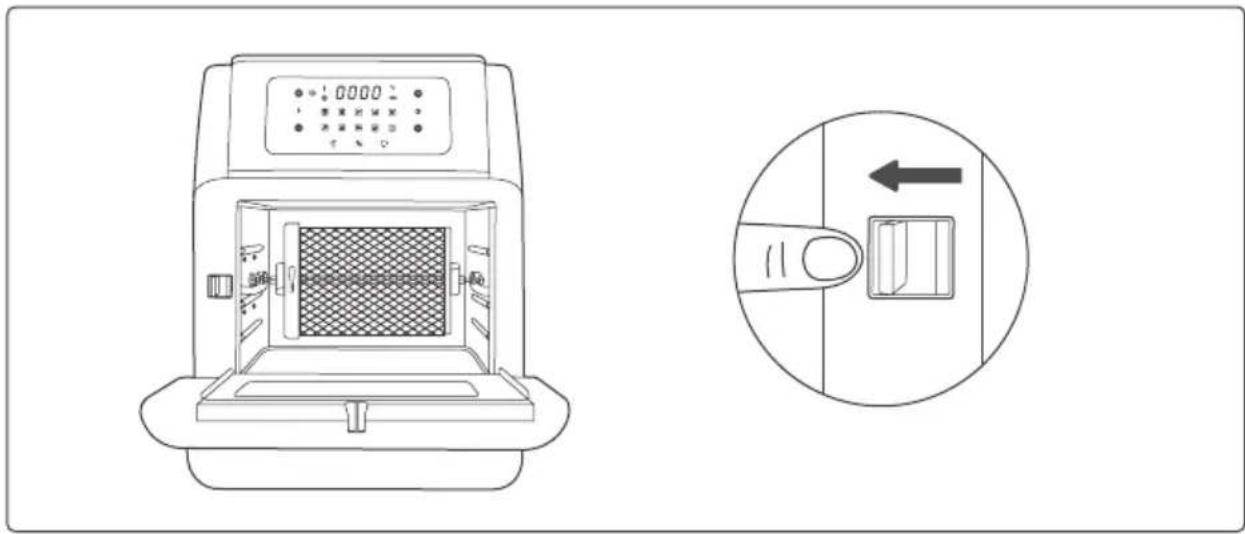
Illustration of hands using pliers to adjust a chicken's body, showing posture and movement (no text or symbols)- Toggle the Switch to the right. Place the rotisserie shaft onto the rails push it into the Lock position.
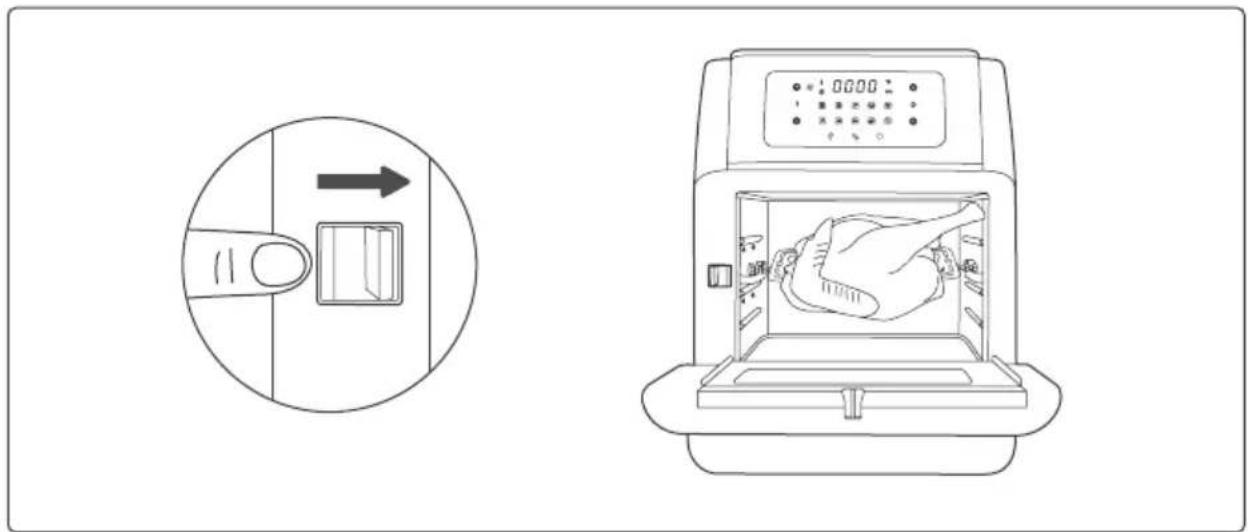
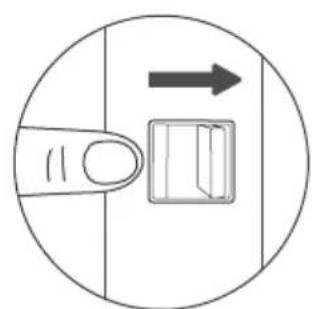
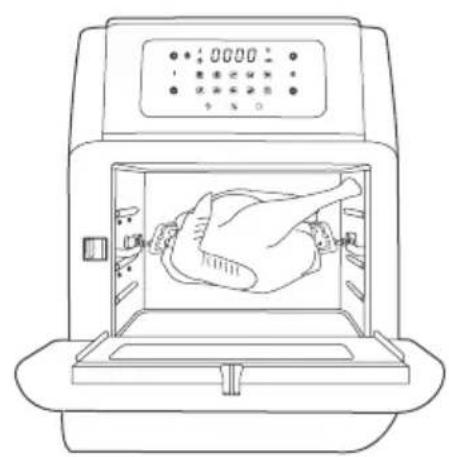
- Release the Switch and lock the shaft into place.
natural_image
Line drawing of a person inside an open kitchen appliance with digital display (no text or symbols)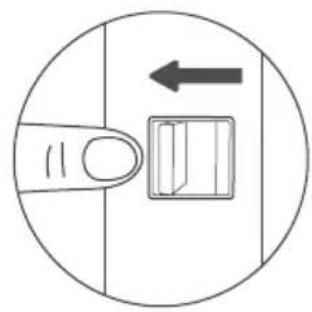
natural_image
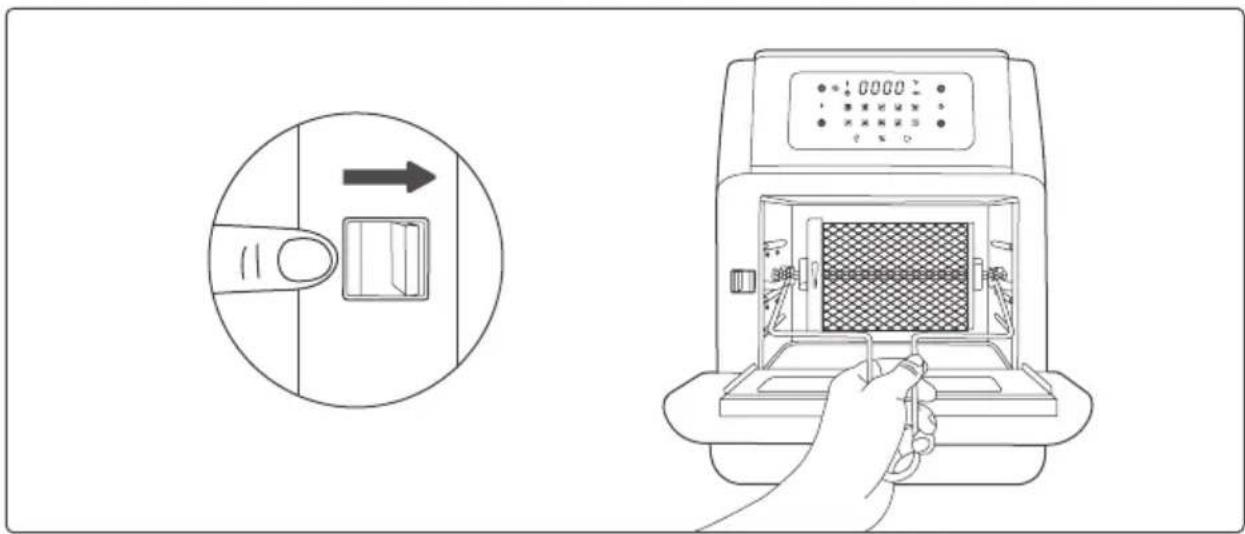
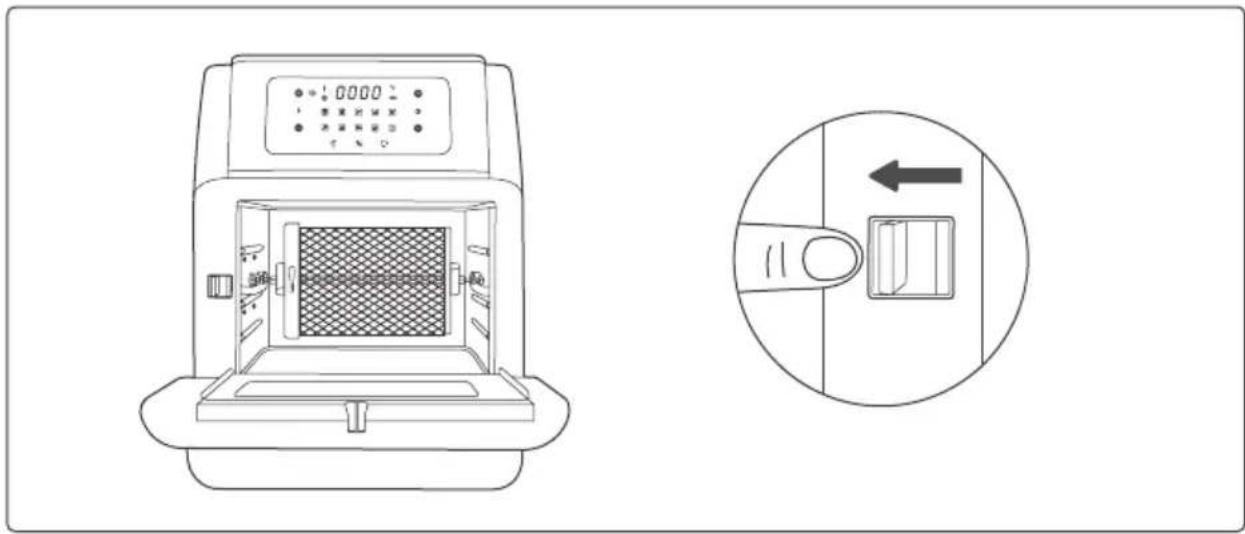
Simple line drawing of a finger pressing a button with an arrow indicating left motion (no text or symbols)Rotisserie Basket
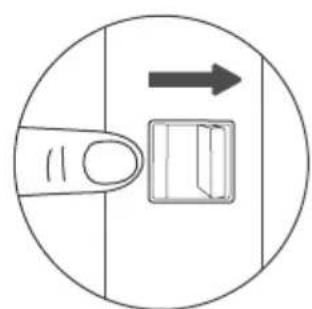
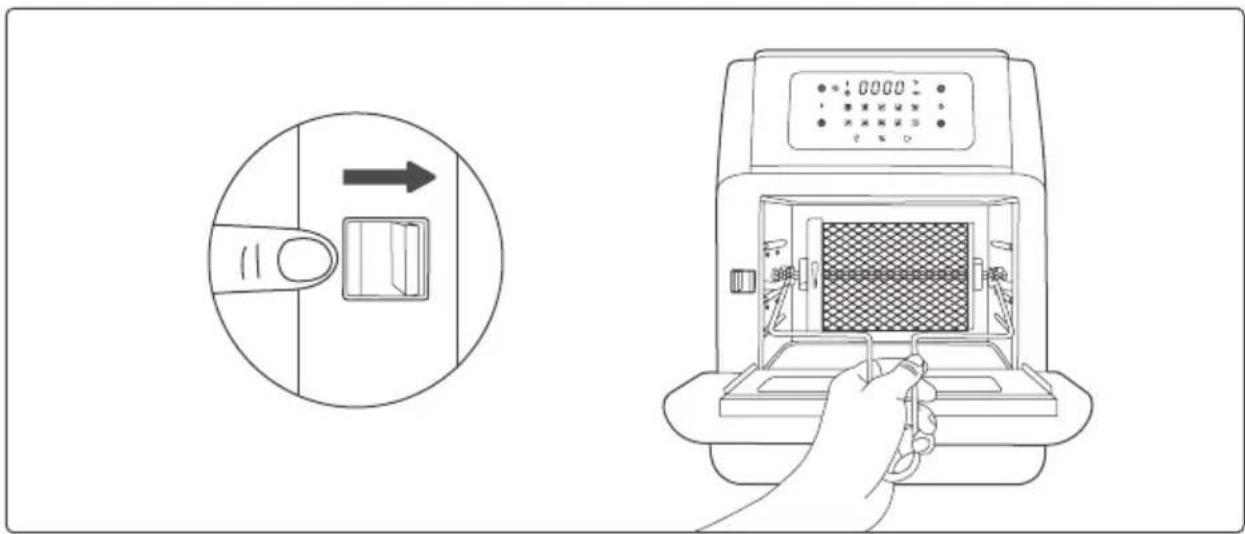
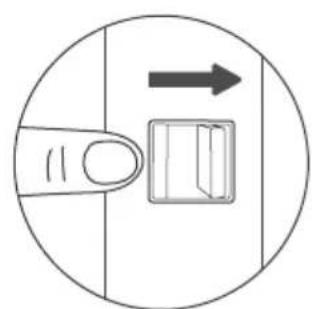
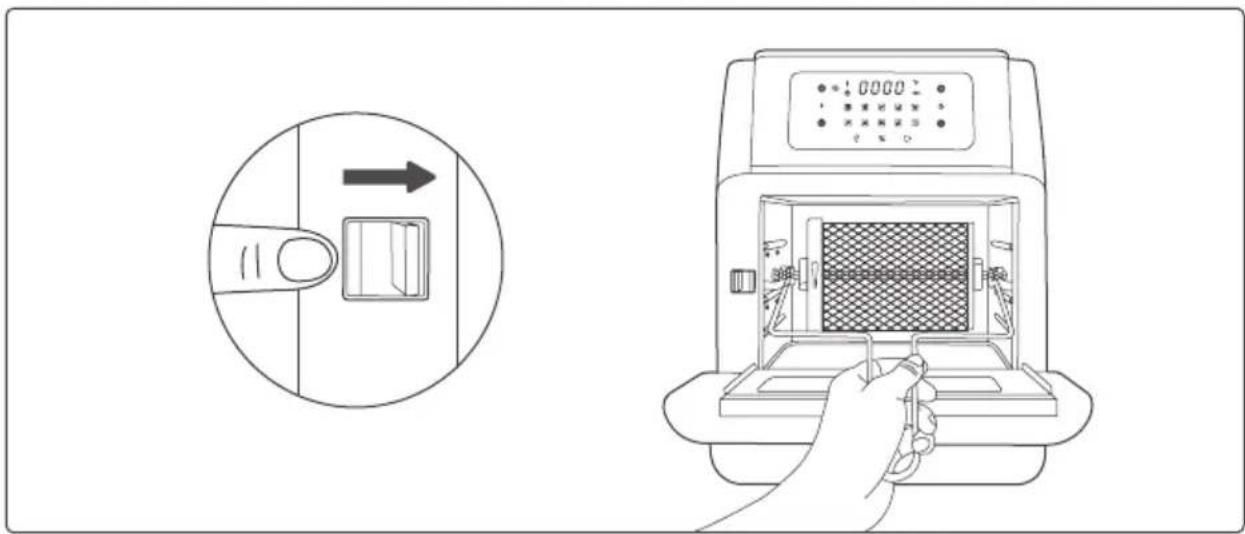
- Toggle the Switch to the right. Place the rotisserie shaft onto the rails push it into the Lock position.
natural_image
Simple line drawing of a finger pressing a button with an arrow indicating direction (no text or symbols)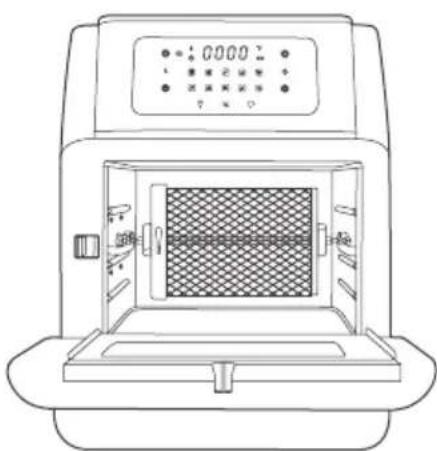
natural_image
Line drawing of a laboratory instrument with a central chamber and digital display (no text or symbols)- Release the Switch and lock the basket into place.
- Use the removal tool to remove the basket to avoid scalding.
Skewers
It is used together with skewer racks to wear meat, fish, vegetables and other ingredient.
Warning
Skewers and other accessories are relatively sharp due to functional requirements. Please pay special attention during use, and take appropriate protection when necessary. When cooking is done, the temperature of the accessories is very high. Do not touch directly to prevent scalding. Please keep the accessories properly to prevent children from coming into contact with them.
CLEANING AND STORAGE
Cleaning
Clean the air fryer oven after each use. Unplug the power cord from the wall socket and be certain the appliance is thoroughly cooled before cleaning.
- The accessories are dishwasher safe but never use abrasive cleaning materials or utensils on their surfaces to avoid scratches.
- Soak the caked-on food in warm, soapy water for easy removal.
- Wipe the outside of the appliance with a warm cloth damped with mild detergent.
- Clean the inside of the appliance with a warm nonabrasive sponge damped with mild detergent. If necessary, remove unwanted food residue from the control panel with a cleaning brush.
Storage
- Unplug the appliance and let it cool thoroughly.
- Make sure all components are clean and dry.
- Place the appliance in the clean, dry place.
TROUBLESHOOTING
| Problem Possible Cause | Solution | |
| The oven does not work. | The appliance is not plugged in. | Plug power cord into wall socket. |
| You have not turned on the Unit by setting the cooking time and temperature. | Set the temperature and time as instructed. | |
| The product window is not closed properly. | Check that window is closed. | |
| The ingredients fried with the air oven are not done. | Too much amount of food. | Reduce the amount of food for single cooking. |
| Setting temperature too low. | Set the temperature higher. | |
| The ingredients are fried unevenly. | When tray is used to make food, the tray position is not adjusted. | During cooking, adjust the tray position appropriately. |
| White smoke comes out of the appliance. | You are preparing greasy ingredients. | When you fry greasy ingredients in the air fryer, a large amount of oil will leak into the pan. The oil produces white smoke and the pan may heat up more than usual. This does not affect the appliance or the end result. |
| The pan still contains grease residues from previous use | White smoke is caused by grease heating up in the pan. Make sure you clean the pan properly after each use. | |
| Fresh fries are not crispy. | The crispiness of the fries depends on the amount of oil and water in the fries. | Make sure you dry the potato sticks properly before you add the oil, Cut the potato sticks smaller for a crispier result. Add slightly more oil for a crispier result. |
DISPOSAL OF USED ELECTRICAL AND ELECTRONIC EQUIPMENT
natural_image
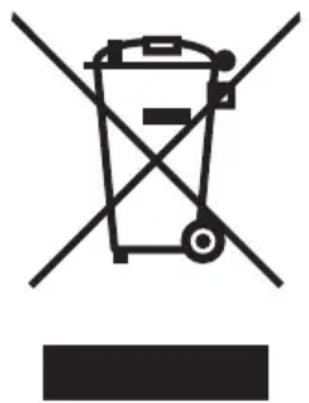
Symbol of a trash bin crossed with no text or numbers, representing environmental restriction (no text present)This symbol on products or original documents means that used electric or electronic products must not be added to ordinary municipal waste. For proper disposal, renewal and recycling hand over these appliances to determined collection points. Alternatively, in some European Union states or other European countries you may return your appliances to the local retailer when buying an equivalent new appliance. Correct disposal of this product helps save valuable natural resources and prevents potential negative effects on the environment and human health, which could result from improper waste disposal. Ask your local authorities or collection facility for more details. In accordance with national regulations penalties may be imposed for the incorrect disposal of this type of waste.
For business entities in European Union states
If you want to dispose of electric or electronic appliances, ask your retailer or supplier for the necessary information.
Disposal in other countries outside the European Union.
This symbol is valid in the European Union. If you wish to dispose of this product, request the necessary information about the correct disposal method from the local council or from your retailer.
- Drátěné rošty
- Odkapávací plech
- Rožen
- Grilovací koš
- Grilovací jehly
- Varování
- USCHOVAJTE SI TENTO NÁVOD NA OBSLUHU
- Drôtené rošty
- Odkvapkávací plech
- Ražen
- Grilovací kôš
- Grilovacie ihly
- Varovanie
- Druciane ruszty
- Taca ociekowa
- Szpikulec
- Kosz do grillowania
- Igły do grillowania
- Ostrzeżenie
- Fémrács
- Zsírfelfogó tálca
- Nyárs
- Grillkosár
- Grillnyársak
- Figyelmeztetés
- Rešetke
- Raženj
- Košara za peko na žaru
- Nabodala za peko na žaru
- Pozor
- Drahtroste
- Abtropfblech
- Drehspieß
- Grillkorb
- Grillspieße
- Warnung
- Danger
- CAUTION
- OVERHEATING PROTECTION
- AUTOMATIC SWITCH-OFF
- SAVE THE INSTRUCTIONS
- BEFORE FIRST USE
- HOW TO USE
- Power On / Off
- Light Control
- Preheat the Oven
- Choose the Cooking Mode
- Set the Cooking Time
- Set the Cooking Temperature
- GET STARTED
- Use the Accessories
- Mesh Racks
- Drip Tray
- Rotisserie Shaft
- Rotisserie Basket
- Skewers
- Warning
- CLEANING AND STORAGE
- Cleaning
- Storage
- TROUBLESHOOTING
- DISPOSAL OF USED ELECTRICAL AND ELECTRONIC EQUIPMENT
- For business entities in European Union states
- Disposal in other countries outside the European Union.
Brand : Guzzanti
Model : GZ 39D
Category : Deep fryer